









Free vintage Photoshop brushes can give modern artwork a sense of history, but convincing retro design requires more than placing a distressed stamp over a beige background. The most memorable vintage-inspired work combines several carefully selected signals: period-appropriate typography, restrained color, imperfect ink, aged paper, historical imagery, print texture, and composition that feels connected to a specific era.
A Victorian invitation, a 1920s sports poster, a 1940s magazine advertisement, and a mid-century travel postcard all belong to the broad world of vintage design, but they should not look interchangeable. Their typography, illustration style, spacing, printing methods, and cultural references are different. Choosing the right brush collection begins with understanding which visual history your project is trying to reference.
This curated collection contains free Photoshop brushes with vintage and retro flair, including antique maps, old postcards, handwritten scripts, Victorian scenes, vintage bicycles, crowns, tarot cards, fashion illustrations, pin-up artwork, antique furniture, musical notation, historical sports imagery, people, books, seals, and postal stamps.
The brushes can support poster design, album artwork, packaging, editorial collage, historical illustration, book covers, invitations, social media graphics, branding concepts, merchandise, and experimental digital art. Some sets provide ready-made historical objects, while others work better as background texture or supporting decoration.
This is not simply a download list. The guide explains how to choose vintage resources more intentionally, how to integrate them into a contemporary design, how to avoid the most common “fake vintage” mistakes, and how to prepare brush-based artwork for digital and print use.
Many of these resources were originally published through older creative communities. Availability and licensing information may have changed. Before using any brush in client work, merchandise, packaging, advertising, print-on-demand products, or other commercial projects, check the current terms on the original download page.
Explore More DesignRise Resources:
- Free Fire Textures
- Free Procreate Brushes — Ready to Download
- 20 Free Handwritten Fonts for Personal and Commercial Projects
- New Collection of Free Floral Brushes for Photoshop
Why Vintage Design Is More Than a Texture Effect
The word “vintage” is often used as a shortcut for anything faded, distressed, sepia-toned, or old-fashioned. That approach can produce an attractive image, but it rarely produces an authentic visual identity.
Good vintage design usually feels connected to a specific period or production method. A designer may reference hand-set typography, letterpress printing, engraved illustration, lithography, early advertising, wartime editorial design, travel ephemera, silent-film posters, old catalogues, or postwar commercial art.
The Main Ingredients of a Convincing Vintage Composition
- Historical imagery: people, objects, transport, clothing, maps, advertisements, or illustrations associated with the intended era.
- Period-aware typography: display serifs, scripts, slab serifs, condensed sans serifs, blackletter, or hand-painted lettering.
- Limited color: many older print processes relied on fewer inks and less precise color reproduction.
- Physical texture: paper grain, ink spread, scratches, faded areas, folds, and printing imperfections.
- Appropriate composition: vintage layouts often use different spacing, hierarchy, borders, and ornamentation than modern digital templates.
- Controlled imperfection: convincing wear should feel connected to the object, not randomly placed over the whole canvas.
A Photoshop brush can provide one of these ingredients, but the designer still has to create the visual system around it.
Choose the Era Before Choosing the Brush
Instead of searching for a generic “retro effect,” decide what kind of historical atmosphere supports the project. This immediately narrows the brush, typography, color, and texture choices.
How to Install Vintage Brushes in Photoshop
Most Photoshop brush sets are distributed as .ABR files. The installation process is simple, but organizing them immediately will make the collection much easier to use later.
Import Through the Brushes Panel
- Download and unzip the brush package.
- Open Adobe Photoshop.
- Select Window → Brushes.
- Open the menu in the upper-right corner of the Brushes panel.
- Choose Import Brushes.
- Select the downloaded .ABR file.
- Rename the imported folder if the original name is unclear.
Create Practical Brush Categories
- Maps and travel.
- Postcards and postal stamps.
- People and fashion.
- Victorian and decorative.
- Music and handwritten script.
- Objects and furniture.
- Symbols, tarot, seals, and crowns.
Store the original ZIP or ABR file with the source URL and licensing notes. Older resources can disappear, so keeping this information with the project archive is useful.
19 Free Photoshop Brushes with Vintage and Retro Flair
The original collection contained the same assorted map pack twice, so the duplicate has been removed. The resources below are 19 unique brush collections. Click each linked H2 title to open the original source page.
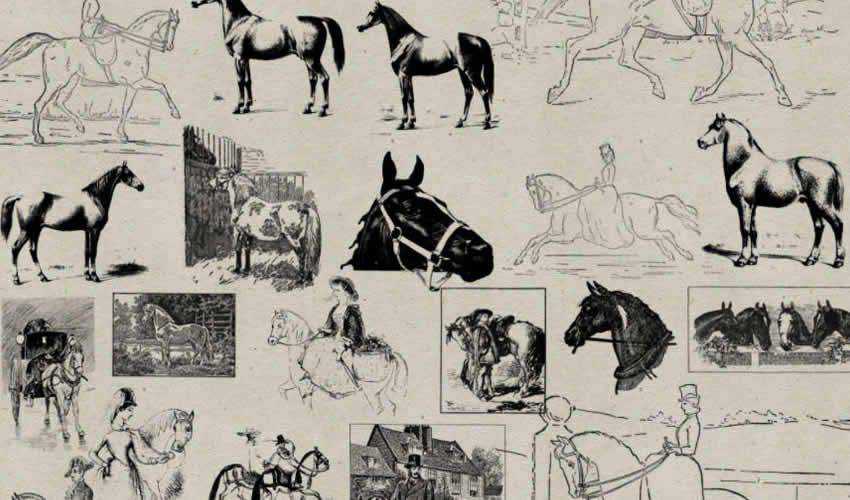
1. Vintage Horses Photoshop Brushes
Best for: rural branding, Western-style posters, book covers, outdoor graphics, and historical collages.
Horse imagery brings movement and an immediate connection to travel, agriculture, countryside life, and historical transport. These brushes can support Western-inspired compositions, equestrian branding, old editorial layouts, or scenes that need more visual energy than a static decorative object.
Try placing the horse on a separate layer and combining it with a map, faded typography, or a dusty landscape texture. Avoid using several horse silhouettes at the same size, as the result can quickly resemble a modern icon set rather than an aged illustration.
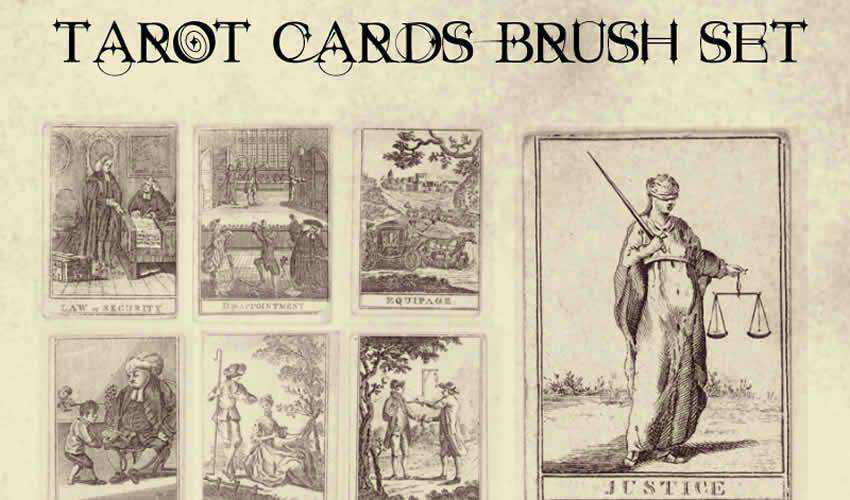
2. Tarot Cards Brush Set
Best for: mystical posters, book covers, album artwork, Halloween graphics, and antique collage.
This collection contains detailed illustrations inspired by tarot and fortune-telling cards. It can help create a mysterious historical atmosphere without requiring every symbol to be drawn manually.
Use tarot imagery as a narrative element rather than random decoration. Select cards whose symbolism supports the project and avoid crowding the design with too many competing illustrations. A restrained palette of black, parchment, faded red, or muted gold can make the composition feel more intentional.
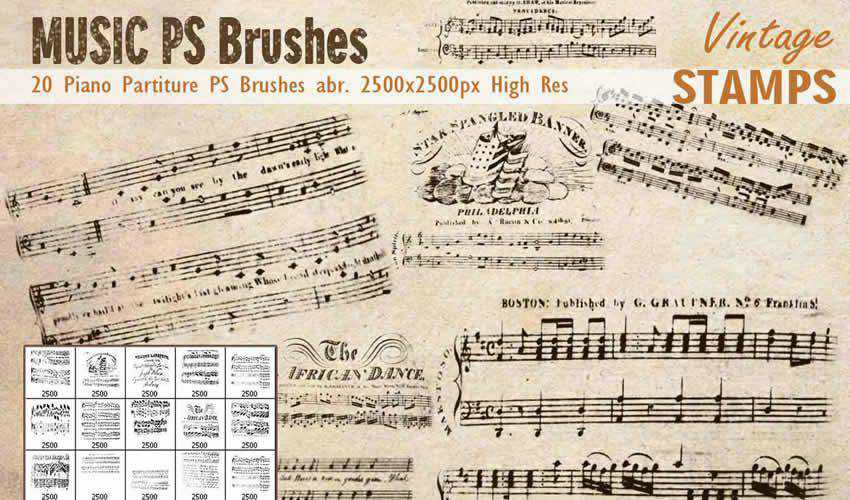
3. Piano Partiture Photoshop Brushes
Best for: album covers, event invitations, music posters, theatre graphics, and lyrical backgrounds.
The set includes high-resolution musical notation that can function as a foreground element or a subtle background pattern. Layering sheet music behind a portrait, instrument, or title can create atmosphere without introducing another dominant image.
Keep the notation legible only when its content matters. When it serves purely as texture, lower the opacity, crop it dramatically, or apply a mask so the music appears to fade into the paper.
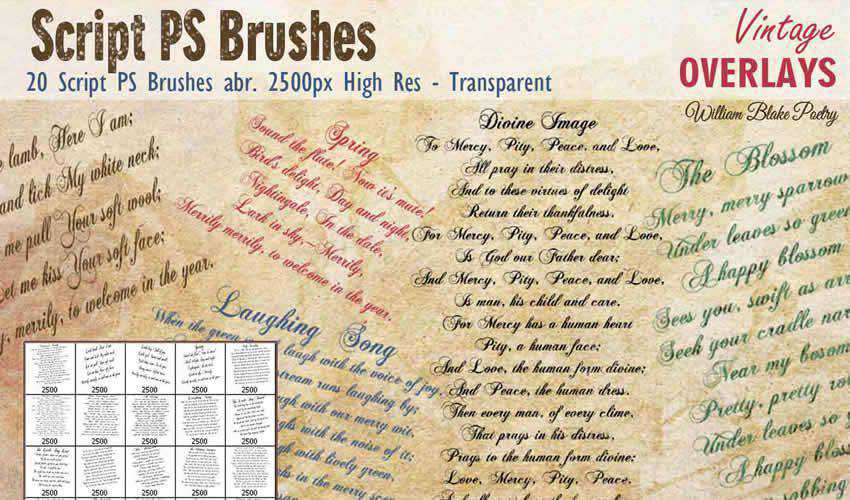
4. Vintage Script Photoshop Brushes
Best for: wedding stationery, old letters, historical collage, packaging, and editorial backgrounds.
Handwritten script is one of the fastest ways to suggest personal history. These brushes can resemble letters, diary pages, archival notes, or decorative calligraphy.
Do not place script behind every part of a design. Use it in selected areas, such as around a photograph, behind a product label, or near a torn-paper edge. When the handwriting is not meant to be read, reduce contrast so it supports the composition rather than competing with the primary text.
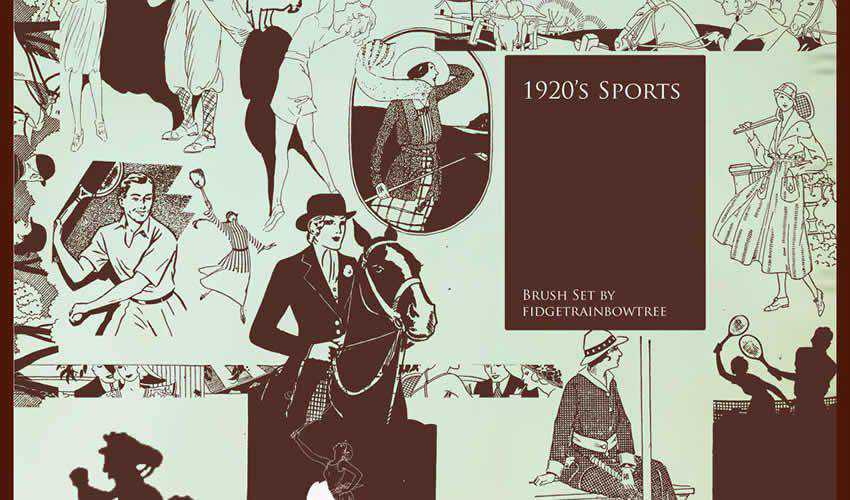
5. 1920s Sport Photoshop Brushes
Best for: vintage sports posters, editorial design, apparel graphics, event promotions, and nostalgic branding.
The historical sports figures in this set can give modern designs a less predictable character than contemporary photography. They are especially useful for projects referencing early athletic culture, club history, or archival competition posters.
Pair the brushes with bold condensed typography, geometric borders, and a limited print-inspired palette. Avoid combining them with highly modern gradients or glossy effects unless the contrast is intentionally part of the art direction.
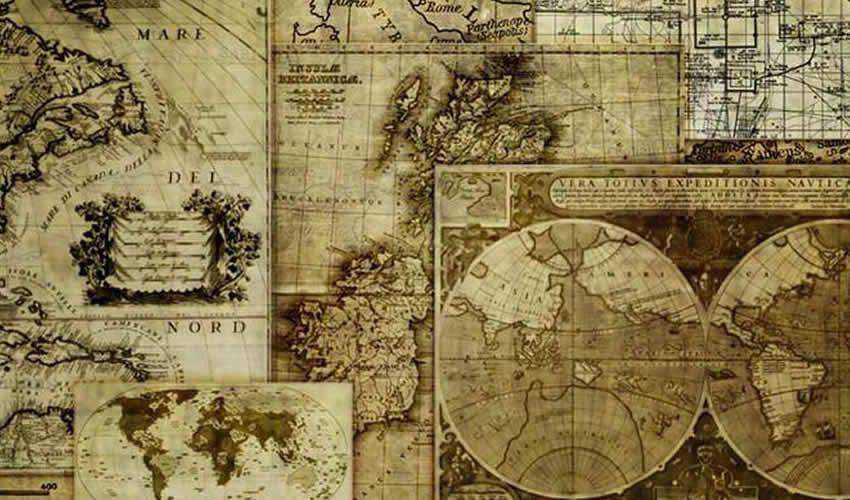
6. 14 High-Resolution Assorted Map Brushes
Best for: fantasy maps, book covers, travel posters, historical graphics, and adventure-themed design.
Antique maps instantly add geographical and historical context. They can serve as a complete background, a masked texture inside typography, or a small detail that connects a project to travel and discovery.
For better integration, recolor the map rather than leaving it as solid black. Dark brown, muted blue, faded red, or low-opacity cream can make it feel printed into the surface instead of placed on top.
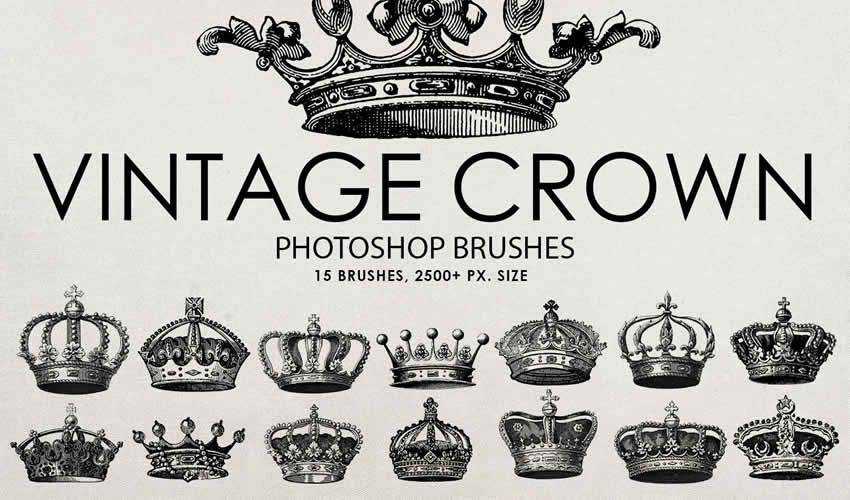
7. Free Vintage Crown Photoshop Brushes
Best for: heraldic branding, certificates, luxury labels, invitations, and historical fantasy artwork.
Crown illustrations communicate authority, prestige, royalty, competition, and tradition. They can work well in a crest, monogram, or formal label, but they are also easy to overuse.
Choose one crown whose proportions match the typography. A delicate crown may suit an elegant serif, while a heavier heraldic version may work with a bold wordmark. Test the complete mark at small size before treating it as a logo.
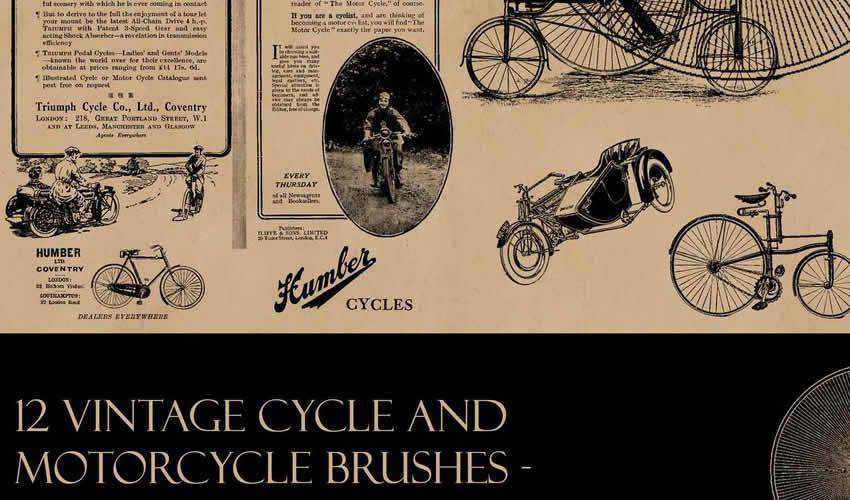
8. Vintage Cycle Photoshop Brushes
Best for: travel posters, cycling events, café branding, urban history projects, and nostalgic editorial graphics.
Vintage bicycle imagery can suggest movement, craftsmanship, leisure, sustainability, and early urban life. It is especially effective for travel, local heritage, or lifestyle projects.
Place the bicycle against a map or simplified street scene, but keep enough negative space around its structure. The fine spokes and frame details can disappear when surrounded by excessive texture.
9. Vintage Post Photoshop Brushes
Best for: travel journals, correspondence-themed artwork, postcards, scrapbooking, and historical collage.
Postal graphics can include stamps, cancellations, addresses, handwritten details, and printed marks. Together, they suggest movement through time and place.
Use postmarks near edges, folds, or overlapping paper layers. When every postal mark is centered and fully visible, the design can feel assembled from clip art. Partial cropping often creates a more believable result.
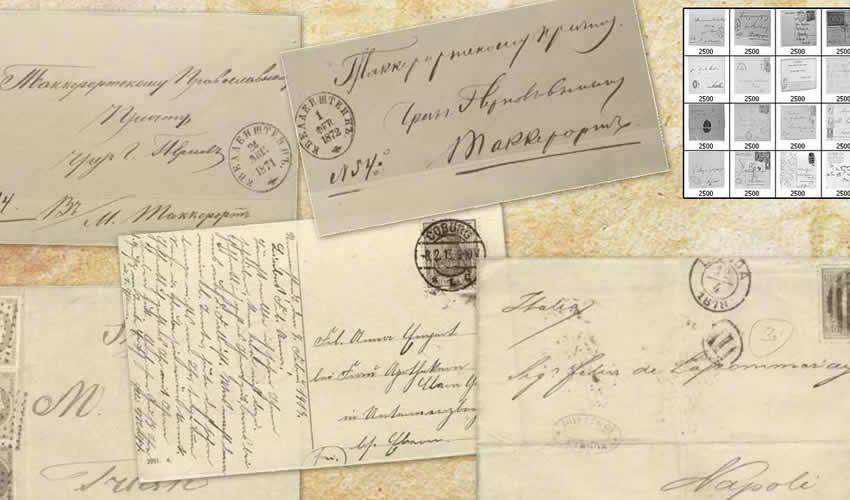
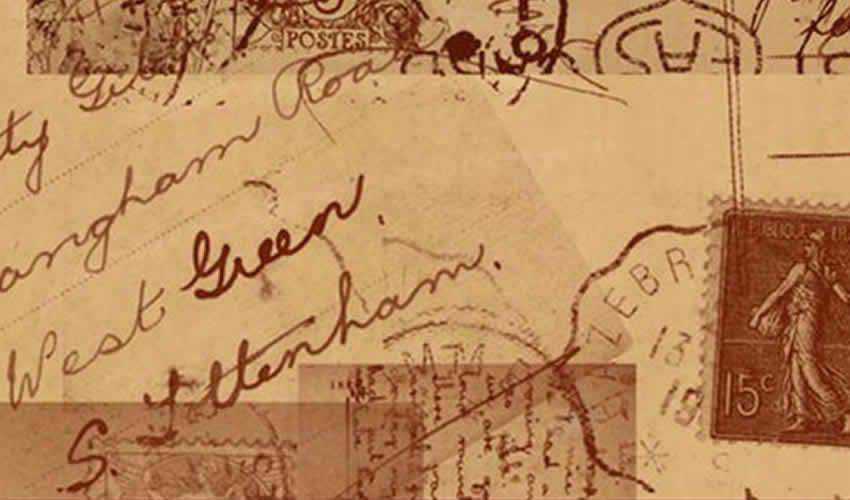
10. Assorted Vintage Postcard Brushes
Best for: retro travel graphics, nostalgic photo albums, social posts, and postcard-style invitations.
This is another postcard-oriented resource rather than a second map set. It can help create travel ephemera, historical correspondence, or scrapbook-style artwork.
Combine postcard details with one strong photograph or illustration instead of layering several unrelated destinations. A coherent story will make the design feel curated rather than decorative.
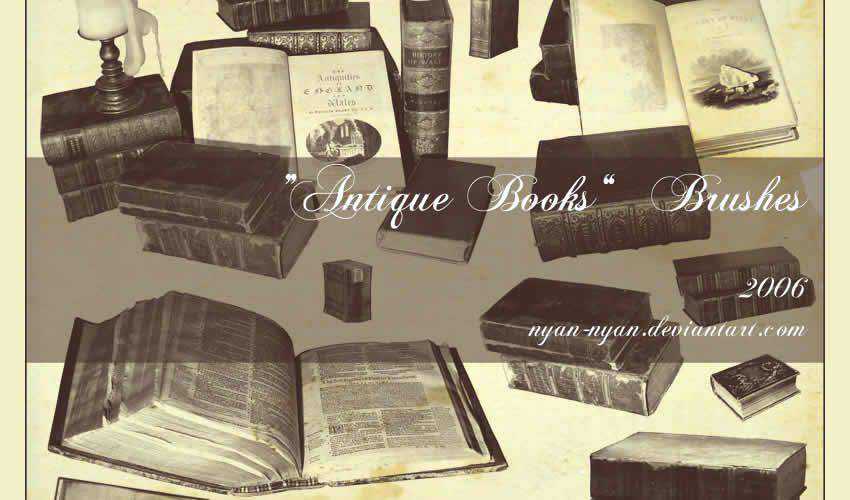
11. Antique Book Brushes
Best for: literary posters, bookshop branding, fantasy compositions, educational graphics, and library-themed artwork.
Antique books can become props, borders, background silhouettes, or central objects. They work especially well in literary and fantasy projects where physical books are part of the story.
When creating a stack, vary the size and angle of each impression. Add a soft shadow or paper texture afterward so the separate brush shapes feel like one scene.
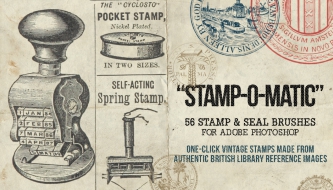
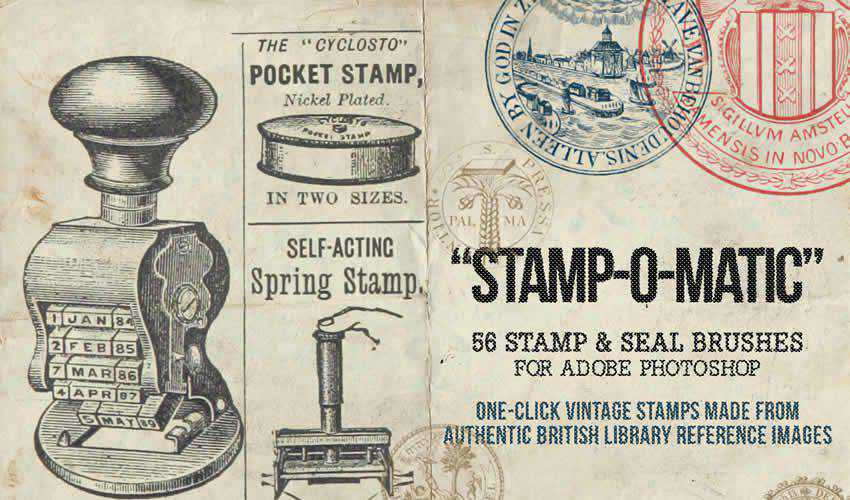
12. Stamp-O-Matic Vintage Seal and Stamp Brushes
Best for: packaging, postal graphics, labels, certificates, travel design, and distressed branding.
This large collection contains vintage seal and stamp styles in different shapes and sizes. It is particularly helpful when creating labels, emblems, postal compositions, or old document effects.
Instead of using a complete stamp unchanged, try masking parts, replacing the central typography, or combining its outer frame with custom content. This makes the final result more distinctive.
13. 1940 Cosmopolitan Brushes
Best for: editorial collage, fashion graphics, historical advertising, posters, and magazine-inspired layouts.
These brushes were created from illustrations associated with a 1940s magazine aesthetic. They can help designers explore period advertising, editorial figures, fashion, and commercial illustration.
Use the images as part of a broader 1940s system: warm limited colors, prominent headlines, printed grain, halftone texture, and structured editorial spacing.

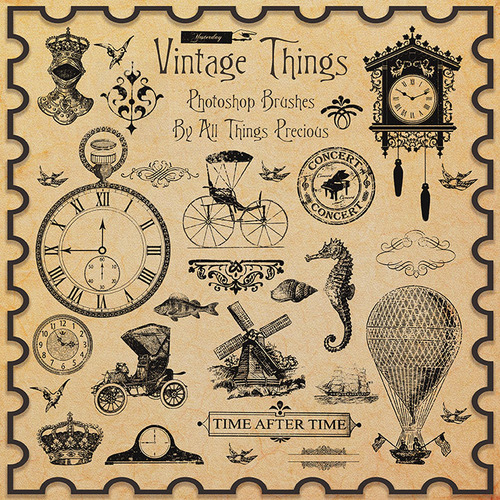
14. Vintage Things Brushes for Photoshop
Best for: mixed historical collage, posters, product graphics, scrapbooking, and experimental compositions.
This general-purpose collection contains assorted vintage objects. It can be useful when a project needs a quick historical detail but does not require one tightly defined theme.
Because assorted-object collections can feel visually inconsistent, choose a small number of elements with similar line weight and illustration quality. Avoid using every available object simply because it belongs to the same download.
15. Victorian Brushes
Best for: historical invitations, period posters, book covers, theatre artwork, and antique editorial design.
Victorian scenes and detailed historical illustrations can add narrative depth to a composition. They work particularly well in projects that embrace ornamentation, engraving, and formal typography.
Use a Victorian scene as a focal image and keep supporting elements more restrained. Combining several elaborate illustrations with ornate borders and multiple decorative fonts can overwhelm the hierarchy.

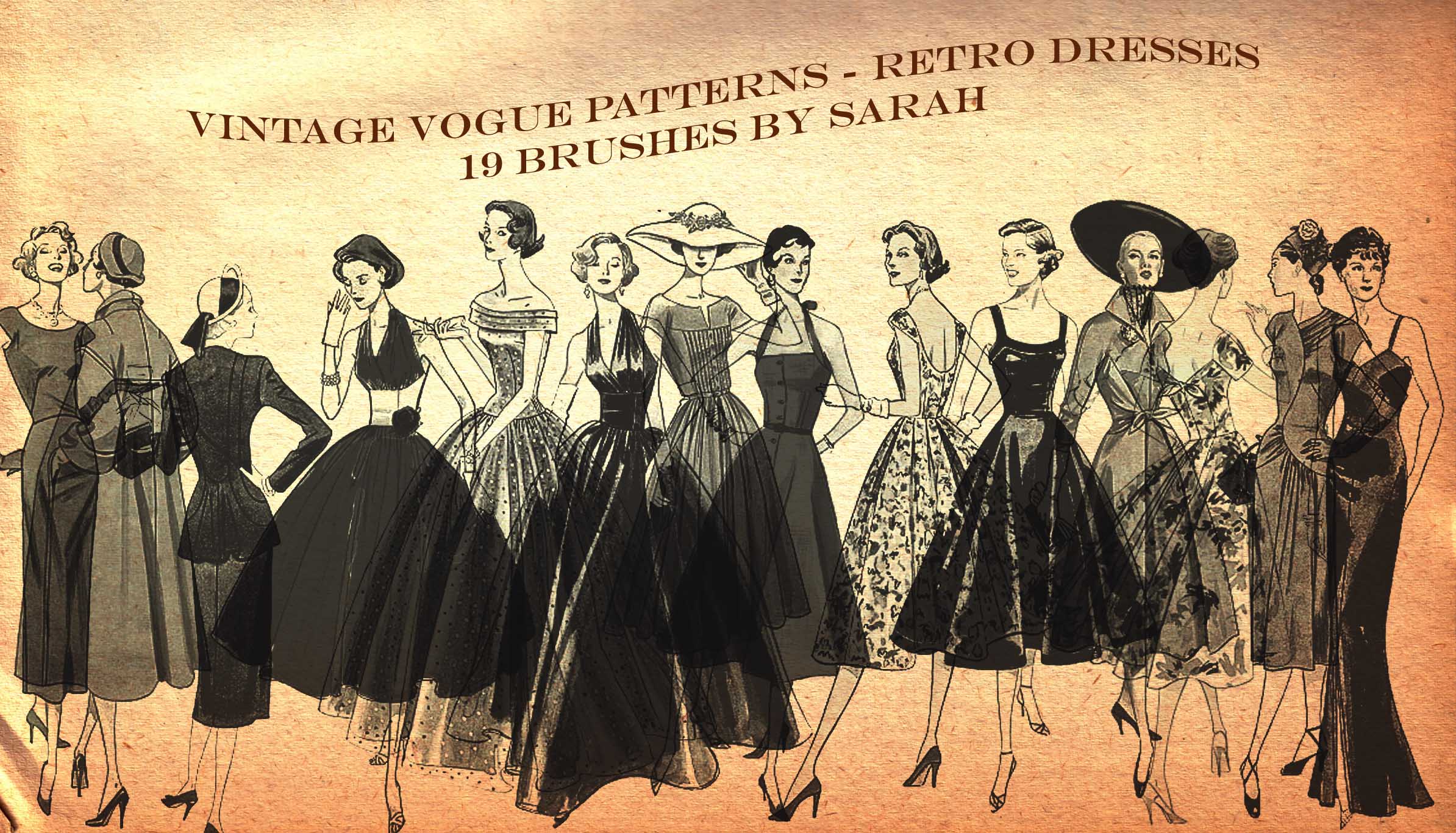
16. Vintage Vogue Brushes
Best for: retro fashion artwork, editorial collage, beauty campaigns, sewing graphics, and vintage lifestyle branding.
These brushes were created from vintage fashion-pattern illustrations. They can introduce clothing, poses, and period styling into editorial compositions without relying on modern photography.
Fashion illustrations often contain fine details, so test them at final output size. A simple two- or three-color treatment can preserve their graphic character better than complex photographic effects.
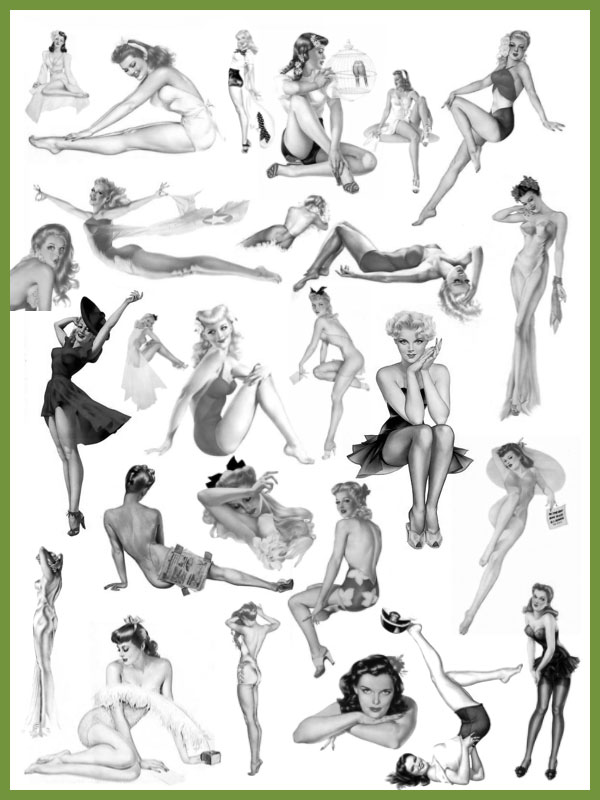
17. Alberto Vargas Pin-Up Girls Brush Collection
Best for: historical study, retro collage, pin-up-inspired artwork, and vintage advertising references.
This collection is based on imagery associated with a named historical pin-up illustrator. It can be useful for studying mid-century commercial illustration and glamorous retro composition.
Because the brushes reference recognizable artwork by a specific artist, treat this as a rights-sensitive resource. Do not assume that the existence of a free download automatically grants permission for commercial use, merchandise, resale, or brand campaigns. Check the source, copyright status, and intended usage carefully.
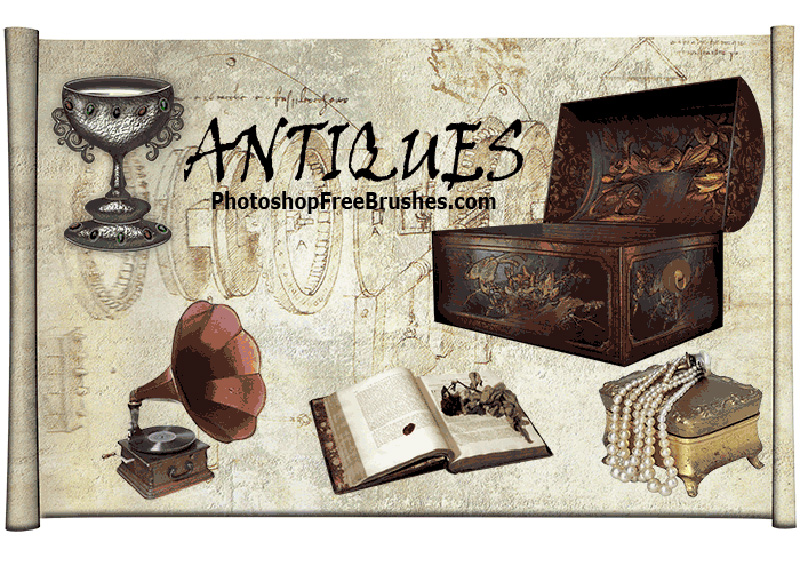
18. 20 Antique Furniture Photoshop Brushes
Best for: interior-themed design, historical scenes, theatre graphics, furniture branding, and decorative collage.
This high-resolution set includes antique furniture and related objects such as chairs, chests, dressers, crates, and other vintage pieces. It can help build an interior scene or provide isolated objects for surreal collage.
To create depth, divide the objects into foreground, middle ground, and background layers. Adjust scale and blur slightly rather than placing every object on one flat visual plane.
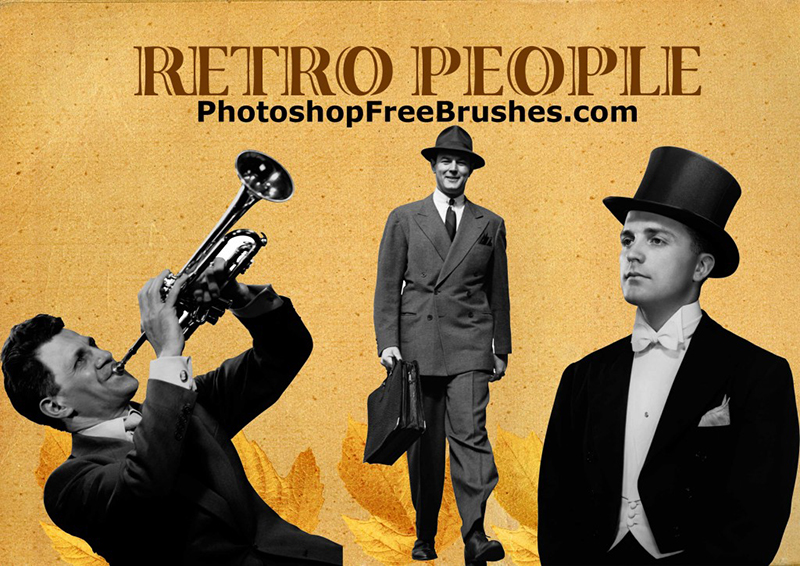
19. Retro People Photoshop Brushes
Best for: advertising concepts, retro lifestyle graphics, editorial collage, fashion history, and poster design.
This collection contains high-resolution figures wearing vintage clothing and hairstyles. Human figures can give a composition narrative, scale, and emotional focus that decorative objects alone cannot provide.
The brushes pair naturally with antique furniture, postcards, magazine textures, and period typography. Avoid placing every figure in the same direction or scale. Mirroring, cropping, masking, and overlapping can create a more believable scene.
How to Make Vintage Brush Artwork Feel Authentic
Start With a Limited Color System
Many vintage-inspired designs become less convincing because they use too many modern saturated colors. Begin with two or three inks and one paper color.
Useful combinations include:
- Faded red, navy, and cream.
- Dark green, parchment, and muted gold.
- Black, warm grey, and dusty pink.
- Brown, faded blue, and aged white.
- Mustard, brick red, and charcoal.
Separate Object Texture From Paper Texture
A printed figure and the paper beneath it should not have exactly the same wear. Apply paper grain globally, then add lighter ink distress specifically to the brush element.
Use Blend Modes Selectively
Multiply is often useful for dark ink on light paper. Screen may help with light elements on a dark background. However, blend modes are not automatic authenticity buttons. Compare the result at normal size and make sure important details remain readable.
Add Misregistration Carefully
To imitate imperfect historical printing, duplicate the brush layer, recolor it, and move it by one or two pixels. This can create a subtle misregistration effect. Large offsets usually look like a digital glitch rather than an old print.
Allow Some Details to Disappear
Historical prints often have uneven ink coverage. Use a mask with a rough brush to remove selected parts of the illustration instead of applying one uniform grunge texture over everything.
Five Vintage Design Recipes
1. Old Travel Poster
- Choose one map, postcard, horse, or bicycle brush.
- Build a strong central silhouette.
- Add a bold destination name using a period-appropriate display font.
- Limit the design to three or four colors.
- Add light halftone or paper grain.
- Keep important travel information clear and readable.
2. Victorian Product Label
- Create a symmetrical frame using crowns, seals, or ornamental elements.
- Add a serif or engraved-style wordmark.
- Use cream, black, burgundy, or dark green.
- Apply subtle ink distress to the label artwork.
- Test the complete label at the actual packaging size.
3. Retro Editorial Collage
- Select one retro person or fashion illustration.
- Combine it with one supporting object or magazine texture.
- Crop the figure dramatically.
- Add oversized typography that overlaps the imagery.
- Use masks to create depth between text and illustration.
- Finish with controlled print texture.
4. Mystical Antique Poster
- Choose one tarot card as the main symbol.
- Add handwritten script or a map at low opacity.
- Use a black, parchment, and faded-gold palette.
- Introduce a border or stamp only if it supports the hierarchy.
- Avoid adding unrelated mystical symbols merely to fill space.
5. Vintage Music Artwork
- Use musical notation as a background layer.
- Add a portrait, instrument, or performance photograph.
- Apply a limited duotone color treatment.
- Create hierarchy with one large title and minimal supporting text.
- Use paper grain and ink wear at different strengths.
Preparing Brush-Based Vintage Artwork for Print
Work at the Final Size
Create the Photoshop document at the correct physical dimensions and resolution. Enlarging a brush after the entire design is complete may reveal pixelation or edge artifacts.
Check Small Details
Fine map lines, musical notation, bicycle spokes, scripts, and engraved illustrations can disappear in print. View the document at actual print size rather than judging only while zoomed in.
Use CMYK Preview Carefully
Bright digital colors may shift when converted for print. Use Photoshop’s soft-proofing tools and communicate with the printer about the required profile.
Preserve an Editable Master
Keep a layered PSD with masks and adjustment layers. Export a separate production file only after the design is approved.
Check Bleed and Safe Areas
Texture and background imagery may extend into the bleed, but important brush details and typography should stay inside the safe area.
Common Mistakes in Vintage Photoshop Design
1. Mixing Unrelated Historical Periods
A Victorian crown, 1950s pin-up, medieval map, and 1970s font may all look “old,” but they do not automatically belong in the same design. Mix eras only when the contrast is deliberate.
2. Applying the Same Grunge Texture Everywhere
Uniform distress looks digital. Different materials and printed elements should show different types of wear.
3. Making Every Element Brown
Sepia is not the only vintage palette. Historical design used blue, red, green, black, orange, gold, pink, and many other colors.
4. Using Brushes as Finished Artwork
Rotate, crop, mask, recolor, combine, and refine downloaded brush impressions. A visible default stamp can make the final work feel generic.
5. Ignoring Typography
Modern default fonts can destroy an otherwise convincing historical direction. Typography should support the same period and production style as the brushes.
6. Reducing Readability for Atmosphere
Texture and distress should not obscure a product name, event date, headline, or important information.
7. Assuming Every Free Brush Allows Commercial Use
Free availability does not automatically provide commercial rights. Verify each original source and save the license with the project files.
Vintage Brush Licensing Checklist
Before using a resource professionally, record:
- The creator or source website.
- The original download URL.
- The date the brush was downloaded.
- Whether commercial use is permitted.
- Whether attribution is required.
- Whether the brush can be used in logos or merchandise.
- Whether source artwork contains third-party copyrighted material.
- Whether redistribution of the ABR file is prohibited.
This is especially important for brushes based on magazine scans, named artists, historical advertisements, fashion illustrations, photographs, or other recognizable source material.
Frequently Asked Questions About Vintage Photoshop Brushes
What are vintage Photoshop brushes?
Vintage Photoshop brushes are reusable .ABR presets created from historical illustrations, stamps, maps, handwriting, printed ephemera, people, objects, textures, or decorative artwork. They can be resized, recolored, masked, layered, and combined inside Photoshop.
How do I make a modern design look vintage?
Begin with a specific historical direction. Combine appropriate typography, a limited palette, period imagery, paper texture, printing imperfections, and restrained distress. Avoid relying on one sepia filter.
Can free vintage brushes be used commercially?
Only when the original license permits commercial use. Check every source individually, especially when the brush is based on photographs, magazines, named artists, or other copyrighted material.
How can I recolor a Photoshop brush?
Choose the foreground color before applying it, or recolor the brush layer afterward with a Solid Color fill, Gradient Map, Color Overlay, Hue/Saturation adjustment, or clipping mask.
Can vintage brushes be used for logos?
They can support early logo concepts, seals, or submarks, but public brushes may reduce originality. Check the license and significantly customize the artwork before considering it for a professional identity.
How do I stop brush stamps from looking repetitive?
Place them on separate layers and change rotation, scale, color, opacity, cropping, and visible texture. Combine brush impressions with custom drawing and masking.
Are old ABR files compatible with new Photoshop versions?
Many older ABR files still import successfully, but compatibility is not guaranteed. Test the brush before building a complete project around it.
Final Thoughts
Free Photoshop brushes with vintage and retro flair can provide historical imagery, texture, and atmosphere that would take hours to recreate manually. The strongest sets in this collection cover several distinct directions: travel, maps, Victorian illustration, fashion, music, tarot, publishing, postal ephemera, furniture, sport, and everyday historical objects.
The key is not collecting every old-looking resource. Select a specific era or visual story, then use only the brushes that support it. Build the composition first. Refine the typography. Control the color. Add texture selectively. Check resolution and licensing before final production.
When used thoughtfully, vintage brushes can help contemporary work feel richer and more tactile without becoming a visual imitation of the past.
Authentic retro design is created through informed choices, not through the number of scratches added to the canvas.
For more Photoshop brushes, free textures, font collections, and practical creative resources, continue exploring DesignRise.
Discover more from DesignRise
Subscribe to get the latest posts sent to your email.