










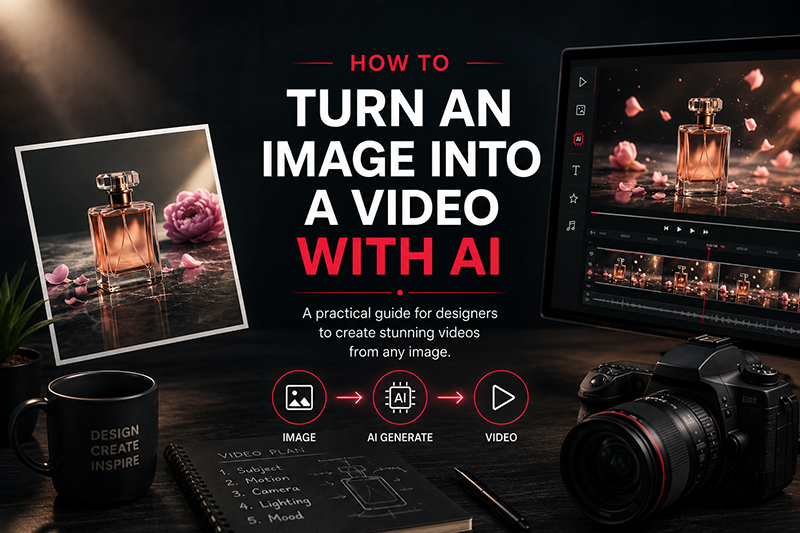
How to turn an image into a video with AI is becoming one of the most useful creative workflows for designers working with product visuals, campaigns, illustrations and social content.
You can start with a product photograph, campaign visual, illustration, architectural render, fashion image or AI-generated artwork and turn it into a short moving sequence. The technical barrier is lower than it used to be.
The creative barrier is not.
A weak prompt can turn a carefully designed image into a distorted clip. A good prompt can make a simple frame feel intentional, polished and surprisingly cinematic.
DESIGNRISE PRINCIPLE
Do not ask AI to “animate the image.” Direct the shot.
Decide what moves, what stays still, where the camera goes and what the viewer should notice first. That one change in mindset produces far more controlled results.
What You’ll Learn
- How image-to-video AI actually fits into a design workflow
- How to choose an image that will animate well
- How to write better AI video prompts
- How to control subject, environment and camera movement
- How to avoid warped products, unstable faces and unnecessary motion
- How to build several AI shots into a finished commercial or social video
- When AI video is useful—and when traditional editing still matters
QUICK NAVIGATION
01. What Image-to-Video AI Actually Does
02. Start With the Right Image
03. Plan the Motion Before You Prompt
04. Step-by-Step Image-to-Video Workflow
05. Writing Better AI Video Prompts
06. Camera Movement
07. Prompt Examples
08. Common Problems and Fixes
09. Building a Professional AI Video Workflow
10. FAQ
What Image-to-Video AI Actually Does
With image-to-video AI, your source image becomes the visual foundation of the shot. The model does not need to invent the entire scene from nothing. It already has information about the subject, composition, colors, lighting and general visual direction.
Your job is to describe how that scene should develop over time.
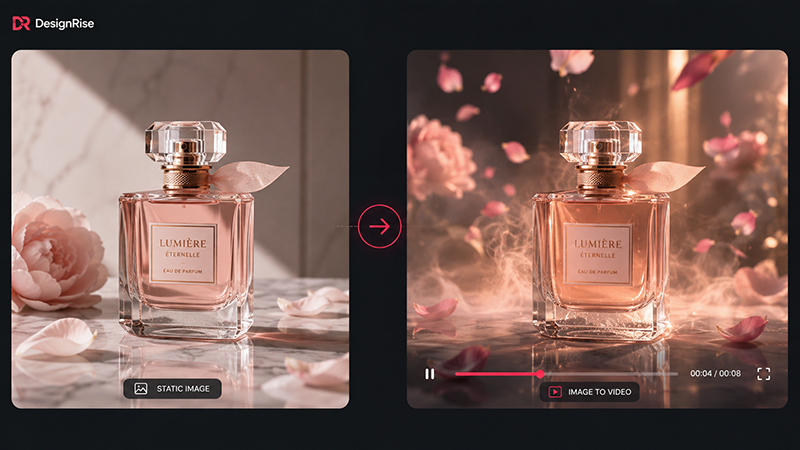
Imagine a still image of a perfume bottle standing on reflective black glass. The product design is already there. The background is already there. The lighting direction is already there.
What is missing is motion.
You might ask for a slow camera push-in, a soft reflection traveling across the bottle and a thin layer of mist drifting behind it.
DESIGNRISE INSIGHT
With image-to-video, the image describes appearance; the prompt should primarily describe change.
That distinction sounds small, but it changes the way you write prompts.
Start With the Right Image
Many disappointing AI videos are already compromised before generation starts.
If the original visual has confused geometry, strange hands, unreadable packaging, inconsistent reflections or an unclear focal point, animation can amplify those weaknesses.
A strong starting image usually has a clear subject, intentional composition and enough visual breathing room for movement.
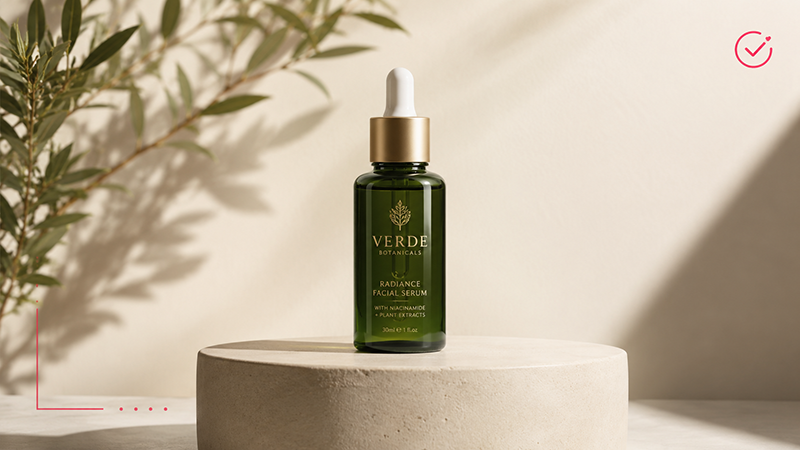
A strong source image usually has:
- one obvious visual focus;
- clean object edges;
- good face and hand anatomy when people are present;
- consistent lighting;
- enough resolution to preserve detail;
- space around the subject if camera movement is planned;
- a composition that already feels close to the final shot.
PRO TIP
If you would not confidently use the original image as the opening frame of your final video, fix the image first. Do not expect motion generation to repair weak art direction.
Plan the Motion Before You Write the Prompt
Before opening an AI video generator, write down three things:
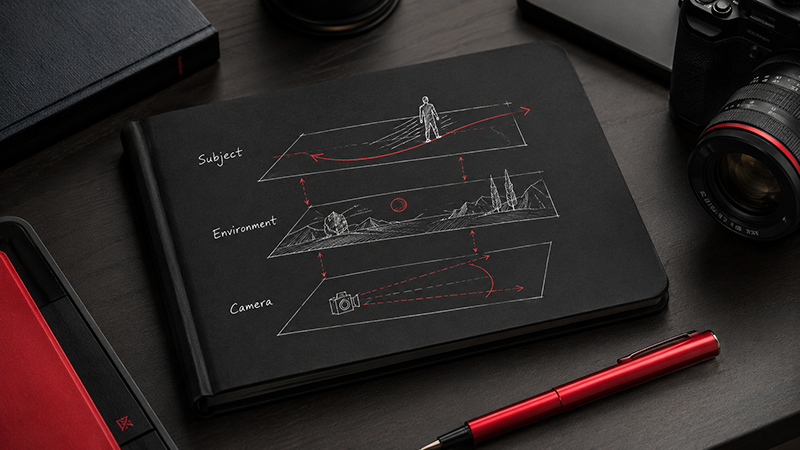
| Layer | Question | Example |
|---|---|---|
| Subject | What should the main subject do? | The model slowly turns toward camera. |
| Environment | What should move around it? | Hair moves gently in a breeze. |
| Camera | How should we experience the scene? | Slow cinematic push-in. |
This simple framework prevents one of the most common prompt-writing problems: describing the atmosphere while forgetting to describe the action.
Weak prompt
“Luxury cinematic beautiful premium advertisement, dramatic, elegant, high-end.”
More useful prompt
“The bottle remains stationary while a narrow reflection slowly travels across the glass. Fine mist moves in the background. The camera makes a slow, controlled push-in.”
The second prompt gives the system something it can actually direct.
How to Turn an Image Into a Video With AI: The Practical Workflow
Step 1: Prepare the source image
Before generating motion, remove obvious distractions. Correct strange details, clean product edges and make sure the image has the aspect ratio you actually need.
For a social campaign, you may want to prepare a vertical composition before animation rather than forcing a horizontal visual into a vertical format later.
Step 2: Define one clear shot
Do not begin with “make a commercial.”
Begin with:
“For the next five seconds, what happens?”
Maybe the camera slowly moves toward the product. Maybe a person turns their head. Maybe sunlight travels across an interior.
One shot. One primary action.
Step 3: Write the motion prompt
A useful starting structure is:
Subject motion
+
Environmental motion
+
Camera motion
+
Pace
Step 4: Generate a simple version first
Do not use every available control immediately.
Generate a clean baseline version. Look at what the system understood correctly and where it drifted from the concept.
Step 5: Change one variable at a time
If the camera is too aggressive, adjust the camera instruction. If the subject changes too much, simplify the subject movement.
When everything changes at once, you never learn which instruction caused the problem.
QUICK CHECK
- Did the subject preserve its identity?
- Did the intended action happen?
- Did the camera behave naturally?
- Did logos or important details change?
- Does the movement support the design?
- Would you actually use this shot in a final edit?
How to Write Better AI Video Prompts
The temptation with generative AI is to keep adding words.
More adjectives. More style references. More camera terms. More atmosphere.
But better AI video prompting is usually about clearer priorities, not longer prompts.
Describe physical actions
“Dynamic” is abstract.
“The camera quickly pushes toward the subject while fabric moves backward in the wind” is physical.
Use speed intentionally
Words such as slowly, subtly, gently, rapidly, controlled and energetically help define the character of the motion.
Tell the model when something should remain still
Sometimes the most important motion instruction is actually a restriction:
“The product remains completely stationary while the camera moves.”
This can be especially helpful when animating packaging, furniture, architecture or carefully designed objects.
Camera Movement: The Difference Between Animation and a Shot
A moving object does not automatically create a compelling video.
Camera direction is often what makes the scene feel intentional.
| Movement | Best for | Watch out for |
|---|---|---|
| Push-in | Products, portraits, dramatic reveals | Can feel generic if overused |
| Pull-back | Revealing context or environment | AI must invent more unseen space |
| Pan | Architecture, landscapes, editorial scenes | Can expose inconsistent background details |
| Orbit | 3D-like products and hero objects | High risk for logos and geometry |
| Static | Faces, subtle atmosphere, controlled shots | Needs enough movement inside the frame |
DESIGNER’S SHORTCUT
When you are not sure which movement to choose, start with a very slow push-in or a static camera. Controlled motion is easier to refine than an overcomplicated first generation.
Prompt Examples for Real Design Scenarios
Product advertising
“The perfume bottle remains perfectly still. A soft highlight moves slowly across the glass while fine mist drifts behind it. The camera makes a subtle forward dolly movement. Controlled, elegant pacing.”
Fashion editorial
“The model slowly turns her head toward the camera. Her hair and the lightweight fabric move naturally in a soft breeze. The camera remains mostly static with a gentle push-in.”
Architecture
“The architecture remains unchanged. Tree branches move gently, reflections shift across the windows and clouds move slowly through the sky. Smooth cinematic forward camera movement.”
Illustration
“The character breathes subtly and slowly raises her eyes. Hair strands move slightly. Ambient particles drift through the background. Static camera with a very subtle zoom.”
The Product Problem: Logos, Packaging and Typography
AI-generated motion becomes more demanding when the image contains information that must remain exact.
A slightly altered flower in the background may go unnoticed. A distorted brand name on a $200 skincare product will not.
Be particularly careful with:
- logos;
- small typography;
- packaging labels;
- UI screens;
- jewelry;
- technical products;
- complex patterns;
- recognizable branded objects.
AVOID THIS
Do not assume that a photorealistic result is automatically an accurate result. Visual plausibility and product accuracy are two different things.
For professional commercial work, AI can generate atmosphere and motion while important brand elements are corrected or composited afterward.
People, Faces and Human Motion
Viewers are extremely sensitive to small mistakes in human movement.
An unusual blink, unstable fingers, changing facial proportions or an unnatural shoulder movement can immediately make an otherwise polished clip feel synthetic.
When your original portrait already looks strong, start with restrained movement:
“Natural breathing, subtle blinking, slight hair movement. The subject remains in the same position. Static camera.”
Then increase complexity only if the model preserves the person consistently.
Where Image-to-Video Is Actually Useful for Designers
01. Product campaigns
Turn an approved product visual into a short hero shot for advertising, social content or a landing page.
02. Social media
Transform static campaign artwork into short vertical video without rebuilding the idea from scratch.
03. Portfolio presentations
Add motion to branding, packaging, illustration or concept work to show how a visual system could behave beyond a static mockup.
04. Previsualization
Test camera direction, atmosphere or visual rhythm before investing in a full shoot or animation.
05. Client presentations
A subtle moving concept can communicate mood more effectively than another page of static references.
Common Image-to-Video Problems—and What to Change
| Problem | Likely cause | Try this |
|---|---|---|
| Camera feels chaotic | Too much camera movement | Use “static camera” or “very slow push-in” |
| Subject changes | Action is too complex | Reduce body rotation and movement |
| Product deforms | Extreme orbit or perspective change | Keep product stationary and move camera less |
| Video feels dead | Prompt describes mood, not action | Add one specific physical movement |
| AI ignores instructions | Too many competing directions | Remove secondary actions |
The More Professional Approach: Build a Sequence, Not One Miracle Clip
One of the fastest ways to improve AI video work is to stop asking one generation to do everything.
Think like an editor.
A simple product video might contain:
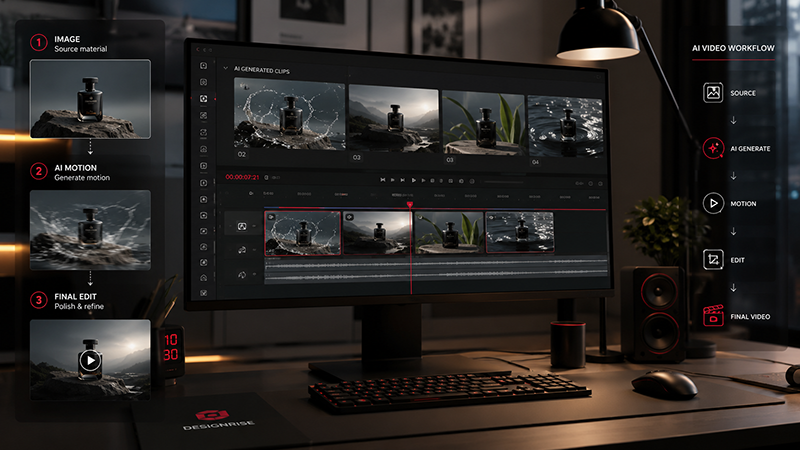
SHOT 01 — Establishing visual
SHOT 02 — Slow product close-up
SHOT 03 — Texture or detail
SHOT 04 — Dynamic hero moment
SHOT 05 — Clean ending for branding or CTA
Generate each shot separately.
If shot three fails, regenerate shot three. You do not need to destroy an otherwise successful sequence.
DESIGNRISE WORKFLOW
Strong source image → controlled motion → selected shots → traditional edit → sound → brand correction → final export
This is also why traditional editing is not disappearing.
You may still need to adjust timing, color, typography, logos, music, sound design and transitions. AI generation simply becomes another stage in the production pipeline.
Image-to-Video vs Text-to-Video
| Image-to-Video | Text-to-Video | |
|---|---|---|
| Starting point | Existing visual | Text description |
| Creative control | Higher visual consistency | More visual invention |
| Best for | Designers with an established visual direction | Concept exploration |
| Main prompt focus | Motion and camera behavior | Scene + style + motion |
For many designers, image-to-video offers a more natural entry point because art direction can be established before motion generation begins.
A Small Detail That Makes AI Video Look More Expensive
Restraint.
This sounds almost too simple, but expensive-looking visual work rarely needs every element to move at once.
A bottle with one perfect traveling reflection can look more polished than a bottle rotating while smoke, particles, liquid and camera movement all compete for attention.
A portrait with controlled breathing and a slight shift in expression can feel more believable than a dramatic full-body movement.
The goal is not to prove that the image can move.
The goal is to make the movement feel inevitable.
Explore More DesignRise Resources
AI video becomes much more useful when it is connected to a wider creative workflow. Continue with these DesignRise resources:
Frequently Asked Questions
Can AI turn any image into a video?
Most images can be used as source material, but not every image will produce equally strong results. Clean compositions, clear subjects and visually consistent source images are generally easier to animate.
What is the best prompt for image-to-video AI?
There is no universal best prompt. A useful prompt clearly describes subject motion, environmental motion, camera movement and pace without overloading the model with unnecessary instructions.
Why does my AI video change the original image?
AI video systems generate new frames rather than simply moving existing pixels. Large changes in camera angle, complex body movement and difficult geometry can cause the generated scene to drift away from the original image.
Is image-to-video useful for professional designers?
Yes. It can be useful for campaign concepts, product videos, social content, portfolio presentations, previsualization and creative experimentation. Professional work still requires review, editing and careful control of brand-critical details.
Should I use image-to-video or text-to-video?
Choose image-to-video when you already have the visual direction and mainly need motion. Choose text-to-video when you want the AI system to invent more of the scene itself.
Final Thoughts
Learning how to turn an image into a video with AI is not really about discovering one perfect tool or memorizing a collection of prompt formulas.
It is about learning how to direct motion.
Start with a strong frame. Decide what matters. Keep the first movement controlled. Build scenes shot by shot. Protect brand-critical details. Then use editing, sound and design judgment to turn generated footage into something finished.
AI can shorten the distance between a static idea and a moving one.
But the quality of the result still depends on the decisions made between those two points.
DESIGNRISE
Better tools create possibilities. Better creative direction turns them into work worth publishing.
Discover more from DesignRise
Subscribe to get the latest posts sent to your email.
