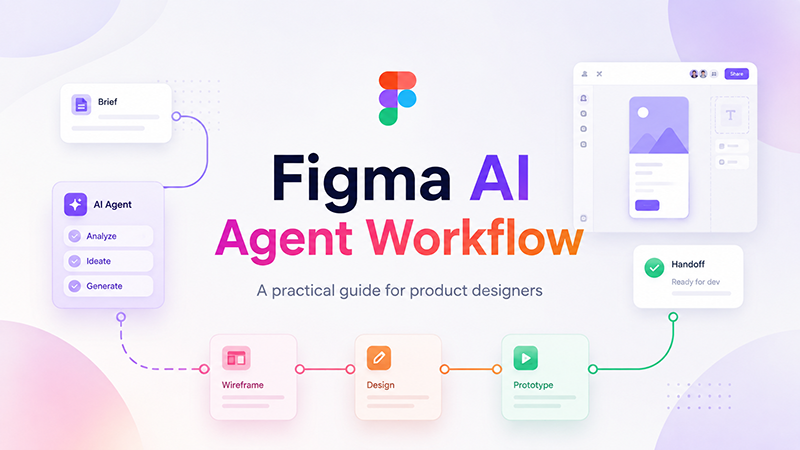
Figma AI agent workflow is becoming an important topic for product designers because AI is no longer limited to generating quick visual ideas. It can now support exploration, editing, feedback, design system work, and parts of the handoff process directly inside modern design workflows.
For designers, this shift is useful — but it also creates a new responsibility. If an AI agent can create, remix, edit, or review work on the canvas, the designer needs a clear process for deciding what the agent should do, what context it should use, and where human judgment must remain in control.
This guide looks at how to use a Figma AI agent workflow in a practical way: from the first brief and design exploration to design system checks, review, and handoff. The goal is not to make AI responsible for design decisions. The goal is to create a workflow where AI can help designers move faster without weakening product logic, brand consistency, accessibility, or user experience.
DesignRise perspective: The best use of AI in design is not to replace creative judgment. It is to help designers move faster while keeping the brief, brand logic, product goals, accessibility, and user experience visible throughout the workflow.
Quick Takeaways
- A Figma AI agent workflow works best when it starts with a clear brief, not a vague prompt.
- Designers should use AI for exploration, editing, and review support — not automatic final approval.
- Design system quality matters because the agent can only follow the structure it can understand.
- Human review is still essential for product truth, accessibility, brand logic, and business constraints.
- The strongest workflows combine AI speed with clear human ownership.
What Is the Figma AI Agent?
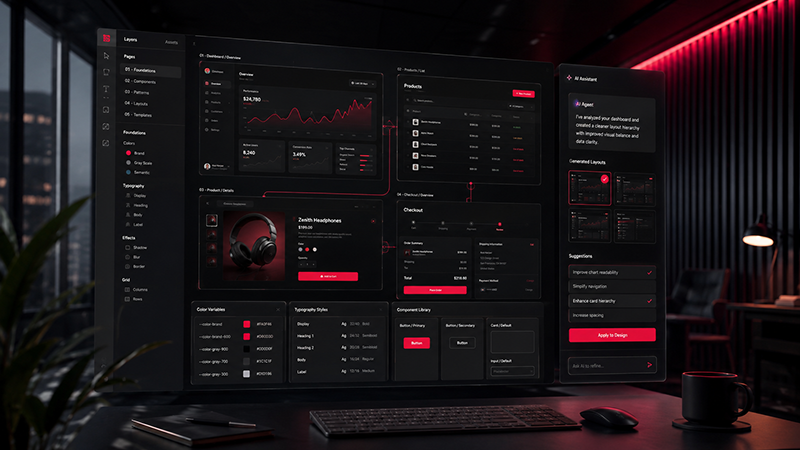
The Figma AI agent is a conversational AI tool that designers can use inside Figma files as part of their workflow. Instead of using AI only as a separate idea generator, designers can describe what they want in plain language and work with the agent directly on the canvas.
Figma describes the agent as a way to generate designs, make edits, apply a design system, give feedback, and help with repetitive design tasks. This makes it different from a simple prompt-to-image tool because the work happens closer to the actual design file and team workflow.
For practical design teams, the important question is not only what the agent can create. The more important question is whether the output still fits the product, the brand, the design system, and the user problem.
A beautiful AI-generated screen can still be wrong if it uses unrealistic content, ignores product constraints, breaks component rules, or creates flows that developers cannot build. That is why a Figma AI agent workflow needs structure.
Why Figma AI Agent Workflow Matters for Designers
AI is changing where design work begins. A designer may start from a written brief, an existing screen, a component library, a rough prototype, a product requirement, or even a codebase. Design work is becoming less linear and more collaborative across people, tools, and AI-assisted systems.
That means the designer’s role becomes less about producing every single variation manually and more about shaping the system around the work. The designer needs to define context, set constraints, review quality, and decide which direction is worth developing.
A strong Figma AI agent workflow helps with:
- Exploration: generating first directions, layout ideas, or alternative flows faster.
- Iteration: adjusting screens, content, spacing, or structure without rebuilding everything manually.
- Design system use: helping the agent work from published components, styles, and variables instead of generic defaults.
- Review: using AI feedback as a first layer of critique before human review.
- Handoff: keeping design intent, structure, and context easier to share across designers, developers, and AI-assisted tools.
Figma AI Agent Workflow at a Glance
The most effective approach is to treat the AI agent as one participant in a controlled design process. It can support the work, but it should not become the only source of direction.
| Stage | Designer’s Role | AI Agent’s Role | Human Check |
|---|---|---|---|
| Brief | Define product goal, user, constraints, and design system context. | Use the brief to understand what kind of output is needed. | Is the task specific enough? |
| Explore | Choose the direction and evaluate early options. | Generate first layouts, variations, or structural ideas. | Does the direction solve the user problem? |
| Refine | Guide edits, spacing, hierarchy, and product logic. | Adjust content, layout, structure, or components. | Is the design still accurate and usable? |
| Review | Check accessibility, brand fit, edge cases, and business rules. | Provide critique or identify inconsistencies. | Would this survive real product use? |
| Handoff | Clarify intent, states, notes, and developer context. | Help organize notes, labels, or repeatable workflow steps. | Can another person continue the work? |
A Practical Figma AI Agent Workflow
The goal is not to let the agent make every decision. The goal is to use the agent inside a controlled workflow where each step has a purpose.
1. Start With a Clear Design Brief
A Figma AI agent workflow should start before the prompt. The quality of the output depends heavily on the clarity of the input.
Before asking the agent to create or edit anything, define:
- What product or feature you are designing
- Who the user is
- What problem the screen or flow should solve
- What brand or product rules must be respected
- What design system, components, or patterns should be used
- What should not change
A weak prompt asks the agent to “make a dashboard.” A stronger prompt explains the user, product goal, core data, layout priorities, and design system expectations.
Example prompt structure:
Create a first draft of a SaaS analytics dashboard for marketing managers. Use our existing design system components, keep the layout clean, prioritize campaign performance, conversion trends, and alerts, and avoid adding decorative elements that do not support decision-making.
2. Use AI for First Exploration, Not Final Approval
The agent can help designers move through early exploration faster. This is especially useful when a team needs several layout directions, visual approaches, or ways to structure a feature.
At this stage, the designer should treat the output as material for review, not as finished design. Ask:
- Does this direction solve the right problem?
- Is the hierarchy clear?
- Does the layout match the product’s visual language?
- Would this screen work for a real user, or does it only look polished?
The agent can create options, but the designer still needs to choose the direction with the strongest logic.
3. Keep Design System Rules Visible
One of the most important parts of a Figma AI agent workflow is design system context. Figma’s documentation explains that design systems, components, styles, variables, and published libraries can help AI understand how to create more consistent work.
This is important because AI outputs often look convincing but may still break product rules. A button may look fine but use the wrong size. A card may be visually pleasing but ignore spacing rules. A page may look finished but introduce patterns that the product team cannot maintain.
To reduce that risk, designers should prepare their design system before using the agent heavily:
- Publish the latest library updates
- Use clear component names
- Keep styles, variables, and tokens organized
- Document common patterns and usage rules
- Remove outdated components where possible
The better the system, the more useful the AI collaborator becomes.
4. Ask the Agent to Edit, Not Only Generate
Many designers think of AI as a tool for creating new work. But in a practical workflow, editing can be just as valuable.
The agent can help with tasks such as:
- Renaming layers
- Replacing placeholder content
- Applying more consistent structure
- Creating alternative states
- Adjusting sections for a different use case
- Drafting documentation or notes on the canvas
This is where AI can reduce repetitive work without taking over the designer’s role. The designer defines the goal and reviews the result.
5. Review for Product Truth
A design can look polished and still be wrong. That is why every Figma AI agent workflow needs a review stage focused on product truth.
Product truth means the design should reflect real product constraints, real user needs, real content, real edge cases, and real business logic.
Review the output for:
- Incorrect assumptions
- Fake or unrealistic data
- Missing empty states
- Missing error states
- Accessibility issues
- Inconsistent components
- Brand or tone mismatch
- Flows that look good but do not match how the product works
This is where human judgment matters most. AI can help generate and edit, but the designer is still responsible for deciding whether the work is accurate, usable, and appropriate.
Before and After: What Changes in an AI-Assisted Figma Workflow
The biggest change is not that designers stop designing. The biggest change is that some early and repetitive parts of the workflow become faster, while review and direction become more important.
| Traditional Workflow | Figma AI Agent Workflow | What the Designer Still Owns |
|---|---|---|
| Designer manually creates every first version. | AI helps generate first drafts and variations. | Choosing the strongest direction. |
| Design system use depends fully on manual discipline. | AI can use design system context when it is clean and available. | Maintaining and reviewing system quality. |
| Review happens after many manual iterations. | AI can support early critique and cleanup. | Final judgment, accessibility, and product accuracy. |
| Handoff notes are often added late. | AI can help organize notes, structure, and repeated documentation. | Explaining intent and edge cases clearly. |

Figma AI Agent Workflow Checklist
Before using AI-generated work as part of a real product design process, use this checklist:
| Workflow Stage | What to Check | Why It Matters |
|---|---|---|
| Brief | User, goal, constraints, product context | Prevents generic output |
| Design system | Components, styles, variables, library status | Keeps output consistent |
| Exploration | Layout options, hierarchy, content structure | Creates useful directions faster |
| Review | Usability, accessibility, product logic, brand fit | Protects design quality |
| Handoff | Intent, notes, edge cases, dev context | Helps the work survive beyond the first draft |
Where Figma AI Helps Most
Figma AI agent workflow is most useful when the task has enough structure for the agent to follow, but enough creative space for exploration.
Strong use cases include:
- Early screen exploration: generating first layouts for dashboards, landing pages, onboarding, settings, or profile screens.
- Content replacement: turning placeholder content into more realistic product copy.
- Design system cleanup: helping identify inconsistency or improve documentation.
- Bulk edits: making repeated changes across sections or screens.
- Prototype thinking: exploring flow structure before the final version is polished.
- Design critique: asking for feedback on hierarchy, clarity, or usability before team review.
These are areas where speed matters, but the final decision still belongs to the designer.
Prompt Templates for a Figma AI Agent Workflow
Prompt templates help teams avoid starting from zero every time. They also make the workflow easier to repeat across projects.
Prompt for Early Exploration
Create three layout directions for [screen or feature]. The user is [user type]. The main goal is [goal]. Use our existing design system, keep the hierarchy clear, and avoid adding features that are not described in the brief.
Prompt for Design System Consistency
Review this screen for design system consistency. Check components, spacing, typography, button styles, card structure, and repeated patterns. List anything that does not match the system.
Prompt for Product Logic Review
Review this design for product logic. Identify any missing states, unrealistic data, unclear actions, confusing labels, or assumptions that should be checked before development.
Prompt for Handoff Notes
Create handoff notes for this screen. Include the user goal, key interactions, important states, edge cases, accessibility notes, and anything developers should confirm before implementation.
Where Designers Still Need Human Control
AI can accelerate design work, but it does not understand the product as deeply as the team does. Designers still need to control the parts of the workflow that require judgment, taste, ethics, and product understanding.
Human control is especially important for:
- Brand strategy: deciding what the product should feel like, not only how it should look.
- User research interpretation: understanding what users actually need and why.
- Accessibility: checking contrast, keyboard behavior, structure, and inclusive design details.
- Content accuracy: making sure the interface does not invent features, data, or claims.
- Business logic: ensuring the interface reflects real pricing, permissions, states, and product rules.
- Final approval: deciding whether a design is ready for stakeholders or developers.
The strongest designers will not be the ones who let AI make every decision. They will be the ones who know how to direct AI, evaluate its output, and keep the work aligned with the product.
Figma AI Agent vs. Traditional AI Design Tools
Traditional AI design tools often generate a mockup, image, layout, or asset outside the real product workflow. That can be useful for inspiration, but it can also create a gap between the generated idea and the actual design system.
The Figma AI agent is different because it is designed to work inside Figma files and closer to the canvas where product design already happens. Figma also connects the broader agent conversation to design systems, workflow automation, and handoff between design and development tools.
For designers, the difference is practical. The goal is not just to create a beautiful image. The goal is to create editable, reviewable, structured work that can move forward inside the real design process.
Common Mistakes to Avoid
Using AI Without a Clear Brief
If the prompt is vague, the output will usually be generic. Always give the agent enough product context to understand the job.
Accepting the First Output Too Quickly
AI can make a screen look finished before the logic is finished. Use the first output as a draft, not a final answer.
Ignoring Design System Quality
If the design system is messy, outdated, or incomplete, the agent may reproduce that confusion. Clean systems create better AI-assisted workflows.
Skipping Human Review
AI feedback can help, but it should not replace design critique, accessibility review, stakeholder review, or development review.
Letting AI Add Features That Do Not Exist
Generated screens may include attractive but unrealistic features. Check every label, metric, button, permission, and state against the actual product.
How to Build a Repeatable Figma AI Agent Workflow
The long-term value of Figma AI is not only faster drafts. The value is repeatability.
Teams should document the prompts, constraints, patterns, and review steps that produce useful results. Over time, this can become a shared workflow that helps designers, product managers, developers, and AI tools work with the same context.
A repeatable workflow might include:
- A standard AI brief template
- A list of approved design system rules
- Prompt examples for common screen types
- Review criteria for accessibility and product logic
- Handoff notes for developers
- A checklist for what must be manually reviewed before approval
This is where AI starts to become more than a shortcut. It becomes part of a design operations system.
How Teams Can Introduce Figma AI Without Losing Quality
Teams do not need to change everything at once. A safer approach is to introduce AI into a limited part of the workflow, measure where it helps, and expand only when the process is clear.
A simple starting plan could look like this:
- Choose one repeatable design task, such as landing page sections, onboarding screens, or dashboard variations.
- Create a standard brief template for that task.
- Ask the agent to generate or edit only within defined constraints.
- Review every output against product truth, design system rules, and accessibility expectations.
- Document which prompts worked and which outputs needed correction.
- Turn the useful parts into a team workflow.
This keeps the process realistic. Instead of treating AI as a magic button, the team treats it as a workflow layer that needs testing, documentation, and human review.
Related DesignRise Reading
To continue exploring AI design workflows, read these related DesignRise resources:
- Creative AI Agents Need a Context Handoff Test Before They Scale
- AI Design Workflow in 2026
- AI Design Agents: How They’re Changing Creative Workflows
- 10 AI Tools Every Designer Should Try in 2026
Official Figma Resources
- Get started with Figma AI
- Work with the Figma agent in design files
- Best practices to help Figma AI understand your design system
- AI workflows collection: Overview
- Figma MCP collection: Overview
Final Thoughts
Figma AI agent workflow is not about handing design over to an algorithm. It is about creating a smarter process where AI helps with exploration, editing, review, and repetitive work while designers remain responsible for direction, quality, and product truth.
The teams that benefit most will be the ones that treat AI as part of the workflow, not as a replacement for the workflow. They will prepare better briefs, maintain stronger design systems, review outputs carefully, and create shared context that helps both humans and agents contribute more effectively.
For designers, the real opportunity is not simply to work faster. It is to design with more structure, more clarity, and better control over how ideas move from first draft to finished product.
Discover more from DesignRise
Subscribe to get the latest posts sent to your email.