
AI is no longer something designers only test for fun. In 2026, artificial intelligence has become part of the everyday AI design workflow: from research and moodboards to UX writing, concept development, image generation, prototyping, client presentations, and content scaling.
But the most important shift is this: successful designers are not using AI to replace their creativity. They are using it to remove repetitive work, explore ideas faster, compare directions, improve communication, and make better creative decisions.
Modern designers still need taste, strategy, user understanding, visual judgment, and problem-solving skills. AI simply changes how quickly they can move from a rough idea to a useful result.
In this DesignRise guide, we’ll look at how designers actually use AI in their workflow in 2026, with real examples, practical use cases, mistakes to avoid, and a step-by-step framework you can apply to your own design process.
Last updated: August 2026
How to use this guide: Use this article as a practical workflow map, not a list of shortcuts. Start with the stage that slows down your design process most: research, UX structure, visual exploration, client communication, production, or content scaling.
For tool-specific recommendations, pair this workflow with our curated guide to AI tools every designer should try.
Explore More DesignRise Resources:
- 10 AI Tools Every Designer Should Try in 2026 — compare practical AI tools for branding, UI/UX, image generation, video, mockups, and creative workflows.
- AI Design Agents: How They’re Changing Creative Workflows — understand how autonomous design tools are changing research, production, and creative decision-making.
- Top AI Tools for UI/UX Designers — explore AI platforms for prototyping, user research, UX writing, and product design workflows.
- How to Turn an Image Into a Video With AI — learn how AI video tools can support motion concepts, campaign visuals, and creative content production.
What an AI Design Workflow Means in 2026
An AI design workflow is a creative process where designers use AI tools to support specific parts of the work: research, ideation, writing, visual exploration, UI structure, image editing, prototyping, testing, documentation, and content adaptation.
It does not mean pressing one button and letting AI design everything. That approach usually creates generic results. A professional AI workflow is more intentional. The designer decides what the goal is, what the tool should help with, what should be refined manually, and what should be rejected.
In other words, AI becomes a creative assistant, not the creative director.
Traditional Design Workflow
- Research competitors manually.
- Collect references one by one.
- Create moodboards manually.
- Write every headline and UX label from scratch.
- Build multiple layout variations manually.
- Prepare every presentation format separately.
- Rewrite documentation and case studies manually.
AI-Assisted Design Workflow
- Use AI to summarize research and organize findings.
- Generate moodboard directions and visual prompts.
- Explore multiple concepts faster.
- Draft UX copy, headlines, and microcopy options.
- Create image, illustration, or layout references.
- Adapt content for different formats.
- Speed up documentation, presentations, and client communication.
The difference is not that AI does the design. The difference is that designers can move faster through the repetitive and exploratory parts of the process.
The Modern AI Design Workflow in 2026

Most designers do not use AI at only one stage. They use it throughout the project, but in different ways depending on the task.
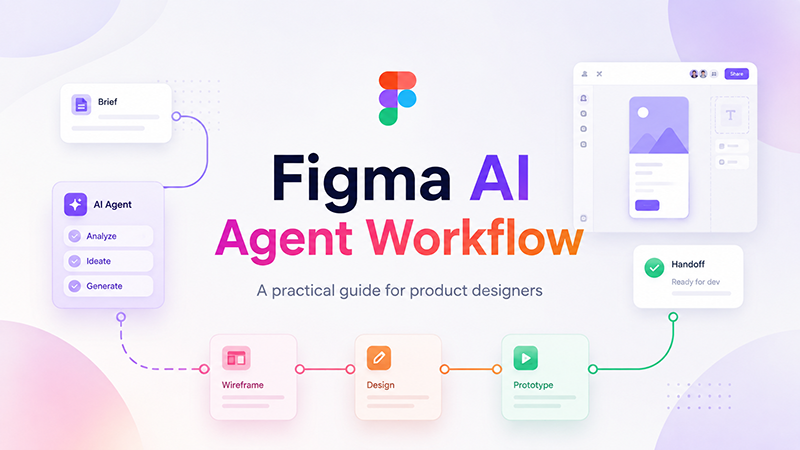
A practical AI design workflow usually follows this structure:
- Research and inspiration: understanding the audience, market, trends, competitors, and visual direction.
- Concept development: generating ideas, moodboards, visual directions, campaign angles, or UX structures.
- Design production: creating layouts, images, UI copy, icons, illustrations, and first drafts.
- Iteration and feedback: improving clarity, testing variations, rewriting text, and refining visual options.
- Delivery and optimization: preparing assets, presentations, documentation, social formats, and final outputs.
Each stage has a different purpose. Good designers do not ask AI to “make a finished project.” They use AI for specific tasks inside a larger creative process.
Quick Overview: How Designers Use AI Across the Workflow
| Workflow Stage | How AI Helps | Designer’s Role |
|---|---|---|
| Research | Summarizes trends, competitors, user needs, and creative references | Checks accuracy, chooses what matters, defines direction |
| Ideation | Generates concepts, themes, moodboard ideas, naming directions, and prompts | Selects ideas, combines concepts, removes weak options |
| UX Structure | Suggests user flows, content sections, onboarding steps, and microcopy | Validates usability, prioritizes user needs, designs the flow |
| Visual Design | Creates image references, layout drafts, color ideas, and creative variations | Controls style, hierarchy, accessibility, and brand fit |
| Feedback | Rewrites copy, suggests improvements, creates A/B testing variations | Evaluates quality, chooses final direction, tests with users |
| Delivery | Adapts assets, writes documentation, prepares presentation text | Finalizes files, checks consistency, prepares handoff |
Stage 1: Research and Inspiration With AI
Before opening Figma, Photoshop, Illustrator, or any design tool, many designers now start with AI-assisted research. This helps them understand the project faster and organize early ideas more clearly.
Research is one of the best places to use AI because it can help structure information. Instead of reading dozens of articles, competitor pages, brand descriptions, and product notes manually, designers can use AI to summarize patterns and identify useful directions.
Real Example: Competitor Research for a SaaS Dashboard
A product designer working on a SaaS dashboard may use AI to compare competitor positioning, common dashboard features, navigation patterns, onboarding language, and visual styles.
The designer might ask AI to organize findings into categories:
- Common dashboard sections.
- Popular navigation structures.
- Typical pricing page patterns.
- Common UX problems in similar products.
- Visual style trends.
- Opportunities for differentiation.
After that, the designer reviews the results manually and decides what is useful for the project.
Real Example: Moodboard Directions
A branding designer may use AI to generate moodboard directions before collecting visual references. For example, instead of starting with a vague idea like “modern wellness brand,” the designer can ask AI for several possible creative directions:
- Minimal clinical wellness.
- Soft organic lifestyle.
- Premium spa-inspired identity.
- Bold fitness-focused energy.
- Calm mental health visual system.
Each direction can then be turned into moodboard keywords, color ideas, typography references, and image prompts.
What AI Is Good For at This Stage
- Summarizing competitors.
- Generating moodboard directions.
- Suggesting visual themes.
- Exploring audience pain points.
- Organizing research notes.
- Creating early creative prompts.
- Finding possible content structures.
What Designers Still Need to Do
- Verify the research.
- Check whether suggestions are relevant.
- Understand the client’s real goals.
- Make strategic decisions.
- Translate research into a design direction.
Workflow tip: Use AI to create starting points, not final conclusions. Research still needs human judgment.
Stage 2: Concept Development and Creative Direction
Concept development is where AI became especially useful for designers. In the past, generating multiple directions could take days. Now designers can explore more possibilities in less time, then refine the strongest ideas manually.
This does not mean AI creates the final concept. It means AI helps designers move through early exploration faster.
Real Example: Branding Concepts
A branding designer may use AI to generate several creative territories for a new brand. For example, for a premium coffee brand, AI could help explore directions such as:
- Minimal Scandinavian coffee culture.
- Dark luxury espresso bar.
- Handcrafted artisan packaging.
- Bold urban coffee brand.
- Warm organic morning ritual.
The designer can then choose one or two directions, build moodboards, test typography, create logo sketches, and refine everything manually.
Real Example: Campaign Ideas
A marketing designer creating a campaign may use AI to generate campaign themes, headline directions, visual hooks, and social content angles.
For example, AI can help draft:
- Campaign taglines.
- Ad concept variations.
- Social media post ideas.
- Visual metaphors.
- Landing page section ideas.
- Email subject lines.
The designer then filters the ideas based on brand tone, audience, originality, and campaign goals.
Real Example: UI Direction for a Mobile App
A UI designer working on a fitness app might ask AI for interface direction ideas. The output may include concepts such as:
- Motivational dashboard with daily progress cards.
- Minimal tracker focused on habits.
- Social challenge interface.
- AI coach experience with conversational guidance.
- Gamified streak-based app structure.
This helps the designer compare product directions before building screens.
Stage 3: UX Structure, User Flows, and Content Planning
One of the most practical ways designers use AI in 2026 is for UX structure. AI can help organize information, suggest user flows, create first-draft content sections, and generate microcopy ideas.
This is especially helpful for product designers, UX designers, landing page designers, and content-heavy projects.
Real Example: Onboarding Flow
A UX designer working on an onboarding flow may use AI to draft possible steps:
- Welcome screen.
- User goal selection.
- Personalization questions.
- Permission or integration setup.
- First action prompt.
- Success state.
AI can also suggest microcopy for each step. But the designer still decides what should stay, what should be simplified, and what may create friction.
Real Example: Landing Page Structure
A web designer may use AI to create a first content structure for a SaaS landing page:
- Hero section.
- Problem statement.
- Product benefits.
- Feature blocks.
- Use cases.
- Social proof.
- Pricing preview.
- FAQ.
- Final call to action.
This saves time, but the designer must still refine the hierarchy, remove generic text, and make sure the page feels specific to the product.
Real Example: UX Microcopy
AI can help designers create multiple versions of small interface text:
- Button labels.
- Error messages.
- Empty states.
- Success messages.
- Tooltip explanations.
- Form helper text.
- Confirmation messages.
This is valuable because microcopy often affects clarity, trust, and conversion.
Stage 4: AI-Assisted Design Production
Once the concept and structure are clear, AI can help with design production. This is where designers use AI to create draft visuals, generate variations, improve images, write UI copy, create illustration ideas, and adapt content.
Production is where speed matters. But speed should not remove quality control. AI-generated outputs still need design judgment.
Real Example: UI Copy and Placeholder Text
Instead of using generic placeholder text, designers can use AI to create realistic content for dashboards, product pages, onboarding screens, profile pages, and empty states.
This makes the design easier to evaluate because it looks closer to a real product.
Real Example: Image Direction and Visual References
Designers often use AI image tools to create visual references for:
- Hero section backgrounds.
- Campaign imagery.
- Product moodboards.
- Illustration styles.
- Poster concepts.
- Social media visuals.
- Brand storytelling scenes.
These images may not always be used as final assets. Often, they are used as references for art direction, mood, composition, lighting, or style.
Real Example: Layout Variation
A designer may create one layout direction, then use AI to generate ideas for alternative structure:
- More minimal version.
- More editorial version.
- More conversion-focused version.
- More visual storytelling version.
- More mobile-first version.
The designer does not accept every version. Instead, they compare options and take the strongest ideas into the final design.
Stage 5: Iteration and Feedback Using AI
Iteration is one of the most useful parts of an AI design workflow. Designers rarely get the final solution on the first attempt. AI helps generate alternatives quickly, which makes feedback cycles faster.
Real Example: Rewriting UX Copy
A product designer may ask AI to rewrite interface text in different tones:
- More friendly.
- More professional.
- Shorter and clearer.
- More reassuring.
- More action-focused.
- Less technical.
This helps the designer choose text that better matches the product and audience.
Real Example: A/B Testing Variations
For landing pages and conversion-focused design, AI can help generate headline, button, and section variations for testing.
For example:
- Three headline variations for a hero section.
- Five CTA button options.
- Different product benefit statements.
- Alternative pricing explanations.
- Different FAQ wording.
The designer then works with product or marketing teams to test what performs best.
Real Example: Accessibility Review
AI can help create an accessibility checklist for a project. It may remind designers to check contrast, keyboard navigation, form labels, touch target sizes, alt text, and readable language.
However, AI should not be the only accessibility review method. Designers still need manual checks and proper testing.
Stage 6: Delivery, Documentation, and Content Scaling
In 2026, designers are often expected to deliver more than one final file. A single project may require social visuals, presentation slides, web assets, documentation, case study text, handoff notes, and multiple format variations.
AI can help with this delivery stage by turning one approved direction into multiple useful outputs.
Real Example: Design Documentation
A product designer can use AI to draft documentation for:
- Component usage rules.
- Design system notes.
- Developer handoff explanations.
- Interaction behavior.
- Error states.
- Empty states.
- Accessibility notes.
The designer should still review and edit the documentation, but AI can reduce the time spent on first drafts.
Real Example: Social Media Adaptation
A branding or marketing designer can use AI to adapt a campaign idea into multiple formats:
- Instagram post text.
- Story variations.
- LinkedIn captions.
- Short ad headlines.
- Newsletter preview copy.
- Website banner text.
This helps creative teams scale content without rewriting everything manually.
Real Example: Portfolio Case Study
Designers can use AI to organize a portfolio case study by turning project notes into a clearer structure:
- Project background.
- Problem.
- Research insights.
- Design process.
- Solution.
- Visual system.
- Results.
- Lessons learned.
This is especially helpful for freelancers and junior designers who struggle to explain their work clearly.
The Biggest Shift: Human + AI Collaboration
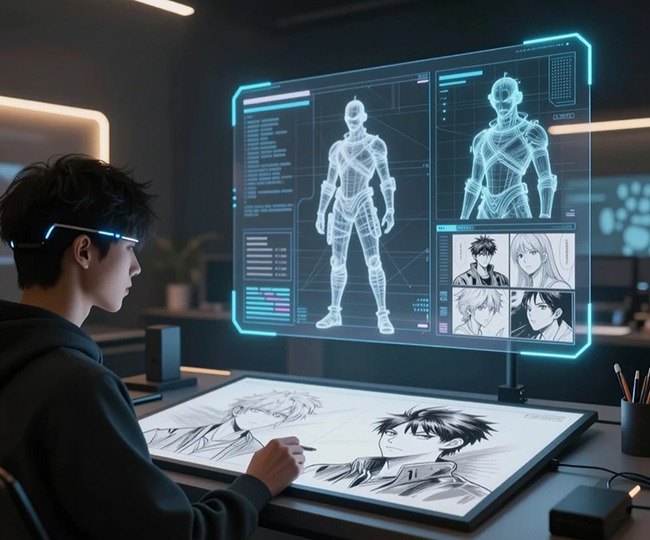
The biggest change in 2026 is not that designers use more tools. It is that designers are learning how to collaborate with AI while keeping creative control.
AI is good at speed, variation, structure, rewriting, summarizing, and generating possibilities. Designers are good at taste, strategy, context, empathy, prioritization, visual judgment, and quality control.
The best workflow combines both.
| AI Is Good At | Designers Are Responsible For |
|---|---|
| Generating many options | Choosing the right direction |
| Summarizing information | Understanding what matters |
| Writing first drafts | Refining tone and meaning |
| Creating visual references | Building a coherent visual system |
| Speeding up production | Maintaining quality and originality |
| Suggesting improvements | Making final design decisions |
Successful designers treat AI as a co-pilot, not an autopilot.
Real AI Workflow Examples by Design Role
Different designers use AI in different ways. A UX designer, brand designer, web designer, and marketing designer may all use AI, but not for the same tasks.
UI/UX Designer
- Drafts onboarding flows.
- Creates UX microcopy options.
- Generates user interview questions.
- Summarizes research notes.
- Explores dashboard structures.
- Creates accessibility checklists.
- Tests alternative CTA wording.
Brand Designer
- Generates moodboard directions.
- Explores naming and tagline ideas.
- Creates visual style prompts.
- Tests brand tone variations.
- Builds first-draft campaign concepts.
- Adapts brand messaging for different formats.
Web Designer
- Drafts landing page structures.
- Creates section copy ideas.
- Generates hero image concepts.
- Builds headline and CTA variations.
- Creates SEO-friendly content outlines.
- Adapts desktop content for mobile-first layouts.
Graphic Designer
- Explores poster and composition ideas.
- Generates visual references.
- Creates social media layout variations.
- Tests color palette directions.
- Expands campaign assets into multiple formats.
Motion or Video Designer
- Creates storyboard ideas.
- Generates shot descriptions.
- Writes voiceover drafts.
- Plans scene transitions.
- Creates prompt variations for AI video tools.
- Adapts one concept into multiple short-form formats.
Best Tasks to Give AI in a Design Workflow
AI works best when the task is specific. Broad prompts like “make a great design” usually create generic output. Specific tasks produce better results.
Good AI Tasks for Designers
- Summarize this competitor research.
- Create five moodboard directions for this brand.
- Rewrite this onboarding text to sound clearer.
- Suggest empty state copy for this dashboard.
- Generate ten hero headline options.
- Create a checklist for a SaaS dashboard handoff.
- Suggest three landing page structures.
- Turn these project notes into a portfolio case study outline.
- Create image prompt ideas for a premium skincare campaign.
- Generate social post variations from this campaign concept.
Weak AI Tasks for Designers
- Design a complete app for me.
- Create a perfect brand identity.
- Make this look premium.
- Improve my design without context.
- Create a full UX strategy from nothing.
- Make it beautiful.
The more context you give AI, the better the output becomes.
How to Write Better AI Prompts for Design Work
Prompt quality matters. A strong prompt gives AI enough context to produce something useful. A weak prompt creates generic answers.
A Simple Prompt Formula
Use this structure:
Act as [role]. I am designing [project type] for [audience]. The goal is [goal]. The style should feel [style words]. Generate [specific output] with [constraints].
Example Prompt for UX Copy
Act as a senior UX writer. I am designing an onboarding flow for a budgeting app for freelancers. The goal is to make setup feel simple and not intimidating. Generate five short welcome screen headlines and subheadings. Keep the tone friendly, clear, and professional.
Example Prompt for Visual Direction
Act as a brand strategist. I am designing a visual identity for a premium coffee subscription brand. The audience is young professionals who like minimal design and high-quality products. Generate five visual moodboard directions with color palette ideas, typography style, photography style, and brand personality.
Example Prompt for Dashboard Design
Act as a product designer. I am creating a SaaS analytics dashboard for marketing teams. The dashboard should help users quickly understand campaign performance. Suggest a homepage dashboard structure with KPI cards, charts, tables, filters, empty states, and priority actions.
Common Mistakes Designers Make When Using AI
AI can improve a design workflow, but only when it is used with intention. Many designers get weak results because they rely on AI too heavily or use it without enough creative direction.
Relying on AI Output Without Refinement
AI-generated work often needs editing. First drafts can be helpful, but they should rarely be used as final work without review.
Skipping Strategy
AI can generate ideas, but it does not understand the business, audience, brand, and product context the way a designer should.
Using Generic Visuals
AI visuals can look impressive but generic. Designers need to adapt style, composition, color, and brand details.
Focusing on Tools Instead of Process
New AI tools appear constantly, but the real advantage comes from building a better workflow, not chasing every new platform.
Ignoring Copyright and Licensing Questions
Designers should always check platform terms, client requirements, and licensing rules before using AI-generated assets commercially.
Forgetting Accessibility
AI can suggest improvements, but designers must still check readability, contrast, keyboard navigation, touch targets, and inclusive language.
AI Design Workflow Checklist
Use this checklist when adding AI to your design process:
- Do I know what problem I want AI to help solve?
- Have I provided enough project context?
- Is the AI output useful as a draft, reference, or final asset?
- Have I checked accuracy and relevance?
- Does the output match the brand and audience?
- Have I refined the result manually?
- Have I checked accessibility and usability?
- Have I reviewed copyright, licensing, and client requirements?
- Can the workflow be repeated on future projects?
- Does AI improve the design process without reducing creative control?
The Future of AI Workflows for Designers

AI workflows will continue becoming more connected. Instead of using separate tools for writing, image generation, prototyping, research, video, and documentation, designers will increasingly use systems that connect multiple parts of the creative process.
The future of design workflows will likely include:
- Adaptive interfaces that change based on user behavior.
- Generative UX systems that help create flows and content structures.
- AI-powered design systems that suggest components and patterns.
- Personalized creative pipelines for different brands and teams.
- Smarter prototyping tools that turn ideas into interactive experiences faster.
- Content scaling workflows that adapt one idea into many formats.
Designers who learn how to structure workflows around AI will have an advantage because they will be able to work faster without losing quality.
Useful AI Design Workflow Resources
To build a stronger AI design workflow, designers should study not only AI tools, but also UX research, creative systems, and responsible AI use. The best results usually come from combining practical tools with strong design judgment.
For example, an AI design workflow may include research support, UX writing, visual exploration, prototyping, image generation, accessibility checks, and final content adaptation. But each stage still needs human review.
If you want to explore more about AI-assisted design, these official and trusted resources are useful starting points:
- Figma AI: AI tools for design workflows
- Figma Make: AI-powered design and prototyping
- Adobe Firefly: Generative AI for creative work
- Nielsen Norman Group: AI and UX design resources
- OpenAI: AI research and products
These resources can help designers understand how an AI design workflow fits into real creative work, UX strategy, and modern product design.
Recommended Next Reads on DesignRise
If you are building a complete AI-assisted creative workflow, continue with these related DesignRise guides:
- 10 AI Tools Every Designer Should Try in 2026 — a practical comparison of tools for image generation, branding, UI/UX, video, photo editing, color palettes, mockups, and creative automation.
- AI Design Agents Are Changing the Creative Workflow — how agent-based tools may affect ideation, execution, and creative direction.
- How to Turn an Image Into a Video With AI — a useful next step for designers adding motion and short-form video to their workflow.
- Best AI Tools for Graphic Design — a broader guide for designers who want tool recommendations by creative task.
FAQ: AI Design Workflow in 2026
What is an AI design workflow?
An AI design workflow is a design process where AI tools support research, ideation, UX writing, visual exploration, production, iteration, documentation, and content scaling.
How do designers actually use AI in 2026?
Designers use AI to summarize research, generate moodboard ideas, write UX copy, create visual references, test design variations, prepare presentations, and scale content across formats.
Does AI replace designers?
No. AI can speed up parts of the process, but designers still make strategic decisions, define creative direction, refine quality, solve user problems, and protect brand consistency.
What is the best use of AI for UI/UX designers?
AI is especially useful for UX copy, onboarding flows, research summaries, competitor analysis, accessibility checklists, landing page structures, and A/B testing variations.
Can AI help with branding design?
Yes. AI can help generate moodboard directions, tagline ideas, campaign concepts, image prompts, and brand voice options. The final brand system still needs human design judgment.
What should designers avoid when using AI?
Designers should avoid using AI output without refinement, skipping strategy, relying on generic visuals, ignoring accessibility, and forgetting licensing or copyright concerns.
How can designers keep AI-generated work original?
Use AI as a starting point, then refine the concept manually. Add brand-specific direction, custom typography, original layouts, real audience insight, and clear creative judgment.
What skills do designers need for AI workflows?
Designers need prompt writing, creative direction, systems thinking, UX strategy, visual judgment, content structure, accessibility awareness, and the ability to evaluate AI output critically.
Conclusion: AI Changes the Process, Not the Designer
The biggest lesson from real design workflows in 2026 is simple: AI does not replace designers. It changes how designers work.
A strong AI design workflow helps designers research faster, explore more ideas, write clearer copy, create stronger visual references, test variations, prepare better documentation, and scale content more efficiently.
But the designer remains responsible for strategy, taste, quality, usability, ethics, accessibility, and final creative direction.
The most successful designers in 2026 are not the ones who let AI make every decision. They are the ones who know when to use AI, when to ignore it, and how to turn rough machine-generated output into thoughtful human-centered design.
AI is not the designer. AI is the workflow accelerator. The creative direction still belongs to you.
Explore more AI design guides, creative workflow tips, and UI/UX resources on DesignRise.
Discover more from DesignRise
Subscribe to get the latest posts sent to your email.