
Best AI Search Engines in 2026: Smarter Ways to Search Beyond Google
The best AI search engines in 2026 are changing how people find answers online. Instead of typing a keyword, opening ten tabs, comparing snippets, and trying to decide which result is trustworthy, AI-powered search tools can summarize information, cite sources, answer follow-up questions, and help you move from searching to understanding faster.
For years, Google shaped how we used the web. But in 2026, search is no longer only about blue links. People now use AI search engines, answer engines, research agents, private AI search tools, academic search assistants, and developer-focused AI search platforms depending on what they need to do.
At DesignRise, we look at AI tools from a practical workflow perspective. This guide is not just a random list of trending apps. It is a useful collection for creators, designers, marketers, founders, students, developers, and business owners who want smarter ways to search beyond Google.
In this article, you will find the top AI search engines worth trying in 2026, what each one is best for, where it performs well, where it has limitations, and how to choose the right tool for your own search workflow.
What Is an AI Search Engine?
An AI search engine is a search tool that uses artificial intelligence to understand your query, retrieve relevant information, summarize results, and often provide a direct answer with sources. Unlike traditional search engines, which mainly return a list of links, AI search engines try to explain the answer in a more conversational and useful way.
In simple terms, a traditional search engine says: “Here are ten pages that might help.” An AI search engine says: “Here is a summarized answer, here are the sources, and here is where you can go deeper.”
The best AI search engines usually combine several capabilities:
- Natural language search: you can ask full questions instead of short keywords.
- AI-generated answers: the tool summarizes information into a readable response.
- Citations and sources: many tools show where the answer came from.
- Follow-up questions: you can continue the search as a conversation.
- Research modes: some tools can compare sources, create reports, or explore a topic deeply.
- Specialized search: some engines focus on science, coding, privacy, business, or developer workflows.
This does not mean AI search is perfect. AI tools can still misunderstand questions, miss context, cite weak sources, or summarize something too confidently. The best way to use AI search in 2026 is to treat it as a faster research assistant, not as the final authority on every topic.
Why AI Search Matters in 2026
AI search matters because the internet has become harder to navigate. Search results are crowded with ads, SEO pages, affiliate content, recycled summaries, and low-quality AI-generated articles. Users want answers faster, but they also want trustworthy sources.
This is why AI-powered search is growing. It helps users reduce research time, compare information, and ask more specific questions. For example, instead of searching “best project management tools” and reading multiple listicles, you can ask:
“Compare the best project management tools for a small creative agency with five people, low budget, and client approval workflows.”
A good AI search engine can understand the context, generate a useful comparison, and provide sources for deeper reading.
For creators and business owners, this shift is important for another reason: people are no longer discovering brands only through traditional Google results. They are also discovering tools, websites, and products through answer engines, AI assistants, and research agents. This means high-quality content, clear structure, useful explanations, and strong brand authority matter even more.
For DesignRise readers, AI search is not just a productivity trend. It is part of a bigger change in how people research tools, compare software, learn new skills, and make decisions online.
Explore More DesignRise Resources
If you are building an AI-powered workflow, these DesignRise collections can help you go deeper:
Quick Comparison: Best AI Search Engines in 2026
Here is a quick overview of the top AI search engines and AI-powered research tools worth trying in 2026.
| AI Search Engine | Best For | Main Strength | Best User Type |
|---|---|---|---|
| Perplexity | Fast answers with sources | Cited AI answers and research | Students, professionals, creators |
| ChatGPT Search | Conversational web search | Natural follow-up questions | General users, marketers, writers |
| Microsoft Copilot Search in Bing | AI answers inside search | Summaries with cited sources | Microsoft users, everyday searchers |
| Brave Search AI | Private AI-powered search | Privacy-first answers and summaries | Privacy-conscious users |
| You.com | AI search and web data for work | Research, agents, and real-time web intelligence | Professionals and teams |
| Kagi Assistant | Premium private AI search | Ad-free search grounded in Kagi results | Power users and privacy-focused professionals |
| Duck.ai | Private AI chat connected to search workflows | Anonymous AI conversations | Privacy-first users |
| Andi | Simple answer-first search | Clean conversational search experience | Beginners and casual users |
| Consensus | Academic and scientific answers | Peer-reviewed literature search | Students, researchers, writers |
| Elicit | Scientific research workflows | Paper search, extraction, and literature review | Researchers and evidence-based teams |
| Exa | AI agents and developer search infrastructure | Search API and web crawling for AI apps | Developers and AI product teams |
Best AI Search Engines in 2026
Below are the strongest AI search engines and answer engines to consider in 2026. Some are general-purpose tools, while others are designed for specific workflows like academic research, developer search, privacy-first browsing, or AI agent infrastructure.
1. Perplexity
Best for: fast AI answers with visible sources.
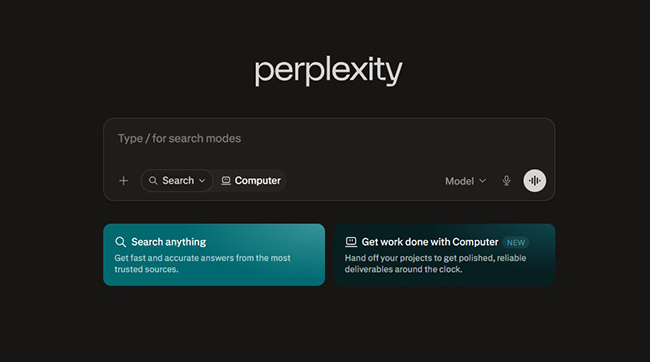
Perplexity is one of the most recognizable AI search engines because it focuses on direct answers supported by citations. Instead of giving you only a list of links, it creates a concise response and shows the sources used to build that answer.
This makes Perplexity useful for quick research, topic exploration, market comparisons, tool discovery, definitions, news context, and general learning. It is especially helpful when you want a readable explanation but still need links to verify the information.
Perplexity works well for people who ask layered questions. For example, instead of searching “AI website builders,” you can ask: “Which AI website builders are best for small businesses that need booking, payments, and simple SEO?” The answer usually feels more useful than a basic keyword search because the tool understands intent and context.
Why DesignRise recommends it: Perplexity is one of the best starting points for people who want to move beyond Google without losing source visibility. For creators, marketers, and designers, it is useful for researching trends, comparing software, and finding credible references.
- Good for quick research and cited answers.
- Helpful for comparing tools and understanding topics fast.
- Strong option for writers, marketers, and students.
- Still requires source checking for important claims.
2. ChatGPT Search
Best for: conversational search with follow-up questions.
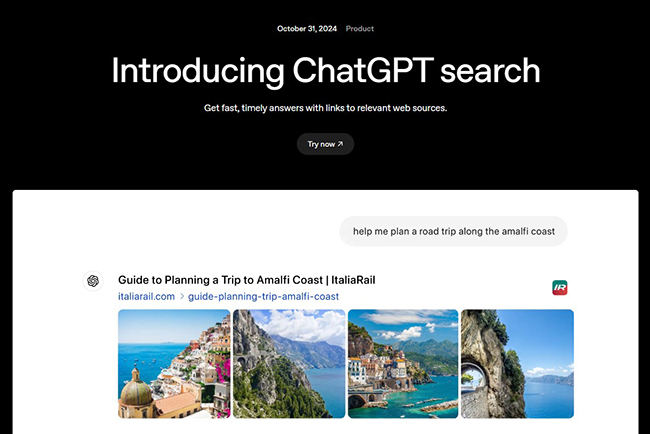
ChatGPT Search brings web search into a conversational assistant experience. Instead of opening a search engine, scanning results, and rephrasing your query multiple times, you can ask a question naturally and continue the conversation.
This is useful when your search is not a single keyword but a thinking process. You can ask for a comparison, then ask for a shorter version, then ask for examples, then ask for sources, then turn the result into an outline, checklist, article brief, or social media plan.
For example, a designer might ask: “Find the current best AI tools for creating product mockups and compare them for UX designers.” Then they can follow up with: “Which of these tools are most useful for a beginner?” or “Turn this into an article outline for DesignRise.”
Why DesignRise recommends it: ChatGPT Search is powerful when search is part of a creative workflow. It can help with research, ideation, writing, planning, summarizing, and turning information into usable content.
- Excellent for conversational research.
- Helpful for turning search results into drafts, outlines, and plans.
- Useful for creators, bloggers, marketers, and business owners.
- Important facts should still be verified from original sources.
3. Microsoft Copilot Search in Bing
Best for: AI summaries inside a traditional search experience.
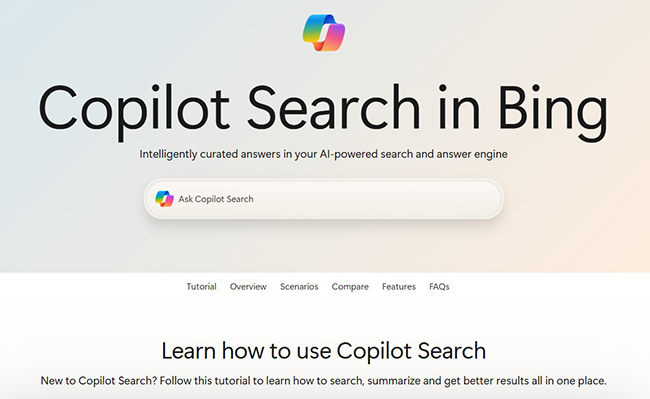
Microsoft Copilot Search in Bing is a good option for users who still like a familiar search engine layout but want AI-generated summaries and cited sources. It can help users quickly understand a topic, explore related questions, and continue searching from a more informed starting point.
Copilot Search is especially useful for people who already use Microsoft products, Edge, Windows, or Microsoft 365. It fits naturally into a work environment where search, productivity, documents, and AI assistance are connected.
The experience is not always as minimal as dedicated answer engines, but it offers a practical bridge between traditional search and AI-powered discovery.
Why DesignRise recommends it: Copilot Search is useful for everyday users who want AI answers without fully leaving the traditional search experience. It is also a strong choice for professionals already working inside the Microsoft ecosystem.
- Good for summarized answers with citations.
- Useful for Microsoft and Bing users.
- Works well for everyday web search and quick discovery.
- May feel less focused than dedicated AI-first search tools.
4. Brave Search AI
Best for: privacy-focused AI search.
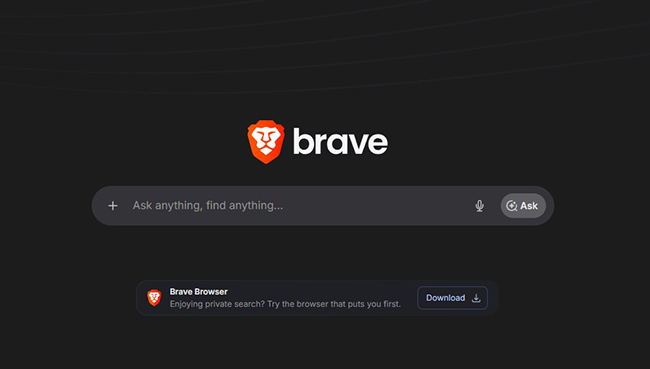
Brave Search is a strong option for users who care about privacy and want an alternative to big tech search engines. Its AI features can provide summarized answers while keeping the experience focused on user-first search.
Brave is especially interesting because it positions its AI search experience around privacy, independence, and source-backed answers. For users who feel uncomfortable with highly personalized or ad-heavy search ecosystems, Brave Search can feel cleaner and more direct.
This makes it useful for researchers, writers, privacy-conscious users, and people who want AI search without feeling trapped inside one large platform.
Why DesignRise recommends it: Brave Search AI is a strong choice for people who want useful AI answers but still value privacy and a cleaner search experience. It is especially relevant for creators who research frequently and want more control over their online footprint.
- Good privacy-first alternative to traditional search.
- Provides AI summaries with references.
- Useful for everyday search and quick answers.
- Some advanced research features may be less deep than dedicated research agents.
5. You.com
Best for: AI search, research, and real-time web intelligence for work.
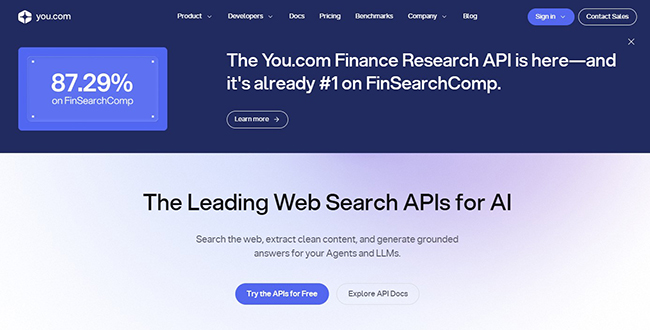
You.com has evolved from a consumer AI search engine into a broader AI platform focused on real-time web data, research workflows, agents, and business use cases. It is especially useful for professionals who need more than a simple answer box.
You.com can be valuable for knowledge workers, analysts, founders, marketers, and teams that need current information, web research, and AI-powered workflows. It is not only about searching the web; it is also about using search as part of a larger productivity system.
For example, a marketing team might use You.com to research competitors, compare product positioning, summarize recent industry changes, and collect source-backed insights for planning.
Why DesignRise recommends it: You.com is useful for business and research-heavy workflows where search needs to connect with analysis, productivity, and AI agents.
- Good for professional research workflows.
- Useful for teams, analysts, and knowledge workers.
- Strong focus on real-time web intelligence.
- May be more than casual users need for simple searches.
6. Kagi Assistant
Best for: premium private search with AI assistance.
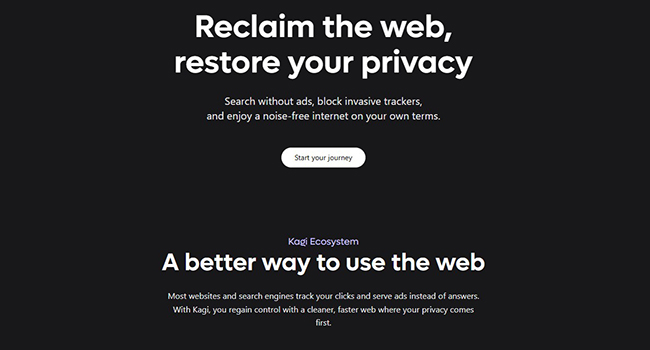
Kagi is a paid, ad-free search engine focused on privacy, quality, and user control. Kagi Assistant adds AI help on top of Kagi search results, giving users access to AI models grounded in search while keeping the experience privacy-focused.
Kagi is not for everyone because it is a premium tool. But for people who search all day and value clean results, fewer ads, privacy, and customization, it can be worth considering.
This is a strong option for researchers, developers, writers, consultants, and professionals who want a more controlled search environment rather than a free ad-supported system.
Why DesignRise recommends it: Kagi Assistant is a strong choice for serious users who want high-quality search results, privacy, and AI support without the noise of traditional search engines.
- Premium, ad-free search experience.
- Good for privacy-focused power users.
- Useful for research-heavy professionals.
- Paid model may not fit casual users.
7. Duck.ai
Best for: private AI chat connected to a privacy-first search mindset.
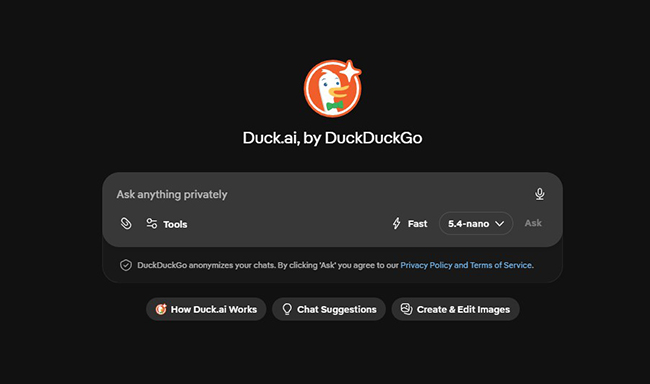
Duck.ai is DuckDuckGo’s private AI chat experience. While it is not a traditional search engine in the same way as Google or Perplexity, it is useful for people who want AI help while keeping privacy front and center.
Duck.ai can help answer questions, summarize text, draft content, and continue conversations without requiring the same level of personal data exposure that many users worry about with AI products.
For users who already trust DuckDuckGo for search, Duck.ai can be a natural extension of that workflow. It gives you AI assistance while staying aligned with a privacy-first browsing habit.
Why DesignRise recommends it: Duck.ai is useful for people who want AI answers but are cautious about privacy. It is a good option for basic research, brainstorming, summaries, and everyday AI support.
- Good for privacy-conscious AI users.
- Useful for simple questions, summaries, and drafting.
- No account requirement can be appealing for casual use.
- Not always the best choice for deep source-heavy web research.
8. Andi
Best for: simple conversational search with clean answers.
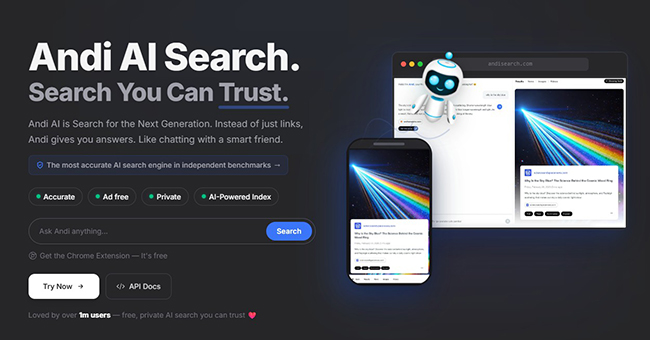
Andi is an AI search tool built around a simple idea: answers instead of just links. The interface feels more like chatting with a helpful assistant than using a traditional search results page.
This makes Andi useful for beginners, students, casual users, and people who want a less overwhelming search experience. It is not trying to be a giant professional research platform. Its strength is simplicity.
If you often feel that search results are too crowded, Andi can be a refreshing option. It is especially useful for direct questions, quick explanations, and simple topic exploration.
Why DesignRise recommends it: Andi is a good AI search engine for users who want a clean, friendly, answer-first experience without complicated settings or dense interfaces.
- Simple and beginner-friendly.
- Good for direct answers and quick learning.
- Clean interface compared with crowded search pages.
- Less suitable for advanced professional research workflows.
9. Consensus
Best for: scientific and academic search.
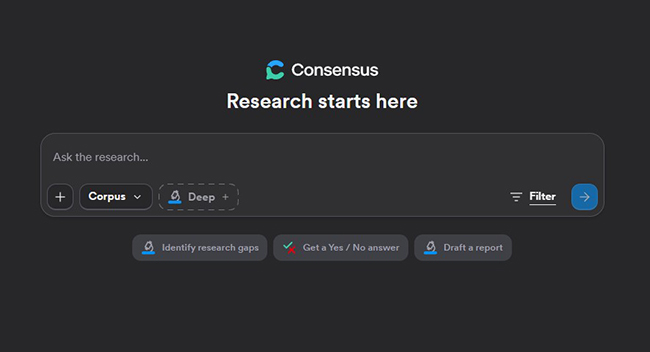
Consensus is an AI-powered academic search engine focused on peer-reviewed literature. It is designed to help users find scientific answers based on research papers rather than random web pages.
This makes Consensus useful for students, researchers, health writers, science communicators, educators, and anyone who wants evidence-backed information. It is especially valuable when your question needs a scientific foundation instead of a quick opinion.
For example, instead of searching “does sleep affect productivity” across blogs and listicles, Consensus can help you look at what research papers say about sleep, cognition, and performance.
Why DesignRise recommends it: Consensus is valuable when accuracy matters and you want your answer grounded in scientific literature. It is a strong tool for evidence-based writing and research.
- Good for academic and scientific questions.
- Useful for finding peer-reviewed evidence.
- Strong option for students, educators, and researchers.
- Not ideal for trending news, product comparisons, or general web search.
10. Elicit
Best for: literature reviews and scientific research workflows.
Elicit is an AI research assistant built for scientific work. It helps users search academic papers, summarize findings, extract data, and build structured research outputs.
Elicit is more workflow-focused than a general AI search engine. It is useful when you need to go beyond a quick answer and actually review multiple papers, compare findings, and organize evidence.
This makes it valuable for researchers, graduate students, analysts, science writers, medical content teams, and evidence-based product teams. If your work depends on understanding what the literature says, Elicit can save a significant amount of time.
Why DesignRise recommends it: Elicit is one of the best AI research tools for serious evidence-based work. It is not a replacement for reading papers, but it can dramatically speed up the first stage of research.
- Excellent for academic paper search.
- Useful for literature reviews and evidence extraction.
- Strong option for researchers and science-focused teams.
- Not designed for casual everyday search.
11. Exa
Best for: AI search infrastructure, web search APIs, and AI agents.
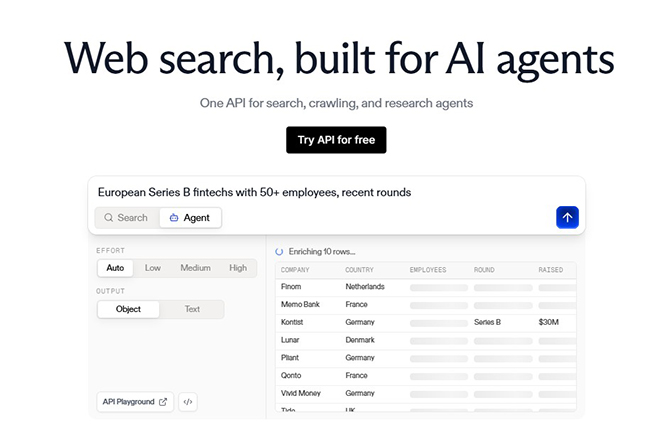
Exa is different from most tools in this list because it is especially useful for developers and AI product teams. It provides AI search infrastructure, web search APIs, crawling tools, and research capabilities that can power AI applications.
If you are a regular user looking for a simple answer engine, Perplexity or ChatGPT Search may be easier. But if you are building an AI app, research agent, chatbot, or internal knowledge tool, Exa can be a powerful part of your technical stack.
This category matters because the future of search is not only about what people type into a search bar. It is also about how AI agents retrieve reliable information from the web.
Why DesignRise recommends it: Exa is worth knowing for builders, developers, and startups creating AI-powered products that need real-time web search or structured content retrieval.
- Strong for developers and AI product teams.
- Useful for AI agents, search APIs, and web crawling.
- Good for building custom AI search experiences.
- Too technical for most casual users.
How to Choose the Right AI Search Engine
The best AI search engine depends on your goal. A student writing a research paper, a designer comparing tools, a developer researching technical documentation, and a privacy-conscious user will not need the same search experience.
Choose Perplexity if you want fast answers with sources
Perplexity is a strong everyday AI search engine when you want a quick answer, source links, and an easy way to ask follow-up questions.
Choose ChatGPT Search if you want search plus content creation
ChatGPT Search is especially useful when you want to research something and then turn the information into a summary, article outline, email, checklist, social post, or strategy.
Choose Brave, Kagi, or Duck.ai if privacy matters most
These tools are useful for people who want more control over their search and AI experience. Brave and Kagi are stronger as search engines, while Duck.ai is useful as a private AI chat companion.
Choose Consensus or Elicit for scientific research
If your topic needs evidence, academic papers, or literature review support, general AI search is not enough. Consensus and Elicit are better suited for research-backed work.
Choose Exa if you are building AI products
Exa is useful for developers and product teams creating AI applications that need web search, crawling, structured content retrieval, or AI agent infrastructure.
Best AI Search Engine by Use Case
| Use Case | Recommended AI Search Engines |
|---|---|
| Everyday AI search | Perplexity, ChatGPT Search, Microsoft Copilot Search |
| Fast cited answers | Perplexity, Brave Search AI, Copilot Search |
| Creative research and content planning | ChatGPT Search, Perplexity, You.com |
| Privacy-focused search | Brave Search AI, Kagi Assistant, Duck.ai |
| Academic research | Consensus, Elicit |
| Developer and AI product research | Exa, ChatGPT Search, Perplexity |
| Business research | You.com, Perplexity, ChatGPT Search |
| AI agent infrastructure | Exa, You.com |
AI Search Prompt Examples
AI search becomes much more powerful when you ask better questions. Instead of using short keyword-style queries, describe your goal, context, and output format.
For tool research
Compare the best AI search engines for a small marketing team. Focus on source quality, privacy, pricing, and how useful each tool is for content research.For business research
Find recent trends in AI-powered search for US users. Summarize the key changes, mention major tools, and include sources I can verify.For academic research
Find peer-reviewed studies about how AI search engines affect information discovery. Prioritize recent papers and summarize the main findings.For content planning
Research the topic "best AI search engines in 2026" and create an SEO article outline with H2 sections, H3 tool blocks, search intent, and FAQ questions.For product comparison
Compare Perplexity, ChatGPT Search, Brave Search AI, and You.com for a freelance designer who needs fast research with reliable sources.A good AI search prompt should include the topic, audience, purpose, depth, and preferred format. The more specific you are, the more useful the answer usually becomes.
How DesignRise Uses AI Search for Better Creative Work
At DesignRise, AI search is useful because creative work depends on fast, accurate, and well-organized information. Designers, marketers, bloggers, and founders rarely need only one answer. They need context, examples, trends, comparisons, and practical next steps.
Here is a simple AI search workflow we recommend:
- Start broad: ask an AI search engine to explain the topic and identify the key subtopics.
- Check sources: open the cited links and verify important claims.
- Compare tools: ask for a comparison table based on use case, audience, pricing model, and limitations.
- Look for gaps: search for what other articles are missing so your content can be more useful.
- Create a structure: turn the research into an outline with H2 and H3 headings.
- Add human judgment: do not publish AI summaries blindly. Add your own experience, examples, screenshots, and practical advice.
This is important because Google rewards useful, people-first content. AI search can help you research faster, but the final article should still feel human, practical, and original.
AI Search and the Future of SEO
AI search engines are also changing SEO. In the past, many websites focused mainly on ranking in Google’s traditional search results. In 2026, content also needs to be understandable to answer engines and AI assistants.
This does not mean traditional SEO is dead. It means SEO is expanding. Clear structure, helpful headings, accurate facts, updated information, internal links, brand authority, and original insight are more important than ever.
If you want your content to be visible in AI search environments, focus on:
- Clear titles: make the topic obvious from the headline.
- Helpful introductions: answer the search intent early.
- Structured headings: use H2 and H3 sections logically.
- Fresh updates: update tool articles when features change.
- Source quality: link to official websites and trustworthy references.
- Original value: add comparisons, use cases, examples, and practical recommendations.
- Brand consistency: make your content recognizable as part of your editorial voice.
For DesignRise, this is a big opportunity. AI Collections can become a trusted resource for people who want clear, practical, and visually curated AI tool recommendations.
Are AI Search Engines Reliable?
AI search engines are useful, but they are not perfect. They can summarize information quickly, but they can also miss context, overstate claims, or rely on weak sources. This is especially important for health, finance, law, science, and fast-changing news.
Before trusting an AI-generated answer, ask yourself:
- Does the answer include sources?
- Are the sources official, current, and trustworthy?
- Does the answer match what the original source actually says?
- Is the topic high-stakes or time-sensitive?
- Do multiple credible sources agree?
The safest approach is to use AI search as a starting point. Let it organize the topic, show possible sources, and explain the landscape. Then verify the most important information yourself.
Final Verdict: What Is the Best AI Search Engine in 2026?
The best AI search engine in 2026 depends on what you need.
If you want fast answers with sources, start with Perplexity. If you want conversational search that can turn research into content, try ChatGPT Search. If you want AI summaries inside a familiar search experience, Microsoft Copilot Search in Bing is worth using. If privacy matters most, look at Brave Search AI, Kagi Assistant, or Duck.ai.
For academic research, Consensus and Elicit are stronger than general AI search engines. For AI product teams building search-powered apps and agents, Exa is worth knowing.
The bigger lesson is simple: search is no longer one-size-fits-all. Google is still powerful, but AI search engines give users new ways to explore, compare, verify, and understand information. The smartest users in 2026 will not rely on one tool. They will choose the right search engine for the task.
At DesignRise, we see AI search as one of the most important productivity shifts for creators and businesses. It can help you research faster, make better decisions, discover better tools, and build stronger digital workflows — as long as you stay critical, verify sources, and use human judgment.
Frequently Asked Questions
What is the best AI search engine in 2026?
For most users, Perplexity and ChatGPT Search are two of the best AI search engines to try first. Perplexity is strong for fast cited answers, while ChatGPT Search is useful for conversational research and content workflows.
What is the best AI search engine beyond Google?
Perplexity, ChatGPT Search, Brave Search AI, You.com, Kagi, Duck.ai, and Andi are strong alternatives beyond Google. The best option depends on whether you care most about citations, privacy, speed, business research, or simplicity.
Are AI search engines better than Google?
AI search engines can be better for summaries, follow-up questions, comparisons, and research workflows. Google is still powerful for traditional web search, local results, shopping, maps, and broad discovery. The best approach is to use both depending on the task.
Which AI search engine is best for privacy?
Brave Search AI, Kagi Assistant, and Duck.ai are good options for users who care about privacy. Each has a different approach, so users should review privacy policies and settings before choosing one.
Which AI search engine is best for academic research?
Consensus and Elicit are better suited for academic and scientific research because they focus on research papers, evidence, and structured literature review workflows.
Which AI search engine is best for developers and AI product teams?
Exa is useful for AI product teams that need search APIs, web crawling, and structured content retrieval. Developers can also use ChatGPT Search and Perplexity for technical research, documentation, and comparison tasks.
Can AI search engines give wrong answers?
Yes. AI search engines can misunderstand questions, summarize weak sources, miss context, or produce confident but incomplete answers. Always verify important information from original sources.
How should creators use AI search?
Creators can use AI search for topic research, trend discovery, competitor analysis, article outlines, product comparisons, source collection, and content planning. The final content should still include human judgment, original examples, and careful editing.
Discover more from DesignRise
Subscribe to get the latest posts sent to your email.