Best AI tools for product photography can help ecommerce brands create polished catalog images, lifestyle scenes, and advertising visuals without a traditional studio.
Professional product photography used to require a camera setup, lighting equipment, props, a studio, and hours of retouching. In 2026, many ecommerce teams can now create a large part of their visual catalog with a clean source photo and the right AI product photography tool.
Best AI Tools for Product Photography: Quick Comparison
Explore More DesignRise Resources
If you want to improve your product visuals, ecommerce content, and AI-powered creative workflow, these DesignRise guides will help you choose better tools and create stronger results:
- AI Collections on DesignRise
- Best AI Tools for Content Creation in 2026
- Top AI Photo Editing Tools Designers Can’t Live Without
- Best AI Image Upscaler & Photo Enhancement Tools for 2026
- Best AI Search Engines in 2026: Smarter Ways to Search Beyond Google
How we evaluated these tools
AI product photography software can look impressive in a demo while still failing in a real ecommerce workflow. The most important question is not whether a tool can generate a beautiful image. It is whether it can create a useful image without changing the product customers will receive.
We compared each platform using six practical criteria:
- Product fidelity: Does the output preserve the product shape, label, logo, color, and proportions?
- Workflow speed: Can a seller create a usable result without advanced prompting or manual masking?
- Creative control: Can users direct the background, props, lighting, composition, shadows, and aspect ratio?
- Catalog consistency: Can the same visual style be repeated across several products?
- Scale: Are batch editing, team features, templates, APIs, or marketplace formats available?
- Pricing clarity: Is it easy to understand how many usable exports or generations a plan includes?
This comparison is based on current official product documentation and public pricing, not a controlled laboratory benchmark. Image quality can vary significantly depending on the source photo, product category, prompt, model, and export settings.
1. Photoroom: best overall for ecommerce product photography
Best for: online sellers, Shopify stores, marketplaces, resale businesses, small brands, and teams managing a growing catalog.
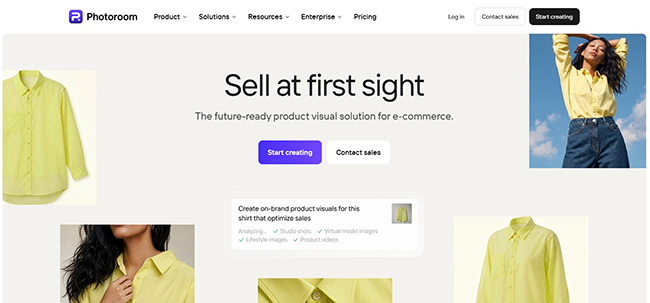
Photoroom is one of the most complete options for sellers who need more than a single AI-generated background. Its workflow covers background removal, white-background images, shadows, retouching, image enhancement, resizing, AI backgrounds, fashion models, product staging, and batch processing.
The biggest advantage is speed. A seller can start with a smartphone photo, isolate the product, create a marketplace-ready white image, generate a lifestyle scene, resize it for several channels, and keep the overall visual treatment consistent. Photoroom also supports catalog-oriented workflows and integrations designed for sellers who need to process many images rather than create one artistic campaign visual.
Why Photoroom stands out
- Strong background removal and clean ecommerce cutouts.
- Useful AI shadows that make isolated products feel grounded.
- AI background tools for studio and lifestyle scenes.
- Batch and catalog workflows for repeated editing.
- Mobile and web access.
- Options for fashion models, product video, 4K exports, APIs, and larger teams on higher plans.
Where Photoroom may fall short
Photoroom is easy to use, but advanced credit-based features can make plan comparison more complicated. The best workflow also depends on how many exports, AI generations, videos, and fashion-model images you need each month.
As with any generative tool, review small labels, reflective edges, fine jewelry details, and exact packaging before publishing. A polished background does not matter if the AI has subtly changed the product.
Photoroom pricing
A free plan is available and includes up to 250 exports per month for selected editing tools, with limited access to AI features. Paid Pro, Max, Ultra, and Enterprise plans add larger export allowances, more AI credits, video, adjustable shadows, higher resolution, and team or catalog features. Prices can vary by region and platform.
Verdict: Choose Photoroom when you want the most practical all-around product image workflow, especially for ecommerce listings and repeatable catalog production.
2. Pebblely: best for quick lifestyle product scenes
Best for: small brands, cosmetics, candles, food packaging, accessories, handmade products, and social media visuals.
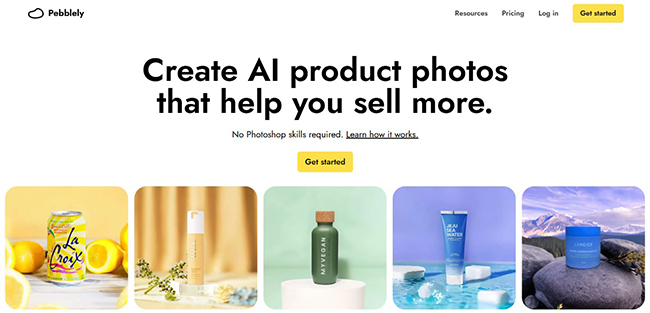
Pebblely is built around a very simple idea: upload a clear product photo, choose or describe a scene, and let the platform generate a new product image. It is one of the easiest tools for users who do not want to work with layers, masks, complex prompts, or a full design editor.
The platform offers more than 40 background themes, custom prompts, and bulk generation on higher plans. This makes it useful for quickly producing seasonal campaigns, homepage banners, product-launch visuals, or several lifestyle variations from one source image.
Why Pebblely stands out
- Very low learning curve.
- Fast scene creation from a single product photo.
- Custom prompts for more specific art direction.
- Bulk generation on Basic and Pro plans.
- Clear monthly image allowances.
Where Pebblely may fall short
Pebblely is strongest when the product has a clear silhouette and readable edges. Transparent bottles, shiny metallic objects, fine chains, complex furniture shapes, and products with tiny printed text may require more cleanup.
Packaging text deserves special attention. Generative tools can distort letters, logos, nutrition panels, and small labels. Keep the original product layer whenever possible and inspect the final image at full resolution.
Pebblely pricing
- Lite: $9/month for 30 images.
- Basic: $19/month for 200 images and bulk generation.
- Pro: $39/month for 500 images and bulk generation.
Verdict: Choose Pebblely when you need attractive product backgrounds quickly and want predictable pricing without a complicated production interface.
3. Claid: best for catalog scale, enhancement, and automation
Best for: ecommerce platforms, marketplaces, agencies, fashion brands, retailers, and teams that need API-based image production.
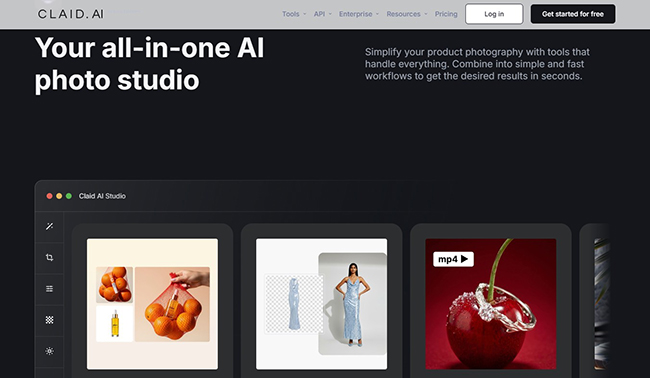
Claid is less like a single-purpose background generator and more like an AI image production suite. It combines AI photoshoots, background templates, fashion imagery, image enhancement, upscaling, object removal, image expansion, relighting, shadows, resizing, and developer APIs.
Its strongest use case is scale. A team can build a workflow that receives inconsistent seller uploads, removes backgrounds, improves resolution, corrects lighting, creates standardized product images, generates lifestyle scenes, and exports them in the dimensions required by different marketplaces.
Why Claid stands out
- Broad set of ecommerce-specific generation and editing tools.
- AI Photoshoot for product scenes.
- Fashion-model workflows.
- Upscaling and enhancement for low-quality source images.
- Product swap for reusing the same setup with different items.
- Extensive APIs for background removal, shadows, relighting, resize, fashion, video, and more.
- Custom enterprise workflows and support.
Where Claid may fall short
Claid may be more than a solo seller needs. The feature set makes the most sense when image production is already a repeated business process. Teams should also calculate credits carefully because different operations consume different amounts.
Claid pricing
The free option includes 50 credits and access to standard tools. Paid self-service tiers increase generation and editing limits, while Business plans use custom pricing for advanced workflows, SLAs, onboarding, and dedicated support.
Verdict: Choose Claid when you need a production system, not just an occasional background generator.
4. Flair AI: best for art direction and branded product scenes
Best for: creative teams, beauty brands, consumer packaged goods, fashion, jewelry, furniture, technology, and advertising concepts.
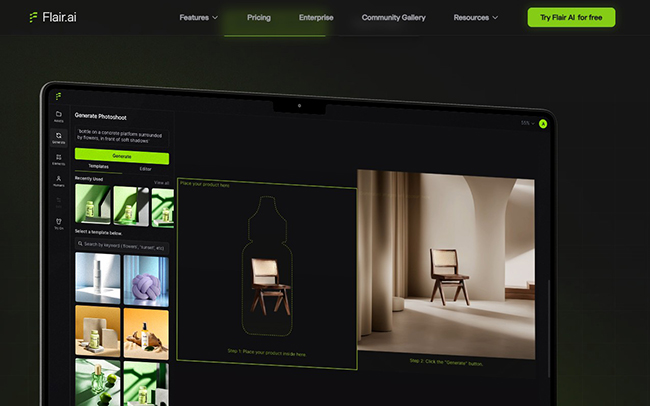
Flair AI gives users more visual control than a basic upload-and-generate tool. Its drag-and-drop canvas lets you combine a product, props, platforms, backgrounds, and reusable templates before generating the final scene. This makes the workflow feel closer to digital art direction than automatic background replacement.
Brands can build custom models, reuse layouts, create image variations, generate marketing ads, experiment with on-model photography, and produce product video. The tool is especially useful when you want a recognizable campaign style rather than a collection of unrelated AI backgrounds.
Why Flair AI stands out
- Drag-and-drop product photoshoot canvas.
- Reusable templates for consistent brand campaigns.
- Custom product models.
- On-model photography and virtual try-on options.
- Product video and ad generation.
- Team and enterprise workflows.
- Commercial licensing on eligible paid plans.
Where Flair AI may fall short
The extra creative control also creates a longer learning curve. Users may need several attempts to balance the product, props, perspective, and lighting. The lowest plans also have limited image quotas, so heavy experimentation can consume the monthly allowance quickly.
Flair AI pricing
- Free: 5 generated images and 1 custom model.
- Pro: $8/month.
- Pro+: $26/month with 80 generated images and a company commercial license.
- Scale: from $38/month with 150 generated images, more custom models, API early access, and a company commercial license.
Verdict: Choose Flair when creative direction, reusable brand scenes, and campaign development matter more than one-click simplicity.
5. Pixelcut: best for mobile-first sellers
Best for: Etsy sellers, resellers, marketplace shops, social commerce, small teams, and users who edit on a phone.
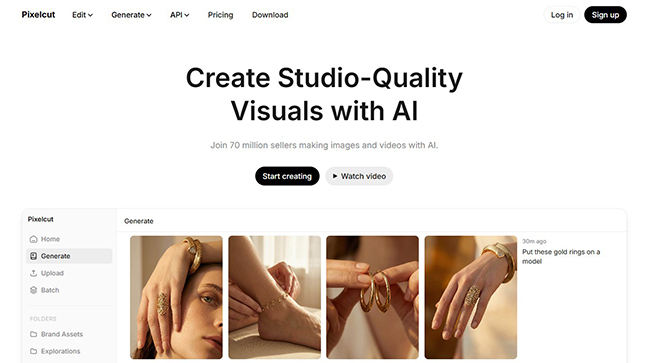
Pixelcut combines a beginner-friendly editor with background removal, AI backgrounds, shadows, generative fill, image expansion, upscaling, and batch exports. The platform works across mobile and desktop, which is useful for sellers who photograph, edit, and publish products from the same device.
Its AI product photography workflow starts with an uploaded product image, removes the background, and lets the user generate new backgrounds, lighting treatments, and styled scenes. The platform also supports multiple AI models for broader image generation and editing.
Why Pixelcut stands out
- Fast mobile workflow.
- Free watermark-free basic exports.
- AI backgrounds, shadows, generative fill, and upscaling.
- Batch exports on paid plans.
- Commercial license on paid plans.
- Team seats included in Pro and Business tiers.
Where Pixelcut may fall short
Pixelcut is excellent for speed, but users should check how credits are consumed by different third-party models. It can also be tempting to over-edit product photos on a phone without reviewing them on a larger display. Always inspect the final asset at 100% before uploading it to a store.
Pixelcut pricing
- Free: limited background removal and upscaling, with watermark-free exports.
- Pro: $10/month with 600 AI credits, 1,000 batch exports, three team members, and a commercial license.
- Business: $30/month with 3,600 AI credits, 2,000 batch exports, ten team members, and a commercial license.
Verdict: Choose Pixelcut when you want a practical mobile editor that can handle both product listings and social content.
6. Adobe Firefly: best for designers working in the Adobe ecosystem
Best for: designers, creative agencies, Photoshop users, advertising teams, and brands that need manual control after generation.

Adobe Firefly is not limited to ecommerce photography. It is a broader generative creative platform for images, video, audio, and design. For product work, its greatest advantage is the connection to Photoshop and Adobe Express.
A designer can start with a real product image, generate a new environment around it, expand the canvas, replace objects, adjust the composition, and then continue refining masks, color, type, shadows, and small defects in Photoshop. Firefly also supports partner models inside the Adobe environment, giving experienced users more model choices without leaving the same creative workflow.
Why Adobe Firefly stands out
- Strong integration with Photoshop and Adobe Express.
- Generative Fill and Expand for controlled editing.
- Reference-image workflows for building scenes around a product.
- Useful for campaign concepts, composite images, and advertising layouts.
- Better manual cleanup options than one-click ecommerce tools.
- Multiple generative models available in one environment.
Where Adobe Firefly may fall short
Firefly is not the fastest choice for someone who simply needs 100 white-background product photos. Its value appears when a designer wants control over masking, layers, retouching, typography, and final art direction. Credit use also varies between standard and premium generative features.
Adobe Firefly pricing
- Free: limited generative access.
- Firefly Standard: $9.99/month with 2,000 generative credits.
- Firefly Pro: $19.99/month with 4,000 generative credits and access to Photoshop on web and mobile plus Adobe Express Premium.
- Higher-credit Pro Plus and Premium tiers are available for heavier production.
Verdict: Choose Firefly when AI is one stage inside a professional design workflow and you expect to refine the result manually.
7. Canva: best for product photos plus complete marketing assets
Best for: small businesses, social media managers, marketers, creators, and teams that need finished ads rather than isolated product images.
Canva is useful when the product photo is only the beginning. Its AI background generator can create a scene from a text description, while tools such as Magic Edit, Magic Eraser, and Magic Expand help refine the image. The result can then be placed directly into an Instagram post, story, ad, banner, presentation, flyer, or product-launch design.
Canva also offers product-photo apps and AI photoshoot integrations inside its app ecosystem. That makes it a flexible option for teams that care more about the complete campaign workflow than advanced product-image automation.
Why Canva stands out
- AI background generation inside a familiar design editor.
- Magic Edit, Magic Eraser, and Magic Expand.
- Thousands of marketing templates and channel-specific sizes.
- Easy team collaboration and brand kits.
- Direct path from product image to finished social ad or campaign asset.
- Useful free plan for basic work.
Where Canva may fall short
Canva is not a dedicated catalog production system. It is better for marketing assets than complex bulk ecommerce operations. Some AI tools, apps, exports, and brand features require a paid plan or use-based limits.
Canva pricing
Canva offers a free plan, while Canva Pro, Business, and Enterprise tiers unlock more premium content, AI usage, brand tools, storage, collaboration, and production features. Local pricing varies by market.
Verdict: Choose Canva when you want to generate or improve a product image and immediately turn it into finished marketing content.
8. Mokker AI: best affordable option for background replacement
Best for: solo sellers, startups, handmade brands, furniture, cosmetics, jewelry, electronics, and simple catalog scenes.
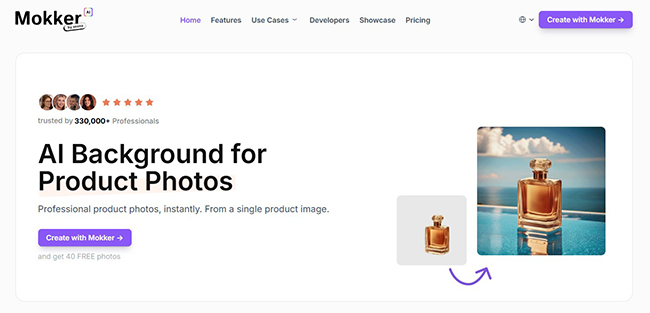
Mokker focuses on straightforward AI background replacement. Upload a product photo, choose from a large template collection or write a custom prompt, and generate new product scenes. Its pricing is particularly attractive for users who need many images without paying for a full creative suite.
The template library covers common product categories and helps beginners avoid starting from an empty prompt. Higher plans add high-quality exports, custom prompts, unlimited photos for teams, and organization features.
Why Mokker stands out
- Simple upload-template-generate workflow.
- Large collection of industry-specific templates.
- Custom prompts on the Starter plan.
- High monthly image allowance for the price.
- Team plan with unlimited photos.
Where Mokker may fall short
Mokker is primarily a scene and background generator. It does not offer the same level of full catalog automation as Claid or the same manual compositing control as Firefly and Flair. Product fidelity still depends heavily on the quality and angle of the uploaded photo.
Mokker pricing
- Free: 20 photos once, with access to the studio and templates.
- Starter: $13/month for 500 photos, high-quality export, and custom prompts.
- Team: $29 per user/month with unlimited photos and a three-seat team account.
Verdict: Choose Mokker when you want a large number of product background variations at a relatively low monthly cost.
Which AI product photography tool should you choose?
How to create professional product photos without a studio
The quality of the AI output begins before you open the software. A poor source image forces the model to guess, and guessing is exactly what causes changed labels, warped edges, incorrect proportions, and unrealistic materials.
Step 1: photograph the real product clearly
Use a modern smartphone or camera and place the product near a large window or soft, diffused light source. Avoid strong mixed lighting, deep shadows, motion blur, and wide-angle distortion. A plain background makes extraction easier, but it does not have to be perfectly white.
Capture several angles:
- straight-on front view;
- three-quarter angle;
- side view;
- top view when relevant;
- close-up of labels, textures, closures, and important details.
Step 2: preserve the original product
Use background removal or masking to separate the real product from the environment. Whenever possible, keep the original product pixels and ask AI to generate the scene around the item instead of regenerating the item itself.
This is especially important for:
- logos and brand names;
- nutrition information;
- cosmetic ingredient labels;
- technical specifications;
- jewelry stones and settings;
- transparent or reflective packaging;
- products whose color must match the physical item.
Step 3: describe a complete scene
A useful product photography prompt should include more than a background color. Describe the surface, environment, lighting, camera angle, mood, composition, and empty space needed for text.
Prompt formula:
[Product placement] on [surface], in [environment], lit with [lighting], photographed from [camera angle], [brand mood], realistic contact shadow, accurate product proportions, clean commercial photography, [aspect ratio or composition requirement].
Example for skincare:
Place the serum bottle upright on pale travertine beside a small pool of water, warm morning sunlight from the left, soft window shadows, premium minimalist skincare campaign, realistic reflection and contact shadow, product label unchanged, vertical composition with negative space above.
Example for a coffee product:
Place the coffee bag on a dark walnut counter in a modern kitchen, soft side lighting, shallow depth of field, subtle coffee beans in the foreground, warm editorial mood, realistic packaging texture, label unchanged, landscape ecommerce banner with negative space on the right.
Step 4: generate several restrained variations
Do not create 50 unrelated scenes immediately. Start with four variations of one clear direction. Choose the strongest composition, then adjust one element at a time: the surface, light direction, props, color palette, or camera height.
This produces a more consistent campaign and makes it easier to identify why one result works better than another.
Step 5: perform a product accuracy check
Compare the generated image with the original product side by side. Check:
- logo spelling;
- label text;
- product dimensions;
- cap, handle, zipper, clasp, or button shape;
- material texture;
- color accuracy;
- reflections and shadows;
- unexpected duplicate objects;
- hands, faces, or models when people appear.
Step 6: export for the final channel
Use the correct dimensions for each destination. A marketplace thumbnail, Shopify product page, Instagram story, Meta ad, Amazon main image, and email banner all need different compositions.
Keep a high-resolution master file before cropping or compressing. Use consistent naming and store the original source photo, final approved image, prompt, and project settings together so the image can be recreated later.
When AI product photography is a poor choice
AI can reduce production time, but it should not be used simply because it is available. A real photoshoot or professional 3D workflow may be safer when:
- the exact product color is legally or commercially important;
- the item contains tiny text that must remain readable;
- the product is transparent, highly reflective, iridescent, or translucent;
- the image demonstrates a safety feature or technical function;
- the product is food and the generated scene could misrepresent ingredients or serving size;
- a model’s body, skin, fit, or garment drape must be represented accurately;
- the campaign requires a recognizable real location, celebrity, professional model, or licensed property;
- the output will be used for packaging, legal claims, or regulated advertising.
A useful hybrid workflow is often the best answer: photograph the real product correctly once, then use AI for background changes, campaign variations, resizing, retouching, and additional marketing formats.
Commercial use, ownership, and brand safety
Do not assume that every AI-generated image has identical commercial rights. The answer depends on the tool, plan, model provider, source material, and intended use.
Before publishing commercial visuals:
- read the current AI and commercial-use terms for your plan;
- confirm whether a paid plan includes a commercial license;
- avoid prompts that imitate a living artist, protected character, famous campaign, or competitor’s trade dress;
- use only product photos, logos, props, and reference images you are allowed to upload;
- obtain appropriate permission for identifiable people;
- review model releases when using virtual or real human imagery;
- do not rely on AI to verify factual claims shown in the image;
- keep records of the source image, prompt, date, model, and final approval.
Canva states that Magic Studio can be used for a range of personal and commercial purposes subject to its AI Product Terms. Pixelcut includes a commercial license on its paid plans, while Flair lists a company commercial license on Pro+ and higher tiers. Other platforms publish their own usage and ownership terms, which can change over time.
Frequently asked questions
Can AI replace a professional product photographer?
AI can replace or reduce some routine shoots, especially for clean catalog images, background changes, social media variations, seasonal scenes, and simple lifestyle content. It is less reliable when the product requires exact color, complex reflections, tiny text, detailed materials, or legally precise representation.
What is the best AI product photography tool for beginners?
Photoroom, Pebblely, Pixelcut, and Mokker are the easiest starting points. Photoroom offers the broadest practical editing workflow, while Pebblely and Mokker are especially simple for background generation. Pixelcut is a strong choice for mobile users.
What is the best free AI product photo generator?
Photoroom, Pixelcut, Canva, Flair, Claid, and Mokker all offer free access or trials, but the limits differ. Free plans are useful for testing product fidelity. For regular commercial production, a paid plan usually provides higher resolution, more generations, batch tools, and clearer licensing.
Which tool is best for Shopify product photography?
Photoroom is a strong all-around choice for Shopify sellers because it combines background removal, white images, resizing, AI scenes, and catalog-oriented workflows. Claid is more suitable when a larger store needs API automation or multi-step processing.
Which tool is best for Amazon product images?
Use a tool with strong cutouts, white-background output, shadow control, and product preservation. Photoroom, Pixelcut, and Claid are practical options. Always verify the latest marketplace image requirements and avoid using an AI lifestyle scene as the main image when the platform requires a plain background.
Can AI keep product labels and logos accurate?
Sometimes, but not reliably in every generation. The safest method is to preserve the original photographed product and generate only the background, surface, shadow, or surrounding scene. Inspect all text and logos at full resolution before publication.
How many source photos do I need?
One clear image can be enough for a simple front-facing scene. For better flexibility, photograph several angles and close-ups. A varied source set helps you create more believable catalog and campaign images without asking the AI to invent unseen parts of the product.
Are AI product photos good for SEO?
Image quality alone does not guarantee search rankings. Use descriptive filenames, accurate alt text, compressed modern formats, appropriate dimensions, fast loading, and useful surrounding content. Do not stuff keywords into alt text. Describe what the image genuinely shows.
Final verdict
The best AI product photography tool in 2026 depends on where the image will be used and how many assets you need.
Photoroom is the strongest overall starting point for ecommerce sellers. Pebblely is excellent for fast lifestyle scenes. Claid makes the most sense for high-volume automation. Flair AI offers stronger art direction and branded composition. Pixelcut is convenient for mobile-first sellers. Adobe Firefly is best when professional editing continues in Photoshop. Canva connects product imagery to complete marketing campaigns, while Mokker offers an affordable route to high-volume background generation.
The most reliable approach is not to ask AI to invent your product. Start with a sharp, accurate photograph of the real item, preserve the original product layer, and use AI to create the studio around it. That simple rule protects product fidelity while still giving small brands access to the speed and creative range that once required a full production team.
Explore more practical AI, design, UX/UI, WordPress, and creative technology resources on DesignRise.
Official sources and pricing pages
Discover more from DesignRise
Subscribe to get the latest posts sent to your email.