









Last updated: August 2026
Fashion ecommerce has always asked customers to make a physical decision through a flat screen.
A shopper can inspect the fabric description, zoom into a product photo, check a size chart, and read reviews. Yet one important question remains difficult to answer:
What will this actually look like on me?
AI virtual try-on tools are attempting to close that gap. Some let shoppers upload a personal photo and visualize a garment on their own body. Others allow customers to switch between models with different body types, create complete outfits, or try shoes and accessories through a live camera. A separate group helps fashion brands generate on-model product imagery without organizing a new photoshoot for every variation.
These products are often grouped under the same label, but they solve very different problems.
A Shopify store that needs a simple try-on button has different requirements from a global retailer building a custom mobile experience. A luxury watch brand needs precise AR placement and material rendering, while an apparel marketplace may prioritize garment preservation, body diversity, catalog scale, and integration with thousands of product pages.
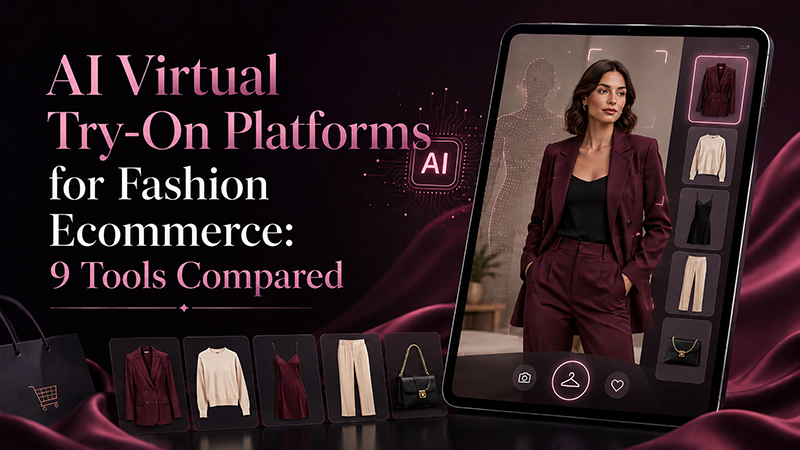
This guide compares the best AI virtual try-on tools in 2026 according to the ecommerce problem each one is best positioned to solve.
Editorial note: Features and pricing were checked against official product pages in August 2026. Plans and usage limits can change, so confirm the latest details before purchasing or building an integration.
How to use this guide:
This comparison is designed to help fashion ecommerce teams choose a virtual try-on tool based on the actual workflow they need: customer-facing fitting rooms, brand-side model imagery, Shopify implementation, AR accessories, enterprise APIs, or product discovery.
If you are still planning the full implementation process, start with our AI virtual try-on workflow for fashion ecommerce. If your source images are not yet ready, review the AI product photography workflow first.
The Best AI Virtual Try-On Tools at a Glance
| Tool | Best for | Main format | Public pricing |
|---|---|---|---|
| FASHN AI | Overall apparel try-on, content creation, and API access | Generative AI app and API | App from $19/month; API credits from $7.50 |
| Genlook | Shopify fashion stores | Customer-facing Shopify widget | Free plan; paid from $19.99/month |
| Perfect Corp. | Enterprise and multi-category fashion retail | Fashion APIs for web, mobile, and kiosks | Custom / usage-based |
| Vue.ai | Model diversity, styling, and outfit discovery | Enterprise virtual dressing room | Custom quote |
| WANNA | Footwear, watches, bags, and luxury accessories | AR and 3D | Custom quote |
| ZERO10 | In-store mirrors, events, and branded experiences | Real-time AR and generative try-on | Custom implementation |
| Google Shopping Virtual Try-On | Large-scale product discovery | Shopper-facing Google experience | Free for eligible shoppers |
| Bridely | Bridal discovery and wedding dress visualization | Personalized web app | Not publicly listed |
| StyTrix | Creative experimentation and fashion workflows | Browser-based fashion AI platform | Free plan; paid from $19/month |
The table should not be read as a simple quality ranking. The right platform depends on whether a business needs customer-facing try-on, brand-side image production, an API, a Shopify app, or an AR experience.
For stores building a broader AI commerce stack, virtual try-on should also connect with product imagery, personalization, analytics, and merchandising decisions. Our guide to AI tools for ecommerce looks at the wider technology layer around product discovery, recommendations, customer experience, and online-store growth.
What Counts as Virtual Try-On in 2026?
The term now covers several related technologies.
Generative apparel try-on
A person image and a garment image are submitted to an AI model. The system generates a new image in which the person appears to be wearing that garment.
- apparel product pages;
- personalized shopping experiences;
- virtual fashion photoshoots;
- model swaps;
- catalog localization;
- campaign variations.
Model-based virtual dressing rooms
Instead of uploading a personal photograph, shoppers select a model with a similar body type, size, age, or appearance. They can then visualize products and combine multiple garments into an outfit.
This approach gives retailers more control over inputs and may be easier to scale across a large catalog.
Camera-based AR try-on
AR systems place a digital product over a live camera view. They work especially well for items with a relatively predictable position in relation to the body:
- shoes;
- watches;
- rings;
- eyewear;
- bags;
- hats;
- scarves.
Brand-side fashion visualization
Some tools are described as virtual try-on platforms even though their primary purpose is not a customer fitting room. They help brands place garments on models, change models, create lookbooks, prepare campaign assets, and generate ecommerce imagery.
That distinction matters. A tool that creates excellent campaign images may not include a product-page widget, customer analytics, cart integration, consent management, or secure handling of shopper photographs.
1. FASHN AI — Best Overall for Apparel Try-On and Flexible API Access
Best for: fashion brands, creative teams, developers, marketplaces, virtual fitting rooms, and AI-assisted product imagery.
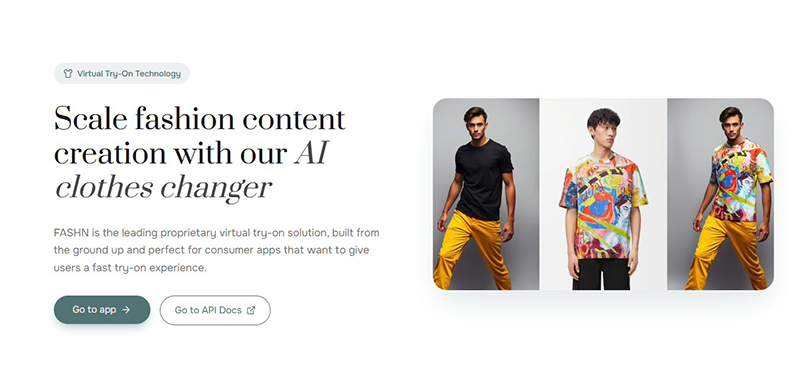
FASHN AI is one of the most versatile platforms in this comparison because it supports both a visual application and developer APIs.
Its virtual try-on workflow combines a person image with a garment image to generate a new fashion visual. FASHN positions the same core technology for two connected use cases:
- creating fashion content with garments placed on different models;
- building virtual fitting experiences in which shoppers visualize products on themselves.
The broader platform includes Product-to-Model, Model Swap, Model Creation, AI image editing, short videos, and high-resolution output. FASHN states that try-on output can reach 4K and that generated results can be used commercially.
Why FASHN AI stands out
FASHN is not tied to one ecommerce platform. A team can begin in the browser, test the workflow, and later move toward an API integration.
The platform supports on-model references, flat-lay product images, and ghost-mannequin shots. It also supports multiple apparel categories and lets teams use the same ecosystem for virtual try-on and fashion content production.
Key strengths
- Browser application and developer API.
- Virtual try-on plus broader fashion image-production tools.
- Commercial usage rights for generated output.
- Support for multiple resolution tiers up to 4K.
- Public pricing for both the app and API.
- Useful for early experiments and production workflows.
Limitations
FASHN can generate convincing fashion visuals, but brands still need quality control. Detailed logos, small typography, unusual construction, layered garments, transparent fabrics, complex prints, and reflective materials should be inspected carefully.
It is also important to separate visualization from size prediction. A generated image may help a customer imagine a style without proving that a specific size will fit their body correctly.
Pricing
FASHN’s Basic app plan starts at $19 per month with 200 monthly credits. Pro is listed at $49 per month, and Agency at $99 per month. New accounts receive complimentary credits.
The developer API uses credits without requiring a subscription. Credit purchases start at $7.50, with larger commitment plans available for volume usage.
Verdict
FASHN AI is the strongest general-purpose option for teams that want to experiment without immediately entering a large enterprise contract. It is particularly attractive when a brand needs both virtual try-on and scalable fashion content creation.
2. Genlook — Best Virtual Try-On App for Shopify Stores
Best for: small and mid-sized fashion brands running Shopify.
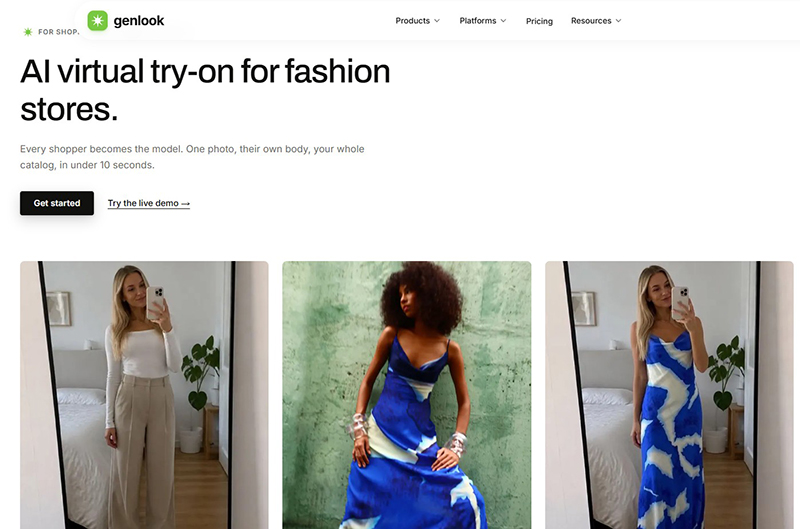
Genlook takes a narrower approach than enterprise fashion platforms: it is designed to add an AI fitting room directly to a Shopify store.
A shopper opens the try-on interface, uploads or captures a personal photograph, and sees the selected garment rendered on that image. Genlook uses product photography already stored in the Shopify catalog, so a merchant does not need to prepare a 3D model for every SKU.
Merchants can install the app, choose the products or collections on which the feature should appear, and customize the widget. Paid plans also include analytics and customer email collection.
Why Genlook stands out
Many virtual fitting systems require development work, custom APIs, or extensive asset preparation. Genlook is packaged as an ecommerce app rather than a technology project.
That makes it a practical option for a Shopify brand that wants to validate customer interest before investing in a more complex fitting-room experience.
Key strengths
- Built specifically for Shopify.
- Standard installation does not require custom coding.
- Uses existing catalog photography.
- Public, self-service pricing.
- Analytics available on paid plans.
- Customers can upload a photo or take one on mobile.
Limitations
Genlook is most compelling for Shopify. Brands operating a custom commerce stack, a marketplace, or a complex omnichannel environment may need a more flexible API or enterprise platform.
According to Genlook, the system currently performs best with upper-body garments and dresses. Image quality also depends on the source product image, pose, lighting, and background clarity.
Pricing
The free plan includes 10 try-ons per month. The Starter plan is listed at $19.99 per month for 100 try-ons, Growth at $29 per month for 250 try-ons, and Pro at $99 per month for 1,000 try-ons. Additional usage is billed per try-on.
Verdict
For a Shopify fashion store that wants to test virtual try-on without commissioning a custom application, Genlook offers one of the clearest routes from installation to a live product-page experience.
3. Perfect Corp. — Best Enterprise Platform for Multiple Fashion Categories
Best for: retailers, marketplaces, shopping apps, and brands selling several categories of fashion products.
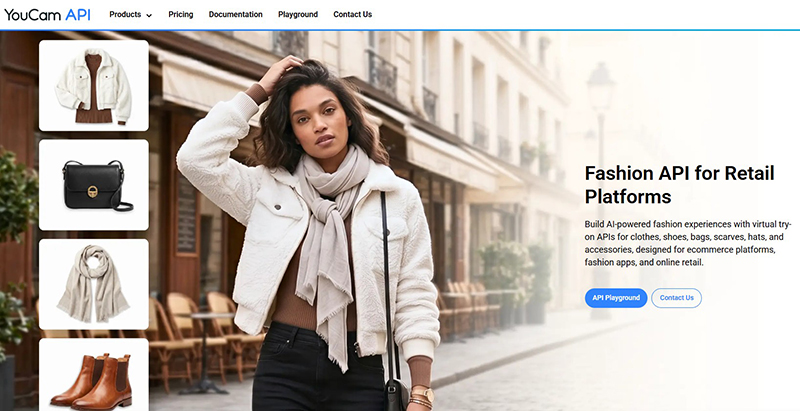
Perfect Corp. offers a broad Fashion API ecosystem covering clothes, shoes, bags, scarves, hats, watches, rings, bracelets, earrings, necklaces, and other accessories.
Businesses can use individual modules to build virtual try-on experiences inside ecommerce websites, mobile applications, campaign pages, or in-store environments. Product and development teams can also test sample or uploaded assets through an API Playground before integration.
Why Perfect Corp. stands out
Many virtual try-on vendors specialize in apparel or one accessory category. Perfect Corp. is notable for offering multiple fashion modules within one enterprise ecosystem.
- department stores;
- multi-category marketplaces;
- beauty and fashion retailers;
- accessory brands expanding into new categories;
- mobile shopping applications;
- retailers that want one technology partner across several try-on experiences.
Key strengths
- Extensive fashion-category coverage.
- APIs designed for ecommerce, apps, and kiosks.
- Browser-based API testing environment.
- Modular approach.
- Suitable for enterprise-scale customer experiences.
Limitations
The breadth of the platform means implementation can be more involved than installing a Shopify app. A retailer must choose the relevant APIs, prepare suitable assets, design the customer journey, manage consent and privacy, and test output quality by category.
Pricing
Fashion-specific usage prices are not clearly listed on the public product pages. Businesses should expect custom or usage-based pricing through the API dashboard or sales process.
Verdict
Perfect Corp. is one of the strongest choices for a retailer that wants to build a multi-category virtual try-on ecosystem rather than solve only one apparel use case.
4. Vue.ai Virtual Dressing Room — Best for Model Diversity and Outfit Styling
Best for: larger fashion retailers that want shoppers to explore outfits on representative models.
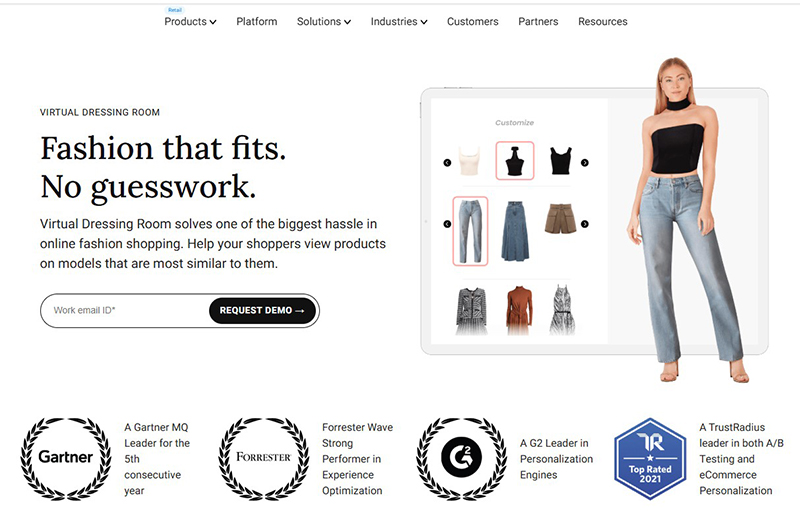
Vue.ai’s Virtual Dressing Room focuses on a persistent ecommerce problem: shoppers often struggle to relate to a single product model.
The platform lets customers view products on models with different sizes, body shapes, ethnicities, and other characteristics. Shoppers can also mix and match products to create outfits and explore styling combinations.
Why Vue.ai stands out
Fashion ecommerce does not lose customers only because they cannot picture one garment on themselves. It also loses them because products are presented as isolated SKUs rather than wearable combinations.
- outfit building;
- product discovery;
- cross-selling;
- model representation;
- styling exploration;
- collection merchandising.
Key strengths
- Diverse model options.
- Mix-and-match outfit creation.
- Designed for ecommerce discovery and personalization.
- Useful for styling and cross-selling.
- Enterprise retail orientation.
Limitations
This is not the simplest option for a small store seeking a quick upload-and-generate tool. It is a broader ecommerce system that requires integration, catalog management, merchandising logic, and experience design.
It may also feel less personal than a system that places a garment directly onto the shopper’s own photograph. The trade-off is greater control and consistency.
Pricing
Pricing is not publicly listed. Retailers must request a demo and discuss requirements with Vue.ai.
Verdict
Vue.ai is a strong choice when the goal is not merely to show one item on one person, but to build a virtual styling environment that encourages discovery and complete outfits.
5. WANNA — Best for Footwear, Watches, Bags, and Luxury Accessories
Best for: luxury fashion, footwear, jewelry, watch, handbag, and accessory brands.
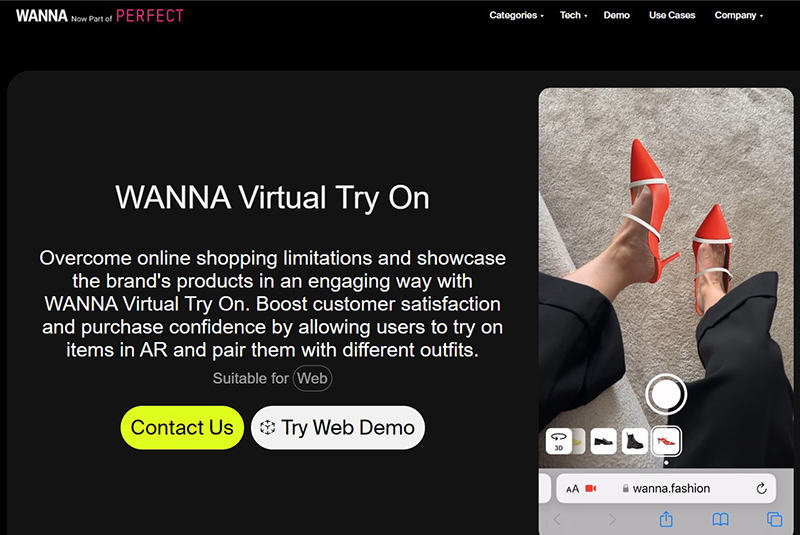
WANNA provides AR and 3D experiences for footwear, bags, watches, jewelry, scarves, clothes, and other premium product categories.
Its technology is especially relevant for products whose scale and position can be represented through a live camera or interactive 3D viewer.
Why WANNA stands out
Luxury accessory purchases depend heavily on proportion, materials, details, and context.
- whether a watch appears too large on the wrist;
- how a handbag relates to their body;
- whether a sneaker works with an outfit;
- how a product looks from different angles;
- whether the scale and styling match their expectations.
WANNA’s combination of AR and 3D is better aligned with these questions than a generic clothing-image generator.
Key strengths
- Strong specialization in footwear and fashion accessories.
- Camera-based AR experiences.
- 3D product viewers.
- Web integration and shareable experiences.
- Suitable for ecommerce, campaigns, and physical retail.
Limitations
AR and 3D systems can require more product preparation than image-based generative try-on. Brands may need accurate digital assets, category-specific implementation, and testing across devices.
This makes WANNA most suitable for products with enough value, margin, traffic, and strategic importance to justify an immersive experience.
Pricing
WANNA does not publish standard self-service plans. Pricing depends on the category, assets, deployment, and integration.
Verdict
For a luxury watch, footwear, or handbag brand, WANNA is more relevant than a general apparel generator. It is designed to make a product feel interactive and spatial, not merely place it into a new static photograph.
6. ZERO10 — Best for In-Store AR Mirrors and Experiential Retail
Best for: fashion events, physical stores, installations, branded activations, and custom retail experiences.
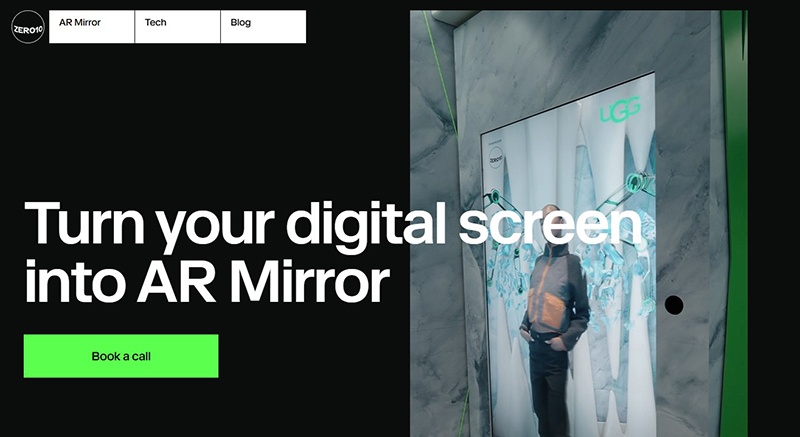
ZERO10 approaches virtual try-on as an experience that can exist inside AR mirrors, retail spaces, campaign installations, and branded digital products.
Its offering includes real-time AR try-on and generative virtual try-on solutions for fashion businesses.
Why ZERO10 stands out
Not every virtual try-on project is designed only to reduce product-page uncertainty. Fashion brands also use the technology to:
- attract attention at events;
- create interactive store installations;
- turn retail screens into virtual mirrors;
- support digital garments and experimental collections;
- create shareable social content;
- connect physical retail with digital storytelling.
Key strengths
- AR Mirror experiences.
- Real-time and generative try-on.
- Suitable for physical retail and events.
- Strong experiential and campaign potential.
- Useful for branded activations.
Limitations
ZERO10 is not a lightweight plug-in for a small ecommerce website. Brands should treat deployment as a creative technology project involving integration, assets, testing, hardware decisions, and operational planning.
Pricing
Public self-service pricing is not available. Cost depends on the implementation and experience.
Verdict
ZERO10 is the most distinctive option for brands that want virtual try-on to become a physical attraction, campaign asset, or retail installation, rather than only an ecommerce utility.
7. Google Shopping Virtual Try-On — Best for Product Discovery at Massive Scale
Best for: shoppers discovering apparel through eligible Google product listings.
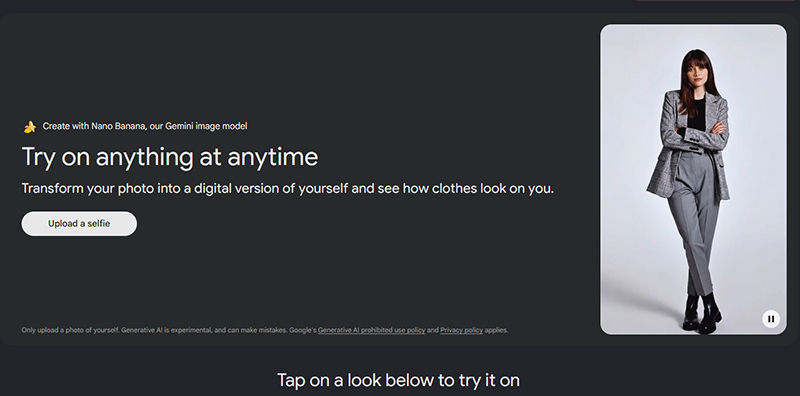
Google Shopping Virtual Try-On is different from the commercial platforms above. It is not a white-label tool that a brand installs on its own website.
Google connects virtual try-on to its Shopping Graph and eligible apparel listings. Shoppers can upload a full-body photograph or create a try-on image from a selfie, then visualize clothing from product listings.
Google says the experience can be used across billions of apparel listings in its Shopping Graph.
Why Google Shopping matters to fashion retailers
Google’s implementation shows where product discovery is heading.
Virtual try-on may appear before a customer reaches the retailer’s website. Product feeds, imagery, availability, merchant data, and listing quality can therefore influence whether a product participates effectively in AI-assisted shopping experiences.
For retailers, this system is less about buying a virtual fitting-room platform and more about being prepared for a search environment in which product visualization becomes part of discovery.
Key strengths
- Connected to Google product discovery.
- Uses the shopper’s own image.
- Works across a very large product graph.
- Supports saving and sharing generated looks.
- Introduces virtual try-on before the retailer-site visit.
Limitations
- Not a white-label SaaS platform.
- Brands have limited control over the interface.
- Availability can depend on country and product eligibility.
- It does not replace an on-site fitting-room experience.
- It should not be treated as a guarantee of physical fit.
Pricing
The experience is free for eligible shoppers. Retailers participate through the wider Google shopping and merchant ecosystem rather than purchasing a standalone virtual try-on plan.
Verdict
Google Shopping Virtual Try-On is not the answer for a brand seeking a custom fitting room. It matters because it signals that virtual visualization is becoming part of product search itself.
8. Bridely — Best Specialized Virtual Try-On Experience for Bridal Fashion
Best for: bridal designers, boutiques, wedding marketplaces, and high-consideration dress discovery.
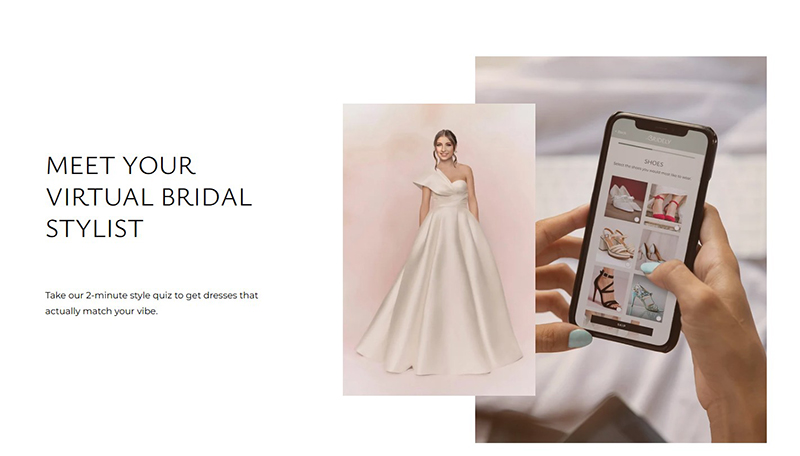
Bridely is a specialized web application that lets users upload photographs, enter measurements, and visualize wedding dresses on a personalized model.
The platform combines virtual try-on with a bridal directory and AI stylist. Users can browse more than 500 dresses, filter by fabric, silhouette, and neckline, receive recommendations, and save or share preferred styles.
Why Bridely stands out
Wedding dresses are well suited to a specialized discovery experience because the purchase is emotional, visually complex, and difficult to evaluate from a standard product card.
- silhouettes;
- sleeve styles;
- necklines;
- fabric volume;
- train length;
- overall proportion;
- compatibility with the wedding theme.
Bridely shows how virtual try-on becomes more useful when it is designed around one specific buying journey rather than every fashion category.
Key strengths
- Clear focus on bridal fashion.
- Personalized model creation.
- Measurement input within the workflow.
- Dress directory and style recommendations.
- Save-and-share functionality.
- Opportunities for designers and boutiques to feature collections.
Limitations
Bridely is not a universal ecommerce API or general fashion-store plug-in. It is relevant primarily as a specialist bridal platform.
Measurement input may improve personalization, but the visualization should not replace an in-person fitting, tailoring advice, or alterations.
Pricing
Public retailer or designer pricing is not clearly displayed.
Verdict
Bridely is a strong example of category-specific virtual try-on built around the complete decision journey, not only image generation.
9. StyTrix — Best for Creative Experimentation and Fashion Workflows
Best for: designers, content teams, independent fashion brands, students, and early-stage experimentation.
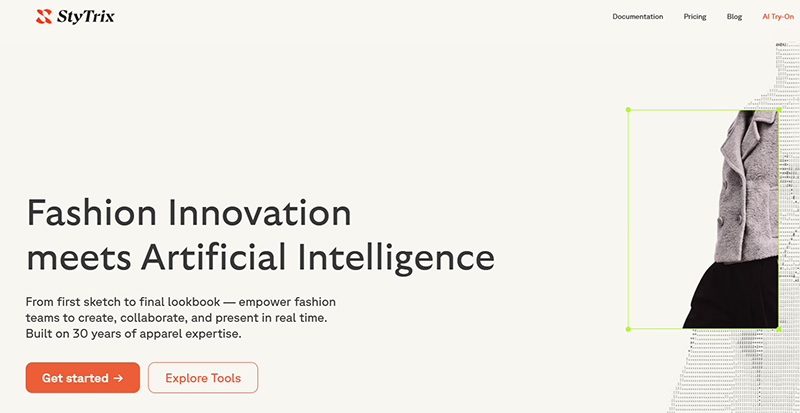
StyTrix combines fashion-specific AI tools with a collaborative canvas. Its toolset includes AI try-on, fashion generation, fabric workflows, image editing, video generation, style training, and team collaboration.
Why StyTrix stands out
StyTrix is less compelling as an instant customer-facing ecommerce fitting room, but it is useful for teams exploring how try-on can fit into a broader creative system.
- prototype a collection;
- visualize garments on people;
- prepare moodboards;
- test styling directions;
- create early campaign concepts;
- organize generated assets on a shared canvas;
- prepare client or internal presentations.
Key strengths
- Free plan available.
- Fashion-specific generation tools.
- Collaborative canvas.
- Accessible self-service pricing.
- Useful for concept development and visual experimentation.
- Enterprise API and custom integration options.
Limitations
Retailers that need a polished product-page widget, cart integration, customer analytics, consent handling, or a white-label fitting room should confirm those capabilities before treating StyTrix as a complete ecommerce solution.
Pricing
The free plan includes 30 credits per month and watermarked standard exports. Starter is listed at $19 per month, Pro at $49 per month, and Team at $99 per month. Enterprise pricing is custom.
Verdict
StyTrix is a useful low-risk starting point for fashion teams that want to explore generative fashion visualization before investing in an enterprise fitting room.
AI Virtual Try-On Implementation Checklist
Before choosing a platform, a fashion brand should make sure the operational foundation is strong enough for a real ecommerce environment. A good virtual try-on demo is not the same as a dependable production workflow.
- ☐ Product images are clean, high-resolution, and mapped to the correct SKU and variant.
- ☐ The team knows which categories are eligible for try-on and which products should be excluded.
- ☐ Logos, prints, seams, accessories, and construction details can be reviewed against the original product.
- ☐ The experience separates style visualization from size recommendation.
- ☐ Customer photo upload, consent, storage, and deletion rules are understood before launch.
- ☐ The product page still keeps original images, size guidance, reviews, and add-to-cart actions easy to access.
- ☐ Mobile performance, failed generations, retries, and slow connections are tested.
- ☐ Analytics track not only try-on usage, but add-to-cart behavior, conversion, returns, and customer support signals.
DesignRise rule: virtual try-on should make the buying decision clearer, not simply make the product look more impressive.
How to Choose the Right AI Virtual Try-On Tool
The best platform is not necessarily the one producing the most impressive demonstration image.
A successful ecommerce implementation must work across real customers, changing catalogs, weak mobile connections, varied source photos, different poses, diverse skin tones, multiple device types, privacy requirements, and customer-support situations.
1. Define the real business problem
- help shoppers imagine a garment on themselves;
- increase outfit discovery;
- generate product imagery;
- support accessories through live AR;
- reduce hesitation on product pages;
- create an in-store attraction;
- localize model imagery;
- improve bridal or luxury product discovery.
Trying to solve every problem in the first implementation usually creates an expensive and confusing experience.
2. Separate visual try-on from size recommendation
Could this style suit me?
It may not reliably answer:
Will size M fit my shoulders, waist, sleeve length, and preferred ease?
Unless a platform explicitly uses validated measurements, garment specifications, and fit data, do not present the generated image as a guarantee of physical fit.
3. Test garment preservation
- striped shirts;
- logos and typography;
- asymmetric garments;
- layered outfits;
- lace;
- sequins;
- transparent fabric;
- oversized sleeves;
- reflective materials;
- complex prints;
- important stitching or hardware.
The central question is not only whether the person looks realistic. It is whether the actual sellable garment remains accurate.
For a broader quality-control process, read AI Product Photography Workflow: From Raw Product Photo to Marketplace-Ready Image.
4. Check source-image requirements
- flat-lay photography;
- ghost-mannequin images;
- hanger photos;
- product-only cutouts;
- existing model photography;
- customer selfies;
- full-body photographs;
- side views;
- transparent PNG files;
- existing 3D assets.
A tool that works beautifully with standardized studio assets may fail when connected to an inconsistent legacy catalog.
5. Evaluate implementation effort
- a browser tool;
- a Shopify app;
- a theme widget;
- a JavaScript module;
- a REST API;
- a mobile SDK;
- custom AR development;
- physical mirror hardware.
The technology fee is only part of the investment. Development, asset preparation, design, privacy review, testing, moderation, customer support, and analytics can cost more than the monthly license.
6. Review privacy and consent
- how consent is obtained;
- how long images are stored;
- whether uploads are used for model training;
- where processing takes place;
- how deletion requests are handled;
- whether users can continue without uploading a photo;
- which age restrictions apply;
- how generated images can be saved or shared.
Privacy should be designed into the experience rather than hidden inside a long policy.
7. Demand real ecommerce analytics
- try-on button visibility;
- opening rate;
- completed generations;
- processing failures;
- time to result;
- add-to-cart rate after try-on;
- conversion rate;
- average order value;
- return reasons;
- customer-support complaints;
- mobile abandonment;
- repeat usage.
A visually impressive feature can still harm conversion if it is slow, intrusive, inaccurate, or placed badly on the page.
Which AI Virtual Try-On Tool Is Best?
- Choose FASHN AI when you need flexible apparel generation, content tools, and API access without beginning with an enterprise contract.
- Choose Genlook when you run a Shopify fashion store and want a direct route to a customer-facing try-on widget.
- Choose Perfect Corp. when you need enterprise APIs across clothing, footwear, bags, jewelry, watches, and accessories.
- Choose Vue.ai when model diversity, outfit creation, product discovery, and cross-selling are central to the experience.
- Choose WANNA for premium footwear, watches, bags, jewelry, and other accessories where AR and 3D add real value.
- Choose ZERO10 for AR mirrors, physical retail, events, and experiential fashion campaigns.
- Treat Google Shopping Virtual Try-On as an important discovery channel and a signal of how fashion search is evolving.
- Choose Bridely as a specialist bridal experience or potential channel for dress discovery.
- Use StyTrix when you need an accessible creative environment for fashion visualization, design exploration, and collaboration.
Recommended Next Reads on DesignRise
Virtual try-on works best when it is part of a larger ecommerce and product-visual workflow. These related DesignRise resources can help teams plan the next steps after choosing a tool.
- AI Virtual Try-On Workflow for Fashion Ecommerce — build a step-by-step process for product truth, source preparation, accuracy review, UX, privacy, analytics, and scale.
- AI Product Photography Workflow — prepare stronger source images before using AI generation, product staging, or virtual try-on.
- How AI Is Changing Ecommerce Photography — understand the trust problem behind synthetic product imagery.
- Best AI eCommerce Tools for Online Stores — compare AI tools for product discovery, personalization, conversion, and ecommerce growth.
Final Thoughts: Virtual Try-On Should Reduce Uncertainty, Not Create a New Illusion
The most important virtual try-on feature is not photorealism.
It is trust.
A generated image can look polished while changing a garment’s length, construction, color, logo, texture, print, accessories, or relationship to the body. When that happens, the technology has not improved the buying decision. It has replaced one uncertainty with a more convincing one.
Fashion brands should evaluate virtual try-on as part of the complete product experience:
- Are the source images accurate?
- Is the garment preserved?
- Does the customer understand that the result is a visualization?
- Is sizing handled separately?
- Are personal photographs protected?
- Can the brand measure whether the feature improves real decisions?
- Is there a clear path from try-on to product selection and checkout?
The strongest implementations will not promise a perfect digital fitting room. They will help customers explore style, compare options, and approach a purchase with better expectations.
That is where AI virtual try-on becomes more than a visual effect. It becomes a useful layer between product discovery and confident decision-making.
For a deeper analysis of accuracy, scale, and trust in AI-generated commerce imagery, read How AI Is Changing Ecommerce Photography: Creativity, Scale and the Trust Problem.
Official Sources and Product Pages
Discover more from DesignRise
Subscribe to get the latest posts sent to your email.