





That is the problem the best AI text-to-speech tools are trying to solve. Today, a written script can become narration for a YouTube video, a product demo, an online course, a podcast, or an application. Some platforms make the process as simple as pasting a paragraph into a browser. Others give production teams control over performance, pronunciation, collaboration, and delivery. Developer-focused services go further, generating speech in real time for conversational AI.
But they are not interchangeable. A voice that sounds lovely reading a short advertisement may struggle with a 40-minute lesson. A tool designed to read PDFs aloud is not necessarily licensed to produce a commercial video. And an excellent studio voice generator may be the wrong choice for a customer-support agent that needs to respond in real time.
If you are still shaping the script, our guide to AI writing tools can help you choose a drafting assistant before you move into voice production.
For this 2027 AI text-to-speech guide, DesignRise has selected ten credible services across these different needs. The goal is not to crown a universal winner, but to help you find the right kind of tool before spending money, uploading a script, or building an entire workflow around it.
Editorial timing: This guide was prepared in November 2026 for readers planning projects in 2027. Features, availability, prices, and license terms can change; the comparisons below are based on published product information rather than a claimed hands-on listening benchmark.
The Best AI Text-to-Speech Tools for 2027 at a Glance
A creator producing a voiceover has different priorities from a company recording training modules or a developer building a live voice assistant. Compare the tools by the work they are designed to do—not just by the length of their voice libraries.
| AI Tool | Best For | Workflow Type | Keep in Mind |
|---|---|---|---|
| ElevenLabs | Expressive narration and voice options | Creator studio and API | Usage credits and commercial rights |
| Murf AI | Training, presentations, and business voiceovers | Studio and API | Export limits and collaboration needs |
| Speechify Studio | Marketing content and multimedia production | Voice and video studio | Choose Studio, not just the reader app |
| WellSaid | Consistent narration across teams | Business voice studio | Team features and brand requirements |
| Fliki AI | AI voiceovers for video and social content | Voiceover and video editor | Voice credits, video exports, and commercial rights |
| Descript | Podcasts and fixing spoken recordings | Text-based audio/video editor | AI credits and editing limits |
| NaturalReader | Listening to articles and documents | Personal reader or commercial generator | Personal and commercial plans are separate |
| Listnr | Creator narration and podcast workflows | Voice and podcast studio | Voice selection and credit allowances |
| Cartesia Sonic | Fast, responsive voice agents | Developer API | Integration work and latency requirements |
| Google Cloud Text-to-Speech | Multilingual speech in apps and services | Cloud API | Usage-based billing and technical setup |
Quick recommendation: Start with ElevenLabs for expressive standalone narration, Murf for business videos, Descript for editing existing recordings, NaturalReader for private listening, and Cartesia if your speech needs to happen during a live conversation. These are recommendations by use case, not claims that one vendor has objectively the best voice.
1. ElevenLabs — Best for Expressive AI Voiceovers
Best for: YouTube narration, audiobooks, character performances, multilingual projects, and creators who need a broad selection of voice styles.
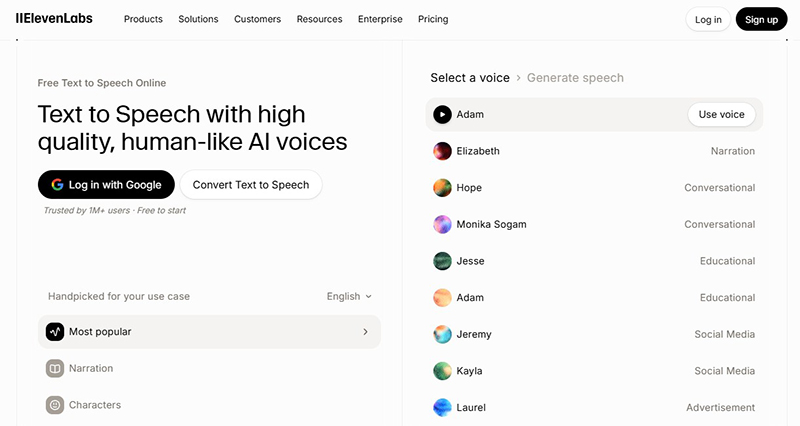
ElevenLabs is one of the first places worth exploring when the voice itself is the centerpiece of the project. Its text-to-speech tools are built around natural-sounding delivery, with choices that suit storytelling, conversation, education, advertisements, and other kinds of narration. The company also offers voice-related capabilities beyond basic TTS, including voice design and cloning options.
What makes ElevenLabs appealing is the range of creative directions available. A subdued documentary narrator should not sound like an enthusiastic product launch presenter. The platform makes those choices part of the creation process rather than something you have to rescue later with an audio editor.
For a creator publishing regularly, voice consistency matters almost as much as realism. Returning to the same approved voice can help make a channel or series recognizable. The same applies to businesses producing explainers in several languages, although every language and voice should be checked individually for pronunciation and natural phrasing.
Why it stands out
- A large catalog of voices and styles for different storytelling contexts.
- Tools for expressive speech, voice creation, and voice cloning, subject to access and consent rules.
- Creator workflows alongside developer-facing integrations.
- Useful possibilities for multilingual narration and repeatable voice branding.
What to keep in mind
Do not assume every voice, model, or feature is included in the same subscription. Credit usage, download rights, model availability, and cloning permissions may differ by tier. A convincing 20-second demo also does not tell you how a voice will hold up over an entire chapter. Generate a longer passage before committing to a production series.
DesignRise perspective: A strong first choice when you care most about how the finished narration sounds and want room to experiment with delivery.
2. Murf AI — Best for Business Presentations and E-Learning
Best for: Training modules, corporate explainers, slide presentations, product demonstrations, and repeatable business voiceovers.
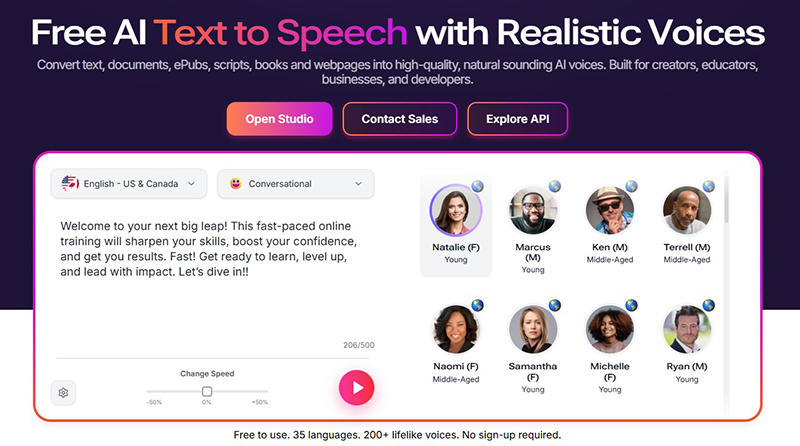
Not every voiceover project begins with a blank audio track. Sometimes there are slides, scenes, deadlines, brand guidelines, and three people waiting to approve the final wording. Murf is interesting because it approaches AI narration as part of a practical production process.
The platform combines text-to-speech voices with a studio environment and controls for delivery. Murf highlights adjustable pacing, pronunciation, pitch, and related speech characteristics, and its wider product range includes dubbing and API capabilities. For businesses, this can be more useful than endlessly searching for the most theatrical voice.
If your narration is part of a sequence of AI-generated clips, it helps to plan the edit and audio together. See the DesignRise guide to building a consistent AI video workflow.
Consider a product onboarding video that needs updating each quarter. With a text-based voice workflow, an editor can revise the script and generate replacement narration without organizing another recording session. That advantage becomes more significant when the same organization publishes training content in multiple languages or frequently changes product terminology.
Why it stands out
- Voiceover creation designed around business and educational content.
- Controls that help refine pacing, emphasis, and pronunciation.
- Options for integrating speech into broader presentation or media workflows.
- A practical fit for recurring narration rather than one-off creative experiments.
What to keep in mind
Studio convenience can matter more than an enormous voice library, but it is worth checking how much speech you can generate, revise, and export under your plan. Test one real presentation with difficult brand names and abbreviations. If the voice cannot pronounce your product correctly, the rest of the feature list matters much less.
DesignRise perspective: Murf is an especially sensible option for teams turning scripts and slides into polished, consistent training material.
3. Speechify Studio — Best for Creators Making Voice and Video Content
Best for: Social videos, promotional content, digital storytelling, narrated presentations, and creator-led multimedia projects.
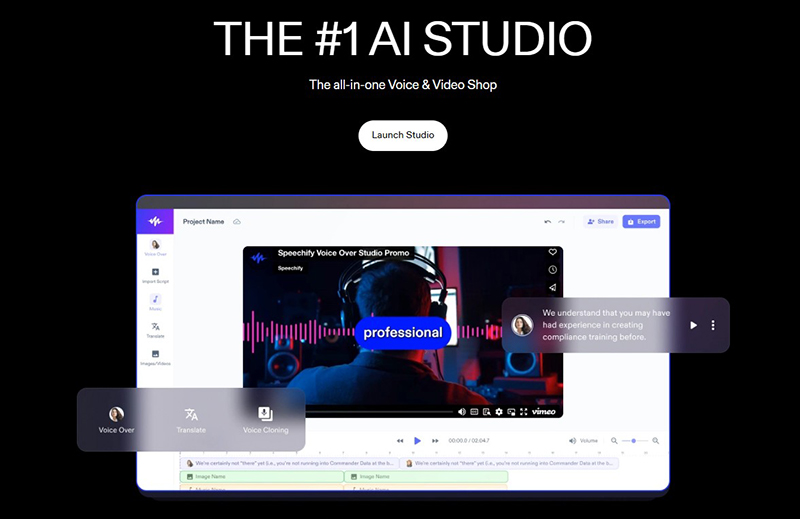
Speechify is familiar to many people as a tool for listening to written material. That reputation can create some confusion: Speechify’s reading tools and Speechify Studio are not the same workflow. If your goal is to produce a voiceover for something other people will watch or hear, the Studio product is the more relevant place to look.
For short-form advertising, speech generation is only one piece of the finished creative. Our comparison of AI UGC ad generators explains how voice, video, scripts, and creator-style visuals can come together in a single workflow.
Speechify Studio brings together voice generation with broader content-creation options, including video-oriented tools and dubbing. For creators who think in clips rather than standalone audio files, that combination can simplify the handoff between writing a script and assembling a finished piece of content.
For example, a small marketing team may need a narrated short video in several formats. The most valuable tool is not necessarily the one with the longest voice list. It may be the platform where voiceover, scenes, captions, and revisions can be managed without moving the project across several disconnected applications.
Why it stands out
- Designed to support voice generation within a wider creative studio.
- Relevant to short-form video and marketing workflows.
- Additional media and dubbing capabilities depending on plan.
- Approachable for people who do not want to build a production stack from scratch.
What to keep in mind
Check the specific Studio plan, rather than comparing it with the price or entitlements of Speechify’s reading app. Also review whether your intended output is covered by the commercial-use terms and whether exports, languages, or premium voices require a higher tier.
DesignRise perspective: A compelling candidate for creators whose end product is a video, not simply an MP3 file.
4. WellSaid — Best for Professional, Consistent Brand Narration
Best for: Corporate training, product walkthroughs, internal communications, customer education, and brand-sensitive production teams.
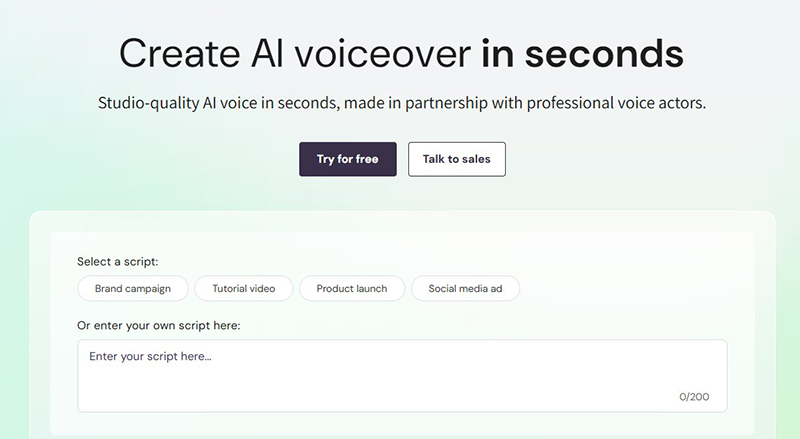
There is a reason businesses care about familiar voices. A training lesson, a product tutorial, and a customer announcement may be produced by different teams, yet they should still sound like they belong to the same company. WellSaid focuses on that kind of dependable, professional voice production.
The platform emphasizes studio-quality AI voices developed in partnership with professional voice actors. Its voice studio is designed for common business scenarios, including tutorials, product launches, campaigns, and narration. That is a more focused proposition than a tool primarily aimed at dramatic character voices or casual audiobook listening.
One useful way to evaluate WellSaid is to imagine a library of 40 short educational videos. New lessons need to match the old ones, terminology must remain consistent, and scripts will be revised over time. Voice quality matters, of course, but so does the process of choosing and reusing voices across a team.
Why it stands out
- Strong emphasis on professional voiceover production.
- Voice options suited to instructional and business communication.
- Relevant to teams that value consistent presentation across many assets.
- A workflow oriented toward usable, repeatable narration.
What to keep in mind
Business-focused features may be more than a solo hobbyist needs. Before paying, check the number of users, collaboration features, output allowances, and any restrictions on particular voice types. Also compare how naturally it handles the exact terminology your audience hears every day.
DesignRise perspective: Worth serious consideration when a steady, recognizable brand voice matters more than novelty.
5. Fliki AI — Best for Turning Scripts into Voiceovers and Videos
Best for: YouTube narration, social media videos, product explainers, educational clips, multilingual voiceovers, and creators who want audio and visuals in one workflow.
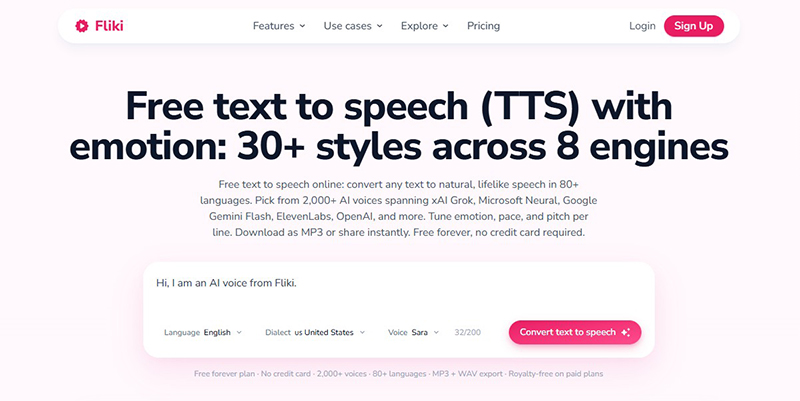
A voiceover can sound polished and still leave you with a considerable editing job. You need scenes that match the narration, captions that arrive at the right moment, and a way to change the script without rebuilding the whole video. Fliki is designed to bring those pieces into the same browser-based workspace.
Its text-to-speech workflow turns written text into spoken narration, with voice and language options. The platform also supports script-to-video creation, allowing creators to combine AI narration with visual scenes and captions. For someone producing short educational or promotional content regularly, that connection between script, voice, and video can be more useful than generating standalone audio files.
For example, a small business creating product explainers can draft a script, test a narrator, and build a short video in one workspace. If the wording changes during review, the team can update the voiceover and continue editing rather than starting a separate audio production project. The convenience comes from keeping related steps together, not from assuming that every generated result needs no review.
Why it stands out
- Text-to-speech tools with multiple voice and language choices.
- Script-to-video workflows combining narration, visuals, and captions.
- Useful for YouTube, educational explainers, and social media content.
- A practical starting point for creators who prefer an integrated workflow.
What to keep in mind
Review voice-generation allowances, video exports, premium voices, and commercial-use rights for the plan you choose. Test your own longer script and brand names rather than judging solely from a short demo. If you already edit videos elsewhere, compare Fliki’s integrated workflow against a dedicated voice generator before moving your entire production process.
DesignRise perspective: A useful choice when the goal is to turn a script into a finished narrated video, not just download a voiceover.
6. Descript — Best for Podcasts and Editing Speech by Editing Text
Best for: Podcasts, interviews, recorded courses, video narration, and replacing spoken mistakes without repeating an entire recording session.
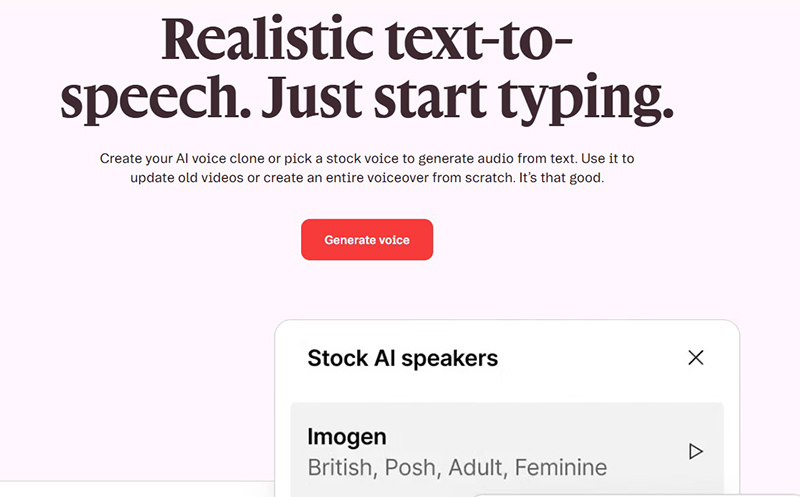
Descript approaches audio differently. Instead of treating a recording as an intimidating waveform, it lets you work with spoken content through text-based editing. That is a helpful mental model for writers, editors, and podcasters who are more comfortable revising a sentence than navigating a traditional audio production interface.
Its AI speech tools can generate narration from text, use stock voices, and support custom voice workflows. One of the clearest use cases is correcting a mistake: you recorded a podcast introduction, noticed a wrong date, and need to replace a short phrase without rebuilding the entire episode.
When you are making visual content to accompany that narration, the AI video prompt guide offers a complementary way to think about movement, camera direction, lighting, and pacing.
That does not mean every correction will automatically sound perfect. Transitions, background noise, room tone, and pacing still deserve attention. But bringing transcription, spoken-audio edits, and video production into one workspace can eliminate a surprising number of small production headaches.
Why it stands out
- Text-based editing that connects scripts with recorded audio and video.
- AI-generated speech for narration and corrections.
- Voice cloning features, with consent and authorization requirements.
- Other creator tools such as captions, transcription, and audio cleanup.
What to keep in mind
Descript makes the most sense if you also need editing. If your only task is generating a few minutes of standalone narration, a simpler TTS studio may be quicker. Pay attention to usage credits and the controls governing custom voices; never clone somebody else’s voice without appropriate permission.
DesignRise perspective: One of the most useful options when AI voiceover is part of an ongoing podcast or video editing job.
7. NaturalReader — Best for Listening to Written Content
Best for: Listening to documents, reading long articles aloud, accessibility-related personal workflows, and private study.
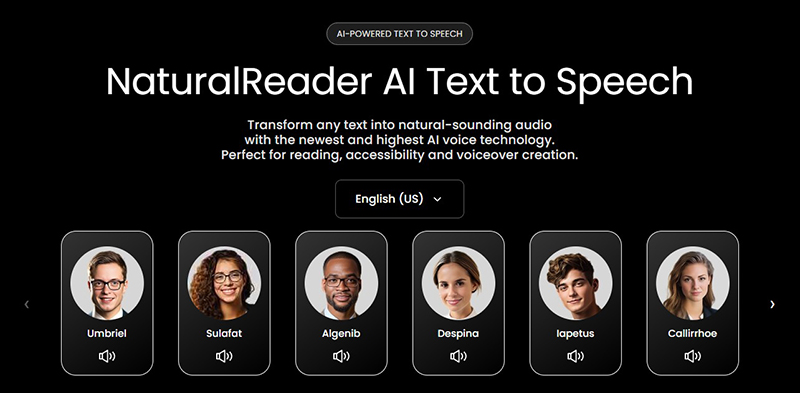
NaturalReader solves a slightly different problem from most tools on this list. Sometimes you do not want to publish an AI voiceover. You want to hear a PDF while doing something else, listen to a long article, or give your eyes a break from the screen. In those circumstances, a reader app can be more helpful than a voiceover production studio.
Its personal text-to-speech product is oriented toward listening to documents and written material. The broader NaturalReader business also offers a separate commercial AI Voice Generator for creators and organizations producing distributable audio.
That distinction matters. NaturalReader states that audio from its personal-use product is for private listening, not for posting online, distributing to others, or using in commercial projects. Even a non-monetized video or internally shared training module may require the commercial product. It is worth checking before generating hours of narration under the wrong license.
Why it stands out
- Reading-oriented experience for private listening and document consumption.
- Useful alternative to staring at long stretches of text.
- A separate commercial voice generation product for production work.
- Clear distinction between personal listening and distributable audio.
What to keep in mind
Choose the product first, then the plan. A personal reader subscription does not automatically include commercial publication rights or access to the commercial studio. If you are making YouTube narration, advertising, podcasts, or training content for other people, use the commercial tool and review its terms.
DesignRise perspective: A practical pick for listening and study, provided you select the correct product for your use case.
8. Listnr — Best for Creator Narration and Podcast Workflows
Best for: Podcast narration, YouTube voiceovers, audio stories, creator content, and projects needing a selection of languages or voices.
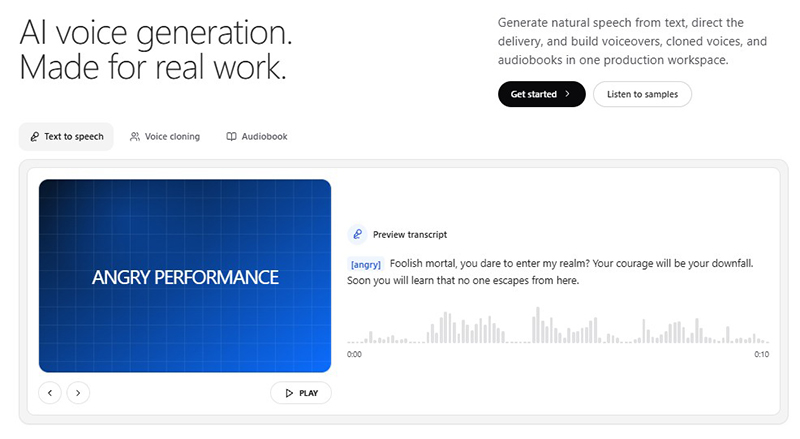
Listnr is worth a look if you think about text-to-speech as a repeatable publishing tool. Its product lineup covers speech generation, voice cloning, a voice API, multilingual features, and podcast-related workflows. That combination is relevant to creators who want to build a recognizable output style and keep producing new episodes or clips.
The appeal is not just turning text into sound. A podcast producer may care about organizing episodes and maintaining the same narrator; a YouTube creator may need narration for a steady publishing schedule; a marketing team may want different voice styles for different audiences. Listnr provides a creator-oriented environment for exploring those needs.
There is a familiar temptation with large voice libraries: spending an hour choosing voices while leaving the script untouched. A better approach is to narrow the decision to two or three voices, generate the same paragraph in each, and judge clarity, tone, and consistency rather than simply choosing the voice with the most impressive demo.
Why it stands out
- Text-to-speech and podcast-oriented creation tools.
- Voice and language selection for varied content formats.
- Voice cloning and API options in the wider platform.
- A useful fit for creators producing recurring audio content.
What to keep in mind
Check which voice models and features belong to each plan. Voice counts are not a substitute for examining the quality of the particular voices you need, especially in languages other than English. Confirm whether commercial distribution and hosting features match your publishing process.
DesignRise perspective: A solid candidate for independent creators planning ongoing narration or podcast content rather than a single voiceover.
9. Cartesia Sonic — Best for Real-Time AI Voice Agents
Best for: Conversational assistants, real-time customer support, interactive voice applications, and developers who need speech to start quickly.
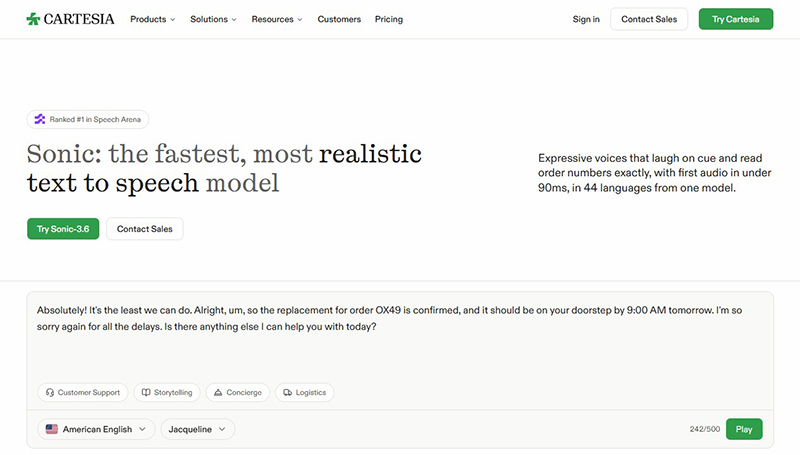
A narrator has time to generate a sentence before an audience hears it. A voice agent does not. If a user asks a question and waits too long for an answer, the interaction begins to feel broken regardless of how impressive the voice sounds.
Cartesia’s Sonic is built for this more demanding kind of speech generation. The company focuses on low-latency text-to-speech and voice-agent applications, with capabilities around expressive delivery, multilingual speech, and developer integration. Its current Sonic product page describes streaming-oriented performance and support for a range of languages.
The important metric here is not just audio quality. Developers also need to consider time to first audio, interruption handling, reliability, deployment requirements, and whether the voice behaves consistently during longer conversations. A pleasant ten-second sample cannot answer all those questions.
Why it stands out
- Designed for fast, interactive speech rather than only pre-rendered files.
- API-oriented use cases for production voice agents.
- Expressive voice capabilities and multilingual options.
- Relevant to businesses building conversational experiences.
What to keep in mind
Cartesia is not the easiest answer for someone who simply wants narration for an Instagram Reel. Integration work and technical evaluation may be necessary. Before committing, test actual latency from your deployment region, pronunciation of customer-specific terms, and performance under the expected load.
DesignRise perspective: Consider Cartesia when the voice needs to respond, not merely read.
10. Google Cloud Text-to-Speech — Best for Multilingual Apps and Scalable Speech APIs
Best for: Developers, multilingual applications, accessibility features, customer-facing software, and products that need programmatic voice generation at scale.
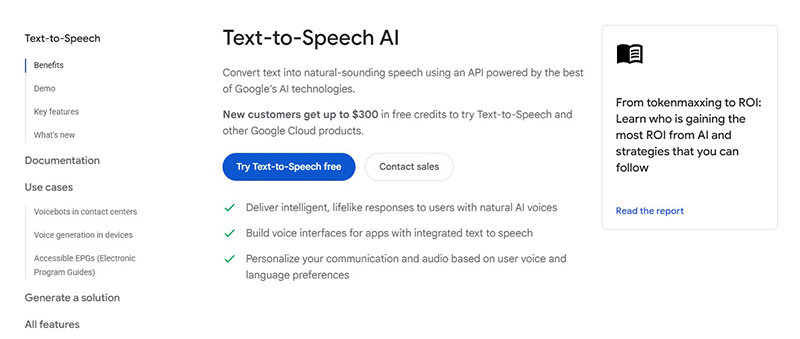
Google Cloud Text-to-Speech belongs in a different category from the browser-based studios above. It is a cloud service that lets applications turn text into synthesized speech through an API. You would not typically choose it because you want to edit one podcast episode in a visual timeline. You choose it because speech needs to become a feature of your product.
The service offers multiple voice technologies and models, including Google’s Chirp 3: HD family, with language and voice availability documented by Google. For a software team, that breadth can be useful when building learning platforms, public-information tools, voice interfaces, or applications serving audiences in several regions.
The trade-off is complexity. A developer will need to manage authentication, model choices, request formats, audio delivery, and usage billing. More advanced voices may have different capabilities and costs from legacy models, and not every control is available for every voice family.
Why it stands out
- Production-oriented API for adding speech to applications.
- Broad language and voice options, depending on model.
- Different voice technologies for different quality, cost, and performance needs.
- Documentation and cloud infrastructure suited to technical teams.
What to keep in mind
Compare models individually. Review supported languages, audio formats, regional endpoints, rates, free allowances, and any restrictions that apply to particular voices. For consumer video production, a dedicated voiceover studio will usually require less setup.
DesignRise perspective: A practical shortlist entry for product teams that want to build text-to-speech into software rather than manually export narration.
How to Choose the Right AI Text-to-Speech Generator
Most buyers begin by listening to a handful of impressive demos. That is understandable, but it is not enough to choose a tool that will fit your work six months later. Use these criteria to narrow the field.
1. Start with the actual output
Ask what you need at the end: an MP3 for a video, a narrated audiobook, a voice read-aloud app, editable audio inside a podcast project, or live speech from an API. This single question removes many unsuitable options. NaturalReader’s personal reader and Cartesia’s real-time API are both text-to-speech technologies, but they solve very different problems.
2. Judge longer passages, not just demo clips
Generate at least a minute of your own writing. Listen for unnatural emphasis, repeated rhythms, clipped endings, and unstable delivery. A voice can sound convincing in a short product demo but tiring over a long training lesson.
3. Check pronunciation where it matters
Brand names, last names, addresses, acronyms, technical vocabulary, and foreign-language terms are common failure points. The ability to correct a difficult word is often more valuable than the option to select another fifty voices.
4. Compare editing effort
Suppose a client changes one paragraph after the narration is finished. Can you replace only that section? Will the voice remain consistent? Can the revised audio be synchronized with existing video? Your answer may favor Descript, Murf, or a full video studio over a simpler generator.
5. Calculate usage with realistic assumptions
Plan around the amount of speech you will generate and regenerate. Ten finished minutes might require significantly more than ten generated minutes if you try multiple voices or revise the script repeatedly. Compare credits, character limits, audio minutes, and overage terms using your actual publishing schedule.
6. Read the rights and privacy terms
Commercial publishing, synthetic voice cloning, team sharing, and confidential scripts raise different questions. Make sure your plan permits the intended use and that you have permission to use any cloned voice. Read retention and data-handling terms before uploading sensitive material.
A Simple Text-to-Speech Test Script You Can Reuse
When comparing AI voices, use the same script across all the tools. It makes differences in pacing, pronunciation, and expressiveness easier to hear. Try this short original sample:
“Good morning, and welcome back. Today we’re looking at three small changes that can make a surprisingly big difference. First, slow down and listen. Second, notice the details. And third—don’t be afraid to try something new. Our next meeting is Thursday at 9:15 a.m., and the project is called Aurora 27. Sounds simple, doesn’t it? Let’s get started.”
Listen for the pause after “First,” the natural delivery of “doesn’t it?”, and the pronunciation of “Aurora 27” and “9:15 a.m.” Then try a longer paragraph written for your actual project. If you need multilingual speech, test a native-language script rather than assuming an English demo proves the quality of every language.
Do not compare outputs after heavily editing some samples and leaving others untouched. Keep the settings as similar as possible, and note which tools let you fix a problem without re-recording or regenerating the entire script.
Free vs. Paid AI Text-to-Speech Tools: What Really Changes?
A free plan can be perfect for trying different voices or making a small personal project. But it is a mistake to assume that “free text-to-speech” automatically means unlimited downloadable audio with commercial rights.
Paid plans may add more monthly credits, higher-quality models, longer generations, premium voices, custom pronunciation, collaboration, API access, or licensing for published content. Sometimes a free tier lets you preview audio but restricts export. In other cases, free use is allowed for experimentation while commercial distribution requires an upgrade.
Instead of listing fixed prices that may change throughout 2027, use the pricing pages linked from each provider’s website and compare four practical numbers: usable audio output, regeneration cost, commercial rights, and export restrictions. For APIs, also consider expected traffic, latency, and monthly overages.
The cheapest plan is not always the least expensive workflow. If a voice requires repeated corrections, the time spent fixing it may cost more than a slightly higher subscription that gets the narration right sooner.
Voice Cloning, Commercial Rights, and AI Audio Disclosure
Voice cloning is one of the most powerful—and most sensitive—features in modern text-to-speech technology. It can help someone maintain a consistent narrator across episodes or update their own recorded material without returning to the microphone. It can also be misused to impersonate someone who never agreed to participate.
Use cloned voices only when you have the rights and consent required by the platform and applicable law. Do not assume that finding a public voice recording gives you permission to clone it. For business projects, document the voice owner’s approval and establish who may use, modify, or revoke access to the voice.
Also be clear when synthetic audio could mislead an audience. Transparency is especially important for testimonials, advertisements, public statements, and interactions where listeners might reasonably believe they are hearing a real individual. Platform-specific disclosure rules may apply.
Finally, review the source material. You may have permission to generate speech from your own script but not to redistribute an entire copyrighted book, a client’s confidential documents, or a recording you do not control.
Frequently Asked Questions About AI Text-to-Speech Tools
What is the best AI text-to-speech tool for 2027?
There is no universal winner. ElevenLabs is a useful starting point for expressive narration, Murf for business voiceovers, Descript for podcast editing, NaturalReader for private listening, and Cartesia for real-time voice applications. The right choice depends on your output, budget, editing needs, and usage rights.
Which AI text-to-speech tool sounds the most realistic?
Realism depends on the voice, language, model, script, and delivery settings. Listen to the same longer passage across several products rather than deciding from a short promotional demo. ElevenLabs, WellSaid, Murf, and other specialist platforms are worth comparing for produced narration.
Are there free AI text-to-speech generators?
Several vendors offer free access, demos, or trials, but limits change. Check generation allowances, downloads, watermarks, voice availability, and commercial-use permissions before relying on a free plan for published work.
Can I use AI-generated speech on YouTube?
Potentially, yes. You need to follow the tool’s applicable license, respect voice and content rights, and comply with any platform disclosure requirements. A personal listening subscription is not necessarily a commercial voiceover license.
What is the difference between text-to-speech and voice cloning?
Text-to-speech converts written words into spoken audio using a selected synthetic voice. Voice cloning creates a synthetic voice designed to resemble a particular speaker. Cloning requires special attention to consent, identity, and usage permissions.
What is the best text-to-speech tool for podcasts?
Descript is particularly relevant when you need to edit recorded episodes or repair lines within existing audio. Listnr and ElevenLabs are alternatives to investigate for generating narration or creating recurring spoken content.
Which AI text-to-speech service is good for developers?
Cartesia Sonic is designed around fast, real-time speech for voice agents, while Google Cloud Text-to-Speech offers model and language options for application developers. Compare latency, pricing, support, output formats, and the integration work required.
Can AI text-to-speech tools speak multiple languages?
Many can, but supported languages differ by vendor, model, and voice. A platform that lists a language does not necessarily deliver equally natural results in every accent or context. Test the exact language you need, using native phrasing and proper names.
How much does AI text-to-speech cost?
Pricing can depend on characters, generated minutes, credits, subscription tiers, voice models, or API traffic. Compare the cost of your full production workflow, including retries and commercial licensing, rather than relying on the lowest advertised subscription price.
Final Verdict: Choose the Voice Tool That Fits Your Work
The most useful AI voice generator is rarely the one with the loudest promises. It is the one that makes your particular job easier.
If you’re producing stories or polished narration, start by comparing expressive voices in ElevenLabs. If your day is filled with presentations, training materials, and product explainers, Murf or WellSaid may be more practical. If your work lives inside video, Speechify Studio and Fliki AI deserve attention. If your problem is editing what someone already said, Descript offers a distinctive workflow. For private listening, NaturalReader makes more sense than a production-focused studio.
Developers should make a different comparison altogether. Cartesia and Google Cloud Text-to-Speech belong on the shortlist when reliability, integration, multilingual delivery, and real-time performance become central to the project.
Before choosing, generate the same real-world script in two or three services, listen critically, check the license, and estimate what a month of actual usage will cost. A convincing voice demo is a good beginning. A reliable production workflow is the real goal.
DesignRise AI Collections explores creative AI tools with an emphasis on practical use cases, clear comparisons, and informed decisions—not the idea that every new tool should replace the one you already use.
Discover more from DesignRise
Subscribe to get the latest posts sent to your email.