








Best AI App Builders in 2026: Build Apps Without Coding
The best AI app builders in 2026 are changing the way founders, designers, marketers, creators, and small businesses turn ideas into real software. Instead of starting with a blank code editor, you can now describe what you want in plain English and let AI generate screens, databases, workflows, dashboards, user accounts, and even deployable web apps.
At DesignRise, we follow AI tools from a practical creative workflow perspective: not just what looks impressive in a demo, but what actually helps you launch faster. This guide is built for people who want to create an app without hiring a full development team from day one.
Whether you want to build a SaaS MVP, client portal, internal dashboard, booking system, marketplace, mobile app, AI-powered tool, or a simple business app, this collection will help you choose the right AI app builder for your skill level and project type.
What Is an AI App Builder?
An AI app builder is a platform that uses artificial intelligence to help you create software from natural language prompts. Instead of manually writing every line of code, you describe your idea, features, users, design style, and business logic. The tool then generates an app structure, user interface, database, workflows, and sometimes production-ready code.
In 2026, AI app builders usually fall into three main categories:
- Prompt-to-app builders — tools like Lovable, Bolt.new, Base44, Replit, Firebase Studio, and v0 that generate working apps from text prompts.
- No-code AI app builders — platforms like Bubble, Adalo, Glide, and FlutterFlow that combine AI generation with visual editing.
- Business app builders — tools focused on internal tools, dashboards, CRMs, portals, forms, automations, and company workflows.
The biggest benefit is speed. A project that once required weeks of wireframing, coding, testing, and deployment can now start as a working prototype in a few hours. But AI app builders are not magic. You still need a clear idea, good prompts, testing, security checks, and a strong understanding of your users.
The best results come when you treat AI as a product-building assistant, not a replacement for strategy. You still need to decide what your app should do, who it is for, how it should look, and what problem it solves.
Explore More DesignRise Resources:
- Best AI Website Builders for Small Businesses in 2026: Build a Site Without Coding
- Best Tools for 2026: Create Content Without Filming
- Best AI Writing Tools for 2026: From Blog Posts to Marketing Copy.
- Best AI Tools for Content Creation in 2026: Write, Design & Create Faster.
Quick Comparison: Best AI App Builders in 2026
Here is a quick overview of the top AI app builders worth trying in 2026. Some are better for beginners, some are stronger for developers, and others are ideal for business teams that need practical internal tools.
| AI App Builder | Best For | Skill Level | Output Type |
|---|---|---|---|
| Lovable | Fast web app MVPs and SaaS prototypes | Beginner to intermediate | Full-stack web apps |
| Bolt.new | Browser-based full-stack app building | Intermediate | Web apps and prototypes |
| Base44 | Non-technical founders and business apps | Beginner | Apps and websites |
| Replit Agent | AI-assisted development with code control | Intermediate to advanced | Apps, tools, and websites |
| v0 by Vercel | Modern web apps, UI, and React-based products | Intermediate to advanced | Working web applications |
| Firebase Studio | Full-stack AI apps with Google ecosystem support | Intermediate | Full-stack web and AI apps |
| Bubble | Complex no-code web apps and marketplaces | Beginner to advanced | Web apps |
| FlutterFlow | Mobile, web, and cross-platform apps | Intermediate | Mobile, web, and desktop apps |
| Adalo | iOS, Android, and web apps without code | Beginner | Mobile and web apps |
| Glide | Internal tools and data-powered business apps | Beginner | Business apps and dashboards |
| Hostinger Horizons | Simple web apps with hosting included | Beginner | Web apps |
Best AI App Builders in 2026
Below are the strongest AI app builders to consider right now. Each tool has a different style, so the best choice depends on whether you need a quick prototype, a real web app, a mobile app, a business dashboard, or a scalable product foundation.
1. Lovable
Best for: turning product ideas into full-stack web app prototypes quickly.
Lovable is one of the most popular AI app builders for people who want to move from idea to working product without getting lost in technical setup. You describe what you want to build, and Lovable generates a web app with interface, structure, and functionality. It is especially useful for SaaS MVPs, directories, dashboards, marketplaces, client portals, and AI-powered tools.
What makes Lovable attractive is its balance between simplicity and real product output. It is not only a visual mockup generator. It is designed to help users create full-stack applications with real code behind them. This makes it a strong choice for founders, designers, product managers, and small teams that want to validate ideas before investing in a full development process.
Lovable works best when you provide a detailed prompt. Instead of writing “build me a booking app,” explain the target user, app screens, user roles, database fields, design style, and required actions. For example: “Build a clean booking dashboard for a fitness studio where clients can book classes, trainers can manage schedules, and admins can approve payments.”
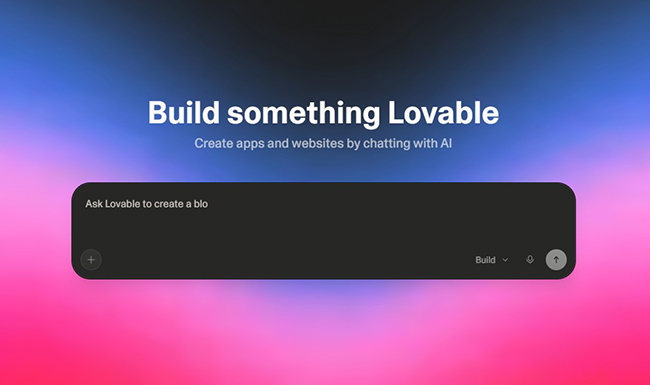
Why DesignRise recommends it: Lovable is a strong starting point for creative entrepreneurs who need to visualize and test an idea fast. It can help you create the first version of a product before you spend money on branding, custom UI, or a full development team.
- Good for SaaS MVPs and web apps.
- Beginner-friendly compared with developer-first tools.
- Useful for rapid idea validation.
- Works best with detailed prompts and clear product logic.
2. Bolt.new
Best for: building and testing full-stack web apps directly in the browser.
Bolt.new is an AI-powered app builder from StackBlitz that lets you prompt, run, edit, and deploy full-stack applications from your browser. You do not need to set up a local development environment, install packages manually, or start with a blank coding project.
This makes Bolt.new especially useful for creators, developers, students, agencies, and founders who want a fast development environment with AI assistance. It is more technical than some beginner-friendly no-code tools, but it gives you more flexibility when you want to refine code, connect services, or continue developing the project beyond the first AI-generated version.
Bolt.new is a great fit for landing page tools, dashboards, interactive web apps, internal systems, AI wrappers, content tools, calculators, and prototypes that need real functionality. It also works well for people who already understand basic web app structure and want AI to speed up development.
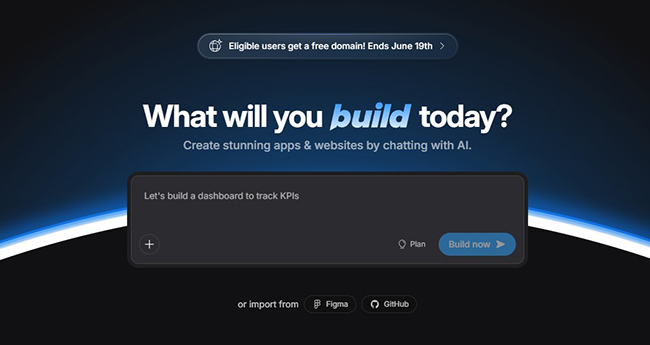
Why DesignRise recommends it: Bolt.new is powerful for fast prototyping when you want a real app environment instead of a simple mockup. It is especially useful for builders who are comfortable testing, editing, and improving AI-generated output.
- Runs in the browser with no local setup.
- Good for full-stack prototypes.
- Better for users who want some code control.
- Can become expensive or messy if you keep prompting without planning.
3. Base44
Best for: non-technical users who want to create functional apps from plain English.
Base44 is a vibe coding platform that helps users build apps and websites without traditional coding experience. It is designed around natural language, which makes it attractive for entrepreneurs, consultants, educators, small business owners, and creators who want to turn an idea into a working product.
Base44 is especially useful when you want to build business apps, directories, portals, simple SaaS tools, scheduling systems, internal workflows, and client-facing applications. It focuses on making app creation feel less technical and more conversational.
A good way to use Base44 is to start with a simple version of your idea and then add complexity in steps. For example, first build a basic client portal. Then add user roles. Then add file upload. Then add payments. This approach helps you avoid confusing the AI with a huge prompt that includes too many features at once.
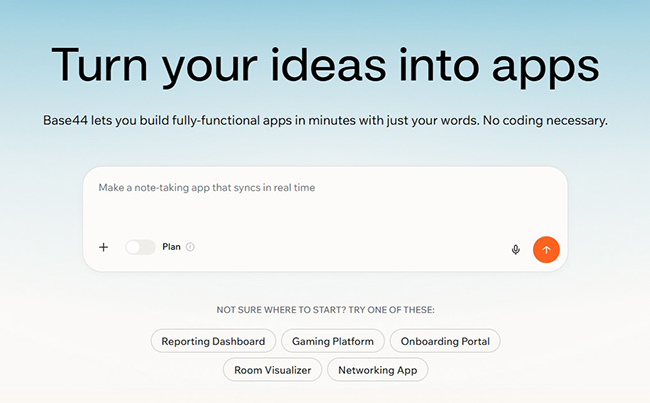
Why DesignRise recommends it: Base44 is one of the most approachable options for people who do not want to think like developers. It is a useful tool for testing business ideas and building simple software workflows quickly.
- Friendly for beginners and non-technical founders.
- Good for business apps and simple SaaS ideas.
- Works well with step-by-step prompting.
- May need extra review before using for complex production systems.
4. Replit Agent
Best for: users who want AI app building with more development control.
Replit has evolved from an online coding environment into a powerful AI-assisted app-building workspace. With Replit Agent, you can describe what you want to create, and the AI can help generate, modify, and ship applications. It is a strong choice for users who want more control than a closed no-code builder can provide.
Replit is especially useful for students, indie hackers, technical founders, developers, and ambitious beginners who are willing to learn how apps work. It is not the easiest tool on this list for a complete beginner, but it can be much more flexible when you want to build beyond a simple prototype.
You can use Replit to create AI tools, bots, dashboards, APIs, websites, productivity apps, and early SaaS products. Because it works closer to a real development environment, you should be prepared to test your app carefully and understand what the AI is changing.
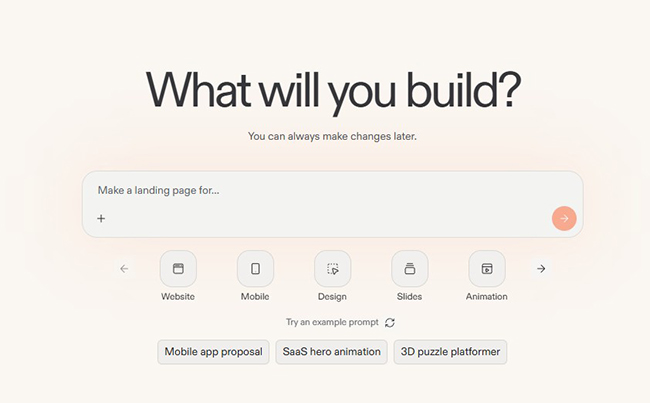
Why DesignRise recommends it: Replit is a good bridge between no-code creation and real software development. It helps creative builders become more independent without completely hiding the technical side.
- More flexible than many beginner-only AI builders.
- Good for learning and building at the same time.
- Useful for apps that need custom logic.
- Requires more attention to testing, security, and deployment details.
5. v0 by Vercel
Best for: modern web apps, polished UI, and React-based product interfaces.
v0 by Vercel is one of the strongest AI builders for creating modern web interfaces and working applications. It is especially useful for builders who care about clean UI, component structure, frontend quality, and fast deployment into the Vercel ecosystem.
If your project is a dashboard, SaaS interface, AI tool, admin panel, analytics page, pricing page, product UI, or interactive web experience, v0 can help you move quickly from concept to working interface. It is particularly strong when you describe layout, style, components, and user flows clearly.
v0 is not always the most beginner-friendly option if you have no interest in code or web development structure. However, for designers, developers, agencies, and product teams, it can be one of the most effective AI app builders because it creates outputs that feel closer to real production interfaces.
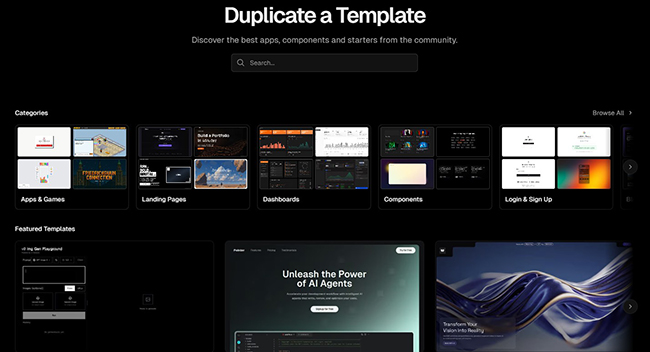
Why DesignRise recommends it: v0 is a strong fit for design-focused builders who want more than a generic app. It is great for creating polished product surfaces, landing experiences, and interface-heavy applications.
- Excellent for modern web UI and dashboards.
- Works well for React-based products.
- Strong option for designers and product teams.
- Less ideal for users who want a completely non-technical workflow.
6. Firebase Studio
Best for: full-stack AI apps, prototypes, and projects connected to the Google ecosystem.
Firebase Studio is a full-stack AI workspace from Google that helps users build backends, front ends, mobile apps, and AI-powered applications in one place. Its App Prototyping agent can generate an app blueprint, code, and web preview from a natural language description.
This makes Firebase Studio interesting for teams that want to move beyond surface-level prototypes. If your app needs authentication, database logic, AI features, backend structure, or integration with Google’s developer ecosystem, Firebase Studio can be a practical option.
Firebase Studio is not the simplest tool for a complete beginner who only wants a quick visual mockup. It is better for builders who want a serious workspace for AI-assisted software creation and are willing to understand how the app is structured.
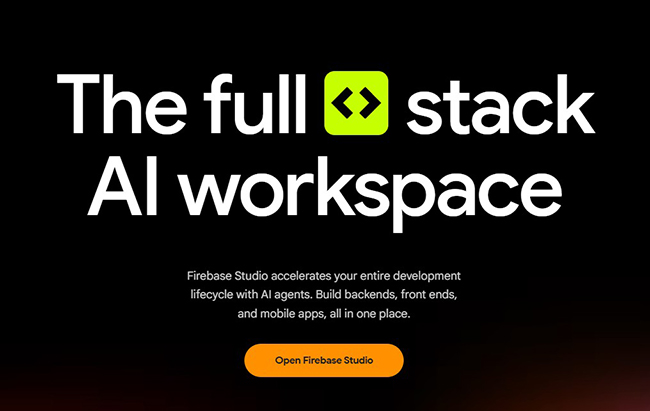
Why DesignRise recommends it: Firebase Studio is valuable when your idea needs more than a pretty interface. It is a strong option for AI-first apps, functional prototypes, and projects that may grow into real products.
- Good for full-stack and AI-powered apps.
- Useful for structured prototypes with backend logic.
- Strong Google ecosystem connection.
- Better for users with some technical curiosity.
7. Bubble AI App Generator
Best for: complex no-code web apps, marketplaces, portals, and SaaS products.
Bubble has been one of the most well-known no-code platforms for years, and its AI app generator makes it easier to start from a prompt instead of a blank canvas. Bubble is useful because it includes visual design, database, logic, workflows, privacy rules, and app customization inside one platform.
Bubble is a strong choice if you want to build a complex web app without writing traditional code. It can be used for marketplaces, booking platforms, membership portals, client dashboards, directories, internal tools, and SaaS MVPs.
The main advantage of Bubble is depth. Many simple AI app builders are great for quick demos, but Bubble gives you a mature no-code environment where you can continue building after the AI creates the first version. The trade-off is that Bubble has a learning curve. You may still need time to understand workflows, data types, conditions, and responsive design.
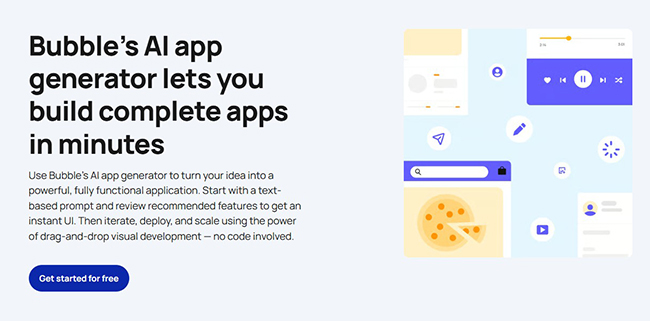
Why DesignRise recommends it: Bubble is one of the best options for people who want a serious no-code platform, not just a prompt-based prototype. It is useful when your app idea has multiple user roles, payments, dashboards, and custom business logic.
- Strong for complex web apps.
- Includes design, database, workflows, and logic.
- Good for SaaS MVPs and marketplaces.
- Requires learning if you want to customize deeply.
8. FlutterFlow AI
Best for: mobile apps, cross-platform products, and visual app development.
FlutterFlow is a visual development platform for building mobile, web, and desktop applications. Its AI features can help generate and update components and pages, making the building process faster for teams that want visual control and cross-platform output.
FlutterFlow is especially attractive if your goal is to create a mobile-first app. Many prompt-to-app builders focus primarily on web apps, while FlutterFlow is better suited for products that need mobile interfaces, app screens, navigation, Firebase integration, and cross-platform deployment.
It is not the easiest option if you want AI to do everything for you. FlutterFlow works best when you are willing to use a visual editor, understand app structure, and refine the result manually. This makes it a strong middle ground between no-code simplicity and developer-level flexibility.
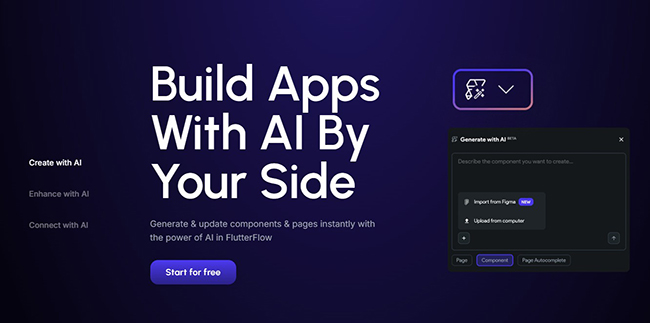
Why DesignRise recommends it: FlutterFlow is a good fit for creators and startups that want to build real mobile experiences, not only web-based prototypes.
- Strong for mobile-first products.
- Supports visual editing and AI-assisted creation.
- Good for cross-platform app development.
- Requires more structure and patience than simple prompt tools.
9. Adalo
Best for: iOS, Android, and web apps from one no-code project.
Adalo is a no-code AI app builder that helps users create apps for iOS, Android, and web. Its AI builder, Ada, can generate app screens, database structure, logic, and navigation from a description. This makes it useful for founders, creators, small businesses, and service providers who want to launch a custom app without writing code.
Adalo is especially useful for booking apps, delivery apps, community apps, fitness apps, restaurant apps, marketplace concepts, directories, and simple business tools. It offers a more visual, app-like building experience than many prompt-based web app generators.
The biggest reason to consider Adalo is mobile publishing. If your project needs to feel like an actual mobile app and not only a responsive website, Adalo deserves a place on your shortlist.
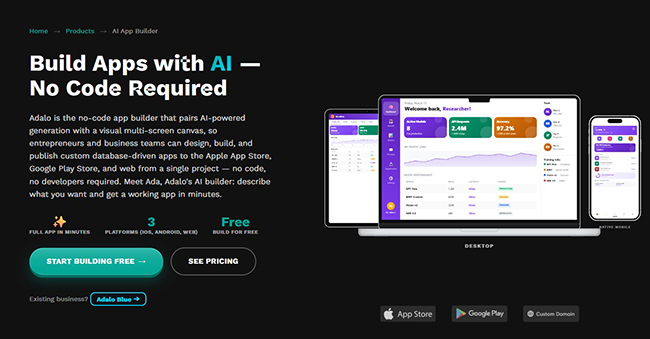
Why DesignRise recommends it: Adalo is approachable for non-technical founders who want to create a mobile app concept, test it with users, and publish across platforms without starting from code.
- Good for mobile and web app projects.
- Beginner-friendly visual canvas.
- Useful for service businesses and startup MVPs.
- May be less flexible than developer-first tools for advanced custom logic.
10. Glide AI
Best for: internal tools, dashboards, portals, and business apps powered by data.
Glide is one of the best AI app builders for business teams that want practical software without traditional development. It is especially strong when your app is connected to business data, spreadsheets, tables, forms, workflows, or internal processes.
You can use Glide to build inventory trackers, CRMs, employee portals, client dashboards, project management apps, approval systems, directories, and operations tools. Glide AI can help generate app structure, UI components, and business-focused features faster.
Glide is not necessarily the best choice for a consumer social app or a highly custom SaaS platform. But for companies that still run too much work through spreadsheets, email threads, and manual updates, Glide can be extremely useful.
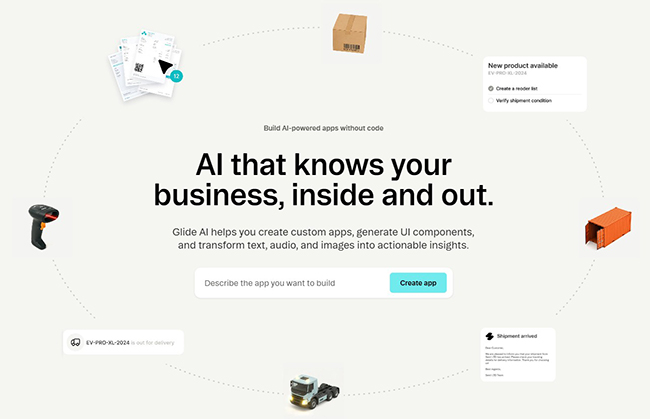
Why DesignRise recommends it: Glide is a practical AI app builder for real business workflows. It is less about flashy demos and more about replacing messy manual processes with clean internal software.
- Excellent for internal tools and dashboards.
- Works well with structured business data.
- Good for non-technical teams.
- Less ideal for highly custom consumer apps.
11. Hostinger Horizons
Best for: beginners who want to create simple web apps with hosting included.
Hostinger Horizons is a no-code AI app builder designed for web-based app development. It lets users create, test, and launch web apps without coding, making it useful for small businesses, solopreneurs, creators, and beginners who want an all-in-one path from idea to live project.
Its biggest advantage is convenience. Many AI app builders help you generate code but still leave you with questions about hosting, domains, and deployment. Hostinger Horizons is designed to reduce that friction by connecting the app-building experience with hosting infrastructure.
This makes it a good choice for simple business apps, booking tools, dashboards, calculators, interactive websites, internal tools, and early MVPs. It is not designed for native mobile app development, so choose another platform if your main goal is an iOS or Android app.
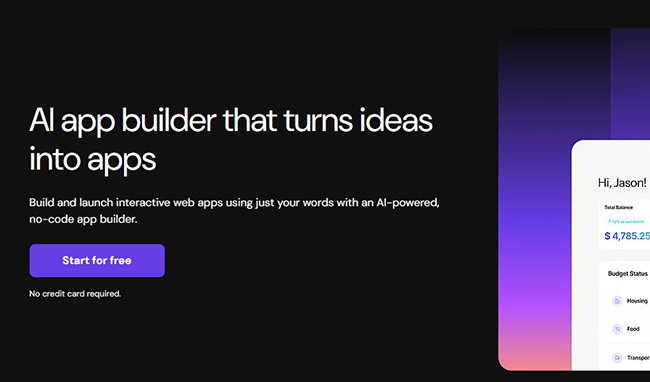
Why DesignRise recommends it: Hostinger Horizons is a beginner-friendly option for users who want to build and publish a simple web app without managing too many separate tools.
- Good for simple web apps and MVPs.
- Useful for small businesses and creators.
- Hosting-focused workflow reduces setup friction.
- Not the best option for native mobile apps.
How to Choose the Right AI App Builder
The best AI app builder is not always the most popular one. The right tool depends on what you want to build, how technical you are, and how much control you need after the first version is generated.
Choose Lovable, Base44, or Hostinger Horizons if you are a beginner
These tools are easier to approach if you want to describe an idea and quickly see a working result. They are useful for simple SaaS ideas, client portals, personal tools, small business apps, and early prototypes.
Choose Bolt.new, Replit, Firebase Studio, or v0 if you want more technical control
These platforms are better when you want to build something closer to real software. They are especially useful for developers, technical founders, agencies, and product teams that want to edit, test, deploy, and scale generated apps.
Choose Bubble if your app has complex workflows
Bubble is a strong no-code choice when your app needs custom user roles, databases, payments, dashboards, conditions, workflows, and a long-term visual editing environment.
Choose FlutterFlow or Adalo if you need a mobile app
If your priority is iOS, Android, and mobile-first user experience, FlutterFlow and Adalo are stronger choices than web-first AI builders.
Choose Glide if you need an internal business app
Glide is one of the best choices for turning business data into clean internal apps, dashboards, portals, and workflow tools.
What Can You Build with AI App Builders?
AI app builders are flexible, but they work best when your idea has a clear structure. Here are some realistic project ideas you can create with the tools in this guide:
- SaaS MVP: a subscription-based tool with user accounts, dashboard, and core feature set.
- Client portal: a private space where clients can view files, progress, invoices, or updates.
- Booking app: a scheduling system for studios, coaches, salons, clinics, or consultants.
- Internal dashboard: a company tool for tracking tasks, inventory, sales, or operations.
- Marketplace prototype: a platform where buyers and sellers can create listings and communicate.
- AI writing tool: a small app that generates content, prompts, titles, or marketing copy.
- Fitness or education app: a structured app for lessons, workouts, progress, and student profiles.
- CRM: a simple customer management system for leads, contacts, notes, and follow-ups.
- Calculator or generator: a tool that creates estimates, plans, reports, or recommendations.
- Community app: a simple member directory, event board, or private resource hub.
For DesignRise readers, this category is especially exciting because it connects design, automation, entrepreneurship, and AI. A designer can now prototype a product. A marketer can build a campaign tool. A small business owner can create an internal dashboard. A creator can test a SaaS idea before hiring a developer.
Prompt Template: How to Ask AI to Build Your App
The quality of your AI-generated app depends heavily on the quality of your prompt. A vague prompt usually creates a generic result. A detailed prompt gives the AI enough context to build something useful.
Use this prompt structure when working with any AI app builder:
Build a [type of app] for [target audience].

The main goal of the app is to [describe the problem it solves].

User roles:
- [Role 1]
- [Role 2]
- [Admin role if needed]

Main screens:
- Home / dashboard
- Sign up / login
- User profile
- [Feature screen 1]
- [Feature screen 2]
- Settings
- Admin panel

Core features:
- [Feature 1]
- [Feature 2]
- [Feature 3]
- [Feature 4]

Data that should be stored:
- Users
- [Data type 1]
- [Data type 2]
- [Data type 3]

Design style:
Use a clean, modern, premium interface with [colors], strong spacing, simple navigation, and mobile-friendly layout.

Important:
Make the first version simple, functional, and easy to test. Avoid unnecessary features. Include placeholder content where needed.
Here is an example:
Build a booking app for a boutique fitness studio.

The main goal of the app is to let clients book group classes, see available trainers, and manage their reservations.

User roles:
- Client
- Trainer
- Admin

Main screens:
- Landing page
- Sign up / login
- Class schedule
- Class detail page
- Booking confirmation
- Client dashboard
- Trainer dashboard
- Admin panel

Core features:
- Clients can book and cancel classes
- Trainers can view their schedule
- Admin can add classes, trainers, and available time slots
- Users receive booking status messages

Data:
- Users
- Trainers
- Classes
- Bookings
- Locations

Design style:
Modern fitness studio look, clean dark interface, red accent color, large typography, mobile-friendly layout.
This kind of prompt gives the AI builder a clear product direction. You can then improve the app step by step instead of trying to generate the perfect final version in one request.
AI App Builder SEO Tip: Start with a Micro-Tool
If your goal is to build an app that can also attract search traffic, do not start with a huge product. Start with a useful micro-tool. For example:
- AI caption generator for real estate agents
- Pricing calculator for freelance designers
- Workout plan generator for beginners
- Content calendar builder for small businesses
- Brand name generator for startups
- Invoice checklist app for consultants
- Client onboarding portal for agencies
A focused app is easier to build, easier to test, and easier to rank. Google tends to reward pages and tools that solve a clear user problem. If your AI-built app helps users complete a task faster, it can become more than a prototype — it can become a useful content asset for your brand.
This is where DesignRise sees the biggest opportunity for creators in 2026: combining AI tools, helpful content, and practical digital products. A blog post can explain the problem. An AI-built micro-tool can solve it. Together, they can create stronger brand authority than a simple listicle.
Are AI App Builders Ready for Production?
Some AI app builders can create surprisingly functional apps, but production readiness depends on the complexity of your project. A simple internal dashboard or landing-page tool may be ready after testing and refinement. A payment platform, healthcare app, financial product, or marketplace will need much more review.
Before launching any AI-generated app publicly, check the following:
- Security: make sure user data, authentication, and permissions are handled correctly.
- Database logic: check that data is stored, updated, and deleted properly.
- Responsive design: test the app on desktop, tablet, and mobile.
- Error states: check what happens when users enter wrong data or leave fields empty.
- Performance: make sure the app loads quickly and does not break under normal usage.
- Legal pages: add privacy policy, terms, and cookie notices where required.
- Backup plan: keep copies of your code, data, and project structure.
AI can speed up the build, but it does not remove responsibility. If your app handles sensitive data, payments, or business-critical operations, ask a developer to review it before launch.
Best AI App Builder by Use Case
| Use Case | Recommended Tools |
|---|---|
| Fast SaaS MVP | Lovable, Bolt.new, Base44, v0 |
| Modern web app UI | v0, Bolt.new, Lovable |
| Beginner-friendly app creation | Base44, Lovable, Hostinger Horizons, Adalo |
| Internal business tools | Glide, Bubble, Firebase Studio |
| Mobile apps | FlutterFlow, Adalo |
| Complex no-code apps | Bubble, FlutterFlow |
| Developer-friendly AI building | Replit, Bolt.new, Firebase Studio, v0 |
| Simple web apps with hosting | Hostinger Horizons |
Final Verdict: What Is the Best AI App Builder in 2026?
The best AI app builder in 2026 depends on your project.
If you want the easiest way to turn an idea into a web app prototype, start with Lovable or Base44. If you want more control and a browser-based development environment, try Bolt.new or Replit. If you care about polished web interfaces and modern product UI, v0 by Vercel is one of the strongest choices. If you want a serious AI-assisted full-stack workspace, Firebase Studio deserves attention.
For classic no-code app development, Bubble remains one of the best choices for complex web apps. For mobile apps, look at FlutterFlow and Adalo. For internal tools and business dashboards, Glide is one of the most practical options. For simple web apps with hosting included, Hostinger Horizons is beginner-friendly and convenient.
The biggest mistake is choosing a tool before defining your app. Start with the problem, the user, the core feature, and the first version. Then choose the AI app builder that fits that path.
At DesignRise, we believe the next wave of digital products will not come only from traditional developers. Designers, marketers, creators, educators, coaches, and small business owners can now build tools that solve real problems. AI app builders are not just a shortcut — they are a new creative workflow for turning ideas into usable products.
Frequently Asked Questions
What is the best AI app builder for beginners?
Lovable, Base44, Adalo, Glide, and Hostinger Horizons are good beginner-friendly options. They are easier to start with because they focus on natural language prompts, visual building, and simplified app creation.
Can I build an app with AI without coding?
Yes. Many AI app builders let you create web apps, mobile apps, dashboards, portals, and prototypes without writing code manually. However, more advanced apps may still require testing, setup, customization, or developer review.
Which AI app builder is best for mobile apps?
FlutterFlow and Adalo are strong choices for mobile app projects. They are better suited for iOS and Android app creation than many web-first AI builders.
Which AI app builder is best for SaaS MVPs?
Lovable, Bolt.new, Base44, Bubble, v0, and Replit are good options for SaaS MVPs. The right choice depends on whether you want simplicity, visual no-code editing, or more technical control.
Are AI-generated apps safe to launch?
AI-generated apps should always be tested before launch. Check security, database rules, user permissions, mobile layout, performance, and error handling. If the app stores sensitive data or accepts payments, get a developer review before going live.
Do AI app builders replace developers?
AI app builders reduce the need for manual work in early prototyping and simple app development. But developers are still important for complex architecture, security, scaling, integrations, and production-level reliability.
Discover more from DesignRise
Subscribe to get the latest posts sent to your email.