








The best AI video generation tools in 2026 have changed what “making a video” actually means. A camera, studio, actor, location, and traditional editing timeline are no longer required for every piece of content. Depending on the project, you can now begin with a script, prompt, image, document, product idea, or even a URL and turn it into usable video without filming a single original shot.
That does not mean video production has become one-click magic.
The tools are faster. The difficult decisions have simply moved.
Instead of asking, “What camera should I use?” creators increasingly need to ask: What should this shot communicate? Which visual style should remain consistent? How should the camera move? Does the character look the same in the next scene? Should the video use generated footage, an AI presenter, stock media, or a combination? What needs to happen in the first three seconds? And how much of the AI output is actually good enough to keep?
This distinction matters because the platforms in this guide solve very different production problems. Runway, Pika, Luma AI, and Google Veo are especially useful when the video itself needs to be generated or transformed. Synthesia and AI Studios are stronger when a presenter, training workflow, localization, or structured business communication matters. InVideo AI approaches the problem from another direction by helping assemble longer, script-driven content with visuals, narration, music, and editing.
I have tested these tools for different types of content, and the biggest lesson is that there is no single “best AI video generator” for every job. A platform that produces an impressive eight-second cinematic shot may be the wrong choice for a five-minute explainer. A polished avatar platform may be excellent for onboarding videos and completely wrong for an experimental fashion campaign.
This guide compares seven of the most useful AI video generation tools in 2026, explains where each one fits, and shows how to build a practical no-filming workflow around them.
Note: AI video platforms change quickly. Models, generation limits, credits, pricing, resolution options, and feature availability can change after publication. Always confirm the current conditions on the official platform before planning a large production around a specific feature.
Explore More DesignRise Resources:
- The Ultimate Guide to AI-Powered Video Editing
- Top AI Tools for Motion Designers & Video Creators
- 10 AI Tools Every Designer Should Try in 2026
- How to Use AI to Make Money and Supercharge Your Creative Business
What “Create Video Without Filming” Actually Means
There are several very different ways to create video without using a camera, and treating them as one category makes choosing a tool unnecessarily difficult.
1. Generate the Actual Scene
You describe a shot and the AI synthesizes the moving image. This is the workflow people usually imagine when they hear text-to-video or image-to-video.
It works well for:
- Cinematic advertising concepts.
- Fantasy or impossible environments.
- Fashion films.
- Music visuals.
- Atmospheric B-roll.
- Product concepts.
- Short social videos.
- Previsualization and storyboarding.
Runway, Pika, Luma AI, and Veo are the most relevant tools in this guide for that type of production.
2. Replace the Human Presenter
Instead of filming a person delivering a script, an AI avatar presents the information.
This is a fundamentally different production problem. The priority is not necessarily cinematic spectacle. It is consistent delivery, clear narration, brand control, multilingual versions, and the ability to update the script later without calling the presenter back into a studio.
Synthesia and AI Studios are particularly useful here.
3. Automate the Entire Content Assembly
A third workflow begins with the message rather than the shot.
You provide a topic or script and the platform builds a sequence using generated footage, stock media, voiceover, music, titles, subtitles, and editing.
This is where tools such as InVideo AI become useful. The goal is often not to generate one perfect cinematic shot. The goal is to turn information into a complete watchable video as efficiently as possible.
Quick Comparison of AI Video Generation Tools in 2026
How I Evaluate AI Video Tools
AI video demos are easy to make impressive because companies naturally showcase their best generations. A professional workflow needs a different evaluation method.
Prompt Adherence
Does the result actually contain the requested subject, action, environment, camera behavior, and composition?
Motion Quality
A beautiful first frame is not enough. Look for unstable anatomy, morphing objects, sliding surfaces, impossible shadows, and camera motion that changes unexpectedly.
Consistency
Can a character, product, location, or visual style survive across more than one shot?
Control
Can you use reference images, starting frames, ending frames, source video, or other inputs to reduce randomness?
Editing After Generation
A useful platform should not trap you inside the first output. The ability to regenerate, transform, replace, extend, or revise selected material can be more important than raw generation quality.
Production Speed
Generation speed matters, but so does rejection rate. A “fast” tool that requires fifteen attempts for one usable shot may be slower in practice than a more controlled model.
Fit for the Final Format
A TikTok clip, corporate training module, YouTube explainer, product commercial, and cinematic concept film should not be judged by the same standard.
How to Choose AI Video Generation Tools in 2026
When choosing between AI video generation tools in 2026, begin with the production problem rather than the most impressive model demo.
Ask:
- Do I need one cinematic shot or a complete multi-minute video?
- Do I need a human presenter?
- Will the same character appear in several scenes?
- Does the product need to remain visually accurate?
- Do I need spoken dialogue and environmental audio?
- Will the content be translated into several languages?
- Do I need 16:9, 9:16, or several aspect ratios?
- How much manual editing am I willing to do?
- How many rejected generations can the budget tolerate?
These questions usually narrow the field much faster than comparing feature lists.
1. Runway — Best for Creative Control and AI Video Production
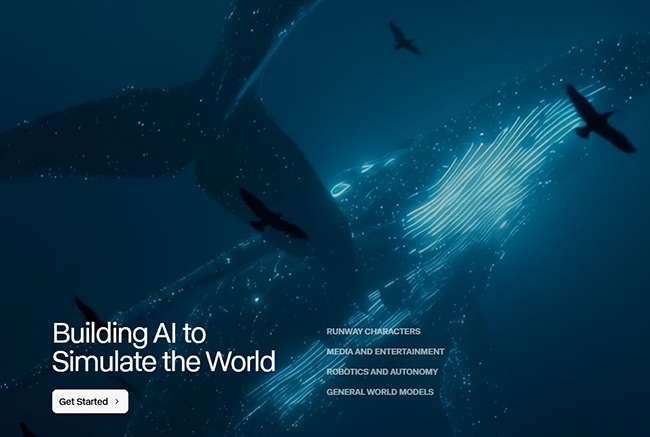
Runway is the platform I would look at when AI video needs to become part of a broader creative-production process rather than a novelty generator.
In my own testing, the reason Runway stood out was the feeling of working inside a creative tool rather than simply typing a prompt and waiting for a result. I used it for short cinematic clips, and motion and transitions were among the strongest parts of the experience.
The current Runway ecosystem goes considerably further than the older generation of text-to-video tools. Gen-4.5 supports text-to-video and image-to-video creation, while Runway also provides tools for transforming existing footage and integrating other generative models into the same environment.
Where Runway Makes the Most Sense
- Creative advertising.
- Music visuals.
- Fashion films.
- Cinematic social campaigns.
- Concept trailers.
- Video-to-video transformation.
- AI-assisted post-production.
- Generating B-roll that does not exist in stock libraries.
A Better Runway Workflow
Do not begin by asking Runway to create an entire commercial.
Break the concept into shots:
- Write a simple shot list.
- Create or choose a strong visual reference for each important scene.
- Generate several versions of the hero shots.
- Lock the visual direction.
- Create supporting shots only after the style is established.
- Edit the selected clips together outside the generation stage.
This separates generation from editing, which gives you much more control.
Where It Can Slow You Down
Runway offers enough control that there is a learning curve. It is not necessarily the fastest choice when the task is simply “make a quick faceless social video from this script.”
Use it when individual shots matter.
2. Pika — Best for Fast, Social-First AI Video
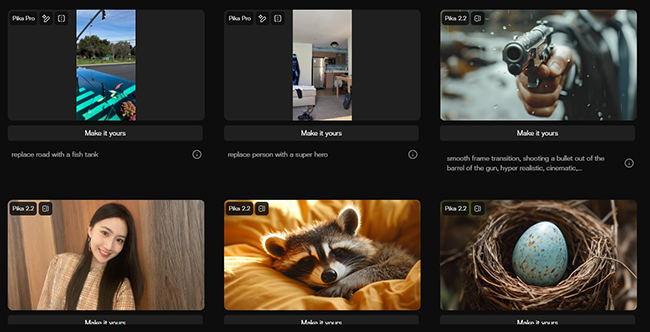
Pika has always felt different from platforms trying to imitate a traditional film-production environment. Its strongest personality is faster, more playful, and much closer to internet-native visual culture.
When I tested Pika for short social clips, speed was the immediate advantage. I could move from an idea to something watchable quickly, which is valuable when testing hooks or visual concepts for Reels, TikTok, Shorts, and other fast-moving formats.
The platform now extends beyond basic text-to-video and image-to-video generation. Its toolkit includes frame-based generation, scene tools, effects, object additions, swaps, and transformations designed for short-form creative experimentation.
Pika Is Particularly Good When the Idea Is the Effect
Examples include:
- An object transforms unexpectedly.
- A normal product behaves in an impossible way.
- A still image becomes an exaggerated motion clip.
- An element inside existing footage is replaced.
- A familiar scene receives a surreal visual twist.
These concepts do not necessarily need perfect long-form cinematic continuity. They need to stop the scroll.
Where Pika Becomes Less Predictable
My main reservation in testing was consistency. Fast generation encourages experimentation, but some outputs are naturally stronger than others.
The solution is not to write a fifty-line prompt. It is usually better to simplify the concept.
One subject. One action. One camera idea. One visual joke or transformation.
Short prompts with a clear visual objective are often easier to evaluate than prompts attempting to choreograph an entire commercial inside one generation.
3. Luma AI / Ray3.2 — Best for Motion-Rich Visual Exploration
The DesignRise screenshot below reflects the earlier Dream Machine-era interface. Luma’s current video model is Ray3.2.
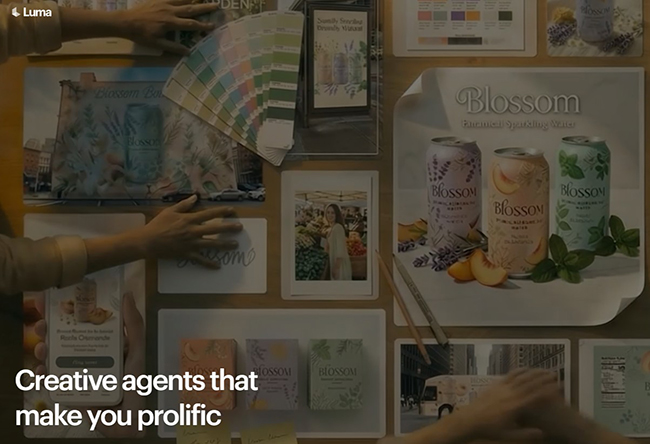
My experience with Luma was more experimental than structured. I tested it primarily for creative visuals, and motion quality was what caught my attention.
That remains the right way to think about Luma: not as an automatic YouTube-video builder, but as a visual generation environment for designers and creators who care about movement, atmosphere, and creative scene development.
The platform has evolved considerably from the earlier Dream Machine branding, and its current video model is Ray3.2.
Where Luma Fits Well
- Atmospheric visual sequences.
- Concept art brought into motion.
- Experimental advertising.
- Surreal transitions.
- World-building.
- Fashion and art projects.
- Visual development before a larger production.
Think in Visual References, Not Only Words
For design-led work, image-to-video often provides a stronger foundation than asking a model to invent every visual decision from text.
You can establish:
- Color palette.
- Wardrobe.
- Subject appearance.
- Architecture.
- Composition.
- Lighting.
Then use the prompt primarily to describe movement.
That is much easier than asking one prompt to simultaneously invent the art direction and animate it.
Accept Some Exploration
My original testing also found Luma less predictable for tightly structured content. I would therefore use it when visual discovery is an advantage rather than a problem.
4. Synthesia — Best for Presenter-Led Videos Without a Camera
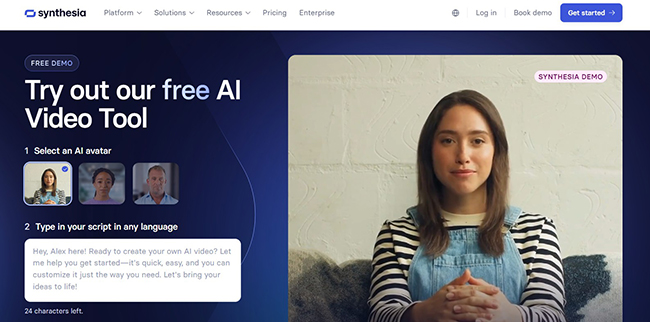
Synthesia solves a different problem from Runway or Veo.
You do not normally open it because you need an impossible cinematic landscape. You open it because a person needs to communicate information on video and you would prefer not to organize another shoot every time the script changes.
In my testing, creating an avatar presentation was straightforward. The workflow felt much closer to building a presentation than editing traditional video.
That simplicity is precisely why the platform is useful for repeatable business content.
Good Synthesia Use Cases
- Employee onboarding.
- Training modules.
- Product explainers.
- Internal communications.
- Knowledge-base videos.
- Customer education.
- Sales enablement.
- Localized versions of existing content.
Synthesia now also combines presenter-led production with generative B-roll and broader AI video capabilities, so avatar scenes do not have to carry every second of the video.
The Stronger Format: Presenter + Visual Evidence
A talking avatar on screen for five uninterrupted minutes can become monotonous in exactly the same way a human talking-head video can.
Instead, structure the video like this:
- Presenter introduces the idea.
- Cut to diagram or B-roll.
- Show the product interface.
- Return to the presenter for context.
- Use text or graphics for the key takeaway.
The avatar becomes the narrator rather than the entire visual experience.
Where I Would Not Use It
For highly artistic films, abstract visuals, or campaigns where every shot needs unique cinematography, I would start with a generative visual platform instead.
5. InVideo AI — Best for Turning an Idea or Script Into a Complete Video
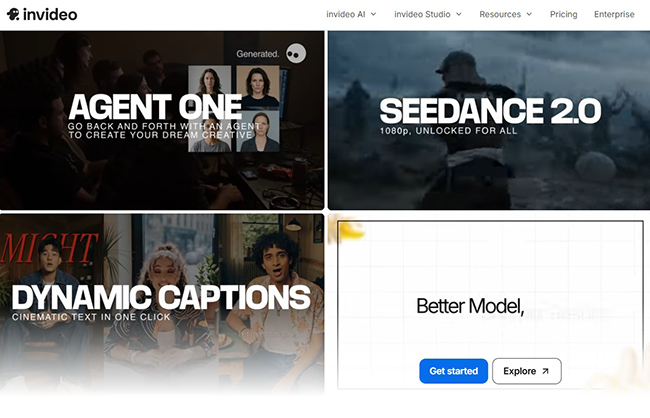
InVideo AI is useful when you care more about getting from idea to complete video than generating each individual shot manually.
When I tested it with a YouTube-style script, the platform handled much of the production structure: visuals, voice, scene assembly, and overall flow.
That makes it particularly relevant to creators who need volume.
Strong Use Cases
- Faceless YouTube videos.
- Educational videos.
- List-style content.
- Marketing videos.
- Social explainers.
- Repurposed blog content.
- Short documentary-style pieces.
InVideo has also expanded into a broader AI-generation workspace with access to multiple video, image, and audio models, so it can combine automated production with higher-end generated assets when the project needs them.
Automation Should Create the First Cut, Not the Final Taste
The weakness I noticed in testing was exactly what you would expect from automation: scenes can feel repetitive or template-like.
Instead of publishing the first generated version, use it as an accelerated rough cut.
Review every scene and ask:
- Does this image actually support the sentence?
- Have I already shown something visually similar?
- Should this section use generated video instead of stock footage?
- Can three average shots become one stronger shot?
- Does the music fit the message?
- Is the pacing too uniform?
Automation saves the time. Editorial judgment gives the result personality.
6. AI Studios by DeepBrain AI — Best for Structured Business Video Production
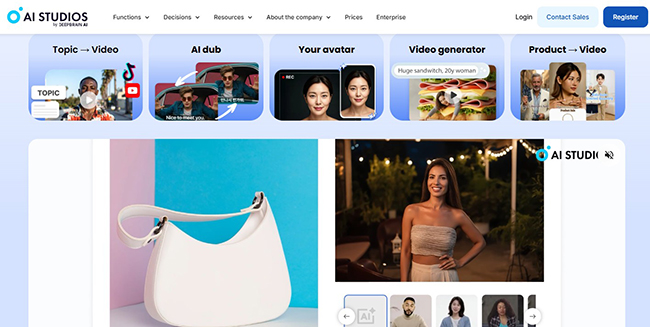
AI Studios felt like a production system when I tested it, and that description has become even more accurate as the platform has expanded.
Instead of offering only avatar presentation, AI Studios now supports multiple ways to begin a project: a topic, existing script, document, webpage, presentation, or blank project.
It combines AI presenters, voices, dubbing, generative media, templates, and structured editing inside one environment.
Where That Matters
Imagine a company needs to turn one product-update document into:
- An English explainer.
- A localized customer version.
- An internal training module.
- A short sales video.
- A version with a different presenter.
Traditional production would treat these as several projects. A structured AI-video platform can treat them as versions of the same content system.
Good AI Studios Projects
- Corporate communication.
- Training.
- Product education.
- Internal knowledge.
- Multilingual videos.
- Presenter-led marketing.
- Automated recurring content.
Why Setup Still Matters
The flexibility comes with more decisions: presenter, voice, scene structure, media source, objective, audience, tone, pacing, and brand styling.
That setup is worthwhile when content will be produced repeatedly. For one five-second artistic clip, it would be unnecessary.
7. Google Veo 3.1 — Best for High-End Generative Video With Native Audio
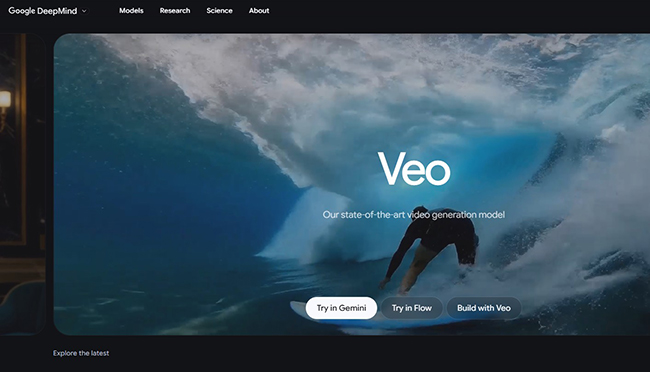
When I explored Veo, realism and prompt understanding were the qualities that stood out most.
The current Veo 3.1 generation makes the platform particularly interesting because the creative problem is no longer limited to visuals. Video and audio can be generated together, including environmental sound and spoken elements when appropriate.
Why Native Audio Changes the Workflow
Previously, a creator might:
- Generate a visual clip.
- Find ambience.
- Add sound effects.
- Record or synthesize dialogue.
- Synchronize everything manually.
A model that understands the complete audiovisual scene can collapse part of that process.
For example, a prompt can define not only what appears on screen but also the mood of the environment, dialogue, and soundscape.
Where I Would Use Veo
- Hero advertising shots.
- High-realism visual concepts.
- Dialogue-driven AI scenes.
- Cinematic previsualization.
- Product-storytelling concepts.
- Short narrative moments.
- Atmospheric B-roll with synchronized sound.
Use Your Best Model for Your Most Important Shots
One of the biggest cost mistakes in AI video is generating every second with the most expensive or advanced model available.
A better production may combine:
- Premium generated hero scenes.
- Less expensive supporting generations.
- Still images with controlled motion.
- Stock footage.
- Typography.
- Existing brand assets.
The viewer does not care whether every frame was generated the same way. The viewer cares whether the complete video works.
Which AI Video Tool Should You Choose?
There is no universal winner. My practical breakdown is:
- Choose Runway when creative control and an AI-native production environment matter.
- Choose Pika when speed, transformations, effects, and short-form experimentation matter.
- Choose Luma AI when you want to explore motion-rich, design-led visual ideas.
- Choose Synthesia when the content needs a polished presenter and scalable localization.
- Choose InVideo AI when you want to turn a topic or script into a complete faceless video quickly.
- Choose AI Studios when structured presenter-led content, automation, and business workflows matter.
- Choose Veo 3.1 when high-end generative visuals, prompt fidelity, and native audiovisual generation are priorities.
For many professional projects, the strongest answer is not one tool. It is a combination.
Five No-Filming AI Video Workflows That Actually Make Sense
Workflow 1: Faceless YouTube Explainer
Best starting point: InVideo AI
- Write or generate the final script.
- Break it into clear narrative sections.
- Generate the initial full video.
- Replace generic scenes with custom Runway, Luma, Pika, or Veo clips.
- Remove repeated stock imagery.
- Refine pacing.
- Check subtitles.
- Export a thumbnail-specific still separately rather than taking a random video frame.
This workflow gives automation the repetitive work while reserving expensive generation for scenes the audience will actually remember.
Workflow 2: Cinematic Product Commercial
Best starting point: Runway or Veo
- Define one clear concept.
- Create a storyboard of five to eight shots.
- Prepare product reference imagery.
- Generate the hero reveal first.
- Lock color, lens language, and lighting.
- Create supporting shots in the same direction.
- Generate or design final typography separately.
- Edit to music and sound.
Do not ask one model to create the complete thirty-second ad in one generation. Shot-level control produces a much stronger result.
Workflow 3: Training Video in Multiple Languages
Best starting point: Synthesia or AI Studios
- Finalize the information before generating video.
- Separate the script into short scenes.
- Choose one consistent presenter.
- Add screenshots and diagrams where explanation is visual.
- Generate the primary-language version.
- Review terminology.
- Create localized versions.
- Have a native or qualified reviewer check important translations.
Workflow 4: Short-Form Social Campaign
Best starting point: Pika + Runway or InVideo
- Write ten hooks before generating anything.
- Choose the three strongest.
- Develop one visual idea for each hook.
- Generate several short clips.
- Keep the strongest first two seconds.
- Add captions designed for phone viewing.
- Create separate 9:16 versions rather than cropping blindly from 16:9.
Workflow 5: Experimental Fashion or Music Film
Best starting point: Luma AI, Runway, Veo
- Create a visual reference board.
- Define recurring colors and materials.
- Generate still references for characters or locations.
- Animate those references.
- Mix realistic shots with more abstract sequences.
- Use transitions motivated by shape, movement, or color.
- Add sound only after the visual rhythm is established.
A Better Prompt Framework for AI Video
A useful video prompt should describe a shot, not a vague idea.
1. Subject
Who or what is the visual focus?
Instead of:
A woman in a city.
Try:
A woman in a long burgundy wool coat carrying a black leather bag.
2. Action
Describe what changes during the shot.
She walks slowly toward the camera while turning her head toward a shop window.
3. Environment
Describe only details that actually matter.
A narrow European street after light rain, warm shop windows reflected on dark pavement.
4. Camera
Define how the viewer observes the action.
Examples:
- Slow dolly in.
- Locked-off tripod shot.
- Handheld follow shot.
- Low-angle tracking shot.
- Overhead view.
- Macro close-up.
- Wide establishing shot.
5. Lighting
“Cinematic” is not a lighting description.
Try:
- Soft overcast daylight.
- Warm sunset backlight.
- Hard side light through blinds.
- Cool fluorescent office light.
- Diffused studio lighting with subtle rim light.
6. Visual Treatment
Add style only after the shot itself is clear.
Examples:
- Luxury fashion campaign.
- Documentary realism.
- 1970s film texture.
- Minimal product commercial.
- Dreamlike editorial photography.
7. Audio
When the model supports generated audio, describe what the scene should sound like:
- Ambient traffic.
- Quiet room tone.
- Wind through leaves.
- Footsteps on wet pavement.
- A specific spoken line.
How to Keep AI Video Scenes Consistent
Consistency is one of the hardest problems in multi-shot AI production.
Create the Character Before the Film
Do not redesign the protagonist in every prompt.
Prepare a clear reference that defines:
- Face.
- Hair.
- Wardrobe.
- Color palette.
- Accessories.
Keep Important Description Language Stable
If the coat is “dark burgundy wool” in shot one, do not call it “red fashion coat” in shot two unless you want the system to reinterpret it.
Control the Environment
Repeated locations also need stable details.
Define a few anchors:
- Architecture.
- Wall color.
- Main light direction.
- Time of day.
- Weather.
Do Not Change Everything Between Shots
If you simultaneously change the lens, wardrobe, location, lighting, action, framing, and visual style, consistency becomes much harder.
Change only what the story requires.
Why Storyboarding Matters Even More With AI
AI makes generation easy enough that creators often skip planning and begin producing random clips.
That feels productive because files are appearing.
It is usually expensive brainstorming.
A Simple Eight-Shot Structure
- Hook: the image that earns attention.
- Context: where are we?
- Subject: who or what matters?
- Detail: closer visual information.
- Change: something happens.
- Payoff: strongest visual or product moment.
- Resolution: emotional or informational conclusion.
- CTA: final brand or action.
Not every video needs eight shots, but even this simple structure forces each generation to have a reason to exist.
Audio Is Half of the AI Video
Visual generation attracts most of the attention, but poor audio can make expensive imagery feel cheap.
Voice
Choose a voice based on message and audience rather than novelty. Check pronunciation of:
- Brand names.
- People’s names.
- Technical terms.
- Abbreviations.
- Locations.
Music
Music should define pacing, not simply fill silence.
A fast edit needs rhythmic structure. A premium product film may need far more restraint.
Sound Effects
Small effects make generated scenes feel physical:
- Cloth movement.
- Footsteps.
- Doors.
- Wind.
- Traffic.
- Room tone.
- Product clicks.
Silence
Not every second requires narration and music. Strategic silence can make a visual moment feel more expensive.
How to Reduce the Cost of AI Video Generation
The most expensive mistake is not choosing the wrong subscription. It is generating without making decisions first.
Approve the Concept Before Generating
Do not spend premium credits deciding whether the campaign should be dark or bright.
Use Images to Lock Art Direction
A still image is usually cheaper and faster to iterate than video. Establish the scene first, then animate it.
Generate the Difficult Shot First
If the entire concept depends on one unusual hero scene, prove that scene can work before generating ten supporting shots.
Use Cheaper Draft Generations
When a platform offers several quality levels, use faster or lower-cost modes for testing and reserve premium settings for selected final shots.
Do Not Regenerate Good Material Because It Is Not Perfect
A minor flaw may be removable in editing, cropping, compositing, or by using a shorter section of the clip.
AI Video Quality-Control Checklist
Before approving a generated clip, review it frame by frame.
People
- Hands and fingers remain stable.
- Facial features do not change.
- Eyes move naturally.
- Clothing does not merge with the body.
- Accessories remain attached correctly.
Objects
- Product shape remains consistent.
- Logos are not distorted.
- Edges do not melt between frames.
- Reflections make sense.
- Objects do not appear or disappear unexpectedly.
Camera
- Movement matches the requested direction.
- Perspective remains believable.
- The horizon does not drift without reason.
- The camera does not accelerate unexpectedly.
Environment
- Background people behave plausibly.
- Architecture remains stable.
- Shadows follow the light.
- Weather and particles move logically.
Audio
- Dialogue matches the intended speaker.
- Lip synchronization is acceptable.
- Ambient sound fits the location.
- No strange audio artifacts appear.
Common Mistakes When Creating Video Without Filming
1. Asking AI to Make the Entire Video in One Prompt
Professional video is built from decisions and shots. Generate smaller controlled units.
2. Starting With Visuals Before the Message
An impressive clip cannot rescue a video that has no reason to exist.
3. Changing Style in Every Generation
Consistency usually matters more than showing how many AI aesthetics you can generate.
4. Publishing the First Output
Generation creates material. Editing creates the video.
5. Using AI Footage When Stock Would Be Better
If you need an ordinary aerial shot of New York, high-quality existing footage may be cheaper and more believable than generating it.
6. Using Stock When AI Would Be Better
If the exact concept does not exist — a transparent perfume bottle floating through a surreal red desert, for example — searching stock libraries for hours may make less sense than generating it.
7. Forgetting Mobile Framing
A beautiful widescreen composition may fail after being cropped into 9:16. Generate or compose for the final format.
8. Ignoring Audio Until the End
Sound affects pacing, emotion, and shot length. Consider it earlier.
9. Treating Every Tool as Interchangeable
A presenter platform and a cinematic video model solve different problems. Choose based on workflow.
10. Forgetting Rights and Consent
Do not assume that because AI can reproduce a person’s likeness, voice, brand asset, character, or copyrighted style, you automatically have permission to use the resulting material commercially. Check platform terms and obtain appropriate rights and consent where required.
AI Video and Brand Safety
AI video can make content production much faster, which also makes mistakes easier to scale.
Review Logos and Products
Generative models can distort typography and physical details. For a real product advertisement, consider compositing the authentic product or logo into the final shot rather than trusting a generated approximation.
Review Factual Claims
A generated scene can look documentary-real while depicting something that never happened. Visual realism is not evidence.
Protect Real People
Use appropriate permission and consent when creating digital representations, cloned voices, or personal avatars.
Keep Source Files
For commercial work, maintain a record of important prompts, reference assets, generated clips, licenses, and final edits. This makes the production easier to review later.
What I Learned From Using AI Video Tools
The biggest change is not simply that AI makes video faster.
It changes the order of creative work.
Traditional production often begins with logistics:
- Where can we shoot?
- Who is available?
- Which camera do we need?
- How much will the location cost?
AI-first production can begin with the visual idea itself.
That freedom is powerful, but it makes creative direction more important, not less.
When production constraints disappear, there are suddenly a thousand possible versions of every shot. Someone still has to decide which version deserves to exist.
My workflow has therefore shifted from:
Film → edit → finish
toward:
Define → generate → compare → select → edit → refine.
The ability to reject quickly is almost as valuable as the ability to generate quickly.
Frequently Asked Questions About AI Video Generation Tools in 2026
Can I really create professional video without filming?
Yes. Depending on the project, AI can generate footage, presenters, narration, music, B-roll, and complete edited sequences without an original camera shoot. The strongest results still require planning, selection, editing, and quality control.
What are the best AI video generation tools in 2026?
The right choice depends on the workflow. Runway is strong for creative production and control; Pika for fast social-first experimentation; Luma AI for generative visual exploration; Synthesia and AI Studios for presenter-led business content; InVideo AI for script-driven automated videos; and Google Veo 3.1 for high-end audiovisual generation.
Which AI video tool is best overall?
There is no useful universal winner. In my experience, Runway offers one of the strongest balances for creative production, but it would not replace Synthesia for scalable training videos or InVideo AI for quickly assembling a long faceless explainer.
Which tool is easiest for beginners?
Pika can be approachable for short experimental clips, while InVideo AI simplifies complete script-driven video creation. Avatar platforms such as Synthesia are also relatively accessible because the workflow is closer to building slides than editing a traditional film timeline.
What is best for faceless YouTube videos?
InVideo AI is a useful starting point because it can turn a topic or script into a complete sequence. Higher-quality generated clips from Runway, Luma, Pika, or Veo can then replace generic sections.
What is best for cinematic AI video?
Runway, Veo, and Luma AI are all relevant for cinematic generation. The best option depends on the desired control, references, audio requirements, and visual style.
What is best for AI avatar videos?
Synthesia and AI Studios are designed around scalable presenter-led production and are particularly relevant to training, explainers, business communications, and multilingual content.
Can AI video include sound and dialogue?
Yes. Modern systems increasingly support generated audio, voices, dialogue, effects, and soundscapes. Capabilities vary by platform and model.
Can AI-generated video be used commercially?
Commercial-use conditions depend on the platform, subscription, source assets, and content involved. Review the current terms before using AI-generated material in client work, advertising, products, or paid campaigns.
Will AI replace video editors?
AI removes or accelerates some production tasks, but generated footage still needs selection, pacing, continuity, sound, narrative structure, brand control, and final quality review. Those are editorial decisions rather than generation tasks.
Do I still need traditional editing software?
For simple content, an all-in-one AI platform may be enough. For more demanding productions, a dedicated editor still provides better control over timing, compositing, audio, graphics, transitions, and final delivery.
Final Thoughts
The best AI video generation tools in 2026 make it possible to create work that would once have required cameras, actors, crews, locations, and substantial production time.
But “no filming” should not be confused with “no production.”
The production has moved into a different set of decisions.
Runway gives creators a flexible AI-native production environment. Pika makes rapid short-form experimentation easier. Luma AI is compelling for motion-rich visual exploration. Synthesia and AI Studios can replace repeated presenter shoots and simplify localization. InVideo AI can transform a script into a complete first cut. Veo 3.1 pushes high-end audiovisual generation further into territory that previously required separate visual and sound workflows.
The most effective approach is rarely to generate everything with one platform.
Use the tool that is best for each job. Generate the hero shot where generation adds real value. Automate repetitive assembly where automation saves time. Use a presenter where human-style communication matters. Keep stock footage when stock footage is already better. Edit aggressively.
The goal is not to make a video that looks AI-generated. The goal is to use AI so efficiently that the audience only notices the idea.
For more AI video workflows, motion-design tools, creative automation guides, and practical resources for modern designers and creators, continue exploring DesignRise.
Discover more from DesignRise
Subscribe to get the latest posts sent to your email.