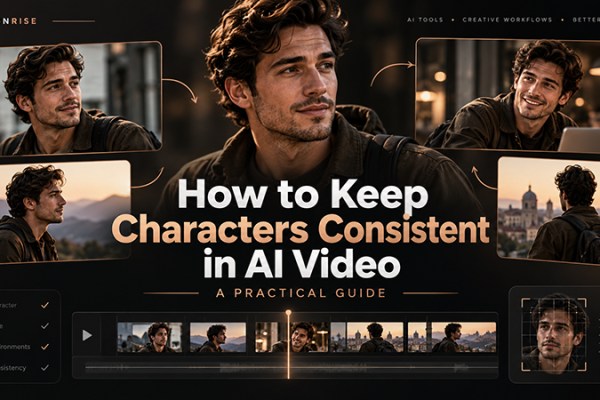











The best AI tools for designers in 2026 are no longer experimental generators that produce an interesting image and then disappear from the workflow. The strongest platforms now help designers research directions, build moodboards, explore logos, generate campaign visuals, edit photography, prototype interfaces, prepare mockups, create short videos, manage brand assets, and produce multiple versions of approved creative work.
That does not mean design has become automatic. AI can generate hundreds of options, but it still cannot replace a designer’s understanding of context, hierarchy, audience, accessibility, brand strategy, cultural meaning, or visual judgment. A tool may create a polished image in seconds and still produce the wrong answer for the project.
The real advantage comes from knowing where AI belongs in a professional design workflow. It may help you generate early campaign directions before a client meeting, create placeholder photography for a prototype, convert a screenshot into an editable UI concept, test color combinations, produce branded social formats, or build a rough video treatment before committing to production.
This guide examines ten AI platforms from a working designer’s perspective. Instead of repeating marketing claims, it explains what each tool is genuinely useful for, where it can save time, what still requires human refinement, and how to combine it with tools such as Photoshop, Illustrator, Figma, After Effects, and professional brand systems.
The list covers AI image generation, logo exploration, branding, photo editing, UI/UX prototyping, typography, mockups, video creation, color systems, and creative automation. It is not a universal ranking. The best choice depends on the problem you need to solve.
Features, models, credit systems, pricing, and commercial-use terms change frequently. Always review the current license before using generated images, logos, videos, or brand assets in client work.
Last updated: August 2026. This guide has been reviewed to focus on practical AI design workflows, including logo exploration, image generation, UI/UX prototyping, AI video, photo editing, typography, mockups, color systems, and scalable brand production.
How to Use This AI Design Tools Guide
Use this article as a workflow map, not only as a ranking. The right AI design tool depends on the type of creative decision you need to make, the level of control you need, and whether the output will be used for early exploration, client presentation, production support, or final brand delivery.
Start With the Design Task
- Logo and brand exploration: use tools that help compare many identity directions quickly.
- Campaign and image direction: choose platforms that support moodboards, lighting, composition, and visual storytelling.
- UI/UX concepts: focus on tools that can turn prompts, screenshots, or wireframes into editable interface ideas.
- Video and motion: use AI for short controlled shots, motion tests, and creative previsualization.
- Production assets: prioritize tools that help resize, clean, mock up, or adapt approved creative work.
Explore More DesignRise Resources:
How AI Is Changing Professional Design Work
Designers have always used tools to accelerate execution. Templates, stock photography, actions, plugins, component libraries, mockups, and design systems all reduce the need to rebuild the same material repeatedly. AI continues that evolution, but it works at a broader level: it can generate options, interpret language, transform existing assets, and respond to creative direction.
The biggest change is not simply production speed. It is the ability to explore more directions before committing to one.
A brand designer can compare several visual territories before refining a wordmark. A UI designer can turn an early idea into a rough multi-screen flow. A content designer can adapt one campaign into multiple formats. An illustrator can test composition and lighting before creating the final artwork manually.
Where AI Creates the Most Value
- Exploration: generating multiple directions before choosing a visual strategy.
- Iteration: changing backgrounds, layouts, colors, formats, or treatments quickly.
- Production support: preparing mockups, social assets, presentation visuals, and variants.
- Prototyping: turning written ideas, sketches, or screenshots into editable interface concepts.
- Image editing: extending, cleaning, retouching, or enhancing existing photography.
- Brand consistency: applying approved colors, fonts, logos, and visual rules across content.
- Communication: making abstract ideas visible earlier in the project.
Where Human Designers Still Matter Most
- Defining the real problem before generating a solution.
- Understanding business goals and audience behavior.
- Building a distinctive brand instead of repeating familiar visual trends.
- Evaluating accessibility, cultural meaning, and ethical risk.
- Choosing what to remove rather than generating more.
- Refining typography, spacing, hierarchy, composition, and craft.
- Protecting client assets, confidential information, and intellectual property.
AI is most useful when it supports a clear design process. Without direction, it often creates more options, more files, and more decisions without producing a stronger result.
How We Selected These AI Tools for Designers
This collection focuses on tools that solve different parts of a modern creative workflow. A platform did not make the list simply because it can generate attractive images. It needed to offer a practical use case for designers, freelancers, agencies, product teams, marketers, or creative businesses.
The Main Evaluation Criteria
Quick Direction: Which Tool Should You Start With?
If your main task is logo and brand exploration, start with Design.com or Looka. If you need strong campaign visuals or art direction, Midjourney is usually the better starting point. For AI video and motion concepts, Runway is more relevant. For fast content production across many formats, Canva AI is often the most practical choice. For UI/UX concepts, Uizard can help make early product ideas visible before moving into a more complete design system.
Quick Comparison: The Best AI Design Tools in 2026
1. Design.com — Best for Rapid Logo and Brand Exploration
Design.com is an AI logo maker that helps you turn a business name or idea into ready-to-use logo concepts in seconds. It combines AI-generated designs with a large library of templates, fonts, and icons so you can quickly explore different visual directions without starting from scratch. Once you pick a concept, you can easily adjust colors, text, and layouts using a simple editor.
It’s built for speed and flexibility, especially when you need to test multiple branding ideas fast. You can download high-resolution logo files for digital use or print and extend your design into other branding assets, such as business cards and social media graphics.
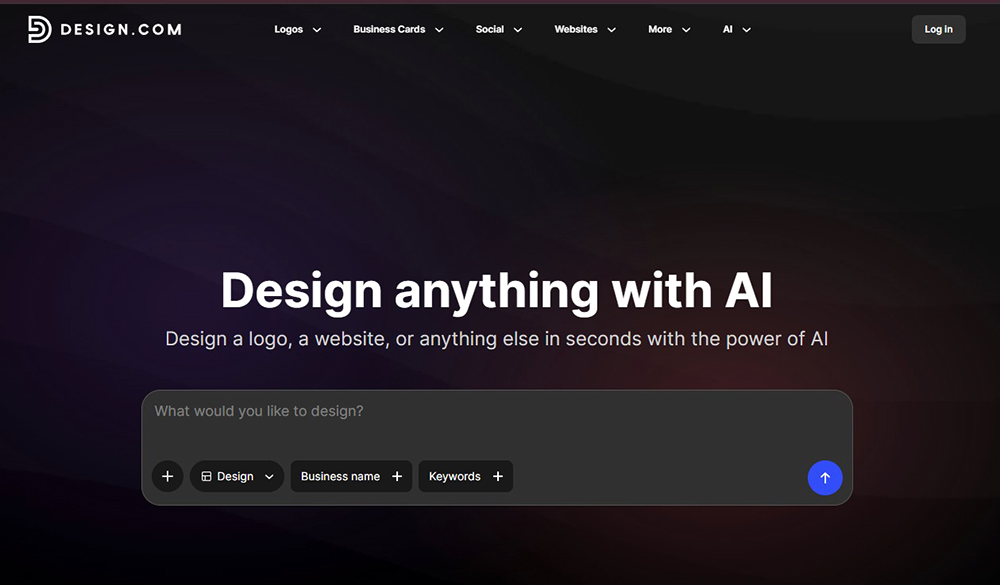
Use case: Perfect for rapid logo ideation, brand concept exploration, client presentation mockups, and quick visual identity development for startups, freelance projects, and small business branding.
2. Canva AI — Best for Fast Multi-Format Content Production
Canva has evolved from a template editor into a broader AI-assisted content environment. It can help teams generate designs, images, copy, presentations, short videos, campaign variations, and branded assets without moving between several disconnected platforms.
Its greatest strength is not advanced illustration or pixel-level control. It is production speed across many formats. A marketing team can take one approved concept and adapt it into stories, feed posts, presentations, banners, ads, and internal documents.
Best Use Cases
- Social media campaigns.
- Presentations and pitch decks.
- Branded marketing templates.
- Quick video and animation assets.
- Internal communication materials.
- Resizing and adapting approved campaigns.
- Small-business content systems.
Why Brand Kit Matters
AI-generated content becomes more useful when it begins with approved brand rules. Canva’s Brand Kit can store logos, colors, fonts, photography, and other brand assets so teams are not rebuilding visual decisions every time they create a post.
For professional designers, this creates an opportunity to build the system once and then let non-design colleagues produce safer day-to-day content within controlled boundaries.
Limitations to Consider
Canva makes design accessible, but accessibility can produce sameness. When everyone uses the same templates, animations, and generated layouts, brands can begin to look interchangeable.
Create custom templates, replace obvious stock assets, define clear layout rules, and review high-visibility campaigns in professional design software before launch.
3. Midjourney — Best for Art Direction, Moodboards, and Campaign Concepts
Midjourney remains one of the strongest tools for visual exploration. Its current generation system is especially useful for producing cinematic images, editorial compositions, material studies, environmental concepts, fashion directions, product atmospheres, and campaign moodboards.
For designers, its value is not only creating a final image. It can help make an abstract art-direction idea visible before a photoshoot, illustration, 3D production, or campaign build begins.
Where Midjourney Fits Best
- Campaign moodboards.
- Advertising concepts.
- Packaging atmospheres.
- Editorial image directions.
- Fashion and beauty references.
- Environment and set-design exploration.
- Lighting, material, and color studies.
- Illustration and character concepts.
How to Generate More Consistent Work
Do not begin with a long list of adjectives. Build a repeatable visual system.
- Use a stable reference-image collection.
- Define the same camera, lighting, material, and palette language.
- Use personalization and moodboards carefully.
- Keep the subject description consistent across a series.
- Separate composition prompts from styling prompts.
- Save successful prompt structures for future projects.
Professional Workflow
- Generate broad visual territories.
- Select one approved art direction.
- Create a smaller set of controlled variations.
- Rebuild important layouts in Photoshop or Illustrator.
- Add exact typography, product details, and branding manually.
- Retouch anatomy, materials, lighting, and compositing issues.
Limitations to Consider
Midjourney is powerful for imagery, but a beautiful image is not automatically a usable design. Exact packaging, UI screens, legal text, logos, product geometry, and consistent campaign characters often require external editing or manual recreation.
4. Runway — Best for AI Video, Motion Concepts, and Creative Previsualization
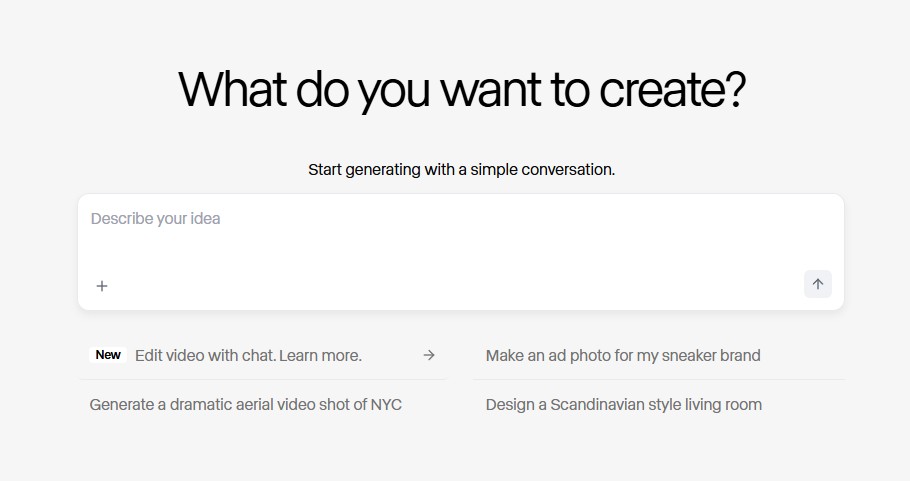
Runway is one of the most capable AI environments for designers moving into video, motion, and cinematic content. It supports text-to-video, image-to-video, visual references, scene generation, transformations, and access to multiple creative models inside one production workspace.
It is particularly valuable before expensive production begins. A designer can turn storyboards into motion tests, animate a campaign key visual, explore camera movement, produce a product-film treatment, or create a reference sequence for a client presentation.
Best Use Cases
- Motion tests from static campaign frames.
- Storyboard visualization.
- Product-film concepts.
- Music and fashion visuals.
- Short advertising scenes.
- Background plates and transition material.
- Previsualization before filming or 3D production.
Use Runway as a Shot Generator, Not a Full Editor
The strongest results usually come from generating short, controlled shots. Define one subject, one action, and one camera behavior. Long prompts with several simultaneous events often create unstable movement.
Add precise typography, logos, interface elements, and legal information after generation. AI video models can distort text and product details between frames.
Limitations to Consider
Continuity remains one of the hardest problems in generative video. A person, product, location, or material may change between shots. Review every frame and treat generated material as footage that still needs editing, grading, sound, compositing, and quality control.
5. Fotor AI — Best for Fast Photo Enhancement and Content Editing
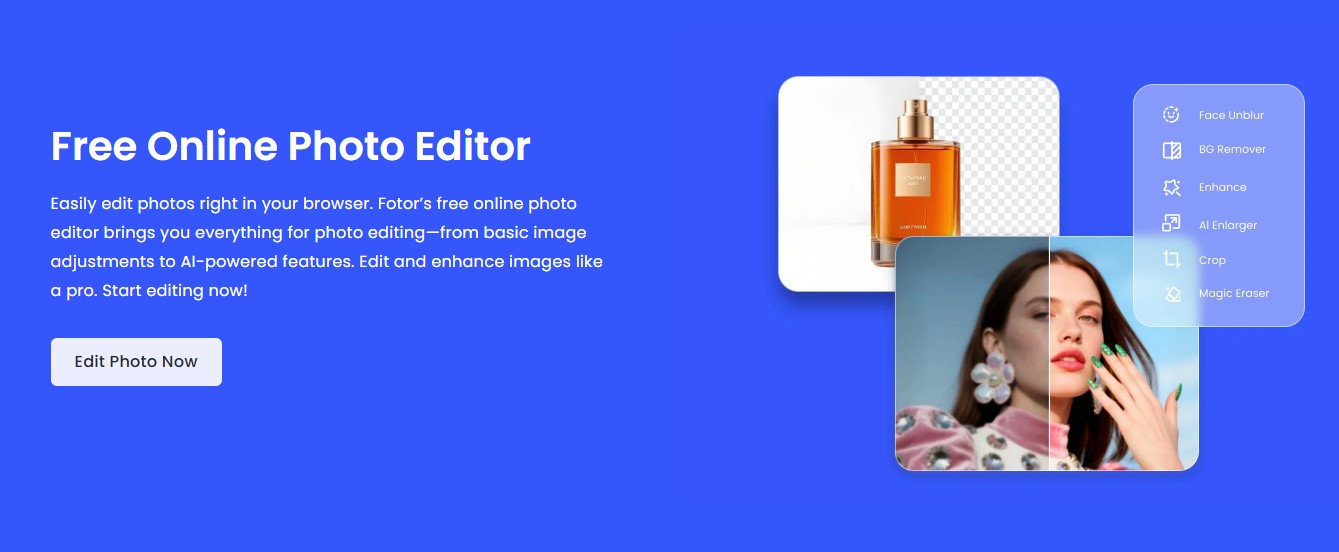
Fotor AI is designed for quick image improvement rather than complex professional compositing. It includes tools for enhancement, background removal, image extension, object removal, background changes, portrait editing, upscaling, and AI image generation.
It is useful when a content team has many images to prepare and does not need a full Photoshop workflow for every file.
Where Fotor AI Works Well
- Cleaning product photography.
- Removing backgrounds for e-commerce listings.
- Extending images to fit new aspect ratios.
- Improving low-quality social media images.
- Preparing portraits for profiles or presentations.
- Creating quick promotional variations.
- Enhancing images before placing them into mockups.
A Practical E-Commerce Workflow
- Standardize image dimensions and cropping.
- Remove or replace the background.
- Correct exposure and color.
- Enhance only as much as the source requires.
- Check that the product still matches reality.
- Export consistent files for the store, ads, and social channels.
Limitations to Consider
Automatic enhancement can invent texture, over-smooth skin, alter product color, or sharpen edges unnaturally. For beauty, fashion, food, interiors, and e-commerce work, compare the edited result against the original product.
Use Fotor for speed, but use Photoshop or another professional editor when precise masks, color-critical work, complex composites, or non-destructive retouching are required.
6. Uizard — Best for Fast UI/UX Concepts and Editable Prototypes
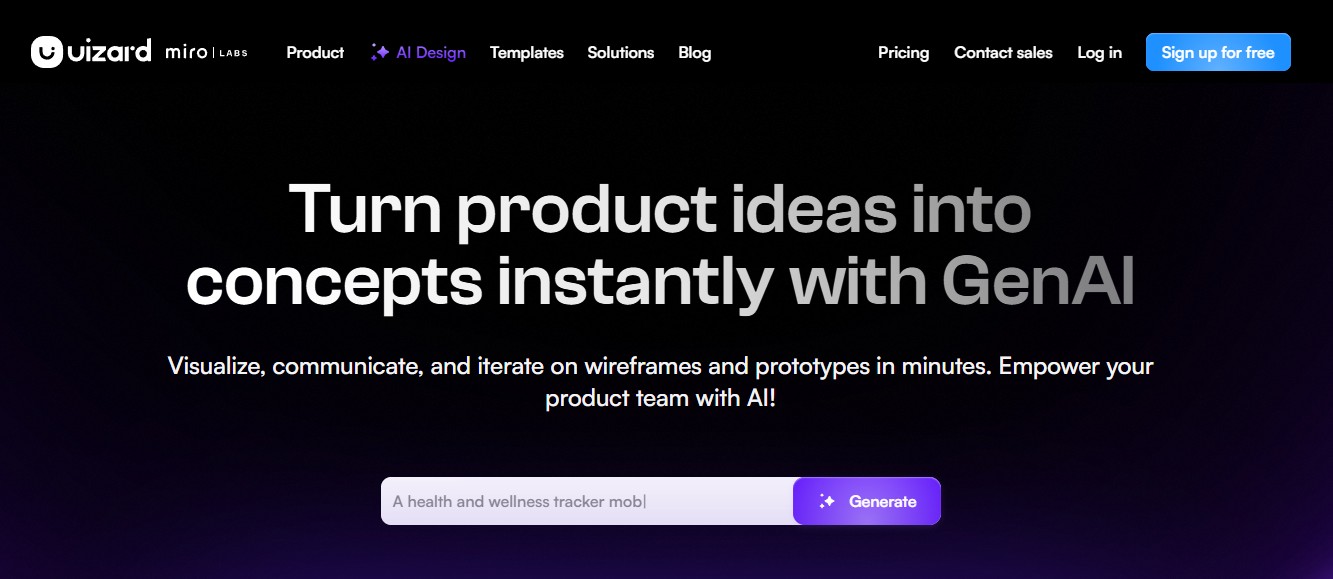
Uizard helps teams move from an idea to an editable interface concept quickly. It can generate multi-screen designs from prompts, transform screenshots into editable mockups, and digitize hand-drawn wireframes.
Its most valuable role is not replacing Figma or a complete product-design process. It is reducing the time between a discussion and something the team can see, critique, and test.
Best Use Cases
- Early mobile-app concepts.
- Landing-page structures.
- Dashboard ideas.
- Low-fidelity and high-fidelity mockups.
- Digitizing paper wireframes.
- Turning screenshots into editable reference layouts.
- Rapid stakeholder workshops.
How UX Designers Should Use It
Generate the structure, then challenge it. Ask whether the information architecture makes sense, whether the user has enough context, whether the navigation matches the task, and whether the interface supports accessibility.
A visually complete screen can create false confidence. The fact that an AI-generated layout looks polished does not mean it solves the user’s problem.
Professional Workflow
- Define the user goal and main task.
- Generate a first multi-screen direction.
- Remove unnecessary sections and decorative content.
- Rebuild the information hierarchy.
- Test the flow with users or stakeholders.
- Move the approved structure into the team’s design system.
- Document states, edge cases, and accessibility requirements.
Limitations to Consider
Uizard can accelerate interface visualization, but it cannot replace user research, content strategy, interaction logic, design-system governance, usability testing, or technical collaboration.
7. Kittl — Best for Typography, Brand Graphics, Merchandise, and Mockups
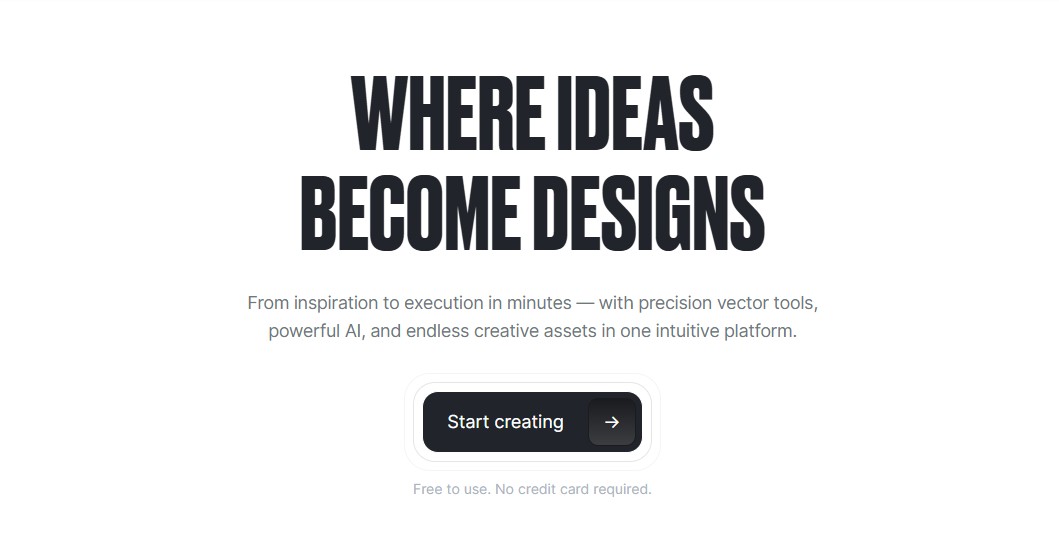
Kittl combines AI image generation with typography tools, templates, illustrations, vector-style assets, product mockups, and editing controls. It is particularly useful for designers working on merchandise, labels, posters, logos, packaging concepts, social graphics, and product presentations.
Unlike tools that stop after generating an image, Kittl is designed to keep the creator inside an editable design environment. That makes it more practical for turning an idea into a usable visual asset.
Where Kittl Is Strongest
- Typography-led logos and wordmarks.
- Vintage and retro graphics.
- T-shirt and merchandise concepts.
- Labels and packaging visuals.
- Posters and social campaign assets.
- Product mockups.
- Background removal and image adaptation.
A Better Branding Workflow
- Generate several image or typography directions.
- Choose one visual language instead of mixing everything.
- Refine the lettering, spacing, hierarchy, and composition.
- Apply the design to realistic mockups.
- Check whether the identity works without decorative effects.
- Export and complete technical production in professional software where needed.
Limitations to Consider
Kittl is excellent for fast visual development, but complex vector construction, detailed packaging systems, production artwork, and large identity guidelines may still require Illustrator, InDesign, or specialized prepress tools.
8. Designs.ai — Best for Scalable On-Brand Content Automation
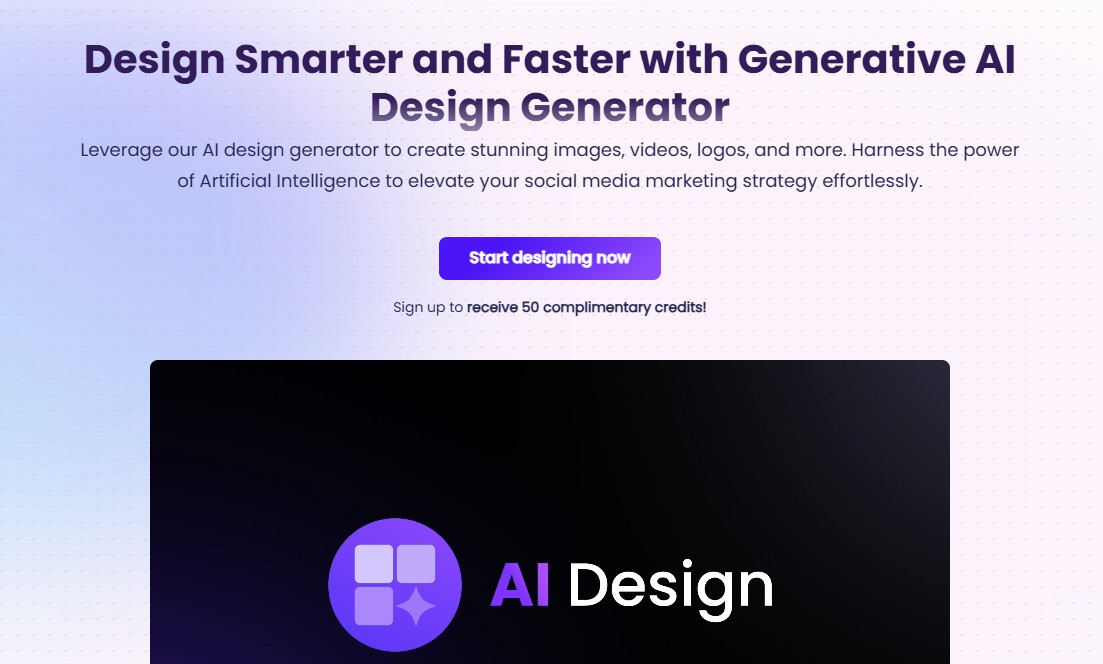
Designs.ai is aimed at teams that need to create many pieces of content while maintaining a recognizable visual identity. Its tools cover branding, images, short videos, logos, marketing content, and automated creative production.
One of its most relevant features for growing businesses is the ability to build a Brand Kit from existing brand information and apply it across future content.
Best Use Cases
- Creating a first digital brand kit.
- Producing short branded video ads.
- Generating on-brand marketing visuals.
- Scaling content across channels.
- Preparing campaign variants.
- Supporting small marketing teams with limited production resources.
Why Brand Automation Can Be Valuable
A well-defined brand contains repeatable decisions: logo placement, color roles, typography, spacing, image style, and tone. Automating those decisions can save time and reduce accidental inconsistency.
However, automation only works when the source rules are good. If the initial logo, colors, and typography are weak, the platform will scale those weaknesses across more content.
Limitations to Consider
Do not confuse consistent output with distinctive branding. A platform can apply the same logo and colors across every asset while the underlying creative direction remains generic.
Use Designs.ai after the strategy and brand foundation are established, not as a substitute for those stages.
9. Khroma — Best for Personalized Color Exploration
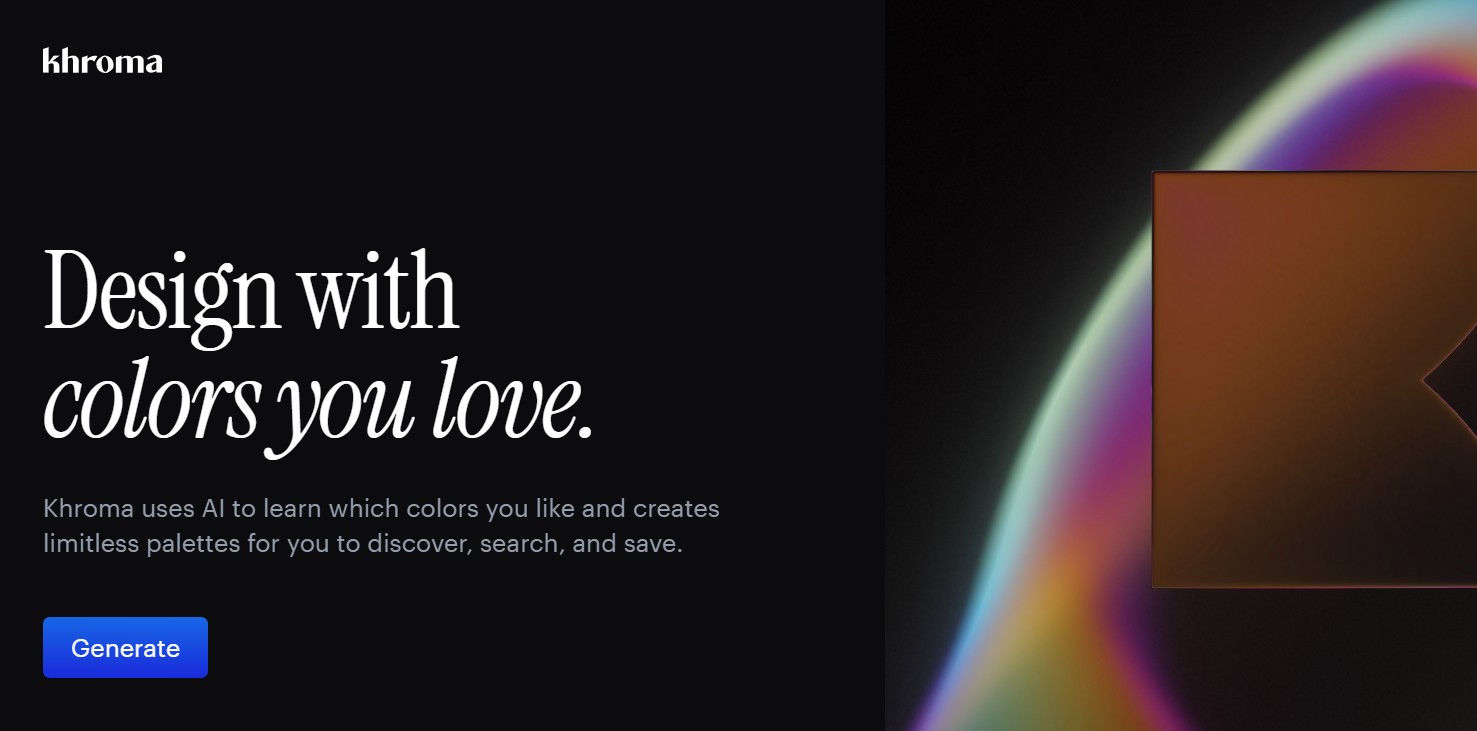
Khroma is a focused AI color tool. Instead of producing generic trending palettes, it learns from the colors you select and generates combinations aligned with your preferences.
That makes it useful for designers who want to explore more options without losing their own visual taste. It can generate combinations for typography, backgrounds, gradients, interface elements, and brand palettes.
Best Use Cases
- Exploring brand color directions.
- Finding unexpected color pairs.
- Building UI palette inspiration.
- Testing background and text combinations.
- Creating campaign color territories.
- Expanding an existing core palette.
How to Use Khroma Professionally
Begin with a broad selection of colors rather than choosing fifty nearly identical shades. Include different hues, values, and saturation levels so the tool can learn a more complete picture of your preferences.
Then organize the results by role:
- Primary brand color for recognition.
- Secondary colors for variation.
- Accent color for calls to action.
- Background colors for large surfaces.
- Text and neutral colors for readability.
- Data colors for charts and interface states.
Do Not Skip Accessibility Testing
A beautiful palette is not necessarily usable. Check text contrast, interactive states, error colors, disabled elements, color-blind accessibility, and dark-mode behavior separately.
Khroma is a discovery tool. The final system still needs functional design decisions.
10. Looka — Best for Self-Service Logos and Small-Business Brand Kits
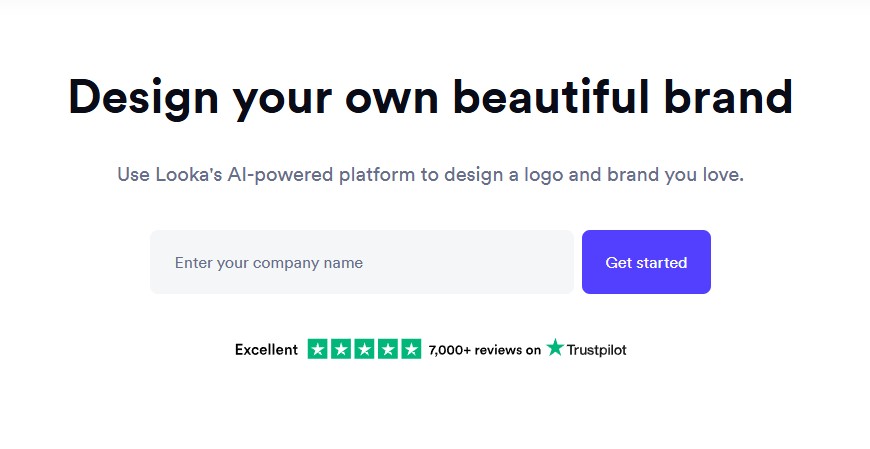
Looka is designed for entrepreneurs who need a logo and a coordinated set of business assets without managing a traditional branding project. Users provide a company name and design preferences, then receive logo directions that can be developed into business cards, social assets, templates, and other brand materials.
Its strength is creating a usable starter package rather than one isolated logo file.
Where Looka Works Well
- New small businesses.
- Personal brands.
- Freelance services.
- Temporary project identities.
- Early startup validation.
- Businesses that need basic marketing assets quickly.
How Looka Differs From Design.com
Both platforms support AI-assisted logo creation, but they can serve slightly different workflows. Design.com is useful for broad visual exploration and editable logo concepts. Looka is particularly focused on turning a chosen logo into a coordinated self-service brand kit for business use.
When a Professional Designer Is Still Needed
A generated brand kit may be enough for a new local business or early-stage idea. It may not be enough for a company entering a crowded market, seeking investment, building a premium product, or requiring trademark differentiation.
Professional brand design also includes positioning, naming, messaging, architecture, typography systems, accessibility, art direction, motion behavior, and long-term governance.
Four Practical AI Workflows for Designers
Workflow 1: Building a Brand Concept for a Startup
- Define the audience, positioning, values, and competitive difference.
- Use Design.com or Looka to explore broad logo territories.
- Use Midjourney to develop campaign moodboards and image direction.
- Use Khroma to test several color systems.
- Refine the chosen wordmark and symbols manually.
- Build mockups in Kittl or professional design software.
- Create a reusable Brand Kit in Canva or Designs.ai.
- Document typography, color roles, spacing, and image rules.
Workflow 2: Producing a Social Media Campaign
- Define one campaign message and visual idea.
- Generate supporting imagery with Midjourney.
- Retouch and composite the final image in Photoshop.
- Build a master campaign layout.
- Store approved assets in Canva Brand Kit.
- Create platform-specific formats.
- Use Runway for selected motion versions.
- Review every output for hierarchy, cropping, and readability.
Workflow 3: Prototyping a New App
- Define the user problem and core task.
- Sketch the flow on paper or in a whiteboard tool.
- Use Uizard to digitize the wireframe or generate a first interface direction.
- Review information architecture and remove decorative clutter.
- Use Khroma for early palette exploration.
- Move approved structures into Figma.
- Apply the product design system.
- Test the flow with users before development.
Workflow 4: Creating an E-Commerce Product Launch
- Prepare accurate product photography.
- Use Fotor AI for basic cleanup, enhancement, and background work.
- Generate campaign environments with Midjourney when appropriate.
- Build product mockups in Kittl.
- Create short motion shots in Runway.
- Produce branded ads and social formats in Canva.
- Check that generated visuals do not misrepresent the product.
- Export a consistent set for the store, email, ads, and social channels.
How to Evaluate AI Output Like a Professional Designer
AI can produce convincing material quickly, which makes critical review more important. A polished image can hide weak composition, incorrect product details, accessibility problems, or copied visual language.
Ask These Questions Before Using the Result
- Does this solve the project’s actual problem?
- Is the hierarchy clear without an explanation?
- Does the visual direction fit the audience?
- Could another brand easily use the same result?
- Are the typography and spacing professionally resolved?
- Are product details and materials accurate?
- Does the design remain readable at the final size?
- Is the color contrast accessible?
- Are there cultural or ethical concerns?
- Does the license permit the intended use?
Use AI for Options, Not Approval
The generation step produces possibilities. Approval should still come from strategy, evidence, testing, brand fit, and design judgment.
Common Mistakes Designers Make With AI Tools
1. Using Too Many Platforms in One Workflow
Moving the same asset through six tools can create more friction than it removes. Choose one platform for each specific job and define where files enter and leave the workflow.
2. Generating Before Defining the Problem
A vague brief produces endless visual options. Clarify the audience, message, format, and desired response before prompting.
3. Treating a Generated Logo as a Finished Identity
A logo is one part of branding. It still needs positioning, typography, color roles, layout rules, imagery, motion, voice, and governance.
4. Leaving AI Typography Unedited
Generated text can contain incorrect letters, inconsistent spacing, and distorted forms. Rebuild important typography manually.
5. Ignoring Accessibility
AI tools optimize for visual appearance, not necessarily readable contrast, keyboard navigation, motion sensitivity, or inclusive user flows.
6. Uploading Confidential Client Assets Carelessly
Review privacy and data policies before uploading unreleased products, customer data, internal documents, proprietary interfaces, or confidential brand materials.
7. Assuming Commercial Rights Are Automatic
Rights can depend on the platform, plan, model, uploaded material, and intended use. Save license information with the project files.
8. Confusing Speed With Quality
Producing fifty options in one hour is not necessarily more productive than developing three thoughtful directions. The final result still needs editing and restraint.
AI Tools and the Future of Design Careers
AI is changing what clients and employers expect from designers. Faster production will become normal, but speed alone will not create career security. Designers will be judged increasingly on the decisions surrounding the output.
Skills Becoming More Valuable
- Problem framing: identifying what should actually be designed.
- Art direction: building a coherent visual language across many assets.
- Systems thinking: connecting brand, product, content, and business requirements.
- AI orchestration: combining several tools without losing control.
- Editing: selecting, refining, and removing weak output.
- Typography: creating hierarchy and distinctiveness beyond generated imagery.
- Research and testing: validating whether a design works for real users.
- Ethical judgment: managing consent, bias, privacy, and attribution.
- Communication: explaining why a direction is right, not only showing it.
The designer’s role is moving from producing every asset manually toward directing a more complex creative system. That can increase the value of design when the designer remains responsible for quality and meaning.
Frequently Asked Questions About AI Tools for Designers
What are the best AI tools for designers in 2026?
The best tools depend on the workflow. Midjourney is strong for image generation and art direction, Runway supports AI video, Uizard accelerates interface concepts, Kittl combines typography and mockups, Canva helps teams produce branded content, and Khroma supports personalized color exploration.
Which AI tool is best for graphic designers?
There is no single best option. Midjourney is useful for visual concepts, Canva for multi-format production, Kittl for typography and merchandise, Fotor for quick image editing, and Designs.ai for scalable branded content.
Which AI tools are useful for UI/UX designers?
Uizard is useful for generating and digitizing early interface concepts. Khroma can support color exploration. Canva may help prepare presentations and research materials. Final product work should still move into a structured design system and be validated through UX research and testing.
Can AI replace graphic designers?
AI can automate parts of execution, but it does not replace brand strategy, problem framing, user understanding, creative direction, typography judgment, accessibility review, or stakeholder communication.
Can AI-generated logos be used professionally?
They can be used when the license permits, but generated logos should be checked for originality, trademark conflicts, scalability, readability, and strategic fit. High-value brands usually benefit from professional refinement.
Are AI design tools safe for client work?
They can be, but designers should review privacy policies, data handling, commercial-use terms, and confidentiality requirements before uploading client assets.
How many AI tools does a designer need?
Usually fewer than expected. A practical toolkit may include one image generator, one editing tool, one video tool, and one workflow-specific platform. Mastering a small stack is more useful than subscribing to every new service.
Should AI work be disclosed to clients?
Disclosure depends on the agreement, industry, jurisdiction, and significance of AI within the project. A clear production policy is useful, especially when AI affects rights, confidentiality, representation, or final deliverables.
Recommended Next Reads on DesignRise
- Best AI Tools for Graphic Design
- Best AI Art Generators and Tools for Designers in 2026
- How Designers Can Build Consistent Visual Styles With AI
- Best AI eCommerce Tools for Online Stores in 2026
Final Thoughts
The best AI tools for designers in 2026 are not shortcuts around creativity. They are production tools that can help designers explore more directions, communicate ideas earlier, automate repetitive work, and scale approved visual systems.
Design.com and Looka can accelerate logo exploration. Canva can help teams produce branded content across many formats. Midjourney can expand art direction and campaign ideation. Runway can turn static concepts into motion. Fotor can simplify everyday photo editing. Uizard can make early interface ideas visible. Kittl can support typography, merchandise, and mockup workflows. Designs.ai can automate on-brand production. Khroma can make color discovery more personal.
None of these platforms removes the need for design judgment. The designer still decides what the project means, which direction deserves development, what should remain consistent, and where automation begins to damage originality.
The future belongs neither to designers who reject AI nor to creators who accept every generated result. It belongs to designers who use AI deliberately, edit relentlessly, and keep human judgment at the center of the work.
For more practical AI workflows, branding resources, UI/UX guidance, and creative tools for modern designers, continue exploring DesignRise.
Discover more from DesignRise
Subscribe to get the latest posts sent to your email.