









A logo looks small, but the work behind it is rarely small. A strong logo carries a company’s personality, market position, values, audience expectations, and visual memory in one compact mark.
That is why the rise of AI logo design feels both exciting and uncomfortable. On one hand, AI tools can create dozens of logo concepts in minutes. On the other hand, designers know that a real logo is not just a nice symbol with a trendy font.
A logo has to work at small sizes. It has to feel different from competitors. It has to fit the brand’s voice. It has to survive on a website, packaging, social media profile, invoice, app icon, presentation, and billboard. It has to feel simple enough to remember, but meaningful enough to matter.
So the question is not only “Can AI generate logos?” Of course it can. The better question is: can AI create a logo with strategy, originality, and long-term brand value?
In this DesignRise guide, we’ll look at the future of AI logo design honestly: where AI helps, where it falls short, why designers still matter, and how creative professionals can use AI as an ally instead of seeing it only as a threat.
The Rise of AI in Logo Design
Artificial intelligence has become a powerful part of the creative industry. Designers, startups, agencies, and small business owners now use AI tools to explore logos, color palettes, visual identities, mockups, and brand directions much faster than before.
Tools such as Looka, LogoAI, Brandmark, Midjourney, and Adobe Firefly can generate visual directions quickly. This makes branding more accessible, especially for early-stage businesses that need a starting point.
For clients, this feels convenient. They can type a company name, choose a style, select a few keywords, and receive logo options almost instantly.
For designers, it can feel threatening at first. If AI can create logo drafts in seconds, what happens to the designer’s value?
The answer is more nuanced than fear. AI changes the logo design process, but it does not remove the need for design thinking. It shifts the designer’s value from simply producing options to creating meaning, strategy, refinement, and trust.
Explore More DesignRise Resources:
- How AI Is Transforming Corporate Identity Design
- Best AI Mockup Tools & Generators for Designers
- The Creative Power of AI-Generated Design Systems
- Design Smarter: How to Create Truly Great Designs with AI
AI Can Generate a Logo, but Can It Build a Brand?
This is the difference many clients do not see immediately.
An AI logo generator can produce a mark. It can suggest symbols, fonts, shapes, colors, and layout combinations. It can imitate styles that already exist and create many variations quickly.
But a brand needs more than a mark.
A real logo system usually needs:
- brand strategy;
- audience understanding;
- competitor research;
- symbol meaning;
- typography decisions;
- color psychology;
- logo variations;
- clear space rules;
- small-size testing;
- black-and-white versions;
- usage guidelines;
- brand consistency across formats.
This is why AI logo design is useful, but limited. It can help start the process. It cannot fully replace the full thinking behind a professional identity.
AI Logo Output vs Professional Logo System
| AI Logo Output | Professional Logo System |
|---|---|
| Quick visual concept | Strategic brand mark with meaning |
| Trendy style options | Long-term identity direction |
| Basic color suggestions | Functional color system and usage rules |
| One or several logo files | Full logo family, variations, spacing, and guidelines |
| Fast and accessible | Customized, refined, and tested |
The future of logo design will likely include AI, but the strongest brands will still need designers who understand how to turn a visual idea into a system.
AI as a Tool, Not a Threat
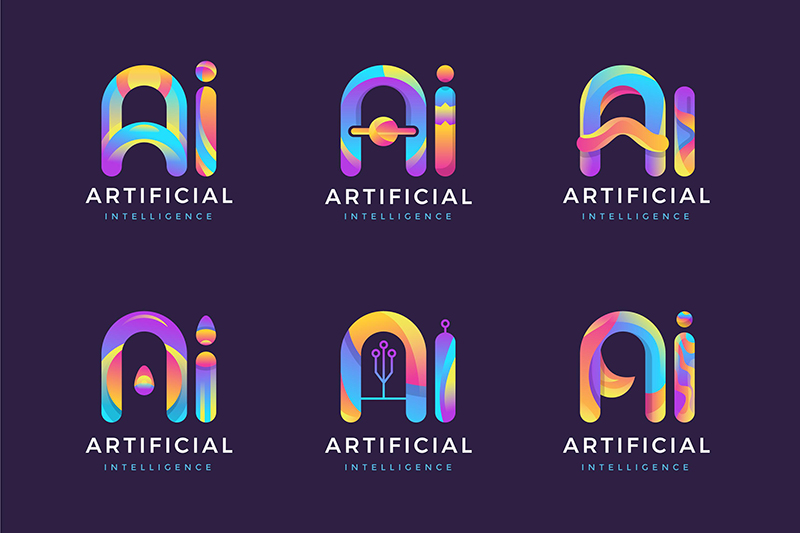
AI becomes a threat only when designers position themselves as people who simply make graphics. If the value of a designer is “I can produce many logo options,” then AI can compete with that.
But if the value of a designer is strategy, taste, storytelling, originality, client understanding, and brand system thinking, AI becomes a tool.
AI can generate shapes. Designers define meaning.
AI can suggest trends. Designers know when to ignore trends.
AI can create variations. Designers know which variation deserves to survive.
AI can make something look polished. Designers know whether it feels right for the company, audience, and future brand system.
What AI Does Well in Logo Design
- Generates many early ideas quickly.
- Helps explore visual styles.
- Suggests color and typography directions.
- Creates rough brand moodboards.
- Speeds up concept testing.
- Helps small businesses visualize early identity ideas.
- Supports designers during brainstorming.
What Designers Still Do Better
- Understand the client’s business context.
- Translate brand personality into visual form.
- Check originality and avoid clichés.
- Refine proportion, spacing, and typography.
- Create a scalable logo system.
- Build trust through collaboration.
- Make the final identity feel intentional and ownable.
The smartest approach is not to fight AI. It is to use AI without letting it make the final creative decisions.
The Logo Design Questions AI Cannot Truly Answer
AI can answer many prompts, but it does not truly understand the emotional and strategic context behind a logo. It can describe meaning, but it does not experience meaning.
Before approving any AI-generated logo direction, designers should ask deeper questions:
- Who is this brand speaking to?
- What should people remember after seeing the logo?
- Does this mark feel different from competitors?
- Will it still feel relevant in five years?
- Does the symbol connect to the brand story?
- Can the logo work in one color?
- Can it work as a small app icon or social avatar?
- Is the typography readable and appropriate?
- Does the logo feel too generic or too trend-based?
- Can the client explain why this logo represents them?
These questions are where human designers create value. They protect the logo from becoming only a decorative graphic.
How Designers Can Use AI to Their Advantage
Instead of treating AI as a competitor, designers can use it as a creative assistant inside a professional workflow.
1. Use AI to Kickstart Ideas
The blank page can slow down any designer. AI can help generate rough directions quickly, especially during the first stage of exploration.
You can ask AI for:
- symbol ideas;
- visual metaphors;
- industry moodboards;
- logo style directions;
- competitor differentiation ideas;
- color palette suggestions;
- typography moods.
The goal is not to take the first idea. The goal is to create more material for creative thinking.
2. Use AI to Speed Up Early Variations
Logo projects often require testing different directions: minimal, bold, premium, playful, technical, handmade, editorial, or futuristic. AI can help designers explore these options faster.
For example, instead of manually sketching every possible visual territory first, a designer can ask AI to generate direction descriptions and rough concept ideas. Then the designer chooses which direction is worth refining.
3. Use AI for Client Discussion, Not Final Approval
AI-generated drafts can be useful during early client conversations. They help clients react to direction, style, and mood before the designer invests hours into refinement.
But designers should be careful. Showing too many AI options can confuse clients. It can also make the process feel cheap if not explained properly.
Use AI drafts as conversation starters, not as finished logos.
4. Use AI to Build Faster Moodboards
Logo design is easier when the visual direction is clear. AI can help create moodboard language and reference directions, such as:
- modern and minimal;
- calm and premium;
- bold and energetic;
- technical and precise;
- friendly and human;
- luxury and editorial;
- playful and youthful.
This helps designers and clients align before logo refinement begins.
5. Use AI to Expand Services
Designers can create different service levels. For example, AI-assisted logo exploration may work for small startups with limited budgets, while custom brand identity systems remain premium services.
This does not lower the designer’s value. It can help designers serve different client needs while keeping strategy and refinement at the center.
A Practical AI Logo Design Workflow for Designers
To use AI professionally, designers need structure. Here is a workflow that keeps AI useful without letting it control the project.
Step 1: Discovery Before Design
Start with the client’s business, audience, values, competitors, and goals. Do not generate logos before understanding the brand.
Step 2: Define Visual Territories
Use AI to suggest several possible creative directions. Compare tone, shape language, typography style, and emotional impact.
Step 3: Generate Rough Concepts
Use AI tools or prompts to create rough logo directions. Treat them as sketches, not final work.
Step 4: Select and Refine
Choose the strongest ideas and refine them manually. Adjust spacing, proportions, letterforms, symbol meaning, and visual balance.
Step 5: Test the Logo
Check the logo in real contexts: website header, social profile, business card, packaging, presentation, dark background, light background, small size, and one-color version.
Step 6: Build a Logo System
Create variations: primary logo, secondary logo, icon, horizontal version, vertical version, monochrome version, and usage rules.
Step 7: Present the Strategy
Explain the idea behind the logo. Show why it fits the brand, not just how it looks.
Prompt Examples for AI Logo Design
Better prompts create better starting points. Instead of asking AI to “make a logo,” give it strategy, audience, tone, and constraints.
Logo Direction Prompt
Act as a senior brand designer. Generate five logo concept directions for a sustainable skincare brand. The brand should feel calm, premium, natural, and trustworthy. For each direction, include symbol idea, typography mood, color direction, emotional tone, and what to avoid.
Competitor Differentiation Prompt
Analyze this brand category: [industry]. What visual clichés are common in logos for this industry? Suggest ways to create a logo that feels distinctive but still appropriate for the audience.
Logo Refinement Prompt
Review this logo concept like a senior art director. Evaluate clarity, memorability, scalability, originality, typography, and brand fit. What should be simplified or refined?
Brand Presentation Prompt
Write a clear logo presentation explanation for a client. Explain the idea behind the symbol, why the typography fits the brand, how the color supports the personality, and why this direction is suitable for the target audience.
Where AI Still Falls Short
AI logo tools have improved, but they still have clear limitations. Designers should understand these limits instead of ignoring them.
AI Can Be Too Trend-Based
AI often learns from existing visual patterns. That means it can generate logos that feel polished but familiar. A logo may look professional and still lack originality.
AI Does Not Understand Cultural Context Deeply
Symbols, colors, and shapes can carry different meanings in different cultures. AI may miss these subtleties unless the designer checks them.
AI Struggles With True Simplicity
Many AI-generated marks are too detailed, too decorative, or too complex for real logo use. A strong logo often needs simplification.
AI Can Create Weak Typography
Letter spacing, type balance, custom wordmarks, and font personality require careful design judgment. AI-generated typography often needs manual correction.
AI Does Not Build Trust With the Client
Clients often need conversation, explanation, reassurance, and collaboration. AI can generate outputs, but it cannot replace the trust built through a designer-led process.
Why AI Will Not Replace Human Logo Designers
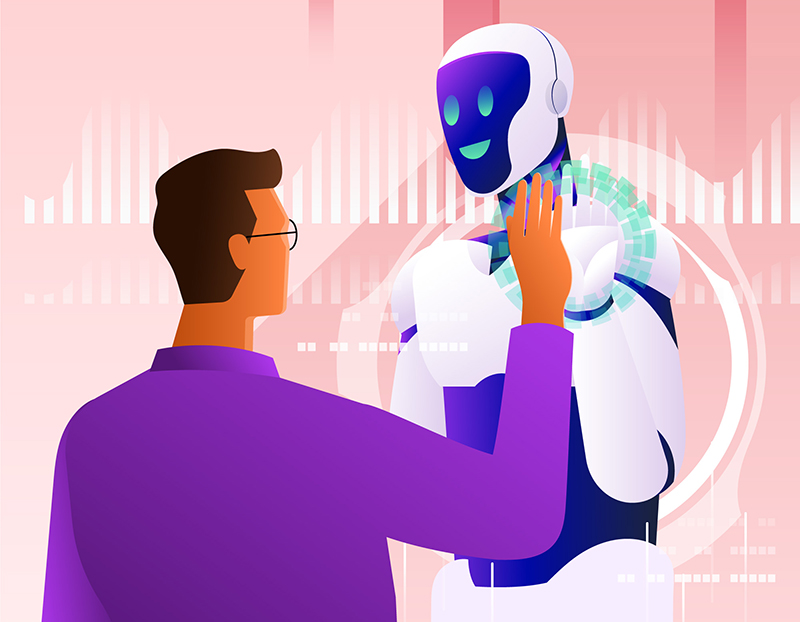
Let’s be clear: AI can design, but it cannot truly imagine in the human sense.
It does not feel the excitement of discovering the right symbol. It does not understand the anxiety of a founder launching a new company. It does not know what makes a local brand feel trusted in its community. It does not understand why one simple line can feel elegant and another can feel empty.
AI may generate hundreds of logo variations, but it cannot fully answer the deeper questions:
- What story should this brand tell?
- What emotion should the audience feel?
- What should the company avoid becoming?
- What makes this brand worth remembering?
- How can this logo grow with the business?
Only human designers can combine psychology, culture, storytelling, business context, and visual craft into one identity.
Clients also do not only buy a logo. They buy collaboration, clarity, confidence, and guidance. They want someone who can listen, interpret, challenge, refine, and explain.
That human relationship is still a major part of professional logo design.
What the Future of Logo Design Will Look Like

The future of logo design is not “AI versus designers.” It is more likely to become a hybrid process where designers use AI for speed, exploration, and support while keeping strategy and final direction human-led.
Future logo design workflows may include:
- AI-assisted research;
- faster visual territory exploration;
- automated logo variation testing;
- AI-supported competitor analysis;
- quick brand kit previews;
- smarter presentation mockups;
- automated file exports;
- AI-assisted brand guideline drafts.
This means designers may spend less time on repetitive production and more time on brand strategy, creative direction, storytelling, and refinement.
The strongest designers will not be the ones who ignore AI. They will be the ones who know how to use it without losing the human quality that makes branding powerful.
Common Mistakes Designers Make With AI Logo Design
Using AI Before Understanding the Brand
Logo design should start with discovery, not generation. Without strategy, AI will create decoration instead of identity.
Showing Too Many AI Options to Clients
Too many options can make the process feel confusing. Curate before presenting.
Accepting Generic Symbols
AI often produces common marks such as leaves, circles, arrows, abstract initials, and geometric icons. Check whether the idea is too predictable.
Ignoring Scalability
A logo must work small, large, in color, in black and white, on screens, and in print.
Skipping Typography Refinement
Even if the symbol works, weak typography can ruin the logo. Wordmarks need careful spacing, proportions, and font selection.
Forgetting Legal and Originality Checks
AI-generated concepts may resemble existing marks. Designers should always check originality before final delivery.
AI Logo Design Checklist
Use this checklist before presenting or finalizing an AI-assisted logo:
- Is the brand strategy clear?
- Does the logo fit the target audience?
- Does the symbol have a clear idea?
- Does the logo avoid industry clichés?
- Is the typography readable and appropriate?
- Does the logo work at small sizes?
- Does it work in black and white?
- Does it work on dark and light backgrounds?
- Is the logo visually balanced?
- Are spacing and proportions refined?
- Does it feel different from competitors?
- Can the client explain the meaning?
- Has originality been checked?
- Can this logo grow into a full identity system?
Useful AI Logo Design Resources
If you want to explore AI logo design in a more professional way, these tools and resources can support different parts of the workflow:
- Looka — AI logo and brand identity exploration.
- LogoAI — AI-assisted logo concepts and brand assets.
- Brandmark — AI logo and brand kit generation.
- Hatchful by Shopify — simple logo creation for small businesses.
- Adobe Firefly — generative AI for creative visual exploration.
- Midjourney — visual concept exploration and moodboard support.
FAQ: AI Logo Design
What is AI logo design?
AI logo design is the use of artificial intelligence tools to generate logo concepts, symbol ideas, typography directions, color palettes, and early brand visuals based on prompts or user inputs.
Can AI create a professional logo?
AI can create useful logo concepts and starting points, but professional logos usually need human refinement, strategy, originality checks, typography work, scalability testing, and brand guidelines.
Will AI replace logo designers?
AI may replace some basic logo generation tasks, but it is unlikely to replace professional logo designers who provide strategy, storytelling, client collaboration, custom refinement, and full identity systems.
How can designers use AI for logo design?
Designers can use AI for brainstorming, visual territory exploration, rough concepts, moodboards, color ideas, client discussion drafts, and presentation support.
What are the risks of AI logo design?
The main risks include generic results, trend-based symbols, weak typography, lack of originality, poor scalability, and logos that look polished but do not communicate a real brand story.
Should clients use AI logo makers?
AI logo makers can be useful for very early exploration or small-budget projects. For serious brands, a designer-led process is still important for strategy, originality, and long-term identity value.
How do I make an AI-generated logo better?
Refine the concept manually. Simplify the symbol, adjust typography, test small sizes, check black-and-white use, improve spacing, compare competitors, and make sure the logo connects to the brand strategy.
What is the future of logo design with AI?
The future of logo design will likely be hybrid. AI will support faster exploration and production, while designers will lead strategy, creative direction, refinement, and final brand meaning.
Final Thoughts: AI Is Not the End of Logo Design
AI in logo design is changing the creative process, but it is not destroying it.
It can help designers create faster, explore more directions, test ideas earlier, and reduce repetitive work. But AI cannot replace the deeper parts of logo design: meaning, emotion, originality, client trust, and long-term brand thinking.
The designers who thrive in this new era will not be the ones who reject AI completely or depend on it blindly. They will be the ones who understand how to use AI as a creative ally while keeping human judgment at the center.
AI can help draw the shapes. Designers define the story behind them.
AI can create faster. Designers create meaning.
Explore more AI branding, logo design, and creative workflow resources on DesignRise.
Discover more from DesignRise
Subscribe to get the latest posts sent to your email.