









Every strong design system starts with the same quiet problem: consistency. A button should look like it belongs to the same product as the navigation. A landing page should feel connected to the mobile app. A brand color should work across web, social, presentations, and product screens. Typography should not change randomly from one section to another.
That kind of consistency takes time. Designers build components, define colors, organize typography, document rules, create layouts, test spacing, prepare variations, and make sure everything still feels human.
This is where AI-generated design systems are becoming powerful. Not because AI can magically replace a designer’s thinking, but because it can help speed up the early structure, generate variations, organize design decisions, and turn scattered visual ideas into a more usable system.
The real creative power of AI is not just making one beautiful image or one quick layout. The real power appears when AI helps designers build repeatable visual systems that can scale across products, brands, and content.
In this DesignRise guide, we’ll explore what AI-generated design systems are, how they support modern designers, where they work best, where they can go wrong, and how to use them without losing the human judgment that makes design meaningful.
What Are AI-Generated Design Systems?
AI-generated design systems are design systems that use artificial intelligence to help create, organize, expand, or refine the building blocks of a visual product or brand.
A traditional design system usually includes:
- color palettes;
- typography styles;
- spacing rules;
- buttons and UI components;
- form elements;
- cards and layout patterns;
- icons and illustrations;
- design tokens;
- brand guidelines;
- accessibility rules;
- documentation for designers and developers.
An AI-generated design system can support many of these areas by generating suggestions, variations, naming structures, UI patterns, color combinations, component ideas, documentation drafts, and visual directions.
But the important word is support. AI can help create and organize the system, but the designer still decides what belongs, what should be removed, what fits the brand, and what actually works for users.
Explore More DesignRise Resources:
- 10 Figma Tricks I Wish I Had Known Earlier
- The Best AI Art Generators & Tools for 2026
- Next-Gen SEO: Best AI Tools to Supercharge Your Content Strategy
- Design Smarter: How to Create Truly Great Designs with AI
The Difference Between a Design System and a Collection of Nice Screens
One of the biggest mistakes designers make with AI is confusing visual output with a system.
AI can generate a beautiful dashboard, a landing page, a mobile app concept, or a brand mockup. But one beautiful screen is not a design system.
A real design system answers deeper questions:
- What colors are used, and why?
- How does typography scale across devices?
- What spacing rules keep layouts consistent?
- How do buttons behave in different states?
- What does the brand feel like across different formats?
- How should components be reused?
- What should designers avoid?
- How does the system support accessibility?
- How can developers implement it consistently?
AI can help generate possible answers, but the designer needs to turn those answers into a usable structure.
| AI Output | Design System |
|---|---|
| A nice-looking UI screen | A repeatable structure for many screens |
| A color palette | Color roles, states, contrast, and usage rules |
| A typography suggestion | Type scale, hierarchy, weights, and responsive behavior |
| A button design | Button variants, states, sizes, accessibility, and documentation |
| A brand moodboard | Visual language, tone, rules, examples, and limits |
This is why AI-generated design systems should be treated as a starting point, not a finished product.
Why AI Is a Creative Partner, Not a Replacement

Some designers worry that AI will make design skills less valuable. But in real workflows, the opposite often happens. AI makes weak design thinking more visible and strong design judgment more important.
AI can generate, organize, and suggest. But it cannot fully understand context, emotion, brand history, team goals, user behavior, cultural meaning, or the small details that make a product feel trustworthy.
That is why AI works best as a creative partner.
What AI Can Do Well
- Generate multiple layout directions quickly.
- Suggest color palette variations.
- Create early UI component ideas.
- Organize design tokens and naming structures.
- Draft documentation for components.
- Generate example screens for different use cases.
- Summarize messy notes into clearer design rules.
- Help create visual exploration before final decisions.
What Designers Still Need to Lead
- Creative direction.
- Brand meaning.
- Accessibility decisions.
- User experience logic.
- Visual taste.
- Design consistency.
- Final approval.
- Context and emotional relevance.
AI can help build the scaffolding. Designers still decide what the system should become.
The Creative Power of AI-Generated Design Systems
The most interesting thing about AI-generated design systems is not that they make design faster. Speed is useful, but creativity is the bigger opportunity.
AI can help designers see combinations they might not have considered. It can generate alternative visual directions, test different moods, suggest component variations, and help compare how a system might feel across different products or audiences.
For example, one brand direction can quickly become several system directions:
- Calm and minimal: soft neutrals, spacious layouts, gentle typography.
- Bold and editorial: strong contrast, large type, expressive imagery.
- Playful and friendly: rounded shapes, warm colors, casual microcopy.
- Premium and refined: elegant spacing, restrained palette, polished components.
- Technical and precise: structured grids, clear data patterns, functional UI.
This kind of exploration used to take much longer. AI can create the first round quickly, while the designer evaluates what feels right.
Where AI Helps Most Inside a Design System

AI can support different parts of a design system, but it is most useful when each task is specific. Instead of asking AI to “make a design system,” ask it to help with one layer at a time.
1. Color Systems
AI can generate palette options based on a brand mood, industry, audience, or accessibility requirement. It can also suggest functional color roles such as primary, secondary, accent, background, surface, success, warning, and error.
A good color system is not just a set of pretty colors. It needs usage rules.
- Which color is used for primary actions?
- Which color is used for warnings?
- Which colors work on dark backgrounds?
- Which colors need contrast testing?
- Which colors should be used only for decoration?
AI can help generate the first structure, but designers should always check contrast and accessibility manually.
2. Typography Systems
Typography is where many AI-generated designs still need strong human refinement. AI can suggest font pairings and type scales, but designers need to check readability, rhythm, spacing, hierarchy, and brand personality.
AI can help draft:
- heading levels;
- body text styles;
- caption styles;
- button text styles;
- mobile typography adjustments;
- documentation for type usage.
But a designer should decide whether the typography feels right for the product and audience.
3. Component Ideas
AI can generate early ideas for buttons, cards, forms, modals, navigation, pricing tables, dashboards, onboarding screens, and empty states.
This is helpful during exploration, especially when a team needs to move quickly from concept to prototype.
However, real components need states and logic:
- default;
- hover;
- active;
- disabled;
- loading;
- error;
- success;
- focus state;
- mobile behavior.
AI can suggest these states, but designers and developers need to validate them in real use.
4. Layout Patterns
AI can help create layout patterns for landing pages, dashboards, onboarding flows, mobile screens, blog templates, product pages, and marketing sections.
This is useful when building a flexible system that needs many repeated structures.
For example, a SaaS design system might need:
- hero sections;
- feature blocks;
- testimonial sections;
- pricing cards;
- FAQ layouts;
- dashboard cards;
- settings screens;
- empty states;
- notification patterns.
AI can speed up the first version, but designers still need to check hierarchy, spacing, responsiveness, and usability.
5. Design Tokens
Design tokens are the small reusable values behind a design system: colors, spacing, typography, shadows, borders, radii, and more.
AI can help organize token names and suggest structures such as:
color.primary.500color.background.defaultspace.4radius.mediumfont.heading.largeshadow.card
This is especially helpful when designers need to prepare a system for developers.
6. Documentation
Documentation is one of the most time-consuming parts of design systems. AI can help turn rough notes into clear guidelines.
AI can draft:
- component descriptions;
- usage rules;
- do and don’t examples;
- accessibility reminders;
- handoff notes;
- release notes;
- naming conventions.
The final documentation still needs human review, but AI can make the first draft much faster.
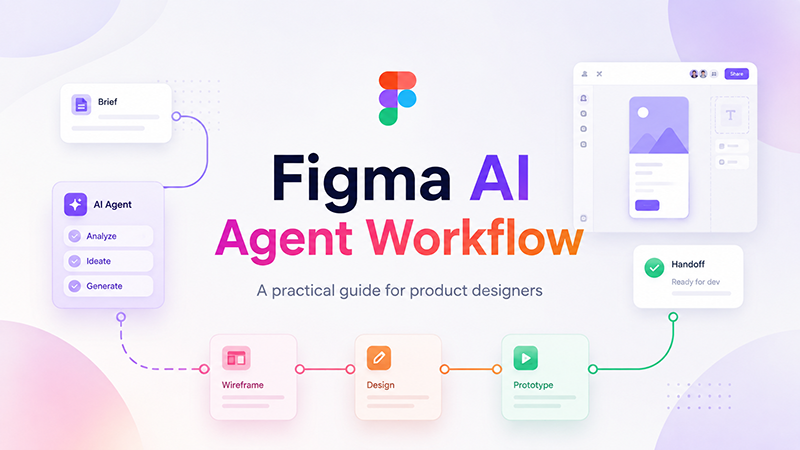
A Practical Workflow for Building AI-Generated Design Systems
To create a useful AI-assisted system, do not start with components. Start with direction.
Step 1: Define the Brand or Product Personality
Before asking AI for colors or layouts, define what the product should feel like.
This product should feel calm, trustworthy, modern, and easy to use. It is designed for small business owners who want simple financial tools without feeling overwhelmed.
Step 2: Generate Visual Territories
Ask AI to generate several visual directions before choosing one.
Create five visual territories for this product. Include mood, color direction, typography style, layout rhythm, UI component feel, and what each direction should avoid.
Step 3: Choose One Direction and Build Rules
Once a direction is chosen, turn it into rules.
- What colors are primary?
- What typography scale should be used?
- What should buttons feel like?
- How much spacing should layouts use?
- What kind of imagery belongs in the system?
- What should never be used?
Step 4: Generate Components
Use AI to create component ideas, but refine them in your design tool.
Start with:
- buttons;
- forms;
- cards;
- navigation;
- modals;
- alerts;
- tables;
- empty states.
Step 5: Test the System on Real Screens
A design system is only useful if it works in real contexts. Test it on actual screens, not just isolated components.
Create examples such as:
- homepage;
- pricing page;
- dashboard;
- settings screen;
- onboarding flow;
- mobile screen;
- email template;
- social post.
Step 6: Document the Rules
After testing, use AI to help write documentation. Then edit it manually so it sounds clear, useful, and specific to the brand.
Case Studies: AI-Generated Design in Action
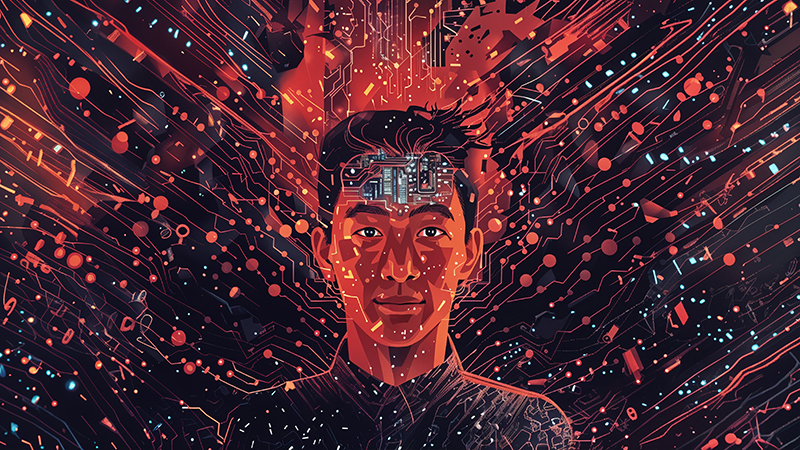
To make this more practical, let’s look at three realistic examples of how AI-generated systems can support designers.
Case 1: Rapid Prototyping for a Mobile App
A UI/UX designer working on a mobile app needs to explore onboarding, dashboard, and settings screens quickly. Instead of starting every screen manually, the designer uses AI to generate several layout structures based on the product brief.
The AI output is not final, but it gives the designer a starting point. The designer then refines the hierarchy, adjusts spacing, builds components in Figma, and creates a more consistent flow.
The result is not “AI designed the app.” The result is that AI helped reduce the blank-page stage and gave the designer more time to focus on UX.
Case 2: Brand Identity Development
A small startup needs a visual identity but is not ready for a full brand system yet. AI helps generate early logo concepts, color directions, moodboards, and typography suggestions.
The designer selects the strongest direction, removes generic ideas, refines the logo, builds a more intentional palette, and documents usage rules.
This makes the early branding process faster while still keeping creative control in human hands.
Case 3: Campaign System for Social Media
A marketing team needs many campaign assets across Instagram, LinkedIn, email, and web banners. AI helps generate layout variations, caption directions, visual motifs, and format adaptations.
The designer turns the best ideas into a reusable campaign system: templates, color rules, typography hierarchy, image style, and export formats.
This is where AI-generated design systems become especially useful: they help scale creative work without making every asset feel disconnected.
The Human Element: Why Designers Still Lead Creativity

AI is fast, but design is not only about speed. Design is about perception, emotion, clarity, trust, usability, and context.
A button’s color can change how confident a user feels. A layout’s spacing can make a product feel premium or cheap. A font choice can make a brand feel friendly, serious, playful, or cold. A small line of microcopy can reduce anxiety before a user takes action.
AI can suggest these things, but it does not truly feel them the way people do.
Human Designers Bring What AI Cannot
- Empathy: understanding how users may feel.
- Context: knowing what matters in a specific product, market, or culture.
- Taste: recognizing when something is almost right but not quite there.
- Strategy: connecting design decisions to business goals.
- Restraint: knowing what to remove.
- Storytelling: making the system feel meaningful, not mechanical.
The most successful AI-assisted design work combines machine speed with human sensitivity.
Top AI Tools for Creative Designers
Different AI tools can support different parts of the design system process. The best tool depends on the task.
| Tool | Useful For | Designer Note |
|---|---|---|
| Uizard | UI mockups, wireframes, and prototypes | Useful for fast product exploration |
| Framer AI | AI-assisted websites, layouts, and components | Good for quick web concepts |
| Visily | Text-to-UI screens, wireframes, and product flows | Helpful for early UI structure |
| Khroma | Color palette exploration | Useful for visual identity and mood testing |
| LogoAI | Logo concepts and early brand identity ideas | Best as a starting point, not a final identity |
| Looka | Logo and brand kit exploration | Useful for quick branding directions |
| Runway | Generative visuals, motion, and campaign ideas | Strong for creative experimentation |
| Designs.ai | Marketing visuals, content, and creative assets | Useful for content scaling workflows |
These tools can help designers move faster, but they should not be used blindly. A smaller, clearer workflow is often better than a crowded stack of disconnected tools.
Common Mistakes With AI-Generated Design Systems
AI can help build stronger design systems, but only when used carefully. Here are the mistakes designers should avoid.
Starting With Components Before Strategy
A design system without strategy becomes a UI kit. Start with the product, audience, brand personality, and user needs before generating components.
Accepting AI Output Too Quickly
AI can create impressive first drafts, but design systems need testing, refinement, and documentation. Do not accept the first version as final.
Ignoring Accessibility
AI-generated color palettes and UI patterns may not meet accessibility standards. Designers should check contrast, readability, focus states, and interaction patterns.
Creating Too Many Variations
AI makes it easy to generate endless options. But a design system needs clarity. Too many styles, buttons, colors, or layouts can weaken consistency.
Forgetting Developer Handoff
A design system must be usable by developers. Naming, tokens, states, and documentation should be clear enough for implementation.
Letting the System Feel Generic
AI-generated systems can start to look similar if the prompts are vague. Add brand personality, audience context, and specific visual rules.
AI-Generated Design System Checklist
Use this checklist before turning an AI-assisted system into a real design system:
- Is the brand or product direction clearly defined?
- Does the system solve a real design problem?
- Are colors assigned to clear roles?
- Has color contrast been checked?
- Is typography readable across devices?
- Are spacing rules consistent?
- Do components include states?
- Are components tested in real screens?
- Are design tokens named clearly?
- Is documentation written for designers and developers?
- Does the system feel specific to the brand?
- Has AI output been reviewed and refined by a human designer?
Useful Resources for AI-Generated Design Systems
If you want to build better AI-generated design systems, combine AI tools with strong design system and accessibility practices. These resources can help:
- Figma AI — AI features for design workflows.
- Figma Best Practices: Components, Styles, and Shared Libraries
- Material Design — design system guidance and component patterns.
- IBM Carbon Design System — example of a mature design system.
- W3C WCAG — accessibility guidelines for digital products.
The Future of AI-Driven Creativity
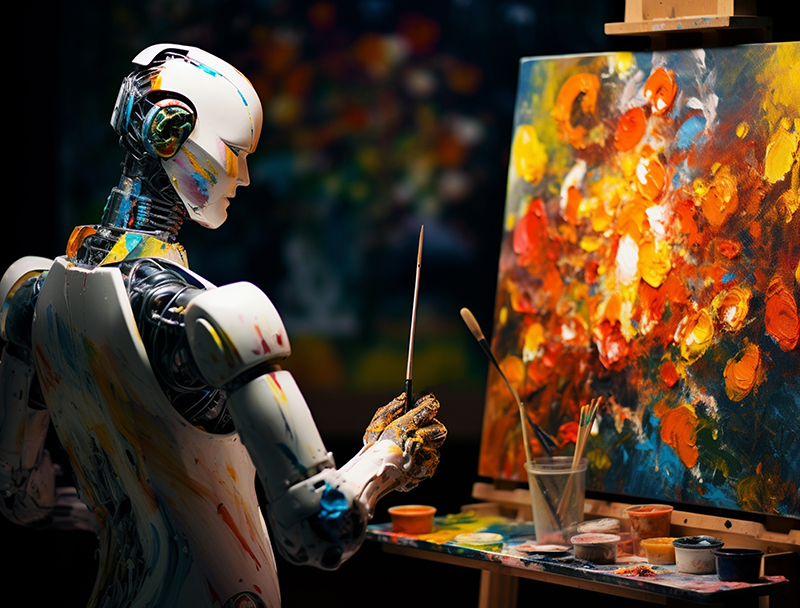
The future of design will likely be more system-based, more adaptive, and more collaborative. Designers will not only create single screens or isolated assets. They will build connected systems that can scale across products, platforms, and audiences.
AI will make this easier by helping with:
- adaptive design systems;
- component generation;
- automated documentation;
- content-aware UI variations;
- brand consistency checks;
- design token management;
- multi-platform asset scaling;
- faster prototype exploration.
But as AI becomes more powerful, the designer’s role becomes more important, not less. Someone still needs to decide what the system means, who it serves, and how it should feel.
The future belongs to designers who can combine creative judgment with intelligent workflows.
FAQ: AI-Generated Design Systems
What are AI-generated design systems?
AI-generated design systems are design systems where AI helps create, organize, or expand elements such as colors, typography, components, layouts, design tokens, and documentation.
Can AI create a full design system?
AI can help create the first structure of a design system, but designers still need to refine it, test it, check accessibility, document rules, and make final creative decisions.
Do AI-generated design systems replace designers?
No. AI-generated design systems support designers by speeding up repetitive tasks and exploration. Human designers still lead strategy, usability, brand meaning, and final quality control.
How can AI help with UI components?
AI can suggest component ideas, layout variations, states, and documentation. Designers still need to check how components work in real screens and user flows.
Are AI-generated color palettes reliable?
AI-generated color palettes can be useful for exploration, but designers should check contrast, accessibility, brand fit, and usage roles before using them professionally.
What tools can help create AI-generated design systems?
Tools such as Figma AI, Uizard, Framer AI, Visily, Khroma, LogoAI, Looka, and Runway can support different parts of AI-assisted design system workflows.
How do designers keep AI-generated systems from looking generic?
Designers can keep systems specific by defining brand personality, audience, tone, visual rules, constraints, and real product needs before generating components or styles.
What should be documented in an AI-assisted design system?
Documentation should include color roles, typography rules, spacing, components, states, usage examples, accessibility notes, design tokens, and developer handoff guidance.
Conclusion: AI Can Generate the System, but Designers Give It Meaning
AI-generated design systems are transforming how designers work. They can help teams move faster, explore more directions, create reusable components, generate documentation, and scale visual consistency across platforms.
But the creative power of AI does not come from automation alone. It comes from the partnership between machine speed and human judgment.
AI can suggest the palette. Designers decide whether it feels right. AI can generate components. Designers decide whether they are usable. AI can draft documentation. Designers make it clear, practical, and aligned with the product.
The future of design systems is not about removing designers from the process. It is about giving designers better ways to build, test, refine, and scale their ideas.
AI can help create the structure. Designers create the meaning.
Explore more AI design guides, creative workflows, and design resources on DesignRise.
Discover more from DesignRise
Subscribe to get the latest posts sent to your email.