AI headshot generators have moved from novelty to practical career tool. In 2026, a professional profile photo is no longer something people update only after booking a photographer, finding a studio, choosing an outfit, and waiting for edits. With the right AI headshot tool, a few everyday photos can become a polished set of business portraits for LinkedIn, resumes, company websites, speaker bios, email signatures, personal branding pages, and remote team directories.
At DesignRise, we look at AI tools through the lens of real creative and business workflows. The question is not only “Can this tool make a nice image?” The better question is: can it help someone look credible, current, and professional in the places where first impressions matter?
This guide compares the most useful AI headshot generators in 2026, explains what each tool is best for, and shows how to choose a service depending on whether you need a LinkedIn photo, a resume headshot, a team page, a founder portrait, a speaker bio image, or a full personal branding set.
What Is an AI Headshot Generator?
An AI headshot generator is a tool that uses artificial intelligence to create professional-looking portraits from uploaded selfies or casual photos. Instead of taking a new studio photo, users provide a set of images, choose styles, backgrounds, clothing options, or professional looks, and the platform generates new portraits that resemble the person in different business-ready settings.
The best AI headshot generators are not just filters. They use advanced image models to understand facial structure, lighting, expression, hair, skin tone, pose, and context. The result can look like a studio portrait, an outdoor professional photo, a clean LinkedIn image, or a polished company headshot.
In 2026, AI headshot tools usually fall into four categories:
- Professional AI headshot generators: tools built specifically for business headshots, LinkedIn photos, resumes, and corporate profiles.
- Team headshot platforms: services designed to create consistent portraits for remote companies, distributed teams, sales pages, and staff directories.
- Creative portrait tools: platforms that generate personal branding images, lifestyle portraits, author photos, creator images, and social profile pictures.
- Quick profile photo generators: lightweight tools for fast, affordable, or free profile pictures when you do not need a full professional package.
The appeal is obvious: speed, cost, convenience, and variety. A traditional photoshoot can be expensive and time-consuming. AI headshot generators can produce many versions in different outfits, backgrounds, and moods. That gives users more choice, especially when they need different photos for different platforms.
However, AI headshots also require judgment. A good AI portrait should still look like you. It should not change your face too much, create an unrealistic smile, distort your eyes, invent strange clothing details, or make you look like a stock-photo version of yourself. The goal is not to appear artificial. The goal is to look professional, trustworthy, and recognizably human.
Why AI Headshot Generators Matter in 2026
Professional identity has become more visual. People are judged online before they ever enter a meeting, send a proposal, apply for a role, publish a guest post, pitch a client, or join a team page. A profile photo is not the whole story, but it often shapes the first few seconds of trust.
That matters for job seekers, founders, consultants, designers, marketers, real estate agents, coaches, speakers, doctors, lawyers, startup teams, remote companies, creators, and students. A weak photo can make a strong profile feel unfinished. A polished photo can make a simple profile look more serious.
AI headshot generators matter because they solve a practical problem: many people need a better photo, but not everyone has access to a photographer, studio lighting, wardrobe help, or time for a full shoot. Remote teams also face the challenge of consistency. One employee has a bright outdoor photo, another uses a selfie, another has a cropped wedding picture, and another has no photo at all. AI can help create a more unified visual standard.
For brands, this is not only about vanity. Team portraits influence company websites, sales decks, press pages, founder bios, LinkedIn pages, conference materials, and client trust. For individuals, a professional profile photo can support career mobility, freelance credibility, and personal branding.
At DesignRise, we see AI headshot generators as part of a broader shift: AI is not only making content faster. It is also making professional presentation more accessible. The best tools help people show up online with clarity, confidence, and visual consistency.
Explore More DesignRise Resources
If you are building a stronger creative or professional AI workflow, these DesignRise collections can help you go deeper:
Quick Comparison: AI Headshot Generators in 2026
Here is a quick overview of the top AI headshot generators and professional profile photo tools worth considering in 2026.
| AI Headshot Generator | Best For | Main Strength | Best User Type |
|---|---|---|---|
| Aragon AI | Professional business headshots | Fast, polished corporate-style results | Job seekers, professionals, executives |
| HeadshotPro | Business and team headshots | Professional styles, outfits, backgrounds | Individuals and company teams |
| BetterPic | Realistic AI headshots | 4K quality, professional styles, realistic likeness | Professionals who want natural results |
| Secta AI | Customizable headshot galleries | Large variety, editing tools, style control | Users who want many options |
| Try it on AI | Fast AI headshots from minimal input | Quick generation and simple workflow | Busy professionals and creators |
| Dreamwave AI | Enterprise, privacy, and team headshots | Strong trust positioning and professional quality | Companies, teams, executives |
| ProPhotos AI | Affordable professional portraits | Business-ready images for LinkedIn and resumes | Students, job seekers, professionals |
| Photo AI | AI photo shoots and headshot packs | Flexible AI photo model workflow | Creators and personal branding users |
| Fotor AI Headshot Generator | Quick online headshots | Accessible, template-based, fast profile images | Beginners and casual users |
| Canva AI Headshot Generator | Design-ready profile photos | Easy editing inside Canva ecosystem | Creators, marketers, small teams |
| Remaker AI Headshot Generator | Fast professional profile images | Simple AI headshot creation workflow | Users who want quick results |
| StudioShot | AI-assisted headshots with human editing | Human retouching and professional consistency | Teams and professionals who want review support |
AI Headshot Generators in 2026: Top Tools for Professional Profile Photos
The tools below are not identical. Some are built for corporate polish. Some focus on speed. Some are better for teams. Some are more flexible for creators. The right choice depends on how formal you need the result to be, how much control you want, and where you plan to use the final headshots.
1. Aragon AI
Best for: professional business headshots for LinkedIn, resumes, and corporate profiles.
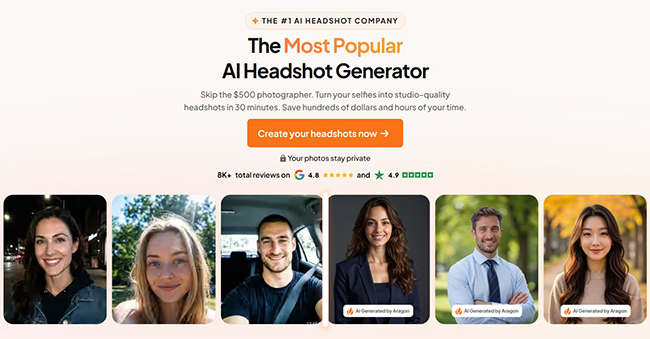
Aragon AI is one of the most recognizable names in the AI headshot category. It is built around a clear promise: turn casual photos into polished professional headshots without needing a traditional photoshoot. For many users, this is exactly the use case that matters. They do not need fantasy portraits or social media avatars. They need a credible business photo that looks clean, confident, and suitable for professional platforms.
Aragon works well for people who want a more traditional professional headshot: clean background, business clothing, good lighting, and a presentation that feels appropriate for LinkedIn, resumes, personal websites, company pages, and speaker bios. The platform is especially attractive for job seekers and professionals who want to upgrade their profile quickly.
One reason Aragon stands out is its focus on business credibility. The goal is not to make the user look dramatically different. The goal is to create a stronger version of a professional portrait. That distinction matters. A headshot that looks too artificial can hurt trust, especially in industries like consulting, finance, healthcare, law, education, and executive leadership.
Aragon is also a good option if you want variety. Different outfits, settings, and professional tones can help you choose one image for LinkedIn, another for a website bio, and another for a resume or press page.
Why DesignRise recommends it: Aragon AI is a strong starting point for professionals who want a reliable business headshot generator with a polished corporate look.
- Strong fit for LinkedIn, resumes, and company bios.
- Good for users who want a polished business look.
- Useful for job seekers, consultants, founders, and executives.
- Best results depend on uploading clear, varied input photos.
- Review the final images carefully to make sure the likeness feels accurate.
2. HeadshotPro
Best for: professional headshots for individuals and teams.
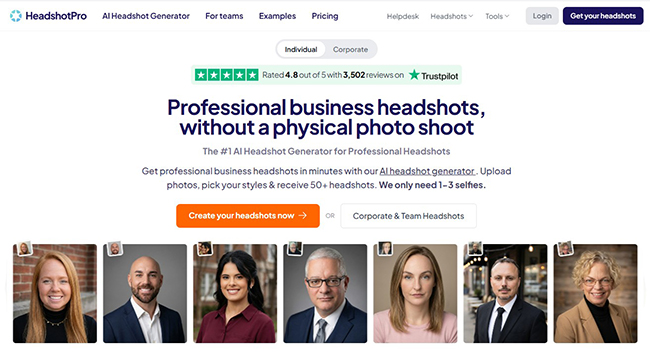
HeadshotPro is another major platform in the AI professional portrait space. It is built for users who want studio-style business headshots without the logistics of a photoshoot. The tool focuses on professional backgrounds, clothing options, and business-ready outputs, making it useful for individual professionals as well as teams.
HeadshotPro is especially relevant for companies that want a more consistent team page. Traditional team headshots can be difficult when people work remotely or live in different cities. One person hires a photographer, another uses a phone selfie, and another has an outdated image from five years ago. A tool like HeadshotPro can help bring visual consistency to a distributed team.
For individuals, the main appeal is convenience. Users can create a full set of professional portraits and choose the one that fits their career goal. A more formal portrait may be useful for a resume or executive profile, while a slightly softer image may work better for LinkedIn, a founder page, or a personal brand website.
HeadshotPro works best when the user wants a clean, conventional professional result. If you want highly creative editorial portraits, another tool may be better. But if the goal is “make me look professional and trustworthy,” HeadshotPro fits the brief.
Why DesignRise recommends it: HeadshotPro is a strong choice for business users and teams that need polished, consistent professional portraits.
- Good for individual business headshots and team pages.
- Useful for corporate, startup, sales, and consulting profiles.
- Offers a business-oriented style rather than experimental portraits.
- Strong fit for remote teams that need visual consistency.
- Final results should be checked for facial accuracy and natural expression.
3. BetterPic
Best for: realistic AI headshots that look polished but still natural.
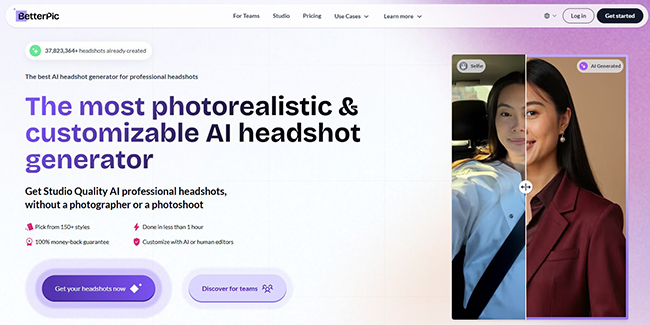
BetterPic positions itself around realism, which is one of the most important qualities in AI headshots. A business portrait should not look like a generated face wearing a suit. It should look like a professional image of the actual person. BetterPic is a strong option for users who care about natural likeness, clean styling, and professional presentation.
The platform is useful for people who want a modern professional profile photo without the image feeling overly stiff. This can matter for creative professionals, founders, coaches, marketers, designers, consultants, and remote workers who want to look credible but not overly corporate.
BetterPic is also relevant for users who care about quality and resolution. If you need a headshot not only for LinkedIn but also for a website, press kit, business card, speaker page, or internal company directory, image quality becomes more important.
The strongest AI headshot tools in 2026 are not judged only by how dramatic the transformation is. They are judged by whether the result passes a simple test: would someone believe this was taken by a professional photographer? BetterPic is a good option for users who want that natural, polished result.
Why DesignRise recommends it: BetterPic is a strong choice for professionals who want realistic headshots that do not look overly artificial or generic.
- Good for realistic business profile photos.
- Useful for LinkedIn, resumes, websites, and personal branding.
- Strong fit for users who want a natural but upgraded look.
- Helpful when image quality and polish matter.
- Users should still compare several outputs and avoid images that over-edit facial features.
4. Secta AI
Best for: users who want many headshot options and more customization control.
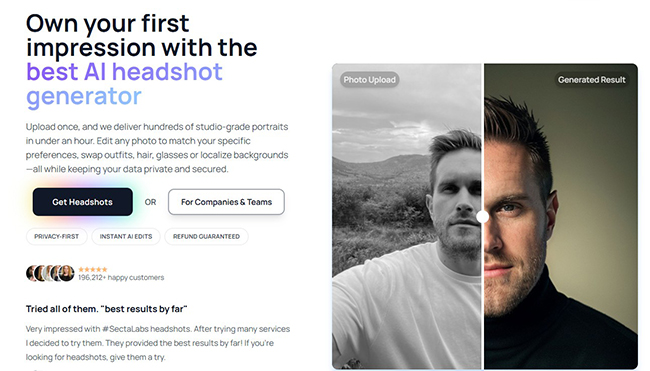
Secta AI is a strong choice for people who want a larger gallery of options and more control over the final look. It offers AI-generated professional portraits with options for changing elements like clothing, expression, background, and style. That makes it useful for users who do not want only one standard corporate image.
This matters because professional identity is not one-size-fits-all. A lawyer may need a very formal portrait. A startup founder may want something confident but approachable. A designer may prefer a more creative environment. A coach may want warmth and trust. A speaker may need a strong image for event materials. A tool with more variety helps users find a portrait that fits their actual professional context.
Secta AI is especially useful for people who are not sure what style they want. Instead of committing to one photographer setup, they can explore studio backgrounds, outdoor looks, office settings, and different outfit tones. This variety can make it easier to choose the right image for each platform.
The tradeoff with large galleries is that users need to edit with discipline. More options do not automatically mean better choices. The best image is usually the one that looks most believable, appropriate, and aligned with the person’s brand.
Why DesignRise recommends it: Secta AI is useful for professionals who want style variety and customization rather than a single narrow headshot look.
- Good for users who want many headshot options.
- Useful for experimenting with outfits, expressions, and backgrounds.
- Strong fit for personal branding and multi-platform use.
- Helpful when one image needs to work for different contexts.
- Users should avoid selecting images that look too artificial or over-styled.
5. Try it on AI
Best for: fast AI headshots with a simple workflow.
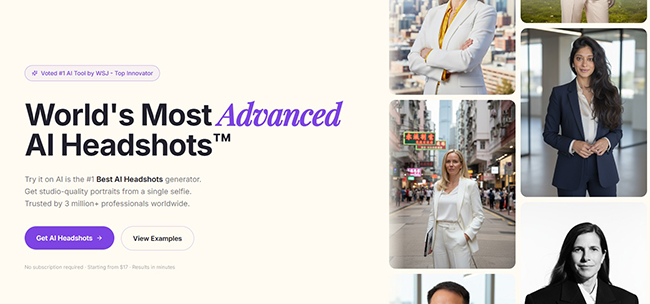
Try it on AI is built for users who want a fast, simple way to create AI-generated professional headshots. It is a good option for people who do not want to spend too much time comparing settings or learning a complicated platform. The value is speed and accessibility.
This kind of tool is especially useful when someone needs a presentable headshot quickly: a job application, LinkedIn update, conference bio, startup profile, creator page, student portfolio, or professional announcement. In those moments, speed matters. A traditional photoshoot may not be possible, and a casual phone photo may not be strong enough.
Try it on AI is also a good fit for users who are new to AI headshot generation. The best first experience is often one that is simple: upload a photo, choose a style, generate results, and pick the strongest image.
Because the workflow is quick, users should pay extra attention to output quality. Fast generation is helpful, but the final choice still needs to look like a real person in a real professional context.
Why DesignRise recommends it: Try it on AI is a practical choice for users who want fast professional profile photos without a complex setup.
- Good for quick headshot generation.
- Useful for LinkedIn, resumes, portfolios, and creator profiles.
- Simple workflow for users new to AI portrait tools.
- Strong fit for busy professionals who need results quickly.
- Final images should be checked for realism and facial accuracy.
6. Dreamwave AI
Best for: enterprise, teams, privacy-conscious users, and professional portraits at scale.
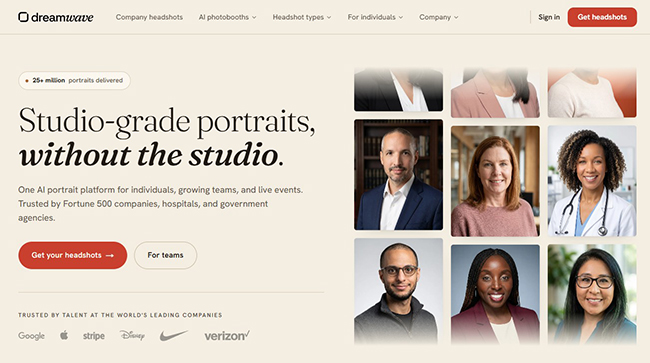
Dreamwave AI is one of the more serious options in the AI headshot space because it speaks directly to quality, privacy, team use, and enterprise concerns. That makes it especially relevant for companies that need headshots for employees, executives, healthcare teams, consultants, remote staff, or professional directories.
For individuals, Dreamwave can still be useful. But its stronger positioning is around trust and professional reliability. In business environments, especially larger organizations, the question is not only whether the headshots look good. Teams also ask: how is data handled, can the results be consistent, can the provider support groups, and will the images look credible in regulated or trust-sensitive industries?
Dreamwave is also a strong fit for teams that want remote headshots without coordinating a physical shoot. Instead of flying people in or hiring photographers in multiple cities, a company can generate a more consistent set of portraits from employee-uploaded photos.
For DesignRise readers working with brands, agencies, or business websites, this is important. Headshots are part of brand design. A team page with inconsistent portraits can make a company feel less polished. A consistent visual system can make even a small team look more established.
Why DesignRise recommends it: Dreamwave AI is a strong option for companies and privacy-conscious professionals who need polished AI headshots with a more serious business focus.
- Good for teams, enterprises, and professional organizations.
- Useful for consistent company headshots at scale.
- Strong fit for executives, healthcare, consulting, and remote teams.
- Relevant for users who care about privacy and data handling.
- May be more than casual users need for one quick profile photo.
7. ProPhotos AI
Best for: affordable professional headshots for LinkedIn, resumes, and job search profiles.
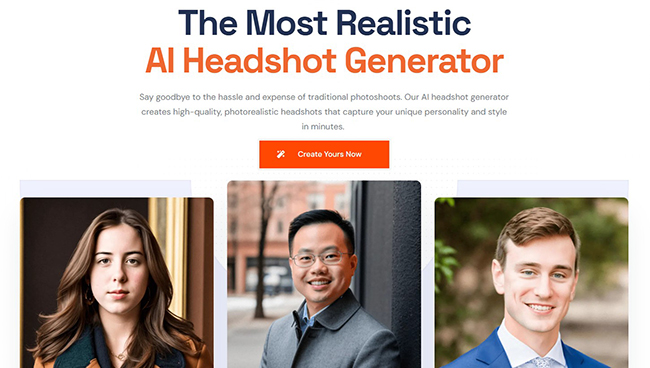
ProPhotos AI is designed for people who want professional headshots without the traditional cost and scheduling friction of a photoshoot. It is especially useful for job seekers, students, early-career professionals, freelancers, and anyone who needs to improve a professional profile quickly.
Not everyone needs an enterprise-grade headshot package. Sometimes the goal is simple: replace a weak selfie with a clean, professional image that works on LinkedIn, a resume, an application profile, or a portfolio site. ProPhotos AI fits that practical use case.
The platform can also be useful for people who need several versions of a headshot: one more formal, one more approachable, one for a resume, and one for a website. Having options helps users choose based on context.
ProPhotos AI is particularly relevant for people entering the job market. A professional profile photo is not a guarantee of career success, but it can help a profile feel more complete and intentional.
Why DesignRise recommends it: ProPhotos AI is a good option for users who want affordable, business-ready headshots without a complicated workflow.
- Good for LinkedIn, resumes, and job search profiles.
- Useful for students, freelancers, and early-career professionals.
- Affordable alternative to traditional photography.
- Simple use case: look more professional online.
- Review final images carefully to avoid overly generic results.
8. Photo AI
Best for: flexible AI photo shoots, personal branding, and multiple portrait styles.
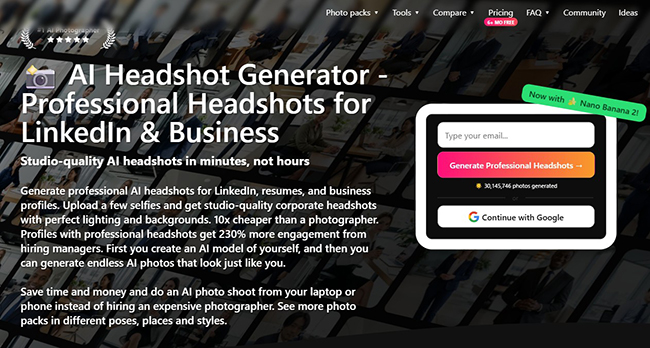
Photo AI is broader than a simple AI headshot generator. It is built around the idea of creating AI photo shoots and generating many images that look like the user in different poses, places, and styles. That makes it interesting for creators and personal branding users who need more than one formal headshot.
For example, a consultant may need a clean LinkedIn headshot, a warmer website portrait, a lifestyle image for a newsletter, and a more creative image for social media. A coach may want approachable photos. An author may want images for a book page. A creator may want a range of photos for different platforms.
Photo AI is useful when the headshot is part of a larger visual identity. It can support a broader personal brand rather than only one corporate portrait.
That flexibility is powerful, but it also requires taste. Not every generated portrait should be used professionally. The strongest personal branding images still need to look believable, consistent, and aligned with the person’s actual work.
Why DesignRise recommends it: Photo AI is a good choice for creators and professionals who want a broader AI photo shoot experience, not only a single business headshot.
- Good for personal branding and multiple image styles.
- Useful for creators, coaches, authors, consultants, and freelancers.
- Can support more than one professional platform.
- Flexible alternative to a traditional photo session.
- Users should choose outputs carefully to maintain credibility.
9. Fotor AI Headshot Generator
Best for: quick online profile photos and beginner-friendly AI headshots.
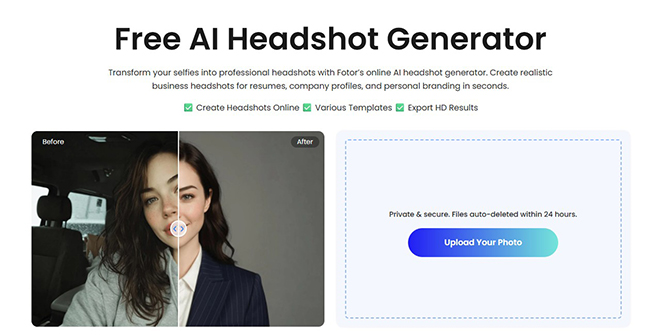
Fotor AI Headshot Generator is a more accessible option for users who want to create a professional-looking headshot quickly online. Fotor is already known as a photo editing and design platform, so its headshot tool is useful for people who want profile images without entering a heavy professional headshot workflow.
This makes Fotor a good choice for casual users, students, small business owners, social media users, and people who want a simple way to upgrade a profile picture. It can also be useful when you want to test the idea of AI headshots before paying for a more specialized service.
Fotor’s strength is accessibility. A user can create headshots and then continue editing or designing other assets inside a familiar creative environment. That matters for people who want a headshot for a resume, portfolio, email signature, social profile, or business card.
Fotor may not be the first choice for a full executive team rollout, but it is useful for lightweight professional profile photo creation.
Why DesignRise recommends it: Fotor is a practical option for users who want a simple AI headshot generator with easy editing and fast profile photo creation.
- Good for quick profile photo updates.
- Useful for beginners and casual users.
- Works well for resumes, social profiles, and personal branding basics.
- Accessible for users who already use online design tools.
- More specialized business headshot platforms may produce stronger corporate consistency.
10. Canva AI Headshot Generator
Best for: design-ready profile photos inside Canva workflows.
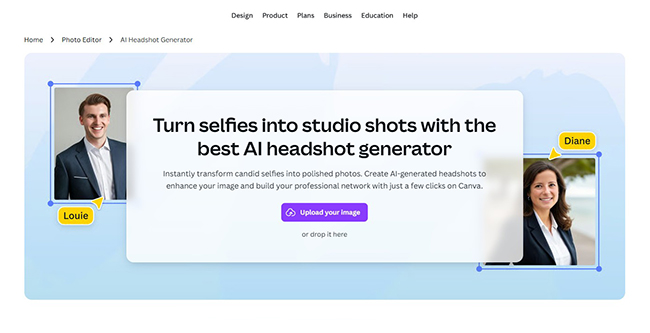
Canva AI Headshot Generator is useful because it connects AI headshot creation with a full design platform. For many creators, small business owners, marketers, and students, the headshot is not the final asset. It needs to be placed into a resume, presentation, LinkedIn banner, media kit, business card, website graphic, pitch deck, or social post.
That is where Canva becomes practical. Users can create or enhance a professional profile photo and then immediately use it inside design templates. This can save time for people who do not want to move between separate tools.
Canva is especially useful for users who care about layout and presentation. A headshot can be added to a resume template, profile card, staff page mockup, speaker announcement, email header, or portfolio design. For small teams and personal brands, this is a real advantage.
Canva may not always be the most specialized option for ultra-realistic executive headshots, but it is one of the most convenient choices for users who need a headshot as part of a design workflow.
Why DesignRise recommends it: Canva is a strong choice when the AI headshot needs to become part of a polished design asset, not just a standalone photo.
- Good for creators, marketers, students, and small businesses.
- Useful when the headshot will be used in designs and templates.
- Convenient for resumes, presentations, profile cards, and social graphics.
- Works well for users already comfortable with Canva.
- For high-end corporate portraits, compare results with specialized headshot tools.
11. Remaker AI Headshot Generator
Best for: fast AI-generated professional profile images.
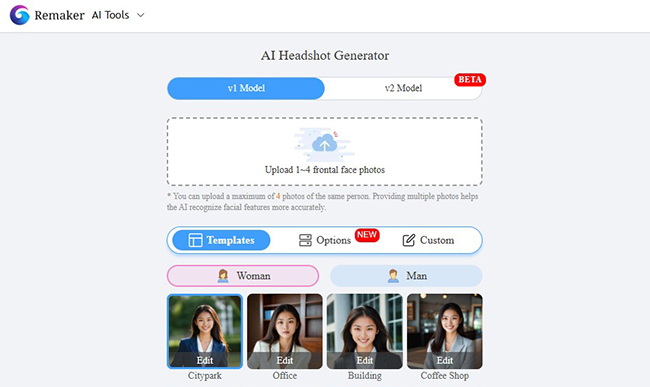
Remaker AI Headshot Generator is a straightforward option for users who want to create professional-looking headshots online. It is useful for quick profile updates, LinkedIn images, resumes, social accounts, and personal branding basics.
The main value is simplicity. Not every user needs a large headshot package, advanced team controls, or a long onboarding process. Some people simply want a better profile photo that looks clean and presentable.
Remaker can be a reasonable option for users who want to experiment with AI headshot generation or need a fast result. It can also be useful for people who need several profile images for different platforms.
As with any fast AI image tool, users should check the results carefully. Look at eye shape, teeth, hands if visible, clothing edges, background details, and whether the image still looks like the real person.
Why DesignRise recommends it: Remaker is useful for quick AI headshots and simple professional profile image generation.
- Good for fast professional profile photos.
- Useful for LinkedIn, resumes, and social profiles.
- Simple option for users who want to test AI headshots.
- Works best for lightweight profile photo needs.
- Careful review is important before using the image professionally.
12. StudioShot
Best for: AI-assisted headshots with a more controlled, edited finish.
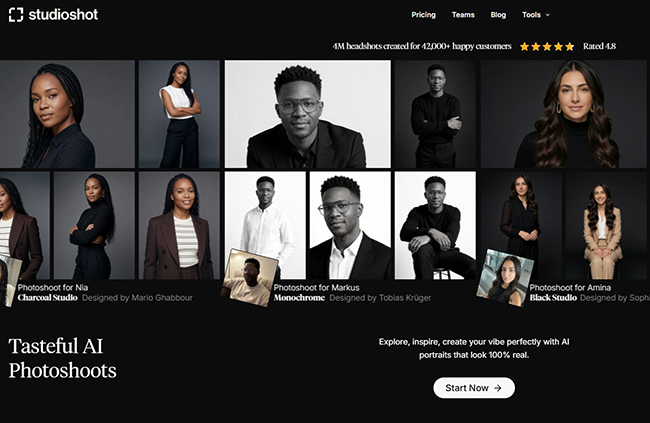
StudioShot is worth considering for users and teams who want AI-assisted convenience but still value a more reviewed, polished, or professionally guided result. The platform is positioned around professional headshot creation without a traditional in-person photoshoot, and it is especially relevant for business portraits and team consistency.
StudioShot can be useful for organizations that are nervous about fully automated headshots. Some companies want the speed of AI but still prefer a service that feels closer to a professional photography workflow. This is especially relevant for team pages, sales teams, leadership bios, and client-facing staff.
The advantage of a more guided approach is quality control. Fully automated AI tools can create excellent results, but they can also produce odd details. A tool that emphasizes professional output and review can be more comfortable for brands that need consistency and credibility.
For individuals, StudioShot may be useful when the image needs to feel polished enough for a formal business environment. For teams, it can help create a more coherent visual identity without coordinating a physical studio day.
Why DesignRise recommends it: StudioShot is a strong option for professionals and companies that want AI-assisted convenience with a more polished headshot service feel.
- Good for business headshots and teams.
- Useful for companies that care about consistency and polish.
- Strong fit for sales pages, leadership bios, and staff directories.
- May feel more professional than quick profile-photo generators.
- Compare workflow, pricing, and turnaround before choosing it for a full team.
How to Choose the Right AI Headshot Generator
The best AI headshot generator depends on your goal. A student applying for internships, a founder updating a pitch deck, a real estate agent building trust, and a company creating a remote team page will not need the same tool.
Choose Aragon AI or HeadshotPro if you want a classic professional business headshot
These tools are strong choices when you want a polished corporate-style portrait for LinkedIn, resumes, websites, or business profiles. They are especially useful for users who want something credible and conventional.
Choose BetterPic if realism is your top priority
If you are worried about AI headshots looking fake, BetterPic is a strong option to test because it focuses heavily on realistic professional results.
Choose Secta AI if you want many options and customization
Secta is useful when you want a large range of outputs, different backgrounds, clothing options, expressions, and more control over the final image.
Choose Dreamwave AI or StudioShot for teams and business consistency
Companies and remote teams should prioritize consistency, data handling, and professional polish. Dreamwave and StudioShot are better fits for team pages and enterprise workflows than lightweight free tools.
Choose ProPhotos AI if you need an affordable professional upgrade
ProPhotos AI is useful for students, job seekers, freelancers, and professionals who want a better headshot without a high-cost photoshoot.
Choose Photo AI if you need a broader personal branding photo set
If you need more than one formal headshot, Photo AI can be useful for generating multiple professional and lifestyle-style images.
Choose Canva or Fotor if you want a fast profile photo inside a design workflow
Canva and Fotor are practical when you want a headshot that can quickly become part of a resume, social graphic, profile card, or marketing asset.
Best AI Headshot Generator by Use Case
| Use Case | Recommended Tools |
|---|---|
| Best overall business headshots | Aragon AI, HeadshotPro, BetterPic |
| Best realistic AI headshots | BetterPic, Dreamwave AI, Secta AI |
| Best for LinkedIn profile photos | Aragon AI, HeadshotPro, ProPhotos AI, BetterPic |
| Best for resumes and job search | ProPhotos AI, Aragon AI, Canva, Fotor |
| Best for remote teams | Dreamwave AI, StudioShot, HeadshotPro |
| Best for executives | Aragon AI, BetterPic, Dreamwave AI, StudioShot |
| Best for personal branding | Photo AI, Secta AI, BetterPic, Canva |
| Best for quick profile photos | Fotor, Canva, Remaker, Try it on AI |
| Best for many style options | Secta AI, Photo AI, HeadshotPro |
| Best for design workflows | Canva, Fotor |
How to Prepare Photos for Better AI Headshots
The quality of an AI headshot depends heavily on the photos you upload. Even the best AI headshot generator cannot fully fix poor input. If your selfies are blurry, dark, heavily filtered, or inconsistent, the final output may look less natural.
1. Upload clear photos with good lighting
Choose images where your face is visible, sharp, and evenly lit. Natural window light works well. Avoid extreme shadows, harsh overhead lighting, sunglasses, and heavy color filters.
2. Use different angles, not the same selfie repeated
AI needs variety. Upload photos from slightly different angles, expressions, and distances. Do not upload ten nearly identical selfies from the same moment.
3. Avoid group photos and cropped faces
Use images where you are the only person in the frame. Cropped faces, crowded backgrounds, or other people nearby can confuse the model.
4. Keep your appearance current
If your hairstyle, facial hair, glasses, or general appearance has changed, use recent photos. A headshot should represent how you look now, not how you looked years ago.
5. Do not upload heavily edited photos
Beauty filters, face reshaping, extreme smoothing, and dramatic color edits can make the AI output less accurate. Use honest, clean input photos.
6. Include natural expressions
A forced smile can produce awkward results. Upload photos with relaxed, natural expressions. Professional does not mean emotionless.
7. Choose styles that match your profession
A finance consultant, UX designer, startup founder, therapist, real estate agent, and creative director may need different portrait styles. Choose backgrounds and outfits that fit your audience.
What Makes an AI Headshot Look Professional?
A professional AI headshot is not simply a photo with a suit and a blurred background. It needs to communicate trust, clarity, and visual competence. The strongest headshots are usually simple, believable, and aligned with the person’s role.
Natural likeness
The image should look like the real person. If the AI changes facial structure too much, the result may look impressive but not trustworthy.
Clean lighting
Good headshots usually have soft, flattering light that makes the face clear. Avoid images where the lighting looks theatrical, plastic, or overly glossy.
Appropriate background
For LinkedIn and resumes, simple studio, office, or neutral backgrounds usually work best. Creative backgrounds can work for personal brands, but they should not distract from the face.
Professional clothing
The clothing should match the industry. A blazer may work for corporate profiles. A smart casual look may work better for creative roles. Avoid clothing that looks distorted or impossible.
Balanced expression
A good professional expression is approachable, calm, and confident. A stiff or overly dramatic expression can feel unnatural.
Realistic details
Check ears, hairline, glasses, teeth, collar edges, jewelry, hands, and background objects. AI errors often hide in small details.
Platform fit
A LinkedIn headshot, team website photo, resume image, speaker bio, and creator profile may need slightly different energy. Choose the image based on where it will appear.
Common Mistakes to Avoid with AI Headshot Generators
AI headshot tools can save time, but they can also create weak results if used without judgment. Here are the mistakes to avoid.
Choosing the most glamorous image instead of the most credible one
The best headshot is not always the most dramatic. Choose the photo that looks believable, professional, and aligned with your real role.
Using an image that no longer looks like you
If the AI result changes your face too much, do not use it professionally. A headshot should improve presentation, not create a false identity.
Ignoring small AI artifacts
Look closely at teeth, eyes, glasses, earrings, collars, and background edges. Small distortions can make an image look fake.
Using the same headshot everywhere without context
One image may not fit every platform. A formal headshot may work for a resume, while a warmer portrait may work better for a personal website.
Uploading poor input photos
Bad input creates bad output. Use clear, recent, well-lit photos with variety.
Forgetting privacy and data policies
Before uploading face images, check how the platform handles data, storage, deletion, model training, and privacy. This matters even more for teams and companies.
Using AI headshots where authenticity is legally or professionally sensitive
Some industries may have stricter expectations around professional representation. If your headshot will be used in regulated, official, or trust-sensitive contexts, choose a realistic output and avoid misleading edits.
AI Headshots for Teams and Personal Branding
AI headshot generators are especially useful for teams because they solve a common visual problem: inconsistency. A company website may have one employee photo taken in a studio, another in a kitchen, another at a wedding, and another as a cropped selfie. The result can make even a strong company look visually disorganized.
For remote teams, AI headshots can create a more unified look without requiring everyone to visit the same photographer. This is helpful for startup teams, agencies, SaaS companies, healthcare groups, real estate offices, consulting firms, education teams, and organizations with staff in different locations.
For personal branding, AI headshots can help professionals create a small visual set instead of relying on one outdated photo. A founder might use one image for LinkedIn, another for a podcast bio, another for a conference page, and another for a media kit. A creator might use a warmer image for a newsletter and a more formal one for a partnership deck.
DesignRise recommends thinking about headshots as part of a visual system. The best profile photo should match your website, resume, social presence, industry, and brand tone. AI can generate the options, but the user still needs to choose with strategy.
For teams, create simple rules before generating headshots:
- Use one or two background styles for everyone.
- Choose a consistent crop and image ratio.
- Keep lighting style similar across team members.
- Decide whether clothing should be formal, smart casual, or creative.
- Avoid mixing realistic headshots with highly stylized portraits.
- Review all final images together before publishing the team page.
Consistency is what makes AI headshots look professional at scale. Without it, the team page may still feel random, even if each individual portrait looks good.
Final Verdict: Which AI Headshot Generator Should You Choose in 2026?
The best AI headshot generator in 2026 depends on the kind of professional image you need.
If you want a polished business headshot for LinkedIn, resumes, and corporate profiles, start with Aragon AI, HeadshotPro, or BetterPic. These tools are strong choices for professionals who want credible, business-ready portraits.
If realism is the main concern, BetterPic, Dreamwave AI, and Secta AI are worth testing. If you want many styles, variations, and customization options, Secta AI and Photo AI are especially useful. If you need fast results with a simple workflow, consider Try it on AI, Fotor, Canva, or Remaker.
For teams and companies, the decision should be more careful. Look at Dreamwave AI, StudioShot, and HeadshotPro if consistency, privacy, and professional presentation matter. For students and job seekers who need an affordable upgrade, ProPhotos AI is a practical option.
The bigger lesson is simple: AI can create the portrait, but it cannot decide your professional identity for you. The best AI headshot is not the image that looks most impressive. It is the image that looks accurate, trustworthy, current, and right for the context where people will see it.
At DesignRise, we believe AI headshot generators are useful not because they replace photographers entirely, but because they make professional presentation more accessible. A strong headshot can help a profile feel complete, a team page feel consistent, and a personal brand feel more intentional.
Frequently Asked Questions
What is the best AI headshot generator in 2026?
For professional business headshots, Aragon AI, HeadshotPro, BetterPic, Dreamwave AI, and Secta AI are strong options to consider. The best choice depends on whether you need speed, realism, team consistency, customization, or affordable LinkedIn-ready photos.
Are AI headshots good enough for LinkedIn?
Yes, many AI headshots can work well for LinkedIn if they look realistic, current, and professional. Avoid images that over-edit your face, distort details, or make you look noticeably artificial.
Can AI headshots replace a professional photographer?
AI headshots can replace a traditional photoshoot for many everyday professional uses, especially LinkedIn, resumes, company directories, and basic personal branding. However, for major campaigns, high-end editorial portraits, or brand-critical executive photography, a professional photographer may still be the better choice.
How many photos should I upload for AI headshots?
It depends on the tool. Some platforms ask for only one selfie, while others request several clear photos from different angles. In general, varied, recent, well-lit photos produce better results than repeated versions of the same selfie.
Do AI headshots look fake?
Some AI headshots look fake, but the best tools can create very natural results. The key is to choose realistic outputs, avoid over-styled images, and check small details like eyes, teeth, glasses, hair, and clothing edges.
Are AI headshots safe to use?
AI headshots can be safe to use, but users should check privacy policies before uploading face images. Pay attention to data storage, deletion, model training, and whether the platform is appropriate for individual or team use.
What should I wear in an AI headshot?
Choose clothing that matches your industry and audience. Corporate roles may need formal business clothing, while creative or startup roles may work better with smart casual outfits. Avoid extreme patterns, distracting accessories, or styles that do not fit your professional context.
Can companies use AI headshot generators for team pages?
Yes. AI headshot generators can be useful for remote teams and company directories because they can create a more consistent look across employees. Teams should define background, crop, lighting, and outfit guidelines before generating photos.
What makes a good professional profile photo?
A good professional profile photo should look like you, show your face clearly, use clean lighting, have a simple background, and feel appropriate for your industry. It should communicate trust and confidence without looking artificial.
Should I disclose that my headshot was AI-generated?
For most professional profiles, disclosure is not always required, but honesty matters if the image significantly changes your appearance. If the headshot is realistic and represents how you actually look, it functions like an edited professional portrait. Avoid using AI images that misrepresent your identity.
Discover more from DesignRise
Subscribe to get the latest posts sent to your email.