









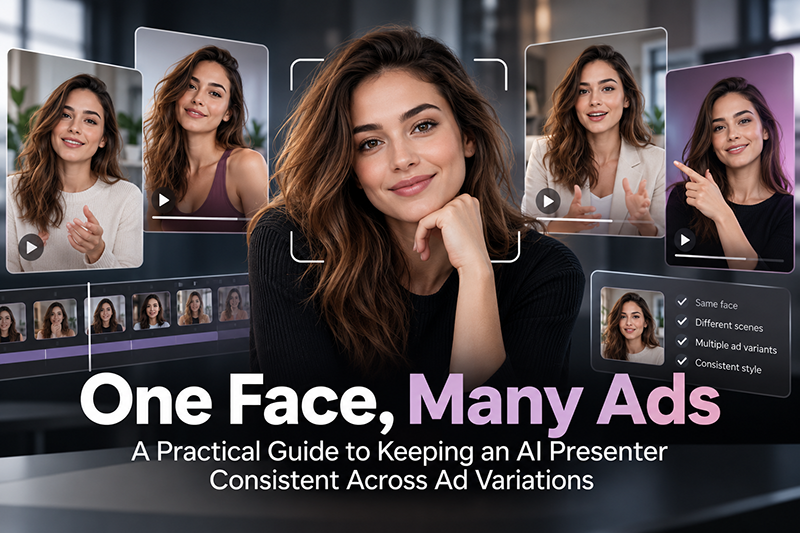
Performance teams rarely run one ad. They run a set: three hooks, two offers, a square cut and a vertical cut, a version for returning customers and one for cold audiences. When the presenter in those ads is AI-generated, every new variation is a fresh chance for the face to drift. The jawline softens, the eye colour shifts, the hair parts on the other side, and by the tenth variant the “same” person looks like a cousin.
That drift is more than a cosmetic problem. A recurring presenter is a familiarity signal. If viewers see a slightly different person in every placement, you lose the recognition you were paying to build, and your creative tests get noisier because you are no longer changing one variable at a time.
This guide walks through a repeatable workflow for keeping one presenter consistent across a full set of ad variations. It is tool-agnostic: the same principles apply whichever image or video generator your team uses.
1. Decide what “consistent” means before you generate anything
Consistency is not the same as identical. A presenter can change outfits, settings and expressions and still read as the same person. What must stay fixed is identity: the features a viewer uses to recognise a face.
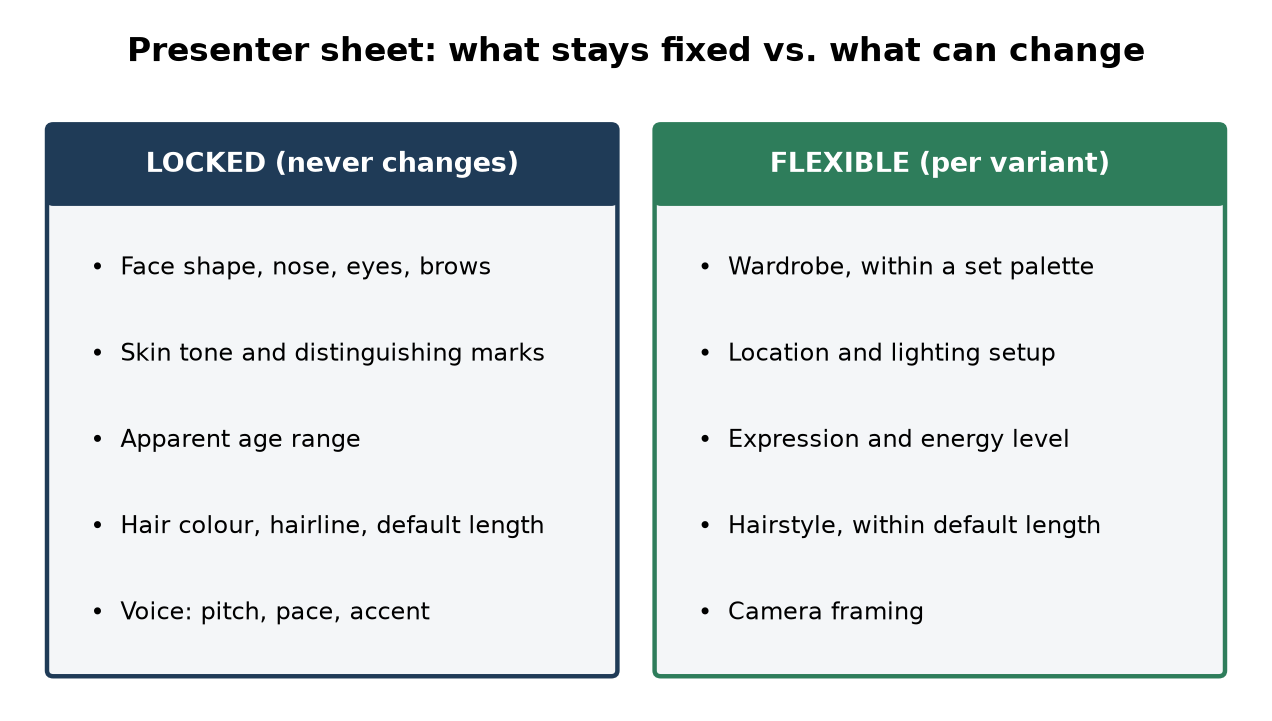
Write a one-page presenter sheet before the first generation. Split it into two columns.
Locked (never changes):
- Face shape, nose, eye shape and colour, brow shape
- Skin tone and distinguishing marks (freckles, a scar, a mole)
- Apparent age range
- Hair colour, hairline and default length
- Voice character, if the ads have audio (pitch, pace, accent)
Flexible (can change per variant):
- Wardrobe, within a defined palette
- Location and lighting
- Expression and energy level
- Hairstyle, within the default length
- Camera framing
The sheet becomes the brief for everyone who touches the campaign, from the person writing prompts to the editor assembling the final cuts. It also gives you a checklist for reviewing outputs later.
2. Build a reference pack, not a single reference image
Most consistency problems start with a weak anchor. One good portrait is not enough, because a generator asked to show that face in profile, in low light or mid-laugh has to guess what it has never seen.
Create a reference pack of roughly eight to twelve images of the presenter before you produce any ads:
- A neutral front-facing portrait in soft, even light
- Three-quarter views from both sides
- A true profile
- Two or three expressions: a natural smile, a talking mid-sentence frame, a serious look
- A half-body shot and a full-body shot in the default wardrobe
- One or two frames in the kind of lighting your ads will actually use (bright daylight for lifestyle, warm interior for evening scenes)
Generate many candidates for each angle and keep only those that match the locked column on your presenter sheet. Be ruthless here. Every flawed image you let into the pack becomes a source of drift later.
Store the pack in one shared folder with clear file names (presenter-front-neutral, presenter-left-34-smile, and so on) so nobody pulls a rejected candidate by mistake.
3. Use your generator’s identity features, and know their limits
Most current image and video generators offer some way to carry identity from one output to the next. The names differ, but they tend to fall into a few families:
- Reference-image conditioning: you supply one or more images and the model uses them as a guide for the face.
- Saved characters or personas: the tool stores a character from your references so you can call it by name in later prompts.
- Custom fine-tuning: you train a lightweight model on your reference pack so the identity is baked in.
- Image-to-video: you generate a still that matches your presenter, then animate that still, rather than generating video from text alone.
Each has trade-offs. Reference conditioning is fast but can loosen at extreme angles. Saved characters are convenient but may drift if the underlying model is updated. Fine-tuning tends to hold identity well but takes setup time and needs a clean pack. Image-to-video gives you tight control of the first frame, but faces can still shift as motion increases, especially in head turns.
In practice, many teams combine methods: they lock identity in a still first, then animate it. Whatever you use, test it against your presenter sheet on a handful of throwaway shots before committing a whole campaign to it.
4. Separate identity from variation in your prompts
A common cause of drift is prompts that mix identity description with scene description in one long, slightly different paragraph every time. Small wording changes in the identity part produce small changes in the face.
Structure prompts in two blocks:
- Identity block: a fixed, copy-pasted description of the presenter that matches the presenter sheet. Never edit it per variant.
- Variant block: the parts that change, such as the setting, wardrobe, action, camera angle and mood.
For example, the identity block might describe “a woman in her early thirties with shoulder-length dark brown hair parted on the left, warm olive skin, a small mole above the right lip, dark brown almond-shaped eyes.” The variant block then says “standing in a bright kitchen, holding a mug, talking to camera, medium close-up, morning light.”
Keep the identity block in a shared document and treat it like a brand asset. If it needs to change, change it once, deliberately, and regenerate the reference pack.
5. Plan the variation matrix up front
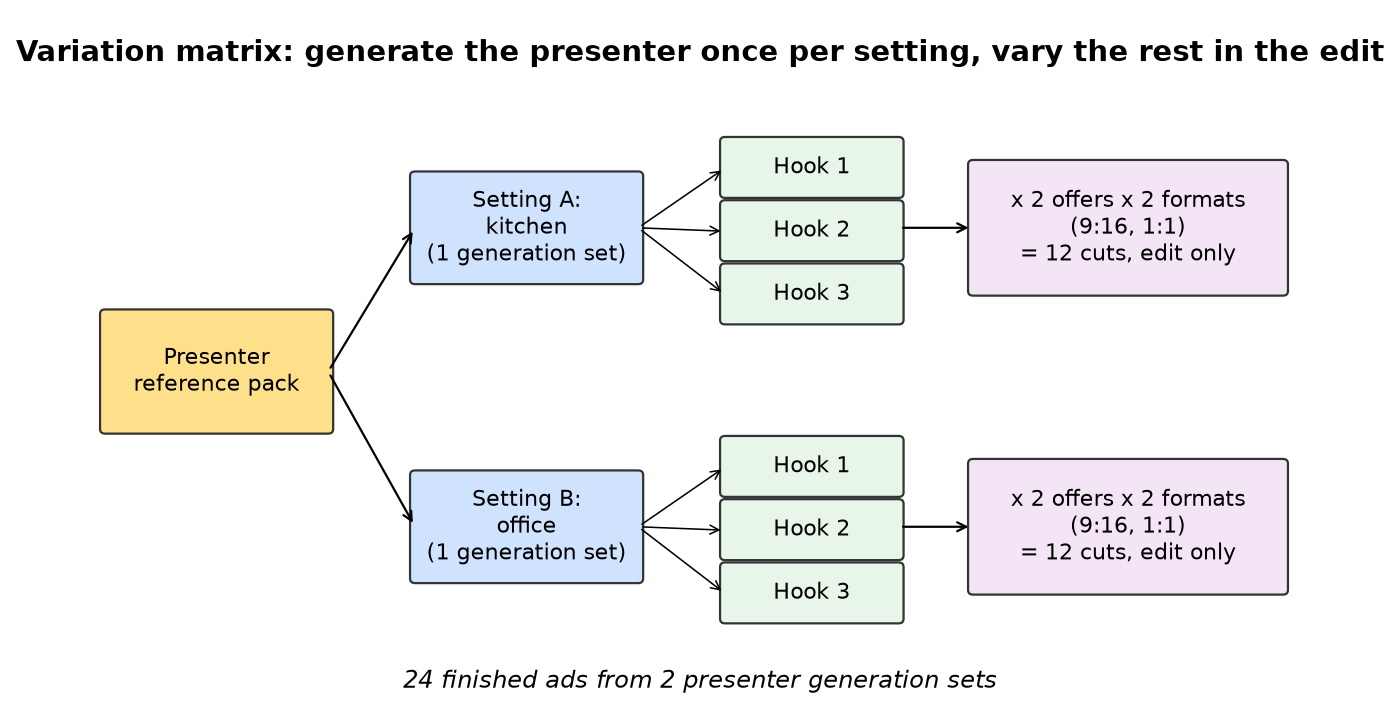
Ad sets multiply fast. Three hooks across two offers in two aspect ratios is already twelve outputs, and every extra variable compounds it. Generating them ad hoc makes drift far more likely, because each output is made under slightly different conditions.
Map the full matrix before production:
| Variable | Options |
|---|---|
| Hook | Problem-first, result-first, question |
| Offer | Standard, limited-time |
| Format | 9:16 vertical, 1:1 square |
| Setting | Kitchen, office |
Then decide which variables actually require new footage of the presenter. Often the presenter’s performance can be shared across several variants, with the hook, captions or end card changing in the edit. If one strong talking-head take can serve four variants, you have four fewer chances for the face to change.
A useful rule: generate the presenter as few times as possible, and vary everything else in post.
6. Keep lighting and camera language consistent
Faces read differently under different light. A presenter lit from a hard side angle looks older and more angular than the same presenter in soft frontal light. Generators exaggerate this, because lighting changes can nudge the model toward a different-looking face.
Pick a small lighting vocabulary for the campaign, perhaps two or three setups, and describe them the same way in every variant block. Do the same for lenses and framing. “Medium close-up, eye level, shallow depth of field” should mean the same thing every time it appears.
If the ads must cover very different settings, generate a fresh reference image of the presenter in each new lighting setup first, check it against the sheet, and use that as the anchor for that group of variants.
7. Review every output against the sheet, side by side
Do not review variants one at a time in isolation. Drift is gradual, and each output can look fine on its own while the set as a whole wanders.
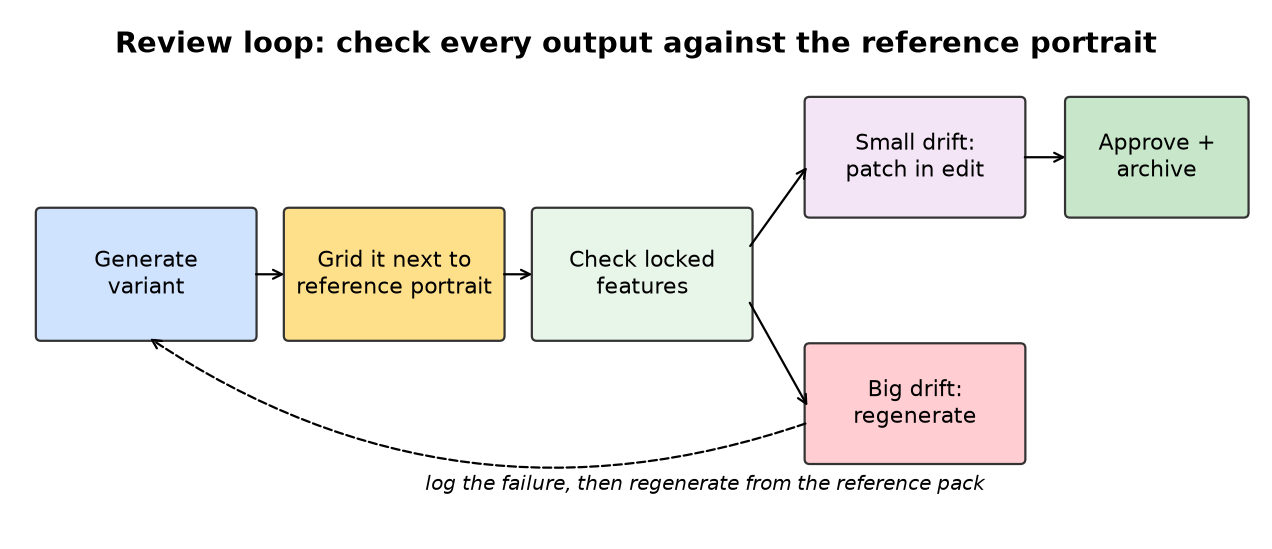
Instead, line outputs up in a grid next to the neutral front portrait from your reference pack. Check the locked column item by item: face shape, eyes, skin tone, marks, hairline. A few practical habits help:
- Review at the size the ad will actually be seen, but also zoom in on the face.
- Flip between the reference and the output quickly, since differences jump out in rapid comparison.
- Have a second person review who has not been staring at the prompts all day.
- Reject outputs where a locked feature changed, even if the shot is otherwise great.
Keep a short log of rejected outputs and why they failed. Patterns will appear, such as profiles always widening the nose or night scenes always lightening the eyes, and those patterns tell you which angles or setups need a stronger reference.
8. Fix small drift in the edit, regenerate for big drift
Not every inconsistency needs a full regeneration. Small issues, such as a slightly different shade of hair or a mark that disappeared, can sometimes be corrected with targeted inpainting or retouching on key frames.
Larger issues, like a changed face shape, different eyes or an age shift, are rarely worth patching. Regenerate from the reference pack instead. Patched faces tend to flicker or look uncanny in motion, which is worse than a clean regeneration.
Voice deserves the same attention. If your presenter speaks, keep the same voice settings across every variant and check that pacing and tone match. A consistent face with a voice that changes between ads breaks the illusion just as quickly.
9. Version-control the presenter
Campaigns outlive their first round. Months later, someone will want to add new variants with the same presenter, often after the generator you used has been updated.
Archive everything needed to recreate the presenter:
- The presenter sheet
- The full reference pack, with the approved originals
- The exact identity block text
- Any saved character, persona or fine-tuned model, along with the tool and version it was made with
- A few final approved frames from the campaign as additional references
When the underlying model changes, test the presenter against the archive before producing new ads. If the identity has shifted, rebuild from the reference pack rather than from the latest outputs, so you are always anchoring to the original, not to a copy of a copy.
10. Be transparent where it matters
A consistent AI presenter can feel very real to viewers. Check the advertising and disclosure rules on every platform and in every market you run in, as many now have specific policies on synthetic or AI-generated people in ads. Avoid basing a presenter on a real, identifiable person without their clear permission, and keep claims made by the presenter as accurate as you would for a human spokesperson.
A quick checklist
Before launching an ad set with an AI presenter:
- ☐ Presenter sheet written, with locked and flexible features
- ☐ Reference pack of roughly eight to twelve approved images
- ☐ Identity method tested on throwaway shots
- ☐ Fixed identity block, separate from variant prompts
- ☐ Variation matrix mapped, with presenter generations kept to a minimum
- ☐ Lighting and camera vocabulary defined
- ☐ Side-by-side review against the reference portrait
- ☐ Clear rule for patch versus regenerate
- ☐ Presenter assets archived for future rounds
- ☐ Platform disclosure rules checked
Consistency is less about finding the perfect tool and more about discipline: a clear definition of who the presenter is, a strong anchor, and a workflow that changes one thing at a time. Get those right and a single AI presenter can carry an entire testing programme without anyone noticing the seams.
About the author
Adam King is a founder working in AI video and film production.
Discover more from DesignRise
Subscribe to get the latest posts sent to your email.