That sounds like a small change to the browser. In practice, it changes the entire workflow. Instead of opening ten tabs, copying fragments into a separate AI tool, checking the answer, and returning to the web, you can keep the research, context, decisions, and actions in one place.
The category is also messy. Some products are true agentic browsers built to take action. Others are familiar browsers with an AI sidebar. A few prioritize local models and privacy, while others are tightly connected to ecosystems such as Google Workspace or Microsoft 365. Calling all of them “AI browsers” can hide important differences.
This DesignRise guide compares ten of the most relevant AI-powered browsing tools available in 2026. It focuses on what they are genuinely useful for, where the marketing gets ahead of the product, and which browser makes sense for research, writing, everyday productivity, privacy, or web automation.
DesignRise editorial note:
Features and availability were checked against official product pages in July 2026. AI browser capabilities change quickly and may vary by country, operating system, account type, subscription, or staged rollout. This is an editorial comparison based on official documentation and practical workflow value—not a controlled security or speed benchmark.
Best AI Browsers in 2026: Quick Comparison
What Counts as an AI Browser in 2026?
An AI browser is not defined by a single feature. A browser that adds a shortcut to a chatbot is technically AI-enabled, but it is not equivalent to a browser that can understand multiple tabs, remember context, operate websites, or complete a task.
The market now falls into three practical levels:
1. AI sidebar browsers
These browsers let you ask questions, summarize pages, rewrite text, translate content, or discuss a PDF without leaving the tab. Firefox’s provider sidebar and Brave Leo are good examples. They reduce copy-and-paste work but usually keep you in control of every browser action.
2. Context-aware browsers
These tools can understand the active page, several open tabs, browser history, or connected apps. Chrome with Gemini, Opera One, Edge, and Comet move further in this direction. They are useful when the answer depends on information scattered across the browsing session rather than one page.
3. Agentic browsers
Agentic browsers can navigate, click, type, fill forms, collect information, and perform multi-step tasks. Opera Neon, Comet, Genspark Browser, Sigma, and selected Copilot or Gemini features belong here. The defining difference is simple: a chatbot tells you what to do; an agent tries to do it.
This distinction matters. The best AI browser for summarizing reports may not be the best browser for booking travel, cleaning an inbox, gathering product prices, or completing repetitive administrative work.
How We Evaluated the Best AI Browsers
We did not rank browsers by the size of the AI logo in the toolbar. DesignRise evaluated the category around the jobs people actually need to complete:
- Page awareness: Can the AI understand the webpage, document, video, or PDF you are currently viewing?
- Cross-tab context: Can it compare several sources without forcing you to paste them manually?
- Research quality: Does it organize findings clearly and help users verify sources?
- Automation depth: Can it navigate and act, or does it only generate instructions?
- User control: Can you watch, pause, approve, or interrupt sensitive actions?
- Privacy: Is data handled locally, sent to a cloud provider, stored in history, or connected to other apps?
- Platform access: Does it work on Windows, macOS, Linux, Android, or iOS?
- Everyday usability: Does the AI improve normal browsing, or does it make simple tasks feel more complicated?
No browser wins every category. The right choice depends on whether you value research, automation, ecosystem integration, privacy, platform support, or simplicity.
1. Perplexity Comet: Best Overall for Research and Everyday Delegation
Best for: researchers, marketers, students, founders, shoppers, and users who want an AI browser that is useful before they learn advanced agent workflows.
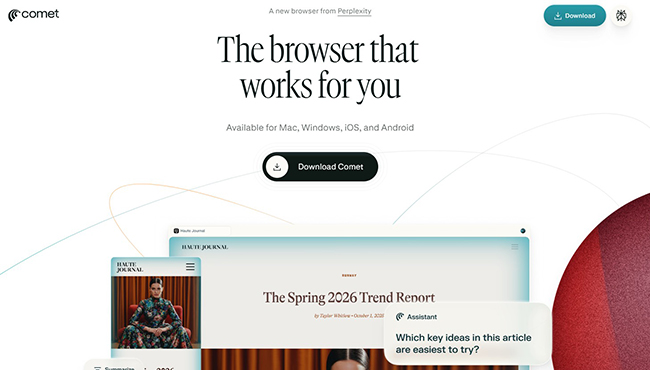
Comet is the clearest bridge between an AI search engine and a full browser assistant. It is built on Chromium, supports most Chrome extensions, and makes Perplexity’s research approach part of normal browsing rather than a separate destination.
The browser can summarize pages, answer questions about the active content, manage tabs through natural-language commands, connect with Gmail and calendar context, and assist with tasks such as drafting emails, comparing information, shopping, or planning. It is available on Mac, Windows, iOS, and Android, which gives it one of the broadest platform footprints in this list.
Why Comet stands out
- Research is central to the product rather than added as an afterthought.
- It combines source-aware answers with normal Chromium browsing.
- Natural-language commands can reduce tab clutter.
- The assistant can work with email, schedules, shopping, study plans, and web content.
- Standard browser features and extension compatibility make switching less disruptive.
Where Comet may fall short
Comet’s strongest agent usage is tied to account limits, and the difference between a free browsing experience and higher agent capacity can matter for frequent automation. It also asks users to trust a browser with meaningful context: history, connected apps, email, and potentially logged-in websites.
That does not make Comet unsafe, but it does make permission discipline important. Do not hand a broad task to the assistant and walk away when the workflow involves purchases, sensitive messages, or account settings. Review the browser’s proposed steps and keep confirmation points enabled.
Verdict: Comet is the best starting point for readers who want a capable AI browser that can research, summarize, organize, and act without feeling like a developer tool.
2. Opera Neon: Best for Serious Agentic Work
Best for: AI power users, consultants, researchers, creators, and professionals who want the browser to produce finished outputs—not merely answer questions.
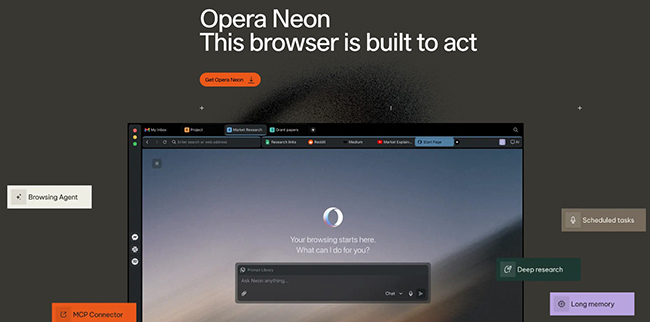
Opera Neon is the most deliberate attempt on this list to turn the browser into a working environment for agents. Opera describes it as a browser built to act: it can carry context across tabs and sources, structure research, prepare documents, and connect workflows through MCP and command-line paths.
The difference between Neon and a typical sidebar assistant is the focus on outcomes. Instead of asking, “What does this page say?” the more interesting prompt is, “Compare these sources, identify the important differences, turn the result into a brief, and prepare something I can send.”
Why Opera Neon stands out
- Different agents can be used for research, browsing, document creation, and other outputs.
- It is designed to carry context from raw web material into a structured deliverable.
- MCP and CLI connections make it relevant to advanced automation workflows.
- It includes Opera essentials such as tab management, ad blocking, VPN, snapshots, and sidebar services.
- The interface is built around AI work rather than attaching AI to a traditional browser layout.
Where Opera Neon may fall short
Neon is a premium browser, with a standard subscription listed at $19.90 per month at the time of writing. That price can be justified for someone who delegates meaningful work every day, but it is difficult to recommend for occasional summaries or basic writing help.
It is also more powerful than many users need. A good agentic browser should remove friction; if you spend your first week designing complex workflows for tasks that took five minutes manually, the tool is not saving time yet.
Verdict: Opera Neon is the strongest option for professionals who already understand what they want to delegate and need a browser that can carry research into finished work.
3. Google Chrome with Gemini: Best for the Google Ecosystem
Best for: people who live in Gmail, Calendar, Maps, YouTube, Google Flights, Google Shopping, and other Google services.
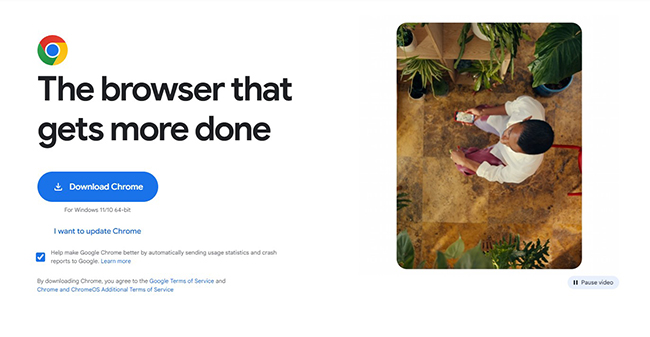
Chrome’s advantage is not that Gemini is always the most powerful standalone assistant. Its advantage is context. Gemini can sit in a side panel, compare information across tabs, summarize long pages, work with connected Google apps, and transform images on the current webpage without forcing users to download and upload them elsewhere.
Google has also been rolling out agentic “auto browse” capabilities and deeper app integrations. That makes Chrome particularly effective for workflows such as finding event details in Gmail, comparing flights, checking a schedule, and drafting a message without manually moving every fact between services.
Why Chrome with Gemini stands out
- It fits into the browser many people already use.
- Multi-tab comparison is useful for shopping, research, planning, and reviews.
- Connected Apps can bring Gmail, Calendar, Maps, YouTube, Flights, and Shopping into the workflow.
- Image transformation through Nano Banana reduces unnecessary downloads and uploads.
- Chrome’s extension ecosystem remains a major practical advantage.
Where Chrome with Gemini may fall short
Availability remains uneven. Features have been expanding by country, device, account, and rollout stage, so two Chrome users may not see the same interface or agent capabilities.
The ecosystem advantage is also the privacy question. The more useful Gemini becomes through connected apps and remembered context, the more important it is to review which apps are connected, what history is stored, and which actions require confirmation.
Verdict: Chrome with Gemini is the most convenient AI browser for users already invested in Google’s ecosystem, but check regional availability before assuming every advertised feature is active on your account.
4. Microsoft Edge with Copilot: Best for Microsoft Users and Business Workflows
Best for: Windows users, Microsoft 365 customers, enterprise teams, and people who regularly work with web pages, PDFs, documents, and Microsoft services.
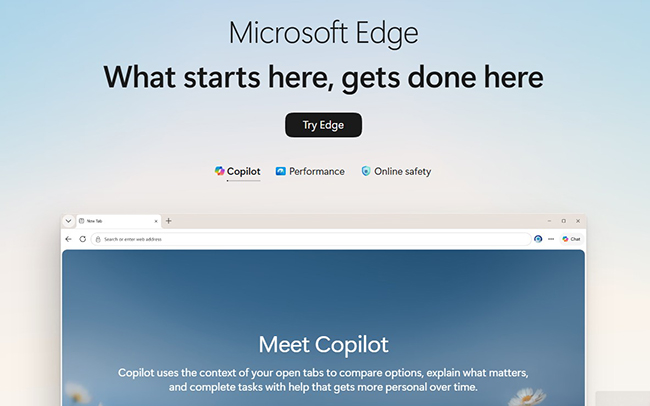
Edge has gradually turned Copilot from a sidebar assistant into a browser-aware tool. It can summarize pages, PDFs, and videos, compare information from open tabs, and assist with research or writing. Microsoft’s action feature—now called Browse with Copilot—can select, type, scroll, navigate, and operate inside a browser tab.
A particularly useful design choice is visibility. Microsoft says browser actions run locally in the browser, and users can see each step, interrupt the process, or take control. That does not remove the need for caution, but it is better than an invisible agent that reports only after it has finished.
Why Edge with Copilot stands out
- It is already installed on Windows and works as a complete mainstream browser.
- Copilot can work with the active page, PDFs, videos, and open tabs.
- Browser actions are visible and interruptible.
- Microsoft 365 integration makes it relevant to business and administrative work.
- Enterprise versions emphasize organizational controls and data protection.
Where Edge with Copilot may fall short
The most advanced action capabilities are not universally available. At the time of writing, Browse with Copilot is rolling out for Microsoft 365 Premium subscribers in the United States, with additional markets expected later.
That means Edge is easy to recommend as an AI-assisted browser, but harder to recommend universally as an autonomous browser. Your experience depends heavily on your subscription, organization settings, and rollout region.
Verdict: Edge is the most practical choice for Microsoft-centered work, especially when browser context, PDFs, and visible automation matter more than experimental AI design.
5. Dia: Best for a Calm, AI-Native Mac Workflow
Best for: writers, designers, researchers, and knowledge workers on macOS who want AI to feel like part of the browser rather than a separate tool.
Dia comes from The Browser Company, the team behind Arc. The company describes Dia as a familiar browser with AI built in: something users should understand immediately, but with less friction between browsing, thinking, and creating.
That positioning matters. Many agentic browsers are impressive in demonstrations but visually demanding in daily use. Dia’s appeal is the possibility of a quieter workflow where the AI understands what you are browsing and helps with the next step without turning every tab into a control center.
Why Dia stands out
- It is designed from the beginning around AI rather than retrofitted later.
- The Browser Company has experience building alternative browser workflows through Arc.
- The interface aims to remain recognizable to traditional browser users.
- It is especially relevant to writing, research, and context-heavy creative work.
- The product emphasizes reducing friction instead of maximizing the number of AI buttons.
Where Dia may fall short
Dia is currently a macOS product, which immediately excludes many Windows, Linux, Android, and iOS users. It is also a newer browser with a smaller ecosystem and less proven long-term behavior than Chrome, Edge, Firefox, or Brave.
Readers should also separate the design promise from the current feature set. Dia is one of the most interesting AI-native browser concepts, but it may not be the best choice when broad platform support or high-volume autonomous actions are essential.
Verdict: Dia is a compelling choice for Mac-based creative professionals who care about browser design, context, and writing flow more than maximum automation.
6. Brave Leo: Best Privacy-Focused Mainstream Option
Best for: privacy-conscious users who want page summaries, document analysis, writing help, and model choice without creating another mandatory account.
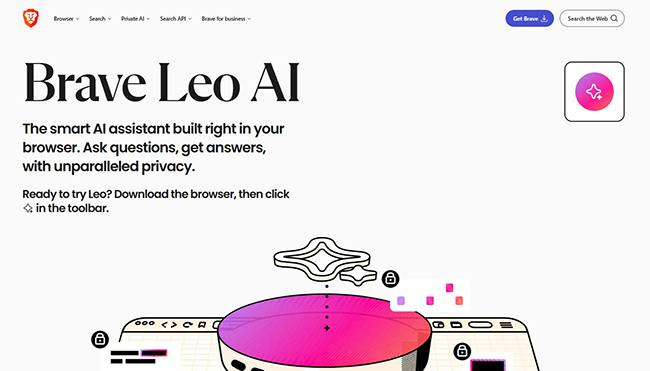
Brave Leo is built into the Brave browser and can summarize webpages, documents, PDFs, and videos; generate or rewrite content; translate text; analyze spreadsheets; and help organize tabs. Brave’s strongest differentiator is not a single AI feature. It is the privacy posture around the assistant.
Leo can be used without an account or login. Brave says chats are not retained for additional model training, while chat history can be saved locally on the device. It also supports bring-your-own-model workflows, including local or remote models, which gives advanced users more control than most mainstream browser assistants.
Why Brave Leo stands out
- No account is required for basic use.
- It can work with pages, PDFs, Google Docs, Google Sheets, videos, and text.
- Chat history can remain local.
- Temporary chats provide a simple way to avoid persistent history.
- Bring-your-own-model support is useful for privacy and experimentation.
- Leo is available across desktop and mobile Brave browsers.
Where Brave Leo may fall short
Leo is strongest as a private contextual assistant, not as the most autonomous browser agent. It can help organize and understand browsing, but users seeking deep multi-step automation may find Comet, Neon, Genspark, or Sigma more ambitious.
Model quality and availability can also differ between free and premium access. Privacy-focused users should still review the policy of any external model they connect through bring-your-own-model features.
Verdict: Brave Leo is the best balanced choice for users who want useful browser AI without immediately giving an assistant broad access to their digital life.
7. Opera One with Opera AI: Best Free AI Browser for Everyday Use
Best for: users who want integrated AI summaries, PDF analysis, image generation, video assistance, and tab context without paying for an agentic browser.
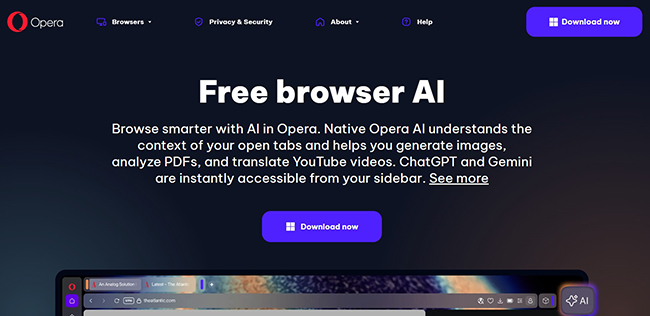
Opera One is different from Opera Neon. Neon is the premium browser for deeper agent workflows; Opera One is the accessible everyday browser with free AI built in.
Opera AI can understand the context of open tabs, summarize pages and PDFs, generate text and images, provide current web answers, translate or explain YouTube videos, and help manage tabs. ChatGPT and Gemini are also available in the sidebar.
Why Opera One stands out
- Opera AI is free and does not require account registration.
- It works with tab context rather than functioning as a detached chat window.
- PDF and webpage summaries are easy to access.
- Image generation and YouTube assistance expand the creative use cases.
- Built-in VPN, ad blocking, Tab Islands, and sidebar tools make Opera useful beyond AI.
Where Opera One may fall short
Opera One can perform contextual tasks and manage tabs, but it is not the same automation product as Neon. Users expecting a fully autonomous agent that can reliably complete long multi-step processes may reach the limits quickly.
The browser also includes many built-in services. Some users enjoy having messengers, music, AI, shopping tools, and sidebar apps in one place; others may find the interface busier than a minimalist browser.
Verdict: Opera One is the strongest free option for people who want meaningful browser AI now, but do not need to pay for advanced autonomous workflows.
8. Firefox AI Sidebar: Best for Choosing Your Own AI Provider
Best for: Firefox users who want AI access without committing the entire browser experience to one provider.
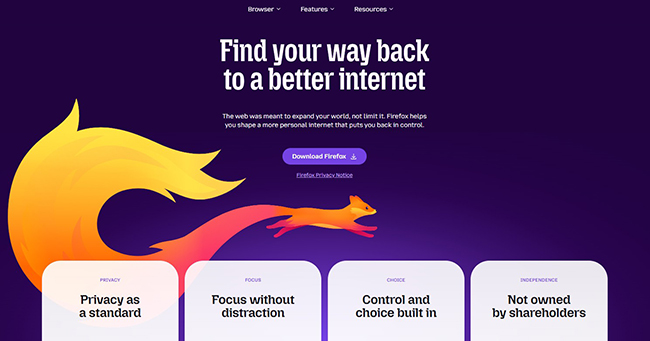
Firefox takes a more modular approach. Its sidebar can host a selected chatbot while the user continues browsing. Current options include Anthropic Claude, ChatGPT, Google Gemini, Le Chat Mistral, and Microsoft Copilot.
This is useful for people who already know which model they prefer. Instead of accepting the browser maker’s assistant, users can switch providers and use the sidebar for summarizing, brainstorming, writing, or discussing the current task.
Why Firefox stands out
- Users can choose among several major AI providers.
- The AI sidebar can be enabled, switched, or removed.
- Firefox provides centralized AI controls for users who want to manage or block AI features.
- The browser remains a strong alternative to Chromium-based products.
- It is a low-friction way to keep an AI chat visible beside web content.
Where Firefox may fall short
The sidebar is an integration layer, not one unified Firefox agent. Privacy, memory, model quality, account requirements, and usage limits depend on the chatbot provider you select.
It also offers less native cross-tab reasoning and browser automation than the leading agentic products. Firefox is best when you want control and provider choice—not when you want the browser to autonomously operate the web.
Verdict: Firefox is the most flexible option for users who want AI nearby but do not want one assistant deeply embedded into every browsing decision.
9. Genspark Browser: Best for Local AI, Autopilot, and Connected Workflows
Best for: advanced users who want on-device models, autonomous browsing, deal research, information gathering, and connections to external productivity tools.
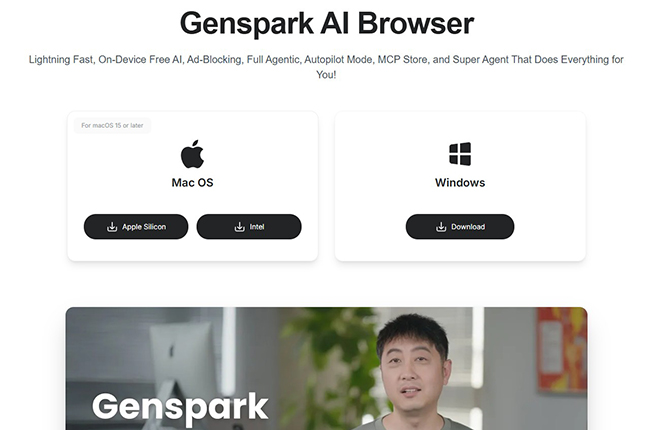
Genspark Browser is one of the most feature-dense products in the category. Its official feature set includes free on-device AI, an agentic Autopilot mode, a Super Agent that can work across websites, ad blocking, and a built-in MCP store connecting services such as GitHub, Notion, Slack, and Discord.
The on-device option is particularly interesting. Local models can answer questions without sending every prompt to a cloud service, while agent features can still handle broader browsing tasks when online access and permissions are required.
Why Genspark Browser stands out
- On-device AI can run locally without an internet connection.
- Autopilot is designed for multi-step browsing and information gathering.
- The Super Agent can compare products, reviews, and options across websites.
- The MCP store connects the browser with hundreds of external services.
- Windows and macOS downloads are available.
Where Genspark Browser may fall short
The product promises a great deal: local AI, agents, autopilot, integrations, ad blocking, and productivity automation. A broad feature list can be powerful, but it also means more permissions, more settings, and more ways for a workflow to fail.
Use a separate browser profile while testing agent permissions. Do not begin with your primary financial, administrative, or client accounts. Start with low-risk research tasks and confirm that the agent behaves predictably before expanding access.
Verdict: Genspark Browser is one of the most ambitious choices for users who want both local AI and serious browser automation, but it deserves a cautious onboarding process.
10. Sigma Private AI Browser: Best Emerging Option for Local AI and Privacy Experiments
Best for: early adopters who want a browser agent, deep research, page chat, and a local language model inside one privacy-focused product.
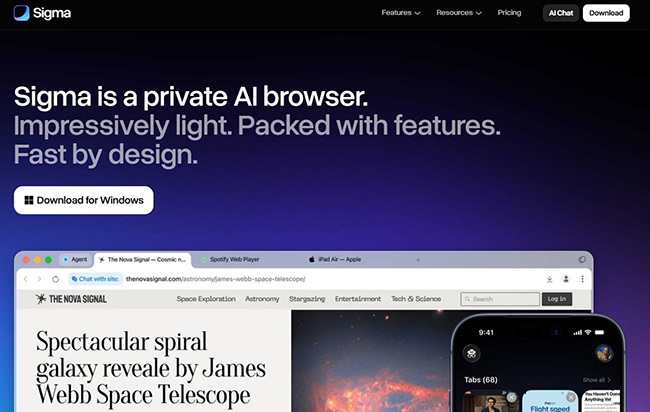
Sigma combines an AI agent with an offline local model called Eclipse. The local mode is designed to keep prompts and sensitive interaction data on the device, while the broader browser agent can navigate pages, fill forms, gather information, and complete online tasks.
The browser also includes deep research, AI chat, image generation, ad blocking, and desktop downloads for macOS and Windows. A free plan is available, with paid Plus and Pro tiers increasing limits for searches, research, files, images, and agent use.
Why Sigma stands out
- Its local model gives users an offline AI option inside the browser.
- The agent can navigate websites and fill forms.
- Deep research and page chat are built into the same product.
- Windows and macOS versions are available, with iOS access and Android development in progress.
- The product explicitly positions privacy as a core feature rather than an add-on.
Where Sigma may fall short
Sigma is an emerging browser, not a mature replacement for Chrome, Edge, Firefox, or Safari. Company claims about local processing, encryption, prompt-injection defense, and security certifications should be reviewed carefully by organizations before deployment.
Early adopters may appreciate the pace of development; risk-sensitive businesses may prefer to wait for broader independent testing, longer release history, and more public enterprise documentation.
Verdict: Sigma is an interesting browser for experimenting with local AI and agent workflows, but it should be evaluated as a newer product rather than trusted solely because the word “private” appears in its positioning.
Why ChatGPT Atlas Is Not Included
Any AI browser comparison published in late 2025 would probably include ChatGPT Atlas. A current 2026 guide should not recommend it as a long-term choice.
OpenAI has announced that Atlas is being discontinued and has advised users to move to a supported browser experience before August 9, 2026. Its browser-based agent capabilities are being moved into ChatGPT and supported browser experiences instead of continuing as a standalone browser.
This is a useful reminder: the AI browser market is changing quickly, and browser security requires continuous maintenance. Do not migrate passwords, bookmarks, and daily workflows into an experimental browser without checking whether the company has a clear support and update plan.
Which AI Browser Should You Choose?
Choose the browser that matches the work you actually do—not the product with the most dramatic demo.
- Choose Comet when research quality and everyday delegation are the priority.
- Choose Opera Neon when you want advanced agents to turn browsing into finished documents and workflows.
- Choose Chrome with Gemini when Gmail, Calendar, YouTube, Maps, and Google services already organize your work.
- Choose Edge with Copilot when you use Windows and Microsoft 365, or value visible, interruptible browser actions.
- Choose Dia when you use a Mac and want a thoughtfully designed AI-native browser for research and writing.
- Choose Brave Leo when privacy, local history, and model control matter more than full automation.
- Choose Opera One when you want capable free AI features without a separate subscription.
- Choose Firefox when you want to choose your own AI provider and retain control over whether AI appears at all.
- Choose Genspark Browser when you want on-device AI plus ambitious agent and MCP workflows.
- Choose Sigma when you are comfortable testing an emerging privacy-focused browser with local AI.
Five Real Workflows Where AI Browsers Save Time
1. Compare information across too many tabs
Traditional browsing breaks down when a decision is spread across fifteen sources. An AI browser can compare prices, specifications, reviews, policies, or competing claims without requiring you to copy every paragraph into a document.
A useful prompt is:
Compare the information in these open tabs. Create a table of the claims that agree, the claims that conflict, and the details that are missing. Link each conclusion to the original source.
The final sentence is important. AI summaries are much more useful when the browser shows where every claim came from.
2. Turn research into a brief
Researchers, marketers, writers, and product teams often spend more time organizing sources than finding them. Agentic browsers can collect material, group themes, identify gaps, and prepare a draft outline.
Do not ask for “an article about AI browsers.” Ask for a structured research deliverable:
Review these sources and produce a briefing with market changes, confirmed product capabilities, unresolved questions, security concerns, and five angles that are not repeated in the current search results.
This type of prompt creates an editorial starting point instead of generic AI prose.
3. Summarize a long PDF while keeping the page open
Brave Leo, Edge, Opera, and other browsers can discuss PDFs and documents beside the original source. This is useful for reports, research papers, terms, product documentation, and policy updates.
Ask for page references and separate facts from interpretation:
Summarize the report in ten points. For each point, provide the page number. Then list three conclusions that are directly stated and three conclusions that would be interpretations.
4. Complete repetitive browser administration
Agentic browsers are useful for repetitive, low-risk tasks: gathering public contact information, organizing tabs, comparing options, transferring non-sensitive information between forms, or collecting structured data from several pages.
They are less suitable for unattended financial actions, legal submissions, medical decisions, security settings, or irreversible account changes.
5. Build a content workflow around the web
A browser that connects research, notes, documents, and publishing tools can reduce the friction between discovery and creation. For example, an agent can collect source material, summarize differences, prepare a brief, draft social variations, and place tasks into a connected workspace.
The final editorial judgment should remain human. The browser can compress mechanical work; it should not decide what your brand believes.
AI Browser Safety: What to Check Before You Let an Agent Act
An AI browser sees more than a standalone chatbot. It may have access to open tabs, browsing history, connected apps, logged-in websites, documents, and form fields. That context is what makes it useful—and what makes careless permissions risky.
Use a separate profile first
Create a test browser profile without saved banking details, client passwords, admin sessions, or private work accounts. Learn what the agent can see before making it your default browser.
Grant the smallest permission needed
Do not connect Gmail, Calendar, Slack, Notion, and every cloud drive on the first day. Connect one service for one clear workflow. Remove access when the experiment ends.
Keep confirmation steps for sensitive actions
The browser should stop before purchasing, sending, publishing, deleting, submitting, or changing account settings. An agent that saves thirty seconds but sends the wrong message is not productive.
Watch for prompt injection
Webpages can contain instructions intended to manipulate an AI agent. Those instructions may be visible, hidden, or embedded in content the agent reads. Google, Microsoft, browser vendors, and security researchers are actively developing safeguards, but this remains an important risk for agentic browsing.
Verify the result, not just the activity log
An agent can visibly click the wrong option with complete confidence. Check the completed form, final recipient, selected dates, totals, permissions, and source links before accepting the result.
Review retention and training settings
Ask four questions:
- Is the prompt processed locally or in the cloud?
- Is browsing context stored?
- Can conversations be used to improve models?
- What changes when an external model provider is selected?
AI Browser vs. AI Search Engine: What Is the Difference?
An AI search engine helps you find and synthesize information from the web. An AI browser works inside the environment where you open pages, manage tabs, log into services, read documents, and complete actions.
The categories overlap. Comet is built by an AI search company, while Chrome, Edge, Brave, Firefox, and Opera add AI to traditional browsing. The practical difference is action and context:
- AI search answers a question about the web.
- AI browsing understands what you are already doing on the web.
- Agentic browsing can attempt the next steps for you.
For a dedicated comparison of answer engines and research search tools, read Best AI Search Engines in 2026: Smarter Ways to Search Beyond Google.
Frequently Asked Questions
What is the best AI browser in 2026?
Perplexity Comet is the strongest overall recommendation for users who want research, summaries, tab management, and everyday browser assistance across desktop and mobile. Opera Neon is stronger for advanced agent workflows, while Chrome and Edge are more convenient for users already inside Google or Microsoft ecosystems.
What is the best free AI browser?
Opera One is one of the best free all-around choices because Opera AI is built in, uses tab context, works without sign-up, and includes PDF, webpage, image, and video-related tools. Brave Leo is the better free choice when privacy and no-login access matter most.
Which AI browser is best for privacy?
Brave Leo provides the most mature privacy-focused mainstream approach, including no-login use, locally stored chat history, temporary chats, and bring-your-own-model support. Genspark and Sigma also offer local AI options, but they are newer products and should be evaluated carefully before handling sensitive workflows.
Can AI browsers complete tasks automatically?
Yes. Agentic browsers can navigate websites, click buttons, type into fields, gather information, and perform multi-step tasks. The level of automation varies widely, and advanced actions may depend on subscriptions, permissions, regions, or staged rollouts.
Can an AI browser summarize PDFs and videos?
Several can. Brave Leo analyzes PDFs and videos; Edge can summarize web pages, PDFs, and videos; Opera AI works with PDFs and can explain or translate YouTube content. Always compare the summary with the original source when accuracy matters.
Are AI browsers safe?
They can be used safely, but agentic access creates additional risk. Use limited permissions, separate profiles, confirmation steps, current browser versions, and careful review of sensitive actions. Prompt injection and unintended cross-site data movement are active areas of security research.
Do AI browsers replace Chrome extensions?
Not completely. AI browsers can replace some summarization, writing, tab, research, and automation extensions. Specialized password managers, accessibility tools, developer extensions, ad blockers, and workflow integrations may still be necessary. Chromium-based browsers usually offer the easiest extension transition.
Will AI browsers improve productivity automatically?
No. They improve productivity when the delegated task is clear, repetitive, and verifiable. Vague prompts, unnecessary automation, or constant AI interruptions can make browsing slower. Start with one recurring workflow and measure whether it genuinely saves time.
Final Verdict
The best AI browsers in 2026 are moving in two directions at once. Mainstream browsers are placing increasingly capable assistants inside familiar products. At the same time, agentic browsers are trying to turn the web into an execution environment where research, decisions, and actions happen in one workflow.
Perplexity Comet offers the best overall balance of research and delegation. Opera Neon is the most compelling premium option for advanced agentic work. Chrome with Gemini and Edge with Copilot win on ecosystem integration. Brave Leo is the most convincing privacy-first mainstream assistant, while Opera One delivers unusually capable free browser AI. Dia is the most interesting design-led option for Mac users, and Genspark and Sigma show where local AI and browser agents may go next.
The right browser is not the one that promises to do everything. It is the one that understands enough context to remove repetitive work while leaving you in control of important decisions.
Explore More DesignRise Resources
Continue building a smarter AI workflow with these DesignRise collections and guides:
- Explore All AI Collections on DesignRise
- Best AI Search Engines in 2026: Smarter Ways to Search Beyond Google
- Best AI Tools for Content Creation in 2026
- Discover More AI, Design, UX/UI, WordPress, and Creative Technology Resources
Official Product Sources
- Perplexity Comet official page
- Opera Neon official page
- Google: Gemini and auto browse in Chrome
- Microsoft: Browse with Copilot
- The Browser Company: Dia and Arc
- Brave Leo official page
- Opera AI official page
- Mozilla: AI chatbot sidebar in Firefox
- Genspark Browser official page
- Sigma Private AI Browser official page
- OpenAI: Atlas discontinuation and browser-based agentic work
Discover more from DesignRise
Subscribe to get the latest posts sent to your email.