
How Designers Can Build Consistent Visual Styles With AI
Every designer knows the problem: one visual looks perfect, the next one feels slightly off. The colors are close, but not exact. The mood is similar, but not quite the same. The typography, lighting, composition, or illustration style starts drifting from the original direction. When this happens across social media graphics, ads, landing pages, UI screens, presentations, and brand campaigns, the result is a visual identity that feels inconsistent.
In 2026, this challenge has become even bigger. Designers are creating more content than ever before, and brands need visuals for dozens of channels at the same time. A single campaign may require website graphics, Instagram posts, TikTok covers, YouTube thumbnails, email banners, product visuals, digital ads, pitch decks, and motion assets.
This is exactly where AI for visual consistency becomes valuable.
AI does not replace a designer’s taste, direction, or judgment. Instead, it helps designers build repeatable systems. With the right workflow, AI can help maintain consistent visual styles, generate brand-aligned assets, control colors, create reusable prompts, and scale creative production without losing the core identity of a project.
At DesignRise, we explore how designers use AI workflows, creative tools, and automation to build stronger design systems. This guide explains how to use AI to create, control, and scale a visual style while still keeping the final creative direction human-led.
You May Also Like:
- AI Workflows That Actually Save Time
- How Designers Actually Use AI in Their Workflow
- The AI Design Workflow Blueprint
The Real Problem: Visual Style Drift
Before talking about AI tools, it is important to understand the problem designers are trying to solve. Most brands do not lose consistency overnight. They lose it slowly.
A designer creates one beautiful campaign visual. Then another person adapts it for social media. A marketer edits the text. An AI tool generates a new image that looks similar but uses slightly different lighting. A freelancer creates a banner with another composition. A video editor changes the color mood. After a few weeks, the brand still looks “close” to the original direction, but the visual system starts feeling less intentional.
This is called visual style drift.
It happens when design decisions are repeated without clear rules. AI can make this problem worse if every prompt produces a different mood. But AI can also solve the problem when designers use it with structure, references, and repeatable systems.
Why Consistency Still Matters in the Age of AI
With the rise of AI-generated visuals, many brands are producing more content than ever. That makes visual consistency more important, not less. When a brand posts ten images a day, consistency becomes the difference between looking professional and looking random.
A consistent visual style helps users recognize a brand immediately. It builds trust, improves brand memory, strengthens the overall user experience, and makes creative production easier for teams.
- It strengthens brand trust. People are more likely to remember brands that look clear and consistent.
- It improves recognition. Consistent colors, layouts, and image styles help users identify your content faster.
- It supports better user experience. Clear visual rules make websites, apps, and campaigns easier to understand.
- It speeds up production. Designers spend less time guessing and more time creating.
- It reduces creative chaos. Teams can work faster without losing the brand direction.
AI can generate a lot of content quickly, but speed without consistency can damage a brand. The real goal is not simply to produce more visuals. The goal is to produce more visuals that still feel like they belong to the same creative system.
If you work with automation, you can also explore our full guide on AI design workflows to see how consistency fits into larger creative systems.
How AI Helps Designers Build Consistent Visual Styles

AI can support consistency in several practical ways. It can analyze existing visuals, generate matching assets, help define rules, create prompt systems, and assist with quality control. The key is to treat AI as part of a design system, not as a random image generator.
1. Train Custom Style Models
One of the strongest ways to build a consistent AI workflow is to train or customize a model using your own visual references. Many AI tools now allow designers to upload logos, illustrations, UI screens, product images, campaign visuals, textures, or brand assets.
This helps AI understand the visual language of the brand. Instead of generating generic images, the tool can produce new assets that better match your established direction.
A trained or customized model can help maintain consistency across:
- Color palette
- Line thickness
- Lighting style
- Composition
- Texture
- Shape language
- Illustration style
- Photography mood
Tools such as Adobe Firefly, Runway, Leonardo AI, and custom Stable Diffusion workflows can support different levels of style control. The more intentional your input is, the more consistent your output becomes.
2. Use Style Anchors in Prompts
A style anchor is a short phrase that defines the visual identity you want AI to follow. Instead of writing completely different prompts every time, designers can repeat the same visual language across multiple prompts.
For example, a brand might use style anchors such as:
- “Soft pastel gradients with clean editorial typography”
- “Minimal geometric compositions with lots of white space”
- “Dark premium tech aesthetic with blue highlights”
- “Warm lifestyle photography with natural light”
- “Bold cyberpunk neon style with dramatic contrast”
Repeating these anchors helps AI produce visuals that feel connected. This is especially useful for campaigns, social media posts, thumbnails, product graphics, and editorial illustrations.
A good style anchor should describe not only the look, but also the mood. Words like “clean,” “premium,” “playful,” “cinematic,” “editorial,” “minimal,” or “technical” can help AI understand the creative direction more clearly.
3. Create AI-Assisted Style Guides
Designers have always used style guides to keep brands consistent. The difference now is that AI can help generate, organize, and expand these guides much faster.
An AI-assisted style guide can include:
- Color systems
- Typography pairings
- Icon direction
- Illustration rules
- Photography guidelines
- Layout principles
- Prompt templates
- Do and don’t examples
- Social media rules
- Brand mood descriptions
This does not mean AI should decide the brand identity alone. The designer still defines the final direction. But AI can help document rules, create visual examples, and turn scattered ideas into a more organized system.
For teams, this is especially useful. A clear style guide helps designers, marketers, freelancers, and content creators produce work that feels aligned even when several people are involved.
4. Use Image-to-Image for Controlled Variations
Image-to-image generation is one of the most useful techniques for maintaining consistency. Instead of starting from a text prompt only, designers can upload an existing image and ask AI to create variations that follow the same structure or style.
This works well when you already have one strong visual and need more assets in the same direction.
You can use image-to-image workflows to:
- Create matching campaign visuals
- Generate additional illustrations in the same style
- Extend a visual concept into a series
- Create social media variations
- Adapt one design for different formats
- Produce mood-consistent thumbnails or banners
This approach is ideal for brands that want to scale content without making every output feel disconnected.
5. Control Color Consistency With AI
Color drift is one of the biggest problems in AI-generated design. One image may look slightly warmer. Another may become oversaturated. A third may introduce colors that do not match the brand at all.
AI can help designers solve this problem by analyzing palettes, suggesting matching colors, and applying consistent color grading across different visuals.
AI tools can help designers:
- Lock brand colors
- Generate matching palettes
- Correct oversaturation
- Match photography tones
- Apply consistent color grading
- Convert user-generated content into brand-aligned visuals
For designers working across campaigns, this is extremely valuable. Consistent color treatment can make a mixed set of images feel like one professional visual system.
A Practical Workflow for Building a Consistent Style With AI
The best AI design workflows are not random. They follow a process. Below is a practical workflow designers can use to build and maintain a consistent visual style with AI.
6. Define the Style Before Using AI
AI works better when the designer gives it a clear direction. Before generating anything, define the visual style manually. This step is important because AI cannot replace the strategic thinking behind a brand.
Start with:
- Mood boards
- Color references
- Typography direction
- Shape language
- Textures and patterns
- Photography examples
- Examples of what should be avoided
This gives you a creative foundation. Without it, AI outputs may look impressive individually but inconsistent as a group.
7. Build a Reusable Prompt System
Instead of writing new prompts from scratch each time, create a reusable prompt system. This is one of the easiest ways to improve consistency.
A strong prompt framework usually includes:
- Subject: what the image should show.
- Style anchor: the visual identity to follow.
- Color direction: brand colors or preferred palette.
- Composition: layout, angle, framing, or spacing.
- Texture or lighting: how the image should feel.
- Restrictions: what to avoid.
- Format: square, vertical, landscape, hero image, or banner.
For example:
Create a modern hero image for a SaaS website. Use a clean editorial layout, soft blue gradients, minimal UI elements, white background, premium tech mood, rounded cards, and consistent brand lighting. Avoid clutter, dark shadows, and overly futuristic elements.
This kind of structured prompt gives AI much clearer guidance than a short generic request.
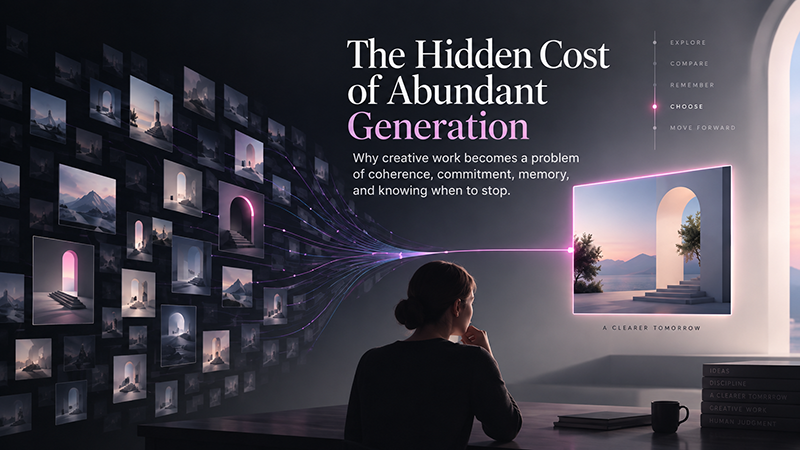
8. Create Variations, Then Curate Like a Designer
AI can generate many variations quickly, but quantity is not the same as quality. The designer’s role is to curate, compare, and select the outputs that actually fit the brand.
When reviewing AI-generated visuals, ask:
- Does this match the brand mood?
- Are the colors consistent?
- Does the composition feel intentional?
- Is the typography direction aligned?
- Does this asset work with existing visuals?
- Would users recognize this as part of the same brand?
This is where human judgment matters. AI can explore possibilities, but the designer decides what is worth keeping.
9. Build an AI-Aided Style Guide
Once you have a strong set of visuals, turn them into a guide. This guide does not need to be complicated, but it should be clear enough for future work.
Your style guide can include:
- Approved colors
- Approved typography direction
- Prompt templates
- Visual examples
- Negative examples
- Social media layout rules
- Ad creative guidelines
- Photography treatment
- Mockup usage rules
You can also include mockup resources and visual templates to keep presentation styles consistent.
10. Apply the Same Style Across Channels
A visual style becomes powerful when it works across different formats. A brand should not look one way on Instagram and completely different on its website.
Use your AI-assisted style system across:
- Social media posts
- Digital ads
- Landing pages
- Email banners
- Blog graphics
- Product images
- Packaging concepts
- UI/UX design
- Video content
The goal is not to make every asset identical. The goal is to make every asset feel like it belongs to the same creative world.
Best AI Tools for Consistent Visual Styles
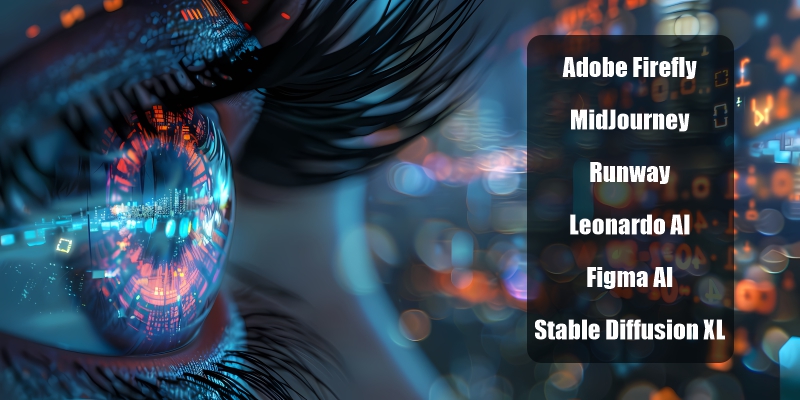
Different AI tools support different parts of the consistency workflow. Some are better for illustration, some for brand-safe generation, some for video, and others for UI systems.
- Adobe Firefly — strong for brand-safe image generation and creative workflows.
- MidJourney — useful for developing artistic direction and visual mood.
- Runway — excellent for video style consistency and motion content.
- Leonardo AI — useful for creative style training and asset generation.
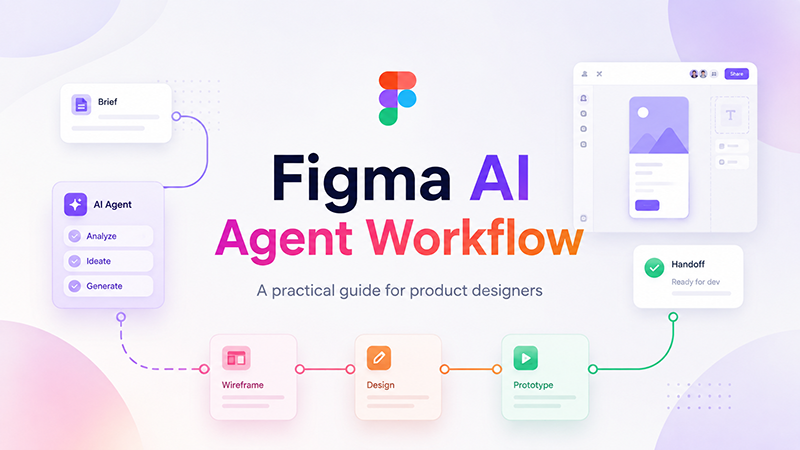
- Figma AI — helpful for UI workflows, components, and design systems.
- Stable Diffusion XL — powerful for custom model training and advanced visual control.
The Designer’s Role in an AI-Driven Visual World
Even when AI generates the assets, designers remain the creative directors. AI can create options, but designers decide what fits the brand, what feels original, and what should be refined.
The designer’s role becomes more strategic:
- Defining the visual direction
- Curating the strongest outputs
- Maintaining brand consistency
- Improving weak AI results
- Building reusable systems
- Protecting quality standards
- Connecting visuals to business goals
AI can make production faster, but it does not replace taste. A strong designer knows when an image is technically good but strategically wrong. That judgment is still human.
Common Mistakes Designers Make With AI Style Consistency
AI can improve consistency, but only if used carefully. Many designers accidentally create more visual chaos by relying too heavily on random prompts or unrelated references.
- Using different prompts every time: This creates inconsistent outputs.
- Ignoring brand guidelines: AI needs rules to follow.
- Accepting the first result: Good AI work still requires curation.
- Overusing trends: Trendy visuals can weaken brand identity.
- Skipping quality control: AI mistakes can damage professionalism.
- Not documenting prompts: Without reusable prompts, consistency becomes harder.
The best results come from combining AI speed with design discipline.
FAQ: AI and Visual Style Consistency
Can AI really maintain a consistent design style?
Yes. AI can help maintain a consistent design style when designers use trained models, reference images, style anchors, reusable prompts, and clear brand guidelines.
What is the best AI tool for visual consistency?
It depends on the workflow. Adobe Firefly is strong for brand-safe creative work, MidJourney is useful for artistic direction, Runway is strong for video, and Figma AI supports UI-related workflows.
Can AI create a full brand style guide?
AI can help generate parts of a style guide, including color palettes, typography suggestions, prompt templates, and visual examples. However, a designer should still review and refine the final guide.
How do designers prevent AI-generated visuals from looking random?
Designers can prevent randomness by using consistent prompts, reference images, approved color palettes, style anchors, and a documented visual system.
Does AI replace design systems?
No. AI supports design systems by speeding up asset creation and documentation, but it does not replace the need for structured design rules, components, and human creative direction.
Conclusion: AI Helps Designers Achieve Consistency at Scale
In 2026, designers who understand AI can solve one of the biggest challenges in modern creative work: keeping a visual style consistent across a growing amount of content.
With the right AI workflow, designers can build brand systems faster, generate on-style assets more efficiently, create stronger style guides, and scale visual production without losing identity.
The most successful designers will not be the ones who let AI make every decision. They will be the ones who know how to guide AI with taste, structure, and strategy.
AI does not remove creativity. It gives designers more room to focus on the parts of creativity that matter most: direction, emotion, consistency, and meaning.
Explore More AI Tools and Design Workflows on DesignRise:
- The AI Design Workflow Blueprint
- AI Workflows That Actually Save Time
- Top AI Tools for Motion Designers
Discover more from DesignRise
Subscribe to get the latest posts sent to your email.