Most Important Design Skills to Learn in 2026: AI, UX, Motion, Strategy & Creative Direction
The design industry is changing faster than at any point in the last decade. A few years ago, being a strong designer usually meant knowing typography, layout, branding, color theory, and the right creative software. Those skills still matter, but they are no longer enough on their own.
In 2026, designers are expected to work faster, think more strategically, understand AI creative tools, build better digital experiences, collaborate with product teams, and create content across more formats than ever before. Brands need websites, apps, social content, motion graphics, landing pages, presentations, ads, and AI-generated visual systems — often at the same time.
This does not mean that designers need to become machines. The opposite is true. As artificial intelligence automates more production tasks, the value of human creativity, judgment, taste, storytelling, and strategy becomes even more important.
The strongest designers in 2026 will not be the ones who only know how to use tools. They will be the ones who know how to combine AI workflows, UI/UX design, motion design, brand strategy, ethical thinking, and human creativity into one flexible skill set.
In this DesignRise guide, we’ll break down the most important design skills to learn in 2026, why they matter, how they are changing creative careers, and how designers can use them to stay competitive in an AI-powered design world.
Explore More DesignRise Resources:
- How to Use AI to Make Money and Supercharge Your Creative Business
- AI Web Builders vs Web Designers — Who Wins?
- Next-Gen SEO: Best AI Tools to Supercharge Your Content Strategy
The New Reality: Designers Are Becoming Hybrid Creatives
The role of a designer is no longer limited to creating static visuals. In 2026, many designers are becoming hybrid creatives — professionals who combine design, technology, strategy, automation, and communication.
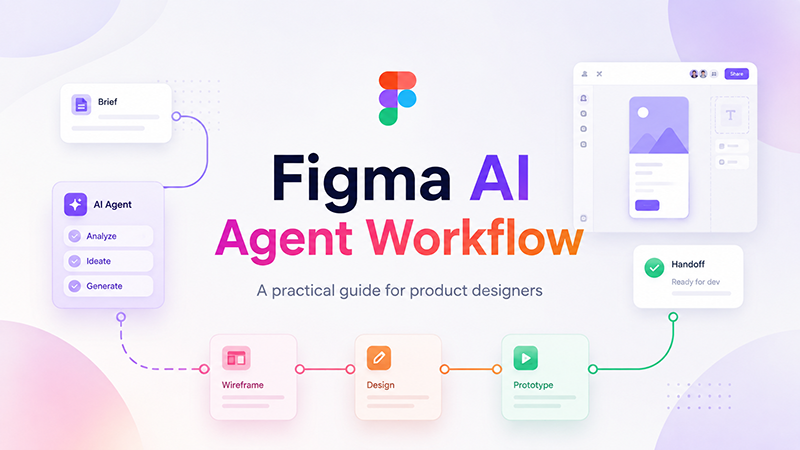
A hybrid creative may design a brand system in Figma, generate visual concepts with AI, create short motion assets for social media, build a landing page in a no-code tool, test UX flows, and present a strategic direction to a client. This kind of designer is valuable because they understand both creative quality and modern production speed.
That does not mean every designer needs to master every tool. But it does mean designers should understand how different creative systems connect. The more flexible your skill set becomes, the more opportunities you will have in agencies, startups, product teams, freelance work, and independent creative businesses.
What Companies Want From Designers in 2026
Design hiring is shifting. Many companies no longer look only for a designer who can “make things look good.” They want designers who can solve problems, adapt quickly, understand AI, communicate ideas clearly, and create work that supports business goals.
In practical terms, companies are looking for designers who can:
- Create high-quality visual work faster.
- Use AI design tools without losing originality.
- Understand user behavior and accessibility.
- Build scalable brand systems.
- Create content across static, motion, and interactive formats.
- Work with developers, marketers, founders, and product teams.
- Think strategically, not only visually.
- Protect brands from legal and ethical AI risks.
The skills below are not random trends. They are becoming part of the daily workflow for modern designers.
1. Mastering AI Creative Tools
AI creative tools are no longer optional. They are quickly becoming part of the professional design toolkit. Designers who understand how to use AI can explore ideas faster, create more variations, test visual directions, and reduce repetitive production work.
AI can help with mood boards, image generation, branding concepts, product visuals, mockups, short video assets, creative copy, layout exploration, and campaign variations. But the best results still depend on a designer’s taste and direction.
What to Learn
- Text-to-image tools such as MidJourney, DALL·E, Adobe Firefly, and Stable Diffusion.
- Image-to-image workflows for refining visual concepts.
- AI branding tools for logo ideas, mood boards, and style exploration.
- AI video generators such as Runway, Pika, and Veo-style tools.
- AI-assisted editing for photo retouching, background removal, and asset cleanup.
- Prompt engineering for better control over output.
Why It Matters
Companies want designers who can produce more ideas in less time without lowering quality. AI helps accelerate exploration, but it does not replace creative judgment. Designers who learn how to guide AI will have a major advantage over those who ignore it.
How to Practice
Pick one design challenge and solve it three ways: manually, with AI assistance, and with a combined workflow. Compare the results. This will help you understand where AI saves time and where human design decisions are still essential.
2. Creative Prompting and Concept Engineering
Prompting is becoming a real design skill. In 2026, a designer who knows how to write strong prompts can generate better concepts, maintain visual consistency, and create more useful AI-assisted results.

Creative prompting is not just typing random words into an AI tool. It is the ability to translate a visual idea into clear instructions. Strong prompts include subject, style, composition, lighting, mood, color direction, medium, and restrictions.
What to Learn
- How to structure prompts using subject, style, medium, lighting, and emotion.
- How to use negative prompts to remove unwanted elements.
- How to use seeds or references for more consistent results.
- How to create reusable prompt templates for brands and campaigns.
- How to describe design styles clearly without relying on vague words.
Why It Matters
Prompting is becoming a new form of creative literacy. Designers who master it can create stronger visual systems, reduce random AI results, and communicate ideas more clearly across tools and teams.
Practical Example
A weak prompt might be: “Create a modern poster.” A stronger prompt would be: “Create a clean editorial poster for a tech conference, using a dark navy background, bold sans-serif typography, soft blue gradients, subtle futuristic UI elements, and a premium minimal mood. Avoid clutter, stock-photo style, and overly bright colors.”
The second prompt gives the AI a creative direction that is much closer to how designers actually think.
3. Video and Motion Design Skills
Video is no longer only for video editors. Social platforms, websites, ads, product demos, and brand campaigns all use motion. Designers who understand motion design can create more engaging and memorable experiences.
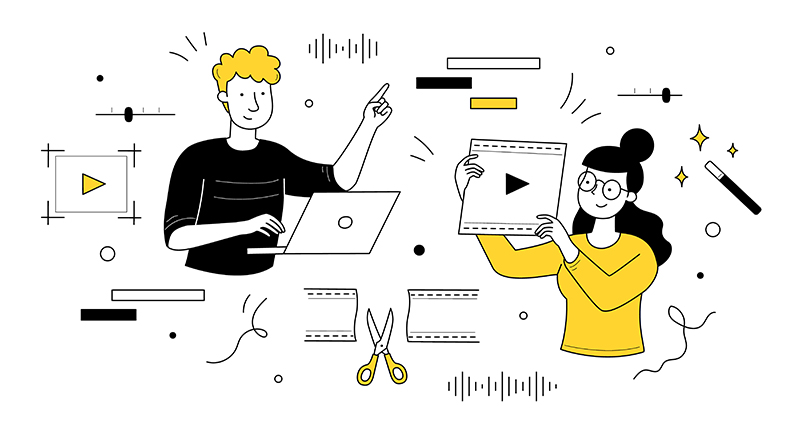
AI has made motion creation more accessible, but the fundamentals still matter. Timing, rhythm, transitions, hierarchy, pacing, and emotional flow are still human design decisions.
What to Learn
- Basic motion graphics principles.
- Transitions, pacing, and animation timing.
- AI video generation workflows.
- Short-form video content for social media.
- Animated branding and logo motion.
- Micro-interactions for UI and product design.
Why It Matters
Static content is harder to notice in crowded feeds. Motion helps brands communicate faster, explain ideas visually, and create stronger emotional impact. Designers with motion skills can offer more value to clients and employers.
How to Practice
Take one static design — a logo, poster, app screen, or social graphic — and create a simple animated version. Focus on movement that supports the message rather than motion for decoration only.
4. UX/UI Skills Enhanced With AI
UI/UX design is changing because AI is changing how users interact with digital products. Interfaces are becoming more adaptive, conversational, personalized, and automated.
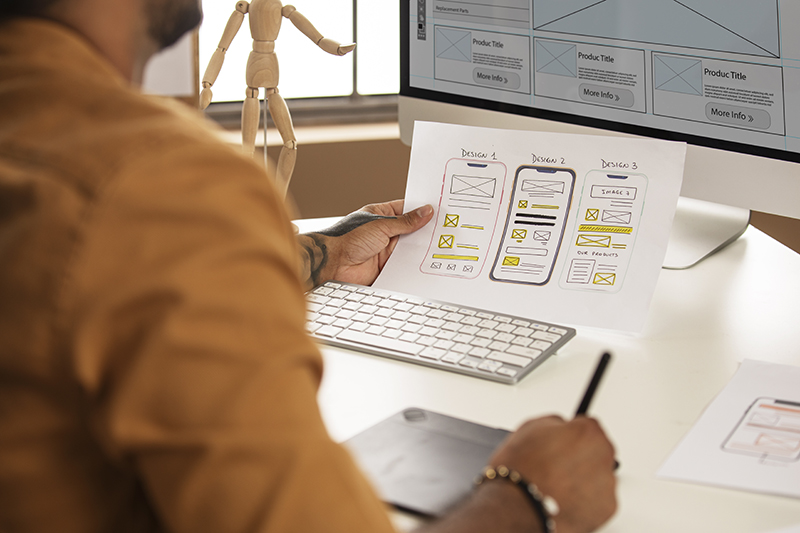
Designers now need to think beyond static screens. They must understand how users interact with AI assistants, smart recommendations, adaptive content, voice interfaces, and personalized experiences.
What to Learn
- Designing AI-assisted interfaces.
- Conversational UI and chatbot flows.
- Adaptive user experiences.
- Accessibility in AI-generated design.
- Rapid prototyping with AI tools.
- Personalization patterns and user control.
Why It Matters
UX/UI roles are evolving. Designers who understand how AI affects user behavior can create smarter, more helpful, and more ethical digital experiences.
Important Mindset Shift
The future of UX is not only about designing screens. It is about designing systems that respond to user needs. That requires research, empathy, accessibility knowledge, and strong product thinking.
5. Brand Systems and Creative Strategy
As AI automates more production tasks, human designers are moving closer to strategy. A designer’s value is increasingly tied to the ability to define a clear visual direction, build systems, and guide creative decisions.
Brand systems help teams create consistent visuals across websites, social media, products, campaigns, and presentations. In an AI-powered workflow, brand systems become even more important because AI can produce large volumes of content very quickly.
What to Learn
- Building brand systems with AI assistance.
- Creating style guides and design systems.
- Understanding positioning and audience perception.
- Developing campaign concepts and visual storytelling.
- Maintaining consistency across AI-generated assets.
Why It Matters
AI can generate assets, but it cannot fully define a brand’s emotional position, audience strategy, or cultural relevance. Designers who combine creative strategy with AI workflows will become more valuable than designers who only produce visuals.
6. Ethical and Legal Knowledge of AI-Generated Content
AI-generated content creates new ethical and legal questions. Designers need to understand where AI assets come from, how licenses work, what can be used commercially, and when synthetic content should be disclosed.

This is especially important for designers working with clients, agencies, advertising campaigns, product launches, or commercial branding projects.
What to Learn
- Copyright risks with AI-generated images and videos.
- Commercial usage rights for AI tools.
- How AI training data can affect creative work.
- When synthetic content needs to be labeled.
- How to avoid copying protected brand styles.
- How to protect clients from risky AI usage.
Why It Matters
Designers who understand AI ethics and licensing can protect themselves and their clients. This knowledge is becoming part of professional creative responsibility.
7. Hybrid Skills: Coding, Automation and No-Code Tools
Designers do not need to become full developers, but technical fluency is becoming more useful every year. Knowing how websites, apps, automation, and no-code systems work gives designers more creative power.
Hybrid designers can move from idea to prototype faster. They can build landing pages, automate workflows, connect tools, and understand what developers need during handoff.
What to Learn
- No-code website builders such as Webflow, Framer, and AI web builders.
- Basic HTML and CSS.
- Automation tools such as Zapier, Make, and AI agents.
- AI code assistants for small front-end tasks.
- Design-to-code workflows.
- Developer handoff best practices.
Why It Matters
Designers who understand technology can communicate better with developers and move faster on real projects. This does not replace visual skill — it expands what a designer can actually deliver.
8. Soft Skills and Human Creativity
AI can automate production, but it cannot replace emotional intelligence, taste, empathy, leadership, or original thinking. These human skills are becoming more valuable because they are harder to automate.
Clients and companies do not only need someone who can generate images. They need someone who can understand the problem, ask the right questions, explain decisions, manage feedback, and create work that feels meaningful.
Important Soft Skills in 2026
- Creative thinking.
- Art direction.
- Communication and client management.
- Problem solving.
- Originality and aesthetic judgment.
- Presentation skills.
- Collaboration with non-design teams.
- Adaptability and continuous learning.
Why It Matters
These qualities separate a designer from a tool operator. AI can create options, but designers decide which option is right, why it works, and how it supports a larger goal.
How to Build a Future-Proof Design Skill Stack
Instead of trying to learn everything at once, designers should build a skill stack. A design skill stack is a combination of abilities that work together and make you more valuable.
For example, a strong 2026 skill stack could look like this:
- Core design: layout, typography, composition, color, branding.
- Digital product skills: UI/UX, prototyping, accessibility, user flows.
- AI skills: prompting, image generation, AI editing, workflow automation.
- Motion skills: short-form video, animated branding, micro-interactions.
- Business skills: strategy, presentation, client communication, positioning.
You do not need to become an expert in every category immediately. Start with the skill that best supports your current work, then build from there.
A Practical 90-Day Learning Plan for Designers
If you want to upgrade your design skills in 2026, use a simple 90-day structure instead of jumping between random tutorials.
Days 1–30: AI and Prompting
- Choose two AI tools to learn deeply.
- Create 20–30 prompt experiments.
- Build one visual concept series using consistent style anchors.
- Compare AI outputs and refine your creative direction.
Days 31–60: UX, Motion and Systems
- Improve one UI/UX project.
- Add motion or micro-interactions to one design.
- Create a small design system with components.
- Document your decisions in a short case study.
Days 61–90: Portfolio and Strategy
- Turn your best work into a polished portfolio piece.
- Explain your process, not only the final visuals.
- Show how you used AI responsibly.
- Add strategic thinking: audience, goal, problem, solution, result.
This approach helps you move beyond passive learning and build visible proof of your skills.
Common Mistakes Designers Should Avoid in 2026
Learning new skills is important, but designers should also avoid habits that can weaken their careers in an AI-driven industry.
- Relying too much on AI output: AI can help, but your judgment matters most.
- Ignoring fundamentals: Typography, layout, color, and composition are still essential.
- Using tools without strategy: A trendy tool does not automatically create strong work.
- Neglecting UX and accessibility: Beautiful visuals are not enough if the experience is difficult to use.
- Not documenting process: Clients and employers want to understand how you think.
- Copying trends blindly: Trendy work can become outdated quickly.
Frequently Asked Questions About Design Skills in 2026
What is the most important skill for designers in 2026?
The most important skill is the ability to combine AI tools with strong design fundamentals, creative strategy, and human judgment. AI knowledge is valuable, but it works best when paired with real design thinking.
Do designers need to learn AI?
Yes. Designers do not need to use every AI tool, but they should understand how AI affects creative workflows, visual production, prototyping, branding, and client expectations.
Will AI replace graphic designers?
AI will replace some repetitive production tasks, but it is unlikely to replace strong designers who understand strategy, storytelling, branding, UX, and creative direction.
Should designers learn coding?
Designers do not need to become full developers, but basic HTML, CSS, no-code tools, and automation knowledge can make them more flexible and valuable.
Are motion design skills important for designers?
Yes. Motion is increasingly important for social media, websites, product interfaces, advertising, and brand storytelling. Even basic motion skills can make a designer’s work more competitive.
What should beginner designers focus on first?
Beginner designers should start with fundamentals: typography, layout, color, spacing, composition, and visual hierarchy. After that, they can add AI tools, UI/UX, motion, and strategy.
Conclusion: The Designer of 2026 Is a Hybrid Creative
To stay relevant in 2026, designers must evolve into AI-empowered creatives — professionals who combine artistry, strategy, technology, and human judgment.
The future of design is not about choosing between creativity and AI. It is about learning how to use AI as part of a smarter creative workflow while still protecting originality, quality, and meaning.
The designers who thrive will be the ones who keep learning, understand new tools, build strong visual systems, think strategically, and stay connected to real human needs.
AI may change the tools, but the heart of design remains the same: solving problems, communicating ideas, and creating work that connects with people.
Explore more AI design workflows, creative tools, and future-focused design resources on DesignRise.
Discover more from DesignRise
Subscribe to get the latest posts sent to your email.