
Vector design has always had one big advantage over raster images: it stays clean at any size. A small icon can become a billboard graphic. A simple illustration can work inside an app, on a website, in a presentation, or as part of a brand system without becoming blurry.
But creating good vector artwork by hand takes time. Designers often need to sketch, trace, simplify shapes, adjust anchor points, clean paths, test colors, export SVGs, and make sure the final file works inside tools like Figma, Adobe Illustrator, Canva, CorelDRAW, or a web project.
This is where AI vector creators are becoming genuinely useful. They help designers generate editable SVGs, scalable illustrations, icon concepts, logo directions, vector-style artwork, and clean path-based graphics much faster than starting from a blank canvas.
Still, not every AI vector tool works the same way. Some tools generate original vector illustrations from prompts. Some convert raster images into SVGs. Some are better for icons, some for branding, some for social content, and some for professional Illustrator workflows.
In this DesignRise guide, we’ll explore the top AI vector creators of 2026, how they compare, where they fit in real design workflows, and how to choose the right tool for scalable illustrations, SVGs, icons, logos, and brand assets.
What Are AI Vector Creators?
AI vector creators are tools that use artificial intelligence to generate, convert, or refine vector graphics. Depending on the platform, they can create SVG illustrations from text prompts, convert PNG or JPG images into scalable vectors, generate icon sets, produce logo concepts, or help designers create editable artwork faster.
Vector graphics are different from regular raster images. A raster image is made from pixels. A vector image is built from mathematical shapes, paths, curves, fills, and strokes. This makes vectors ideal for logos, icons, UI elements, illustrations, print graphics, animation assets, and responsive web design.
AI vector tools usually fall into three main categories:
- Text-to-vector generators: tools that create SVG or vector-style artwork from prompts.
- AI vectorizers: tools that convert raster images into SVG, EPS, PDF, or other vector formats.
- Vector design assistants: tools inside larger design platforms that help generate, edit, or style vector graphics.
The best tool depends on what you need to create. A UI designer building icons has different needs than a branding designer creating mascots, a marketer making social graphics, or an illustrator preparing artwork for print.
Explore More DesignRise Resources:
- 12 Best 3D Illustration Libraries for UI Designers
- The Hidden UX Danger: How Micro Failures Quietly Ruin Your Website
- Best Figma Website Templates for Designers
- AI-Generated Design Systems: The Creative Power Behind Smarter Design Workflows
Why AI Vector Tools Matter in 2026
In 2026, designers are expected to create more visual content than ever: landing page illustrations, app icons, presentation graphics, packaging assets, email visuals, social media posts, stickers, brand mascots, animated SVGs, and UI elements.
At the same time, teams want everything to be fast, consistent, scalable, and easy to edit. Raster AI images can look beautiful, but they are not always practical for professional design systems. If the file cannot be edited cleanly, recolored, resized, or exported for different formats, it becomes less useful.
AI vector creators help solve this problem by producing graphics that can be reused and adapted across many formats.
They are especially useful for:
- UI/UX designers who need icons, empty states, onboarding visuals, and interface illustrations;
- branding designers who need logo directions, badges, mascots, and visual systems;
- marketing teams who need fast scalable graphics for campaigns;
- web designers who need lightweight SVG assets;
- illustrators who want a faster starting point for editable artwork;
- content creators who need unique visuals without using the same stock assets as everyone else.
The real value is not only speed. The real value is flexibility. A good SVG can be edited, recolored, animated, exported, and reused.
How to Choose the Right AI Vector Creator
Before choosing a tool, it helps to know what kind of vector output you need. Some tools are better for clean SVGs. Some are better for rich illustration styles. Some are better for converting existing images. Others are better for quick marketing content.
| Need | Best Tool Type | What to Check |
|---|---|---|
| Editable SVG illustrations | Text-to-SVG generator | Path quality, color control, export format |
| Icons for UI | AI icon generator | Consistency, stroke style, size readability |
| Logo or badge ideas | Vector art generator | Originality, typography, small-size performance |
| Convert PNG/JPG to SVG | AI vectorizer | Clean paths, simplification, color accuracy |
| Marketing graphics | Canva-style vector creator | Templates, speed, brand kit support |
| Professional vector editing | Illustrator-based AI tool | Layer control, path editing, Creative Cloud workflow |
For professional work, the best workflow often combines tools. You might generate an illustration in Recraft, refine it in Illustrator, adjust it in Figma, and then export it as an optimized SVG for web use.
1. Kittl AI Vector Generator
Best for: badges, logos, mascots, merch graphics, vintage-style vector artwork, and branded illustration concepts
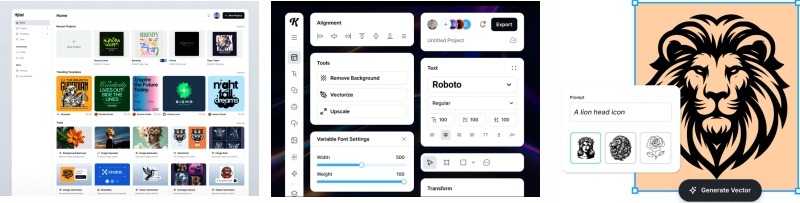
Kittl is a strong AI vector creator for designers who want expressive, editable graphics instead of simple generic icons. It works especially well for badges, stickers, mascots, lettering-inspired artwork, vintage graphics, and brand-friendly illustrations.
For designers working on merch, packaging, posters, creator brands, or social assets, Kittl can be a fast way to generate polished vector directions that still feel visually rich.
Key Features
- AI vector generation from text prompts.
- Editable vector artwork inside the Kittl editor.
- Useful for badges, logos, stickers, mascots, and decorative graphics.
- Template library for fast layout and brand asset creation.
- Export options for professional design workflows.
Pros
- Strong for detailed vector artwork and branding concepts.
- Good balance between AI generation and manual editing.
- Works well for merch, badges, posters, and social graphics.
- Useful when you want a more designed look than a basic SVG generator.
Cons
- Complex prompts may require several attempts.
- Not always the best choice for ultra-minimal UI icon systems.
- Designers still need to check originality and simplify details for logo use.
Best For
Branding designers, illustrators, merch creators, logo designers, social designers, and creative entrepreneurs.
2. Recraft AI Vector Generator
Best for: production-ready SVGs, UI illustrations, icon sets, web graphics, and consistent visual styles
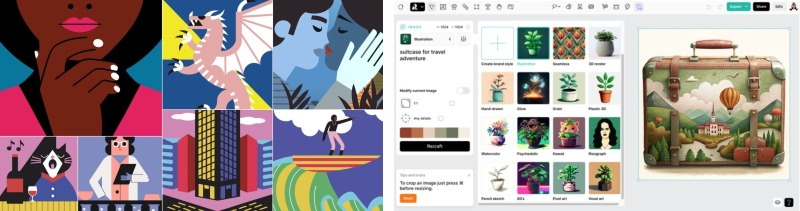
Recraft is one of the strongest options for designers who need clean vector output and style consistency. It is useful for generating SVG illustrations, icons, logos, and scalable graphics that can be used across websites, apps, landing pages, presentations, and brand systems.
One of Recraft’s biggest strengths is style control. Designers can explore flat, isometric, 3D-inspired, gradient, outline, and geometric directions without starting every asset manually.
Key Features
- Text-to-vector generation.
- SVG output for scalable design workflows.
- Useful for logos, icons, illustrations, and vector art.
- Style presets for different visual directions.
- Good fit for UI, web, branding, and marketing assets.
Pros
- Clean vector output that is easier to adapt than raster images.
- Strong choice for UI/UX and web illustration workflows.
- Good style variety for modern digital design.
- Helpful for building consistent illustration sets.
Cons
- Some compositions may still feel generic without strong prompts.
- Free or lower-tier plans may have export limitations.
- Final assets may need manual cleanup for complex systems.
Best For
UI/UX designers, web designers, branding teams, product designers, landing page designers, and AI collection creators.
3. Adobe Illustrator Text to Vector Graphic
Best for: professional vector editing, patterns, icons, illustrations, brand assets, and production-ready design workflows
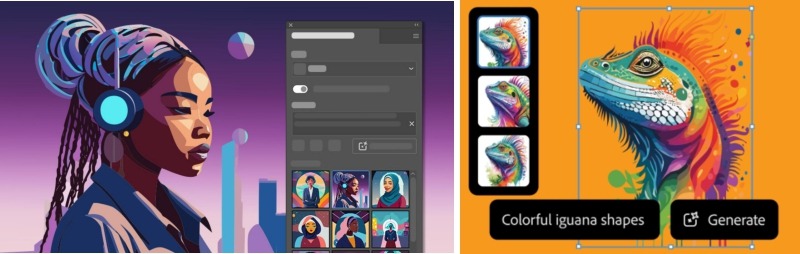
Adobe Illustrator remains one of the most important tools for professional vector design. Its AI-powered vector features are especially useful because generated results can be refined directly inside a real vector editing environment.
This matters for professional designers. A standalone AI generator may create a beautiful SVG, but Illustrator gives you deeper control over paths, colors, shapes, patterns, layers, and final production files.
Key Features
- Generative vector creation inside Adobe Illustrator workflows.
- Useful for icons, patterns, abstract graphics, and illustrations.
- Editable vector output with professional path control.
- Strong integration with Adobe Creative Cloud.
- Good for print, branding, packaging, and production design.
Pros
- Professional-level editing after AI generation.
- Strong for designers already using Illustrator.
- Better control over final vector paths and colors.
- Useful for commercial branding and print workflows.
Cons
- Requires Adobe subscription.
- More complex than simple web-based AI vector tools.
- AI output still needs human direction and refinement.
Best For
Professional illustrators, branding studios, print designers, packaging designers, and agencies.
4. Illustro AI SVG Generator
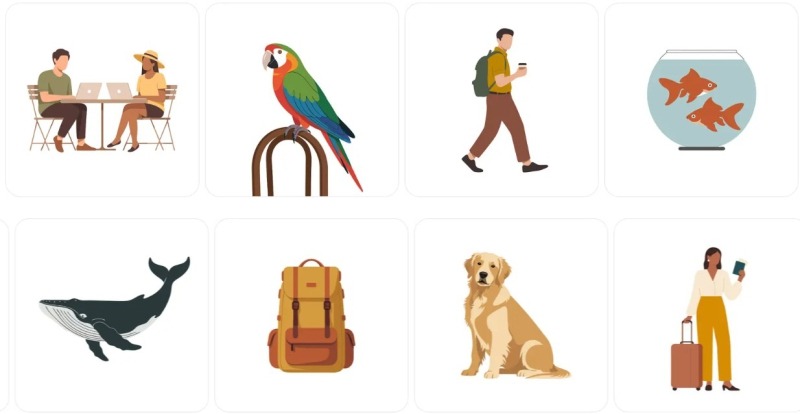
Best for: fully editable SVG vector illustrations from text prompts
Illustro is focused on AI-generated SVG output. That makes it useful for designers who need scalable graphics that can be opened and edited in vector tools like Figma, Illustrator, or other SVG-compatible editors.
Instead of generating a raster image that only looks like a vector illustration, Illustro focuses on producing actual SVG assets that can be resized, recolored, and adapted.
Key Features
- Text-to-SVG generation.
- Editable vector graphics.
- Useful for web illustrations, UI visuals, and scalable brand graphics.
- Works well with clear descriptive prompts.
- Suitable for designers who need SVG files rather than PNG-only output.
Pros
- Good option for editable SVG workflows.
- Useful for websites, apps, and scalable illustrations.
- Simple concept-to-vector process.
- Can save time during early illustration exploration.
Cons
- Advanced styling may be more limited than larger design platforms.
- Best results require clear, specific prompts.
- Complex scenes may still need manual cleanup.
Best For
UI/UX designers, branding teams, illustrators, web designers, and marketing professionals who need editable vector illustrations.
5. Illustroke
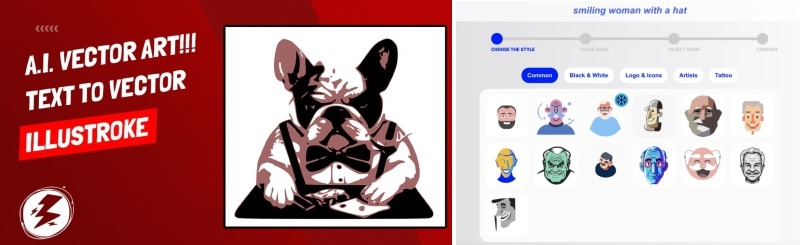
Best for: simple SVG illustrations, outline graphics, minimal visuals, and clean web assets
Illustroke is useful when you do not need an overly detailed illustration. It works well for simple vector visuals, minimal graphics, outline-style illustrations, and clean website assets.
This makes it a good option for SaaS landing pages, blog illustrations, small UI scenes, empty states, and lightweight SVG graphics where simplicity matters more than decorative complexity.
Key Features
- AI-generated SVG illustrations from prompts.
- Simple and minimal visual styles.
- Useful for web design and UI illustration needs.
- Fast generation for lightweight graphics.
- Good option for quick visual support assets.
Pros
- Clean and lightweight output.
- Good for simple website illustrations.
- Useful for designers who need fast SVG assets.
- Works well for minimal UI and SaaS-style visuals.
Cons
- Not ideal for complex artwork.
- Limited compared with full design platforms.
- May require manual editing for brand consistency.
Best For
Icon designers, UI designers, SaaS landing page designers, bloggers, and web designers.
6. VectorArt.ai
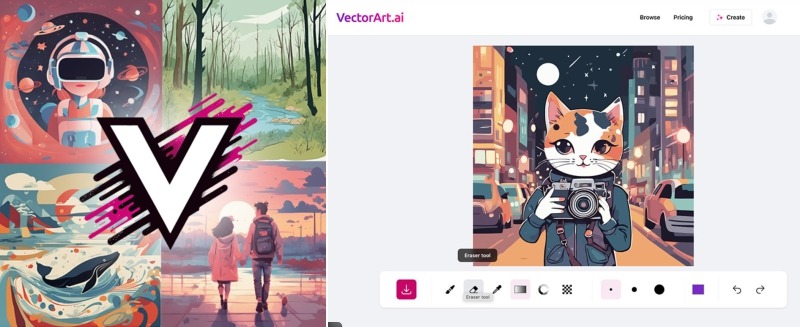
Best for: stock-style vector illustrations, business graphics, web visuals, and scalable SVG assets
VectorArt.ai is built around AI-generated vector images, logos, icons, and illustrations. It is useful when designers need quick scalable visuals for websites, apps, business pages, blog posts, and marketing materials.
The tool is especially helpful for teams that need many vector-style images but do not want every asset to be manually illustrated from scratch.
Key Features
- AI-generated vector art.
- SVG graphics for business, apps, websites, and content.
- Useful for stock-style illustration needs.
- Supports logos, icons, and illustrations.
- Good for frequent visual content production.
Pros
- Useful library-style approach to AI vector assets.
- Good for website and marketing graphics.
- Can save time for bloggers and small businesses.
- Helpful when you need many scalable visuals quickly.
Cons
- Some styles may feel basic or generic.
- Manual refinement may be needed for premium brands.
- Not always ideal for highly custom illustration systems.
Best For
Web designers, bloggers, startup teams, social media designers, and small businesses.
7. Canva AI Vector Creator
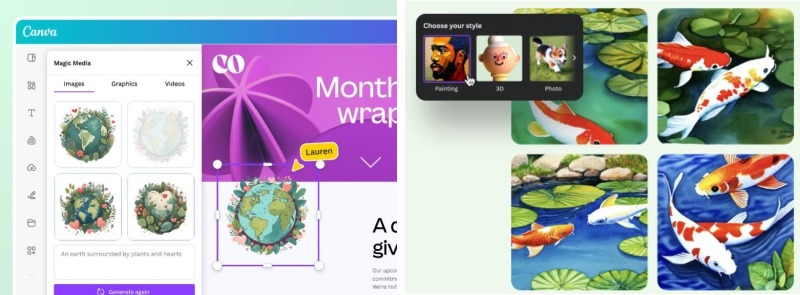
Best for: marketing visuals, social media graphics, brand assets, presentations, and quick content production
Canva’s AI vector creation tools are useful for designers, marketers, and small businesses that need fast scalable graphics without switching between multiple professional design apps.
Canva is not always the deepest tool for advanced vector editing, but it is very practical for creating marketing visuals, social posts, presentation graphics, and brand-friendly assets quickly.
Key Features
- AI vector graphics from text prompts.
- Works inside Canva’s design workflow.
- Useful for social media, web, and marketing projects.
- Multiple visual styles and format options.
- Easy export and integration with Canva templates.
Pros
- Easy for non-technical users.
- Fast for marketing and social content.
- Good for small businesses and content teams.
- Works well with Canva templates and brand kits.
Cons
- Less control than Illustrator or dedicated vector tools.
- Complex artwork may need another tool for refinement.
- Some outputs may feel template-based unless customized.
Best For
Marketers, social media designers, branding teams, content creators, small businesses, and presentation designers.
8. Pixelcut Vector Illustration Generator
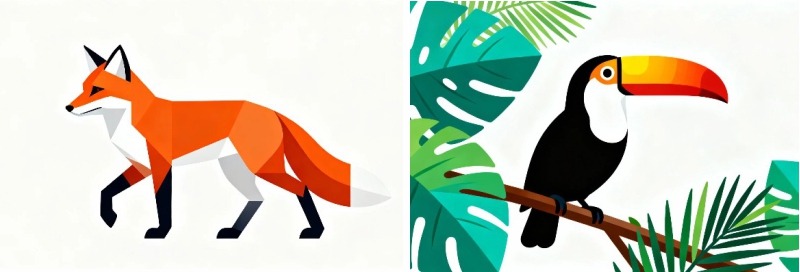
Best for: quick vector-style illustrations, marketing graphics, web headers, social content, and visual experiments
Pixelcut’s vector illustration generator is useful for designers and marketers who need fast visual concepts from text prompts. It is especially practical for social posts, web graphics, product visuals, and simple brand-supporting illustrations.
It may not replace a full professional vector workflow, but it can help teams create visual directions quickly and then refine the strongest ideas elsewhere.
Key Features
- Text-prompt-based vector-style illustration generation.
- Useful for marketing, branding, UI, and social graphics.
- Quick workflow for non-technical teams.
- Good for fast concept generation.
- Helpful for content creators who need visual variety.
Pros
- Very fast for idea generation.
- Useful for marketing and content workflows.
- Easy to use for designers and non-designers.
- Good for quick visual exploration.
Cons
- Fine-tuning may be limited for complex illustrations.
- Free plans may include restrictions.
- Professional designers may still need to refine the final output.
Best For
Designers, marketers, UI/UX professionals, ecommerce teams, and social media content creators.
9. Vectorizer.ai
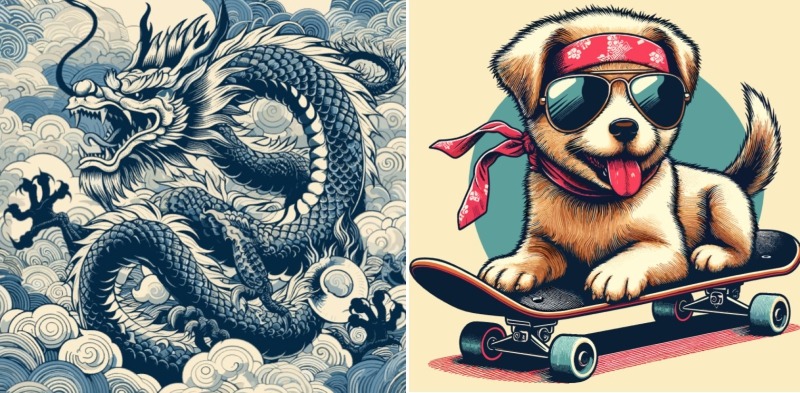
Best for: converting PNG, JPG, and raster AI images into scalable vector graphics
Vectorizer.ai is different from most tools on this list. It is not primarily a generator. It is a converter that transforms raster images into vector files.
This is very useful when you generate artwork in another AI tool and then need a scalable version. For example, you might create a flat illustration in an image generator and then use Vectorizer.ai to convert it into SVG for web, print, or editing.
Key Features
- Converts raster images into vector graphics.
- Useful for turning PNG or JPG into scalable SVG-style output.
- Helps transform AI images into editable or scalable assets.
- Good for logos, icons, illustrations, and artwork cleanup.
- Useful bridge between raster AI tools and vector workflows.
Pros
- Very useful for converting AI-generated raster images.
- Helps designers create scalable versions of existing graphics.
- Good for quick vectorization tasks.
- Practical for cleaning up generated artwork before editing.
Cons
- Not a true text-to-vector generator.
- Complex raster images may create complicated paths.
- Manual cleanup may still be needed in Illustrator or Figma.
Best For
Designers who generate images elsewhere but need vector output, logo cleanup, SVG conversion, and scalable web graphics.
10. IconScout AI Icon Generator
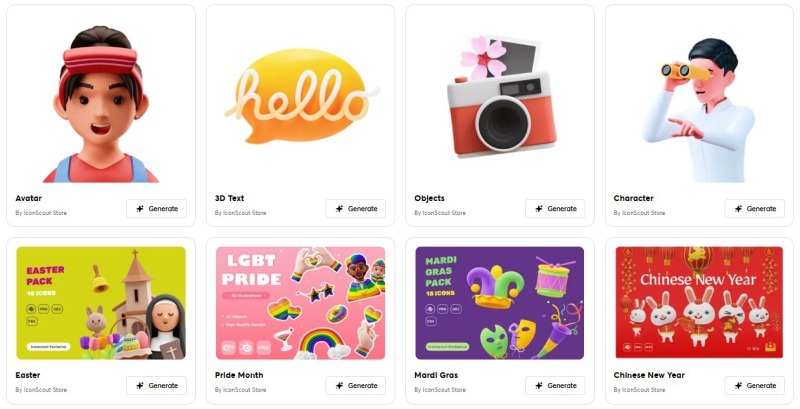
Best for: AI-generated icons, consistent icon sets, UI systems, dashboards, mobile apps, and interface design
IconScout is useful for designers who need iconography rather than full illustrations. Its AI icon generation can help create custom SVG and PNG icons from text prompts, which makes it helpful for dashboards, mobile apps, SaaS interfaces, websites, and product systems.
For UI/UX designers, the biggest value is consistency. A single icon is easy to make. A full icon set with the same stroke, shape language, and visual rhythm is more difficult. AI tools can help speed up that process, but designers still need to review every icon for clarity and consistency.
Key Features
- AI icon generation from text prompts.
- SVG and PNG icon output.
- Useful for UI/UX design systems.
- Large design asset library.
- Helpful for dashboards, mobile apps, and website interfaces.
Pros
- Strong for icon-focused workflows.
- Useful for large interface systems.
- Can help generate custom icons quickly.
- Good for UI designers who need scalable assets.
Cons
- Focused more on icons than complex illustrations.
- Generated icons still need consistency checks.
- Not ideal for full brand illustration systems on its own.
Best For
UI/UX designers, mobile app designers, dashboard designers, product teams, and design system creators.
Quick Comparison: Best AI Vector Creators by Use Case
| Tool | Best Use Case | Best For |
|---|---|---|
| Kittl AI Vector Generator | Badges, mascots, merch, logo-style artwork | Branding and illustration |
| Recraft AI | SVG illustrations, icons, web graphics | UI/UX and web design |
| Adobe Illustrator Text to Vector Graphic | Professional vector editing and production | Agencies and pro designers |
| Illustro AI SVG Generator | Editable SVG illustrations from text | Web and product visuals |
| Illustroke | Simple outline and minimal SVG graphics | SaaS and landing pages |
| VectorArt.ai | Stock-style vector illustrations | Blogs and marketing |
| Canva AI Vector Creator | Marketing and social media graphics | Content teams and small businesses |
| Pixelcut Vector Illustration Generator | Quick visual concepts and vector-style art | Marketers and content creators |
| Vectorizer.ai | Raster-to-vector conversion | SVG conversion and cleanup |
| IconScout AI Icon Generator | Custom icons and icon sets | UI systems and mobile apps |
A Practical AI Vector Workflow for Designers
The best results do not come from generating one asset and using it immediately. A professional AI vector workflow still needs direction, selection, editing, and quality control.
Step 1: Define the Asset Type
Decide whether you need an icon, logo concept, hero illustration, mascot, pattern, sticker, web illustration, or SVG animation asset.
Step 2: Choose the Right Tool
Use Recraft or Illustro for editable SVGs, Kittl for rich brand-style graphics, Canva for marketing visuals, IconScout for icons, and Vectorizer.ai for conversion.
Step 3: Write a Specific Prompt
A strong prompt should include subject, style, color direction, level of detail, format, and intended use.
Step 4: Generate Several Directions
Do not stop at the first output. Generate multiple variations and compare which one fits the project best.
Step 5: Edit the Vector Manually
Open the result in Figma, Illustrator, or another vector editor. Clean paths, adjust colors, simplify shapes, and align the asset with the brand.
Step 6: Test the Asset in Context
Place the vector inside the real design: app screen, website hero, presentation, social post, or brand system. A vector can look good alone but fail inside a layout.
Step 7: Export Correctly
Export optimized SVG for web, PDF or EPS for print, and PNG only when a raster fallback is needed.
Prompt Examples for AI Vector Creators
UI Illustration Prompt
Create a clean flat SVG illustration of a project management dashboard with cards, charts, and a friendly human character. Use soft blue and green colors, simple geometric shapes, minimal shadows, and a modern SaaS style. Suitable for a website hero section.
Icon Set Prompt
Generate a consistent SVG icon set for a finance dashboard. Icons should include wallet, chart, invoice, notification, savings, and settings. Use a thin rounded outline style, 24px grid, simple shapes, and no filled backgrounds.
Brand Mascot Prompt
Create a friendly vector mascot for a creative AI tool. The mascot should look like a small bee holding a pencil, with clean outlines, warm yellow and black accents, simple shapes, and sticker-ready composition.
Logo Concept Prompt
Generate five vector logo concept directions for a modern fitness studio. The brand should feel strong, energetic, and premium. Avoid generic dumbbell icons. Focus on movement, rhythm, and upward growth.
Common Mistakes When Using AI Vector Creators
Confusing Vector-Style Images With Real Vectors
Some AI tools generate raster images that look like vector illustrations but are not actually editable SVGs. Always check the export format before using the asset professionally.
Using Too Much Detail
Vector graphics often work best when simplified. Too many tiny details can create messy paths and weak scalability.
Ignoring Path Quality
A vector file can technically be SVG but still have too many messy points. Open the file in a vector editor and inspect the paths.
Skipping Brand Consistency
AI can generate many styles quickly, but a brand needs consistency. Use the same color palette, stroke style, shape language, and illustration rules.
Not Testing Small Sizes
Icons and logos need to work at small sizes. If the design loses clarity when reduced, simplify it.
Forgetting Accessibility
Check contrast, color meaning, and readability, especially when vectors are used in UI or web projects.
AI Vector Quality Checklist
Before using an AI-generated vector in a real project, check the following:
- Is the file actually SVG, EPS, PDF, or another vector format?
- Are the paths clean enough to edit?
- Does the design scale without losing clarity?
- Does it work in the final layout?
- Are colors aligned with the brand?
- Is the style consistent with other assets?
- Does the icon or illustration still work at small sizes?
- Are there unnecessary details that should be simplified?
- Does the file size need SVG optimization?
- Can the asset be recolored easily?
- Does the output look original enough?
- Have you checked licensing and commercial usage rules?
Useful Resources for AI Vector and SVG Workflows
These resources can help you explore AI vector creators, SVG generation, and vector design workflows further:
- Kittl AI Vector Generator — AI vector icons, illustrations, and editable vector artwork.
- Recraft AI Vector Generator — text-to-SVG generation for logos, icons, illustrations, and vector art.
- Adobe Illustrator Text to Vector Graphic — generative vector creation inside Illustrator workflows.
- Illustro AI SVG Generator — text-to-SVG creation for editable scalable vector graphics.
- Canva AI Vector Creator — AI vector graphics for web, social media, and graphic design projects.
- Vectorizer.ai — raster image to vector conversion.
- IconScout — AI icon generation and design asset library.
FAQ: AI Vector Creators
What are the best AI vector creators in 2026?
Some of the top AI vector creators in 2026 include Kittl, Recraft, Adobe Illustrator Text to Vector Graphic, Illustro, Illustroke, VectorArt.ai, Canva AI Vector Creator, Pixelcut, Vectorizer.ai, and IconScout.
What is the difference between an AI vector creator and an AI vectorizer?
An AI vector creator generates new vector graphics from prompts or design inputs. An AI vectorizer converts existing raster images, such as PNG or JPG files, into vector formats like SVG.
Can AI generate real SVG files?
Yes, some AI tools can generate real SVG files. However, designers should always check whether the file is truly editable and whether the paths are clean enough for professional use.
Are AI-generated vectors good for logos?
AI-generated vectors can be useful for logo exploration, but professional logos still need human refinement, originality checks, typography work, scalability testing, and brand strategy.
Which AI vector tool is best for UI icons?
IconScout, Recraft, Illustroke, and Adobe Illustrator can be useful for UI icons, depending on how much control and consistency you need.
Which AI vector tool is best for marketing teams?
Canva AI Vector Creator, Kittl, Pixelcut, and VectorArt.ai are useful for marketing teams that need fast scalable visuals for social media, presentations, web graphics, and campaigns.
Do AI vector files need manual cleanup?
Often, yes. Even when the output is SVG, designers may need to simplify paths, adjust colors, clean shapes, improve spacing, and optimize files for web or print.
Can I use AI vector creators for commercial projects?
It depends on the tool and plan. Always check the licensing terms, commercial usage rights, and export rules before using AI-generated vectors in client work or products.
Conclusion: AI Makes Vector Design Faster, but Designers Still Shape the Final System
AI vector creators are changing how designers create scalable illustrations, SVGs, icons, and visual assets. They make it easier to explore ideas, generate variations, convert images, and build reusable graphics faster than traditional workflows alone.
But AI does not remove the designer’s role. A generated vector still needs judgment. Is it clear? Is it original? Does it fit the brand? Are the paths clean? Does it work at small sizes? Can it be reused across a system?
The best designers will not use AI vector tools blindly. They will use them as creative accelerators — then refine the output with taste, strategy, and technical care.
AI can generate the first shape. Designers turn it into a useful, scalable, memorable asset.
The future of vector design belongs to designers who combine AI speed with human precision.
Explore more AI design tools, SVG workflows, and creative resources on DesignRise.
Discover more from DesignRise
Subscribe to get the latest posts sent to your email.