
Motion graphics has always lived somewhere between design, timing, rhythm, storytelling, and technical patience. A good motion designer does not simply move objects on a timeline. They decide how a brand should feel in motion, how a transition should guide the eye, how a title should appear, and how a visual story should unfold in seconds.
But the workflow has changed dramatically. In 2026, designers no longer need to spend hours on every repetitive animation task, rough preview, background variation, character movement, or social video draft. AI tools for motion graphics designers can now help generate video clips, animate still images, clean footage, create motion concepts, produce 3D assets, stylize frames, and speed up social media production.
Still, AI does not replace taste. It does not automatically understand pacing, brand personality, emotion, or why one transition feels premium while another feels cheap. The best motion designers use AI as a creative engine, not as a final decision-maker.
This guide explores the top AI tools for motion graphics designers in 2026, but it also goes deeper than a simple tool list. You’ll learn what each tool is best for, where it fits in a real workflow, what to watch out for, and how to combine AI with professional motion design judgment.
Why AI Matters for Motion Graphics Designers in 2026
Motion work has always been time-consuming. Even a short branded animation can involve research, storyboarding, design, asset preparation, keyframing, transitions, rendering, sound, revisions, and exports for multiple platforms.
AI helps because it can reduce the slowest parts of the process.
For motion designers, AI can support:
- text-to-video generation for quick concept exploration;
- image-to-video animation for bringing still visuals to life;
- AI-assisted VFX for background removal, object tracking, and cleanup;
- 3D asset generation for product, game, AR, and campaign visuals;
- character animation from video or motion capture input;
- stylized animation for painterly, hand-drawn, or experimental looks;
- social media video creation from scripts, articles, or brand templates;
- faster prototyping before committing to a full animation pipeline.
The biggest advantage is not only speed. It is creative range. AI lets designers test more directions before choosing one. That means better decisions, better client presentations, and more time for storytelling.
How to Choose the Right AI Motion Tool
Not every AI video tool is useful for the same type of motion design. Some tools are great for cinematic clips. Others are better for social videos, 3D characters, stylized animation, or production-ready VFX workflows.
Before choosing a tool, ask what you actually need.
| Motion Task | Best Tool Type | What to Look For |
|---|---|---|
| Quick concept videos | Text-to-video or image-to-video tools | Style control, prompt accuracy, visual consistency |
| Professional compositing | After Effects and AI-assisted VFX tools | Layer control, masking, tracking, export quality |
| Character movement | AI mocap and 3D animation tools | Rigging, FBX export, body tracking, cleanup options |
| Social video content | Script-to-video tools | Templates, brand kits, captions, fast resizing |
| Stylized animation | Frame stylization tools | Look consistency, painterly control, short clip support |
| 3D assets | AI 3D generation tools | Topology, textures, export formats, production readiness |
A smart workflow does not depend on one tool. Most professional motion designers use several tools together: one for ideation, one for animation, one for editing, one for cleanup, and one for final polish.
Explore More DesignRise Resources:
- 10 Most Essential AI Tools for eCommerce in 2026
- Most Useful AI Tools for Marketing & Sales
- Top AI Tools for UI/UX Designers in 2026 — From Prototyping to User Research
- AI Workflows for Designers in 2026: Tools, Systems and Real Use Cases
1. Runway
Best for: AI video generation, creative direction, cinematic motion concepts, and experimental visual storytelling
Runway is one of the most important AI video platforms for motion graphics designers because it helps turn ideas, images, and prompts into moving visual concepts. It is especially useful when you need to explore mood, pacing, cinematic style, or visual effects before building a final animation manually.
For motion designers, Runway can be used at the beginning of a project to generate visual directions, test transitions, create atmospheric clips, or experiment with scenes that would be expensive to shoot or animate from scratch.
Key Features
- Text-to-video and image-to-video generation.
- AI-assisted video editing and visual experimentation.
- Useful for mood films, pitch concepts, and campaign visuals.
- Strong for cinematic direction and stylized motion tests.
- Helpful for pre-production, storyboards, and visual exploration.
Pros
- Excellent for fast concept development.
- Useful for creative experimentation before production.
- Can help motion designers present ideas more clearly to clients.
- Good for cinematic mood, atmosphere, and abstract motion.
Cons
- AI-generated clips may still need editing and cleanup.
- Exact motion control can be limited compared with manual animation.
- Consistency across longer sequences may require careful planning.
Best For
Motion designers, creative directors, video artists, brand campaign teams, and social content creators who need fast visual exploration.
2. Adobe After Effects + Firefly AI
Best for: professional motion graphics, compositing, AI-assisted assets, and VFX workflows
Adobe After Effects remains one of the main tools for professional motion graphics. When paired with Adobe Firefly and other AI-assisted Creative Cloud workflows, it becomes even more powerful for designers who need both creative flexibility and production control.
Firefly can support the visual side of motion work by helping generate images, backgrounds, references, and creative assets that can then be animated, composited, and refined in After Effects.
Key Features
- Professional timeline-based animation and compositing.
- AI-assisted creative asset generation through Adobe Firefly.
- Useful for background concepts, visual references, and generative elements.
- Strong integration with Photoshop, Illustrator, Premiere Pro, and Creative Cloud workflows.
- Advanced control over layers, keyframes, effects, typography, and expressions.
Pros
- Industry-standard tool for motion graphics and VFX.
- Excellent control over final animation quality.
- Works well for professional client projects and studio pipelines.
- AI can speed up asset creation and early visual exploration.
Cons
- Requires more skill than simple AI video generators.
- Subscription-based software.
- AI-generated assets still need manual direction and refinement.
Best For
Professional motion designers, VFX artists, video editors, brand studios, agencies, and designers already working in Adobe Creative Cloud.
3. Luma Dream Machine
Best for: image-to-video animation, cinematic short clips, product visuals, and social media motion concepts
Luma AI is useful for turning still images, prompts, and visual ideas into cinematic videos. For motion graphics designers, this can be especially helpful when working with brand visuals, product images, campaign concepts, or atmospheric clips that need movement quickly.
Luma is not a replacement for a full motion design pipeline, but it can be a strong tool for concepting, creating moving references, and testing how static visuals might behave in motion.
Key Features
- Text-to-video and image-to-video generation.
- Cinematic movement and smooth transitions.
- Useful for short-form visual concepts.
- Works well for bringing static images to life.
- Helpful for social media, brand campaigns, and product storytelling.
Pros
- Fast way to test motion from still visuals.
- Useful for campaign previews and mood videos.
- Good for designers who need cinematic motion without building everything manually.
Cons
- Short clips may still need editing into a final sequence.
- Fine motion control is not the same as manual keyframing.
- Brand consistency may need several iterations.
Best For
Social media designers, campaign designers, product marketers, creative directors, and motion designers exploring cinematic concepts.
4. Pika
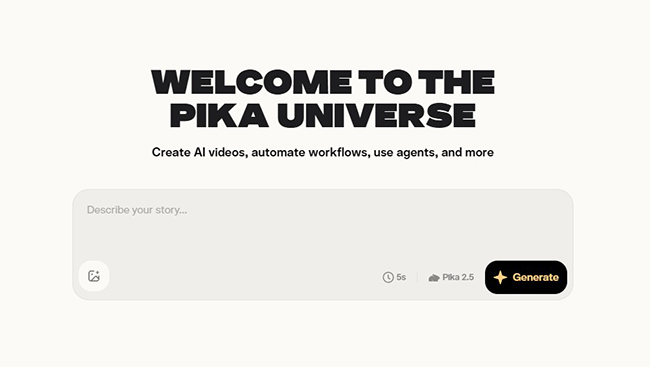
Best for: creative AI video effects, trend-driven motion, image animation, and fast social video experimentation
Pika is a playful and fast AI video platform that can help motion graphics designers create short clips, animate photos, test surreal effects, and explore social-first motion ideas. It works well when you need bold, attention-grabbing visuals rather than a traditional studio pipeline.
For designers creating TikTok, Reels, YouTube Shorts, campaign teasers, or experimental video loops, Pika can be useful during the idea and testing stage.
Key Features
- Image-to-video and text-to-video style generation.
- Creative effects for surreal or trend-based video content.
- Fast experimentation with short clips.
- Useful for social media concepts and viral-style visuals.
- Good for animating still photos or visual assets quickly.
Pros
- Fast and accessible for creative experiments.
- Good for bold social media visuals.
- Useful for designers who need quick motion tests.
Cons
- May feel too playful for serious corporate work.
- Not ideal for precise professional animation control.
- Outputs may need editing and brand refinement.
Best For
Social content creators, motion designers, creative marketers, music visual creators, and designers making short-form experimental videos.
5. Kaiber
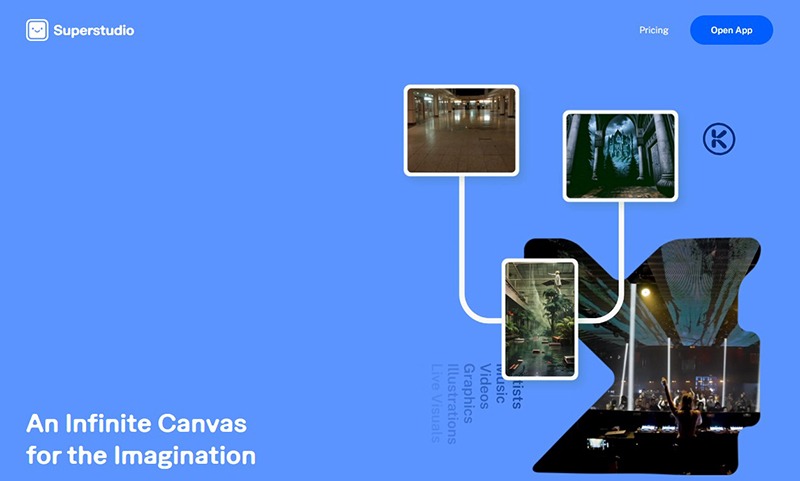
Best for: AI-powered animation, visualizers, stylized motion, and creative video prototyping
Kaiber is useful for designers who want to turn images, ideas, or prompts into stylized motion. It is often a good fit for music visuals, creative loops, campaign concepts, animated moodboards, and experimental video directions.
Kaiber is especially helpful when a project needs a distinct visual atmosphere rather than a traditional clean corporate animation.
Key Features
- Text-to-animation and image-to-video generation.
- Stylized visual transformation.
- Useful for loops, visualizers, and concept animations.
- Good for fast creative exploration.
- Can support social media and music-related visuals.
Pros
- Strong for quick prototyping.
- Good for stylized and expressive animation.
- Useful interface for designers and creators.
- Can generate motion ideas before manual refinement.
Cons
- May require several iterations for precise brand matching.
- Not ideal for highly technical motion systems.
- Final output may still need editing and compositing.
Best For
Freelance motion designers, social media content creators, music visual designers, creative directors, and concept animation teams.
6. DeepMotion Animate 3D
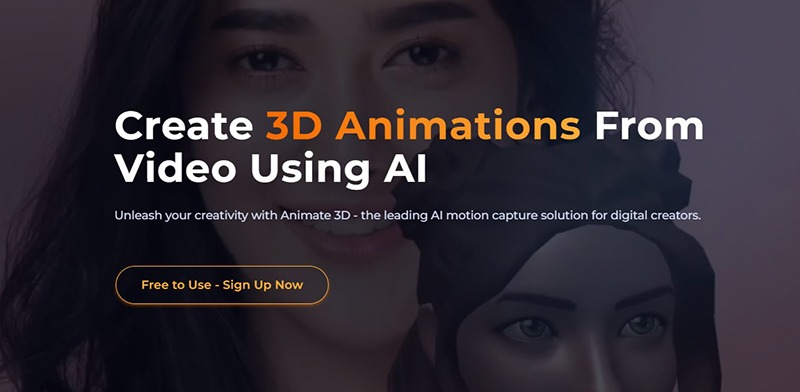
Best for: AI-powered character animation, motion capture, game assets, and 3D movement
DeepMotion Animate 3D helps convert video into 3D character animation using AI motion capture. This is especially useful for designers and animators who need body movement without setting up a traditional mocap studio.
For motion graphics designers, DeepMotion can be useful when a project needs animated characters, avatars, explainers, game-style motion, AR/VR content, or 3D storytelling.
Key Features
- AI-powered motion capture from video.
- 3D character animation workflow.
- Browser-based motion generation.
- Useful for body tracking and humanoid animation.
- Supports workflows for games, AR/VR, and 3D content.
Pros
- Speeds up character animation.
- Reduces the need for expensive mocap equipment.
- Useful for fast prototypes and animation tests.
- Good for game, VFX, and avatar workflows.
Cons
- Works best with clear, high-quality video input.
- Complex movement may require cleanup.
- Facial animation and detailed performance may need additional tools.
Best For
Animators, motion graphics designers, VFX teams, game developers, AR/VR creators, and character-based content studios.
7. EbSynth
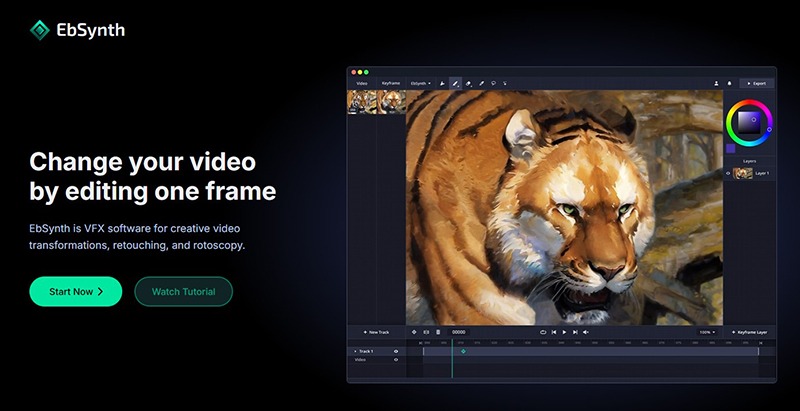
Best for: stylized video transformation, painterly animation, rotoscopy, and artistic motion graphics
EbSynth is a strong tool for motion designers who want to transform video into hand-painted, illustrated, or stylized animation. Instead of painting every frame manually, designers can paint or define keyframes and let the software help propagate the style across the video.
This makes EbSynth especially valuable for music videos, experimental animation, editorial motion, artistic campaigns, and stylized social content.
Key Features
- Paint-over-video workflow.
- Stylized video transformation.
- Useful for retouching, rotoscopy, and creative video effects.
- Can help turn live-action footage into illustrated motion.
- Works well with Photoshop and compositing workflows.
Pros
- Creates a unique artistic look.
- Saves time compared with manual frame-by-frame painting.
- Strong for short stylized clips and creative videos.
- Useful for designers who want a handcrafted feel.
Cons
- Works best on shorter clips.
- Can require careful keyframe preparation.
- Not ideal for every type of commercial motion project.
Best For
Artistic motion designers, music video creators, experimental animators, VFX artists, and stylized content teams.
8. Lumen5
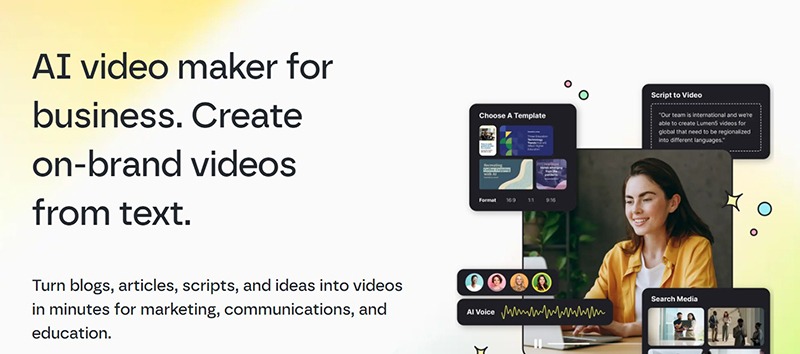
Best for: AI-powered social media videos, marketing content, and branded motion templates
Lumen5 is built for turning written content, scripts, and ideas into video content quickly. It is not a tool for complex custom animation, but it can be very useful for marketing teams and designers who need fast social media videos.
For motion graphics designers, Lumen5 is most useful when the goal is speed, structure, and repeatable branded content rather than fully custom animation.
Key Features
- Text-to-video creation.
- AI-assisted scene suggestions.
- Stock media and visual selection.
- Brand kits for consistency.
- Useful for social media, marketing, and content repurposing.
Pros
- Very fast for marketing videos.
- Easy for non-technical teams.
- Good for turning blog posts or scripts into video.
- Helpful for consistent branded social content.
Cons
- Template-based output can feel generic.
- Limited for advanced custom animation.
- May require manual editing to feel premium.
Best For
Marketing teams, social media managers, small businesses, content creators, and designers producing repeatable branded video assets.
9. Kaedim
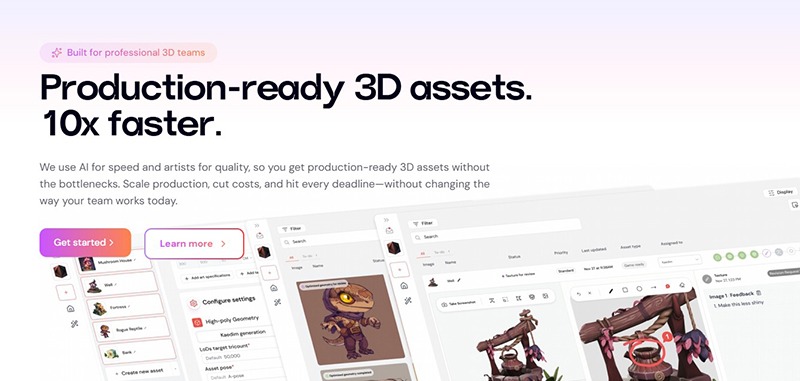
Best for: AI-assisted 3D asset production for motion graphics, games, product visuals, and AR/VR projects
Kaedim focuses on turning sketches, product photos, briefs, and art direction into 3D assets. For motion graphics designers, this can be useful when a project needs 3D objects for product animations, game visuals, AR experiences, explainer videos, or campaign scenes.
Kaedim is not mainly a timeline animation tool. It is more useful as part of the asset creation stage, especially when a motion workflow needs 3D models faster than traditional modeling from scratch.
Key Features
- AI-assisted 3D asset generation.
- Works from sketches, references, product photos, and briefs.
- Useful for production-ready 3D asset workflows.
- Supports teams that need scalable 3D content.
- Helpful for games, product design, ecommerce, and marketing visuals.
Pros
- Can speed up 3D asset production.
- Useful for product and campaign motion graphics.
- Helpful when designers need 3D objects without starting from zero.
- Good fit for teams working across motion, 3D, AR, and marketing.
Cons
- Not a complete motion graphics animation tool by itself.
- 3D assets may still need cleanup, rigging, texturing, or animation work.
- Best results require clear references and art direction.
Best For
3D motion designers, game artists, AR/VR teams, product animation creators, ecommerce visual teams, and studios needing faster 3D asset production.
Quick Comparison of AI Tools for Motion Graphics Designers
| Tool | Best For | Workflow Stage |
|---|---|---|
| Runway | Cinematic AI video and concept motion | Ideation, pre-production, visual exploration |
| After Effects + Firefly | Professional motion graphics and AI-assisted assets | Production, compositing, final polish |
| Luma Dream Machine | Image-to-video and cinematic short clips | Concepting, social content, campaign previews |
| Pika | Creative AI effects and trend-driven video | Social media, experiments, short-form content |
| Kaiber | Stylized animation and visualizers | Creative prototyping, music visuals, loops |
| DeepMotion | AI character animation and motion capture | Character animation, 3D, game, AR/VR workflows |
| EbSynth | Painterly and stylized video transformation | Artistic animation, rotoscopy, experimental visuals |
| Lumen5 | Social media and marketing videos | Content repurposing, branded templates |
| Kaedim | 3D asset production | 3D asset creation, product visuals, game assets |
A Practical AI Motion Graphics Workflow
The best results come when AI tools fit into a structured workflow. Here is a practical process motion designers can use.
Step 1: Define the Motion Goal
Before opening any AI tool, decide what the animation needs to do. Is it explaining a product? Creating emotion? Showing a transition? Building hype? Introducing a brand?
Step 2: Create a Visual Direction
Use references, moodboards, color palettes, and prompts to define the style. This prevents AI output from becoming random.
Step 3: Generate Rough Motion Concepts
Use tools like Runway, Luma, Pika, or Kaiber to create early motion directions. Treat these as animated sketches, not final work.
Step 4: Build or Refine Assets
Use Firefly, Kaedim, Photoshop, Illustrator, or 3D tools to prepare stronger visual assets before animation.
Step 5: Animate and Composite
Bring selected assets into After Effects or another professional motion tool. Refine timing, easing, transitions, hierarchy, and storytelling.
Step 6: Add Sound and Rhythm
Motion graphics often feel weak without sound. Add music, sound design, or subtle audio cues where appropriate.
Step 7: Export for Platforms
Prepare versions for Instagram, TikTok, YouTube, websites, presentations, ads, and internal brand use.
Prompt Examples for Motion Graphics Designers
Concept Video Prompt
Create a short cinematic motion concept for a premium tech brand. The mood should feel intelligent, calm, and futuristic without looking like a generic neon sci-fi scene. Use soft light, clean movement, abstract interface elements, and slow elegant camera motion.
Social Motion Prompt
Create a 7-second vertical motion graphic for Instagram Reels promoting a new design tool. The animation should feel fast, clean, and energetic, with bold typography, smooth transitions, and a clear final call-to-action.
Character Animation Prompt
Create a short 3D character movement concept for a friendly onboarding animation. The character should wave, point toward the interface, and move with soft, approachable timing.
Art Direction Review Prompt
Review this motion graphics concept like a creative director. Evaluate pacing, visual hierarchy, brand fit, emotional tone, clarity, and what should be simplified before final production.
Common Mistakes When Using AI for Motion Graphics
Letting AI Decide the Whole Direction
AI can generate motion, but it should not decide the concept alone. Designers still need to define the story, pacing, and purpose.
Ignoring Timing and Rhythm
A visually impressive AI clip can still feel wrong if the timing is awkward. Motion design depends on rhythm, easing, pauses, and flow.
Using Too Many Effects
AI makes it easy to create dramatic visuals, but too many effects can make the animation feel noisy or unfocused.
Forgetting Brand Consistency
AI-generated clips can quickly drift from the brand style. Use consistent colors, type, mood, and visual rules.
Skipping Manual Cleanup
AI output may have artifacts, unstable motion, strange details, or inconsistent frames. Professional work still needs editing.
Not Designing for the Final Platform
A video for a website hero is different from a TikTok clip or a YouTube intro. Format and viewing context matter.
AI Motion Graphics Checklist
Use this checklist before publishing or presenting AI-assisted motion graphics:
- Is the motion goal clear?
- Does the animation support the message?
- Is the style consistent with the brand?
- Does the pacing feel intentional?
- Are transitions smooth and useful?
- Is the visual hierarchy clear?
- Are there AI artifacts or unstable frames?
- Does the clip work without sound?
- Does the clip feel better with sound?
- Is the export format correct for the platform?
- Are captions or text readable on mobile?
- Has the final version been edited by a human designer?
Useful Resources for Motion Graphics Designers
If you want to explore AI tools for motion graphics designers further, these official resources are a good starting point:
- Runway — AI video generation and creative video tools.
- Adobe After Effects — professional motion graphics and compositing.
- Adobe Firefly — generative AI for creative assets.
- Luma AI Video Generator — text-to-video and image-to-video generation.
- Pika — creative AI video effects and image animation.
- DeepMotion Animate 3D — AI motion capture and character animation.
- EbSynth — stylized video transformation and paint-over-video workflows.
- Lumen5 — AI-powered marketing and social video creation.
- Kaedim — AI-assisted 3D asset production.
FAQ: AI Tools for Motion Graphics Designers
What are the best AI tools for motion graphics designers in 2026?
Some of the most useful AI tools for motion graphics designers include Runway, Adobe After Effects with Firefly-supported workflows, Luma AI, Pika, Kaiber, DeepMotion, EbSynth, Lumen5, and Kaedim.
Can AI replace motion graphics designers?
No. AI can speed up repetitive work and generate visual concepts, but motion designers still lead storytelling, timing, pacing, brand consistency, visual hierarchy, and final creative decisions.
How can AI help motion designers save time?
AI can help generate rough concepts, animate still images, create short clips, support motion capture, produce 3D assets, stylize video, and turn scripts into social videos faster.
Which AI tool is best for professional motion graphics?
For professional production and final compositing, After Effects is still one of the strongest tools. AI tools like Firefly, Runway, Luma, and Pika can support concepting and asset creation around that workflow.
Which AI tool is best for character animation?
DeepMotion Animate 3D is useful for AI-powered motion capture and 3D character animation from video input.
Which AI tool is best for social media motion graphics?
Lumen5 is useful for branded social video creation from scripts or articles, while Pika, Kaiber, Runway, and Luma can help create more experimental short-form motion concepts.
Do AI motion graphics tools create final client-ready work?
Sometimes, but most professional results still need editing, cleanup, brand adjustment, sound design, pacing refinement, and platform-specific exports.
What should designers check before using AI-generated motion?
Designers should check timing, quality, artifacts, brand consistency, readability, platform format, licensing, and whether the animation supports the message instead of distracting from it.
Conclusion: AI Speeds Up Motion, but Designers Shape the Story
AI tools for motion graphics designers in 2026 are changing how creative work gets made. They can help generate ideas faster, animate still visuals, create short videos, support 3D workflows, simplify character animation, and produce social content in less time.
But great motion graphics still need a designer’s eye. AI can generate movement, but designers create rhythm. AI can create clips, but designers build stories. AI can speed up production, but designers decide what feels right.
The strongest motion designers will not be the ones who use every AI tool available. They will be the ones who know which tool belongs in which part of the workflow — and when to step in with human judgment.
AI can boost your workflow and creativity. Your taste, timing, and storytelling are what make motion design memorable.
Explore more AI design tools, creative workflows, and design resources on DesignRise.
Discover more from DesignRise
Subscribe to get the latest posts sent to your email.