

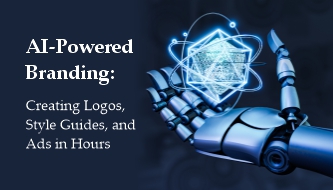
AI-Powered Branding: How to Create Logos, Style Guides and Ads Faster
Branding used to be a slow and expensive process. A logo could take weeks. A full style guide could take even longer. And a complete ad campaign often required strategy sessions, mood boards, copywriting, design concepts, revisions, mockups, and production across multiple formats.
In 2026, AI-powered branding is changing that workflow. Designers, freelancers, agencies, startups, and small businesses can now use AI to generate logo concepts, explore color palettes, test typography systems, build brand guides, create social media templates, and produce ad creative ideas much faster than before.
But there is one important point: AI does not automatically create a strong brand. A real brand still needs strategy, positioning, audience understanding, emotional direction, consistency, and human taste. AI can speed up the process, but the designer still decides what the brand should mean.
This DesignRise guide explains how AI branding tools can help create logos, style guides, and ads in hours — and how designers can use them without losing originality, quality, or strategic thinking.
You May Also Like:
- How to Use Negative Prompts to Improve AI-Generated Videos and Images
- Free PSD Mockups for Branding and Corporate Identity
- Most Helpful Productivity-Boosting AI Tools in 2026
What Is AI-Powered Branding?
AI-powered branding is the use of artificial intelligence tools to support the brand identity process. This can include logo exploration, color palette generation, typography pairing, brand voice development, visual style guides, social media templates, ad concepts, product mockups, and campaign visuals.
Instead of replacing the designer, AI acts like a fast creative assistant. It can generate many directions quickly, but the designer still selects, edits, refines, and connects the work to a real business strategy.
AI can help with:
- Logo concepts and visual identity exploration.
- Color palettes for different brand moods.
- Typography systems and font pairing ideas.
- Brand style guides with rules for consistency.
- Mockups for presentations and client previews.
- Ad creatives for social media, display ads, and campaigns.
- Brand voice drafts for websites, captions, and campaigns.
The strongest results happen when AI speed is combined with human creative direction.
Why AI Branding Matters in 2026
Modern brands need more visual content than ever before. A business may need a logo, website graphics, Instagram posts, TikTok ads, YouTube thumbnails, email banners, pitch decks, product mockups, landing pages, and seasonal campaigns — sometimes all within the same month.
This is where AI branding workflows become valuable. They help designers move faster without starting every task from zero.
- Speed: Generate many early concepts in minutes instead of spending hours on blank-page exploration.
- Scalability: Create brand visuals for websites, ads, social media, presentations, and product launches faster.
- Consistency: Reuse prompts, colors, styles, and brand rules across multiple assets.
- Personalization: Create campaign variations for different audiences, platforms, and offers.
- Accessibility: Help small businesses create stronger visual systems without a large agency budget.
For designers, AI can reduce repetitive production work and create more time for strategy, refinement, storytelling, and client communication.
The Smart Way to Use AI for Branding
Many people make the mistake of asking AI to “create a brand” without giving it enough direction. That usually leads to generic results. A better approach is to use AI inside a structured branding process.
Before using any AI branding tool, define:
- Who the brand is for.
- What problem the brand solves.
- What emotion the brand should create.
- What makes the brand different.
- What visual styles should be avoided.
- Where the brand will appear: website, packaging, social media, ads, app, or physical products.
AI works much better when the designer already understands the brand strategy.
1. Use AI for Logo Concepts, Not Final Decisions
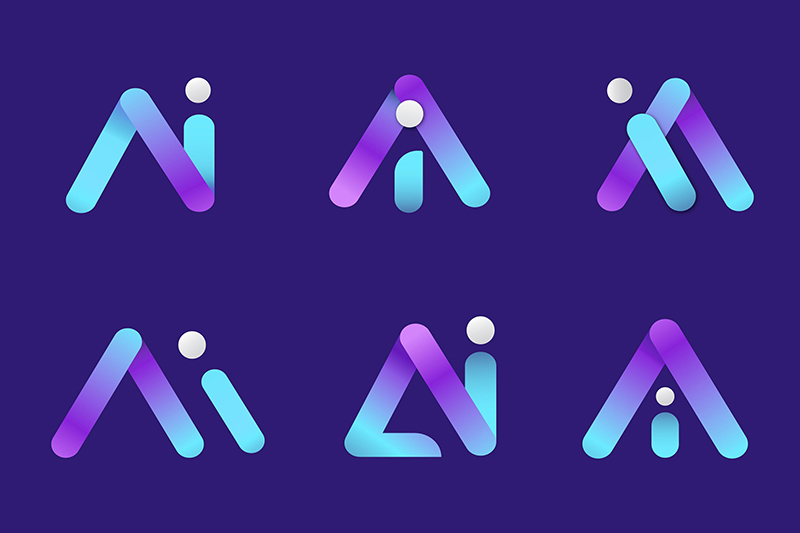
AI logo design tools can generate many logo ideas quickly. This is useful during the early exploration stage, especially when a client wants to see different visual directions before committing to one.
AI can help explore symbol ideas, typography styles, layout options, color directions, and mood variations. But a strong logo still needs human review. It must be readable, scalable, memorable, legally safe, and appropriate for the brand’s market.
How AI Helps With Logo Design
- Generates multiple logo directions quickly.
- Explores different styles, from minimal to expressive.
- Suggests icon ideas based on brand keywords.
- Creates early inspiration for brand identity systems.
- Helps designers present more options during discovery.
What Designers Still Need to Check
- Is the logo readable at small sizes?
- Does it work in black and white?
- Is the symbol too generic?
- Does it look similar to an existing brand?
- Can it be used across print, web, social media, and packaging?
- Does it communicate the right feeling?
AI can help you start faster, but the final logo still needs a designer’s eye.
2. Build AI-Assisted Style Guides
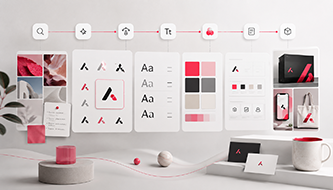
A brand style guide keeps a visual identity consistent. It explains how to use logos, colors, fonts, imagery, icons, layouts, tone of voice, and brand assets. Without a guide, a brand can quickly start looking inconsistent across different platforms.
AI can help designers create the first structure of a style guide faster. It can suggest sections, organize brand rules, generate copy for guidelines, create mood boards, and help turn scattered ideas into a more complete brand system.
What AI Can Help Generate
- Color palettes with mood-based variations.
- Typography pairings for headings, body text, and accents.
- Logo usage rules and spacing suggestions.
- Icon and illustration direction.
- Mood boards for visual inspiration.
- Social media templates for consistent publishing.
- Brand voice guidelines for captions, websites, and ads.
- Do and don’t examples for designers and marketing teams.
Why This Helps Designers
Style guides usually take time because they require structure, clarity, and many small decisions. AI can speed up the first draft, while the designer focuses on quality, consistency, and strategic fit.
This is especially useful for startups, freelancers, small agencies, and growing brands that need a professional identity system quickly.
3. Create Brand Ads Faster With AI

One of the biggest advantages of AI-powered branding is campaign speed. Designers can use AI to generate campaign concepts, ad copy, visual directions, product scenes, scripts, storyboards, image variations, and social media formats in a much shorter time.
This does not mean every AI-generated ad is ready to publish. Most still need editing, layout work, brand checking, and platform-specific adjustments. But AI can make the early creative stage much faster.
AI Can Help Create
- Image ads for Instagram, Facebook, Pinterest, and display campaigns.
- Video ad concepts for TikTok, YouTube, and Reels.
- Product render ideas and lifestyle scenes.
- Ad headlines, slogans, and caption drafts.
- Email campaign visuals.
- Animated banner ideas.
- Storyboard frames for short promotional videos.
Example AI Branding Workflow for Ads
- Define the campaign goal: for example, “Luxury skincare launch for women 25–40.”
- Ask AI for creative directions: visual mood, positioning, message angles, and platform ideas.
- Generate concept visuals: product scenes, lifestyle images, backgrounds, or hero graphics.
- Create copy variations: headlines, captions, calls to action, and short video scripts.
- Select the strongest direction: choose based on brand fit, audience, and campaign goal.
- Refine manually: adjust layout, typography, colors, product details, and final export formats.
A campaign concept that once took several days can now be explored in a few hours, especially when the designer already has a strong brand direction.
AI Branding Workflow: From Idea to Brand System
For professional results, use AI as part of a workflow rather than a random generator. Here is a simple process designers can follow:
| Stage | What AI Helps With | What the Designer Controls |
|---|---|---|
| Research | Audience summaries, competitor notes, trend ideas | Positioning, relevance, strategy |
| Logo Exploration | Early concepts, icon ideas, mood variations | Final selection, refinement, originality |
| Visual Direction | Mood boards, color palettes, typography ideas | Taste, consistency, emotional tone |
| Style Guide | Draft rules, sections, descriptions, templates | Brand logic, clarity, usability |
| Advertising | Ad concepts, copy drafts, visual variations | Campaign strategy, layout, quality control |
| Final Delivery | Export support, mockups, format variations | Professional polish and brand approval |
This approach keeps the process fast without giving up control.
Will AI Replace Branding Designers?

No — but AI will change what branding designers do every day.
AI is very good at generating options. It can create visual directions, write draft copy, build variations, suggest colors, and automate repetitive tasks. But branding is not only production. Branding is meaning, trust, recognition, positioning, emotion, and long-term consistency.
What AI Can Do
- Generate visual ideas quickly.
- Create logo concepts and variations.
- Suggest colors, fonts, and layouts.
- Build draft style guide content.
- Produce ad creative options.
- Automate repetitive production tasks.
What Designers Still Do Better
- Understand audience psychology.
- Define brand positioning.
- Create emotional meaning.
- Interpret culture, trends, and market context.
- Make strategic creative decisions.
- Protect originality and brand trust.
- Refine details until the identity feels human and memorable.
AI can generate assets, but the designer gives those assets purpose.
Best AI Tools for Branding in 2026
There are many AI tools that can support different parts of the branding process. Some are best for logos, others for brand management, design systems, visual content, or ad creatives.
Logo and Brand Identity Tools
- Brandmark — useful for AI logo concepts, brand assets, business cards, social media graphics, and design tools.
- Looka — helpful for logo creation, brand kits, colors, fonts, and marketing materials.
- LogoAI — useful for quick logo and brand identity generation.
- Adobe Firefly — useful for brand visuals, image generation, and Adobe creative workflows.
Style Guide and Brand Management Tools
- Frontify — useful for brand guidelines, digital asset management, templates, and brand consistency.
- Canva Brand Kit — useful for keeping brand colors, fonts, logos, and templates consistent.
- Figma — useful for design systems, components, UI branding, and collaborative brand workflows.
AI Ad Creative and Campaign Tools
- Runway — useful for AI video, motion experiments, and campaign visuals.
- Pika — helpful for short AI video concepts and social media clips.
- Adobe Express — useful for quick branded content, ads, and social graphics.
- Leonardo AI — useful for visual concepts, product scenes, illustrations, and creative assets.
Common Mistakes to Avoid With AI Branding
AI makes branding faster, but it can also make brands look generic if it is used without direction. Here are the most common mistakes to avoid:
- Using AI without strategy: a logo is not a brand. Start with positioning and audience.
- Accepting the first result: AI output usually needs editing, selection, and refinement.
- Copying popular styles: trendy AI visuals can make a brand look like everyone else.
- Ignoring consistency: colors, typography, tone, and visuals should work together.
- Skipping legal checks: make sure logos and visuals are not too similar to existing brands.
- Forgetting accessibility: check contrast, readability, and legibility in brand colors and typography.
- Not building guidelines: without rules, the brand will become inconsistent over time.
FAQ: AI-Powered Branding
What is AI-powered branding?
AI-powered branding is the use of artificial intelligence tools to help create and manage brand identity assets such as logos, color palettes, typography systems, style guides, mockups, campaign visuals, and ad creatives.
Can AI create a complete brand identity?
AI can help create many parts of a brand identity, including logo concepts, colors, typography ideas, and templates. However, a complete brand still needs human strategy, positioning, refinement, and quality control.
Is AI good for logo design?
AI is useful for logo exploration and early concepts, but final logos should always be reviewed by a designer for originality, scalability, readability, and brand fit.
Can AI create brand style guides?
Yes. AI can help draft style guide sections, suggest color palettes, organize typography rules, and create brand voice guidelines. Designers should refine the guide so it feels clear, useful, and consistent.
Will AI replace branding designers?
AI will replace some repetitive production tasks, but it will not replace strong branding designers who understand strategy, audience, storytelling, culture, and emotional meaning.
What are the best AI tools for branding?
Popular AI branding tools include Brandmark, Looka, LogoAI, Adobe Firefly, Frontify, Canva Brand Kit, Figma, Runway, Pika, Adobe Express, and Leonardo AI. The best tool depends on whether you need logos, brand systems, visuals, or ad creatives.
Conclusion: AI Branding Helps Designers Work Faster and Think Bigger
The future of branding is not AI versus designers. It is AI plus designers.
AI can help generate more ideas, build brand systems faster, create campaign variations, and reduce repetitive work. But the heart of branding remains human: strategy, emotion, culture, trust, storytelling, and taste.
Designers who learn how to use AI carefully can deliver stronger brand work faster. They can spend less time on repetitive tasks and more time shaping the big picture: what the brand stands for, how it should feel, and why people should remember it.
AI is the new power tool for branding, but the designer is still the creative director.
Explore more AI design tools, creative workflows, and branding resources on DesignRise.
Discover more from DesignRise
Subscribe to get the latest posts sent to your email.