

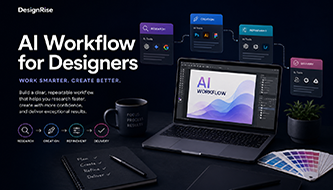


Design work in 2026 is no longer built around one tool. It is built around a system. A modern designer may use Figma for layouts, AI for research, image tools for visual exploration, writing tools for UX copy, automation tools for resizing, and presentation tools for client delivery. The challenge is not finding more tools. The challenge is connecting them into a clear AI workflow stack.
An AI workflow stack is the set of AI tools, prompts, habits, review steps, and human decisions that support a designer from the first idea to the final delivery. It is not a random collection of apps. It is a working system that helps designers research faster, explore more directions, produce cleaner assets, iterate with less stress, and deliver consistent work.
The best designers in 2026 are not simply using AI more. They are using AI with structure. They know which parts of the process can be accelerated, which parts still need human judgment, and where AI should stay out of the final decision.
In this DesignRise guide, we’ll break down the AI workflow stack every modern designer should understand: the research layer, ideation layer, production layer, iteration layer, delivery layer, and the human layer that holds everything together.
Why Designers Need an AI Workflow Stack
Many designers start using AI in a very messy way. They test one tool for images, another for writing, another for layout ideas, another for presentations, and another for social content. At first it feels exciting. Then it becomes overwhelming.
The problem is not that designers use too many tools. The problem is that the tools are not connected by a workflow.
A strong AI workflow stack helps designers avoid this chaos. It gives every tool a job. One tool may help with research. Another may help with concept exploration. Another may support image direction, copywriting, documentation, or content scaling.
When the stack is clear, AI becomes less distracting and more useful.
Explore More DesignRise Resources:
- From Idea to Final Design: A Complete AI Workflow Designers Use in 2026
- AI as Your Art Director: Step-by-Step Workflow for Modern Designers
- The AI Design Workflow Blueprint: How Top Designers Work Faster and Smarter in 2026
- How Designers Actually Use AI in Their Workflow in 2026: Real Examples
What Is an AI Workflow Stack?
An AI workflow stack is a structured combination of AI-powered tools and human decision-making steps used across the full design process. It helps designers move from research to ideation, from ideation to production, from production to iteration, and from iteration to final delivery.
Think of it like a creative operating system. Each layer supports a different part of the work.
| Workflow Layer | Main Purpose | Designer’s Role |
|---|---|---|
| Research Layer | Understand audience, trends, competitors, and creative context | Choose what is relevant and true |
| Ideation Layer | Explore concepts, visual directions, and possible solutions | Curate and combine the strongest ideas |
| Production Layer | Create drafts, assets, copy, layouts, and variations | Build the real design with quality and control |
| Iteration Layer | Improve clarity, accessibility, copy, and design options | Decide what feedback matters |
| Delivery Layer | Prepare files, documentation, formats, and presentations | Finalize everything for real use |
| Human Layer | Strategy, taste, ethics, brand judgment, and final decisions | Stay responsible for the outcome |
The most important part of the AI workflow stack is that AI does not run the whole process. AI supports the process. The designer still leads it.
The Stack Mindset: Tools Are Not the Strategy
One mistake designers often make is thinking that a better tool will automatically create a better workflow. It usually does not. A tool can help with a task, but it cannot decide the project direction for you.
A good stack starts with questions:
- What part of my workflow takes too long?
- Where do I repeat the same tasks?
- Where do I need more ideas before choosing a direction?
- Where do I need better copy, better structure, or better presentation?
- Where do I still need human judgment?
When you know the problem, choosing AI tools becomes easier. You stop collecting apps and start building a system.
Layer 1: Research and Inspiration
The first layer of an AI workflow stack is research. This is where designers gather context before making visual decisions.
In traditional workflows, research could take hours or days. Designers would browse competitor sites, collect screenshots, organize notes, read articles, scan social trends, and build moodboards manually. That still matters, but AI can help organize the early mess faster.
How Designers Use AI for Research
- Summarize competitor websites and product positioning.
- Organize messy client notes into clear insights.
- Generate discovery questions for client calls.
- Identify audience pain points.
- Explore visual trends in a design category.
- Create moodboard keywords.
- Compare possible creative directions.
For example, a designer working on a finance dashboard can use AI to summarize common dashboard patterns, user needs, navigation structures, data visualization challenges, and trust-building elements.
What AI Should Not Do in Research
AI should not be treated as the final truth. It can summarize, suggest, and organize, but designers still need to verify details, check sources, and understand the real client context.
Research is not only about collecting information. It is about deciding what information matters.
Research Prompt Example
Act as a senior UX researcher. I am designing a dashboard for a small business finance app. Summarize the main user needs, possible pain points, common dashboard sections, and trust signals that should be considered before designing the interface.
Layer 2: Ideation and Concept Development
After research comes ideation. This is where AI becomes especially useful because it can help designers explore a wider creative space before committing to one direction.
A strong AI workflow stack uses AI to generate options, not final answers.
What Designers Explore at This Layer
- Brand concepts.
- Campaign directions.
- Landing page structures.
- Mobile app flow ideas.
- Dashboard concepts.
- Typography moods.
- Color palette directions.
- Image prompt ideas.
- Social media campaign angles.
The goal is not to ask AI for “the best design.” The goal is to ask AI for possible routes.
Real Example: Brand Direction
Imagine a branding designer working on a new coffee subscription brand. Instead of asking AI to “create a logo,” the designer can ask for five creative territories:
- Quiet Morning Ritual: warm neutrals, soft photography, calm typography.
- Urban Espresso Energy: bold contrast, sharp headlines, street-inspired visuals.
- Premium Minimal Roast: refined serif typography, matte packaging, elegant spacing.
- Craft Coffee Story: handmade textures, origin maps, editorial storytelling.
- Friendly Daily Habit: approachable colors, simple messaging, lifestyle scenes.
Now the designer has something to compare. AI did not finish the identity, but it helped create a stronger creative conversation.
Ideation Prompt Example
Act as an art director. Generate five creative territories for a premium coffee subscription brand. For each direction, include emotional tone, color palette, typography style, photography direction, packaging mood, and what could make the idea feel generic.
Layer 3: Design Execution and Production
Once the direction is chosen, the stack moves into production. This is where AI helps create drafts, supporting assets, copy, variations, and useful starting points.
This layer can save a lot of time, but it also requires the most discipline. AI-generated production assets can look polished while still being wrong for the project.
How Designers Use AI in Production
- Drafting UX copy and microcopy.
- Creating realistic placeholder text.
- Generating image references.
- Testing hero section headlines.
- Creating social post variations.
- Improving or extending images.
- Drafting presentation text.
- Preparing icon or illustration ideas.
- Creating layout variations for review.
For UI and UX designers, this might mean using AI to create empty state copy, onboarding text, dashboard card labels, feature descriptions, or alternative CTA wording.
For visual designers, it might mean generating reference images, campaign directions, ad variations, or product scene ideas.
The Designer’s Job at This Layer
The designer still needs to refine:
- visual hierarchy;
- spacing;
- typography;
- accessibility;
- brand consistency;
- composition;
- interaction logic;
- responsive behavior;
- file organization.
AI can help with speed. It cannot replace craft.
Layer 4: Iteration and Optimization
Iteration is where the AI workflow stack becomes extremely practical. Designers rarely finish a project in one pass. Copy needs to be clearer. A layout needs to be simplified. A client wants another direction. A CTA feels weak. A dashboard needs better hierarchy.
AI can help designers create alternatives quickly, but the designer decides which alternative is stronger.
How AI Supports Iteration
- Rewrite headlines in different tones.
- Shorten long section copy.
- Create A/B testing variations.
- Suggest UX improvements.
- List possible accessibility checks.
- Generate alternative empty states.
- Summarize client feedback.
- Turn messy comments into action items.
Example: UX Copy Iteration
A dashboard empty state might start as:
No data available.
AI can help generate better options:
- Your report will appear here once your first campaign is active.
- No results yet. Try adjusting your filters or adding a new data source.
- Connect your account to start tracking performance.
The designer then chooses the option that fits the product, user state, and tone.
Iteration Prompt Example
Rewrite this empty state for a SaaS analytics dashboard. Make it clear, helpful, and calm. Provide five options: neutral, friendly, professional, action-focused, and very short.
Layer 5: Delivery and Content Scaling
Modern designers rarely deliver only one file. A single project may require a landing page, social posts, email banners, presentation slides, app store visuals, mockups, thumbnails, and client documentation.
This is where AI can help scale content without forcing the designer to manually rewrite and resize everything from scratch.
What Happens in the Delivery Layer
- Prepare client presentation text.
- Create project summaries.
- Adapt one campaign message into different formats.
- Generate social caption options.
- Write handoff notes for developers.
- Create documentation for components.
- Draft case study text for portfolios.
- Generate checklist-based QA notes.
For freelancers and agencies, this layer can save hours because delivery work often becomes repetitive.
Delivery Prompt Example
Turn these design notes into a client presentation summary. Keep the tone professional and clear. Explain the creative direction, key design decisions, user benefit, and next steps.
The Human Layer: The Part of the Stack You Cannot Automate
The human layer is the most important part of the AI workflow stack. Without it, the stack becomes a pile of tools.
Human skills remain essential:
- Creative direction: knowing what the project should feel like.
- Visual taste: understanding what looks refined, balanced, and appropriate.
- Problem solving: connecting design decisions to user needs.
- Strategic thinking: aligning design with business goals.
- Brand understanding: protecting consistency and personality.
- Ethical judgment: knowing when AI output should be questioned or avoided.
- Final quality control: checking details before delivery.
AI can make a workflow faster, but it does not automatically make it wiser. The designer gives the stack meaning.
How Different Designers Build Their AI Workflow Stack
Not every designer needs the same stack. A UI/UX designer, brand designer, freelancer, motion designer, and agency team will use AI differently.
UI/UX Designer Stack
- Research summaries.
- User flow exploration.
- UX copy generation.
- Accessibility checklists.
- Prototype explanation notes.
- Usability test questions.
Brand Designer Stack
- Brand personality exploration.
- Moodboard directions.
- Tagline and naming ideas.
- Visual territory comparison.
- Campaign concept development.
- Brand guideline drafts.
Web Designer Stack
- Landing page structures.
- Hero headline options.
- Feature section copy.
- FAQ generation.
- SEO-friendly content outlines.
- Responsive content adaptation.
Freelance Designer Stack
- Client brief summaries.
- Proposal drafts.
- Presentation text.
- Revision options.
- Case study writing.
- Social content adaptation.
Agency Stack
- Campaign scaling.
- Creative direction documentation.
- Client feedback summaries.
- Brand consistency checks.
- Multi-format content generation.
- Internal workflow templates.
The best stack is not the biggest one. The best stack is the one that supports your real work.
Common Mistakes When Building an AI Workflow Stack
Many designers make the stack too complicated. They add more tools before understanding their process. That usually creates more confusion, not more productivity.
Using AI Without Workflow Structure
Random AI use creates random results. Every tool in your stack should have a clear role.
Relying on Outputs Without Refinement
AI output is usually a draft. Designers need to edit, curate, test, and polish before using it professionally.
Focusing on Tools Instead of Process
The tool matters less than the system. A simple stack with clear steps is better than ten disconnected apps.
Skipping Strategy and Research
If you skip the research layer, the rest of the stack becomes weaker. AI needs context to produce useful output.
Forgetting Accessibility
AI can help create accessibility reminders, but designers still need to check contrast, readability, keyboard behavior, labels, and inclusive language.
Not Saving What Works
If a prompt, checklist, or workflow step gives strong results, save it. Over time, your stack should become easier and faster to use.
Useful AI Workflow Stack Resources
If you want to build a stronger AI workflow stack, it helps to combine AI tools with design, UX, and accessibility resources. These links can support a more practical workflow:
- Figma AI: AI features for design workflows
- Adobe Firefly: Generative AI for creative work
- Nielsen Norman Group: AI and UX resources
- W3C WCAG: Accessibility guidelines
- OpenAI: AI research and products
The Future of AI Workflow Stacks for Designers
The future of AI workflow stacks will be more connected. Instead of using separate tools for research, writing, visuals, prototyping, and delivery, designers will increasingly work inside systems where these steps connect more smoothly.
Future workflows may include:
- Adaptive design systems that suggest components and patterns.
- AI-powered creative pipelines that connect brief, concept, and production.
- Generative UX workflows that support flows, content, and testing.
- Personalized design automation based on brand rules.
- Smarter handoff systems that prepare documentation automatically.
- Integrated content scaling for social, web, ads, and product assets.
Designers who build strong workflows now will be better prepared for that future because they will understand the system behind the tools.
AI Workflow Stack Checklist
Use this checklist to evaluate your own stack:
- Do I know which tasks AI helps with?
- Do I know which tasks should stay fully human-led?
- Does each tool in my stack have a clear purpose?
- Do I use AI for research before visual exploration?
- Do I curate AI outputs before production?
- Do I review copy, accessibility, and brand consistency?
- Do I save prompts and workflow templates that work?
- Can this stack support different project types?
- Does the stack save time without reducing quality?
- Does the final decision still come from me?
FAQ: AI Workflow Stack for Designers
What is an AI workflow stack in design?
An AI workflow stack is a structured set of AI tools, prompts, methods, and review steps that support the full design process, including research, ideation, production, iteration, and delivery.
Why do modern designers use AI workflow stacks?
Modern designers use AI workflow stacks to speed up repetitive tasks, explore more creative directions, improve consistency, support content scaling, and spend more time on strategy and creative decisions.
Does AI replace designers in modern workflows?
No. AI does not replace designers. It supports parts of the workflow, while human creativity, strategy, taste, problem solving, and final decision-making remain essential.
What tools are included in an AI workflow stack?
A typical stack may include tools for research, copywriting, image generation, UI design, prototyping, presentation creation, content adaptation, documentation, and accessibility review.
How do AI workflows improve productivity?
AI workflows improve productivity by reducing repetitive work, generating useful starting points, creating variations faster, organizing research, and helping designers iterate more efficiently.
What is the biggest mistake when building an AI workflow stack?
The biggest mistake is focusing on tools instead of process. A strong stack needs clear roles, human review, and a repeatable workflow, not just more apps.
Can freelancers use an AI workflow stack?
Yes. Freelancers can use an AI workflow stack to summarize briefs, create moodboard directions, draft proposals, generate presentation text, prepare case studies, and adapt content for clients.
What is the future of AI workflows for designers?
The future of AI workflows for designers includes more integrated tools, adaptive design systems, generative UX workflows, smarter content scaling, and more connected creative pipelines.
Conclusion: The AI Workflow Stack Is the New Creative Standard
The modern design workflow in 2026 is no longer about using one perfect tool. It is about building a smart, flexible system that supports creativity from start to finish.
A strong AI workflow stack helps designers research faster, explore more ideas, create better drafts, iterate smarter, scale content, and deliver with more consistency.
But the stack only works when human judgment stays at the center. AI can support the workflow, but the designer still defines the direction, protects the brand, checks the details, and makes the final creative decisions.
The best designers do not use AI randomly. They build systems that make their creativity easier to focus, scale, and deliver.
AI is not the whole stack. It is one powerful layer inside a designer-led system.
Explore more AI workflow guides, UI/UX resources, and creative design tools on DesignRise.
Discover more from DesignRise
Subscribe to get the latest posts sent to your email.