












A strong resume is more than a list of jobs and skills. It is often the first impression you make on a recruiter, hiring manager, client, or creative director. That is why using free Figma resume templates can be a smart way to create a professional CV faster without starting from a blank page.
Figma is especially useful for resume design because it gives you full control over layout, typography, spacing, colors, sections, and visual hierarchy. Unlike basic document editors, Figma resume templates let you create a CV that feels clean, modern, and visually aligned with your personal brand.
Whether you are a UI/UX designer, developer, marketer, student, freelancer, creative professional, or someone changing careers, a well-designed resume can help your application feel more polished and easier to read.
In this DesignRise guide, you’ll find a curated collection of the best free Figma resume templates for modern CV designs, job applications, portfolios, and professional personal branding.
You May Also Like:
- Free Procreate Brushes – Ready to Download
- 7 Findings That Prove the Importance of Great UX
- Blood Brushes Collection for Photoshop
Why Use Figma Resume Templates?
Creating a resume from scratch can take hours. You need to think about structure, spacing, typography, alignment, section order, colors, and export quality. A good Figma CV template gives you a professional starting point so you can focus on your content instead of rebuilding the layout.
For job seekers in 2026, this matters because recruiters often scan resumes quickly. A clean design can make your experience easier to understand, while a messy layout can make even strong qualifications harder to notice.
Benefits of Using Resume Templates in Figma
- Easy customization: change colors, fonts, sections, icons, and layout details.
- Better visual hierarchy: highlight your strongest skills and experience clearly.
- Fast editing: update your resume for different jobs without redesigning everything.
- Cloud-based workflow: edit your CV from anywhere and share it for feedback.
- PDF export: export a polished resume for job applications.
- Creative flexibility: build a resume that matches your role, industry, and personal brand.
Quick Comparison: Best Free Figma Resume Templates
| Template | Best For | Style |
|---|---|---|
| Clean & Minimal Resume/CV Template | Modern job applications | Minimal two-column layout |
| A4 Resume/CV Template | Classic CV format | Simple and professional |
| Community Resume Template | Personal profile resumes | Clean with headshot area |
| Basic Resume Template | Flexible applications | Universal layout |
| Angular JS Developer Resume | Developers and tech roles | Modern technical resume |
| UI & Developer Resume Template | UI designers and developers | Professional with color contrast |
| UX & UI Designer Resume | Design roles | Minimal creative resume |
| 32 Resume/CV Template Pack | Multiple resume options | Flexible template pack |
How to Choose the Right Figma Resume Template
The best free Figma resume template depends on your role, experience level, and the type of company you are applying to. A creative agency resume can look more expressive, while a corporate or technical CV may need a cleaner and more conservative structure.
Before choosing a template, ask:
- Is the resume easy to read quickly?
- Does the layout match my industry?
- Can I fit my experience without overcrowding the page?
- Is the typography professional?
- Can I customize colors and sections easily?
- Will the exported PDF look clean?
- Does the design support my personal brand?
A resume should look good, but it should also stay practical. The design should make your experience clearer, not harder to read.
1. Clean & Minimal Figma Resume/CV Template
Best for: clean professional resumes with a modern two-column layout
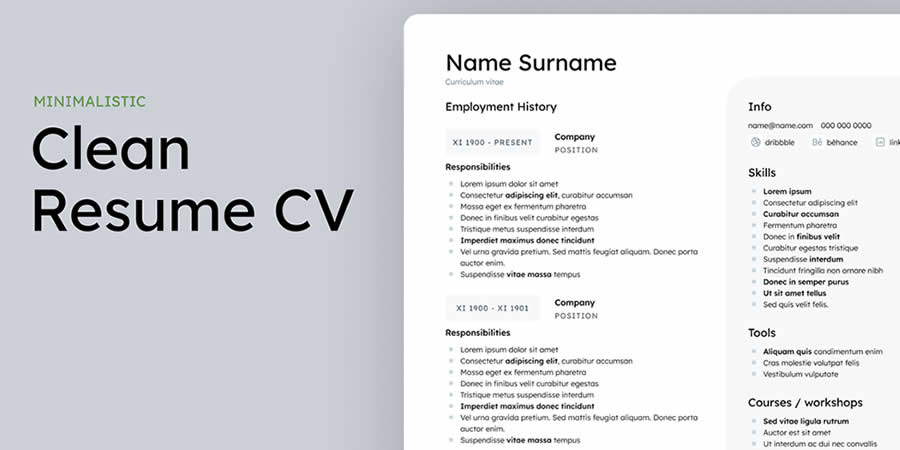
This Clean & Minimal Figma Resume/CV Template is a strong option for job seekers who want a polished resume without unnecessary decoration. The two-column structure makes it easy to separate contact details, skills, education, and work experience.
Why It’s Useful
- Clean structure for fast scanning.
- Two-column layout for better organization.
- Works for designers, marketers, developers, and students.
- Easy to customize inside Figma.
2. A4 Resume/CV Template for Figma
Best for: classic A4 resume layouts
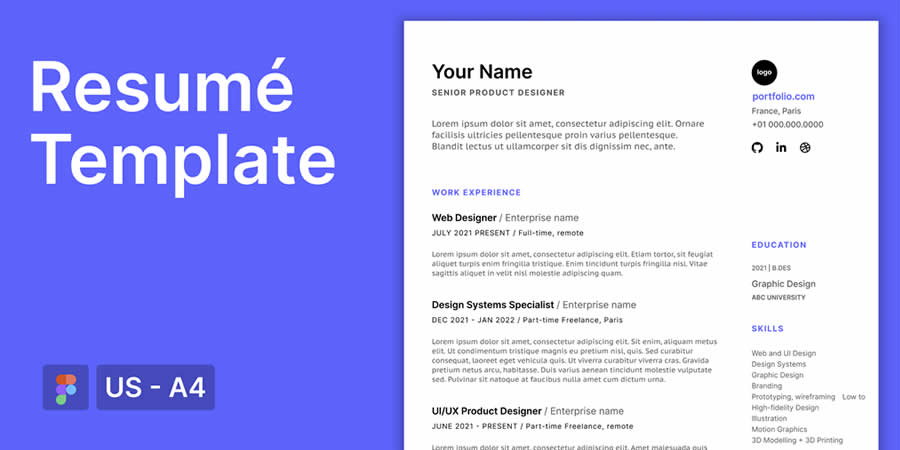
This A4 Resume/CV Template is straightforward and practical. It is a good choice if you need a resume that feels familiar, professional, and easy to export as a PDF for job applications.
Why It’s Useful
- Classic A4 format.
- Easy to edit and export.
- Good for corporate and professional roles.
- Simple structure for clear reading.
3. Community Resume Template for Figma
Best for: resumes with a profile image or personal branding
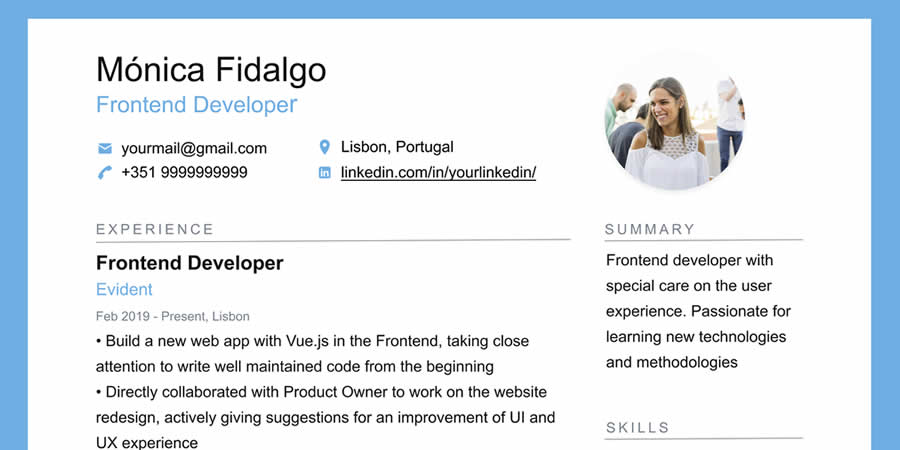
This Community Resume Template gives you a smooth way to present your professional story. The layout includes space for a headshot, which can be useful for personal portfolios, creative resumes, or freelancer profiles.
Why It’s Useful
- Includes room for a professional photo.
- Good for personal branding.
- Easy to customize quickly.
- Useful for creative professionals and freelancers.
4. Basic Resume Template for Figma
Best for: flexible resumes that work for many industries
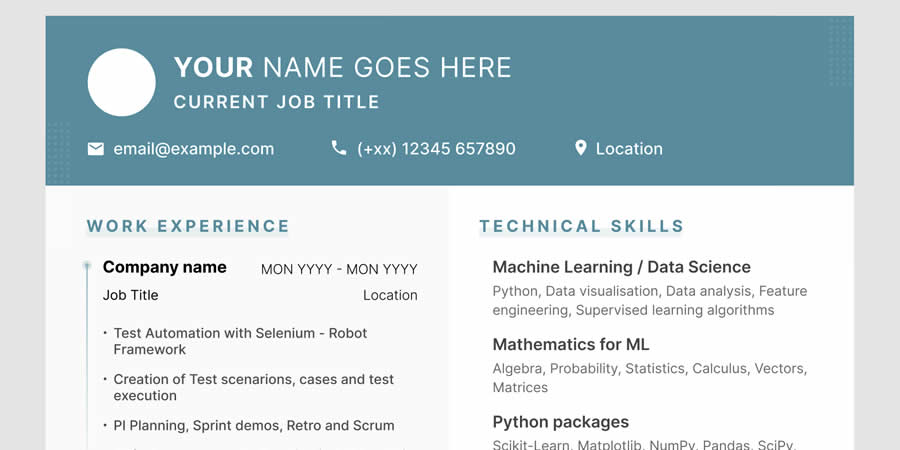
A basic resume template is useful when you want the content to be the main focus. This Basic Resume Template for Figma has a versatile layout that can work for different skills, experience levels, and industries.
Why It’s Useful
- Simple and flexible structure.
- Works across different industries.
- Easy to update for multiple applications.
- Good for beginners and experienced professionals.
5. Angular JS Developer Resume Template
Best for: developers and technical job applications
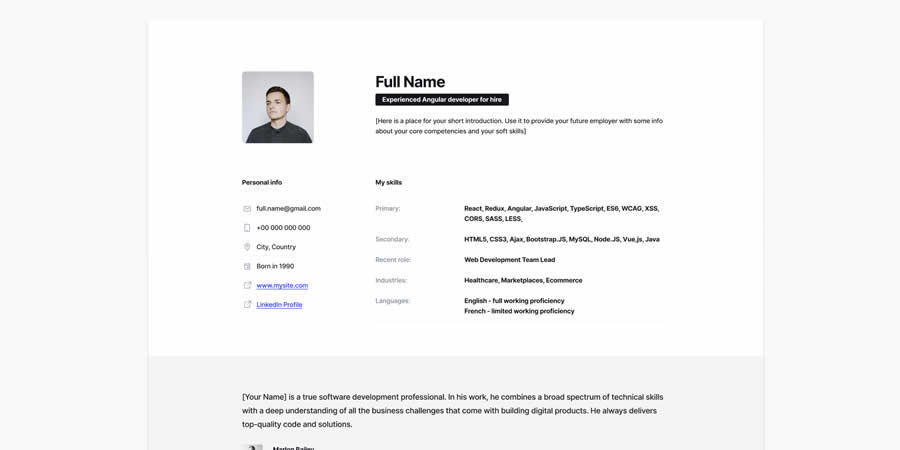
This Angular JS Developer Resume Template is designed for tech professionals who need to present experience, skills, tools, and project background clearly. It has a modern structure that can help technical information feel more organized.
Why It’s Useful
- Good for developers and IT roles.
- Modern professional layout.
- Useful for listing technical skills.
- Can be customized for other developer positions.
6. UI & Developer Resume Template for Figma
Best for: UI designers, developers, and hybrid creative-tech roles
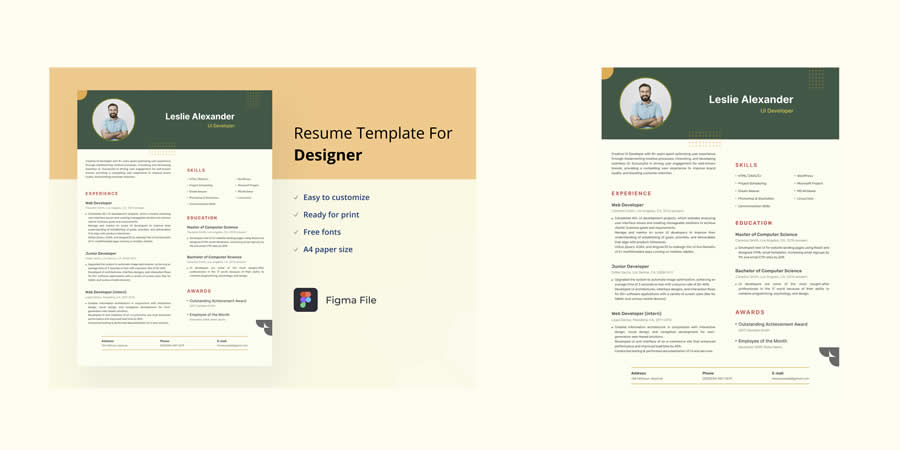
This UI & Developer Resume Template uses color contrast to make the layout more memorable while keeping a professional look. It is a good choice for candidates who work between design and development.
Why It’s Useful
- Good for UI and front-end roles.
- Professional color contrast.
- Helpful for showcasing both creative and technical skills.
- Modern but still readable.
7. Free Modern Resume Templates for Figma
Best for: modern resumes for many career paths
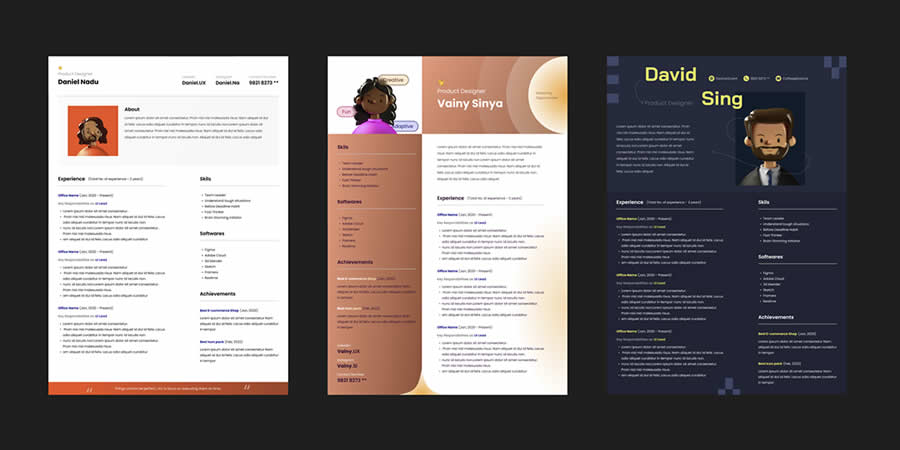
This free modern resume template has a clean and elegant look that can fit many industries. It is useful if you want a resume that feels current, readable, and easy to adapt.
Why It’s Useful
- Modern visual style.
- Flexible enough for different careers.
- Clean structure for quick editing.
- Good for job seekers who want a polished CV.
8. UX & UI Designer Resume Template
Best for: product designers, UI designers, and UX designers
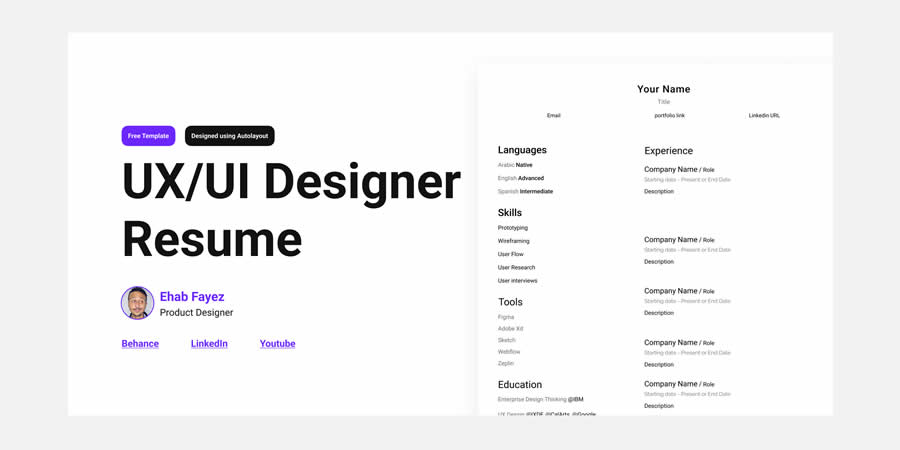
This UX & UI Designer Resume Template is created for design professionals who want a minimal but visually appealing CV. The layout is clean, column-based, and suitable for showcasing design skills, experience, tools, and portfolio links.
Why It’s Useful
- Made for design-related roles.
- Minimal and professional structure.
- Good for adding portfolio links.
- Useful for product design applications.
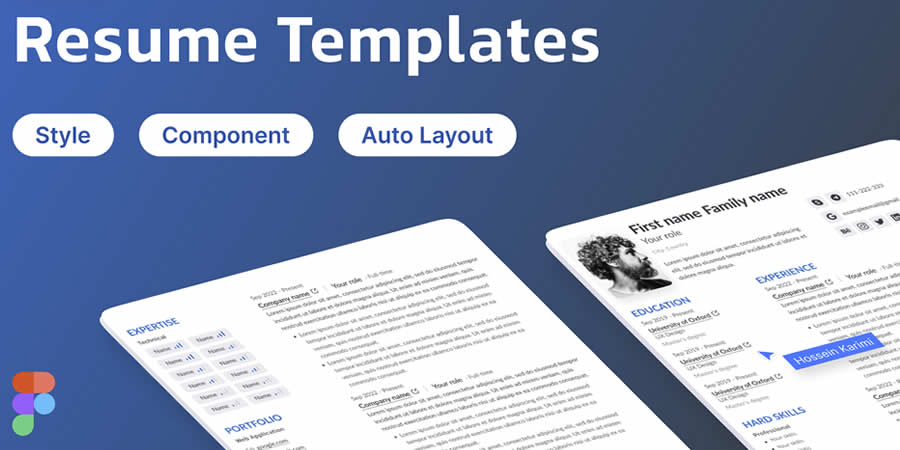
9. Minimal Resume Template for Figma
Best for: clean resumes with strong readability
This Minimal Resume Template keeps your credentials front and center. It is a good choice for designers, developers, writers, marketers, and professionals who want a resume that feels simple but refined.
Why It’s Useful
- Strong readability.
- Clean minimal layout.
- Good for many roles and industries.
- Easy to customize without breaking the design.
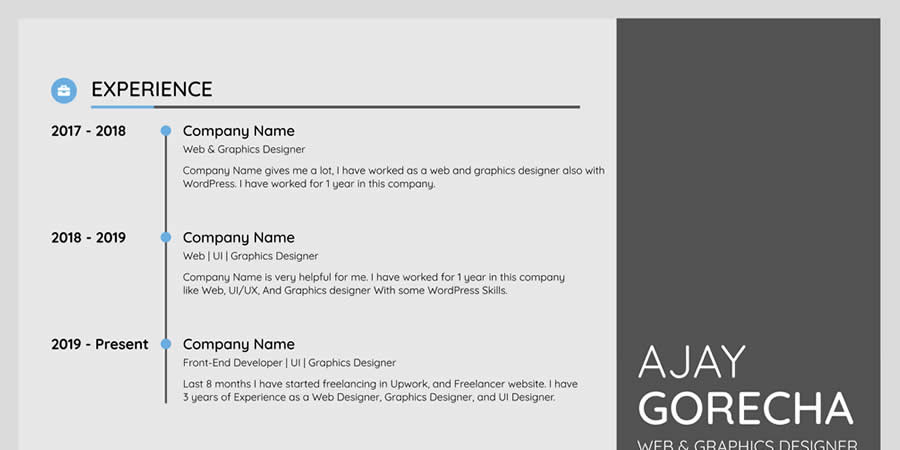
10. Professional Resume Design Template
Best for: professional resumes with a contemporary layout
This Professional Resume Design Template uses a balanced structure where the main experience appears clearly while personal details stay organized on the side. It is useful for job seekers who want a modern but serious resume design.
Why It’s Useful
- Contemporary professional layout.
- Good balance between profile and experience.
- Useful for 2026 job applications.
- Clear section structure.
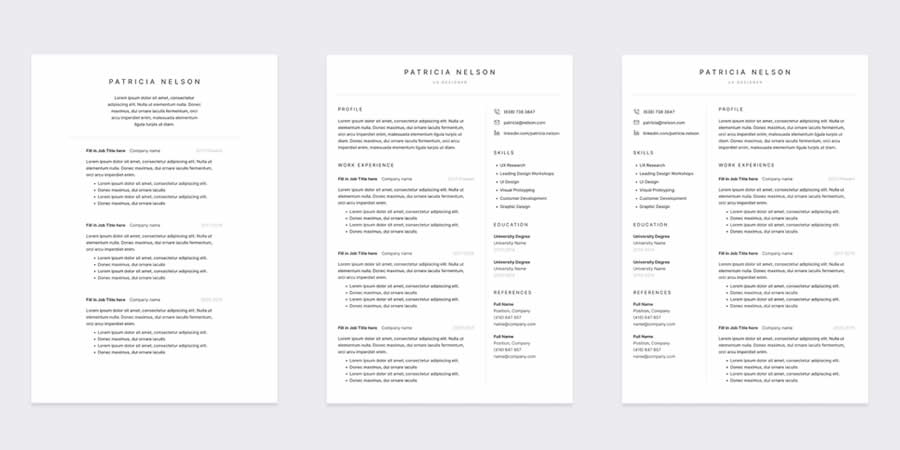
11. Free Professional Resume Template
Best for: simple professional CVs
This Free Professional Resume Template has a simple and elegant layout that is easy to customize. You can add your skills, experience, education, and contact details without making the page feel crowded.
Why It’s Useful
- Simple and elegant design.
- Good for many professional roles.
- Easy to customize in Figma.
- Works well for PDF export.
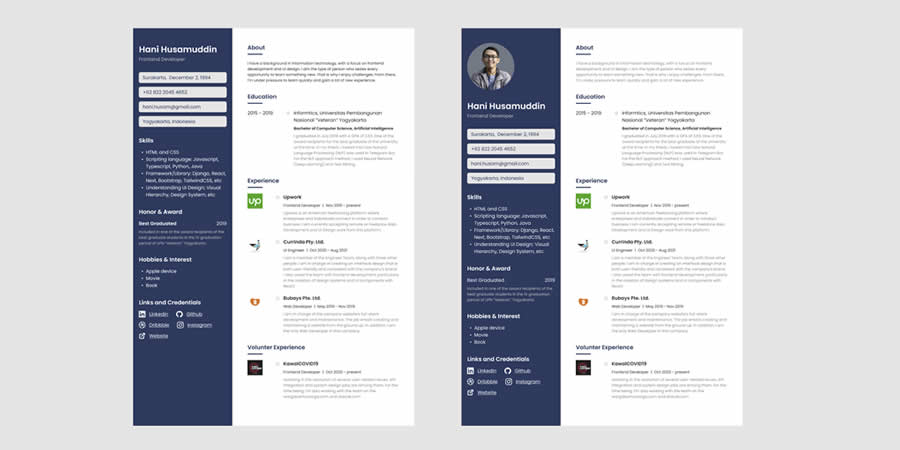
12. Free CV & Resume Figma Template
Best for: personal branding and PDF-ready CVs
This Free CV & Resume Figma Template allows you to add your personal branding, logo, contact information, skills, and work history before exporting the final version as a PDF.
Why It’s Useful
- Good for branded personal resumes.
- Easy to export as PDF.
- Useful for designers and freelancers.
- Clean professional format.
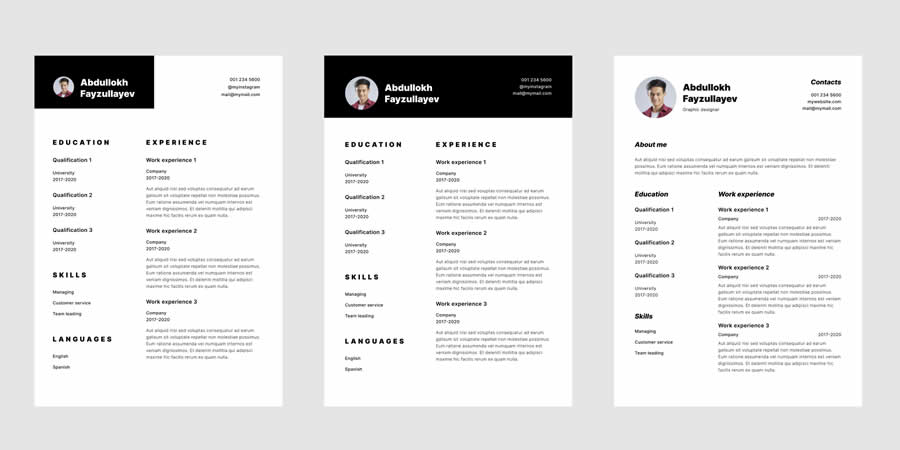
13. Free A4 CV/Resume Template
Best for: A4 resume layouts with multiple design options
This Free A4 CV/Resume Template includes several design options, giving you more flexibility when choosing a resume style. It is useful if you want to compare different layouts before choosing a final CV.
Why It’s Useful
- A4 format for professional use.
- Includes multiple design options.
- Good for testing different resume styles.
- Useful for modern job applications.
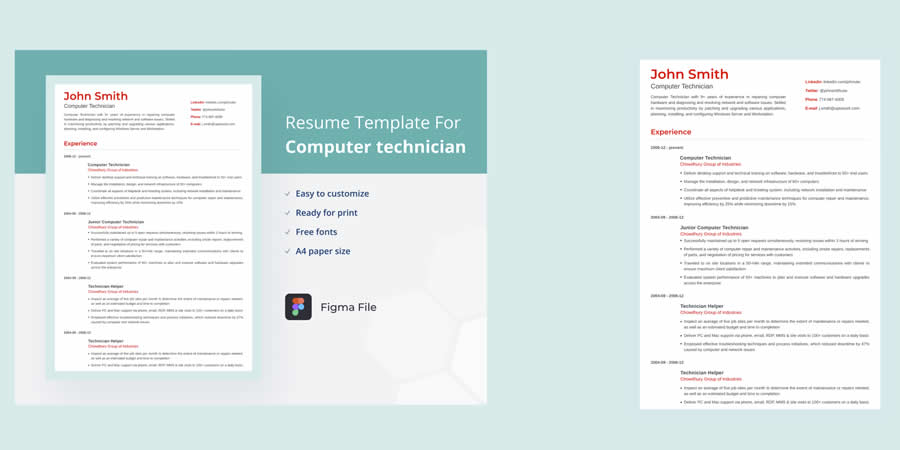
14. Computer Technician Resume Template
Best for: IT professionals and technical support roles
This Computer Technician Resume Template is designed for computer technicians, IT support specialists, and technical professionals who need to present role-specific skills and work experience clearly.
Why It’s Useful
- Good for IT and technical roles.
- Easy to organize technical skills.
- Professional structure for support jobs.
- Useful for career-focused applications.
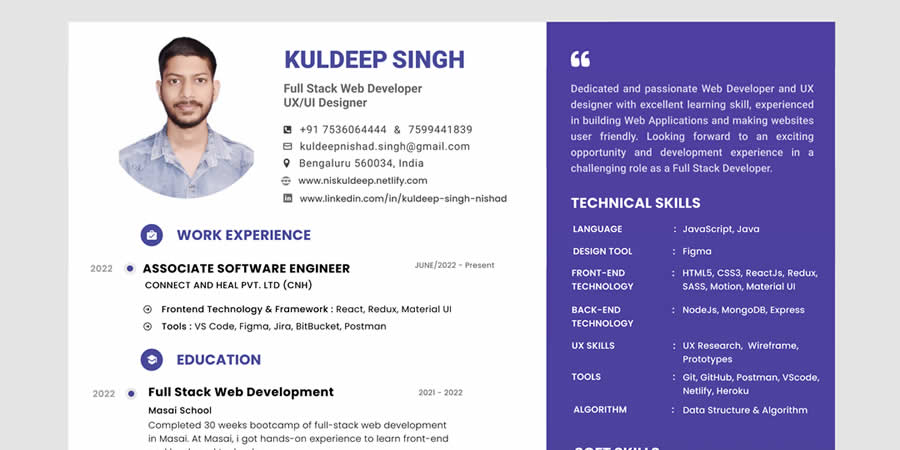
15. Figma Resume for Freshers & Professionals
Best for: students, freshers, remote workers, and professionals
This Figma Resume for Freshers & Professionals is suitable for people at different career stages. It can work for fresh graduates, junior professionals, remote workers, and candidates updating their resume for new opportunities.
Why It’s Useful
- Works for beginners and professionals.
- Good for remote work applications.
- Easy to adapt for different career levels.
- Modern resume format.
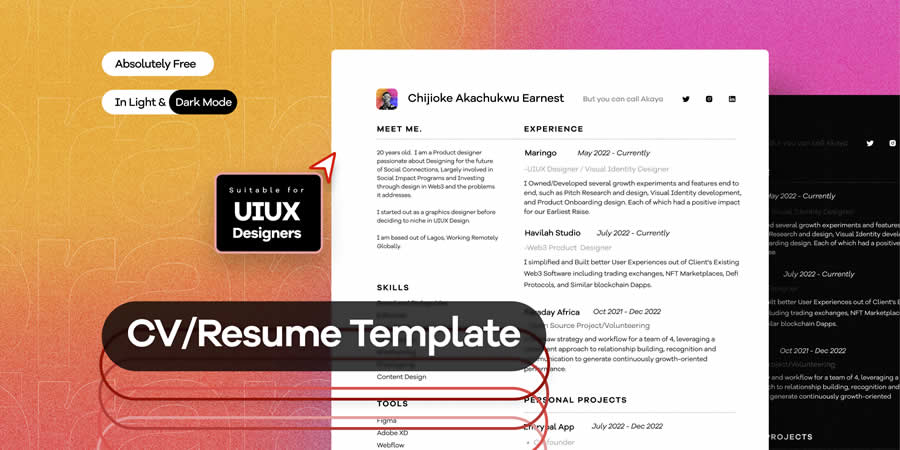
16. Free CV Template for UX/UI Designers
Best for: UX/UI designers who want a clean creative CV
This Free CV Template for UX/UI Designers has a contemporary look with enough room for experience, skills, tools, education, and portfolio details. It is especially useful for product designers and interface designers.
Why It’s Useful
- Designed for UX/UI roles.
- Clear and readable layout.
- Good for portfolio-based applications.
- Modern visual style.
17. 32 Resume/CV Template for Figma
Best for: designers who want multiple resume layout options
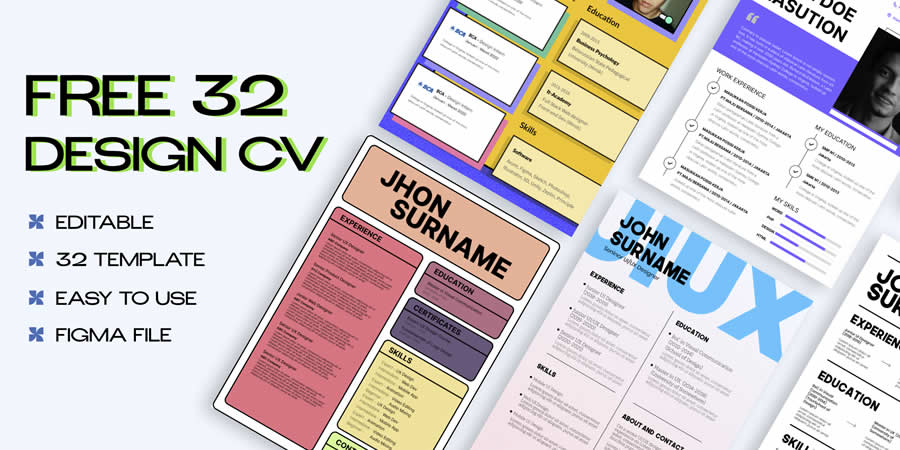
This 32 Resume/CV Template for Figma is useful if you want more flexibility. The template pack includes multiple resume styles, giving you options for different industries, moods, and personal branding directions.
Why It’s Useful
- Includes many resume design options.
- Good for testing different CV styles.
- Useful for designers and creative professionals.
- Flexible template pack for multiple applications.
18. Informative UI & UX Resume Template
Best for: detailed UX/UI resumes with clear section spacing
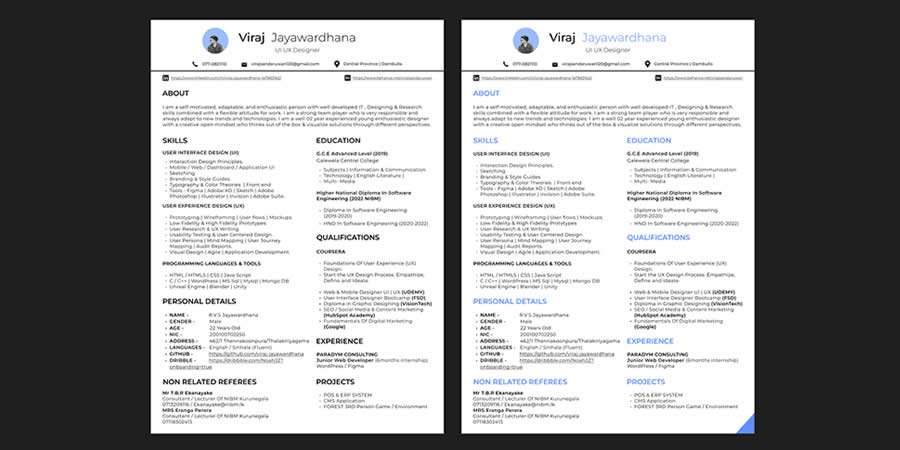
This Informative UI & UX Resume Template uses subtle color contrast and clear spacing to separate different resume sections. It is useful for designers who need to present experience, skills, tools, and project background in a structured way.
Why It’s Useful
- Good for UX/UI designers.
- Clear section hierarchy.
- Useful for detailed resumes.
- Modern and professional appearance.
19. CV Template for Designers & Engineers
Best for: designers, engineers, and technical professionals
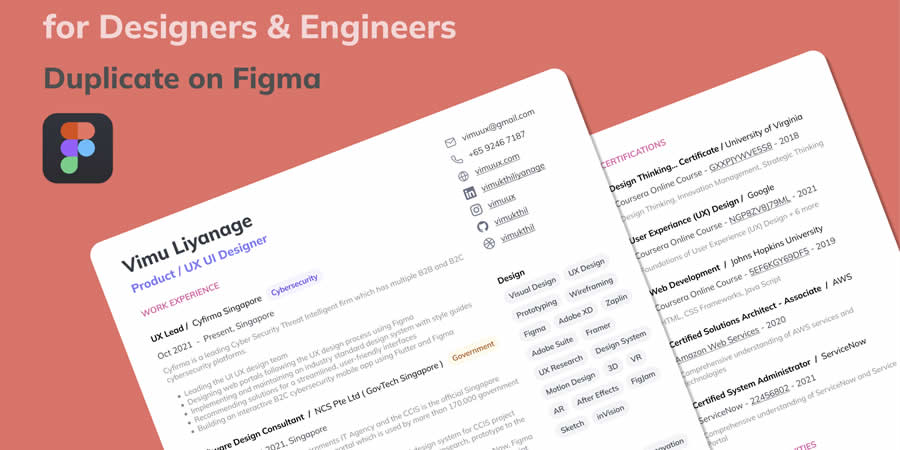
This CV Template for Designers & Engineers is useful for candidates who need to show technical experience, creative work, tools, and professional history. It provides multiple pages of layouts for a more detailed CV structure.
Why It’s Useful
- Good for technical and creative roles.
- Multiple layout pages.
- Useful for detailed work history.
- Professional structure for complex resumes.
20. Curriculum Vitae Template for Figma
Best for: colorful professional CV designs
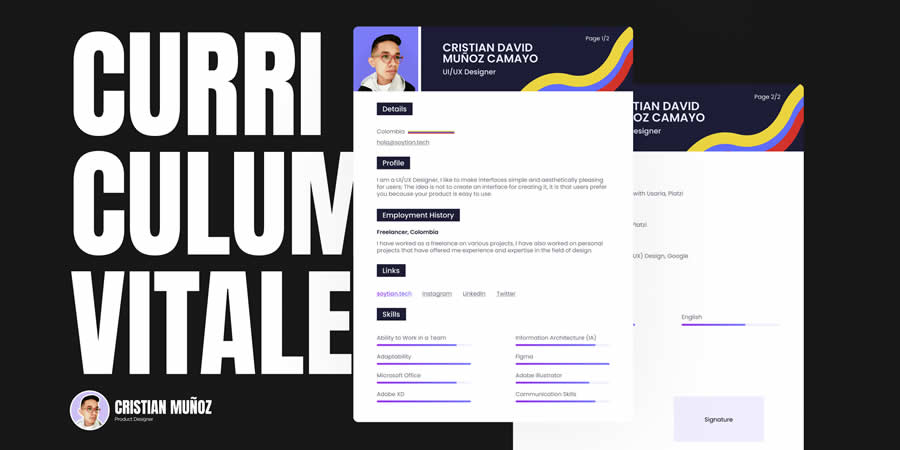
This Curriculum Vitae Template for Figma has a colorful but professional structure. It includes space for a photo, profile, skills, links, education, and work history, making it a flexible choice for many job seekers.
Why It’s Useful
- Colorful but professional design.
- Good for profile-based resumes.
- Includes space for links and skills.
- Easy to customize for different roles.
Tips for Customizing Figma Resume Templates
Downloading a template is only the first step. To make your resume stronger, customize it carefully so it fits your role and experience.
Keep the Layout Easy to Scan
Recruiters often review resumes quickly. Use clear headings, short bullet points, and enough spacing between sections.
Use Typography Consistently
Choose one or two professional fonts and keep sizes consistent. Avoid using too many styles on one page.
Adapt the Resume for Each Job
Update your summary, skills, and experience highlights based on the position you are applying for.
Export a Clean PDF
Before sending your resume, export it as a PDF and check spacing, alignment, file size, and readability.
Include Portfolio Links Carefully
If you are a designer, developer, writer, or creative professional, include relevant portfolio links, but keep them clean and easy to find.
Common Resume Design Mistakes to Avoid
- Using too many colors: a resume should feel polished, not chaotic.
- Overloading the page: too much text can make key information hard to find.
- Using tiny font sizes: readability is more important than fitting everything.
- Ignoring ATS readability: some highly decorative layouts may not work well with applicant tracking systems.
- Forgetting contact details: make your email, website, LinkedIn, or portfolio easy to find.
- Sending without proofreading: typos can hurt your first impression.
FAQ: Free Figma Resume Templates
What are Figma resume templates?
Figma resume templates are editable CV designs created in Figma. They help job seekers customize layouts, typography, colors, sections, and content before exporting the resume as a PDF.
Are free Figma resume templates good for job applications?
Yes, many free Figma resume templates are useful for job applications, portfolios, and personal branding. Always customize the content and check that the final PDF is easy to read.
Can I export a Figma resume as a PDF?
Yes. Figma allows you to export your resume design as a PDF, which is useful for sending applications, attaching files, or uploading to job platforms.
Are Figma resumes ATS-friendly?
Some Figma resumes may work better as visual PDFs than ATS documents. If you apply through large job platforms, consider keeping a simple text-friendly version as well.
Who should use Figma CV templates?
Figma CV templates are useful for designers, developers, marketers, students, freelancers, creative professionals, and anyone who wants more control over resume design.
Can I customize fonts and colors in Figma resume templates?
Yes. You can customize fonts, colors, spacing, sections, icons, and layout elements directly inside Figma.
Final Thoughts
Using free Figma resume templates is one of the easiest ways to create a modern, professional CV without spending hours designing everything from scratch. These templates give you a strong starting point while still allowing full customization.
Whether you need a minimal resume, a creative CV, a developer-focused layout, a UX/UI designer resume, or a professional A4 template, Figma makes it easy to edit, share, and export your resume for job applications.
The best resume template is not simply the most beautiful one. It is the one that makes your experience, skills, and achievements clear, memorable, and easy to understand.
Explore more Figma resources, fonts, UI/UX guides, and creative tools on DesignRise.
Discover more from DesignRise
Subscribe to get the latest posts sent to your email.


