












Designing a polished user interface takes time, structure, creativity, and attention to detail. Every screen needs the right layout, spacing, typography, colors, hierarchy, components, and usability decisions. That is why free web and mobile UI templates for Figma are so useful for modern designers.
Instead of building every button, form, icon, dashboard, mobile screen, or wireframe from scratch, designers can start with professionally built Figma UI templates and customize them for their own projects. This saves time, keeps interfaces consistent, and helps teams move faster from idea to prototype.
Figma has become one of the most popular tools for UI/UX design because it supports real-time collaboration, reusable components, cloud-based workflows, prototyping, design systems, and fast iteration. Whether you are designing a mobile app, SaaS dashboard, landing page, finance product, ticketing app, iOS interface, or product presentation, the right free Figma UI kit can speed up your workflow dramatically.
In this DesignRise guide, you’ll find a curated collection of free web and mobile UI templates for Figma, including UI kits, icon libraries, dashboard templates, wireframe tools, mobile app templates, responsive plugins, and style guides. Use them to improve your design workflow, build cleaner interfaces, and create stronger client or portfolio projects.
Why Free Figma UI Templates Are So Useful
Building a good interface is not only about making something look attractive. A strong UI must be readable, usable, consistent, responsive, and easy to maintain. That is where free Figma UI templates and UI kits can help.
These resources give designers a ready-made foundation. Instead of starting with a blank canvas, you can use pre-designed components, layouts, icons, forms, navigation patterns, cards, dashboards, mobile screens, and responsive structures.
This is especially helpful when you need to:
- Create a fast prototype for a client or product idea.
- Build a landing page or mobile app concept quickly.
- Maintain visual consistency across multiple screens.
- Learn how professional UI kits are structured.
- Save time during early design exploration.
- Present a polished interface before development begins.
- Build a design system faster.
A good UI kit for Figma does not replace design thinking. It gives you a faster starting point so you can spend more time solving real user problems.
What Makes a Good Figma UI Template?
Not every free template is worth using. Some templates look beautiful in previews but are difficult to edit, poorly organized, or missing important components. Before using any Figma UI template, check whether it supports a real workflow.
| Feature | Why It Matters |
|---|---|
| Clean layer structure | Makes the file easier to edit and understand |
| Reusable components | Helps update buttons, cards, forms, and icons faster |
| Consistent typography | Improves readability and visual hierarchy |
| Auto Layout support | Makes components more flexible and scalable |
| Web and mobile coverage | Supports responsive product design workflows |
| Light and dark versions | Useful for modern interfaces and SaaS products |
| Clear licensing | Important for personal, commercial, and client work |
The best free UI templates are not just visually attractive. They are practical, editable, scalable, and organized enough to support real design projects.
Quick Comparison: Best Free Web and Mobile UI Templates for Figma
| Resource | Best For | Type |
|---|---|---|
| Free UI Presentation Template | Project presentations | Presentation UI kit |
| Figma Entypo Icon Library | Vector icons | Icon library |
| Font Awesome 5 Icon Library | Large icon sets | Icon plugin/library |
| Material Icons Figma Library | Material-style UI icons | Icon library |
| Figma Starter Kit | Basic interface components | UI kit |
| Atro Mobile Figma UI Kit | Mobile app screens | Mobile UI kit |
| Deca Kit for Figma | Component-based design | UI library |
| Finance Wireframe Template | Finance and banking apps | Wireframe template |
| Nucleus UI Component Library | Mobile app design | Component library |
| Breakpoints Plugin | Responsive design testing | Figma plugin |
How to Use These Figma Templates in a Real Design Workflow
Downloading a template is only the first step. To get the most value from free web and mobile UI templates for Figma, you should use them strategically.
Start With a Clear Product Goal
Before choosing a template, define what you are designing. A mobile ticketing app needs a different structure than a finance dashboard, SaaS admin panel, or landing page presentation.
Choose a Template That Matches the Project Type
Do not choose a UI kit only because it looks beautiful. Choose one that matches your screen type, user flow, content density, and product category.
Customize the Visual System
Change colors, fonts, spacing, icons, buttons, and components so the template matches your brand or project direction. A template should never look copied directly from the original file.
Turn Repeated Elements Into Components
If the file does not already use components, convert repeated buttons, cards, form fields, and navigation items into Figma components. This will make your workflow much faster.
Test the Layout Across Screen Sizes
If you are designing for both web and mobile, check how the layout behaves at different breakpoints. Responsive testing is especially important for dashboards, landing pages, and web apps.
1. Free UI Presentation Template for Designers
Best for: presenting UI design projects professionally
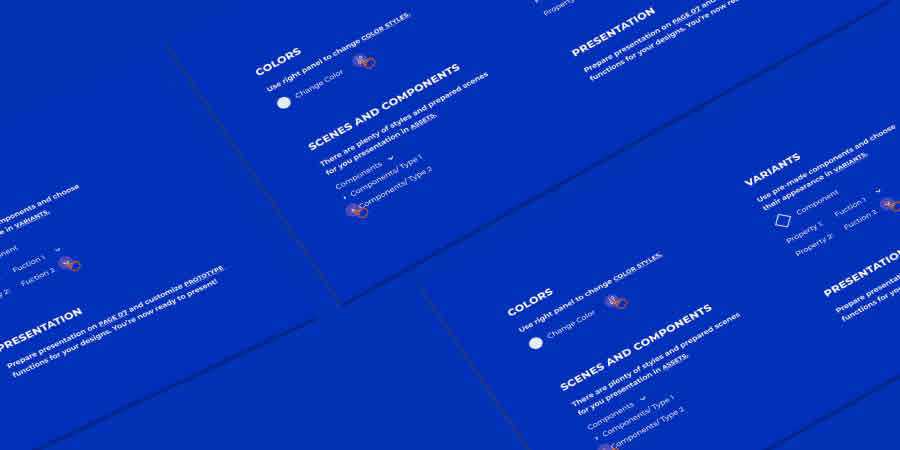
This free UI presentation template for Figma helps designers showcase interface projects in a polished and structured way. It includes customizable buttons, charts, text blocks, layout sections, and presentation elements that make it easier to turn a design concept into a client-ready presentation.
It is especially useful when you need to explain a design direction, show UI screens, present product features, or build a professional portfolio case study.
Why It’s Useful
- Helps present UI projects clearly.
- Includes editable buttons, charts, and text blocks.
- Useful for client decks and portfolio case studies.
- Saves time when building design presentations.
2. Figma Entypo Icon Library
Best for: adding clean vector icons to UI projects
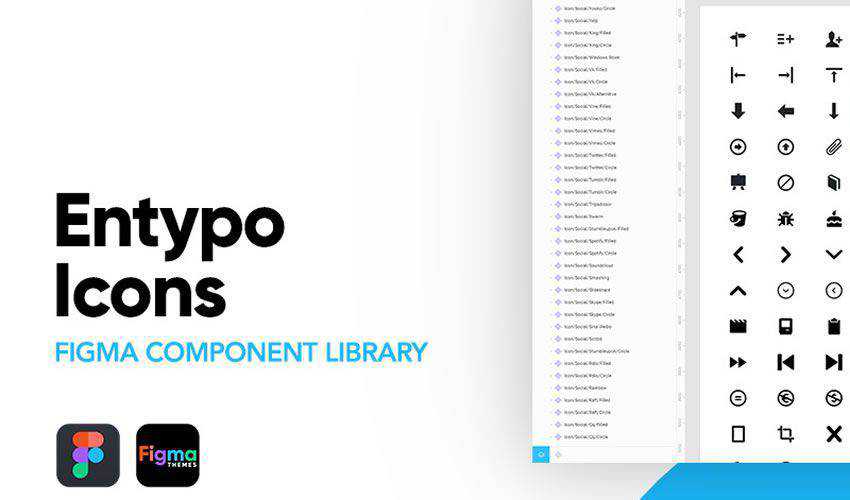
The Figma Entypo Icon Library gives designers access to a useful set of vector icons directly for interface design. Icons are essential in web and mobile UI because they support navigation, improve scanning, and make actions easier to understand.
This library is useful for personal projects, dashboards, mobile apps, landing pages, profile screens, settings pages, and interface prototypes.
Why It’s Useful
- Includes a large set of vector icons.
- Useful for web and mobile interfaces.
- Helps keep UI projects visually consistent.
- Easy to adapt for different product styles.
Open Figma Entypo Icon Library
3. Figma Font Awesome 5 Icon Library
Best for: projects that need a large icon collection
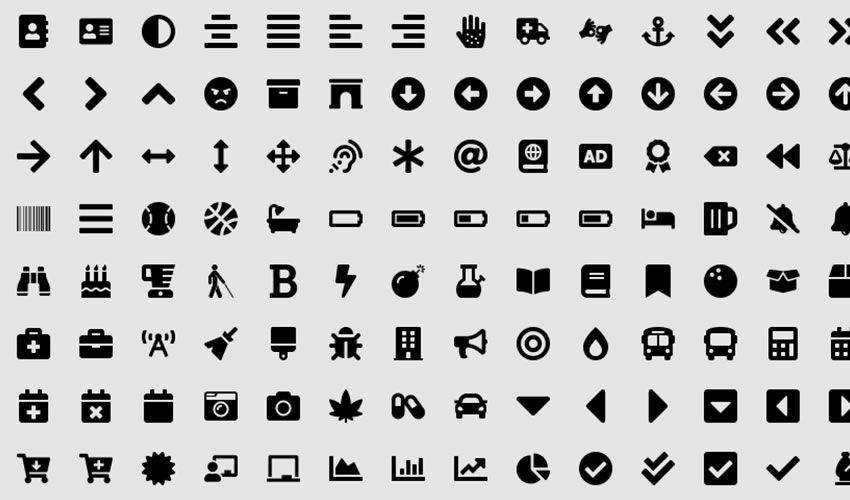
The Figma Font Awesome 5 Icon Library is a helpful resource for designers who need many icon options. Icons are often used for navigation, feature lists, dashboards, forms, empty states, app menus, toolbars, and landing page sections.
A large icon library can speed up your workflow because you do not need to search for individual icons every time you build a new screen.
Why It’s Useful
- Large icon collection for many UI needs.
- Useful for dashboards, apps, and websites.
- Helps speed up interface building.
- Good for designers who reuse icon systems often.
4. Material Icons Figma Library
Best for: Material-style interfaces and clean product design
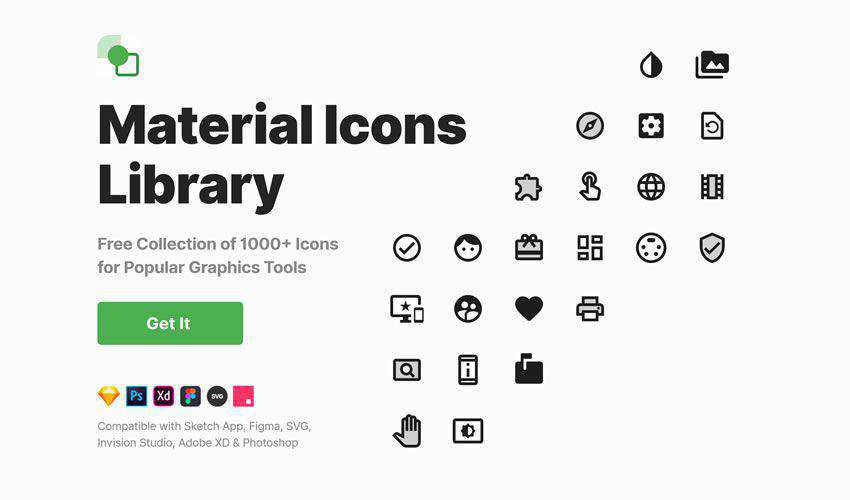
The Material Icons Figma Library is a practical choice for designers building clean, structured interfaces. Material-style icons are easy to understand and work well in mobile apps, SaaS dashboards, admin panels, onboarding flows, and productivity tools.
If you want a familiar icon style that users can recognize quickly, this library can be a strong starting point.
Why It’s Useful
- Works well for clean app interfaces.
- Useful for both personal and commercial design projects.
- Supports dashboards, forms, menus, and mobile screens.
- Helps create familiar and readable UI systems.
5. Figma Social Icons
Best for: social media links, profiles, footers, and sharing interfaces
Figma Social Icons is a simple but useful icon set for designers building websites, profile pages, landing pages, contact sections, social dashboards, creator portfolios, or mobile app screens that need recognizable social media icons.
Social icons are small details, but they help users find brand profiles, sharing options, and external links faster.
Why It’s Useful
- Includes social media icons for common UI needs.
- Useful for websites, profiles, and landing pages.
- Easy to customize and integrate.
- Good for both web and mobile projects.
6. Evericons for Figma
Best for: versatile icons for multiple interface styles
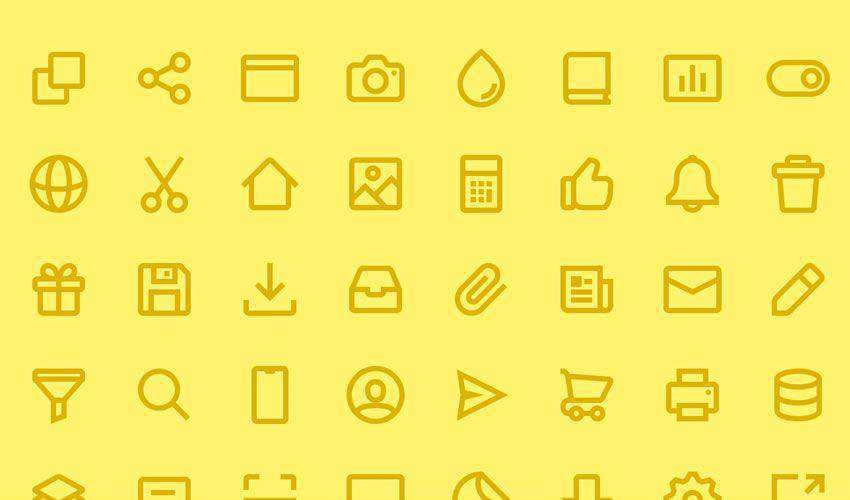
Evericons for Figma is a flexible icon set that can support many types of UI projects. It works well for web apps, mobile apps, SaaS products, landing pages, admin panels, and prototypes.
A versatile icon pack is useful when you want one consistent visual style across many screens instead of mixing icons from different sources.
Why It’s Useful
- Versatile icon style for different product categories.
- Useful for personal and commercial projects.
- Helps maintain visual consistency.
- Easy to use across Figma UI layouts.
7. 55 Crypto Logos for Figma
Best for: cryptocurrency, blockchain, fintech, and Web3 interfaces
If you are designing cryptocurrency, blockchain, finance, trading, wallet, or Web3 interfaces, the 55 Crypto Logos for Figma set can save time. Instead of searching for individual crypto logos, you can use a ready-made logo collection directly inside your design workflow.
This is especially helpful for dashboards, crypto wallets, exchange platforms, token lists, financial widgets, and landing pages.

Why It’s Useful
- Useful for crypto and fintech UI projects.
- Helps build token lists and wallet interfaces faster.
- Includes recognizable crypto brand assets.
- Good for dashboards, mobile apps, and landing pages.
8. Eggplore Figma UI StyleGuide
Best for: building consistent interface styles
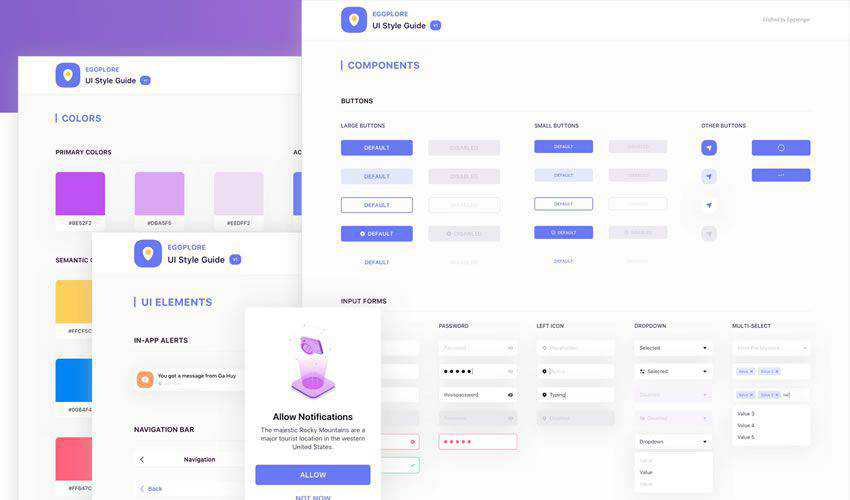
The Eggplore Figma UI StyleGuide is a simple toolkit designed to help designers create more consistent interfaces. A style guide is useful because it defines colors, typography, components, spacing, and visual rules that keep the product aligned.
If you are working on a product with multiple screens, even a basic style guide can make the whole interface feel more professional.
Why It’s Useful
- Helps create a consistent visual system.
- Useful for product design and UI kits.
- Easy to customize for personal or commercial projects.
- Good for learning style guide structure.
9. Product Design Kit for Figma
Best for: desktop product design, wireframes, and style guides
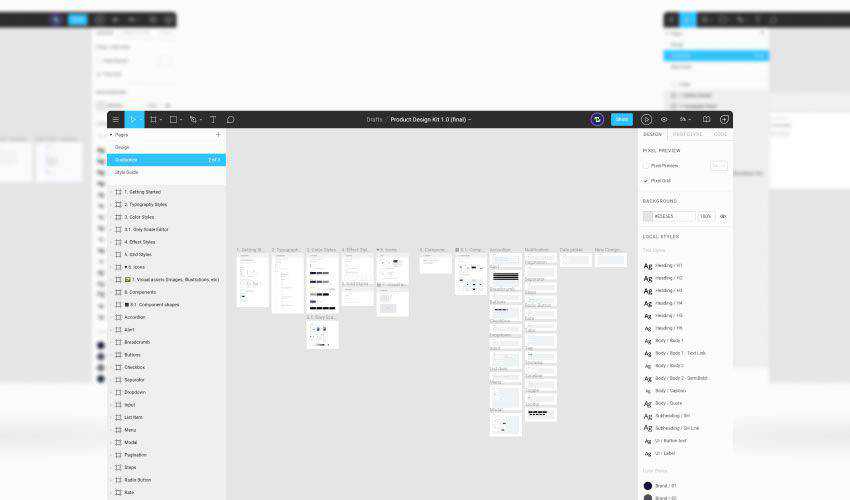
The Product Design Kit for Figma is a complete toolkit for designing desktop products. It can help you create high-fidelity wireframes, UI screens, product flows, and style guides faster.
This is a strong resource for SaaS platforms, admin panels, productivity tools, internal systems, and complex web products where consistency and structure matter.
Why It’s Useful
- Useful for desktop product interfaces.
- Supports wireframes and high-fidelity designs.
- Helps organize product design systems.
- Good for SaaS and web app workflows.
10. Figma Starter Kit
Best for: essential UI components in light and dark themes
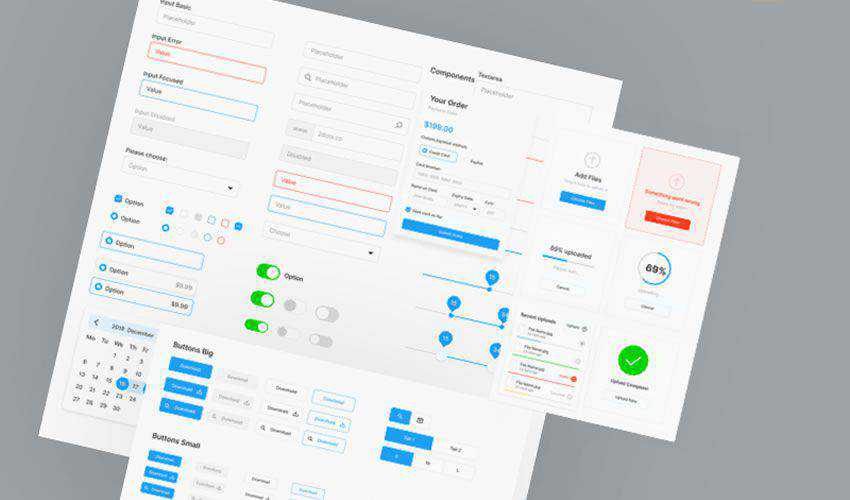
The Figma Starter Kit is a practical resource for quickly starting interface projects. It includes common UI elements such as forms, buttons, icons, and basic components, with both light and dark versions available.
This type of starter kit is useful for designers who need a foundation for prototypes, MVP concepts, landing pages, dashboards, and app interfaces.
Why It’s Useful
- Includes essential UI components.
- Supports light and dark interface styles.
- Useful for quick prototypes.
- Good for personal and commercial design projects.
11. Atro Mobile Figma UI Kit
Best for: clean mobile app interface design
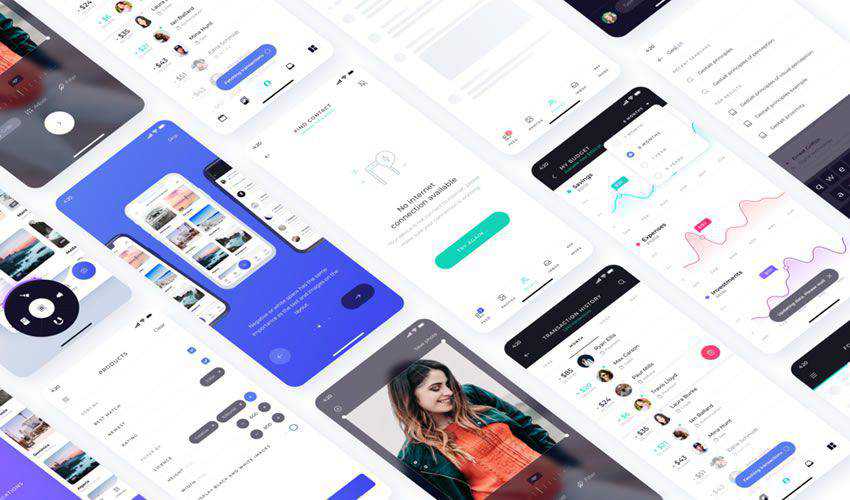
The Atro Mobile Figma UI Kit is a sleek, minimal kit for mobile app design. It includes ready-to-use screens, icons, and vector elements that can help designers quickly create polished mobile interfaces.
This kit is useful for app concepts, startup MVPs, mobile prototypes, onboarding flows, profile screens, and product presentations.
Why It’s Useful
- Minimal mobile app style.
- Includes ready-to-use screens.
- Good for fast mobile prototypes.
- Helpful for app designers and startup projects.
12. Deca Kit for Figma
Best for: component-based UI design
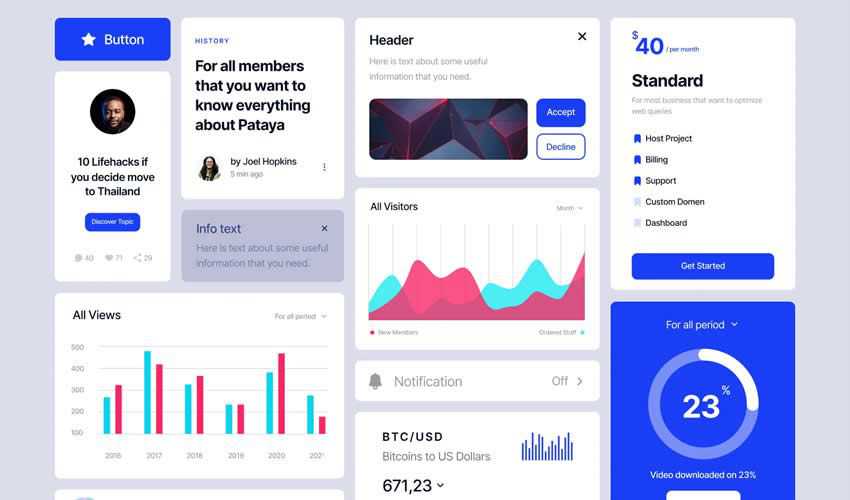
The Deca Kit for Figma is a crafted UI library with a large set of components. It can help designers build cleaner interfaces faster by providing ready-made elements for forms, buttons, icons, layouts, cards, and interface structures.
Component-based kits are especially useful when you want to maintain consistency across many screens.
Why It’s Useful
- Includes many reusable components.
- Useful for web and mobile UI projects.
- Helps speed up production workflows.
- Good for consistent interface systems.
13. Finance Wireframe Template for Figma
Best for: finance, payment, accounting, and banking interfaces
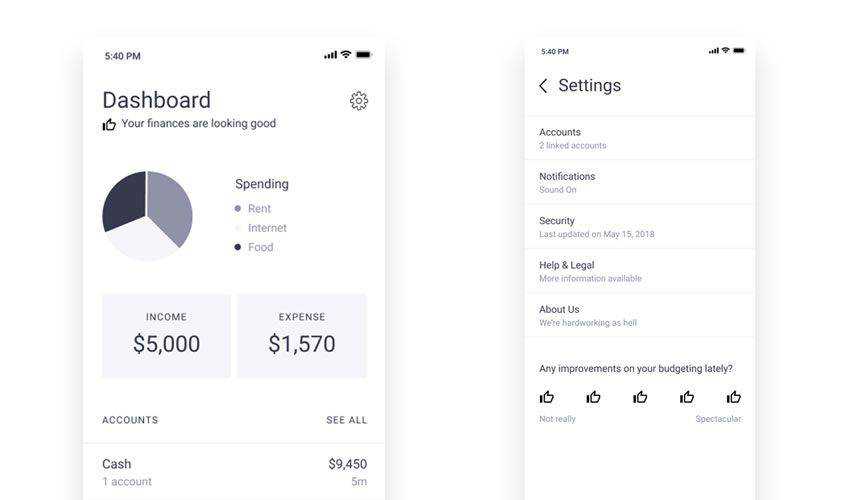
The Finance Wireframe Template for Figma is useful for designing products related to payments, banking, accounting, budgeting, fintech, invoices, transactions, wallets, and finance dashboards.
Finance interfaces need strong structure because users must understand balances, actions, transaction history, warnings, and sensitive information quickly. A finance wireframe template can help you plan those screens more efficiently.
Why It’s Useful
- Good for fintech and banking products.
- Useful for payment and accounting interfaces.
- Helps plan clear financial UI flows.
- Can be customized for personal and commercial projects.
Open Finance Wireframe Template
14. Ticketapp Figma Template
Best for: ticketing apps, booking flows, and event interfaces
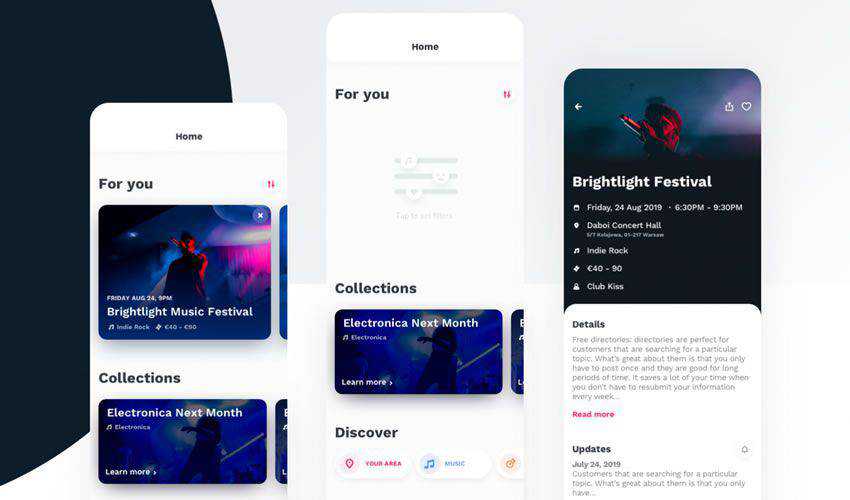
The Ticketapp Figma Template is designed for ticketing app experiences. It includes interface ideas for ticket purchasing, seat selection, event discovery, and related mobile app flows.
This template is useful for designers working on event apps, cinema booking interfaces, transportation tickets, concert platforms, or reservation experiences.
Why It’s Useful
- Built for ticketing and booking experiences.
- Includes useful mobile app screen patterns.
- Compatible with Figma and Sketch workflows.
- Good for event and reservation product concepts.
15. Survival Kit for iOS Design
Best for: designing iOS app interfaces faster
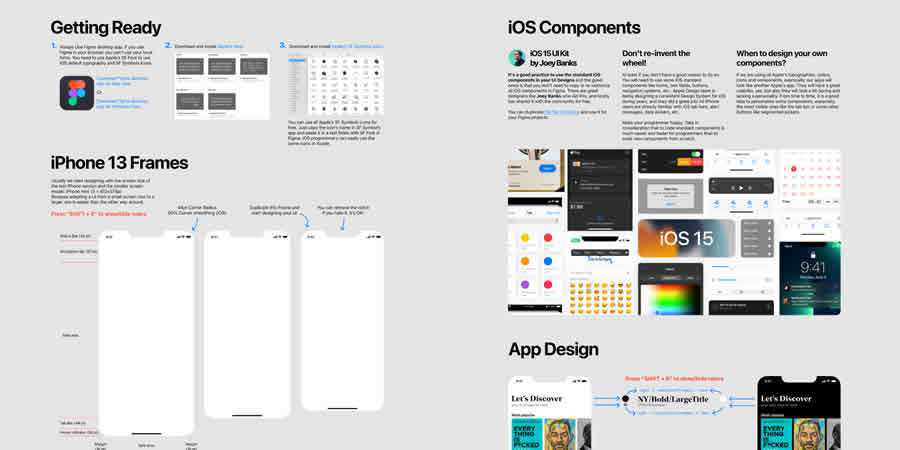
The Survival Kit for iOS Design is a comprehensive UI kit for mobile app designers working on iOS-style interfaces. It includes pre-made screens, components, and interface elements that can help speed up app design workflows.
Use it for onboarding, settings, profile screens, content layouts, mobile product ideas, and iOS app prototypes.
Why It’s Useful
- Helpful for iOS app interface design.
- Includes multiple UI elements and screens.
- Good for mobile prototypes.
- Useful for personal and commercial app projects.
Open Survival Kit for iOS Design
16. Nucleus UI Component Library
Best for: mobile app components and ready-made screens
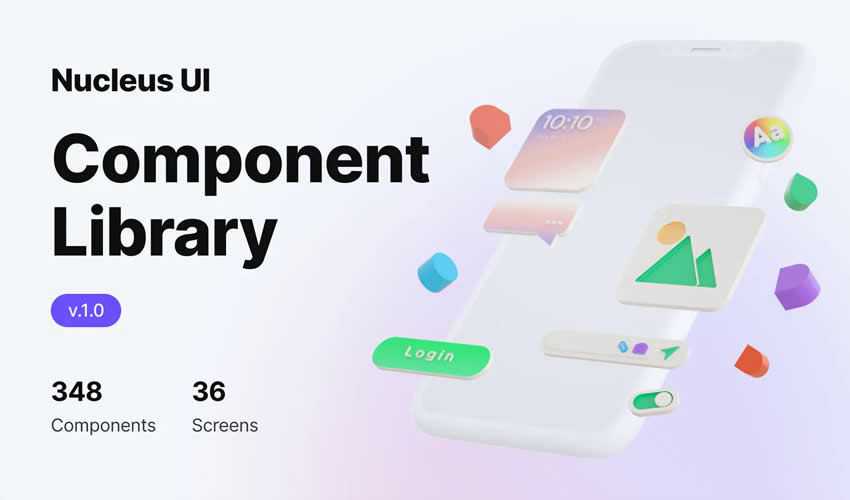
The Nucleus UI Component Library is a free component collection created to accelerate mobile app design. With many components and ready-to-use screens, it gives designers a strong foundation for mobile UI projects.
This library is useful when you need to design mobile products quickly while keeping the interface polished and consistent.
Why It’s Useful
- Includes many mobile UI components.
- Offers ready-made screens.
- Good for fast mobile app design.
- Helps keep product interfaces consistent.
Open Nucleus UI Component Library
17. iOS UI Kit for Figma
Best for: iOS app components and mobile templates
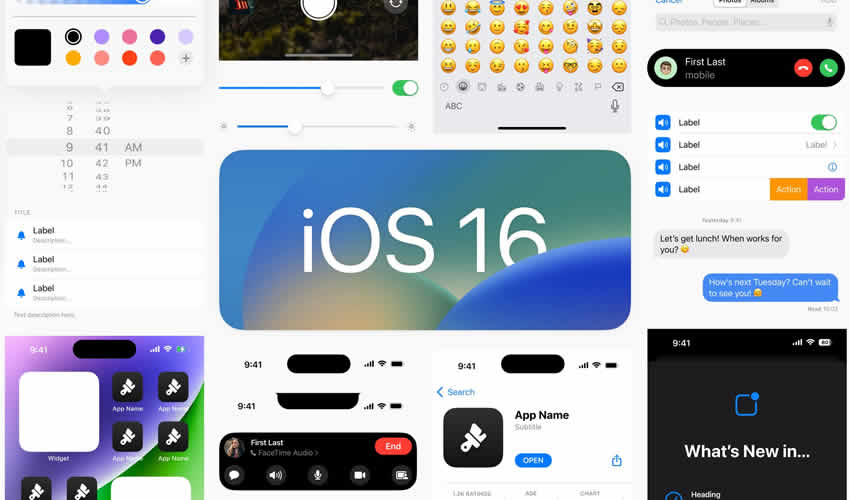
The iOS UI Kit for Figma is a free toolkit for designers working on iOS projects. It includes components and templates that help create clean, user-friendly mobile interfaces faster.
If you are designing an iPhone app concept, mobile MVP, app prototype, or portfolio project, this UI kit can help you start with a more structured foundation.
Why It’s Useful
- Useful for iOS app design.
- Includes components and templates.
- Helps speed up mobile workflows.
- Good for personal and commercial app projects.
18. Web Dashboard & Statistics Template for Figma
Best for: dashboards, analytics pages, and data-heavy interfaces
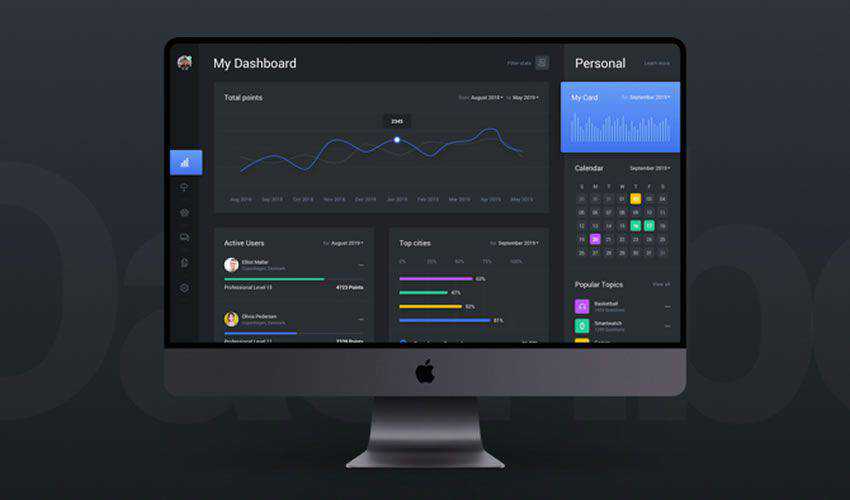
The Web Dashboard & Statistics Template for Figma is useful for designing modern dashboards, analytics panels, reporting tools, admin pages, and statistics interfaces.
Dashboard design requires careful layout because users need to understand numbers, charts, trends, statuses, filters, and actions quickly. A good dashboard template gives you a stronger starting point for organizing data visually.
Why It’s Useful
- Useful for analytics and dashboard products.
- Includes light and dark modes.
- Good for admin panels and web apps.
- Helps organize complex data visually.
19. Breakpoints Responsive Figma Plugin
Best for: testing responsive layouts inside Figma
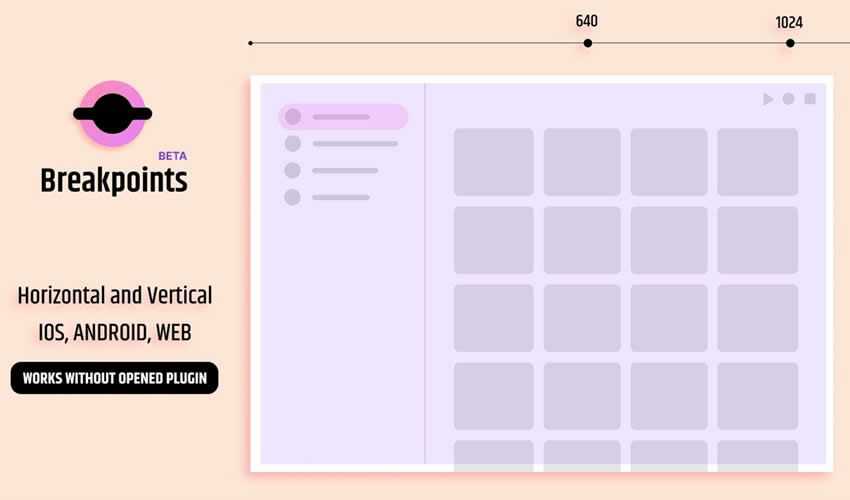
Breakpoints is a Figma plugin that helps designers test responsive design layouts directly in a Figma frame. This is useful when you need to understand how your UI adapts across different screen sizes.
Responsive testing is important for web interfaces, landing pages, dashboards, and design systems. Even a beautiful layout can fail if it does not adapt well on smaller screens.
Why It’s Useful
- Helps preview responsive behavior.
- Useful for web and dashboard layouts.
- Supports better responsive design decisions.
- Good for testing before development.
20. Wireframe Library for Figma
Best for: fast wireframes, prototypes, and basic UI structures
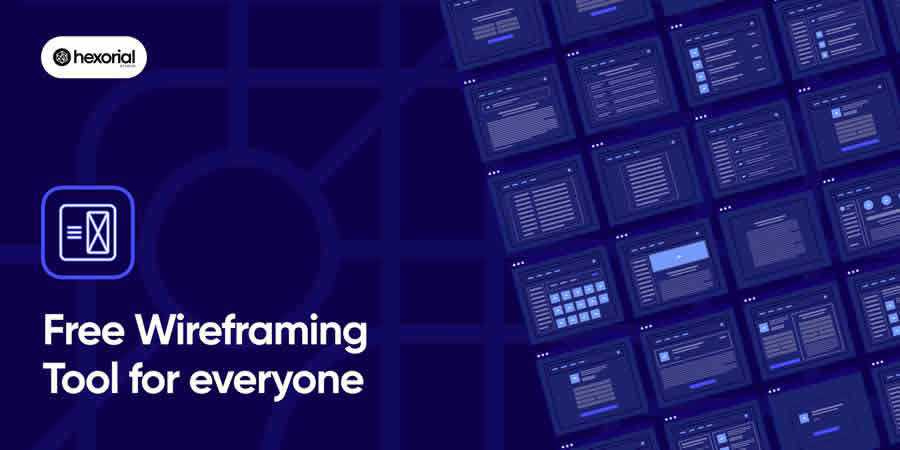
The Wireframe Library for Figma is a simple resource for creating wireframes, prototypes, and early UI structures quickly. It is useful when you want to plan layout and functionality before spending time on polished visuals.
Wireframes are especially valuable at the beginning of a project because they help teams focus on structure, hierarchy, and user flow before visual design details take over.
Why It’s Useful
- Great for early-stage design planning.
- Helps create wireframes quickly.
- Useful for prototypes and layout structures.
- Good for UX workflows before visual design.
Best Ways to Customize Free Figma UI Templates
Free templates are useful, but they should not look generic after you use them. The goal is to turn a starting point into a design that feels custom, branded, and appropriate for the product.
Replace Placeholder Content
Use realistic copy, real product names, actual numbers, relevant user data, and meaningful empty states. Real content makes a UI design feel much stronger.
Adjust the Color System
Change the template colors to match your brand. Make sure primary, secondary, success, warning, and error colors are consistent and accessible.
Refine Typography
Typography affects readability and product personality. Choose fonts that match the product category and make sure headings, body text, labels, and captions are consistent.
Check Spacing and Alignment
Free templates may not always match your content. Adjust spacing, padding, grids, and layout rhythm so the design feels balanced.
Create Reusable Components
Convert repeated elements into components. This makes future edits much easier and supports scalable design systems.
Common Mistakes to Avoid When Using Figma UI Templates
Templates can speed up your workflow, but they can also create problems if used without careful design thinking.
- Using templates without customization: your project may look generic or copied.
- Mixing too many UI kits: different styles can make the interface inconsistent.
- Ignoring accessibility: check contrast, font size, touch targets, and readability.
- Forgetting responsive behavior: test how layouts adapt across desktop, tablet, and mobile.
- Leaving messy layers: clean structure matters if the file will be shared with a team.
- Overloading screens: templates can include many components, but not every component belongs in your product.
- Not checking licenses: always verify whether the resource can be used for personal or commercial work.
Figma UI Template Workflow for Designers
Here is a simple workflow you can use when starting a project with free Figma UI templates:
- Define the product type: web app, mobile app, dashboard, landing page, wireframe, or presentation.
- Choose the right template: match the resource to the project goal.
- Audit the file: check components, layers, styles, and licensing.
- Customize the design system: update colors, typography, buttons, icons, and spacing.
- Add realistic content: replace placeholders with real product information.
- Build missing screens: extend the template to match your user flow.
- Test responsiveness: check desktop, tablet, and mobile behavior.
- Prepare for handoff: organize pages, label components, and write notes for developers.
FAQ: Free Web and Mobile UI Templates for Figma
What are Figma UI templates?
Figma UI templates are pre-designed files that include interface layouts, screens, components, icons, and design systems. They help designers create web and mobile interfaces faster.
Are free Figma UI kits good for professional work?
Yes, many free Figma UI kits are useful for professional projects, prototypes, portfolios, and client presentations. However, you should always customize the design and check the license before using it commercially.
Can I use Figma templates for mobile app design?
Yes. Many Figma templates are created specifically for mobile app design, including iOS kits, app screens, onboarding layouts, dashboards, profiles, and mobile components.
Can I use Figma templates for web design?
Yes. Web templates can help with dashboards, landing pages, SaaS products, admin panels, responsive layouts, and presentation screens.
How do I make a free UI template look unique?
Change the colors, typography, spacing, content, imagery, icons, and component structure. The more you adapt the template to the project goal, the more custom it will feel.
Should beginners use Figma UI templates?
Yes. Templates are helpful for beginners because they show how professional UI files are structured. They can also help new designers learn spacing, hierarchy, components, and layout systems.
What should I check before downloading a Figma template?
Check the file quality, layer organization, component structure, license, compatibility, and whether the template matches your project type.
Are Figma plugins considered UI templates?
Not exactly. Plugins are tools that extend Figma’s functionality, while templates are design files. However, plugins like responsive layout tools or wireframe libraries can support the same workflow.
Final Thoughts
Free web and mobile UI templates for Figma can make your design workflow faster, more organized, and more professional. They help you start projects with ready-made components, layouts, icon systems, wireframes, mobile screens, dashboards, and presentation structures.
The best templates do not replace your design judgment. They help you spend less time on repetitive setup and more time solving real design problems. Use them as a foundation, customize them carefully, and always make sure the final interface matches the product, audience, and brand.
Whether you are building a mobile app, SaaS dashboard, finance product, ticketing app, responsive web layout, or portfolio presentation, the right Figma UI template can help you move faster without sacrificing quality.
Explore more Figma resources, UI/UX guides, mockups, and creative design tools on DesignRise.
Discover more from DesignRise
Subscribe to get the latest posts sent to your email.


