








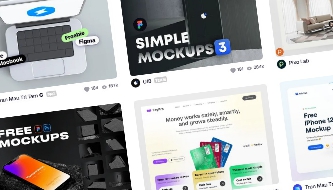
Premium Figma Mockups: Best Resources for Devices, Print Assets and Product Presentations
Great design is not only about the final layout. It is also about how that layout is presented. A strong mockup can turn a flat screen, logo, packaging concept, or product idea into something that feels realistic, professional, and ready for client review.
That is why premium Figma mockups are such valuable tools for modern designers. They help you present mobile apps, websites, branding systems, packaging, print assets, digital products, and product displays in polished real-world environments without rebuilding every scene from scratch.
Instead of sending clients isolated frames or static screenshots, designers can use Figma mockup templates to show how an interface appears on a phone, how a brand identity works on stationery, how packaging looks in context, or how a product can be promoted across digital channels.
This premium DesignRise guide explores the best resources for device mockups, print mockups, and product display mockups that can support modern Figma workflows, portfolio case studies, client presentations, branding projects, and product launches.
Why Premium Figma Mockups Matter
In modern UI/UX, branding, and product design, presentation quality can strongly influence how a project is understood. A good mockup helps clients, stakeholders, and audiences imagine the final result faster.
Premium Figma mockups are especially useful because they improve three important parts of the design process: speed, clarity, and professionalism.
- Speed: you can place designs into ready-made scenes instead of building presentation layouts manually.
- Clarity: mockups make digital and physical products easier to understand.
- Professionalism: premium scenes, realistic shadows, and polished compositions make work feel more refined.
- Consistency: reusable mockup systems help portfolios and client decks feel visually aligned.
- Storytelling: mockups show how a design works in a real context, not just inside a design file.
For freelancers, studios, agencies, UI designers, branding specialists, and product teams, mockups are not just decorative assets. They are communication tools.
Explore More DesignRise Figma Resources:
- Finger-Friendly UI Design: How to Create Mobile Interfaces Users Love
- User Journeys vs. Customer Journeys: Why Distinguishing Them Is Crucial for Your Strategy
- Figma Introduces the New Glass Effect and Apple’s Liquid Glass UI Kit
What Makes a Figma Mockup Premium?
Not every mockup is worth using in a professional presentation. A low-quality mockup can make a strong design look weaker. A premium mockup should support the design, not distract from it.
When choosing premium Figma mockup templates, look for these qualities:
| Feature | Why It Matters |
|---|---|
| High-resolution scenes | Prevents blurry or low-quality presentation visuals |
| Realistic lighting and shadows | Makes the design feel more believable |
| Easy customization | Saves time when updating screens, logos, or artwork |
| Clean layer structure | Makes files easier to edit and reuse |
| Modern device frames | Helps UI presentations feel current |
| Consistent visual style | Improves case studies, pitch decks, and portfolios |
| Commercial-use license | Important for client work and paid projects |
The best mockups do not simply make a project look “pretty.” They make the idea easier to understand, easier to sell, and easier to remember.
Best Use Cases for Premium Figma Mockups
Premium mockups can support many types of design work. The right mockup depends on what you are presenting and who needs to understand the result.
UI/UX Case Studies
Use device mockups to show mobile apps, web dashboards, landing pages, SaaS products, and responsive interfaces in real-world screen contexts.
Brand Identity Presentations
Use stationery, business card, poster, packaging, and print mockups to show how the identity works across physical brand touchpoints.
Product Launches
Use product display mockups to create website hero images, campaign visuals, eCommerce previews, ads, and social media graphics.
Portfolio and Behance Projects
Use consistent mockup scenes to make case studies feel polished, organized, and easier to scroll through.
Client Pitch Decks
Use premium mockups to help clients visualize the final outcome before production, development, or printing begins.
Best Premium Figma Device Mockup Resources
Device mockups are some of the most useful assets for UI and UX designers. They turn flat screens into realistic product presentations on smartphones, tablets, laptops, desktops, and other devices.
Instead of showing isolated frames, Figma device mockups help communicate scale, spacing, hierarchy, responsive behavior, and product atmosphere.
Benefits of Device Mockups
- Realistic context: show how the interface appears on actual devices.
- Better storytelling: help viewers imagine the final product experience.
- Responsive presentation: display mobile, tablet, and desktop layouts together.
- Portfolio quality: improve Behance, Dribbble, and website case studies.
- Faster workflow: replace screens quickly without rebuilding the scene.
1. Mockup World
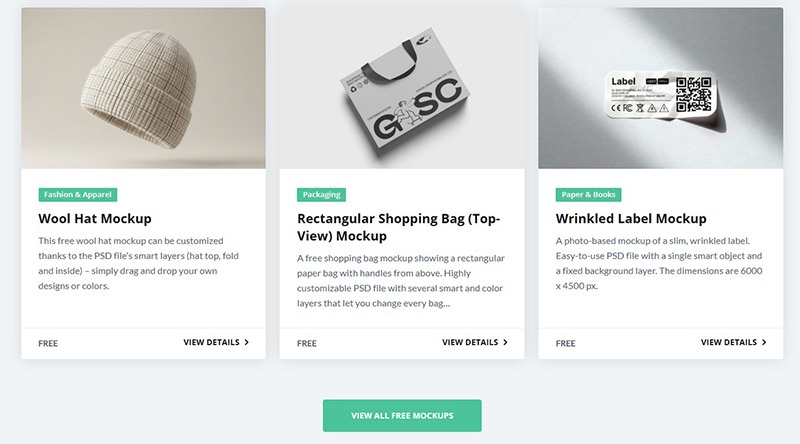
Mockup World is one of the most popular sources for free and premium mockups. The platform includes device mockups, branding scenes, print mockups, packaging templates, and presentation assets.
For Figma designers, Mockup World is useful because many assets can be adapted into a modern presentation workflow. You can use final mockup exports inside Figma case studies, landing page visuals, portfolio layouts, and client decks.
Best For
- Device mockups.
- Branding presentations.
- Portfolio case studies.
- Free and premium mockup discovery.
2. LS Graphics
LS Graphics is known for premium-quality mockup kits with polished aesthetics, realistic shadows, carefully built scenes, and modern presentation systems.
Their mockups are especially useful for UI/UX designers, product designers, SaaS teams, and creative studios that need high-end presentation visuals. If your project needs to feel premium, minimal, and beautifully produced, LS Graphics is one of the strongest resources to explore.

Best For
- Premium device mockups.
- High-end UI presentations.
- Product launch visuals.
- Modern branding scenes.
3. Freebiesbug
Freebiesbug curates modern design resources, including UI kits, icons, Figma resources, mockups, and presentation templates. It is a useful place to discover clean, minimal, and practical resources for digital design projects.
While not every resource is premium, Freebiesbug is helpful for finding free Figma mockups, device scenes, and presentation assets that can support smaller projects or early-stage portfolio work.

Best For
- Free design resources.
- Minimal device mockups.
- Figma templates.
- UI kits and presentation assets.
Figma Tip: Use Figma Community and mockup plugins together with premium assets. This lets you combine fast device-frame workflows with more polished presentation scenes.
Best Premium Print Mockup Resources
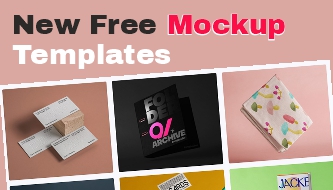
Print mockups help branding designers show how logos, typography, colors, and layouts appear in the physical world. They are essential for identity systems, packaging, stationery, posters, brochures, labels, invitations, and corporate presentations.
A flat business card layout does not communicate the same feeling as a realistic printed card in a clean studio scene. A packaging dieline does not feel as complete as a product box shown in a polished mockup. That is why print mockups remain important even in digital-first workflows.
Popular Print Mockup Categories
- Business cards
- Stationery systems
- Flyers and brochures
- Packaging mockups
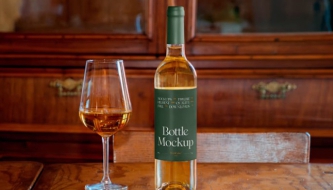
- Labels and bottles
- Apparel branding
- Poster presentations
- Book and magazine mockups
4. Mockup Daddy
Mockup Daddy provides a large collection of realistic print mockups, packaging scenes, stationery templates, apparel mockups, and branding presentation assets.
It is a strong resource for designers who need client-ready visuals for physical brand materials. Many mockups are useful for building presentations around logo systems, printed identity, packaging, and promotional assets.

Best For
- Print mockups.
- Packaging scenes.
- Stationery systems.
- Brand identity presentations.
5. Pixeden
Pixeden is one of the longer-running premium design resource platforms. It offers PSD mockups, print templates, graphic resources, web assets, and branding presentation materials.
For designers working across both print and digital, Pixeden can be useful because it includes professional mockup sets for business cards, stationery, packaging, posters, brochures, and presentation scenes.

Best For
- PSD print mockups.
- Stationery kits.
- Branding templates.
- Professional presentation resources.
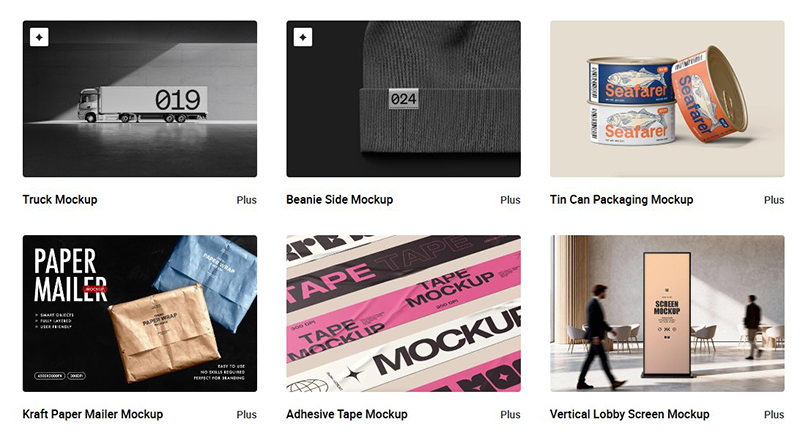
6. Pixelbuddha
Pixelbuddha offers free and premium design resources, including branding mockups, business card templates, print assets, UI kits, illustrations, and packaging scenes.
Pixelbuddha is especially useful for designers who want stylish resources with a modern look. It can support brand presentations, portfolio layouts, social visuals, and client decks without requiring a large budget.
Best For
- Branding mockups.
- Business card templates.
- Packaging scenes.
- Affordable premium design resources.
Workflow Tip: Many print mockups still use Photoshop Smart Objects. You can edit the artwork in Photoshop, export the final scene, and then place it into Figma for portfolio pages, case studies, moodboards, or client presentations.
Best Product Display Mockup Resources
Product display mockups help designers move beyond isolated objects and build visual stories around a product. These mockups are useful for eCommerce, packaging, landing pages, advertising, social media, and product launch campaigns.
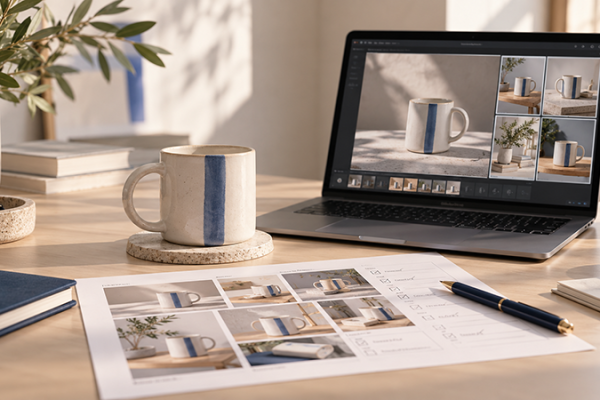
Product mockups can create atmosphere. A skincare bottle in a clean studio scene feels different from the same bottle in a lifestyle bathroom setting. A coffee cup on a desk tells a different story from a cup in a minimal product shot.
Popular Product Display Mockup Types
- Lifestyle mockups: products shown in natural environments.
- Studio mockups: clean isolated product scenes.
- Commercial mockups: retail, campaign, or advertising visuals.
- Contextual mockups: story-driven environments around the product.
- Digital product mockups: websites, apps, SaaS products, and dashboards.
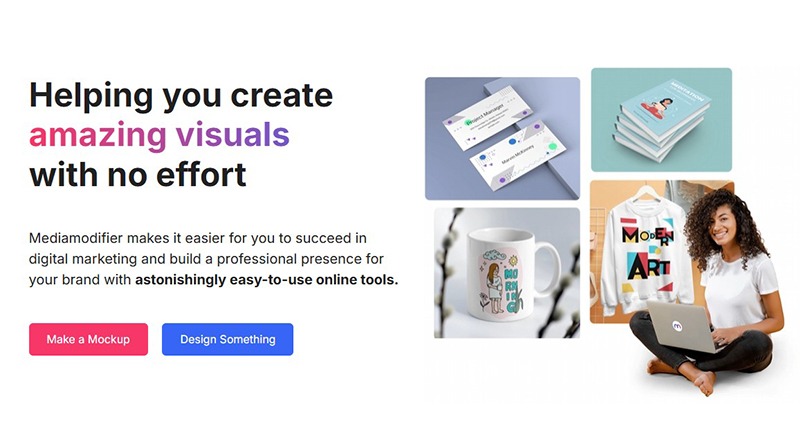
7. Mediamodifier
Mediamodifier is an online mockup generator focused on product displays, branding scenes, social media visuals, device previews, and marketing templates.
It is useful for designers who need quick results without a complex software workflow. Instead of manually editing PSD files, designers can create mockups directly online and use the final visuals in presentations, campaigns, and product pages.
Best For
- Fast online mockup generation.
- Product display visuals.
- Social media graphics.
- Marketing presentations.
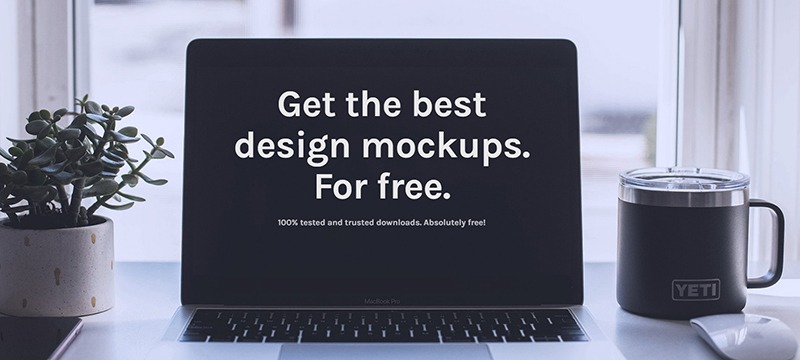
8. The Mockup Club
The Mockup Club curates mockups from designers around the world. The collection includes product display mockups, branding scenes, device previews, packaging resources, and creative presentation assets.
This is a useful discovery resource when you want fresh styles, independent designer resources, or inspiration beyond the most common mockup marketplaces.
Best For
- Curated mockup discovery.
- Creative product scenes.
- Branding visuals.
- Free and independent mockup resources.
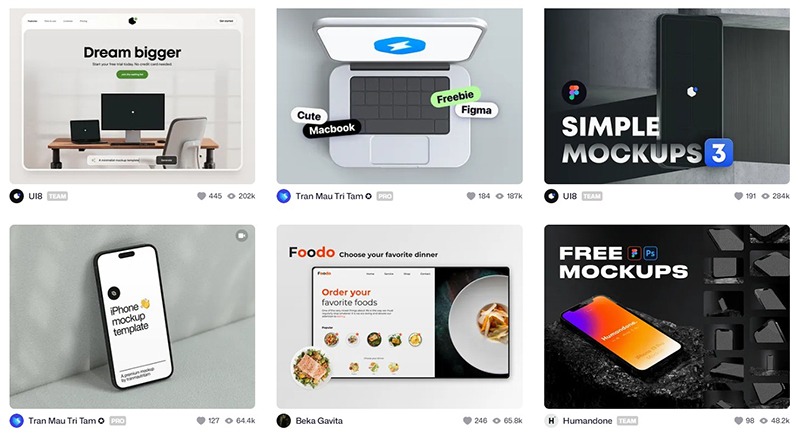
9. Dribbble and Figma Community
Dribbble and the Figma Community are excellent places to discover mockup resources from independent designers. Many creators publish Figma mockups, device frames, presentation templates, app showcase scenes, and product display files directly for other designers to use.
Search for terms like:
free figma mockupfigma device mockupproduct mockupapp presentation templateportfolio mockupdevice frame figma
Best For
- Independent Figma resources.
- Modern app presentation templates.
- Free community mockups.
- Portfolio inspiration.
How to Choose the Right Premium Figma Mockup
The best mockup depends on your project goal. A mobile app case study needs a different visual approach than a print identity presentation or product launch page.
Before choosing a mockup, ask:
- What am I trying to communicate?
- Is this for a portfolio, client pitch, landing page, or social media?
- Does the mockup match the brand style?
- Is the scene too busy or does it support the design?
- Can I easily update the artwork?
- Does the license allow commercial use?
- Will the mockup look good on desktop and mobile?
- Does the visual style feel current?
A good mockup should make the design clearer. If the scene becomes more important than the design itself, choose a simpler presentation.
Tips for Building Better Figma Mockup Presentations
Even the best mockup can look weak if the presentation is poorly composed. Use these tips to create stronger Figma presentation layouts.
Keep Scenes Visually Consistent
Use mockups with similar lighting, perspective, and background style. This makes the whole case study feel more professional.
Use Realistic Content
Avoid placeholder text and empty UI states when possible. Realistic content makes mockups feel more believable.
Balance Mockups With Flat Screens
Mockups are great for storytelling, but flat screens are still useful for showing layout details clearly. Use both.
Do Not Overload the Page
Too many mockups can make a presentation feel crowded. Give each visual enough space to breathe.
Organize Mockups Into Reusable Figma Pages
Create a Figma file with reusable mockup sections: hero images, device rows, print scenes, product displays, and social preview layouts.
Check Cropping and Export Quality
Before publishing, check that images are sharp, properly cropped, and optimized for web performance.
Premium Figma Mockup Workflow for Client Projects
Here is a simple workflow designers can use when building client-ready mockup presentations:
- Start with the project goal: define whether the mockup should sell, explain, impress, or clarify.
- Select the right mockup type: device, print, packaging, product display, or mixed presentation.
- Place final artwork: use approved screens, logos, layouts, or packaging graphics.
- Adjust the scene: refine background, contrast, crop, spacing, and visual hierarchy.
- Create a story: organize mockups in a logical order instead of random placement.
- Export optimized visuals: keep quality high but file sizes reasonable.
- Reuse the system: save your best presentation layouts for future projects.
Common Mistakes to Avoid With Figma Mockups
Mockups are powerful, but they can also weaken a presentation if they are used carelessly.
- Using too many styles: mixing unrelated scenes can make the project look inconsistent.
- Choosing mockups that hide the design: the design should stay the main focus.
- Using low-resolution assets: blurry mockups reduce professionalism.
- Ignoring license terms: always check whether the asset can be used for client or commercial work.
- Overusing angled device shots: dramatic angles can look nice but may reduce readability.
- Forgetting mobile viewers: large mockup images should still look clear on smaller screens.
- Not compressing images: huge mockup files can slow down web pages.
FAQ: Premium Figma Mockups
What are premium Figma mockups?
Premium Figma mockups are high-quality mockup templates or presentation assets used to showcase designs inside realistic scenes, devices, print layouts, product displays, or branded environments.
Are Figma mockups better than PSD mockups?
Figma mockups are faster for collaborative UI and presentation workflows. PSD mockups often provide more advanced photo-realistic editing through Smart Objects. Many designers use both depending on the project.
Can I use PSD mockups in a Figma workflow?
Yes. You can edit the PSD mockup in Photoshop, export the final image, and place it into Figma for presentations, case studies, or portfolio layouts.
Where can I find premium Figma mockups?
You can find premium Figma mockups and presentation resources on sites like LS Graphics, Mockup World, Freebiesbug, Pixelbuddha, Mediamodifier, Dribbble, and the Figma Community.
What mockups are best for UI/UX case studies?
Device mockups are best for UI/UX case studies because they show mobile apps, websites, dashboards, and responsive layouts in real-world screen contexts.
Should I use mockups in every portfolio project?
Mockups are useful, but they should not replace clear design explanation. Use mockups to support the story, then also show flat screens, process, user flows, and key decisions.
Conclusion: Premium Figma Mockups Make Design Presentations Stronger
Premium Figma mockups for devices, print assets, and product displays help designers turn flat concepts into realistic visual presentations. They make work easier to understand, more professional, and more convincing for clients, stakeholders, and portfolio viewers.
The best Figma mockup templates improve storytelling, strengthen branding presentations, elevate UI/UX case studies, and help designers present digital and physical products with more confidence.
Use device mockups for app and website presentations, print mockups for identity systems, and product display mockups for eCommerce, packaging, and campaign visuals. Most importantly, choose mockups that support the design instead of distracting from it.
A strong mockup does not replace good design. It helps good design communicate better.
Explore More Figma and Design Resources
- Finger-Friendly UI Design: How to Create Mobile Interfaces Users Love
- User Journeys vs. Customer Journeys: Why Distinguishing Them Is Crucial for Your Strategy
- Figma Introduces the New Glass Effect and Apple’s Liquid Glass UI Kit
- The New AI Design Workflow Every Designer Should Master in 2026
Explore more premium mockups, Figma resources, UI/UX guides, and creative workflow tools on DesignRise.
Discover more from DesignRise
Subscribe to get the latest posts sent to your email.