










New Procreate brush collections can do more than refresh your Brush Library. They can change the way you sketch, paint, shade, texture, letter, and finish your artwork on iPad. A good brush set can make a rough idea feel alive faster. A great one can push your style in a direction you may not have explored with Procreate’s default tools alone.
Digital artists often talk about brushes as if they are simple add-ons, but in practice, brushes shape the entire rhythm of a project. They influence how quickly you move from sketch to final art, how natural a stroke feels, how much texture appears in the first pass, and how confidently you can create effects like grain, gouache, rain, stippling, grunge, stamps, fabric, cardboard, shelves, tears, and dramatic shading.
The challenge is not finding brushes. The challenge is choosing the right ones. There are thousands of Procreate brushes available across Gumroad, Pixelbuddha, Creative Fabrica, Brushes.Work, artist shops, and independent creator libraries. Some are free. Some are premium. Some are beautifully made but very specific. Others are huge bundles that can become overwhelming if you do not know what you are looking for.
This guide is designed as a curated, practical tour through new Procreate brush collections worth exploring. Instead of only listing download links, it explains what each brush collection is useful for, what type of artist may benefit from it, and how it can fit into a real digital art workflow.
Use this article as a brush discovery guide, but also as a workflow tool. The goal is not to download everything. The goal is to build a smarter Procreate toolkit — one that helps you draw faster, experiment more freely, and finish artwork with stronger texture, polish, and personality.
Explore More DesignRise Resources:
- How to Install Procreate Brushes
- How to Add Fonts to Procreate
- Calligraphy Brushes for Procreate
- Must-Have Procreate Brushes to Supercharge Your Digital Art Workflow
Why New Procreate Brush Collections Are Worth Exploring
Every artist eventually reaches a point where the same brushes begin to produce the same decisions. The same pencil leads to the same sketch style. The same texture brush creates the same finish. The same painting brush pushes every piece toward the same surface. That consistency can be useful, but it can also quietly limit your work.
Trying a new brush collection is one of the easiest ways to interrupt that pattern. A dry gouache brush may make you paint with rougher edges. A grain brush may push you toward a more editorial look. A stipple brush may change how you shade. A stamp set may help you build scenes faster. A scratchy brush may bring back the loose feeling of sketchbook drawing.
New brushes are not valuable because they are new. They are valuable when they help you make different creative decisions.
Fresh Brush Collections Can Help You
- Break out of repetitive habits: new textures encourage new mark-making choices.
- Speed up production: stamps, textures, and specialty brushes reduce repetitive manual work.
- Explore a new style: gouache, stipple, grunge, grain, rain, and shader brushes can change the mood of a piece.
- Improve surface quality: texture brushes make digital artwork feel less flat.
- Build more complete scenes: nature, bookshelf, weather, and stamp sets support faster environmental design.
- Create stronger emotional details: tears, rain, scratches, distressed walls, and dramatic shaders add story and atmosphere.
- Refresh your workflow: a good brush pack can make Procreate feel inspiring again.
How to Choose a New Procreate Brush Collection Without Getting Overwhelmed
Brush collecting can easily become a distraction. Many artists download dozens of packs, import them all into Procreate, and then spend more time scrolling through folders than actually drawing. A premium workflow is not about owning the largest brush library. It is about knowing which brush solves which creative problem.
Before downloading a new pack, ask yourself what is missing in your current workflow. Do you need better sketching tools? More natural texture? Faster backgrounds? Decorative stamps? Atmospheric weather effects? Rough grunge surfaces? Cleaner stippling? A more painterly finish?
Use This Simple Brush Selection Filter
Quick Guide: Which Brush Collection Fits Your Creative Goal?
Here is a practical overview before the full list. Use it to quickly decide which collections deserve your attention first.
New Procreate Brush Collections Every Digital Artist Must Try
The collections below include starter packs, professional illustration sets, texture brushes, stamp brushes, environmental tools, and specialty effects. Some are free, some are premium, and some may offer free samples with paid upgrades. Always check the source page for current availability, download requirements, and commercial-use licensing.
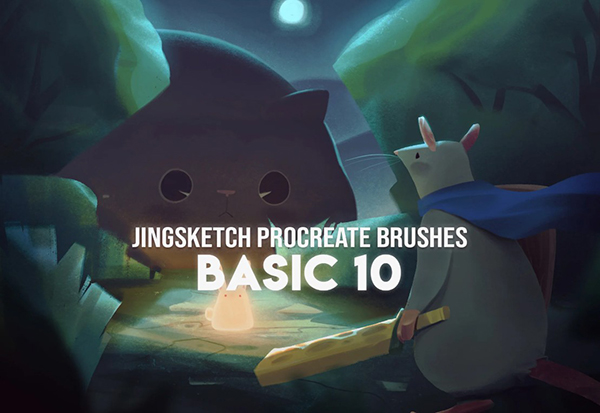
1. Jingsketch Basic 10 — Free Procreate Brushes
Best for: beginners, sketching, simple painting, daily practice, and building a reliable Procreate foundation.
Jingsketch Basic 10 is a free starter pack designed for artists who want essential brushes without immediately getting lost in a huge brush library. This kind of set is valuable because it gives you a manageable group of tools to learn deeply.
Instead of importing hundreds of brushes and scrolling endlessly, you can start with a smaller set and understand how each brush behaves. That makes it a good choice for beginners, but also for experienced artists who prefer a cleaner workflow.
Why Try This Collection?
- It is simple enough for beginners.
- It supports sketching and basic painting.
- It helps artists test the Jingsketch brush style before upgrading.
- It is easier to learn than massive brush bundles.
2. Jingsketch Complete Collection — Professional Brush Set
Best for: advanced illustration, digital painting, portrait work, and artists who want a more complete brush system.
The Jingsketch Complete Collection is designed for artists who need more range than a starter set can provide. With a larger brush bundle, you can move through multiple stages of a project: sketching, blocking, painting, rendering, texturing, and final refinement.
A complete brush collection is especially useful when you create finished artwork regularly. It gives you more control over the surface and style of your illustration, while keeping the brushes visually connected as one system.

Best Uses
- Professional illustration workflows.
- Portraits and character art.
- Digital painting and rendering.
- Artists who want one larger, cohesive brush library.
Download Jingsketch Complete Collection
3. Jingsketch Harmonics Collection
Best for: expressive strokes, texture, dynamic shading, painterly work, and artists looking for more movement in their brushes.
The Harmonics Collection is useful when your artwork needs energy rather than only clean rendering. Some brushes are designed to disappear into polished detail. Others are designed to leave a visible mark. This collection leans toward expressive texture and dynamic surface quality.
Try this type of set when you want your artwork to feel less smooth and more alive. It can work well for character studies, fantasy illustration, stylized portraits, moody paintings, and pieces where brush movement should be part of the final look.

Why It Stands Out
- Useful for expressive mark-making.
- Good for texture-rich rendering.
- Helps avoid overly smooth digital surfaces.
- Fits artists who want a more painterly Procreate feel.
Download Jingsketch Harmonics Collection
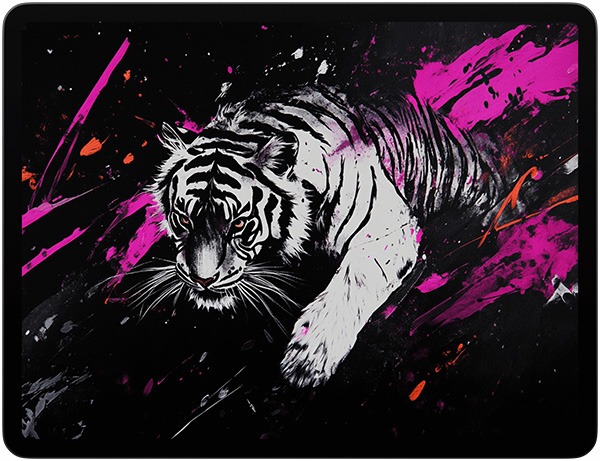
4. Brushes.Work — Big Catalog of Free & Latest Procreate Brushes
Best for: artists who want a large discovery library for free Procreate brushes, themed packs, and new releases.
Brushes.Work is less of a single brush set and more of a discovery platform. It can be useful when you want to browse many brush categories in one place: shape brushes, sketch brushes, paint brushes, texture brushes, stamps, and experimental tools.
The advantage is variety. The risk is overload. If you use a large catalog like this, approach it with a specific goal. Search for one category at a time instead of downloading everything you see.
Smart Way to Use It
- Search by project need, not random curiosity.
- Download one or two packs per category.
- Test brushes before keeping them in your main library.
- Create folders for sketch, texture, stamps, paint, and effects.
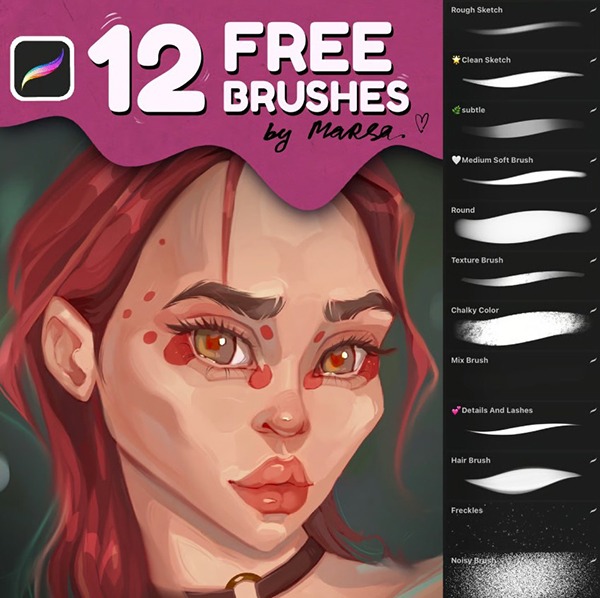
5. Marsa Art — Free 12 Brush Set for Procreate
Best for: sketching, rendering, fine details, everyday illustration, and artists who want a compact but useful free set.
The Marsa Art Free 12 Brush Set is a practical collection for artists who want a versatile brush pack without starting with something too large. Twelve brushes can be enough to cover daily drawing needs if the set is well balanced.
This kind of collection is useful for artists who want natural texture, simple rendering tools, and brushes that can support both rough and more refined work.
Best Uses
- Daily sketching.
- Fine detail work.
- Digital illustration practice.
- Artists who prefer smaller, focused sets.
Download Marsa Art Free Brush Set
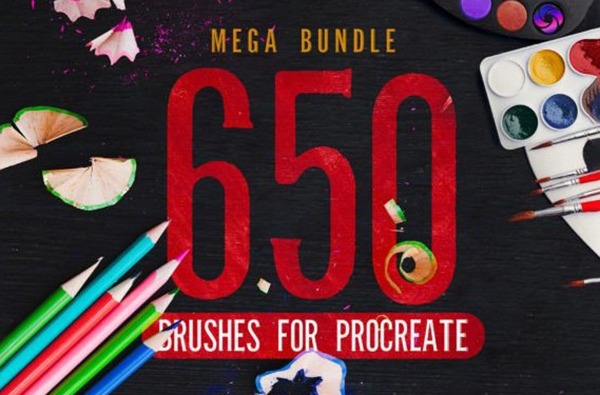
6. 650 Procreate Brushes Mega Bundle
Best for: artists who want a large all-in-one brush library for sketching, painting, lettering, textures, and effects.
The 650 Procreate Brushes Mega Bundle is for artists who want variety. A bundle this large can be useful if you work across many styles: illustration, lettering, digital painting, graphic design, social media artwork, stickers, posters, and creative effects.
However, a mega bundle needs discipline. Do not import everything and leave it unsorted. Large brush packs are strongest when you organize them into categories and choose favorites for actual production.
How to Use a Mega Bundle Well
- Import only the categories you need first.
- Create a Favorites folder after testing.
- Delete or hide brushes that feel repetitive.
- Check the license before commercial use.
Download 650 Procreate Brushes Mega Bundle
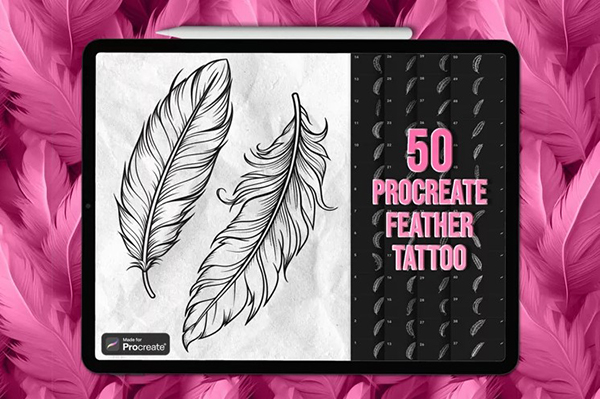
7. Feather Procreate Stamps
Best for: tattoo design, ornamental illustration, flash sketches, decorative details, and symbolic artwork.
Feather Procreate stamp brushes are useful when you need clean decorative elements quickly. A feather can take time to draw by hand because it includes fine structure, repeated lines, and delicate shape. Stamp brushes can speed up that process.
These brushes are especially useful for tattoo artists, flash sheet designers, fantasy illustrators, boho-style artwork, printables, and ornamental designs. Use them as a base, then customize linework, shading, and texture so the stamp feels integrated into your artwork.
Creative Uses
- Tattoo flash designs.
- Fantasy character details.
- Decorative borders and motifs.
- Boho-style posters and stationery.
Download Feather Procreate Stamps
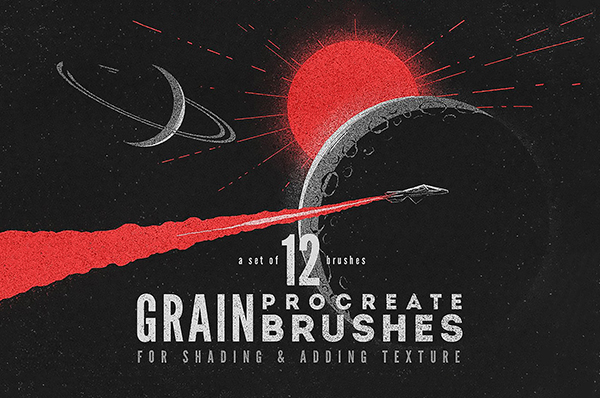
8. Grain Procreate Brushes
Best for: grain overlays, shading, retro illustration, editorial graphics, posters, and soft texture effects.
Grain brushes are some of the most useful additions to a Procreate library because they work across many styles. A small amount of grain can make flat digital art feel warmer, more printed, and more finished.
Use grain brushes to add texture to shadows, backgrounds, clothing, skin, objects, posters, and abstract shapes. The trick is to keep the effect subtle. Grain should support the artwork, not cover it.
Why Grain Brushes Are Essential
- They add depth without heavy detail.
- They help digital art feel less flat.
- They work well for editorial and retro styles.
- They can unify different elements in one composition.
Download Grain Procreate Brushes
9. Very Dry Gouache Brush for Procreate
Best for: matte painterly texture, rough strokes, gouache-style illustration, and visible brushwork.
The Very Dry Gouache Brush is a great example of a brush that changes how you paint. A dry gouache effect creates a textured, matte surface where the brushstroke itself becomes part of the style.
This brush is useful for artists who want less polish and more character. It works well for editorial illustration, children’s book-style art, expressive portraits, background texture, and color studies.

Best Uses
- Gouache-style painting.
- Matte textured illustration.
- Color studies.
- Rough painterly edges.
Download Very Dry Gouache Brush
10. Grunge Stamp Procreate Brushes
Best for: distressed posters, vintage effects, tattoo layouts, rough textures, and bold graphic compositions.
Grunge stamp brushes are useful when you need instant grit. They can create distressed edges, worn surfaces, rough ink effects, and vintage-inspired marks without manually building every crack or stain.
These brushes work especially well in poster design, album art, streetwear graphics, tattoo flash, social media visuals, and dark editorial illustrations.

Workflow Tip
Use grunge stamps on a separate layer. Then lower opacity, mask areas, or erase parts of the texture so it feels designed rather than randomly placed.
Download Grunge Stamp Procreate Brushes
11. Scratchy Procreate Brush Set
Best for: rough sketching, gritty shading, expressive illustration, zine-style artwork, and hand-drawn texture.
The Scratchy Procreate Brush Set is designed for artists who like visible roughness. Scratchy brushes can bring energy and tension into an illustration, especially when clean brushes feel too polished.
Use this brush set for expressive sketching, dark shading, hand-drawn posters, character studies, and artwork that needs a rawer surface. It can also work beautifully for editorial or emotional illustration where imperfection adds meaning.

Why Try It?
- It adds rough, expressive energy.
- It helps avoid overly smooth digital marks.
- It works well for emotional or gritty artwork.
- It can support sketchbook-style illustration.
Download Scratchy Procreate Brush Set
12. Cardboard Free Procreate Brush
Best for: rough paper texture, handmade backgrounds, collage effects, packaging-style visuals, and tactile illustration.
The Cardboard Free Procreate Brush is useful because cardboard texture has a distinct physical feeling. It can make artwork feel recycled, handmade, earthy, rough, or craft-based depending on the color and composition.
Use this brush for background texture, handmade poster effects, children’s art styles, packaging concepts, collage-inspired work, and surface overlays.

Best Uses
- Cardboard and paper surfaces.
- Craft-style graphics.
- Poster backgrounds.
- Subtle texture overlays.
Download Cardboard Free Procreate Brush
13. Distressed Wall Free Procreate Brush
Best for: weathered surfaces, cracked textures, grunge backgrounds, urban scenes, and worn poster effects.
The Distressed Wall Free Procreate Brush adds a very specific kind of texture: worn, cracked, aged, and weathered. This is useful for artwork that needs environmental storytelling. A distressed wall texture can suggest age, history, neglect, danger, urban atmosphere, or vintage character.
Use it for backgrounds, grunge design, fantasy ruins, urban illustration, poster overlays, and texture layers behind typography.

Creative Tip
Do not apply distressed texture evenly everywhere. Place it where it supports the composition: around edges, behind titles, inside shadows, or in background areas that need age and atmosphere.
Download Distressed Wall Free Procreate Brush
14. Bookshelf Brushsets for Procreate
Best for: background design, cozy interiors, libraries, room illustrations, fantasy studies, and detailed scene-building.
Bookshelves are visually rich but time-consuming to draw. They involve many repeated shapes: books, shelves, spacing, edges, shadows, and small decorative objects. A bookshelf brush set can help artists build these details faster.
This collection is useful for illustrators creating cozy rooms, fantasy libraries, study scenes, bookshop backgrounds, educational artwork, and storybook-style interiors.
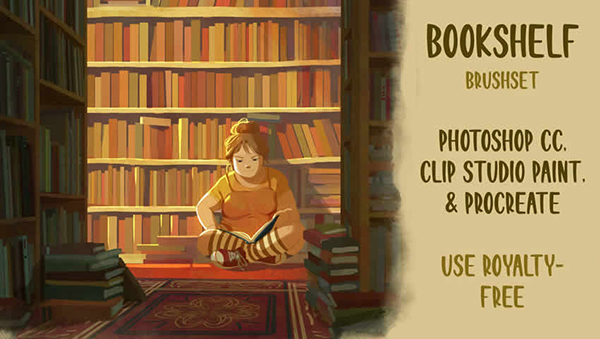
How to Use It Well
- Use stamps as a base layout.
- Add shadows and color variation manually.
- Adjust scale so shelves match the room perspective.
- Paint over repeated areas to reduce the stamped look.
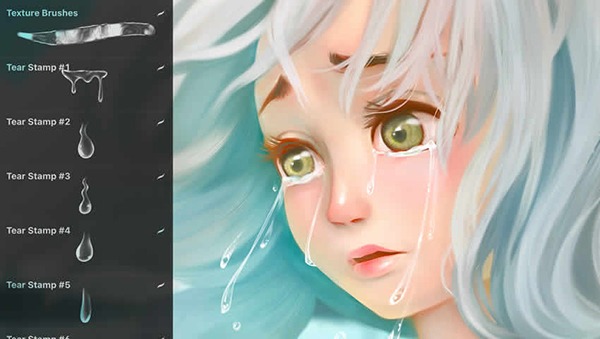
15. Free Tears Brushes for Procreate
Best for: emotional portraits, realistic tear drops, facial moisture, drama, and character storytelling.
Small details can carry strong emotion. Tears, moisture, and shine around the eyes can change the entire feeling of a portrait. Free Tears Brushes for Procreate are useful when you want to add realistic droplets and wet highlights without painting every reflection manually.
These brushes work well for character portraits, emotional scenes, fantasy art, anime-inspired expressions, realistic close-ups, and storytelling illustrations.
Important Detail
Tears should match the light source. After placing a tear brush, adjust highlights and shadows so the droplet feels attached to the face, not placed on top like a sticker.
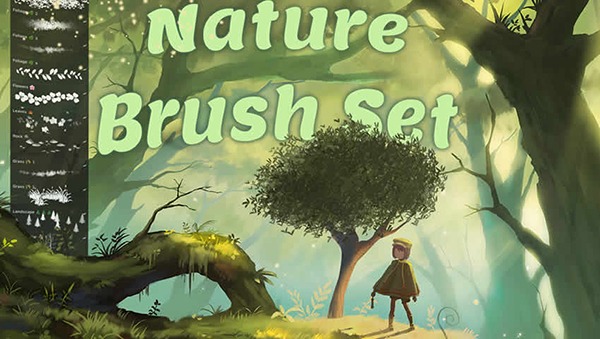
16. Nature Brush Set for Procreate
Best for: landscapes, foliage, plants, environmental art, backgrounds, and natural texture.
Nature brushes can save a lot of time when creating scenes with plants, leaves, grass, organic textures, and background elements. Instead of painting every leaf individually, you can build natural areas quickly and then refine important focal points by hand.
This type of set is useful for landscape artists, fantasy illustrators, children’s book artists, background designers, concept artists, and anyone who creates outdoor scenes.
Best Uses
- Plants and foliage.
- Landscape backgrounds.
- Forest or garden scenes.
- Environmental texture.
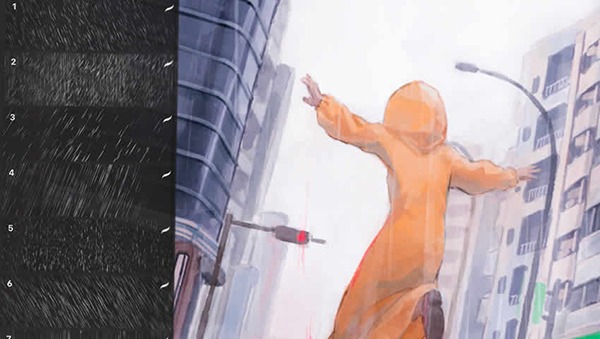
17. Rain Brushpack 25 for Procreate
Best for: rain, water drops, splashes, moody scenes, cinematic backgrounds, and atmospheric illustration.
Rain is difficult to paint convincingly because it is not just lines falling from the sky. It includes direction, motion, mist, water drops, splash effects, reflective surfaces, and mood. A dedicated rain brush pack gives you tools for building that atmosphere faster.
Use it for emotional portraits, dramatic backgrounds, urban night scenes, fantasy weather, cinematic artwork, and illustrations where atmosphere matters as much as the subject.
Professional Tip
Use rain effects on multiple layers: one for distant rain, one for foreground streaks, and one for splash highlights. This creates more depth than placing all rain on one layer.
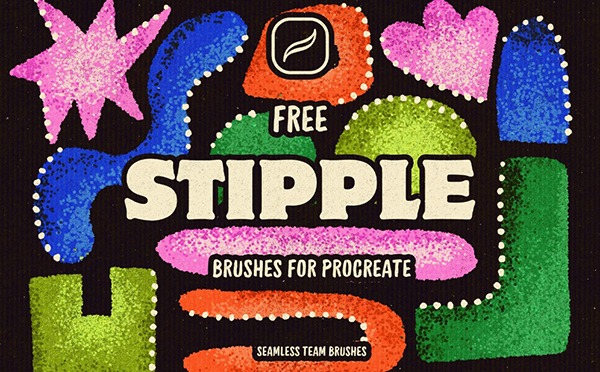
18. Free Stipple Brushes for Procreate
Best for: dot shading, textured gradients, ink illustration, tattoo-style shading, and detailed surface effects.
Stipple brushes are excellent for artists who like controlled texture. They can create soft gradients through dots, add vintage shading, build form, and create print-inspired surfaces.
Manual stippling takes time. A stipple brush pack helps speed up the process while still giving you control over density, direction, and placement.
Best Uses
- Dot shading.
- Vintage illustration.
- Tattoo flash.
- Texture gradients.
- Ink-style artwork.
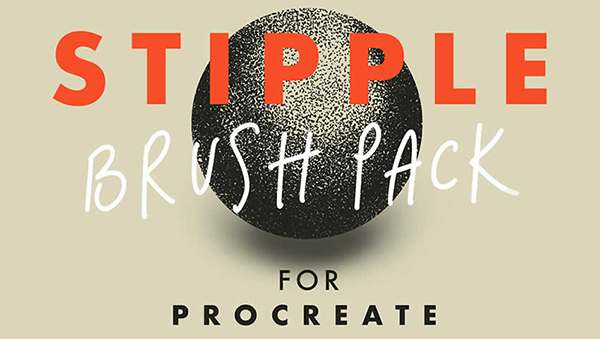
19. Free Procreate Stipple Brush Pack
Best for: additional stipple effects, texture building, rough shading, and dot-based illustration workflows.
This Free Procreate Stipple Brush Pack is another useful option for artists who want to test dot shading and stipple texture. Having more than one stipple set can be helpful because some brushes create fine dots, while others create rougher or more scattered texture.
Use this pack for shading portraits, adding texture to objects, creating vintage print effects, or giving flat digital shapes a more tactile finish.
Why Try It?
- Good for testing stipple styles.
- Useful for texture and shading.
- Works well with ink and graphic illustration.
- Can be combined with grain brushes for richer surfaces.
Download Free Procreate Stipple Brush Pack
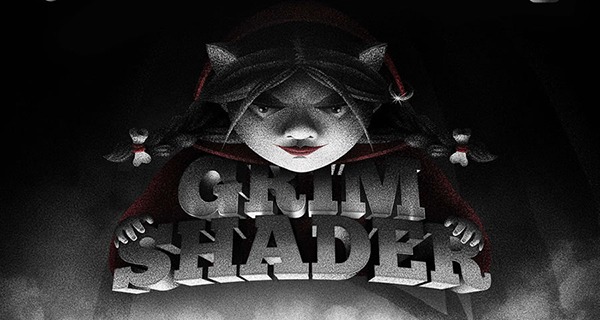
20. Grim Shader Procreate Brushes
Best for: dark shading, dramatic lighting, moody illustration, horror-inspired art, and textured shadow effects.
Grim Shader Procreate Brushes are useful for artists who want heavier atmosphere. These brushes can help create dramatic shadows, rough value transitions, dark textures, and moody lighting.
They are especially useful for fantasy art, horror visuals, dark portraits, album covers, character studies, and illustrations where shadow is part of the storytelling.
Best Uses
- Dramatic shadows.
- Dark fantasy art.
- Moody portraits.
- Textured lighting effects.
- Horror-inspired illustration.
Download Grim Shader Procreate Brushes
How to Test a New Procreate Brush Collection Properly
Most artists test brushes too quickly. They draw one line, decide whether it feels nice, and move on. A better test reveals how the brush behaves under real working conditions.
Create a Brush Testing Canvas
Set up one canvas dedicated to testing. Use the same canvas size and background color each time so you can compare brushes fairly.
Test Five Behaviors
- Light pressure: does the brush respond gently?
- Heavy pressure: does it become too dark or too thick?
- Fast strokes: does it stay smooth or break nicely?
- Layering: does texture build naturally?
- Erasing and masking: can you edit the effect cleanly?
Keep Only the Brushes That Earn Their Place
After testing, choose the strongest brushes from each pack and move them into a working folder. This keeps your Procreate library cleaner and easier to use.
How to Organize New Procreate Brushes
A clean brush library is part of a professional workflow. When brushes are organized well, you make faster decisions and spend less time searching.
Recommended Folder System
- Sketch: pencils, scratchy brushes, rough drawing tools.
- Paint: gouache, wet media, painterly strokes.
- Texture: grain, cardboard, distressed wall, grunge.
- Stamps: feathers, bookshelves, decorative objects.
- Environment: nature, rain, weather, surfaces.
- Effects: tears, shaders, special details.
- Favorites: your most-used brushes from all collections.
Premium Workflow Tip
After finishing an artwork, write down which brushes you actually used. Over time, you will see which brushes are truly valuable and which ones only looked exciting during download.
Common Mistakes When Trying New Procreate Brush Collections
1. Downloading Too Many Packs at Once
When you import too many brush sets in one session, you rarely learn any of them properly. Download fewer packs and test them with intention.
2. Expecting a Brush to Create the Whole Style
A brush can add texture, but it cannot replace composition, values, anatomy, color, lighting, and taste. Use brushes as tools, not automatic style generators.
3. Keeping Every Imported Brush Forever
Too many unused brushes create friction. Delete, hide, or move brushes you do not use.
4. Using Specialty Brushes Without Refinement
Stamp brushes, rain brushes, tears brushes, and texture brushes often need manual adjustment. Paint over them, mask them, resize them, and integrate them into the artwork.
5. Ignoring License Terms
Some free brushes are free only for personal use. Always check whether the creator allows commercial use before using brushes in client work, paid commissions, products, or marketplace assets.
Final Thoughts
New Procreate brush collections are worth exploring when they help you draw with more energy, texture, speed, and creative direction. The best brushes do not simply decorate your artwork. They help you make better marks, build richer surfaces, and solve real workflow problems.
Start with the collections that match your current creative need. If you want a balanced foundation, try Jingsketch Basic 10 or Marsa Art’s free set. If you need more texture, explore Grain, Scratchy, Cardboard, Distressed Wall, or Grunge Stamp brushes. If you build scenes, test Bookshelf, Nature, and Rain brushes. If you want emotional details, Tears brushes can add subtle storytelling. If you need darker atmosphere, Grim Shader brushes may be the right fit.
Do not measure your Procreate toolkit by how many brushes you own. Measure it by how clearly each brush supports your creative process.
A great brush collection does not make every decision for you. It gives your hand better ways to express the decisions you already want to make.
For more Procreate resources, brush collections, digital art tools, and creative inspiration for illustrators, continue exploring DesignRise.
Discover more from DesignRise
Subscribe to get the latest posts sent to your email.


