











Calligraphy brushes for Procreate are essential tools for artists, designers, lettering creators, and anyone who wants to create elegant script artwork directly on the iPad. The right brush can help you build smooth curves, confident downstrokes, delicate hairlines, expressive flourishes, bold titles, wedding-style lettering, logo sketches, quote art, packaging details, and social media graphics with a handmade feel.
Traditional calligraphy requires paper, ink, nibs, brush pens, pressure control, and a lot of practice. Digital calligraphy still requires skill, but Procreate makes the process more flexible. You can undo mistakes, test different colors, resize lettering, adjust spacing, work with layers, add texture, create metallic effects, and export artwork for print or web.
The challenge is that not every brush labeled “calligraphy” feels good in real use. Some brushes are too slippery. Some do not respond naturally to Apple Pencil pressure. Some look beautiful in previews but are hard to control when writing actual words. A useful Procreate calligraphy brush should feel smooth, responsive, stable, and expressive — without making every stroke look artificial.
This guide brings together a curated collection of calligraphy, lettering, script, flourish, chalk, watercolor, glitter, and decorative brush resources. Some are native Procreate brush sets, while a few are Photoshop brush resources included as bonus inspiration for designers who work across apps. Each resource below includes practical notes on what it is best for, how it can fit into a real lettering workflow, and when it is worth trying.
Use this article as a practical guide, not just a download list. The goal is to help you choose the best calligraphy brushes for Procreate for your style, project, and skill level.
Explore More DesignRise Resources:
- Free Grass Pattern Set
- How to Change Opacity in Procreate
- Best Free Procreate Brushes
- Free Procreate Brushes — Ready to Download
Why Procreate Calligraphy Brushes Are So Useful
Calligraphy is not only about pretty letters. It is about rhythm, pressure, spacing, contrast, balance, and flow. A strong lettering piece usually depends on the relationship between thick downstrokes, thin upstrokes, smooth curves, negative space, and decorative details.
A good Procreate lettering brush can make this process smoother because it reacts to Apple Pencil pressure and gives you more control over stroke width. Instead of fighting with a stiff digital brush, you can focus on letterforms, composition, and style.
What Calligraphy Brushes Can Help You Create
- Modern calligraphy: elegant script lettering for quotes, cards, and invitations.
- Brush lettering: bold words with thick and thin stroke contrast.
- Logo sketches: hand-lettered brand names, monograms, and custom type ideas.
- Wedding stationery: names, envelopes, invitations, and romantic script details.
- Social media graphics: quotes, announcements, story covers, and promotional designs.
- Chalk lettering: textured signs, café-style menus, and vintage boards.
- Watercolor lettering: soft, transparent, handmade script effects.
- Decorative flourishes: tails, swashes, underlines, ornaments, and finishing details.
For professional designers, calligraphy brushes also save time. You can sketch lettering ideas quickly, duplicate variations, test colors, refine spacing, and prepare clean files for clients or social platforms.
What Makes a Good Calligraphy Brush for Procreate?
Not every calligraphy brush needs to feel the same. A brush for elegant wedding script should behave differently from a chalk brush, a 3D lettering brush, or a glitter brush. Still, the best calligraphy brushes usually share a few important qualities.
Pressure Sensitivity
Calligraphy depends on contrast. A good brush should create thinner strokes with light pressure and thicker strokes with heavier pressure. This is what makes lettering feel alive instead of flat.
Smooth Flow
The brush should follow your hand naturally. If the stroke feels shaky, too slippery, or unpredictable, it becomes difficult to create clean curves and consistent letterforms.
Clean Edges or Intentional Texture
Some calligraphy brushes need clean edges for polished work. Others need texture for chalk, watercolor, dry brush, or handmade effects. The important thing is that the edge quality should match the purpose of the brush.
Good Stabilization
Lettering often benefits from smoother strokes. Procreate’s stabilization settings can help, but a well-made brush should already feel balanced.
Useful Brush Shape
Some brushes are designed for pointed pen calligraphy, some for brush pens, some for flat nibs, and some for expressive decorative lettering. Choose a brush shape that matches your intended style.
Quick Guide: Which Calligraphy Brush Style Should You Use?
Use this table to choose the right brush type based on your project.
How to Install Calligraphy Brushes in Procreate
Most Procreate calligraphy brushes are delivered as .brush or .brushset files. A .brush file usually imports one brush, while a .brushset file imports a full brush folder.
Installation Steps
- Download the brush file to your iPad, iCloud Drive, Downloads folder, or Files app.
- Tap the .brush or .brushset file.
- Procreate should open automatically and import the brush.
- Open the Brush Library in Procreate.
- Look for the new brush set near the top of your Brush Library.
- Create a test canvas and practice pressure, curves, loops, and spacing.
Before You Use a Brush in Client Work
Always check the license on the original download page. Some free brushes are personal-use only, while others allow commercial use. This matters if you plan to use lettering in logos, client branding, wedding stationery, digital products, printables, or merchandise.
Best Calligraphy Brushes for Procreate
Below is a curated and cleaned collection of calligraphy brushes for Procreate and lettering resources. Some links are native Procreate brush tools, while a few Photoshop brushes are included as bonus resources for artists who also work in Photoshop or want lettering inspiration.
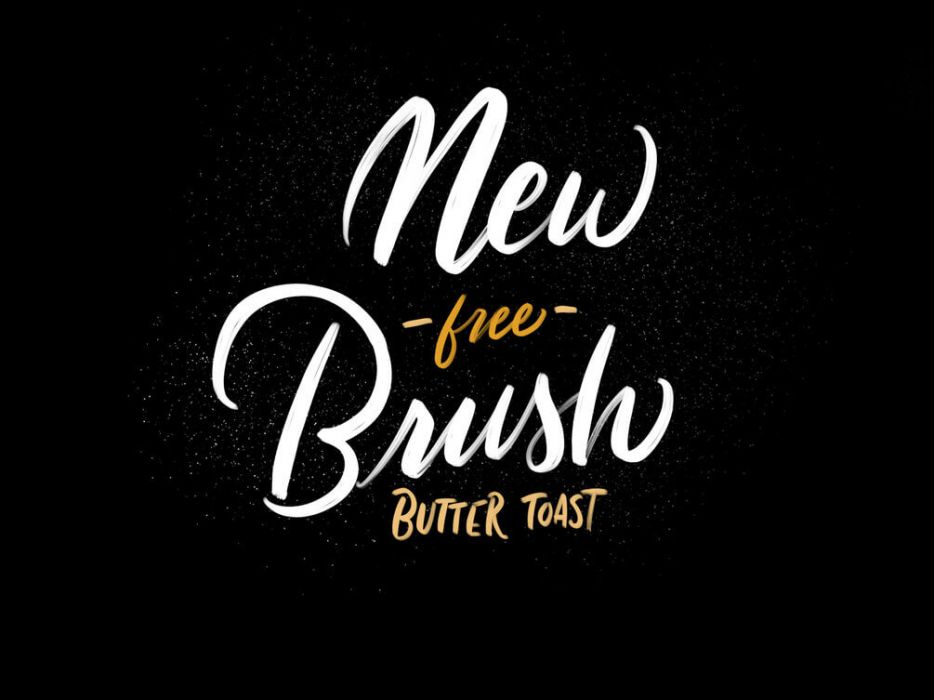
1. Butter Toast Calligraphy Brush
Best for: smooth modern calligraphy, quote art, names, social media graphics, and elegant hand lettering.
Butter Toast Calligraphy Brush is a good starting point for artists who want a clean and friendly script brush. It can help create smooth curves, casual calligraphy, and expressive lettering without making the stroke feel too formal.
This brush works well for everyday lettering projects: quotes, small titles, Instagram graphics, digital planners, greeting cards, and practice sheets. It is also a practical option if you want to train pressure control in Procreate.
Why Try It?
- Good for smooth modern lettering.
- Useful for beginners practicing pressure control.
- Works for quotes, cards, and social graphics.
- Feels friendly and approachable rather than overly formal.
Download Butter Toast Calligraphy Brush
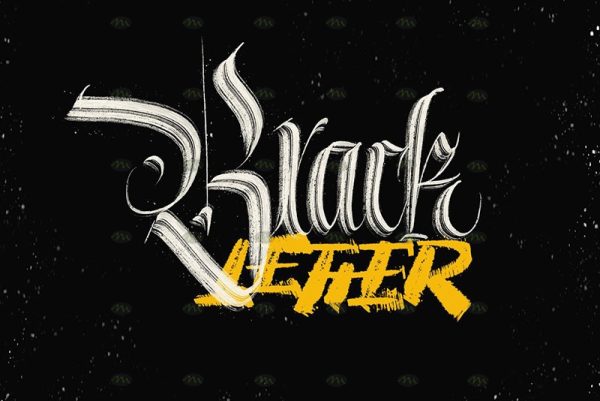
2. Calligraphy Brushes for Procreate
Best for: artists who want a broader Procreate calligraphy brush set for script, lettering, and decorative stroke practice.
This Calligraphy Brushes for Procreate set is useful if you want more than one brush style to test. A larger set can help you compare different stroke behaviors: smoother script, bolder brush lettering, textured calligraphy, or decorative lettering effects.
Brush variety is helpful when you are still developing your lettering style. Try each brush with the same word or phrase so you can clearly see how the stroke shape changes the mood of the lettering.
Best Uses
- Testing different calligraphy brush styles.
- Practicing script lettering.
- Creating decorative typography.
- Building a Procreate lettering toolkit.
Download Calligraphy Brushes for Procreate
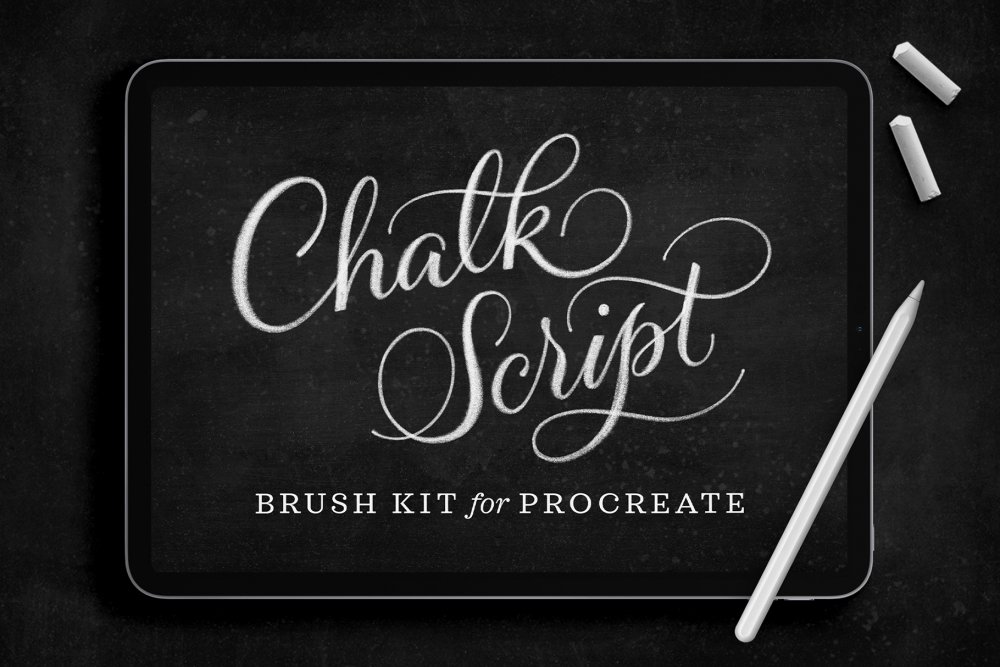
3. Chalk Script Procreate Brush Kit
Best for: chalkboard lettering, café menu designs, vintage signs, posters, and textured script artwork.
Chalk Script Procreate Brush Kit is especially useful when clean digital lettering feels too flat. Chalk-style brushes add rough edges, powdery texture, and handmade imperfection. That makes them ideal for signage, menus, classroom graphics, rustic branding, and vintage-inspired designs.
Use chalk brushes on a dark background for a classic chalkboard effect, or experiment with muted colors for softer editorial lettering. Keep your composition simple because chalk texture already adds visual activity.
Why It Is Useful
- Creates textured chalk-style lettering.
- Good for menus, signs, posters, and rustic graphics.
- Adds a handmade feel to digital calligraphy.
- Works well for vintage and casual lettering styles.
Download Chalk Script Procreate Brush Kit
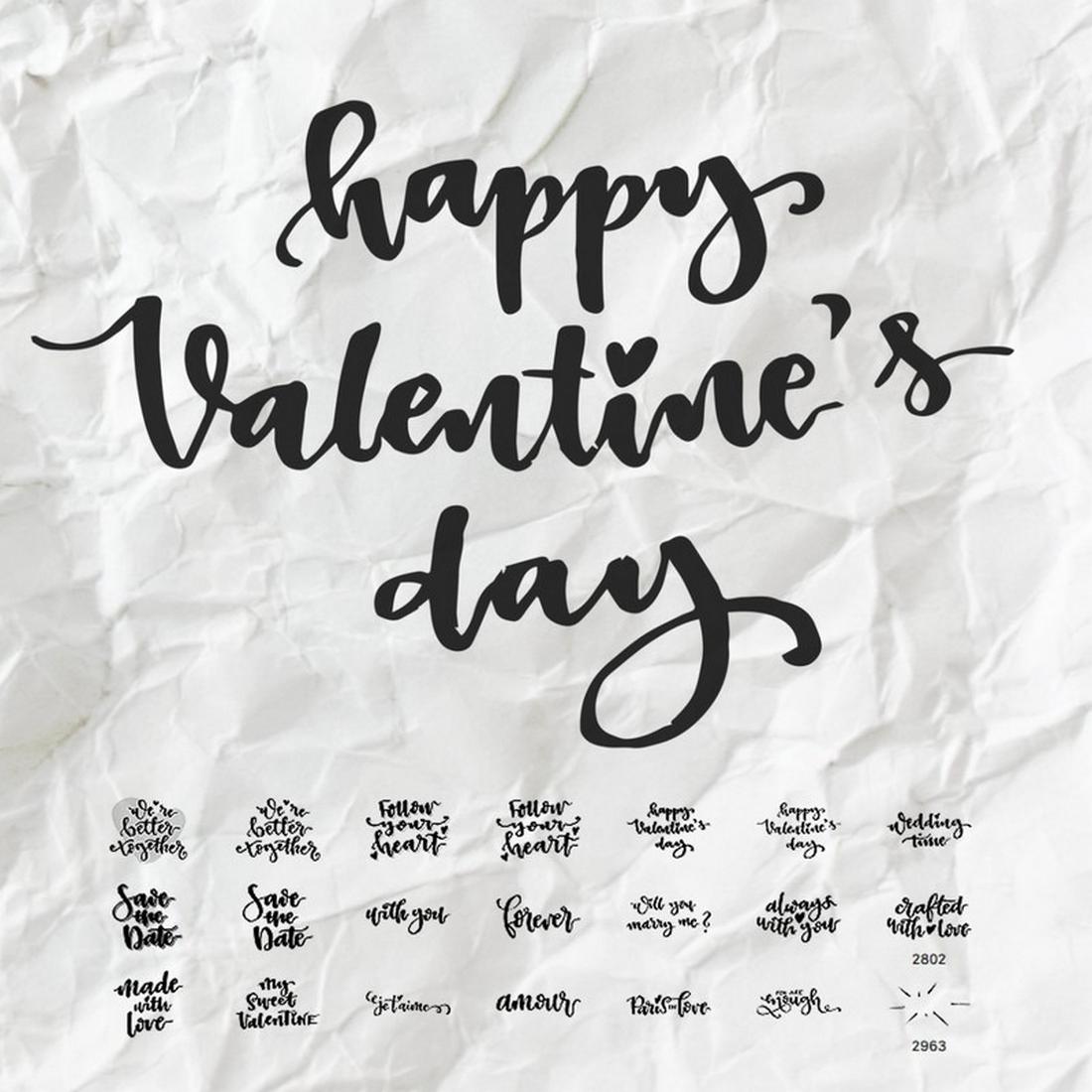
4. Valentine Calligraphy Brushes
Best for: romantic lettering inspiration, Valentine’s graphics, cards, love quotes, and Photoshop-based calligraphy workflows.
Valentine Calligraphy Brushes are listed as Photoshop brushes, so they are best treated as a bonus resource rather than a native Procreate brush set. They can still be useful if your workflow includes Photoshop, or if you want to study decorative romantic calligraphy styles for inspiration before recreating similar lettering in Procreate.
Use this type of resource for romantic cards, wedding mood boards, Valentine’s Day graphics, quote art, and decorative flourishes.
Important Note
This is a Photoshop brush resource. Check compatibility before downloading if you only use Procreate.
Download Valentine Calligraphy Brushes
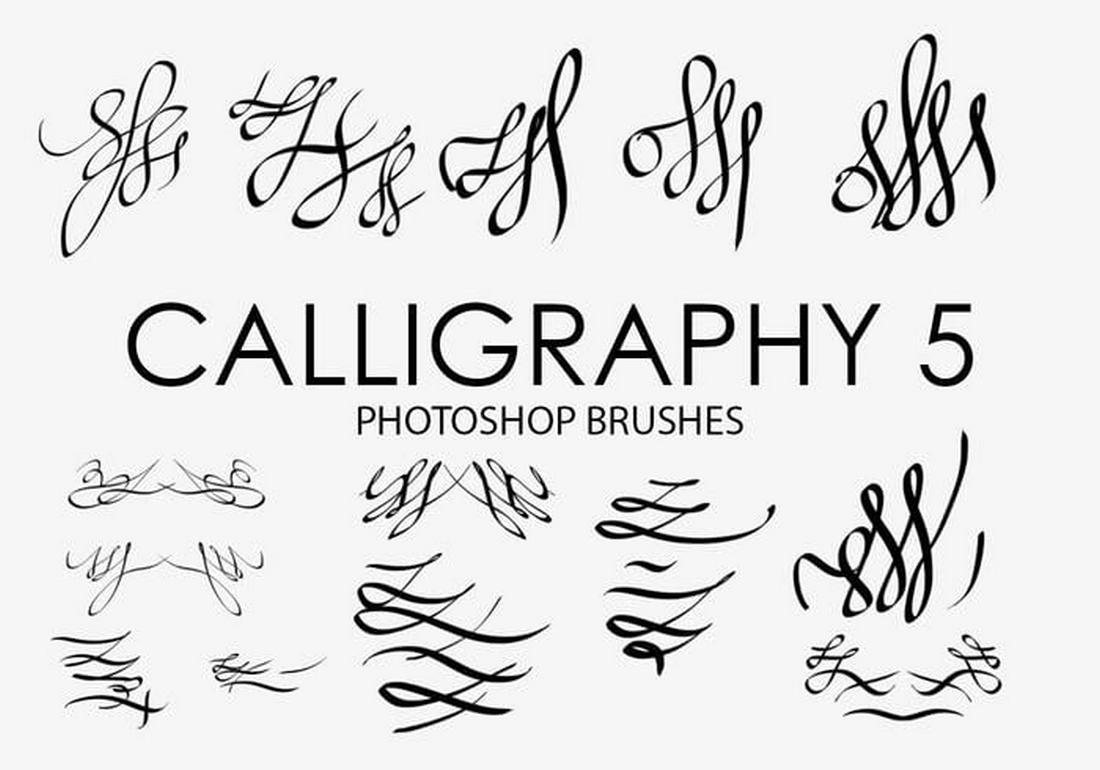
5. Free Unique Calligraphy Brushes for Photoshop
Best for: Photoshop lettering, decorative script effects, calligraphy inspiration, and designers who work across multiple apps.
This is another Photoshop brush resource, so it should not be presented as a native Procreate brush pack. However, it can still be useful for designers who use both Photoshop and Procreate, especially when building calligraphy-inspired graphics or testing script textures on desktop.
For Procreate-only users, this resource may be more useful as visual inspiration. Study the shape, rhythm, and decorative flow, then recreate similar lettering using Procreate brushes.
Best Uses
- Photoshop calligraphy effects.
- Decorative lettering inspiration.
- Desktop design workflows.
- Studying script brush shapes.
Download Unique Calligraphy Brushes
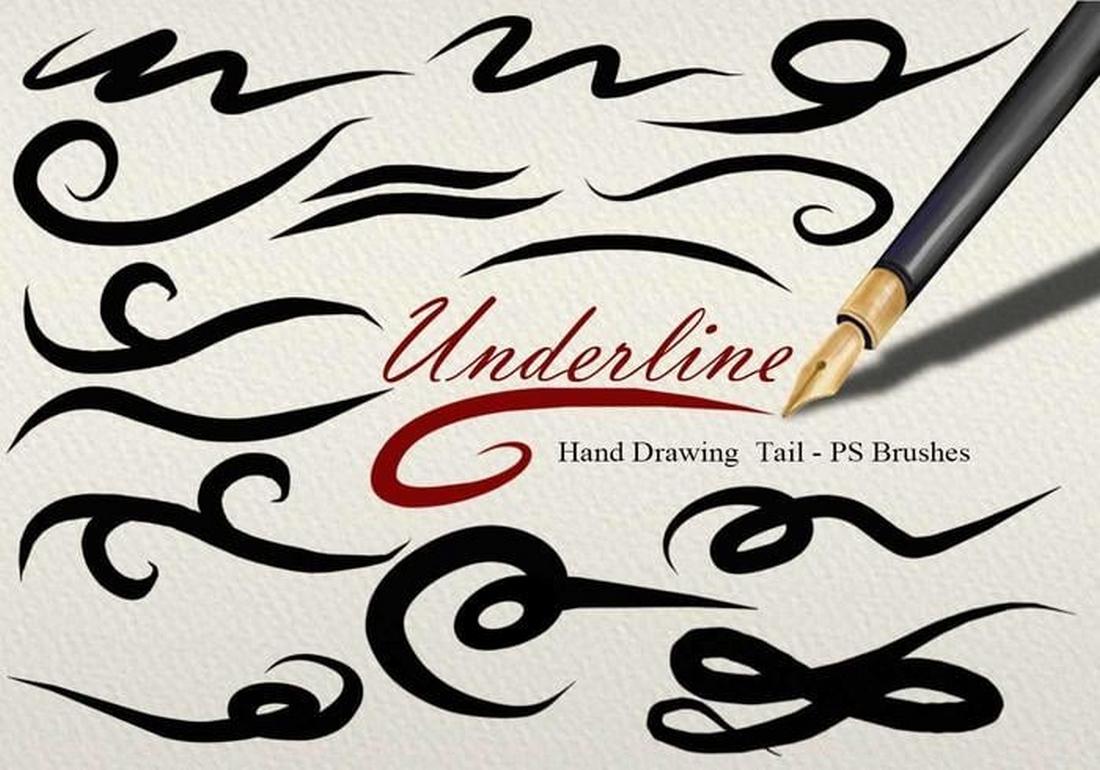
6. Free 26 Underline Tail PS Brushes
Best for: flourishes, swashes, underline tails, decorative separators, and finishing details for lettering layouts.
Underline tails and flourish brushes are useful because they help finish a lettering composition. A simple word can feel more elegant when paired with a balanced underline, tail, or ornamental stroke. This set is a Photoshop brush resource, but the idea is highly relevant to calligraphy workflows.
Use this type of resource for inspiration when designing swashes in Procreate, or use it directly in Photoshop if your final artwork moves between apps.
Workflow Tip
Flourishes should support the lettering, not fight with it. Keep underlines balanced with the length, style, and weight of the word above them.
Download Underline Tail PS Brushes
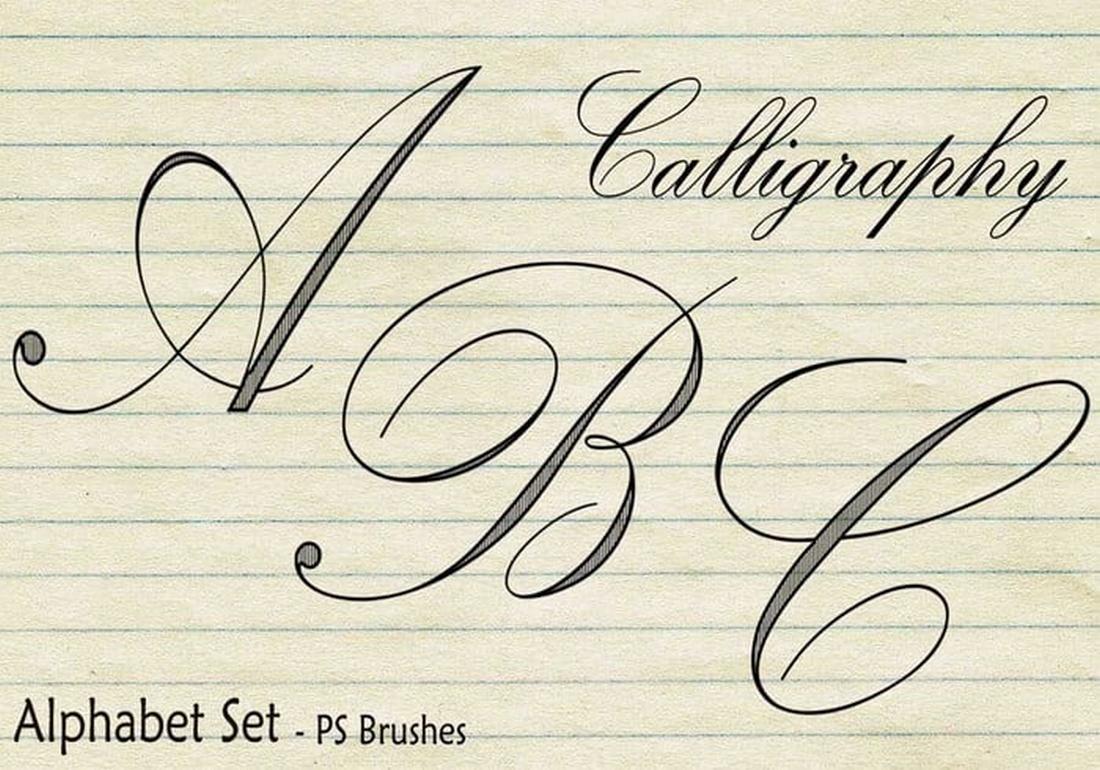
7. 20 Calligraphy Alphabet Set PS Brushes
Best for: alphabet lettering inspiration, decorative initials, Photoshop workflows, and studying calligraphy letterforms.
This 20 Calligraphy Alphabet Set is also a Photoshop brush resource. It can still be useful for designers who want to study decorative alphabet forms, initials, and script structures. For Procreate users, it can work as reference material for practicing letter shapes and spacing.
Alphabet brush sets can help beginners understand how different calligraphic letters connect visually. However, for original lettering, avoid relying only on stamped letters. Use them as references, then refine your own hand-drawn forms.
Useful For
- Studying letterforms.
- Decorative initials.
- Photoshop lettering layouts.
- Calligraphy practice inspiration.
Download Calligraphy Alphabet Set
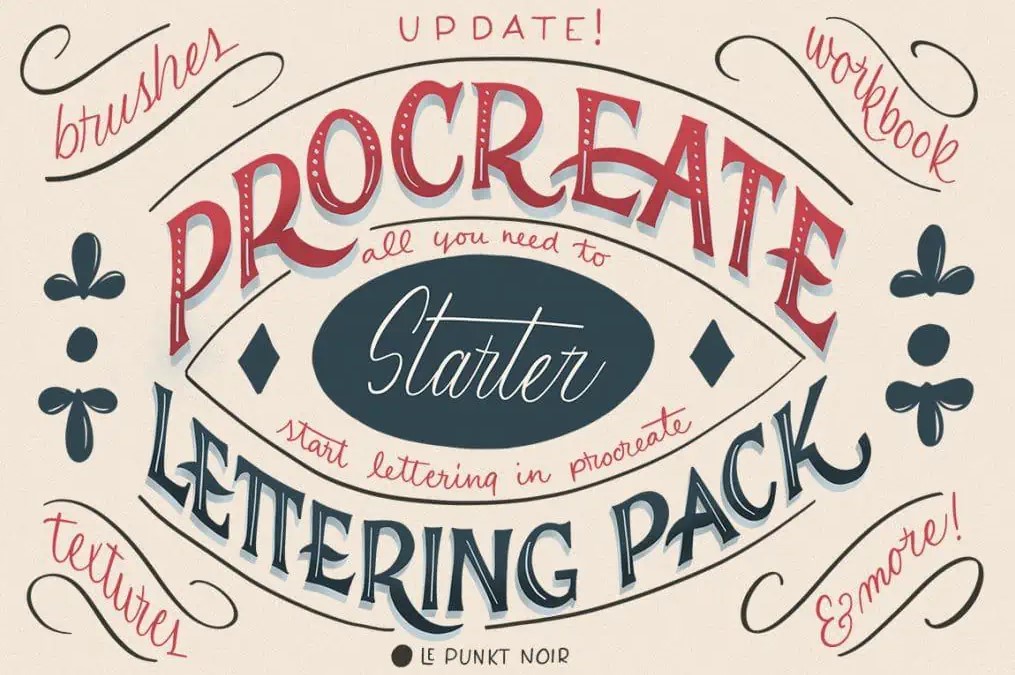
8. Procreate Lettering Starter Pack
Best for: beginners, brush lettering practice, quote art, simple script designs, and building a Procreate lettering toolkit.
The Procreate Lettering Starter Pack is a useful option for anyone who wants a structured introduction to digital lettering. Starter packs are valuable because they usually include a more balanced set of tools instead of one highly specific brush.
Use this pack to practice thick and thin strokes, letter spacing, baseline consistency, word composition, and decorative details. It is a strong choice for artists who want to improve lettering fundamentals inside Procreate.
Best Uses
- Learning digital lettering basics.
- Practicing calligraphy strokes.
- Creating quote graphics.
- Designing cards and simple posters.
Download Procreate Lettering Starter Pack
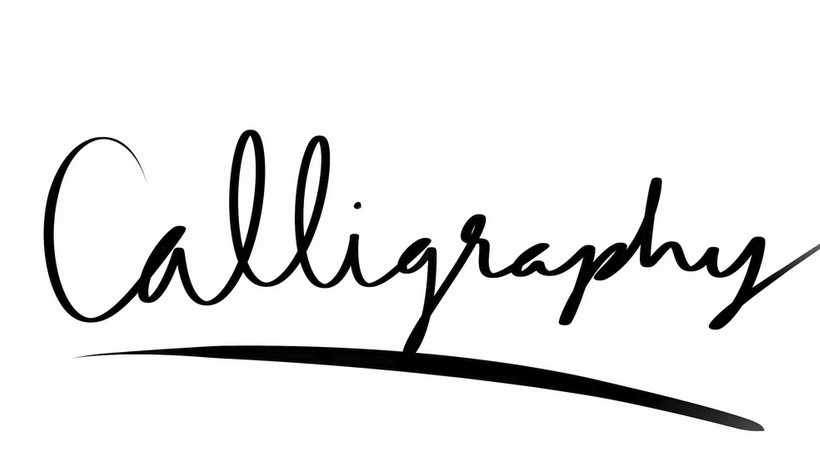
9. Simple Calligraphy Brush for Procreate
Best for: clean script practice, modern calligraphy, beginner lettering, and minimal quote designs.
A simple calligraphy brush can often be more useful than a complicated brush pack. When you are practicing lettering, you need a brush that lets you focus on control, spacing, and rhythm instead of distracting you with too much texture.
This brush is a good fit for clean lettering, simple script, names, captions, digital planner headings, and beginner practice. Use it to build muscle memory and develop smoother curves.
Why Try It?
- Simple and focused.
- Good for pressure control practice.
- Useful for clean modern calligraphy.
- Not overwhelming for beginners.
Download Simple Calligraphy Brush
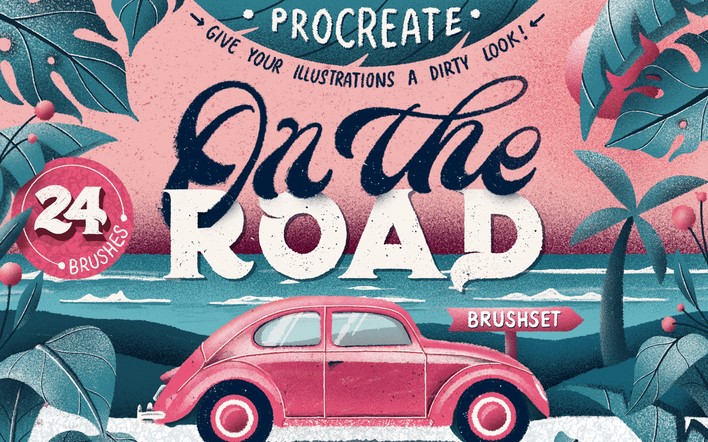
10. On The Road — Procreate Brush Set
Best for: expressive lettering, travel-inspired artwork, textured titles, and casual handwritten designs.
On The Road is a Procreate brush set that can support lettering with a more relaxed and expressive personality. It is useful when you want lettering that feels less polished and more spontaneous.
Use this type of brush set for travel journals, posters, social media titles, lifestyle graphics, hand-drawn compositions, and expressive lettering layouts.
Best Uses
- Travel-themed lettering.
- Casual script artwork.
- Handwritten social graphics.
- Expressive titles and posters.
Download On The Road Procreate Brush Set
11. 57 Unique 3D Brushes for Procreate
Best for: dimensional lettering, 3D text effects, bold title design, decorative typography, and experimental Procreate graphics.
This set contains 57 unique 3D brushes for Procreate. It is not a traditional calligraphy-only resource, but it can be useful for lettering artists who want dimensional effects. 3D brushes can help create shadow, depth, bevel-like texture, and decorative volume around letters.
Use 3D brushes carefully. They work best when the underlying lettering composition is already strong. Add depth after the word shape, spacing, and rhythm are working.

Creative Uses
- 3D lettering effects.
- Bold poster typography.
- Decorative word art.
- Experimental Procreate lettering.
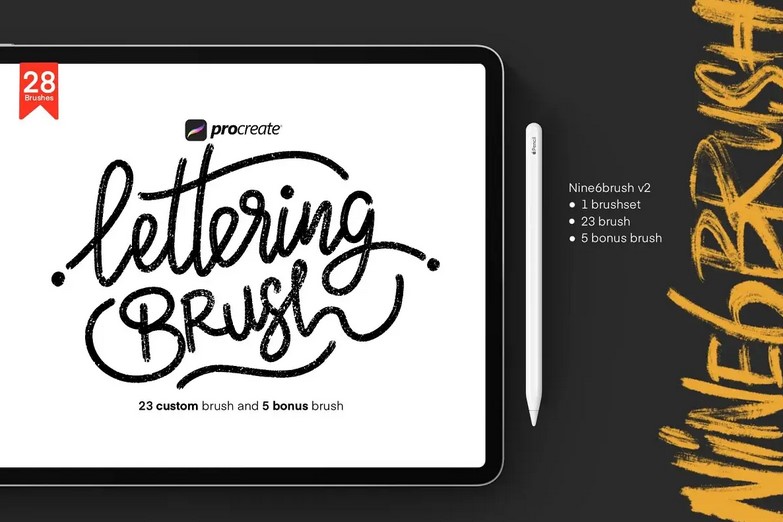
12. Free Custom Procreate Lettering Brush
Best for: custom lettering, brush script, quotes, social graphics, and everyday Procreate typography practice.
A custom Procreate lettering brush can become a reliable everyday tool if it feels good in your hand. This resource is useful for artists who want to practice lettering without a complex setup.
Use it for digital quotes, title sketches, logo ideas, greeting cards, planner headings, and lettering exercises. Keep a practice canvas where you test letters, connections, and word spacing before creating final artwork.
Why It Is Useful
- Good for everyday lettering practice.
- Useful for quote art and social graphics.
- Can help build a consistent script style.
- Simple enough for regular use.
Download Free Custom Procreate Lettering Brush
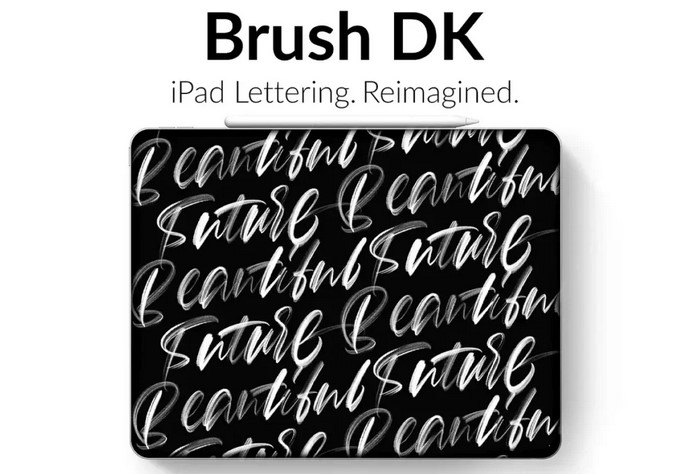
13. Free Watercolor Lettering Brushes
Best for: soft script lettering, greeting cards, floral artwork, romantic quotes, and handmade digital designs.
Watercolor lettering brushes create a softer and more organic result than smooth calligraphy brushes. They are useful when you want transparent edges, gentle color buildup, and a more handcrafted feeling.
Use these brushes for greeting cards, wedding graphics, feminine branding, botanical quote art, invitations, and soft decorative lettering. Try layering colors gradually for a more realistic watercolor effect.
Best Uses
- Watercolor script lettering.
- Greeting card designs.
- Soft quote graphics.
- Romantic and botanical artwork.
Download Free Watercolor Lettering Brushes
14. Glitter Lettering Procreate Brushes
Best for: festive lettering, party graphics, glamorous titles, social media posts, cards, and decorative typography.
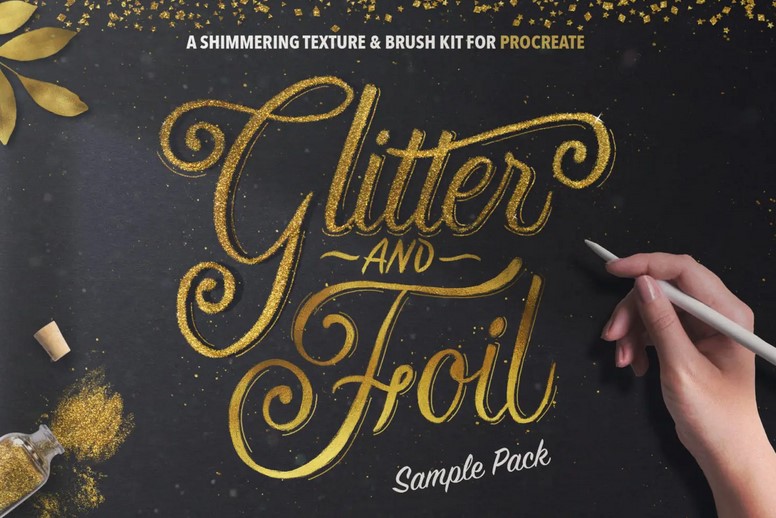
Glitter Lettering Procreate Brushes are useful when your lettering needs sparkle and celebration. Glitter effects can add shine and texture quickly, especially for holiday cards, birthday graphics, wedding accents, party invitations, and luxury-style social posts.
Use glitter brushes on separate layers so you can adjust color, opacity, and placement. A little glitter can look polished. Too much glitter can become visually noisy, so use it as an accent rather than the entire composition.
Best Uses
- Festive quote art.
- Wedding and party graphics.
- Luxury-style lettering accents.
- Social media typography.
Download Glitter Lettering Procreate Brushes
15. Beautiful Calligraphy
Best for: elegant script artwork, decorative lettering, cards, branding details, and polished calligraphy compositions.
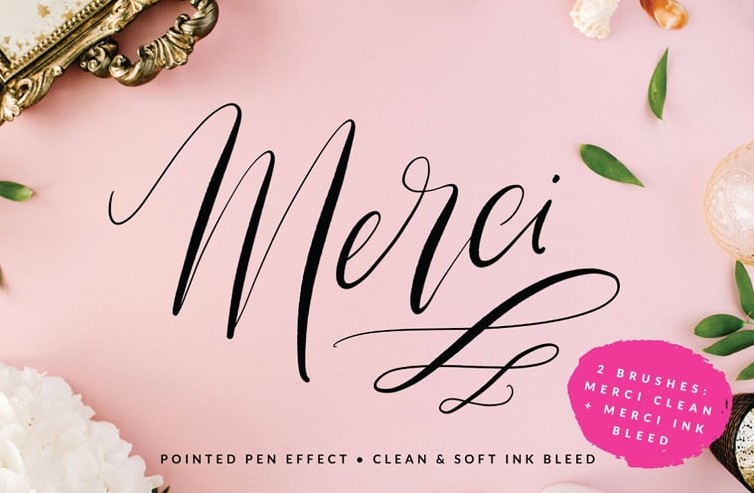
Beautiful Calligraphy is a lettering resource for artists who want a more refined and decorative script style. It can be useful for invitations, quotes, brand marks, packaging details, social media titles, and romantic lettering artwork.
When using elegant calligraphy brushes, pay close attention to spacing. Beautiful script can quickly become hard to read if letters are too close together or flourishes overlap important shapes.
Useful For
- Elegant calligraphy compositions.
- Invitations and cards.
- Branding and packaging details.
- Decorative script lettering.
Download Beautiful Calligraphy
How to Practice Calligraphy in Procreate
Brushes help, but calligraphy improves through practice. The best way to get better is to repeat simple strokes before jumping into full compositions.
Start With Basic Strokes
Practice thin upstrokes, thick downstrokes, ovals, loops, entry strokes, exit strokes, and connecting strokes. These are the foundation of modern calligraphy.
Use Guidelines
Create or import a guideline sheet with baseline, x-height, ascender, and descender lines. Guidelines help keep letters consistent and prevent words from drifting.
Practice One Word in Different Styles
Write the same word with several brushes. Notice how each brush changes the mood. A clean script brush feels elegant. A chalk brush feels casual. A watercolor brush feels soft. A glitter brush feels festive.
Work in Layers
Keep sketch, final lettering, shadows, highlights, texture, and decoration on separate layers. This gives you more control and makes revisions easier.
Common Mistakes When Using Calligraphy Brushes in Procreate
1. Choosing a Brush Before Planning the Lettering
A brush can change the style, but it cannot fix weak composition. Sketch the word shape, spacing, and layout before adding final texture or effects.
2. Making Every Flourish Too Big
Flourishes should support the word. If every tail, loop, and underline is dramatic, the lettering becomes hard to read.
3. Ignoring Spacing
Letter spacing is often more important than the brush itself. Uneven spacing can make even a beautiful brush look unprofessional.
4. Overusing Decorative Effects
Glitter, watercolor, chalk, and 3D effects are powerful, but they should match the project. Do not add effects just because the brush can do them.
5. Forgetting to Check Compatibility
Some resources in lettering collections may be made for Photoshop, not Procreate. Always check the file type before downloading.
6. Not Checking the License
Before using a brush for commercial work, check whether the creator allows that usage. This is especially important for client branding, wedding stationery, products, and digital downloads.
Frequently Asked Questions About Calligraphy Brushes for Procreate
What are the best calligraphy brushes for Procreate?
The best calligraphy brushes for Procreate depend on your style. For modern lettering, choose a smooth pressure-sensitive brush. For signs and menus, choose chalk script brushes. For soft handmade artwork, try watercolor lettering brushes. For decorative graphics, glitter or 3D brushes can be useful.
Can beginners use Procreate calligraphy brushes?
Yes. Beginners can use calligraphy brushes in Procreate, but they should start with simple strokes and guidelines. A good brush helps, but pressure control, spacing, and consistency still need practice.
Do Procreate calligraphy brushes work with Apple Pencil?
Most Procreate calligraphy brushes are designed to work best with Apple Pencil pressure sensitivity. Pressure control is important because calligraphy depends on thick downstrokes and thin upstrokes.
Can I use these brushes for logos?
You can use calligraphy brushes for logo sketches and lettering concepts, but always check the brush license before using any brush in commercial branding. For final logo work, many designers refine the lettering into vector format.
Are Photoshop calligraphy brushes compatible with Procreate?
Not always. Photoshop brushes often use .abr files, while Procreate uses .brush and .brushset files. Some workflows may allow conversion or cross-app use, but always check compatibility before downloading.
Final Thoughts
Calligraphy brushes for Procreate can make digital lettering more elegant, expressive, and efficient. They help artists create smooth script, bold brush lettering, decorative flourishes, chalk effects, watercolor lettering, glitter accents, and polished typography directly on the iPad.
Start with a simple brush if you are practicing fundamentals. Try a larger brush set if you want more variety. Use chalk, watercolor, glitter, or 3D brushes when the project needs a specific visual mood. And remember that the brush is only one part of the result — strong calligraphy also depends on rhythm, spacing, pressure, composition, and restraint.
The best lettering work usually feels effortless, but it is built from many small decisions: where a stroke begins, how pressure changes, how letters connect, where spacing opens, and when decoration should stop.
A great Procreate calligraphy brush does not replace your hand. It helps your hand create cleaner, smoother, and more expressive lettering with less friction.
For more Procreate brush collections, lettering resources, texture packs, and digital art tools for designers and illustrators, continue exploring DesignRise.
Discover more from DesignRise
Subscribe to get the latest posts sent to your email.


