

Must-have Procreate brushes are not just extra tools for your iPad. They can completely change how fast, confidently, and creatively you work as a digital artist. The right brush can help you sketch ideas faster, build texture in seconds, create realistic shading, add handmade grain, design expressive lettering, paint atmospheric effects, or finish an illustration with professional detail.
Procreate is already one of the most powerful drawing apps for iPad, but its real strength grows when you build a brush library that supports the way you actually create. A portrait artist may need pencil, graphite, skin, hair, and blending brushes. A lettering artist may need outline, foil, texture, and ink brushes. A concept artist may need spray, grain, wet media, charcoal, and atmospheric effects. A graphic designer may need decorative brushes, paper textures, halftones, stippling, and bold visual accents.
The problem is that many artists download too many brushes without a clear system. A huge brush library can become overwhelming if you do not know which tools are useful for sketching, inking, painting, texture, effects, or finishing. That is why this guide is designed to help you choose Procreate brush packs by workflow, not just by preview image.
Below, you will find a curated collection of Procreate brushes for different creative needs: lens flares, paper textures, graphic patterns, outlines, glitter, wet media, spray paint, pencil, stippling, grain, starter brushes, charcoal, and textured illustration. You will also learn how to organize brushes, how to use them effectively, when free brushes are enough, when premium brushes are worth it, and how to avoid common mistakes that slow down your digital art workflow.
Explore More DesignRise Resources:
- New Procreate Brush Collections Every Digital Artist Must Try
- Best Procreate Watercolor Brushes
- Free Procreate Brushes — Ready to Download
- Free Procreate Hair Brushes: Realistic & Stylized Hair Sets
Why Procreate Brushes Matter for Digital Artists
A brush is not just a mark-making tool. In digital art, a brush can shape the entire look and speed of a project. It can imitate graphite, charcoal, ink, watercolor, gouache, spray paint, fabric texture, paper grain, glitter, foil, stippling, halftone, or abstract effects. It can also help you create a consistent visual style across multiple artworks.
Good custom Procreate brushes can save time because they reduce repetitive manual work. Instead of painting every grain, line, sparkle, splash, or paper texture by hand, you can use specialized brushes to create those effects quickly and then refine them with your own artistic judgment.
However, brushes should not replace your fundamentals. They should support them. Strong artwork still depends on composition, values, anatomy, color, perspective, lighting, storytelling, and taste. Brushes simply help you move faster and create richer surfaces when you already know what you want to achieve.
What the Right Brush Set Can Improve
- Sketching speed: capture ideas quickly with pencil or graphite brushes.
- Texture quality: add paper, fabric, grain, spray, or rough surface effects.
- Painting depth: build atmosphere, wet media, shadows, and layered color.
- Line quality: create smoother outlines, controlled edges, and expressive marks.
- Finishing details: add highlights, stippling, glow, glitter, foil, or visual accents.
- Workflow consistency: use a repeatable brush system for different project stages.
- Creative exploration: test styles you would not normally create from scratch.
What Makes a Procreate Brush “Must-Have”?
A must-have brush is not always the fanciest brush. It is a brush that solves a real creative problem in your workflow. Some artists need realistic pencils. Others need grain and texture. Some need bold graphic effects. Others need subtle finishing brushes.
The best brush library is balanced. It should include tools for sketching, drawing, painting, texture, special effects, and final polish. When your brush library supports each stage of your workflow, you spend less time searching and more time creating.
A Strong Procreate Brush Library Usually Includes
- Sketching brushes: pencil, graphite, charcoal, and rough drawing tools.
- Inking brushes: clean outlines, pressure-sensitive lines, and comic-style strokes.
- Painting brushes: wet media, gouache, watercolor, and painterly textures.
- Texture brushes: grain, paper, fabric, noise, stippling, and rough surface effects.
- Effect brushes: lens flare, spray paint, glitter, foil, glow, and decorative accents.
- Workflow brushes: starter kits and general-purpose packs for everyday work.
Quick Comparison: Best Brush Types for Different Creative Workflows
Use this table to decide which brush category is most useful for your current style or project.
How to Use Procreate Brushes Effectively
To supercharge your digital art workflow, it is not enough to download brushes. You need to learn how each brush behaves and when to use it. A great brush can still create weak results if it is used in the wrong stage of the artwork.
Test Every New Brush First
Create a simple test canvas and try each brush at different sizes, opacity levels, pressure levels, and speeds. Check whether it works better for linework, texture, shading, backgrounds, or details.
Organize Brushes by Workflow Stage
Instead of keeping hundreds of brushes in random folders, organize them by purpose:
- Sketching.
- Linework.
- Painting.
- Texture.
- Effects.
- Finishing details.
- Favorites.
Use Brushes on Separate Layers
For effects like glitter, spray, grain, splashes, stippling, and texture, work on separate layers. This gives you more control over opacity, blend mode, masking, color adjustments, and erasing.
Combine Brushes Intentionally
A strong illustration often uses multiple brush types: a pencil for sketching, an ink brush for clean edges, a texture brush for surface, a painting brush for color, and an effect brush for final accents. The key is to combine them with intention, not randomly.
Free vs. Premium Procreate Brushes
Many artists begin with free brushes, and that is a smart starting point. Free brushes help you explore different styles without spending money. You can test whether you prefer pencil, watercolor, charcoal, spray, grain, or decorative effects before investing in premium packs.
Premium brush packs often provide more polish, better organization, richer texture, more specialized tools, and clearer licensing for commercial work. They can be worth it if you create client illustrations, sell digital products, work on commissions, or need consistent professional results.
When Free Brushes Are Enough
- You are still learning Procreate.
- You want to test a new style.
- You create personal artwork or practice studies.
- You only need a few specific effects.
- You are building your first brush library.
When Premium Brushes May Be Worth It
- You create commercial artwork.
- You need consistent texture across many pieces.
- You want a complete workflow kit.
- You need advanced brush behavior and better organization.
- You want clear licensing and professional support.
Must-Have Procreate Brushes to Try
Below are useful Procreate brush packs for different digital art workflows. Some are free, some are premium, and some may require membership or paid access. Always check the current download page for availability, license, and commercial-use terms.
1. Galactic Lens Procreate Brushes
Best for: light effects, sci-fi art, fantasy illustration, posters, cinematic highlights, and digital compositions.
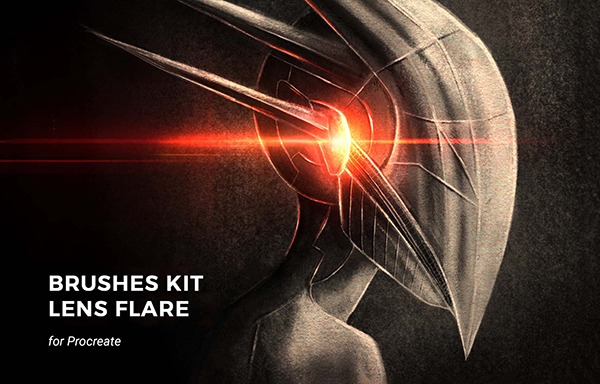
Galactic Lens Procreate Brushes are useful when you want to add light bursts, lens flares, glow effects, cosmic accents, or dramatic highlights to your artwork. These types of brushes can instantly create atmosphere, especially in space art, fantasy scenes, neon posters, and cinematic illustrations.
The key is restraint. Lens flare brushes can make artwork look more dynamic, but overusing them can make a composition feel artificial. Use them as accents near light sources, magical effects, reflective surfaces, or dramatic focal points.
Why Try It?
- Adds quick cinematic light effects.
- Useful for posters, fantasy art, and sci-fi scenes.
- Works well on separate layers with blend modes.
- Helps create visual drama and atmosphere.
Download Galactic Lens Procreate Brushes
2. Fabric & Paper Procreate Brushes
Best for: handmade textures, backgrounds, packaging design, collage-style art, and paper grain effects.
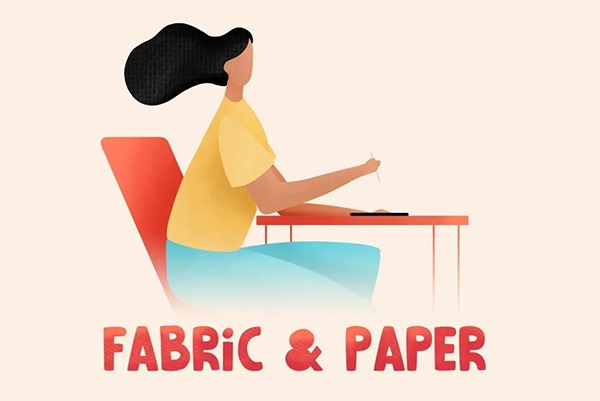
Fabric & Paper Procreate Brushes are valuable because texture often makes digital art feel more tactile. Flat digital color can look clean, but it may also feel lifeless. Paper and fabric textures add depth, warmth, and a handmade surface quality.
Use these brushes for backgrounds, posters, stationery designs, digital collage, editorial illustration, product mockups, handmade-style graphics, and subtle overlays. They can also help unify a composition by giving the artwork one consistent surface texture.
Best Uses
- Paper grain overlays.
- Fabric texture effects.
- Background depth.
- Collage and editorial design.
- Handmade-style illustrations.
Download Fabric & Paper Procreate Brushes
3. Graphic Beats Procreate Brushes
Best for: bold graphic artwork, posters, music visuals, street-style compositions, and abstract design.
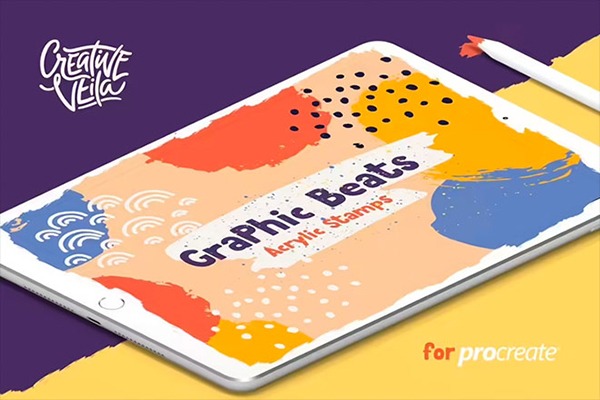
Graphic Beats Procreate Brushes are useful for artists and designers who want energetic, graphic marks. These brushes can support expressive compositions, social media visuals, album-style artwork, posters, and experimental illustrations.
They are especially helpful when you want more rhythm and visual movement in a design. Instead of manually creating every graphic accent, you can use specialized brushes to build energy quickly.
Useful For
- Poster design.
- Music-inspired artwork.
- Street-style graphics.
- Abstract backgrounds.
- Creative social media visuals.
Download Graphic Beats Procreate Brushes
4. Outline Procreate Brushes
Best for: lettering, stickers, character outlines, bold icons, comic-style graphics, and decorative edges.
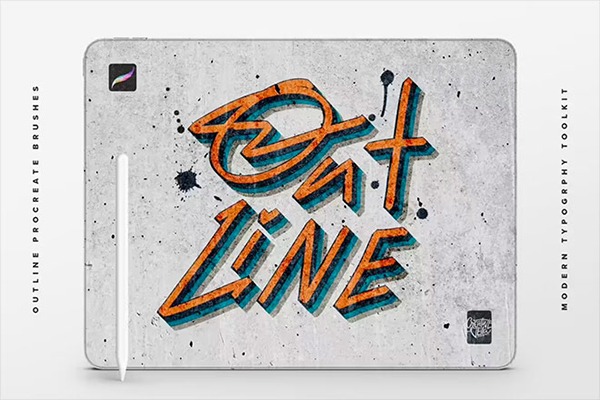
Outline Procreate Brushes are practical because outlines can add clarity and visual impact. They are especially useful for sticker art, lettering compositions, social graphics, bold illustrations, and character design where edges need to stand out.
These brushes can help you create outlined strokes faster than manually duplicating and expanding shapes. Use them for titles, hand lettering, decorative words, sticker-style artwork, or strong graphic accents.
Why Try It?
- Speeds up outlined lettering and sticker effects.
- Useful for bold graphic illustration.
- Helps separate characters or objects from backgrounds.
- Works well for playful social media artwork.
Download Outline Procreate Brushes
5. Glitter and Foil Procreate Kit
Best for: lettering, greeting cards, invitations, luxury accents, festive artwork, and decorative graphics.
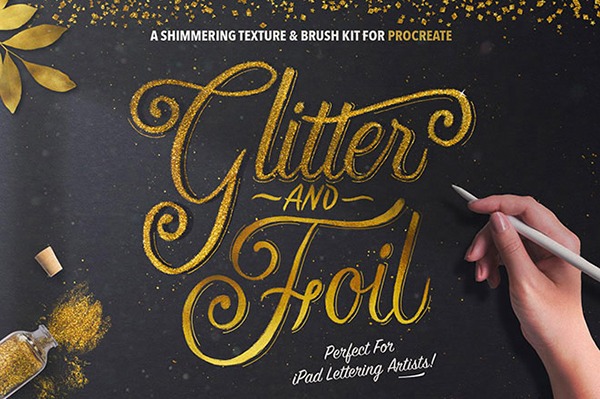
The Glitter and Foil Procreate Kit is useful when you need metallic shine, sparkle, festive texture, or luxury-style accents. These effects can be hard to build manually because glitter and foil need irregular sparkle, texture variation, and reflective detail.
This kit works well for hand lettering, wedding stationery, holiday graphics, printable wall art, packaging concepts, social media posts, and decorative illustration. Use glitter and foil carefully so the artwork remains elegant rather than overloaded.
Best Uses
- Gold foil lettering.
- Festive graphics.
- Luxury accents.
- Invitations and greeting cards.
- Decorative highlights.
Download Glitter and Foil Procreate Kit
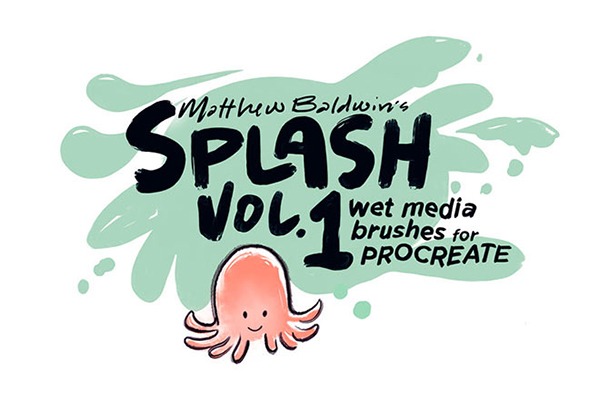
6. Splash Wet Media Brushes for Procreate by Matthew Baldwin
Best for: expressive painting, wet media effects, splashes, organic textures, and experimental artwork.
Splash Wet Media Brushes are useful when you want digital artwork to feel more fluid and spontaneous. Wet media effects can add movement, texture, and natural variation that ordinary smooth brushes often lack.
Use these brushes for watercolor-inspired work, expressive backgrounds, paint splashes, abstract art, mixed media compositions, and illustrations that need a looser, more organic feeling.
Why It Is Useful
- Adds natural paint-like movement.
- Works well for expressive backgrounds.
- Useful for splashes and texture accents.
- Can make digital art feel more organic.
Download Splash Wet Media Brushes
7. Procreate Urban Spray Brushes
Best for: graffiti effects, street art, rough texture, spray paint backgrounds, and bold poster design.
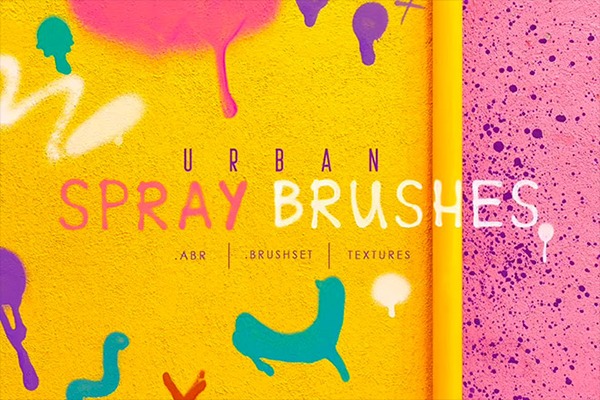
Procreate Urban Spray Brushes are perfect for artwork that needs a raw, street-inspired feel. Spray brushes can help create graffiti-style texture, rough edges, paint mist, distressed backgrounds, and urban poster effects.
Use spray brushes on separate layers so you can adjust opacity, erase excess texture, and experiment with blend modes. They work especially well with bold typography, grunge effects, and energetic compositions.
Best Uses
- Graffiti-inspired art.
- Streetwear graphics.
- Poster backgrounds.
- Rough texture overlays.
- Urban-style digital illustration.
Download Procreate Urban Spray Brushes
8. Procreate Pencil Brushes
Best for: sketching, concept art, portraits, rough layouts, character design, and realistic drawing studies.
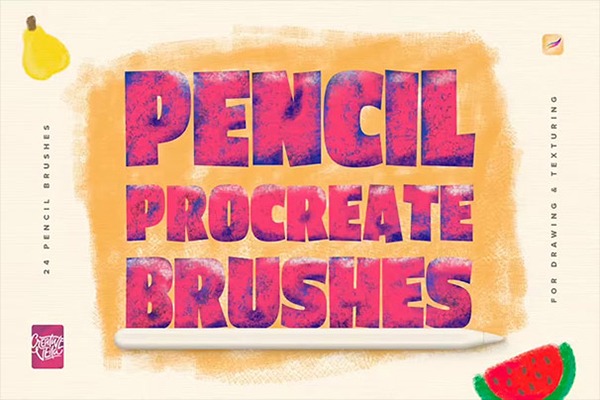
Pencil brushes are some of the most important brushes in any Procreate library. Most artwork begins with a sketch, and a good pencil brush helps you plan structure, shape, movement, and composition before adding color or detail.
Procreate Pencil Brushes can help digital sketches feel more natural and less slippery. They are useful for thumbnails, rough drawing, portrait construction, character concepts, fashion sketches, and early illustration planning.
Why Every Artist Needs Pencil Brushes
- They make the sketching stage faster.
- They feel familiar to traditional artists.
- They help create natural line variation.
- They are useful for planning before painting.
Download Procreate Pencil Brushes
9. Procreate Stippling Brushes Kit
Best for: shading, vintage illustration, tattoo-style artwork, print texture, editorial graphics, and detailed surface effects.
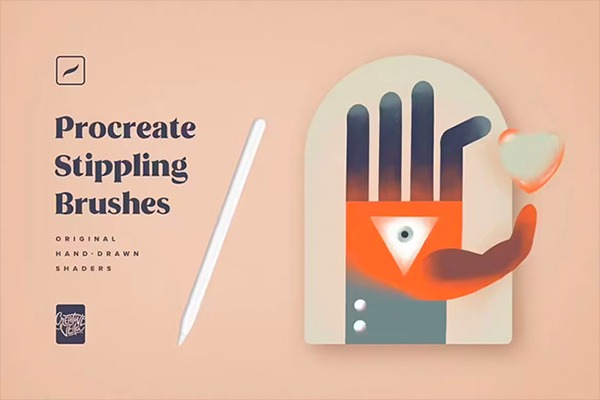
Stippling brushes help create texture and shading through dots and small marks. This can be time-consuming to do manually, especially when building dense values or vintage-inspired effects.
A Procreate Stippling Brushes Kit can help artists create controlled dot shading, rough texture, old print effects, tattoo-style shading, and detailed backgrounds. It is also useful for adding subtle grain without covering the entire artwork with noise.
Useful For
- Dot shading.
- Vintage print effects.
- Tattoo-inspired illustration.
- Editorial texture.
- Detailed surface shading.
Download Procreate Stippling Brushes Kit
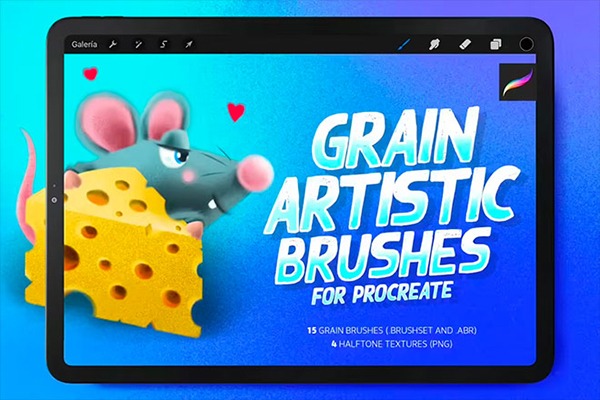
10. Grain Artistic Brushes for Procreate & Photoshop
Best for: grain texture, retro illustration, editorial design, posters, product graphics, and cross-app workflows.
Grain brushes are essential for artists who want to avoid overly smooth digital surfaces. A subtle grain texture can make flat shapes feel warmer, more printed, and more handmade.
This set is especially practical because it supports both Procreate and Photoshop workflows. That makes it useful for artists who sketch or paint on iPad and then finalize commercial files on desktop.
Best Uses
- Retro-style illustration.
- Poster texture.
- Subtle grain overlays.
- Editorial artwork.
- Cross-app Procreate and Photoshop workflow.
Download Grain Artistic Brushes
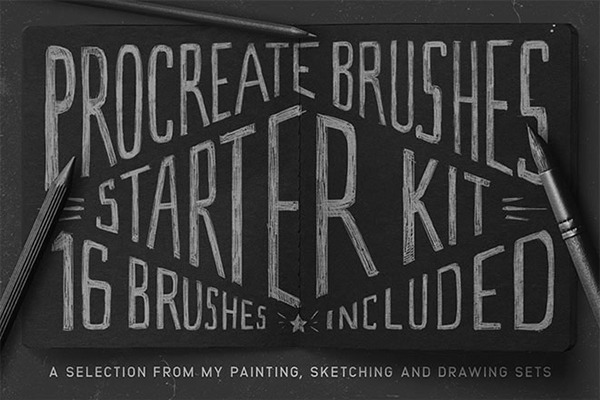
11. Procreate Brushes Starter Kit
Best for: beginners, general illustration, daily digital art practice, and artists building a balanced brush library.
A Procreate Brushes Starter Kit is useful because it gives you a practical foundation instead of forcing you to collect every brush category separately. A good starter kit usually includes multiple brush types for sketching, drawing, painting, and texture.
This is a strong option for beginners who want to explore different techniques without feeling lost in hundreds of specialized brushes.
Why It Is Useful
- Provides a balanced brush foundation.
- Good for artists still discovering their style.
- Useful for sketching, painting, and texture.
- Can reduce the need to download many separate packs.
Download Procreate Brushes Starter Kit
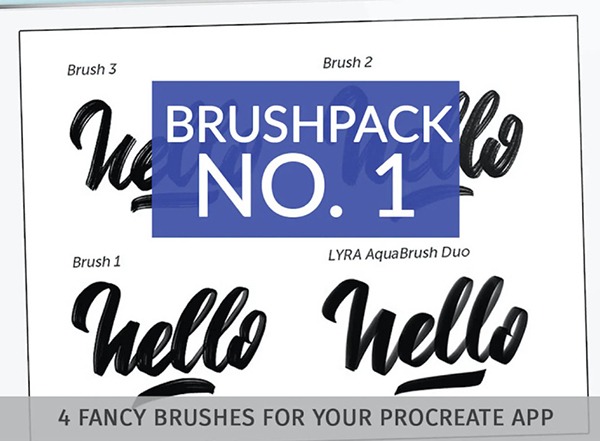
12. Procreate Brush Pack
Best for: everyday digital art, general illustration, testing new styles, and expanding your Procreate toolkit.
This Procreate Brush Pack is a practical resource for artists who want a general-purpose brush collection. It can help you test different marks, build textures, and create more variety in your artwork without searching for many individual brushes.
General packs are especially helpful when you are exploring your style. You can test what you enjoy most: sketching, painting, rough texture, clean edges, decorative effects, or expressive strokes.
Best Uses
- Daily drawing practice.
- Testing brush styles.
- General digital illustration.
- Building a beginner brush library.
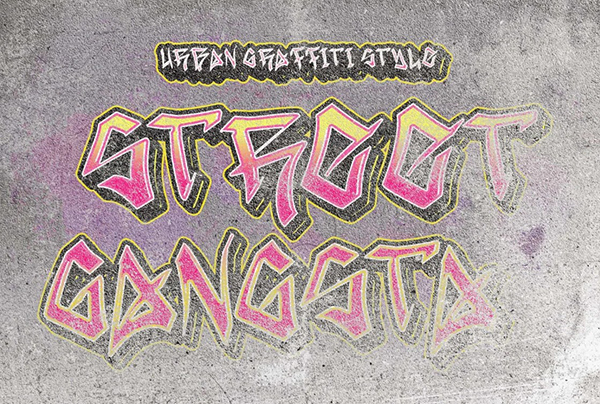
13. Street Gangsta FREE Graffiti Font
Best for: graffiti-style lettering, street art layouts, poster design, and mixed brush-and-type compositions.
This resource is technically a graffiti font rather than a Procreate brush, but it can still support a Procreate-based creative workflow. Many artists use fonts as a starting point for lettering compositions, then customize them with brushes, spray effects, outlines, textures, and hand-drawn details.
If you create street-style posters, album art, urban graphics, sticker designs, or graffiti-inspired compositions, a bold graffiti font can work well alongside spray brushes, outline brushes, and grain textures.
How to Use It With Procreate Brushes
- Add type as a base lettering shape.
- Use outline brushes to create sticker-style edges.
- Add spray texture for a graffiti look.
- Apply grain or paper brushes for a worn surface.
Download Street Gangsta FREE Graffiti Font
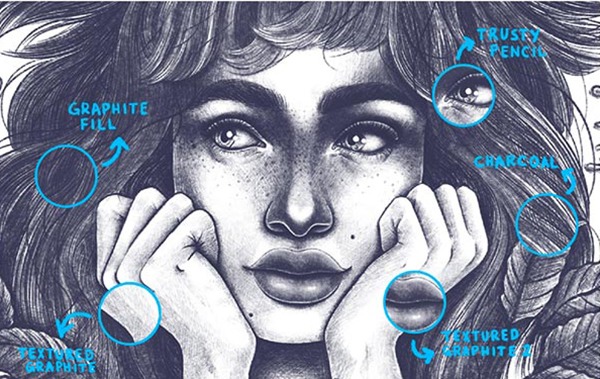
14. Graphite & Charcoal Procreate Brush Set
Best for: realistic sketching, portrait studies, figure drawing, tonal artwork, and traditional drawing effects.
Graphite and charcoal brushes are must-have tools for artists who want their Procreate sketches to feel more like traditional drawing. They are useful for rough studies, dramatic shading, realistic portrait construction, figure drawing, and expressive black-and-white artwork.
These brushes help create grain, soft shadows, rough edges, and strong value contrast. They are especially effective when paired with paper texture overlays.
Best Uses
- Portrait sketching.
- Figure drawing.
- Graphite studies.
- Charcoal-style shading.
- Traditional sketchbook effects.
Download Graphite & Charcoal Procreate Brush Set
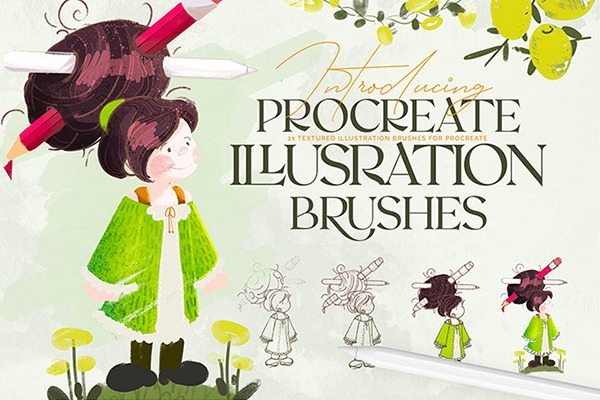
15. 21 Textured Illustration Brushes for Procreate
Best for: editorial illustration, handmade texture, commercial graphics, social media artwork, and finished digital paintings.
Textured illustration brushes are among the most useful brush types for professional-looking artwork. They can make flat shapes feel more alive, add subtle surface variation, and help digital art avoid a plastic or overly smooth finish.
This pack is useful for illustrators who want texture-rich artwork without building every effect from scratch. Use it for backgrounds, shading, decorative surfaces, hand-drawn poster styles, and final polish.
Why It Is a Must-Have
- Adds natural surface texture.
- Works well for editorial and commercial illustration.
- Helps unify artwork with a handmade finish.
- Useful across many styles and subjects.
Download 21 Textured Illustration Brushes
How to Build a Practical Procreate Brush Library
A strong brush library should feel useful, not chaotic. The goal is not to own every brush. The goal is to have the right tools available when you need them.
Start With Five Core Categories
- Sketch: pencil, graphite, charcoal.
- Line: ink, outline, clean drawing brushes.
- Paint: wet media, watercolor, gouache, textured paint.
- Texture: paper, fabric, grain, stippling, spray.
- Effects: glitter, foil, lens flare, decorative accents.
Create a Favorites Folder
Once you test a brush set, move your most-used brushes into a Favorites folder. This saves time and keeps your workflow clean. Many artists only use a small group of brushes regularly, even if they own hundreds.
Rename Brushes by Purpose
If brush names are unclear, rename duplicates or add notes such as “soft shade,” “rough grain,” “fine detail,” “poster texture,” or “highlight.” This helps you choose faster while working.
Common Mistakes When Using Procreate Brushes
1. Downloading Too Many Brushes Without Testing Them
A large brush library is not useful if you do not know what each brush does. Test every brush and delete or hide the ones you never use.
2. Using Texture Brushes Everywhere
Texture is powerful, but too much texture can make artwork noisy. Use texture to support focal points, surfaces, and atmosphere.
3. Relying on Brushes Instead of Fundamentals
Brushes can speed up effects, but they cannot replace drawing skills, composition, lighting, color, and storytelling.
4. Forgetting to Work on Separate Layers
Special effects are easier to control when they are on separate layers. This is especially important for grain, spray, glitter, foil, lens flare, and texture overlays.
5. Ignoring Licensing
Some free brushes and creative resources are only free for personal use. Always check the original download page before using brushes in client work, commercial projects, print-on-demand products, or marketplace assets.
Which Procreate Brush Pack Should You Start With?
The best brush pack depends on what you create most often.
Frequently Asked Questions About Procreate Brushes
What are the most useful Procreate brushes for beginners?
Beginners should start with a pencil brush, an inking brush, a soft painting brush, a texture brush, and one general-purpose brush pack. A starter kit is often better than downloading dozens of specialized brushes immediately.
Are premium Procreate brushes worth it?
Premium brushes can be worth it when you create commercial artwork, need consistent texture, want a complete workflow system, or use Procreate professionally. Free brushes are still excellent for learning, testing styles, and building a first brush library.
How do I install Procreate brushes?
Download the .brush or .brushset file, save it to your iPad, then tap the file. Procreate should open and import the brush automatically. The new brush set usually appears near the top of your Brush Library.
Can I use free Procreate brushes for commercial work?
It depends on the creator’s license. Some free brushes allow commercial use, while others are personal-use only. Always check the original download page before using brushes in client work, products, or paid commissions.
How many brushes should I keep in Procreate?
Keep only the brushes you actually use. A smaller, organized library is usually better than hundreds of brushes that slow down your decision-making. Create a Favorites folder for your most reliable tools.
Final Thoughts
Must-have Procreate brushes can make your digital art workflow faster, more flexible, and more professional. The right brushes help you sketch naturally, paint with texture, add realistic grain, create bold effects, finish illustrations faster, and explore styles that would be difficult to build manually.
Start with the brush types that match your creative goals. Pencil and graphite brushes are excellent for sketching. Texture brushes are essential for handmade depth. Wet media brushes add organic movement. Outline and spray brushes support bold graphics. Glitter, foil, and lens flare brushes can add polished finishing effects when used carefully.
Remember that brushes are creative tools, not automatic shortcuts. A good brush can save time, but your artistic decisions still shape the final result. Build a brush library that supports your style, organize it clearly, and test each brush before using it in serious work.
The best Procreate brush library is not the biggest one. It is the one that helps you create faster, think clearer, and finish stronger artwork with less friction.
For more Procreate brush collections, digital art resources, tutorials, and creative tools for illustrators and designers, continue exploring DesignRise.
Discover more from DesignRise
Subscribe to get the latest posts sent to your email.