
Create Smarter with DesignRise AI

Ask about AI tools, tutorials, design resources, and creative workflows.

💡 Try asking: “Best AI tools for UI design” or “How to create branding with AI”

Why Predictability is Important for UX Design

Why Predictability Is Important for UX Design

“A user interface is well-designed when the program behaves exactly how the user thought it would.” — Joel Spolsky Predictability in UX design is one of those principles that users rarely notice when it works — but immediately feel when it fails. A predictable interface helps people understand what they can do, what will happen…

Read Full News
7 findings that prove the importance of great UX

7 Findings That Prove the Importance of Great UX

Great UX is not just a design trend, a polished interface, or a nice extra feature for modern websites. It is one of the strongest factors that decides whether people trust your business, stay on your page, understand your offer, complete a form, make a purchase, or leave for a competitor. Users today have more…

Read Full News
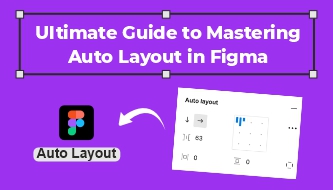
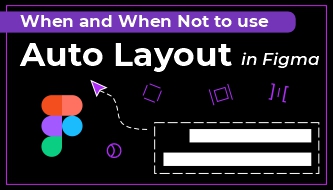
Ultimate Guide to Mastering Auto Layout in Figma

Ultimate Guide to Mastering Auto Layout in Figma

Figma’s newest version of Auto Layout allows you to create highly responsive components with similar rules and behaviors used by developers. These powerful features allow you to add, remove, and resize layers without having to manually update the layout.  In this article, I’ll go over all the necessary basics and breakdown how six different example…

Read Full News
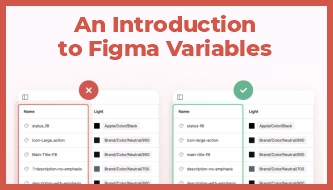
An Introduction to Figma Variables

An Introduction to Figma Variables

The recent rollout of Figma variables marks a significant shift in the digital design landscape, introducing Figma variables as a foundational tool for modern design workflows. Even though they’re still in open beta, variables in Figma already offer a level of abstraction and flexibility that was previously more familiar to developers than designers. The introduction of Figma…

Read Full News
Best 9 Figma Plugins for Designers

Best 9 Figma Plugins for Designers

I’ve spent way too much time playing around with Figma plugins. Most of them are cool but not super useful in day-to-day work. But there are a few that have become absolutely essential for me. Here’s my take on the Figma plugins that actually make a difference in real projects.   1. HTML to Figma…

Read Full News
Top 10 Figma Shortcuts to Design Faster

Top 10 Figma Shortcuts to Design Faster

As designers, we’re always looking for ways to streamline our workflow. Keyboard shortcuts in Figma are not just time-saving tools — they can significantly boost your efficiency and professionalism. Whether you’re new to Figma or looking to level up your design game, here’s a curated list of must-know Figma shortcuts that will enhance your design…

Read Full News
How to Install Procreate Brushes

How to Install Procreate Brushes

Here, we’re going to look at how to install Procreate brushes so you can extend the use of the app on your own. Plus, we’ve picked out five stellar brushes that we think you’ll enjoy playing with. You May Also Like: Impressive watch collection PSD MockUp Rose Brushes Set for Photoshop Free Old Paper Textures…

Read Full News
Opacity in procreate

How to Change Opacity in Procreate

In this article, we will walk you through the steps to change opacity in Procreate, and provide tips for effectively using opacity to enhance your digital art. One essential feature is the ability to change the opacity of layers, brushes, and even specific elements within a layer. Changing Layer Opacity Adjusting the opacity of an…

Read Full News
Fonts to Procreate

How to Add Fonts to Procreate

Procreate has rapidly gained a reputation as a powerhouse in the world of digital illustration, becoming a go-to app for iPad users worldwide. Whether you’re a professional artist or a hobbyist, you’ll know the significance of customizing your design tools to suit your unique style and creative vision. While Procreate boasts an extensive selection of…

Read Full News
✓

Thank you!

Your design project request has been sent successfully.

We received your brief and will review the details shortly. If we need any additional information, we will contact you by email.

DesignRise