








Meet Nano Banana Pro on Artlist AI: A New AI Image Tool for Creators
If you follow the world of AI creative tools, you have probably noticed how quickly image generation is moving from fun experiments to serious production workflows. Designers, marketers, filmmakers, social media creators, and agencies are no longer using AI only to “try ideas.” They are using it to build real campaign visuals, product mockups, storyboards, thumbnails, ads, and branded content faster than ever.
One of the newest tools getting attention is Nano Banana Pro on Artlist AI. Despite its playful name, Nano Banana Pro is designed for professional visual creation. It is an AI image generation and editing model that helps creators generate high-quality visuals, refine images, combine references, create consistent styles, and produce production-ready creative assets directly inside the Artlist AI ecosystem.
For creators who already use Artlist for music, footage, sound effects, video assets, or creative production, Nano Banana Pro adds another powerful layer: AI-generated visuals. Instead of jumping between multiple platforms, creators can use Artlist AI Toolkit to generate images, test concepts, and build visual directions for campaigns, videos, social posts, and brand projects.
In this DesignRise guide, we’ll explain what Nano Banana Pro is, how it works, who it is best for, and why it may become a useful tool for modern creative workflows.
You May Also Like:
- How AI Is Transforming Corporate Identity Design
- The Best AI Art Generators & Tools for 2026
- Best GPT-Powered Tools to Boost Your ChatGPT Experience
What Is Nano Banana Pro on Artlist AI?
Nano Banana Pro is an advanced AI image generation and editing model available through Artlist AI. It is built for creators who want more control, better visual quality, stronger prompt understanding, and more consistent results than basic AI image tools.
In simple terms, Nano Banana Pro lets you create and edit images using text prompts and visual references. You can describe an idea, upload reference images, adjust creative direction, and generate visuals that match your project needs.
For designers and content creators, this can be useful for:
- Advertising visuals for campaigns and social media.
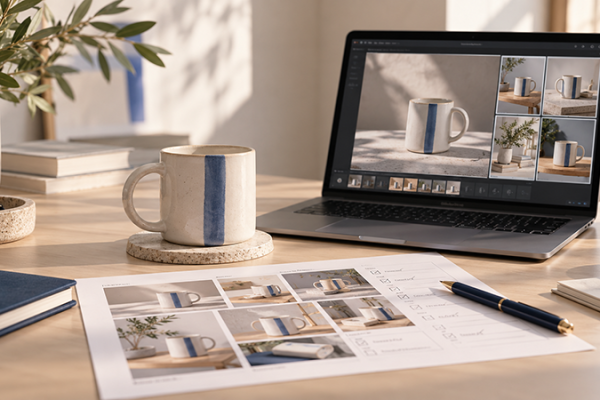
- Product mockups for e-commerce and branding projects.
- Storyboards for videos, commercials, and short films.
- Concept art for creative presentations.
- Brand visuals with consistent mood, lighting, and style.
- Editorial graphics for blogs, thumbnails, and digital content.
Unlike basic AI image generators, Nano Banana Pro is positioned as a more professional tool for creators who need precision, visual consistency, and better creative control.
Quick Take: Why Nano Banana Pro Is Different
The biggest strength of Nano Banana Pro is not just that it can generate attractive images. Many AI tools can do that now. Its real value is in control, consistency, and production quality.
| Feature | Why It Matters for Creators |
|---|---|
| Text-to-image generation | Create original visuals from written prompts. |
| Image-to-image editing | Use reference images to guide style, structure, or composition. |
| Consistent characters and styles | Create visuals that feel connected across a campaign or project. |
| Clear text rendering | Useful for posters, ads, graphics, mockups, and multilingual visuals. |
| Multi-image blending | Combine multiple references into one cohesive image. |
| Higher-resolution output | Better for professional creative work, presentations, and campaigns. |
For creators, these features matter because real client work is rarely about generating one random image. Most professional projects require a series of visuals that look consistent, polished, and useful across different formats.
Why Nano Banana Pro Matters for Designers and Creators
Designers are under more pressure than ever to create high-quality visuals quickly. A single project may require Instagram posts, YouTube thumbnails, website banners, ad creatives, product mockups, email graphics, presentation slides, and short-form video concepts.
This is where AI image tools can become a real workflow advantage. Nano Banana Pro helps creators move faster from idea to visual direction. Instead of spending hours searching for the perfect stock image or building every mockup manually, designers can generate a first visual direction, refine it, and use it as part of a larger creative process.
It can help designers:
- Explore more visual concepts in less time.
- Create branded campaign directions faster.
- Generate product and lifestyle mockups.
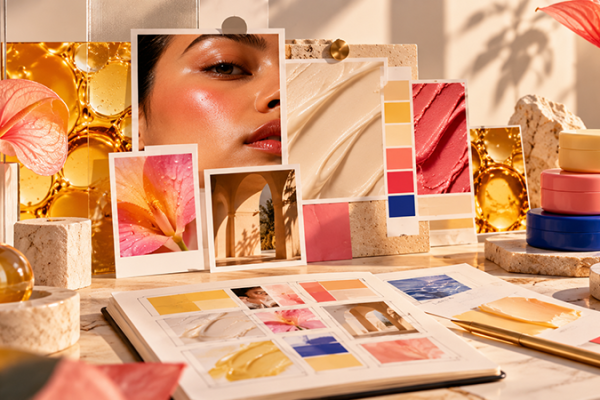
- Build mood boards and storyboards.
- Test different lighting, colors, and compositions.
- Create social media visuals with a consistent style.
- Develop stronger presentations for clients.
The tool is especially useful when a designer needs quick visual exploration but still wants a more polished result than a basic AI image output.
Best Use Cases for Nano Banana Pro
Nano Banana Pro can be useful across many creative workflows, but it is especially strong when the project needs visual consistency, clear direction, or professional presentation quality.
Marketing Campaign Visuals
Marketing teams can use Nano Banana Pro to create ad concepts, product scenes, lifestyle images, and campaign visuals. This can help teams test creative ideas before investing in a full photoshoot or large-scale production.
Social Media Content
Creators can generate thumbnails, Instagram visuals, TikTok cover images, Reels graphics, and branded post concepts. The ability to keep style and mood consistent is especially useful for creators who want a recognizable visual identity.
Product Mockups and E-Commerce Visuals
For e-commerce brands, Nano Banana Pro can help create product scenes, background variations, lifestyle mockups, color variations, and promotional visuals. Designers can use AI-generated images as concept directions or final supporting assets, depending on the project.
Storyboards and Video Concepts
Filmmakers, directors, and video creators can use Nano Banana Pro to build story frames, mood boards, and visual references before filming. This makes it easier to communicate tone, lighting, composition, and scene ideas.
Brand Identity Exploration
Designers can use the tool to test how a brand might look across different environments: ads, packaging concepts, website hero images, social media campaigns, and editorial visuals.
Key Features of Nano Banana Pro
Nano Banana Pro includes several features that make it useful for professional creative workflows. Below are the most important ones for designers, marketers, and digital creators.
1. AI Image Generation From Prompts
With text-to-image generation, creators can describe a scene, product, character, environment, campaign idea, or visual style. Nano Banana Pro then generates images based on that prompt.
This is useful for quick idea development, especially when you need visual options before choosing a final creative direction.
2. Image-to-Image Creative Control
Image-to-image workflows allow creators to upload references and guide the AI with existing visuals. This helps when you want to preserve a certain composition, product, subject, mood, or style while still creating a new result.
For designers, this is often more useful than text prompts alone because it gives the model clearer visual direction.
3. Consistent Characters and Styles
One of the most important challenges in AI image generation is consistency. A tool may create one strong image, but the next one may look like it belongs to a completely different project.
Nano Banana Pro focuses on more stable characters, styles, and visual details, making it more useful for multi-image projects, campaigns, brand visuals, and storytelling.
4. Clear Multilingual Text Rendering
Many AI image tools struggle with text inside images. Nano Banana Pro is designed to handle clearer text rendering, including multilingual text. This can be helpful for posters, advertising concepts, infographics, product mockups, thumbnails, and localized campaign visuals.
5. Multi-Image Blending
With multi-image blending, creators can combine several visual references into one new image. This is useful when building mood boards, product concepts, complex compositions, or visual directions that need to merge multiple ideas.
6. Advanced Creative Controls
Nano Banana Pro gives creators more control over details such as camera angle, lighting, depth of field, color mood, composition, and visual direction through natural language prompts.
This makes it more practical for creators who need specific results rather than random AI-generated images.
How to Use Nano Banana Pro in a Creative Workflow
The best way to use Nano Banana Pro is not to treat it as a magic button. Instead, use it as part of a structured creative workflow.
Step 1: Start With a Clear Creative Goal
Before generating anything, define what you actually need. Are you creating a campaign visual, a product mockup, a thumbnail, a storyboard, or a brand mood board?
A clear goal helps you write better prompts and judge the results more effectively.
Step 2: Write a Specific Prompt
A strong prompt should include subject, style, mood, lighting, composition, colors, format, and purpose.
For example:
Create a premium lifestyle product image for a skincare brand. Use soft natural lighting, a warm beige background, clean composition, elegant shadows, minimal props, realistic texture, and a high-end editorial mood.
Step 3: Add Reference Images When Needed
If you need more control, upload visual references. This can help guide the result toward a specific product style, character, background, color palette, or composition.
Step 4: Generate Several Variations
Do not stop after one result. Generate multiple versions and compare them. Look for the strongest composition, best lighting, cleanest details, and most useful direction.
Step 5: Refine and Edit
AI output often needs refinement. You may need to adjust details, change the background, fix text, improve lighting, crop the image, or polish the final asset in Photoshop, Canva, Figma, or another editing tool.
Practical Prompt Ideas for Nano Banana Pro
If you want to test Nano Banana Pro, here are a few prompt directions you can adapt for different creative projects.
For Product Mockups
Create a realistic product mockup for a premium coffee brand. Place the package on a modern kitchen counter with warm morning light, natural shadows, clean composition, and editorial photography style.
For Social Media Campaigns
Create a bold Instagram campaign visual for a fitness app. Use dynamic lighting, energetic movement, modern UI elements, strong contrast, and a premium tech-sport aesthetic.
For YouTube Thumbnails
Create a high-impact YouTube thumbnail background about AI tools for creators. Use futuristic gradients, clean 3D elements, dramatic lighting, high contrast, and empty space for large headline text.
For Storyboards
Create a cinematic storyboard frame of a creator working late at night in a modern studio, surrounded by screens, soft blue lighting, realistic shadows, and a focused creative atmosphere.
Nano Banana Pro vs Basic AI Image Generators
Basic AI image generators are useful for quick experiments, but professional creators often need more than a nice-looking image. They need control, repeatability, editing options, and better quality.
| Basic AI Image Tools | Nano Banana Pro |
|---|---|
| Good for quick ideas | Better for professional creative workflows |
| May struggle with consistency | Designed for more consistent characters and styles |
| Limited control over complex prompts | Stronger prompt understanding and creative control |
| Text may be inaccurate | Improved text rendering for visual assets |
| Often used for single images | Useful for campaigns, mockups, and multi-image projects |
This does not mean Nano Banana Pro is the only AI image tool worth using. It means it may be a better fit when your project needs a more polished, controlled, and production-friendly output.
Who Should Try Nano Banana Pro?
Nano Banana Pro is useful for a wide range of creators, but it is especially relevant for people who create visual content regularly.
- Graphic designers who need faster concept development.
- Social media creators who need consistent branded visuals.
- Marketing teams that create ads, campaigns, and product visuals.
- Filmmakers and video creators who need mood boards and story frames.
- Agencies that want to speed up creative exploration.
- E-commerce brands that need product mockups and lifestyle visuals.
- Bloggers and publishers who need original visuals for articles and thumbnails.
If your work depends on creating visual ideas quickly, Nano Banana Pro is worth testing.
What to Watch Out For
Like any AI tool, Nano Banana Pro should be used thoughtfully. AI can speed up production, but creators still need to check quality, originality, licensing, and brand safety.
- Always review details: AI-generated images can still contain visual mistakes.
- Check text carefully: Even improved AI text rendering should be reviewed before publishing.
- Understand usage rights: Always check Artlist’s current licensing and usage terms before using AI-generated assets commercially.
- Avoid copying protected styles: Do not use AI to imitate a specific living artist, competitor brand, or copyrighted visual identity.
- Keep human direction: AI can generate options, but creative judgment still belongs to the designer.
Why Nano Banana Pro Fits the Future of AI Creative Work
The future of creative work is not about replacing designers, filmmakers, marketers, or content creators. It is about giving them faster ways to explore ideas and produce stronger results.
Nano Banana Pro on Artlist AI fits this shift because it supports a more complete creative workflow. It helps creators move from idea to visual direction faster, while still leaving room for human taste, editing, strategy, and storytelling.
For creators who already use Artlist, this can be especially convenient. Artlist is known for creative assets for video and content production, and Nano Banana Pro adds AI image generation into that broader ecosystem.
Visit the official page: Nano Banana Pro on Artlist AI.
FAQ: Nano Banana Pro on Artlist AI
What is Nano Banana Pro?
Nano Banana Pro is an AI image generation and editing model available through Artlist AI. It helps creators generate, edit, and refine visuals using prompts and reference images.
Is Nano Banana Pro for sound or images?
Nano Banana Pro is for AI image generation and editing. It is not primarily a sound design tool. Creators can use it for campaign visuals, product mockups, storyboards, thumbnails, social media graphics, and branded images.
Who can use Nano Banana Pro?
It is useful for designers, marketers, agencies, filmmakers, social media creators, photographers, editors, e-commerce brands, and anyone who needs professional AI-generated visuals.
Can Nano Banana Pro create consistent visual styles?
Yes. One of its key advantages is stronger consistency across characters, styles, scenes, and visual directions, which makes it useful for campaigns and multi-image projects.
Can I use Nano Banana Pro for commercial projects?
Nano Banana Pro may be useful for commercial creative projects, but you should always check Artlist’s current license terms, subscription details, and usage rights before publishing or selling AI-generated assets.
What can I create with Nano Banana Pro?
You can create marketing visuals, product mockups, social media images, storyboards, thumbnails, concept art, campaign directions, editorial graphics, and other AI-generated visual assets.
Conclusion: Nano Banana Pro Brings AI Image Creation Into the Artlist Workflow
Nano Banana Pro is more than a playful name. It is a serious AI creative tool for creators who want better image generation, stronger visual control, and faster concept development inside the Artlist ecosystem.
For designers and digital creators, it can help speed up campaign visuals, product mockups, storyboards, social content, and branded image creation. For agencies and marketing teams, it can make early creative exploration faster and more flexible.
The most important thing is to use Nano Banana Pro with intention. Start with a clear idea, write strong prompts, use references when needed, review the results carefully, and bring your own creative judgment into the final output.
AI can generate the image, but the creative direction still comes from you.
Explore more AI tools, design resources, and creative workflow guides on DesignRise.
Discover more from DesignRise
Subscribe to get the latest posts sent to your email.


We’re excited to hear you’re interested in Nano Banana Pro! As highlighted in the article, this new AI creative tool on Artlist AI is designed to help creators generate dynamic audio variations and creative sound textures. It’s a fantastic resource for designers, video editors, and digital creators looking to add unique sound elements to their projects and make visuals stand out.
It’s exciting to hear about Nano Banana Pro, Artlist AI’s new creative tool! As mentioned in the article, it sounds like a powerful way for designers and creators to add unique sound elements and creative flair to their projects. The idea of an AI-powered mini-studio that generates dynamic audio variations and textures is really intriguing, especially for enhancing visuals like design reels and motion graphics.