










Free Bootstrap UI kits are one of the fastest ways to move from a blank screen to a working, responsive interface. Whether you are designing a landing page, startup website, admin dashboard, SaaS product, portfolio, marketplace, or web app, a good Bootstrap kit can save hours of repetitive layout work.
Bootstrap remains popular because it gives designers and developers a practical foundation: responsive grid, reusable components, mobile-first structure, forms, buttons, navigation, cards, modals, alerts, utilities, and layout patterns that can be adapted to many different projects.
But not every UI kit is useful. Some look modern in preview images but feel outdated in real projects. Some include too many unnecessary files. Some are difficult to customize. Others help you launch faster but make every website look like the same template.
This guide is designed to help you choose smarter. Below, you’ll find a curated collection of free Bootstrap UI kits for web design projects, plus practical advice on how to use them without sacrificing brand quality, accessibility, performance, or long-term maintainability.
Use these kits as starting points, not final designs. The best results come when you combine Bootstrap speed with strong visual direction, clear content strategy, and thoughtful UX decisions.
Explore More DesignRise Resources:
- Crafting Your First UX Design Portfolio: A Step-by-Step Guide
- How to Convert Your Figma Designs into Functional Web Apps Using Anima Playground
- Weeding in the UX Garden
- Free Admin Dashboard Templates for Figma
Why Bootstrap UI Kits Still Matter
Modern web design is fast. Clients want quick prototypes. Startups want MVPs. Developers need clean structure. Designers need components that do not fall apart on mobile. A Bootstrap UI kit helps by giving you a ready-made library of interface elements that already follow a responsive framework.
Instead of designing every button, card, navbar, form, modal, pricing section, and dashboard block from scratch, you can begin with a tested foundation and spend more time on the parts that actually make the project unique: content, hierarchy, branding, conversion flow, accessibility, and interaction quality.
Bootstrap UI Kits Can Help With:
- rapid prototyping for early website and app ideas;
- responsive layouts that work across desktop, tablet, and mobile;
- landing page design for startups, SaaS, creators, and agencies;
- admin dashboards with reusable cards, tables, forms, and charts;
- developer handoff because Bootstrap is familiar to many front-end teams;
- consistent UI systems through reusable components;
- faster MVP launches when the goal is speed and usability.
The biggest advantage is not that Bootstrap UI kits make design “automatic.” They do not. Their real advantage is that they remove repetitive setup work so you can focus on making better decisions.
How to Choose the Right Free Bootstrap UI Kit
Before downloading the first kit that looks nice, think about the actual project. A startup landing page needs different components from an admin dashboard. A marketing website needs stronger content sections. A web app needs forms, navigation, tables, and reusable states.
A good UI kit should fit the project’s structure, not force the project to fit the kit.
| Project Type | Best Kit Features | What to Watch For |
|---|---|---|
| Startup landing page | Hero sections, pricing blocks, testimonials, CTAs | Avoid generic messaging and overused layouts |
| SaaS product | Feature sections, dashboards, forms, app previews | Check scalability and component consistency |
| Admin dashboard | Tables, charts, cards, navigation, forms | Make sure data states and mobile behavior are usable |
| Portfolio website | Project cards, galleries, about sections, contact blocks | Customize heavily so it does not look templated |
| Marketing website | Content sections, trust blocks, CTA areas, responsive grids | Keep performance lightweight |
| Web app prototype | Forms, modals, tabs, alerts, UI states | Check accessibility and interaction states |
What Makes a Bootstrap UI Kit Worth Using?
- Clean and organized component structure.
- Responsive layouts that work well on real mobile screens.
- Clear documentation or easy setup.
- Useful components, not only decorative sections.
- Customizable colors, typography, spacing, and states.
- Reasonable file size and performance-friendly assets.
- Accessible patterns for forms, buttons, navigation, and modals.
- Design style that can be adapted to different brands.
The best free Bootstrap UI kits help you build faster without trapping you inside a generic template style.
1. Pixel — Free Bootstrap 5 UI Kit Packed With 80+ Components

Best for: landing pages, startup websites, portfolios, product pages, and Bootstrap 5 prototypes
Pixel is a strong option if you want a modern Bootstrap 5 foundation with a wide range of responsive components. It includes a large set of UI elements, pre-made sections, and page templates that can help you start a web project faster.
This kit is especially useful for designers and developers who want a clean, structured starting point without building every section manually. You can use it for a startup website, portfolio, SaaS landing page, or early MVP interface.
Why It Is Useful
- Built with Bootstrap 5.
- Includes many responsive UI elements.
- Useful for landing pages and startup websites.
- Good starting point for clean modern layouts.
- Helps speed up prototyping and development.
Best Use Cases
- Startup websites.
- Personal portfolios.
- SaaS landing pages.
- Product concept pages.
- Early web app prototypes.
2. Bootstrap Startup UI Kit — Clean, Minimal and Practical
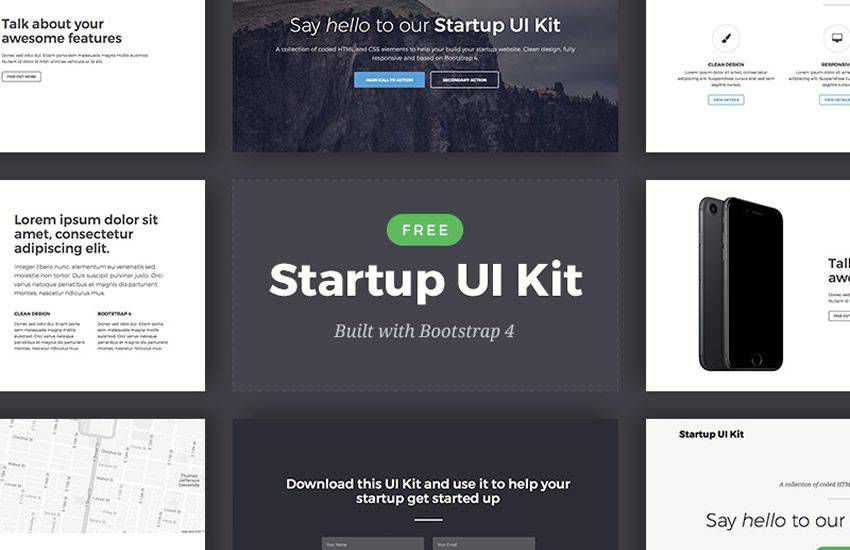
Best for: startup landing pages, simple business websites, product introductions, and MVP pages
The Bootstrap Startup UI Kit is a good choice when you need a clean and minimal starting point. It works well for early-stage brands, small products, and simple landing pages where clarity matters more than heavy visual effects.
This type of kit is useful when the project needs to look polished quickly but does not require a complex dashboard or advanced component library. It gives you enough structure to build a professional page without overloading the design.
Why It Is Useful
- Minimal visual style that is easy to customize.
- Good fit for lean startup websites.
- Useful for quick landing page builds.
- Works well when you want a simple content-first layout.
- Easy to adapt with your own brand colors and typography.
Best Use Cases
- MVP landing pages.
- Startup launch pages.
- Service websites.
- Lead generation pages.
- Early pitch or product validation websites.
3. Stream UI Kit — Elegant and Fully Responsive Bootstrap Template Kit
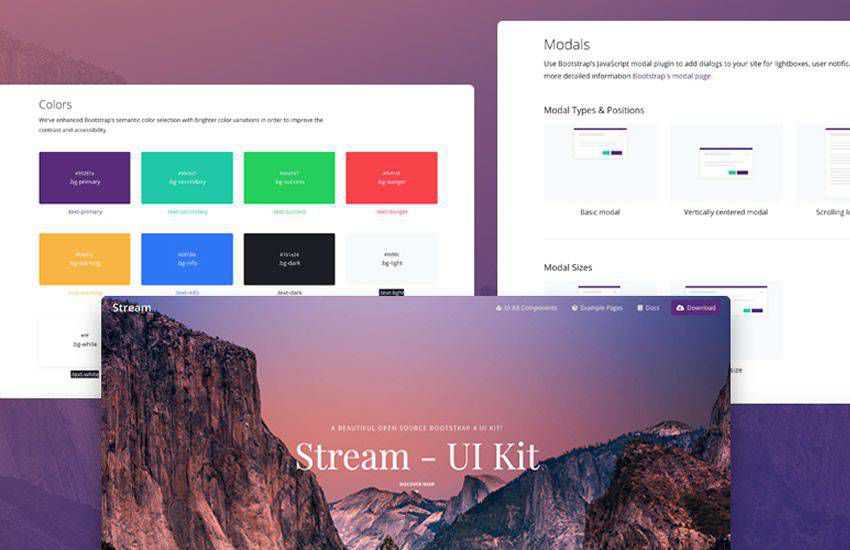
Best for: modern business websites, landing pages, agency pages, and responsive marketing layouts
Stream UI Kit is a polished Bootstrap-based template kit that can help you create elegant responsive pages faster. It is a good option when your project needs a professional look but you still want a flexible structure that can be customized.
The kit is especially useful for marketing pages, product introductions, agency sites, and business layouts where clean section design matters.
Why It Is Useful
- Clean and modern visual style.
- Responsive layout patterns.
- Useful for marketing and business websites.
- Good starting point for polished page sections.
- Can be adapted for multiple industries.
Best Use Cases
- Agency websites.
- Business landing pages.
- Consulting websites.
- Startup product pages.
- Marketing campaign pages.
4. Anchor UI Kit — Modern, Colorful and Flexible
Best for: colorful landing pages, creative websites, small business pages, and flexible Bootstrap projects
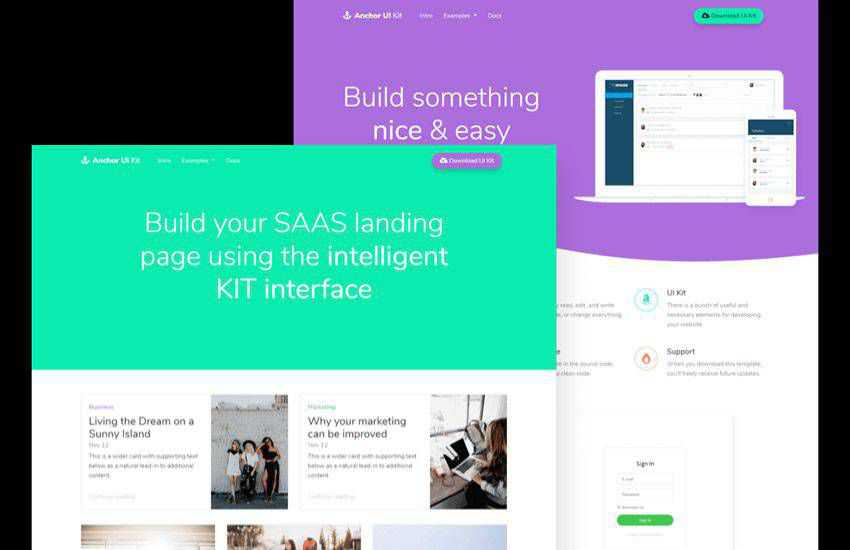
Anchor UI Kit is a free Bootstrap-based design toolkit with a fresh and colorful style. It is useful when you want a more energetic interface than a plain corporate template, but still need reusable components and responsive structure.
Anchor works well for projects that need personality without becoming too experimental. It can support landing pages, dashboards, business websites, and web app sections.
Why It Is Useful
- Fresh and colorful design language.
- Bootstrap-based structure.
- Flexible components for customization.
- Good for creative and startup projects.
- Helps accelerate front-end development.
Best Use Cases
- Creative landing pages.
- Startup websites.
- Personal projects.
- Small business websites.
- Prototype interfaces.
5. Paper Dashboard — Free Bootstrap UI Kit for Admin Panels
Best for: admin dashboards, analytics panels, internal tools, data interfaces, and web app backends
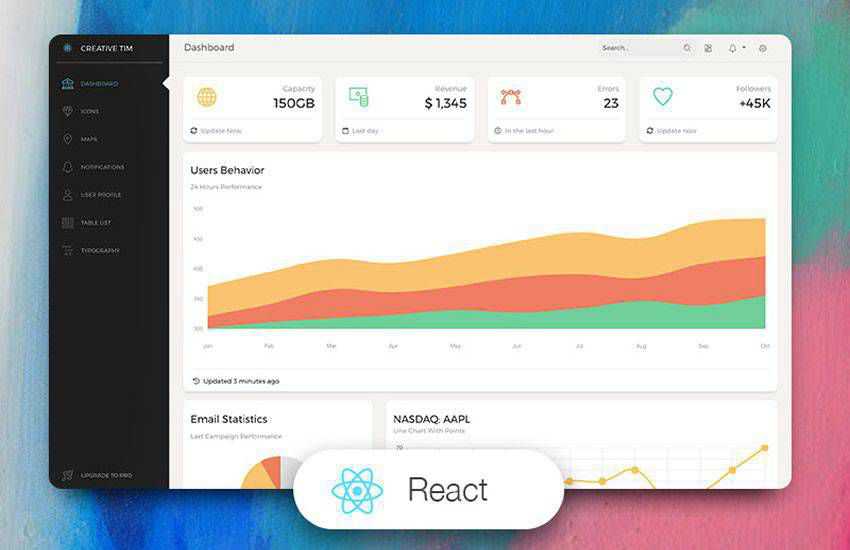
Paper Dashboard is useful when your project needs more than a marketing page. Admin panels require a different type of UI thinking: tables, cards, charts, sidebar navigation, form controls, alerts, and clear information hierarchy.
This kit can help teams prototype internal tools, SaaS dashboards, CRM pages, analytics interfaces, and admin environments faster.
Why It Is Useful
- Designed for dashboard-style interfaces.
- Useful for admin panels and internal tools.
- Includes app-like layout patterns.
- Good for data-heavy screens.
- Helps developers avoid building dashboard basics from scratch.
Best Use Cases
- Admin panels.
- Analytics dashboards.
- CRM interfaces.
- Project management tools.
- Internal business tools.
6. Froala Design Blocks for Bootstrap
Best for: landing pages, business websites, page builders, marketing sections, and modular web design
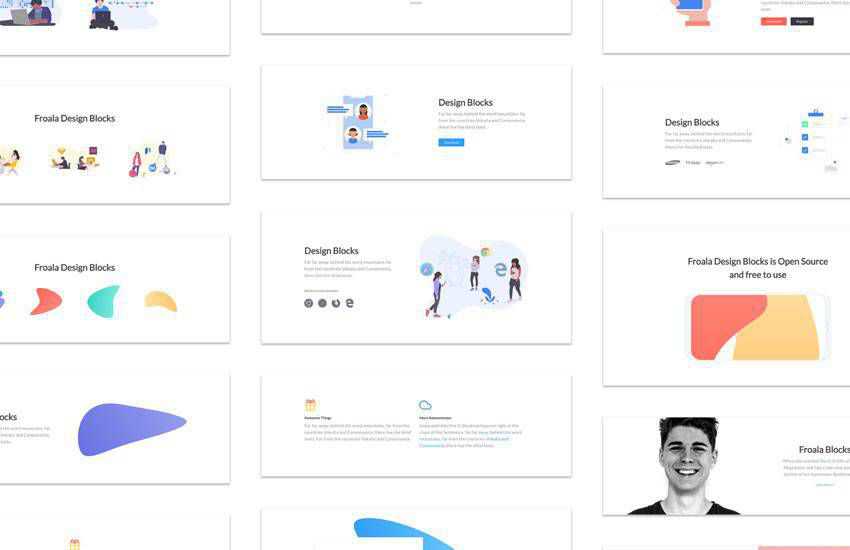
Froala Design Blocks is a useful option if you want a large collection of ready-made web sections. Instead of only giving you individual components, design blocks help you assemble full page structures faster.
This kind of kit is helpful when you need headers, footers, call-to-action sections, forms, profile blocks, content layouts, and contact sections that can be rearranged into different page designs.
What You Can Build With It
- Landing pages.
- Business websites.
- App promo pages.
- Portfolio sections.
- Contact pages.
- Team and profile sections.
- CTA-heavy marketing pages.
Why It Is Useful
- Modular design block structure.
- Useful for fast page assembly.
- Good variety of common website sections.
- Helpful for designers building multiple layouts.
- Works well for rapid prototyping.
7. NowSquare — Free Collection of Bootstrap 4 Web Blocks
Best for: developers who want modular Bootstrap 4 blocks, Sass workflows, and customizable web sections
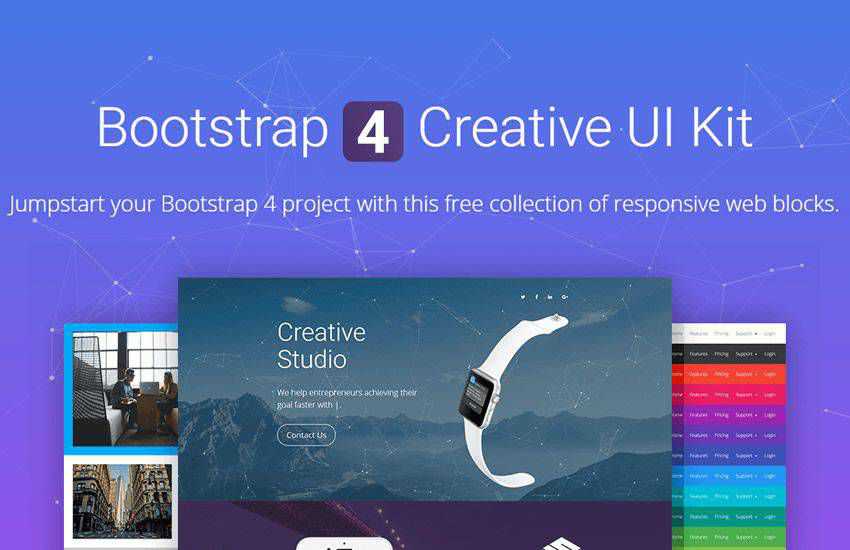
NowSquare is a Bootstrap 4 UI kit built around reusable web blocks. It can be useful for designers and developers who want a modular starting point and prefer having more control over structure and customization.
Because this kit is block-based, it can support rapid prototyping while still giving developers a practical foundation for custom front-end work.
Why It Is Useful
- Bootstrap 4 web block structure.
- Useful for modular page design.
- Developer-friendly workflow.
- Good for custom landing pages and web apps.
- Helpful when you want more control than a rigid template.
Best Use Cases
- Landing page prototypes.
- Custom web projects.
- Developer-led websites.
- Modular page systems.
- Bootstrap 4 experiments.
8. Now UI Kit — Free Responsive Bootstrap 4 Kit
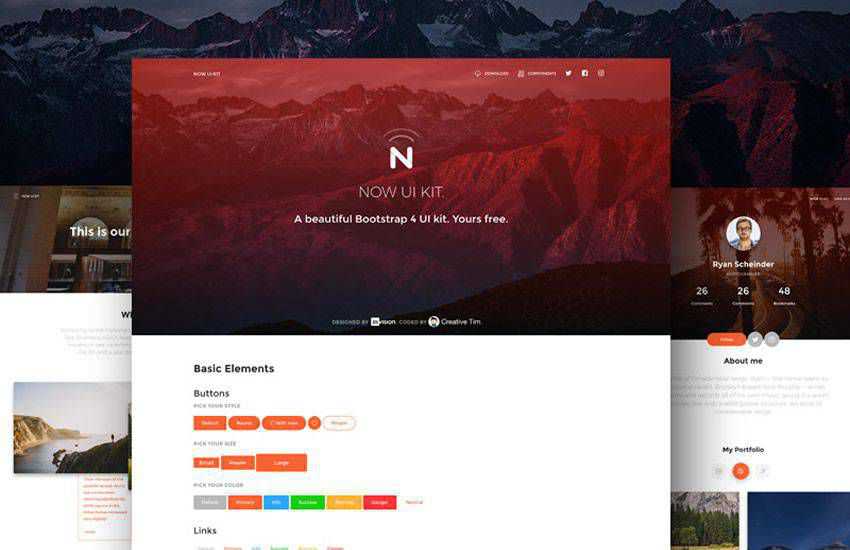
Best for: polished websites, landing pages, startup interfaces, and projects that need both design and HTML resources
Now UI Kit is a clean and modern Bootstrap 4 UI kit that can support both designers and developers. It includes ready-made UI elements and page layouts, making it useful for fast interface building.
One advantage of this type of kit is flexibility. Designers can use it for visual direction, while developers can use the HTML structure as a starting point.
Why It Is Useful
- Modern Bootstrap 4 interface style.
- Useful for landing pages and portfolios.
- Includes ready-to-use UI components.
- Good for designer-developer workflows.
- Works well for polished startup pages.
Best Use Cases
- Startup landing pages.
- Creative portfolios.
- Small product websites.
- Marketing pages.
- Prototype interfaces.
9. Drunken Parrot Lite Bootstrap 4 UI Kit
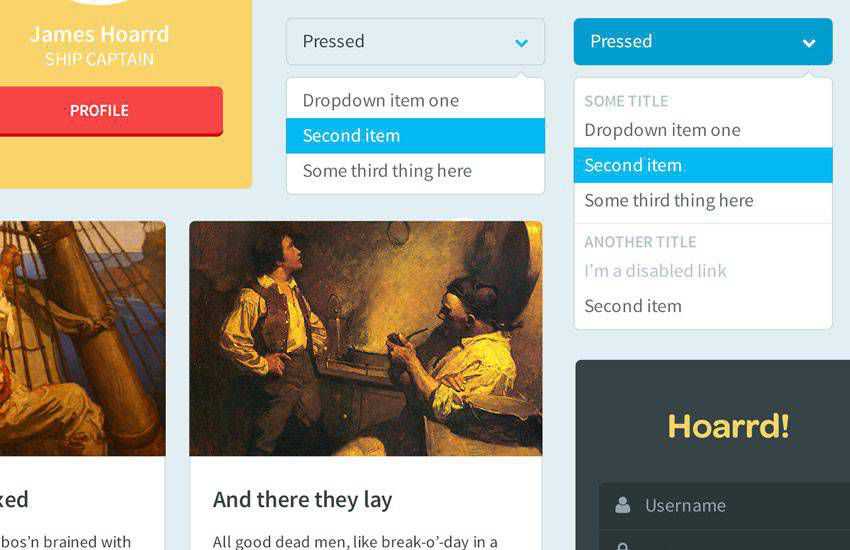
Best for: designers who want editable source files, HTML structures, and flexible UI elements
Drunken Parrot Lite is a free Bootstrap UI kit that includes design and front-end resources. It can be helpful when you want to customize layouts visually while also having usable HTML files for development.
This kit is especially useful for projects where a designer may need to adjust visual assets before handing them off to a developer, or where the team wants a faster start with both design and code materials.
Why It Is Useful
- Includes editable design resources.
- Offers HTML files for implementation.
- Good for rapid prototyping.
- Flexible enough for different project types.
- Useful for designers who want more control over visual customization.
Best Use Cases
- Landing pages.
- Dashboard concepts.
- Startup websites.
- Web app prototypes.
- Design-to-code workflows.
10. Shards — Free Bootstrap 4 UI Kit
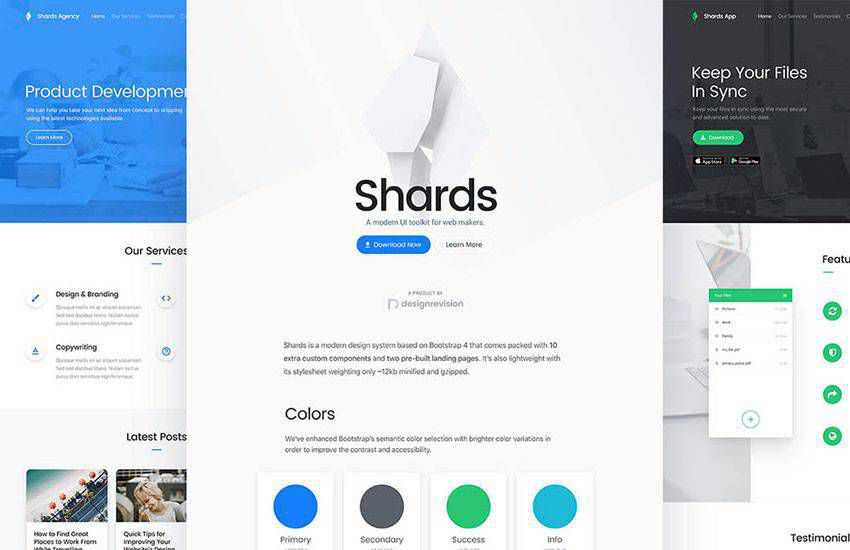
Best for: lightweight landing pages, modern startup websites, simple web apps, and clean Bootstrap interfaces
Shards is a modern and lightweight Bootstrap 4 UI kit that is useful when you want a clean interface without unnecessary complexity. It can support landing pages, startup websites, portfolios, and small web apps.
Its minimal style makes it easier to adapt to different brand directions compared with kits that have a very strong visual personality.
Why It Is Useful
- Lightweight and clean design style.
- Useful for fast landing page design.
- Good fit for startups and portfolios.
- Includes practical UI components.
- Easy to customize visually.
Best Use Cases
- Landing pages.
- Portfolio websites.
- Startup websites.
- Small web apps.
- Clean marketing pages.
Quick Comparison: Best Free Bootstrap UI Kits by Use Case
| UI Kit | Best For | Strongest Advantage |
|---|---|---|
| Pixel | Bootstrap 5 landing pages and startup sites | Large component and section collection |
| Bootstrap Startup UI Kit | Minimal startup pages | Clean and simple structure |
| Stream UI Kit | Business and agency websites | Elegant responsive sections |
| Anchor UI Kit | Creative colorful projects | Fresh visual style |
| Paper Dashboard | Admin panels and data interfaces | Dashboard-focused components |
| Froala Design Blocks | Modular landing pages | Large section/block library |
| NowSquare | Bootstrap 4 web blocks | Developer-friendly modular structure |
| Now UI Kit | Polished startup websites | Designer and developer flexibility |
| Drunken Parrot Lite | Design-to-code workflows | Editable source and HTML files |
| Shards | Lightweight modern websites | Clean minimal Bootstrap style |
How to Use Bootstrap UI Kits Without Making Your Website Look Generic
The biggest risk with any free UI kit is sameness. If you use every section exactly as provided, your website may look like hundreds of other template-based projects. The solution is not to avoid UI kits. The solution is to customize them thoughtfully.
Customize the Visual System
- Change the color palette to match the brand.
- Adjust typography instead of using default font choices.
- Modify spacing to create a distinct rhythm.
- Replace generic icons with a consistent icon style.
- Use original imagery, product screenshots, or illustrations.
Customize the Content Strategy
- Rewrite all headlines and section copy.
- Remove unnecessary template sections.
- Add trust signals relevant to the project.
- Make CTA copy specific and action-oriented.
- Organize sections around user intent, not template order.
Customize the UX Flow
- Place CTAs where users are ready to act.
- Shorten long forms.
- Add helpful error and success states.
- Improve mobile navigation.
- Test whether the page structure supports the real business goal.
A UI kit gives you structure. Strategy makes it effective.
Bootstrap UI Kit Workflow for Web Designers
Here is a practical workflow for using a free Bootstrap UI kit in a professional project.
Step 1: Define the Project Goal
Before choosing a kit, decide what the website needs to do: generate leads, explain a product, sell a service, support an app, or present a portfolio.
Step 2: Choose the Kit Based on Components
Do not choose only by preview image. Check whether the kit includes the sections and components your project actually needs.
Step 3: Remove What You Do Not Need
Free kits often include more than necessary. Remove unused components, scripts, sections, and assets to keep the website lightweight.
Step 4: Customize the Brand Layer
Update typography, colors, icons, imagery, buttons, and spacing so the final website feels custom instead of template-based.
Step 5: Rewrite the Copy
Template copy is usually generic. Replace it with clear messaging, specific benefits, real proof, and helpful CTAs.
Step 6: Test Responsiveness
Bootstrap helps with responsiveness, but it does not guarantee perfect mobile UX. Test on real screen sizes and adjust sections where needed.
Step 7: Check Accessibility and Performance
Review contrast, heading hierarchy, form labels, focus states, image sizes, and unnecessary scripts before publishing.
Common Mistakes When Using Free Bootstrap UI Kits
Mistake 1: Using the Kit Without Customization
A free UI kit should not become the final brand identity. Customize the visual direction and content so the website feels specific.
Mistake 2: Keeping Too Many Components
Unused sections, scripts, and assets can slow down the website and make the codebase harder to maintain.
Mistake 3: Ignoring Accessibility
Ready-made components still need review. Check contrast, keyboard navigation, focus states, labels, and semantic structure.
Mistake 4: Choosing Style Over Fit
A kit may look impressive but still be wrong for the project. Choose based on purpose, not only aesthetics.
Mistake 5: Forgetting Content Strategy
UI kits provide layout, not messaging. A beautiful section with vague copy will not convert.
Mistake 6: Assuming Bootstrap Solves Mobile UX Automatically
Bootstrap provides responsive tools, but designers still need to check real mobile behavior, readability, CTA placement, and interaction comfort.
Checklist Before Launching a Website Built With a Bootstrap UI Kit
Design and Branding
- Have colors been customized for the brand?
- Is typography consistent and readable?
- Do icons and illustrations share one visual style?
- Does the website feel custom rather than template-based?
- Are spacing and section rhythm consistent?
UX and Content
- Does the page explain the offer clearly?
- Are CTAs specific and easy to find?
- Are unnecessary template sections removed?
- Does the page order match user intent?
- Are trust signals included where users need reassurance?
Responsive Design
- Does every section work on mobile?
- Are buttons easy to tap?
- Does navigation remain clear?
- Are images cropped correctly?
- Are forms comfortable to complete on small screens?
Performance
- Are unused files removed?
- Are images optimized?
- Are unnecessary scripts avoided?
- Is the page lightweight enough for mobile users?
- Do animations or plugins slow the experience?
Accessibility
- Is the heading hierarchy logical?
- Do forms have clear labels?
- Are focus states visible?
- Is color contrast strong enough?
- Can users navigate important actions with a keyboard?
Are Free Bootstrap UI Kits Good for Professional Projects?
Yes, free Bootstrap UI kits can be useful for professional projects when they are used responsibly. They are especially helpful for prototypes, MVPs, internal tools, landing pages, and small business websites.
However, they should not replace design thinking. A kit gives you components. It does not define your positioning, user flow, content strategy, conversion goals, accessibility requirements, or brand identity.
For client work or serious products, use a Bootstrap UI kit as a foundation and then customize heavily. Replace placeholder content, simplify unnecessary sections, optimize assets, and align every component with the project’s real goals.
FAQ: Free Bootstrap UI Kits
What are Bootstrap UI kits?
Bootstrap UI kits are collections of pre-designed interface components, layouts, and page sections built with the Bootstrap framework. They help designers and developers create responsive websites faster.
Are free Bootstrap UI kits safe to use?
They can be safe to use, but you should always review the source, license, files, dependencies, and code quality before using them in a real project.
Can I use free Bootstrap UI kits for commercial projects?
It depends on the license of each kit. Always check the usage rights before using a free UI kit in client work, commercial websites, or products.
Are Bootstrap 4 UI kits still useful?
Bootstrap 4 UI kits can still be useful for existing projects or quick prototypes, but new projects may benefit from Bootstrap 5 if the team wants a more current foundation.
Do Bootstrap UI kits hurt SEO?
A UI kit itself does not hurt SEO. Problems happen when templates are bloated, slow, poorly structured, inaccessible, or filled with generic content. Clean code, fast loading, semantic headings, and useful content matter.
How do I make a Bootstrap UI kit look unique?
Customize colors, typography, spacing, icons, imagery, section order, copy, CTAs, and brand elements. Remove unnecessary sections and build the page around real user goals.
Final Thoughts: Use Bootstrap UI Kits as a Starting Point, Not a Shortcut
Free Bootstrap UI kits can save time, speed up prototyping, and give designers and developers a reliable foundation for responsive web projects. They are especially useful when you need to move quickly without starting from an empty file.
But the value of a website does not come from the kit alone. It comes from how well you adapt the kit to the project. A strong web design still needs clear messaging, smart hierarchy, accessible components, mobile-friendly layouts, optimized performance, and a brand identity that does not feel copied from a template preview.
Use the Bootstrap UI kits above to build faster. Then customize them with your own strategy, content, visuals, and UX decisions.
The best Bootstrap UI kit is not the one with the most components. It is the one that helps you create a clearer, faster, more usable website.
Explore more UI kits, web design resources, UX guides, and development-friendly design tools on DesignRise.
Discover more from DesignRise
Subscribe to get the latest posts sent to your email.


