
Multimodal AI Creative Systems: How Text, Audio, Video and Code Work Together
Multimodal AI is changing the way designers, creators, marketers, developers, and digital artists build creative projects. Instead of working with separate tools for text, images, audio, video, and code, new AI systems are bringing everything into one connected creative workflow.
This is a major shift. A modern campaign is rarely just one format. One idea may need a blog post, social captions, short videos, voiceover scripts, product visuals, website sections, UI components, ad variations, subtitles, and even landing page code. In the past, each part lived in a different app. Today, AI creative systems can connect all of these formats into one smoother process.
The result is not only faster production. It is a new way of thinking about creativity. Instead of creating one asset at a time, designers can now build full creative ecosystems where text, audio, video, images, and code support each other from the first idea to the final export.
In this DesignRise guide, we’ll explore how multimodal AI unifies different media formats into one seamless creative system, why it matters in 2026, and how designers can use it without losing human direction, originality, and quality.
You May Also Like:
- Next-Gen SEO: Best AI Tools to Supercharge Your Content Strategy
- The Ultimate Guide to AI-Powered Video Editing
- A Complete Guide to Using Seeds in AI Image and Video Generation
What Is Multimodal AI?
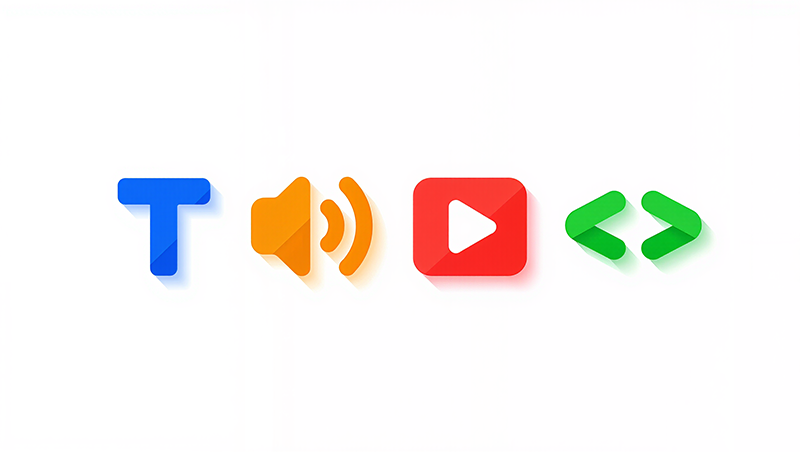
Multimodal AI is artificial intelligence that can understand, generate, and connect more than one type of media. Instead of working only with text or only with images, a multimodal system can process different formats together.
A multimodal AI system may work with:
- Text — prompts, scripts, captions, articles, emails, UX copy, SEO content.
- Images — illustrations, mockups, brand visuals, product scenes, concept art.
- Audio — voiceovers, narration, sound design ideas, music direction.
- Video — short clips, storyboards, ads, animations, scene previews.
- Code — HTML, CSS, JavaScript, React components, UI prototypes, automation logic.
- Interactive elements — app flows, web experiences, prototypes, and digital products.
The goal is simple: instead of moving between many disconnected tools, creators can guide one AI-powered workflow that understands the whole creative project.
From Separate AI Tools to One Creative System
The first wave of generative AI tools was separated by format. Writers used text tools. Designers used image generators. Video creators used AI editing tools. Developers used code assistants. Each tool was useful, but the workflow often felt fragmented.
Unified AI creative systems solve this problem by connecting different outputs. A written concept can become a video script. A script can become a storyboard. A storyboard can become image prompts. A voiceover can guide timing. A visual layout can become code. One idea can move across formats without being rebuilt from scratch every time.
This creates a new type of creative pipeline:
| Old Workflow | New Multimodal AI Workflow |
|---|---|
| Write content in one tool | Generate strategy, copy, and scripts in one connected system |
| Create visuals separately | Turn text direction into images, mockups, and visual styles |
| Edit video in another app | Generate video scenes, subtitles, timing, and voiceover ideas together |
| Ask a developer to build from scratch | Create page structure, UI components, and code suggestions faster |
| Manually keep everything consistent | Reuse brand tone, color direction, visual style, and campaign logic across formats |
This is why multimodal AI is becoming so important for modern design and content production.
Why This Matters for Designers and Creators
Designers are no longer creating only static layouts. Modern creative work often includes brand systems, motion, web pages, short videos, social media formats, ad variations, interactive prototypes, and content strategy. A connected AI system can help designers manage this complexity faster.
It Reduces Tool Switching
Creative teams often move between Figma, Photoshop, Premiere Pro, After Effects, Canva, Notion, VS Code, web builders, and social platforms. A multimodal AI workflow reduces the friction between these steps by helping the project move from one format to another more smoothly.
It Speeds Up Early Creative Exploration
Instead of spending hours building the first draft, designers can explore several directions quickly. AI can help draft the concept, generate visual ideas, suggest motion directions, prepare voiceover text, and outline landing page sections.
It Improves Cross-Format Consistency
One of the hardest parts of modern branding is consistency. The website, ads, video, social posts, UI components, and audio tone should feel like they belong to the same brand. Multimodal AI can help maintain a shared creative direction across formats.
It Makes Prototyping More Accessible
Designers do not always need to be expert developers to test an idea. AI can help turn a concept into a basic landing page, app interface, micro-interaction, or interactive prototype faster than traditional workflows.
How AI Connects Text, Audio, Video, Images and Code
The power of AI creative systems comes from connection. Each format can guide the next step of the project.
Text Becomes the Creative Control Layer
Text is often the starting point. A designer can describe the goal, audience, mood, style, platform, format, and message. From that, AI can create content ideas, visual prompts, scripts, campaign structures, UX copy, and production notes.
Create a 15-second promotional video for a futuristic fitness app. The mood should feel premium, energetic, minimal, and dark blue. Include a strong opening hook, visual scene ideas, and a short call to action.
This single instruction can become a script, storyboard, visual direction, voiceover, caption, and landing page hero concept.
Images Become Storyboards and Visual Systems
An uploaded image can guide an entire creative system. AI can analyze visual tone, color, composition, product style, mood, lighting, and design language. Then it can help create video prompts, social media variations, ad layouts, or website sections based on the same visual direction.
This is useful for brand identity, product campaigns, packaging presentations, website hero images, and social content systems.
Audio Adds Emotion and Timing
Audio changes how content feels. A voiceover can guide pacing. Music can influence mood. Sound effects can support interaction and movement. Multimodal AI can help connect audio direction with visual rhythm, subtitles, scene timing, and motion design.
For example, a calm narration may need slower camera movement, soft transitions, and minimal visuals. A high-energy ad may need faster cuts, bold text, stronger rhythm, and more dynamic motion.
Video Connects Motion, Story and Visual Direction
Video brings the creative system to life. AI can help turn text and images into storyboards, short clips, ad concepts, product demos, animated scenes, or social media reels. It can also generate subtitles, cut variations, scene descriptions, and platform-specific versions.
This is especially useful for TikTok, Instagram Reels, YouTube Shorts, product explainers, campaign teasers, and client presentations.
Code Turns Ideas Into Interactive Experiences
Code is where creative ideas become usable digital products. AI can help generate HTML, CSS, JavaScript, components, layout structures, animations, forms, and interactive prototypes.
For designers, this means faster handoff and faster testing. A landing page idea can move from concept to working prototype without waiting for every step to be built manually.
A Practical Example: One Idea Becomes a Full Campaign
Here is how a single idea can move through a multimodal AI creative system.
Creative Brief
Launch a premium AI productivity app for freelancers who want to manage tasks, meetings, notes, and client projects in one place.
AI Can Turn This Into:
- Text: landing page copy, ad headlines, email subject lines, product descriptions, FAQ content.
- Images: app mockups, hero visuals, social media graphics, product scenes, brand mood boards.
- Audio: voiceover scripts, narration style, podcast ad copy, sound logo ideas.
- Video: launch teaser, short demo, storyboard, subtitles, social ad versions.
- Code: landing page sections, CTA buttons, pricing table, UI components, simple prototype structure.
Instead of treating each asset as a separate project, the designer can keep everything connected to the same brand idea, tone, and audience.
Best Use Cases for Multimodal AI in Creative Work
Multimodal AI is useful in many creative workflows, but it becomes especially powerful when one project needs multiple formats.
Brand Campaigns
AI can help create campaign messaging, social visuals, video scripts, landing pages, ad variations, and presentation assets in one consistent direction.
AI-Powered Video Production
Creators can move from text scripts to storyboards, voiceovers, subtitles, video prompts, and short edits faster than with traditional production workflows.
Website and Landing Page Design
AI can help write page copy, generate section ideas, suggest visual direction, create wireframes, and support HTML/CSS structure for faster prototyping.
Social Media Content Systems
A single campaign idea can become carousels, captions, reels, thumbnails, ad visuals, voiceover lines, and platform-specific content formats.
Product and eCommerce Content
AI can connect product descriptions, mockups, lifestyle images, demo videos, ad copy, email banners, and product page sections.
Interactive Prototypes
Designers can describe a user flow and use AI to generate copy, screens, layout ideas, interaction notes, and code snippets for testing.
What Designers Should Learn Next
As AI becomes more multimodal, designers need skills that go beyond one tool. The most valuable creators will understand how to direct systems, not just generate assets.
- Creative briefing: writing clear instructions for strategy, audience, mood, and format.
- Prompt systems: building reusable prompt structures for brand, video, copy, and code.
- Art direction: choosing what feels consistent, useful, and visually strong.
- Workflow design: connecting text, images, audio, video, and code into repeatable processes.
- AI editing: refining raw AI output instead of accepting the first result.
- Basic technical understanding: knowing enough about code, formats, exports, and platforms to guide AI better.
The designer’s role becomes closer to a creative director, systems thinker, and workflow architect.
Challenges and What Designers Should Know
Unified AI systems are powerful, but they are not perfect. Designers should understand the risks before using them in professional projects.
Creative Over-Automation
When AI handles too much of the process, the work can become generic. Human direction is still needed to make the final result feel original, emotional, and brand-specific.
Copyright and Licensing Questions
AI-generated content may raise questions about ownership, training data, commercial use, and client rights. Designers should check tool terms and document how AI was used.
Style Drift Across Outputs
Even multimodal AI can produce inconsistent results. A video may not perfectly match the website. A voiceover may not match the brand tone. A generated layout may not match the visual system. Human review is still essential.
Quality Control Still Matters
AI can create fast drafts, but it can also make mistakes. Designers need to check copy, visuals, code, accessibility, audio quality, timing, and final export formats.
How to Build a Better Multimodal AI Workflow
To get better results, do not treat AI as a magic button. Treat it as a creative production partner that needs direction.
- Start with a clear brief: define the audience, goal, platform, style, and message.
- Create one central creative direction: keep tone, colors, mood, and brand rules consistent.
- Generate in stages: start with text, then visuals, then motion, then audio, then code or final layouts.
- Review after every stage: do not let weak ideas move into the final output.
- Save strong prompts: build a reusable prompt library for future campaigns.
- Edit manually: refine the final result with human taste and professional judgment.
- Document AI usage: especially for client work, commercial projects, and brand campaigns.
FAQ: Multimodal AI Creative Systems
What does multimodal AI mean?
Multimodal AI means artificial intelligence that can understand or generate multiple types of content, such as text, images, audio, video, code, documents, and interactive elements.
How does multimodal AI help designers?
It helps designers connect different creative tasks into one workflow. A designer can move from idea to copy, visuals, video, audio, and prototype faster while keeping the creative direction more consistent.
Can multimodal AI create a full campaign?
Yes, it can support many parts of a campaign, including strategy, copy, visuals, video scripts, mockups, voiceover text, landing page sections, and code. However, human direction is still needed for quality and strategy.
Will multimodal AI replace designers?
No. It may replace some repetitive production tasks, but strong designers are still needed for strategy, art direction, brand meaning, emotional quality, and final decision-making.
What is the biggest benefit of unified AI creative systems?
The biggest benefit is workflow connection. Instead of creating text, images, audio, video, and code separately, designers can guide one connected system that supports the full creative process.
What should designers be careful about?
Designers should watch for generic outputs, copyright uncertainty, inconsistent style, weak code, inaccurate details, and over-reliance on automation. AI output should always be reviewed and refined.
Conclusion: Multimodal AI Is Becoming the New Creative Workflow
Multimodal AI is more than a new design trend. It is a shift in how creative projects are planned, produced, and delivered. Text, audio, video, images, and code are no longer separate parts of the process. They are becoming connected layers inside one creative system.
For designers and creators, this opens a powerful opportunity. You can move from idea to campaign faster, test more directions, build consistent brand systems, create better prototypes, and produce content across multiple platforms with less friction.
But the best results still require human direction. AI can connect the workflow, but designers decide what is meaningful, useful, beautiful, and on-brand.
The future of creative work is not just AI-generated. It is AI-assisted, human-directed, and increasingly multimodal.
Explore more AI tools, design workflows, and creative technology guides on DesignRise.
“`
reators shaping the next generation of digital storytelling.
Discover more from DesignRise
Subscribe to get the latest posts sent to your email.