

Seeds in AI Generation: Complete Guide for AI Images and Videos
In the fast-moving world of AI image and video generation, one small setting can make a huge difference: the seed. Many beginners focus only on prompts, negative prompts, aspect ratios, models, and styles. But if you want more control, consistency, and repeatable results, learning how to use seeds in AI generation is one of the most useful skills you can develop.
A seed can help you recreate a result you liked, refine a design without losing its original structure, keep a character more consistent, build a visual series, or generate controlled variations for a client. For designers, artists, marketers, AI creators, and video producers, seeds are not just a technical detail. They are part of a professional creative workflow.
This DesignRise guide explains what seeds are, how they work in AI image and video tools, why they matter for designers, and how to use them for more predictable creative results. You’ll also find practical examples, mistakes to avoid, workflow tips, and a complete FAQ.
If your AI results feel random, inconsistent, or hard to reproduce, this guide will help you understand how to use seeds with more confidence.
You May Also Like:
- Best Sci-Fi and Techno Fonts for Futuristic Design
- How to Use Negative Prompts to Improve AI-Generated Videos and Images
- AI and the Future of Logo Design: Threat or Creative Ally?
What Are Seeds in AI Generation?
Seeds in AI generation are numbers that influence the randomness behind an AI-generated result. When an AI model creates an image or video, it does not usually start from a blank canvas in the human sense. It begins from a form of random noise or internal starting point, then gradually shapes that noise into a final output based on your prompt, model, settings, and parameters.
A seed helps define that starting point. You can think of it as the hidden “starting DNA” of the generation. If you use the same prompt, the same model, the same settings, and the same seed, the AI can often produce a very similar result again.
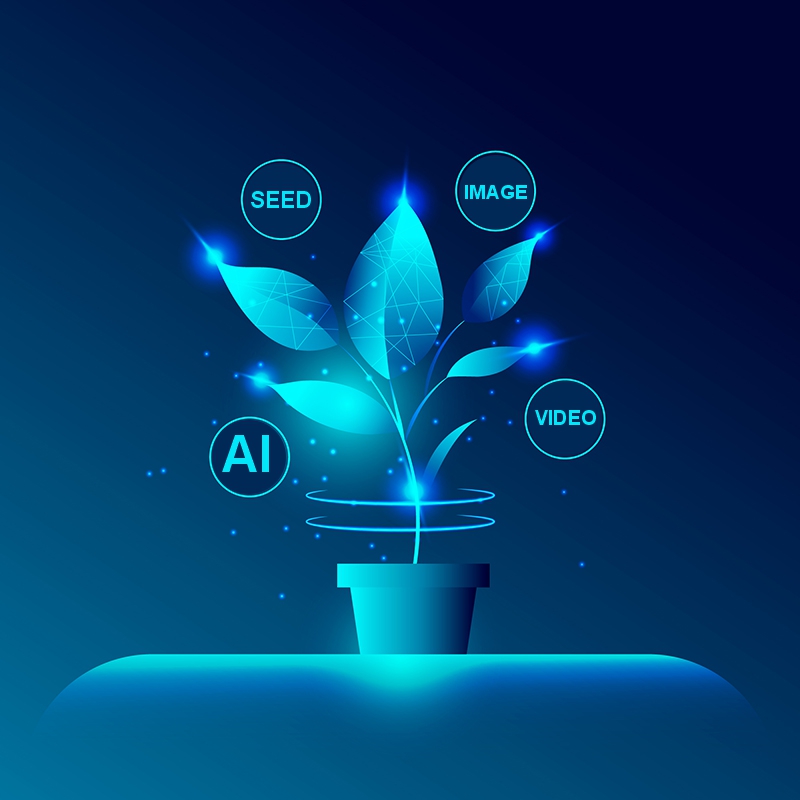
Without a fixed seed, the AI usually chooses a random seed automatically. That is why the same prompt can produce very different images each time. One version may have a better composition, another may have better lighting, and another may completely change the subject position.
When you lock the seed, you reduce some of that randomness. This gives you more control when you want to refine, repeat, compare, or build variations from a strong result.
Simple Definition
A seed is a number that helps control the starting randomness of an AI-generated image or video.
Simple Example
If you generate:
A futuristic cyberpunk portrait, blue neon lighting, cinematic style, detailed face, rainy city background
with seed 12345, the AI may create a specific face, lighting setup, composition, and background. If you keep seed 12345 and change only one small part of the prompt, you may be able to refine the result without completely losing the original structure.
Why Seeds in AI Generation Are Important for Creative Control
Seeds in AI generation help designers move from random experiments to more controlled creative results. Instead of hoping the AI will recreate a similar image, you can save the seed and return to the same visual direction later.
For professional projects, seeds in AI generation are useful because they make the workflow more predictable. Designers can test prompts, compare variations, keep stronger compositions, and create visual series with more consistency.
When you understand seeds in AI generation, you can work faster with clients, improve revisions, and avoid losing strong AI-generated results after one lucky attempt.
Why Seeds Matter More Than Most Beginners Think
At first, AI generation feels exciting because every result is unexpected. But once you start doing real creative work, randomness can become frustrating. You may finally get a composition you love, but then lose it when you try to make a small change. You may create one good character, but the next image looks like a different person. You may generate a nice product scene, but cannot recreate it for a campaign series.
This is where AI seeds become valuable. They give designers a way to control the creative process without removing the ability to explore.
Seeds Help You Recreate Strong Results
If you create an image that has the right composition, lighting, or character structure, saving the seed helps you return to that direction later. This is especially useful when a client says, “We like this version, but can you make it warmer, cleaner, or more premium?”
Seeds Help You Build Consistent Visual Series
For brand campaigns, social media sets, product visuals, and storytelling projects, consistency matters. Seeds can help maintain a similar composition, mood, or structure while you adjust details.
Seeds Help You Compare Prompt Changes
If every generation uses a random seed, it becomes hard to know whether the result changed because your prompt improved or because the random starting point changed. By using a fixed seed, you can test prompt changes more clearly.
Seeds Help You Work More Professionally
Professional design is not only about getting one lucky output. It is about controlling, refining, documenting, and reproducing results. Seeds help move AI generation from random experimentation into a more structured workflow.
Seed vs Prompt: What Controls What?
A seed is important, but it does not work alone. The final result comes from several parts working together: the prompt, model, seed, settings, aspect ratio, guidance, style parameters, reference images, and sometimes negative prompts.
| Element | What It Controls | Example |
|---|---|---|
| Prompt | Subject, style, mood, composition, details | “A luxury perfume bottle on marble” |
| Seed | Starting randomness and structural direction | Seed 12345 |
| Model | Visual language and generation behavior | Midjourney, SDXL, Runway, etc. |
| Negative Prompt | What the AI should avoid | No blur, no watermark, no extra objects |
| Aspect Ratio | Canvas shape and framing | 16:9, 1:1, 9:16 |
| Reference Image | Visual guide for style, subject, or composition | A product photo or character reference |
The seed is not a magic button. It does not guarantee perfect repetition across every tool or every model. But when combined with the same settings, it can help you control the generation more effectively.
How Seeds Work in AI Image Generation
In AI image generation, seeds are most useful when you want to control composition, character direction, lighting, or visual structure. They are especially helpful in tools that allow you to set a fixed seed manually.
When you use a random seed, the AI explores a new starting point each time. When you use a fixed seed, you ask the system to begin from the same starting point again. This can make the output more repeatable.
Same Prompt + Random Seed
If you keep the same prompt but let the seed change randomly, the AI may generate very different results:
- Different face.
- Different pose.
- Different background.
- Different lighting.
- Different camera angle.
- Different composition.
Same Prompt + Same Seed
If you keep the same prompt and use the same seed, the AI may create a very similar result again, especially when all other settings stay the same.
Same Seed + Small Prompt Change
This is where seeds become useful for designers. You can keep the seed fixed and change only one detail:
- Change “red dress” to “black dress.”
- Change “morning light” to “golden hour.”
- Change “minimal studio” to “luxury hotel interior.”
- Change “product on white background” to “product on marble background.”
The result may keep some of the original structure while adapting the new detail.
How Seeds Work in AI Video Generation
Seeds in AI video generation can be more complex because video has movement, timing, frames, scene continuity, subject stability, and camera motion. A seed may help with consistency, but it does not control everything by itself.
Video generation depends on more variables than image generation. A video tool may use your prompt, input image, reference frame, motion controls, camera instructions, duration, model version, and sometimes seed-like controls. Because video is dynamic, results can vary even when the same idea is repeated.
Still, seeds can be helpful for:
- Testing multiple versions of the same video idea.
- Keeping motion style more predictable.
- Reducing random changes between attempts.
- Exploring controlled variations of a scene.
- Building a visual direction for storyboards or short clips.
Seeds Do Not Fix Everything in Video
A fixed seed will not automatically solve every video issue. It may not fully prevent flickering, warped faces, inconsistent hands, unstable backgrounds, or strange motion. For better AI video results, seeds should be used together with strong prompts, reference images, clear motion language, short clip planning, and careful editing.
Best Practice for AI Video
For video work, treat the seed as one stability tool, not the entire solution. Combine it with:
- A strong starting image.
- Clear camera movement instructions.
- Short scene duration.
- Consistent lighting direction.
- Simple subject movement.
- Negative prompts if the platform supports them.
- Manual editing after generation.
When Designers Should Use Seeds
Seeds are useful in many creative situations, but they are not always necessary. Knowing when to use them helps you work faster and avoid unnecessary control when exploration is more important.
Use Seeds When You Need Consistency
Use a fixed seed when you are creating a visual series and want the results to feel connected. This is useful for social campaigns, product scenes, character concepts, illustrations, thumbnails, and storyboards.
Use Seeds When You Need Client Revisions
Clients often like a specific direction but ask for small changes. A fixed seed can help you preserve the original idea while adjusting details such as color, background, object placement, or mood.
Use Seeds When You Want to Test Prompts
If you are improving a prompt, use the same seed while changing one phrase at a time. This makes it easier to see what the prompt change actually did.
Use Seeds When You Find a Strong Composition
Sometimes the first good result has a composition you want to keep. Save the seed immediately. If you do not, it may be difficult or impossible to return to the same structure later.
Use Random Seeds When You Need Inspiration
Do not use fixed seeds all the time. Random seeds are excellent for exploration. If you feel stuck, random generation can help you discover new compositions, styles, poses, and unexpected ideas.
Practical Examples of Seed Workflows
Here are practical ways designers can use seeds in AI generation for real projects.
Example 1: Character Design Consistency
Imagine you are creating a character for a short story, game concept, comic, or video series. You generate a portrait you like and want to keep the same general face across several images.
Workflow:
- Write a detailed character prompt.
- Generate several random versions.
- Choose the strongest result.
- Save the seed, prompt, model, and settings.
- Keep the same seed while changing pose, clothing, or environment.
- Use reference images if the platform supports them.
- Manually refine the best results for consistency.
This will not always create a perfectly identical character, but it can make the process more controlled than random generation alone.
Example 2: Product Mockup Variations
For product design, seeds are useful when you want several versions of a product scene without changing the core composition too much.
Example prompt:
A premium skincare bottle standing on beige stone, soft studio lighting, minimal luxury composition, realistic product photography.
Then you can test:
- Same seed + “white marble background.”
- Same seed + “warm sunlight.”
- Same seed + “green botanical accents.”
- Same seed + “dark luxury background.”
This lets you compare brand directions without starting over each time.
Example 3: Social Media Campaign Series
For a campaign, you may need five or ten visuals that feel connected. Seeds can help create a consistent visual rhythm.
Use a fixed seed to maintain structure, then adjust:
- Headline message.
- Product color.
- Seasonal background.
- Character expression.
- Camera framing.
- Call-to-action style.
This can help your campaign look like a system rather than a collection of unrelated images.
Example 4: AI Video Storyboard
For video, you can use seeds while developing storyboard frames. Start with a strong visual direction, save your seed, and test small variations for each shot.
For example:
- Shot 1: product close-up.
- Shot 2: model holding the product.
- Shot 3: product on background with motion.
- Shot 4: final logo reveal.
Using related prompts and documented seeds helps you build a more consistent visual language across the storyboard.
How Seeds Work in Different AI Tools
Different AI platforms handle seeds differently. Some make seeds easy to control. Others hide them, limit access, or use different methods for consistency.
Midjourney
Midjourney seeds can be used to test and experiment with a more controlled starting point. In Midjourney, the seed parameter can help you lock a starting number for your prompt, which makes it easier to explore variations from a similar direction.
Example:
/imagine futuristic fashion editorial, silver jacket, neon city, cinematic light --seed 12345
Midjourney seeds are useful for:
- Testing prompt changes.
- Exploring similar compositions.
- Returning to a visual direction.
- Creating controlled image variations.
Important: the same seed may behave differently across model versions or settings. Always save the model version and parameters together with the seed.
Stable Diffusion
Stable Diffusion gives designers strong seed control, especially in interfaces such as Automatic1111, ComfyUI, Fooocus, and similar tools. Stable Diffusion workflows are popular among users who want repeatable and production-friendly AI generation.
Common options include:
- Fixed seed: keeps the generation more repeatable.
- Random seed: creates new variations each time.
- Seed variations: help generate controlled differences.
- Same seed + different prompt: useful for testing prompt changes.
Stable Diffusion is especially useful for designers who want deeper control over models, LoRAs, ControlNet, image-to-image workflows, inpainting, and advanced production pipelines.
Runway and AI Video Tools
Video tools such as Runway and other AI video platforms focus heavily on prompt, image input, motion direction, duration, and model behavior. Some workflows may offer seed-like controls or generation settings that help with consistency, but video is still harder to reproduce exactly than a single image.
For AI video, document more than just the seed. Save:
- Prompt.
- Input image.
- Model version.
- Duration.
- Aspect ratio.
- Motion settings.
- Camera instructions.
- Export settings.
This gives you a better chance of recreating or refining the result later.
What to Save With Every Seed
Saving only the seed number is not enough. A seed is useful only when you also know the context around it. If you change the model, aspect ratio, sampler, prompt, image size, style setting, or version, the same seed may produce a different result.
Create a simple seed log for your projects. You can use Notion, Google Sheets, Airtable, a text document, or your design project file.
| Field | What to Save | Why It Matters |
|---|---|---|
| Seed | Seed number | Helps recreate the starting point |
| Prompt | Full prompt text | Controls subject and style |
| Negative Prompt | Words to avoid | Prevents unwanted details |
| Model | Model name and version | Seeds behave differently across models |
| Aspect Ratio | 1:1, 16:9, 9:16, etc. | Changes composition and framing |
| Settings | Style, guidance, quality, sampler, steps | Affects final output |
| Reference Image | Uploaded image or link | Guides subject or style |
| Notes | What worked and what failed | Helps improve future projects |
A seed library becomes more valuable over time. After a few weeks, you may have a personal collection of reliable starting points for portraits, product scenes, brand visuals, thumbnails, and video concepts.
Advanced Seeds in AI Generation Techniques for Better Results
Once you understand the basics, you can use seeds more strategically. These techniques help you move from casual AI generation to a more professional workflow.
Use One Seed to Test Prompt Quality
When improving a prompt, keep the same seed and change one part of the prompt at a time. This helps you understand whether the change improved the image or simply produced a different random result.
For example, test:
- Version A: “cinematic lighting.”
- Version B: “soft cinematic lighting.”
- Version C: “dramatic cinematic lighting.”
- Version D: “natural window light.”
By keeping the seed fixed, you can compare lighting direction more clearly.
Use Seed Families for Controlled Exploration
If one seed creates a strong composition, try nearby seed numbers. Sometimes seed 12345, 12346, and 12347 may produce related but different directions depending on the tool.
This is useful when you like the general mood but want more options.
Use Seeds With Image-to-Image Workflows
In image-to-image generation, a seed can help control how the AI transforms an existing image. This is useful for turning sketches into illustrations, product photos into styled visuals, or rough concepts into polished images.
Use Seeds With Inpainting
Inpainting lets you edit part of an image while keeping the rest. A seed can help generate more controlled replacements, especially when you want the edited area to match the original lighting and style.
Use Seeds With Negative Prompts
Seeds help with structure, while negative prompts help remove unwanted elements. Together, they give you better control.
For example:
Positive prompt: luxury perfume bottle, dark blue background, soft reflection, premium product photography
Negative prompt: no blur, no distorted label, no random text, no extra bottles, no watermark
Seed: 48291
This gives the AI a clear creative direction and a more stable starting point.
Common Mistakes When Using Seeds
Seeds are powerful, but many beginners misunderstand them. Here are the most common mistakes and how to avoid them.
Mistake 1: Expecting the Same Seed to Work Across All Tools
A seed number is not universal. Seed 12345 in Midjourney is not the same as seed 12345 in Stable Diffusion or another AI tool. Different models interpret seeds differently.
Mistake 2: Forgetting the Model Version
If a platform updates its model, the same prompt and seed may not reproduce the same result. Always save the model version when possible.
Mistake 3: Changing Too Many Settings at Once
If you change the prompt, seed, aspect ratio, model, and style setting all at once, you will not know what caused the result to change. For controlled testing, change one thing at a time.
Mistake 4: Using Fixed Seeds During Exploration
Fixed seeds are useful for refinement, but random seeds are better for discovery. If your ideas feel repetitive, switch back to random generation for a while.
Mistake 5: Not Saving Good Seeds Immediately
If you see a result with strong structure, save the seed right away. Do not assume you can easily find it later.
Mistake 6: Thinking Seeds Guarantee Perfect Consistency
Seeds help, but they do not guarantee perfect results. Character consistency, video stability, and brand continuity may also require reference images, detailed prompts, manual editing, and post-production.
Seed Workflow for Client Projects
When working with clients, seeds can make your workflow more professional. They help you explain choices, return to previous concepts, and build controlled variations.
Step 1: Explore With Random Seeds
At the beginning, use random seeds to discover interesting directions. Generate multiple options and choose the strongest concepts.
Step 2: Save the Best Seeds
When you find a strong result, save the seed, prompt, model, and settings. Add notes about why the output works.
Step 3: Create Controlled Variations
Use the same seed to adjust details. Change only one or two elements at a time: color, background, pose, lighting, product position, or visual style.
Step 4: Present Options Clearly
Show the client a small set of strong variations rather than dozens of random images. Explain what changed and why.
Step 5: Document the Final Direction
For the approved result, save the full seed workflow. This helps if the client later requests more assets in the same style.
Seeds for Different Creative Projects
Different design projects require different seed strategies. Here is how to think about seeds depending on your creative goal.
Brand Identity
Use seeds to explore consistent brand moods, logo presentation styles, color environments, and visual systems. Save seed combinations that feel aligned with the brand personality.
AI Portraits
Use seeds with reference images and detailed character prompts. Save successful seeds for face structure, lighting, and camera angle.
Product Photography
Use seeds to preserve a composition while testing materials, backgrounds, lighting, and seasonal styling.
Packaging Design
Use seeds to compare packaging mockup directions. Keep the product structure stable while changing surface material, background, or visual mood.
Social Media Content
Use seed libraries to create consistent post styles. This helps your campaign look connected across multiple images.
AI Video
Use seeds as part of a larger video control system. Save input frames, prompt, motion instructions, and model version together with the seed.
Seed Troubleshooting: Why Your Result Changed
Sometimes you use the same seed and still get a different result. This can happen for several reasons.
The Model Changed
Even small model updates can change how seeds behave. If your tool updated from one model version to another, your old seed may not reproduce the same output.
The Prompt Changed Too Much
A seed can help preserve structure, but a major prompt change can completely redirect the result. If you want controlled variation, change small details first.
The Aspect Ratio Changed
Changing from 1:1 to 16:9 or 9:16 can alter composition dramatically. The AI has to reframe the scene, so the same seed may not behave the same way.
The Tool Uses Hidden Settings
Some platforms do not expose every generation setting. Even if the seed is the same, hidden changes can affect the result.
You Changed the Reference Image
Reference images strongly influence output. If you change the reference, the seed may still be fixed, but the final direction can shift.
Useful Official Resources About Seeds and AI Generation
If you want to understand seeds and AI generation settings more deeply, these official or technical resources are useful starting points:
- Midjourney Documentation: Seeds
- Midjourney Documentation: Parameter List
- AUTOMATIC1111 Stable Diffusion WebUI Features
- Runway Help Center: Creating with Gen-4 Video
FAQ: Seeds in AI Image and Video Generation
What is a seed in AI generation?
A seed in AI generation is a number that helps control the random starting point of an AI-generated image or video. It can make results more repeatable when the prompt, model, and settings stay the same.
Do seeds guarantee identical AI images?
Not always. Seeds can help recreate similar results, but identical output depends on the tool, model version, settings, prompt, aspect ratio, and other parameters.
Can I use the same seed in different AI tools?
You can enter the same number, but it will not produce the same result across different tools. Seeds are interpreted differently by each model and platform.
Are seeds useful for AI video generation?
Yes, seeds can help with controlled video generation, but video has more variables than images. For video, also save the input image, model, prompt, duration, aspect ratio, and motion settings.
Should I always use a fixed seed?
No. Use fixed seeds when you want consistency or controlled refinement. Use random seeds when you want exploration, surprise, and new creative directions.
Why did my image change even with the same seed?
Your result may change if you changed the model, prompt, aspect ratio, style settings, reference image, or if the platform updated its generation system.
What should designers save with a seed?
Designers should save the seed number, full prompt, negative prompt, model name, model version, aspect ratio, settings, reference images, and notes about what worked.
Can seeds help with character consistency?
Yes, seeds can help, especially when combined with reference images and consistent prompts. However, they may not be enough alone for perfect character consistency.
Can seeds help with client revisions?
Yes. Seeds are very useful when a client likes a result but asks for small changes. You can keep the same seed and adjust color, background, lighting, or details.
What is the best way to learn seeds?
The best way is to test one prompt with random seeds, save your favorite result, then repeat it with the same seed while changing small details. This teaches you how much control the seed gives you in your chosen tool.
Conclusion: Seeds Give Designers More Control Over AI Creativity
Seeds in AI generation are one of the most practical tools for designers who want more control over AI-generated images and videos. They help you recreate results, refine strong concepts, build consistent visual systems, test prompt changes, and work more professionally with clients.
Seeds do not remove the need for creative judgment. They do not guarantee perfect repetition in every tool. They do not replace good prompts, reference images, editing, or art direction. But they give you a stronger starting point and a more reliable way to control randomness.
For beginners, seeds make AI generation easier to understand. For professionals, they make AI workflows more repeatable, organized, and client-friendly.
If you want cleaner AI workflows, better revisions, consistent visuals, and stronger creative control, start saving your seeds today.
Explore more AI creative tips, design resources, and workflow guides on DesignRise.
Discover more from DesignRise
Subscribe to get the latest posts sent to your email.