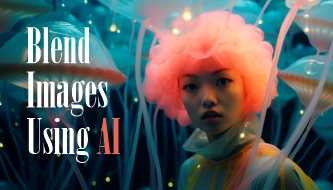
Some of the most interesting design ideas happen when two unrelated visuals suddenly start to belong together. A product photo becomes part of a surreal landscape. A simple portrait turns into a campaign poster. A texture becomes a background system. A rough concept becomes a polished visual direction.
This is why learning how to blend images using AI has become such a useful skill for designers. It is not only about making two pictures overlap. It is about creating a visual that feels intentional, balanced, and believable — even when the idea is imaginative or experimental.
AI tools can now help with background generation, image fusion, masking, style transfer, color harmony, texture creation, and creative variations. But the strongest results still come from a designer’s eye: knowing what to keep, what to remove, how to guide the mood, and when the image finally feels right.
This guide is written for designers who want to use AI creatively without letting the final result look random or generic. You’ll learn 10 practical tips to blend images using AI, along with prompts, workflow advice, mistakes to avoid, and a final checklist you can use before publishing or presenting your work.
Why Blending Images With AI Matters for Creative Design
Blending images with AI is not just a fun experiment. It can support real design work across branding, advertising, social media, portfolio visuals, UI hero images, editorial graphics, concept art, and product presentations.
When used well, AI image blending can help designers create:
- unique textures and patterns for backgrounds, posters, and brand systems;
- seamless photorealistic compositions for campaigns and product visuals;
- dynamic artwork for social media, thumbnails, and ads;
- creative concept visuals for pitches, moodboards, and portfolios;
- surreal visual stories that would take much longer to build manually;
- faster variations for testing different creative directions.
Tools like Midjourney, Adobe Firefly, OpenAI, Runway, and Stability AI can help designers merge images more efficiently while keeping control over style, color, atmosphere, and creative direction.
But the tool is only one part of the process. To blend images using AI professionally, you need to think like a designer first and an AI user second.
Explore More DesignRise Resources:
- 12 Best 3D Illustration Libraries for UI Designers
- The Creative Power of AI-Generated Design Systems
- Best GPT-Powered Tools to Boost Your ChatGPT Experience
- 10 AI Tools Every Designer Should Try in 2026
Before You Start: Think Like a Creative Director
Before blending images, pause for a moment. What are you trying to create?
A common mistake is uploading two images into an AI tool and hoping the result will be beautiful. Sometimes it works. Often, it creates something visually interesting but strategically weak.
A better approach is to define the creative direction before generating anything.
Ask These Questions First
- What is the purpose of this image?
- Where will it be used: website, poster, ad, social media, pitch deck, portfolio, or concept board?
- Should the final image feel realistic, surreal, editorial, futuristic, soft, bold, premium, playful, or cinematic?
- Which image is the main subject?
- Which image is the supporting atmosphere or background?
- What should the viewer notice first?
- What should the image avoid?
AI can generate many possibilities, but your direction decides which possibility is useful.
1. Start With a Clear Creative Vision
Before you blend images using AI, define the visual goal. Are you creating a realistic composite, a surreal artwork, a branded campaign visual, an abstract texture, or a concept image for a portfolio?
This matters because each direction needs a different approach.
- A realistic composite needs matching light, scale, and perspective.
- A surreal artwork needs a strong idea and controlled exaggeration.
- A brand visual needs consistency with colors, tone, and identity.
- An abstract texture needs rhythm, balance, and usable composition.
- A portfolio concept needs a clear before-and-after story.
Creative Vision Prompt
Act as a creative director. I want to blend these two image ideas: [describe image 1] and [describe image 2]. Suggest three possible creative directions, including mood, color palette, composition idea, visual style, and what to avoid.
Designer Tip
Use moodboards, sketches, screenshots, or reference words before generating. AI performs better when you give it a direction instead of asking it to invent everything from zero.
2. Choose the Right AI Tool for the Type of Blend

Not every AI tool is good at the same kind of blending. Some are better for artistic exploration. Some are stronger for photorealistic editing. Some work best for video frames, product scenes, or style transfer.
Choosing the right tool saves time and helps you avoid fighting the software.
Tool Direction Guide
| Tool Type | Best For | Designer Note |
|---|---|---|
| Generative image tools | Concept art, moodboards, surreal blends, visual experiments | Great for exploration, but check originality and consistency |
| AI photo editors | Realistic composites, background removal, lighting fixes | Useful when you need control and polish |
| AI style transfer tools | Unifying different visual styles | Best for posters, art direction, and campaign concepts |
| AI video tools | Motion transitions and frame blending | Helpful for animated creative ideas |
| Design platforms with AI | Social assets, brand graphics, quick layouts | Useful for fast production and content scaling |
Examples of Tools Designers Use
- Midjourney for artistic and atmospheric visual exploration.
- Adobe Firefly for creative generation and Adobe-connected workflows.
- OpenAI for prompt-based creative exploration and image generation workflows.
- Runway for image and video-based creative workflows.
- Stability AI for generative image and open creative workflows.
The best tool depends on the outcome. A social post concept, a product campaign, and a surreal poster may each need a different tool.
3. Use High-Quality Source Images
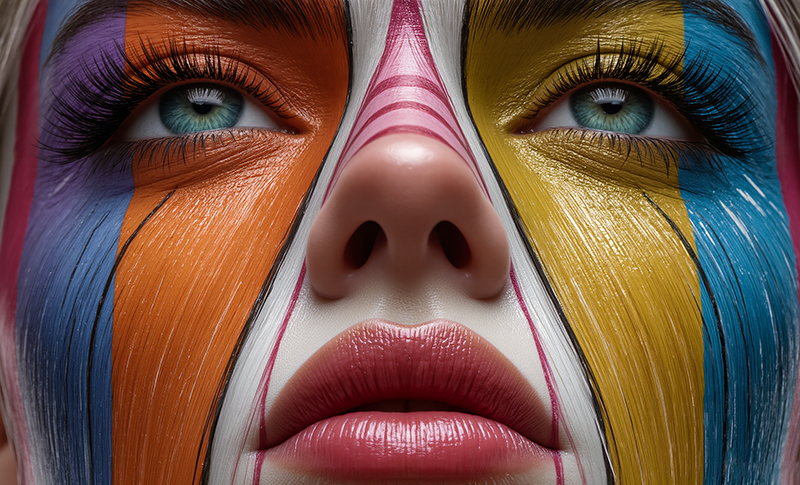
AI can do a lot, but it cannot always save weak source material. If your input images are blurry, pixelated, poorly lit, or badly cropped, the final blend may look messy even after AI enhancement.
Higher-quality inputs usually lead to better AI results because the tool has more detail to work with.
What Makes a Good Source Image?
- The subject is sharp and easy to identify.
- The image has enough resolution for the final format.
- Lighting is not completely flat or confusing.
- The composition has space for blending.
- The subject is not hidden behind too many objects.
- The image style fits the final direction.
Designer Tip
If one image is very sharp and the other is soft or grainy, the blend may feel fake. You may need to add grain, reduce sharpness, or use color grading to make both images feel like they belong together.
4. Build the Blend in Layers, Not in One Step
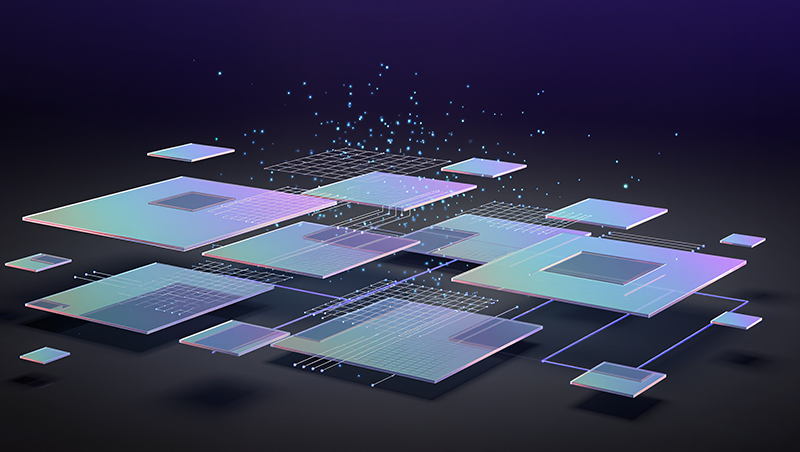
Even when using AI, it helps to think like a traditional designer. Strong composites are usually built in layers. One layer may control the subject. Another may control the background. Another may add texture, atmosphere, color, shadow, or detail.
If you try to generate the entire final image in one step, you may get something impressive but difficult to control. Layered workflows give you more flexibility.
A Simple Layered AI Workflow
- Start with the main subject.
- Generate or choose the background.
- Blend the subject into the environment.
- Adjust shadows and lighting.
- Add texture or atmosphere.
- Apply a final color grade.
- Export and check the image at real size.
Why Layers Help
- You can fix one part without destroying the whole image.
- You can compare different backgrounds.
- You can create multiple versions for the same campaign.
- You can keep more control over brand consistency.
- You can combine AI output with manual editing.
5. Write Prompts That Describe the Relationship Between Images
When designers write prompts for AI blending, they often describe the style but forget to describe how the images should interact.
A weak prompt says:
Blend a city skyline with futuristic neon elements.
A stronger prompt explains the relationship:
Blend a city skyline at sunset with subtle futuristic neon elements integrated into the buildings and streets. Keep the scene cinematic and realistic, with warm orange sky, cool blue neon reflections, soft haze, and a premium editorial look.
The second prompt gives AI more direction. It explains the mood, integration, light, color, and style.
Prompt Details to Include
- Main subject.
- Supporting image or environment.
- Style direction.
- Mood or emotion.
- Lighting.
- Color palette.
- Texture.
- Composition.
- What should stay realistic.
- What should be avoided.
Negative Prompt Ideas
When the tool supports negative prompts, you can avoid common AI problems by adding:
Avoid distorted faces, extra hands, messy edges, unnatural shadows, unreadable text, over-sharpened details, plastic skin, random objects, and inconsistent lighting.
6. Explore Generative Styles Without Losing the Message
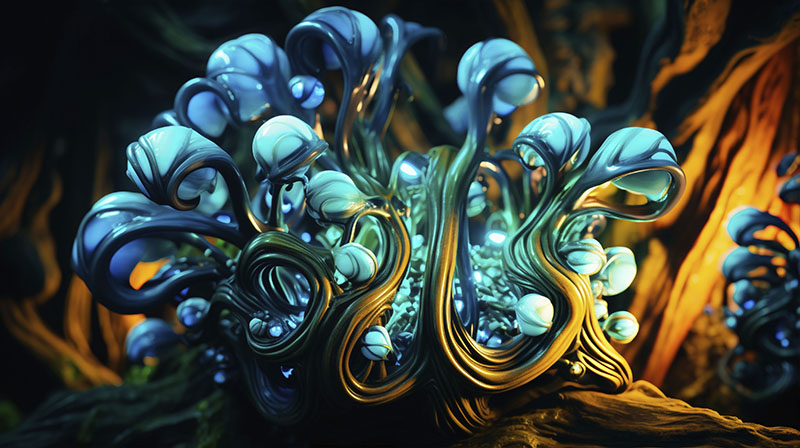
One of the most exciting parts of AI creative work is that you do not have to stay realistic. You can blend images into painterly textures, surreal compositions, futuristic posters, editorial collages, dreamlike landscapes, abstract systems, or mixed-media visuals.
But there is a risk: the style can become more important than the message.
When exploring generative styles, ask whether the effect supports the design goal.
Creative Styles to Explore
- Editorial collage: great for posters, magazines, and visual storytelling.
- Surreal photo manipulation: useful for campaign concepts and social visuals.
- Painterly textures: strong for moodboards, album covers, and art direction.
- Futuristic neon: useful for tech, music, gaming, and digital products.
- Minimal premium realism: strong for product and brand campaigns.
- Abstract pattern blending: useful for backgrounds, packaging, and digital assets.
Designer Question
After generating a styled blend, ask: “Would this still work if the effect was less impressive?” If the answer is no, the concept may be too dependent on the AI style.
7. Refine, Compare, and Iterate
AI-generated blends are rarely perfect on the first try. A result may have a beautiful mood but weak edges. Another may have great lighting but the wrong composition. A third may have strong color but too many random details.
The professional result often comes from comparing variations and refining the strongest one.
What to Refine
- Crop and composition.
- Masking and edges.
- Color balance.
- Contrast.
- Shadows.
- Texture.
- Visual hierarchy.
- Unwanted AI artifacts.
- Brand alignment.
Iteration Prompt
Review this AI image blend like an art director. What feels strong, what feels artificial, what should be simplified, and what should be adjusted to make the composition feel more polished?
Iteration is where AI output becomes design work.
8. Keep the Blend Consistent With the Brand
If you are blending images for a client or commercial project, the final visual should fit the brand. A dramatic surreal blend might look impressive, but it may not work for a calm wellness brand. A playful collage might be wrong for a financial product. A futuristic neon effect might not fit a handmade product brand.
Brand consistency is what turns a cool image into a useful design asset.
Brand Elements to Check
- Color palette.
- Typography style if text is included.
- Image mood.
- Level of realism.
- Audience expectations.
- Product positioning.
- Campaign message.
- Visual motifs.
Brand Prompt Example
Blend these visual ideas into a premium but approachable brand image. Use soft natural light, warm neutral colors, minimal composition, realistic texture, and avoid overly futuristic or surreal effects.
9. Save and Organize Variations
AI makes it easy to generate many versions. That is helpful — until you lose track of which prompt created which result.
If you want to use AI professionally, organize your variations like a designer, not like someone experimenting randomly.
What to Save
- Original source images.
- AI-generated variations.
- Prompts that worked well.
- Negative prompts.
- Tool settings.
- Final edited files.
- Client-approved versions.
- Notes on what changed between versions.
Simple Naming System
projectname_direction_version_tool_date
Example:
skincare-campaign_water-light_v03_firefly_jan2026
This may feel small, but it saves time when you need to return to a direction later or explain your process to a client.
10. Show the Creative Process, Not Only the Final Image
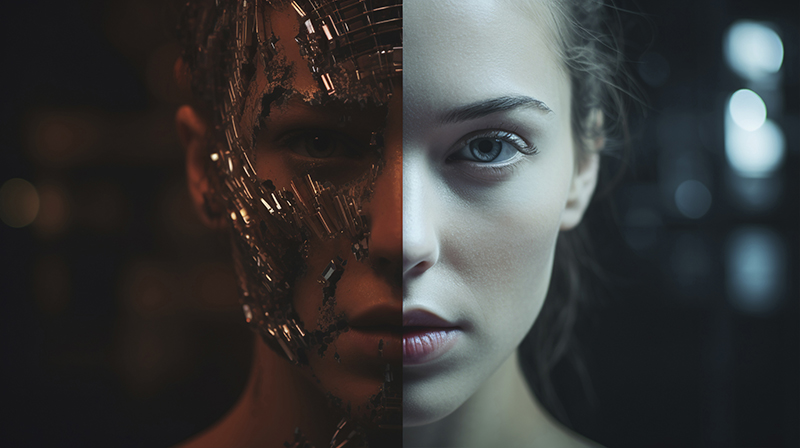
Designers and clients love seeing how an idea develops. A before-and-after image can make your work more understandable, especially when AI is part of the process.
Instead of only posting the final blend, show:
- the original images;
- the first AI blend;
- the refined version;
- the final color-graded result;
- the prompt or creative direction;
- what you changed manually.
This is useful for portfolios, case studies, Behance projects, Instagram carousels, LinkedIn posts, and client presentations.
Why Process Builds Trust
Showing process proves that you did not just press a button. It shows creative thinking, judgment, iteration, and design control.
Quick Comparison: What Each Tip Helps You Improve
| Tip | Main Benefit | Best Use Case |
|---|---|---|
| Clear vision | Better creative direction | Campaigns, portfolios, concept art |
| Right AI tool | Better workflow efficiency | Any professional AI workflow |
| High-quality images | Cleaner final output | Product visuals, posters, social graphics |
| Layered workflow | More control | Complex composites |
| Descriptive prompts | More accurate results | AI-generated blends and variations |
| Generative styles | More creative range | Editorial, surreal, experimental visuals |
| Iteration | More polished results | Client-ready design work |
| Brand consistency | Stronger commercial use | Branding and marketing projects |
| Organized variations | Better workflow management | Freelance and agency projects |
| Process sharing | Stronger portfolio storytelling | Case studies and social content |
Common Mistakes When Designers Blend Images Using AI
AI can make image blending faster, but it can also hide problems behind a polished surface. Here are the mistakes to avoid.
Starting Without a Concept
A visually interesting image is not always a useful design. Start with the idea before generating.
Using Low-Quality Source Images
Blurry or poorly lit inputs often create weak blends. Better source images usually produce better results.
Ignoring Lighting and Perspective
If the light direction or camera angle does not match, the final image can look fake even if the style is beautiful.
Overusing Effects
AI effects can quickly become too much. If everything is glowing, melting, morphing, and textured, the image may lose focus.
Forgetting the Brand
For client work, the blend must support the brand identity, not just show what AI can do.
Not Checking Usage Rights
Always check the licensing rules of the tools and source images you use, especially for commercial projects.
Designer Checklist Before Publishing an AI Image Blend
- Does the final image support the project goal?
- Is the main subject clear?
- Do the blended elements feel connected?
- Are light direction and shadows believable?
- Do colors feel harmonious?
- Are there visible AI artifacts?
- Are edges clean and natural?
- Does the image match the brand style?
- Does it work at the final size?
- Have you saved the prompt and source files?
- Have you checked usage rights?
- Would the image still work without the AI effect?
Useful Resources for AI Image Blending
If you want to improve how you blend images using AI, these resources and tools can help you explore different parts of the workflow:
- Adobe Firefly — generative AI tools for creative workflows.
- Adobe Photoshop — image editing, masking, compositing, and generative tools.
- Midjourney — visual exploration and artistic image generation.
- Runway — creative AI tools for image and video workflows.
- Canva AI — quick design workflows and AI-assisted creative tools.
FAQ: Blend Images Using AI
What does it mean to blend images using AI?
To blend images using AI means using artificial intelligence to merge two or more visuals into one composition. This can include combining subjects, generating backgrounds, matching styles, creating textures, or producing surreal image combinations.
Can AI blend images automatically?
Yes, many AI tools can automatically blend images or generate a new composite from references and prompts. However, designers should still check composition, lighting, color, edges, and brand consistency before using the result professionally.
What is the best AI tool to blend images?
The best tool depends on the project. Photoshop and Firefly are useful for controlled editing, Midjourney is strong for creative visual exploration, Runway is useful for experimental image and video workflows, and Canva AI can help with quick social or brand graphics.
How can I make AI image blends look more professional?
Start with high-quality source images, define a clear concept, match lighting and perspective, use detailed prompts, refine the result manually, and apply a final color grade to unify the composition.
Can designers use AI image blending for commercial projects?
Yes, but designers should check the licensing terms of the AI tool, the source images, and the client’s usage requirements before using AI-generated or AI-edited visuals commercially.
Why do some AI blends look fake?
AI blends often look fake when lighting, shadows, perspective, edges, or color temperature do not match. They can also look artificial when the image has too many AI artifacts or an unclear visual concept.
Should I show my AI blending process in my portfolio?
Yes. Showing the process can make your work stronger because it demonstrates creative direction, prompt control, editing decisions, and design judgment.
Do designers still need manual editing skills?
Yes. AI can speed up the workflow, but manual editing skills help designers fix details, control quality, and make the final image feel polished and intentional.
Conclusion: Use AI to Expand the Idea, Not Replace the Designer
Learning how to blend images using AI gives designers a powerful creative advantage. It can help you create faster concepts, richer campaign visuals, stronger social graphics, unique textures, and polished portfolio pieces.
But the best AI blends do not happen by accident. They come from clear direction, strong source images, thoughtful prompts, careful refinement, and a designer’s ability to decide what actually works.
AI can merge pixels, styles, and references. Designers still shape the story, mood, composition, and purpose.
Use AI boldly, but edit carefully. Experiment with tools, but protect the idea. Generate variations, but choose with taste.
The future of creative design is not just about what AI can blend. It is about what designers can imagine, direct, and refine with AI.
Explore more AI creative guides, design resources, and workflow ideas on DesignRise.
Discover more from DesignRise
Subscribe to get the latest posts sent to your email.