










Digital calligraphy looks effortless when the stroke flows naturally, the pressure responds correctly, and every curve feels intentional. But anyone who has tried hand lettering in Procreate knows the truth: the brush matters almost as much as the hand using it.
A beautiful script piece can lose its elegance if the brush feels stiff, uneven, too slippery, or impossible to control. A headline can feel weak if the downstrokes do not have enough weight. A decorative flourish can look messy if the brush does not taper smoothly. This is why choosing the right Professional Calligraphy Procreate Brushes is so important for modern lettering artists.
Procreate gives artists a flexible digital studio, but the default brushes are not always enough for polished calligraphy, script lettering, branding work, wedding stationery, social media quotes, posters, packaging concepts, and custom typography. Professional brush sets can help recreate the feel of traditional pointed pens, brush pens, markers, crayons, watercolor tools, gothic nibs, and decorative lettering effects — all inside the iPad workflow.
In this guide, you’ll find a curated selection of calligraphy Procreate brushes for modern hand lettering and script art, plus practical advice on how to choose the right brush set, how to test pressure response, how to use decorative brushes without overdoing the design, and how to make your digital calligraphy feel more natural and professional.
Why Calligraphy Brushes Matter in Procreate
Calligraphy is not only about writing letters beautifully. It is about rhythm, pressure, spacing, contrast, and movement. A good brush helps you control those details more naturally.
High-quality Procreate calligraphy brushes can help artists create:
- smooth script lettering with elegant curves and natural stroke transitions;
- bold headline lettering for posters, quotes, branding, and social graphics;
- thin-to-thick pressure response for expressive modern calligraphy;
- decorative swashes and flourishes for wedding-style compositions;
- gothic and blackletter effects for dramatic handwriting styles;
- textured calligraphy that feels less digital and more handmade;
- multicolor and glitter effects for playful or decorative lettering;
- professional script art for logos, packaging, merch, and digital products.
The right brush does not automatically make lettering perfect, but it makes practice easier. It allows the artist to focus on form, balance, and composition instead of fighting the tool.
Explore More DesignRise Resources:
- Free Pencil Brushes for Procreate — Realistic Sketching & Shading Tools
- Free Procreate Hair Brushes for 2026 — Realistic & Stylized Hair Sets
- New Procreate Brush Collections Every Digital Artist Must Try
- More Procreate Brush Collections on DesignRise
What Makes a Good Calligraphy Procreate Brush?
Not every brush labeled “calligraphy” will feel good for actual lettering. Some brushes look nice in previews but become difficult to control when you start writing full words, flourishes, or connected script.
Before downloading a brush set, look for these qualities:
Pressure Sensitivity
A strong calligraphy brush should respond naturally to Apple Pencil pressure. Light pressure should create thin strokes, while heavier pressure should create smooth, controlled downstrokes.
Smooth Tapering
The beginning and end of each stroke should taper elegantly. Harsh ends can make lettering look digital or unfinished.
Consistent Stroke Width
A brush should not randomly change thickness unless it is designed for a textured effect. Consistency matters for professional lettering.
Texture Control
Some brushes are clean and smooth. Others imitate crayon, watercolor, marker, or dry brush textures. The best choice depends on the project style.
Good Stabilization
Many lettering artists need a little smoothing to make curves cleaner. A brush with balanced stabilization can help without making strokes feel artificial.
Usability in Real Projects
A brush may look beautiful in a single stroke preview, but it should also work in real lettering compositions, logos, quotes, invitations, and social graphics.
How to Choose the Right Brush for Your Lettering Style
Different calligraphy styles need different brushes. A gothic headline needs a very different tool from a soft modern wedding script or a playful glitter quote.
| Lettering Style | Best Brush Type | Good For |
|---|---|---|
| Modern script | Smooth pressure-sensitive calligraphy brush | Quotes, logos, wedding lettering, branding |
| Bold brush lettering | Thick tapered lettering brush | Posters, social media graphics, headlines |
| Gothic / blackletter | Chisel or gothic handwriting brush | Dramatic titles, tattoo-style lettering, editorial work |
| Decorative swashes | Flicks, ribbons, or flourish brushes | Invitations, ornaments, elegant script compositions |
| Textured lettering | Crayon, watercolor, or dry brush | Handmade posters, children’s designs, expressive lettering |
| Glitter / multicolor effects | Special effect calligraphy brushes | Party graphics, digital stickers, playful social posts |
The best brush set is not always the largest one. A smaller set with well-made brushes can be more useful than a huge collection where most brushes feel similar.
1. Calligraphy Brushes for Procreate
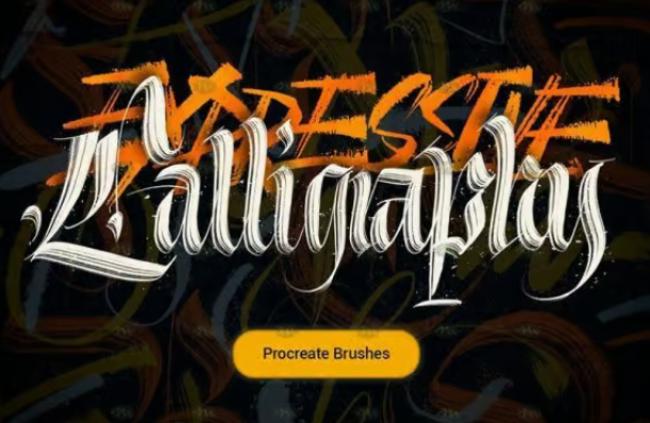
Best for: beginners and lettering artists who want a simple calligraphy brush collection for smooth digital writing
This brush set is a practical starting point for artists who want to explore digital calligraphy in Procreate. It is useful for practicing basic strokes, connecting letters, creating short quotes, and testing pressure-sensitive script styles.
The set works well for artists who are still learning how Procreate calligraphy behaves compared with traditional pen and paper. It gives enough flexibility to practice thin upstrokes, thick downstrokes, and simple flourishes.
Good For
- modern calligraphy practice;
- short lettering quotes;
- basic script compositions;
- digital handwriting exercises;
- simple social media lettering.
2. 40+ Procreate Lettering Brushes
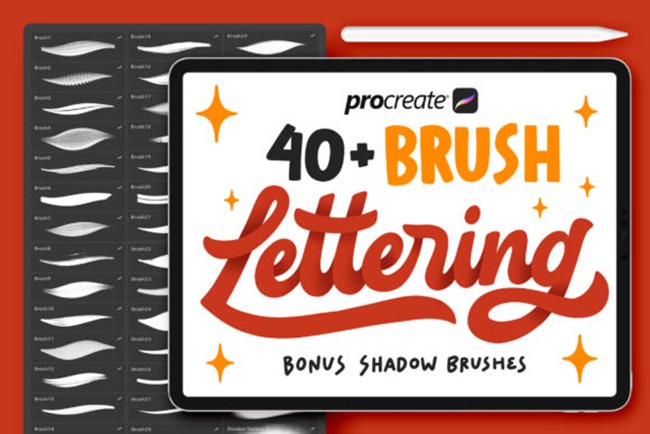
Best for: artists who want a larger lettering toolkit with multiple brush styles for different projects
This collection is useful when you need more than one calligraphy brush. A larger brush set gives you room to test different stroke styles, textures, pressure responses, and lettering moods. It can be especially helpful for designers who create many types of lettering content: quotes, logos, posters, packaging concepts, and social media graphics.
A broad set like this can also help beginners discover which type of brush feels most comfortable before investing in more specialized tools.
Good For
- hand lettering practice;
- script art variations;
- poster lettering;
- brand typography concepts;
- social media graphics;
- digital quote designs.
3. Gothic Handwriting Procreate Brushes
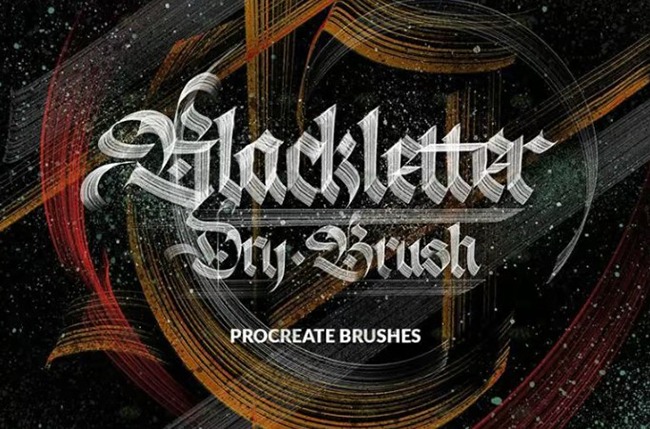
Best for: gothic lettering, blackletter-inspired typography, dramatic titles, and decorative handwriting
Gothic lettering requires a very different brush feel from modern script. Instead of soft curves and flowing swashes, gothic handwriting needs structure, sharp contrast, angular rhythm, and strong vertical strokes.
This set is useful for artists who want to create blackletter-inspired designs directly in Procreate. It can work well for posters, music artwork, tattoo-style graphics, fantasy titles, editorial lettering, and bold decorative compositions.
Good For
- gothic lettering;
- blackletter practice;
- dramatic poster titles;
- tattoo-inspired typography;
- fantasy or medieval-style artwork;
- bold decorative headings.
4. Streaker Brush for Procreate iPad Lettering and Calligraphy
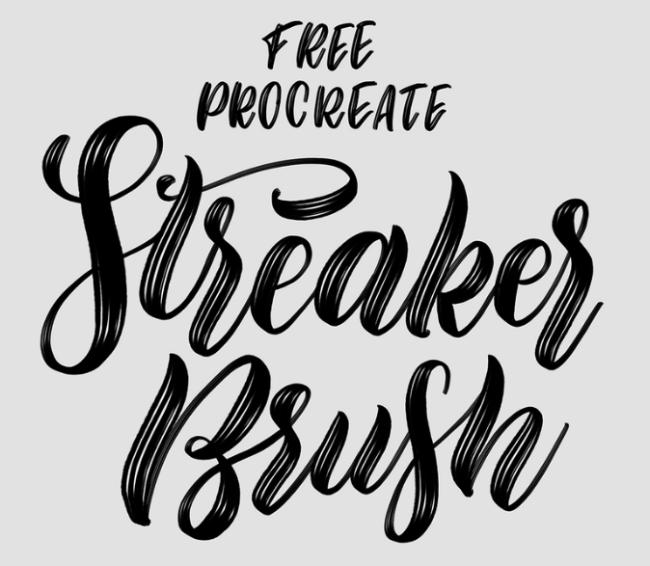
Best for: expressive script lettering with a lively, hand-drawn feel
The Streaker Brush is useful when you want lettering that feels more energetic and handmade. It can add personality to script designs, especially when clean digital strokes feel too perfect or flat.
This type of brush works well for quote art, expressive calligraphy, handmade branding, casual packaging concepts, and lettering pieces that need movement. It is a good option when you want the final design to feel personal rather than overly polished.
Good For
- expressive calligraphy;
- casual script lettering;
- handmade brand graphics;
- quote art;
- digital stickers;
- lettering with natural texture.
5. Calligraphy Crayon Brush for Procreate
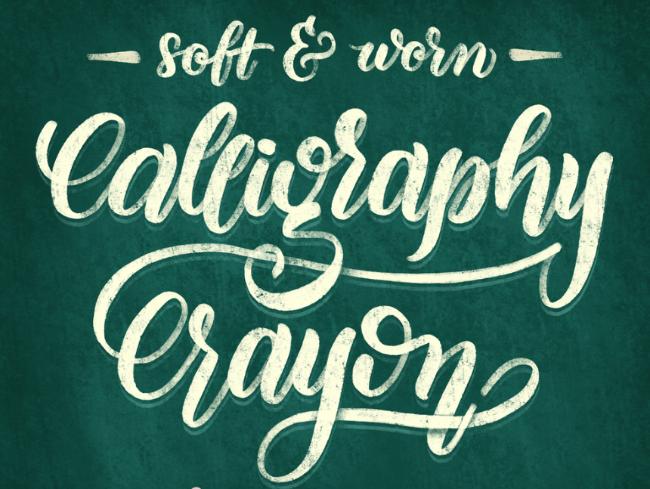
Best for: textured lettering, playful typography, handmade posters, and casual script art
A crayon-style calligraphy brush gives lettering a warm, tactile feeling. Instead of perfectly smooth digital strokes, it creates a more organic texture that can feel handmade and approachable.
This brush is especially useful for playful designs, children’s products, greeting cards, classroom graphics, handmade posters, social media quotes, and any project where a perfectly polished script would feel too formal.
Good For
- textured calligraphy;
- playful lettering;
- children’s graphics;
- greeting cards;
- social media quotes;
- handmade poster typography.
6. Flicks Brush for Decorative Procreate Lettering and Calligraphy
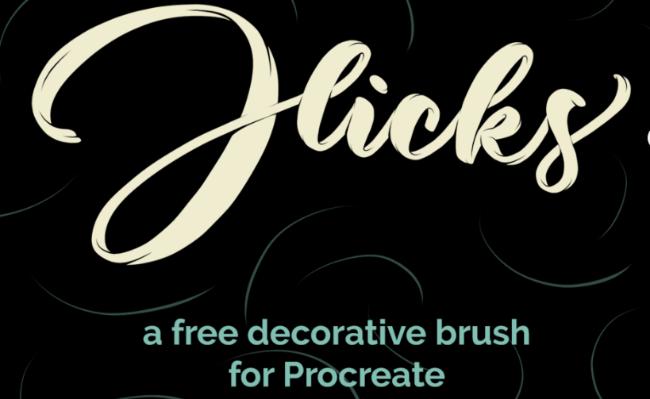
Best for: decorative strokes, flourishes, swashes, and elegant calligraphy accents
Decorative brushes can quickly make lettering more expressive, but they need to be used carefully. A brush like Flicks is useful for adding movement, finishing strokes, and ornamental details to script compositions.
It works well when you want to add a small dramatic accent without redrawing every flourish manually. This makes it helpful for wedding lettering, invitations, elegant quotes, packaging details, and decorative typography.
Good For
- flourishes and swashes;
- wedding-style calligraphy;
- decorative script endings;
- elegant invitations;
- packaging accents;
- ornamental lettering compositions.
7. Curling Ribbon Calligraphy Brush for Procreate
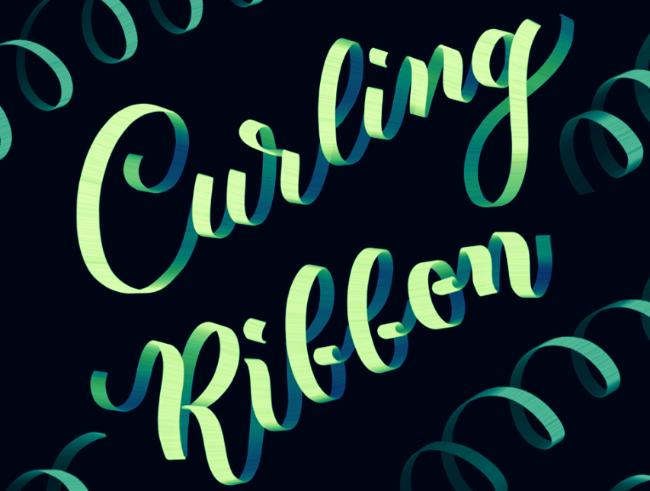
Best for: ribbon-style lettering, decorative titles, celebration graphics, and expressive script effects
Ribbon-style brushes create a more dimensional calligraphy look. They are useful when flat strokes feel too simple and you want lettering that has a sense of movement, twist, or decorative volume.
This brush can work well for celebration posts, invitations, festive graphics, digital stickers, birthday designs, feminine branding, and expressive quote compositions.
Good For
- ribbon calligraphy;
- celebration graphics;
- decorative title lettering;
- party invitations;
- digital stickers;
- playful script compositions.
8. Sunset Calligraphy Multicolour Tapered Procreate Brush
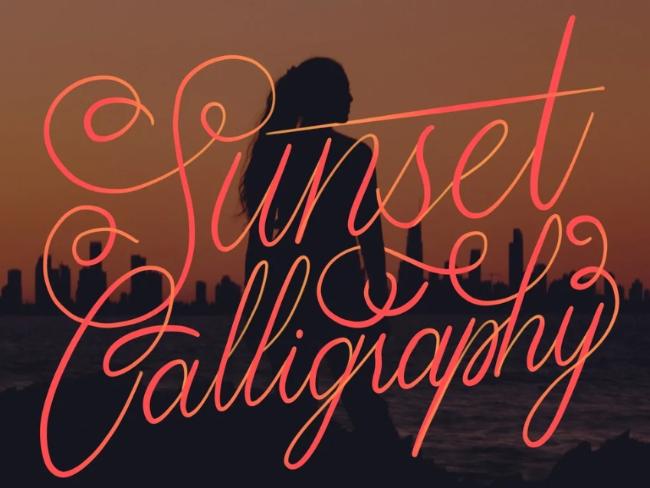
Best for: colorful lettering, gradient script, social media quotes, and eye-catching digital calligraphy
Multicolor calligraphy brushes are useful when you want lettering to feel bright, expressive, and ready for digital content. The Sunset Calligraphy brush can help create tapered strokes with color variation, making words feel more vibrant and dynamic.
This kind of brush is especially effective for Instagram posts, motivational quotes, digital stickers, greeting cards, creative posters, and playful brand graphics.
Good For
- multicolor calligraphy;
- gradient lettering effects;
- social media quotes;
- digital stickers;
- bright poster designs;
- creative title lettering.
9. Calligraphy Brush Set for Procreate
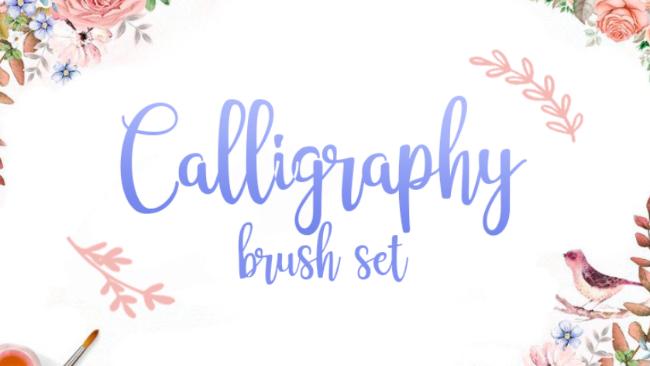
Best for: everyday digital calligraphy, script practice, and versatile lettering projects
This brush set is a good general-purpose option for artists who want reliable calligraphy tools without focusing on one very specific style. It can be used for practice, quotes, branding sketches, digital notes, headings, and elegant script compositions.
A versatile brush set is useful when you want to keep your workflow simple: one brush for clean script, one for bold strokes, one for details, and one for decorative accents.
Good For
- everyday calligraphy;
- script practice;
- quote lettering;
- branding sketches;
- digital headings;
- simple lettering compositions.
10. Calligraphy & Digital Art Brush Set for Procreate
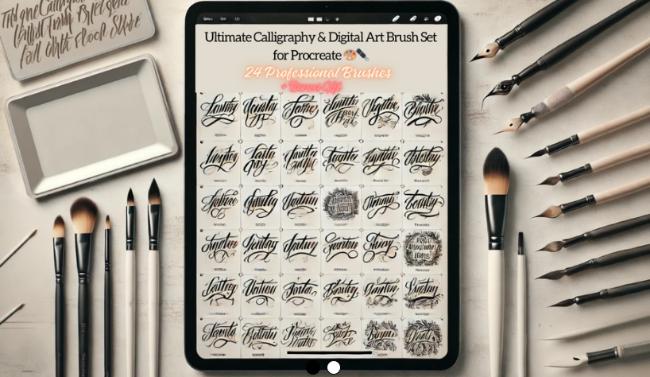
Best for: artists who combine calligraphy with digital illustration and decorative artwork
This set is useful for creatives who do not only write letters but also build full compositions around them. If your calligraphy often includes illustration, borders, decorative shapes, textures, or background details, a mixed calligraphy and digital art set can be more practical than a single brush.
It can support lettering posters, quote illustrations, social media graphics, greeting cards, and creative typography pieces with more visual depth.
Good For
- lettering with illustration;
- quote art;
- decorative compositions;
- digital cards;
- poster typography;
- mixed media-style Procreate projects.
11. Glitter Calligraphy Brush for Procreate
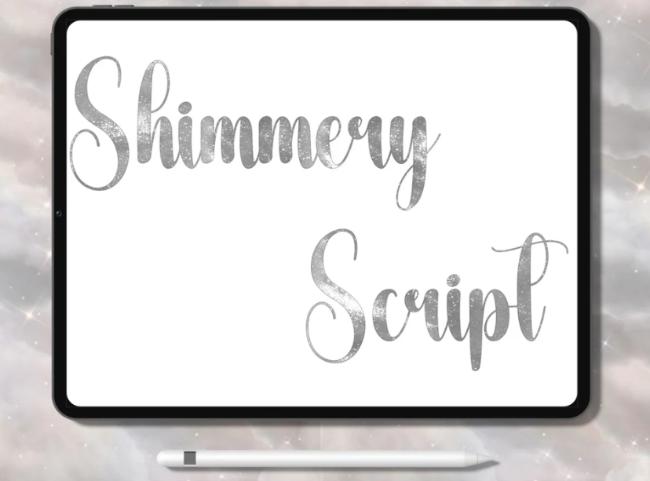
Best for: decorative lettering, celebration graphics, digital stickers, and glamorous calligraphy effects
Glitter brushes are not for every project, but they can be perfect when the design needs sparkle, celebration, or a more decorative look. They work especially well for party invitations, birthday posts, holiday graphics, digital planners, stickers, and feminine branding.
The key is moderation. Glitter lettering can become overwhelming if every word uses the effect. Use it for accent words, short phrases, or decorative details.
Good For
- glitter calligraphy;
- party invitations;
- holiday lettering;
- digital stickers;
- accent words;
- decorative social media graphics.
12. Calligraphy Brush for Procreate
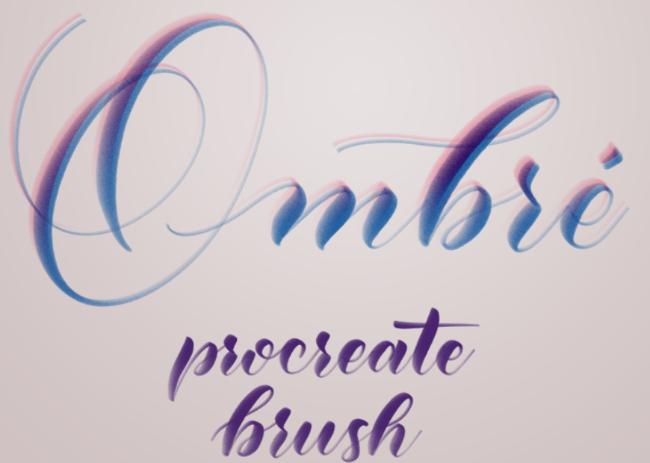
Best for: smooth ombré-style script, modern lettering, and polished digital calligraphy
This brush is useful for artists who want clean, stylish calligraphy with a decorative color effect. It can help create polished lettering for digital quotes, social posts, greeting cards, feminine branding, and elegant script compositions.
Because the brush has a strong visual personality, it works best when paired with simple layouts and enough white space. Let the lettering carry the design instead of adding too many competing elements.
Good For
- modern script lettering;
- ombré calligraphy;
- elegant social graphics;
- greeting cards;
- brand quotes;
- short decorative phrases.
13. Watercolor Calligraphy Brushes
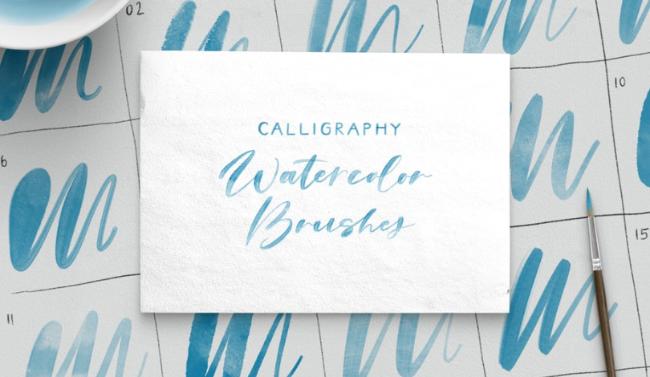
Best for: soft lettering, wedding-style script, delicate quotes, and handmade watercolor effects
Watercolor calligraphy brushes are ideal when you want lettering to feel gentle, romantic, and organic. They can imitate soft pigment, uneven edges, and a more traditional handmade feeling.
This style works beautifully for wedding stationery, invitations, feminine brand graphics, gentle quote art, floral compositions, and elegant social content.
Good For
- watercolor calligraphy;
- wedding invitations;
- romantic script lettering;
- floral designs;
- soft quote art;
- delicate brand visuals.
14. Procreate Art Font Handwriting Brushes
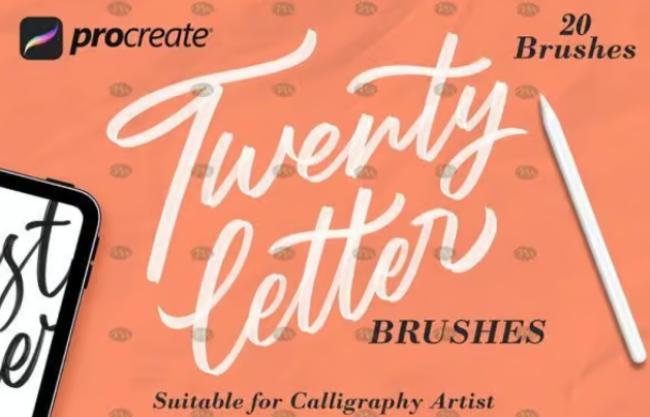
Best for: artistic handwriting, font-like lettering, playful titles, and custom digital typography
This brush set is useful for artists who want lettering that sits between handwriting, art fonts, and decorative typography. It can help create custom title styles, creative lettering layouts, and playful written effects without relying on standard fonts.
It is especially helpful for posters, children’s graphics, handmade branding, social media titles, and digital art compositions where the lettering needs to feel custom.
Good For
- handwriting-style lettering;
- custom art fonts;
- poster titles;
- social media headings;
- playful typography;
- creative brand graphics.
Download
15. Creative Poster Typography Procreate Brushes
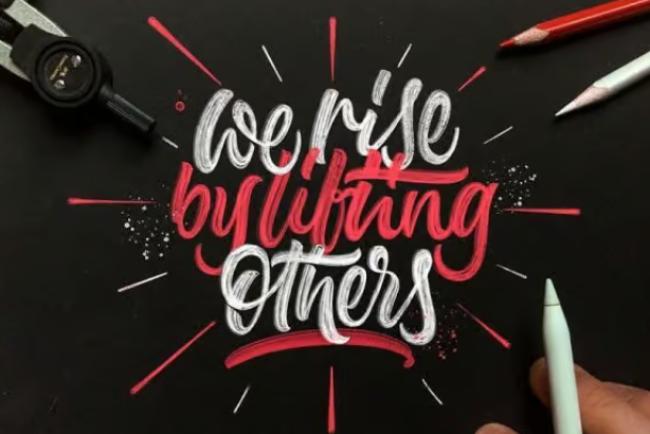
Best for: bold typography, poster lettering, editorial graphics, social media titles, and expressive layouts
This brush collection is a strong choice for artists who want to create lettering that feels bigger than traditional script. Poster typography needs impact, contrast, rhythm, and strong composition. These brushes can support more graphic lettering styles for digital posters, quote layouts, editorial visuals, and social campaigns.
Use this type of brush when the lettering is not just decoration but the main visual element of the design.
Good For
- poster typography;
- bold lettering layouts;
- editorial title designs;
- social media announcements;
- quote posters;
- creative campaign graphics.
Quick Comparison: Best Calligraphy Procreate Brushes by Use Case
| Brush Set | Best Use Case | Style |
|---|---|---|
| Calligraphy Brushes for Procreate | Basic calligraphy practice | Smooth script |
| 40+ Procreate Lettering Brushes | Versatile lettering toolkit | Mixed lettering styles |
| Gothic Handwriting Procreate Brushes | Dramatic blackletter designs | Gothic / structured |
| Streaker Brush | Expressive handmade script | Textured calligraphy |
| Calligraphy Crayon Brush | Playful handmade graphics | Crayon texture |
| Flicks Brush | Decorative swashes | Flourish accents |
| Curling Ribbon Brush | Dimensional decorative lettering | Ribbon effect |
| Sunset Calligraphy Brush | Colorful social graphics | Multicolor tapered script |
| Watercolor Calligraphy Brushes | Soft wedding-style lettering | Watercolor texture |
| Creative Poster Typography Brushes | Bold titles and posters | Display lettering |
How to Test a Calligraphy Brush in Procreate
Before using a brush in a real project, test it properly. A brush can look great in a preview image but behave differently when you write full words.
Test Basic Strokes
Draw thin upstrokes, thick downstrokes, curves, loops, ovals, and long connecting strokes. Check whether the brush responds smoothly to pressure.
Test Full Words
Write several words with different letter combinations. Some brushes work well for single strokes but become awkward when letters connect.
Test Small and Large Sizes
A brush that looks beautiful at large size may become messy when used for small lettering. Test both.
Test Stabilization
Adjust Procreate’s stabilization settings if your strokes feel shaky or too stiff. The right setting depends on your hand pressure and lettering style.
Test Export Quality
Export your lettering as PNG or layered file and check whether the edges stay clean. This matters for client work, print, stickers, and products.
Common Mistakes With Procreate Calligraphy Brushes
Using Too Many Brush Styles in One Design
Mixing several decorative brushes can make a lettering piece feel messy. Use one main brush and one accent brush when possible.
Ignoring Letter Spacing
Even with a beautiful brush, poor spacing can make script hard to read. Watch the rhythm between letters and words.
Overusing Flourishes
Swashes and decorative strokes are beautiful, but too many can distract from the message. Add them where they support the composition.
Choosing Texture Without Purpose
Crayon, glitter, watercolor, and ribbon effects should match the project mood. Do not use texture only because it looks interesting.
Skipping Practice Strokes
Every brush behaves differently. Spend a few minutes testing before starting the final artwork.
Calligraphy Procreate Brush Checklist
Use this checklist before choosing or using a brush set:
- Does the brush respond well to pressure?
- Are the thin and thick strokes balanced?
- Does the taper feel smooth?
- Can you write full words comfortably?
- Does the brush match the project style?
- Is the lettering readable at the final size?
- Does the texture support the design?
- Can the brush be used for professional work?
- Does it work well with your Apple Pencil settings?
- Can the final artwork be exported cleanly?
FAQ: Professional Calligraphy Procreate Brushes
What are the best Procreate brushes for calligraphy?
The best Procreate brushes for calligraphy are pressure-sensitive brushes that create smooth thin-to-thick transitions, clean tapers, and natural-looking strokes. The right brush depends on whether you want modern script, gothic lettering, watercolor calligraphy, poster typography, or decorative effects.
Can beginners use professional calligraphy Procreate brushes?
Yes. Beginners can use professional brushes, but they should start with simple smooth calligraphy brushes before moving into decorative effects like ribbons, glitter, watercolor, or gothic styles.
Do Procreate calligraphy brushes work with Apple Pencil pressure?
Most quality calligraphy brushes are designed to respond to Apple Pencil pressure. This helps create thin upstrokes and thicker downstrokes, similar to traditional brush pens or pointed pens.
Are textured calligraphy brushes good for logos?
Textured brushes can work for logo concepts, but final logos often need cleaner vector refinement. If the logo must scale professionally, the lettering may need to be redrawn or converted carefully after the Procreate sketch.
Which brushes are best for wedding lettering?
Watercolor calligraphy brushes, smooth script brushes, and decorative flourish brushes usually work well for wedding invitations, romantic quotes, place cards, and elegant stationery designs.
Which brushes are best for poster typography?
Bold lettering brushes, creative poster typography brushes, textured brushes, and display-style hand lettering brushes are strong choices for poster design.
Why does my Procreate calligraphy look shaky?
Shaky lettering can come from low stabilization, too much hand tension, incorrect brush size, or lack of practice with pressure control. Try adjusting stabilization and practicing basic strokes before writing full words.
Can I use Procreate calligraphy brushes for commercial projects?
It depends on the license of each brush set. Always check the creator’s terms before using brushes for client work, products, logos, or digital downloads.
Conclusion: Better Brushes Make Digital Lettering Feel More Natural
Professional lettering starts with practice, but the right tools make the process smoother and more enjoyable. Professional Calligraphy Procreate Brushes help artists create cleaner strokes, expressive curves, decorative swashes, textured effects, and polished script compositions directly on the iPad.
Whether you create modern hand lettering, wedding calligraphy, gothic typography, colorful quote art, or bold poster titles, a good brush set can improve your workflow and help your lettering feel more natural.
The best approach is to build a small but flexible brush library: one smooth script brush, one bold lettering brush, one texture brush, and one decorative accent brush. From there, you can expand based on your personal style and project needs.
Explore the brush collections above, test them carefully, and choose the ones that support your creative voice — not just the ones that look beautiful in previews.
The best Procreate calligraphy brush is the one that helps your hand lettering feel expressive, controlled, and truly yours.
Explore more Procreate brushes, lettering tools, and creative resources on DesignRise.
Discover more from DesignRise
Subscribe to get the latest posts sent to your email.


