









Free charcoal brushes for Procreate are a powerful way to bring the raw, expressive feeling of traditional charcoal drawing into your digital artwork. Charcoal has a visual language that is hard to fake with ordinary digital brushes: rough grain, soft smudges, deep shadows, broken edges, dusty texture, and dramatic contrast.
For artists who love sketching, portraits, figure drawing, concept art, expressive illustration, and moody black-and-white studies, charcoal brushes can make Procreate feel much closer to a real sketchbook. The right brush set helps you create loose gesture lines, soft shading, bold dark marks, textured backgrounds, and natural drawing effects directly on your iPad.
This guide brings together a curated collection of natural charcoal brushes for Procreate, including free sketching brushes, classic charcoal brushes, soft shading tools, textured drawing brushes, pencil-and-charcoal packs, and sample sets for artists who want a more traditional drawing feel without spending extra money.
But this article is not only a download list. You will also learn how to choose the right charcoal brush, how to install Procreate brushes, how to build realistic texture, how to shade with charcoal digitally, and how to avoid the most common mistakes that make digital charcoal drawings look muddy or flat.
Explore More DesignRise Resources:
- Best Procreate Tutorials: Learn Drawing, Sketch & Illustration
- How to Install Procreate Brushes
- Procreate vs. Photoshop: Should You Make the Switch?
- Free Pencil Brushes for Procreate — Realistic Sketching & Shading Tools
Why Charcoal Brushes Are So Useful in Procreate
Charcoal drawing is popular because it feels immediate and emotional. A single stroke can be soft, messy, dramatic, or intense. Unlike clean digital linework, charcoal naturally carries imperfection. It shows pressure, movement, texture, and energy.
In traditional art, charcoal is often used for figure drawing, portrait studies, quick gestures, expressive landscapes, tonal sketches, and large dramatic compositions. In Procreate, charcoal texture brushes help recreate that same handmade effect while keeping all the benefits of digital workflow: layers, undo, masks, resizing, opacity control, blending modes, and quick export.
What Charcoal Brushes Can Add to Digital Art
- Natural grain: makes strokes feel closer to real charcoal on paper.
- Soft shading: useful for portraits, skin tones, shadows, and atmospheric drawings.
- Deep contrast: helps create dramatic black-and-white artwork.
- Rough texture: adds energy to sketches, backgrounds, and expressive compositions.
- Loose drawing feel: perfect for gesture drawing and concept exploration.
- Smudged effects: useful for blending values and creating tonal depth.
- Handmade character: prevents digital artwork from feeling too polished or sterile.
For artists who want their Procreate work to feel more organic, charcoal brushes are one of the fastest ways to add texture and emotion.
How to Choose the Best Free Charcoal Brushes for Procreate
Not every charcoal brush works the same way. Some brushes are better for rough sketching, while others are better for soft shading, bold marks, smudging, textured edges, or traditional charcoal effects. A brush that works beautifully for portraits may not be the best option for fast concept thumbnails.
Before downloading a brush set, think about what you need most. Are you looking for dramatic black shadows? Soft smudge effects? Dry, scratchy texture? A willow charcoal feel? A charcoal pencil look? A full brush pack for sketching and rendering?
Important Brush Features to Look For
- Pressure sensitivity: the brush should respond naturally to light and heavy Apple Pencil pressure.
- Texture quality: charcoal should feel grainy, dusty, or rough rather than perfectly smooth.
- Opacity control: good brushes allow values to build gradually.
- Tilt response: some brushes create wider shading marks when you tilt the Apple Pencil.
- Smudge behavior: charcoal brushes often work well with smudge tools or soft blending.
- Edge variation: broken edges help strokes feel more realistic.
- Brush variety: a strong set may include sketching, shading, smudge, and texture brushes.
- License clarity: always check whether free brushes can be used for commercial projects.
Quick Comparison: Which Charcoal Brush Set Should You Try?
Use this table to quickly compare the brush sets in this guide and choose the best one for your artwork.
How to Install Charcoal Brushes in Procreate
Most Procreate charcoal brushes are downloaded as either .brush files or .brushset files. A .brush file usually imports one brush, while a .brushset file imports a full brush folder.
Installation Steps
- Download the brush file from the creator’s page.
- Save it to your iPad, iCloud Drive, Downloads folder, or Files app.
- Tap the .brush or .brushset file.
- Procreate should open automatically and import the brush or brush set.
- Open the Brush Library and look for the new set near the top.
- Create a test canvas before using the brush in finished artwork.
Test Before You Draw Seriously
Before using a new brush in a finished piece, test it with different pressure levels, brush sizes, opacity settings, and smudge behavior. Draw light strokes, heavy strokes, broad shading areas, and small details. This helps you understand which brushes are best for sketching, shading, texture, and final marks.
Best Free Charcoal Brushes for Procreate
Below are some of the best free charcoal brushes for Procreate and charcoal-style brush packs for artists who want realistic texture, natural drawing effects, soft shading, and expressive digital sketching.
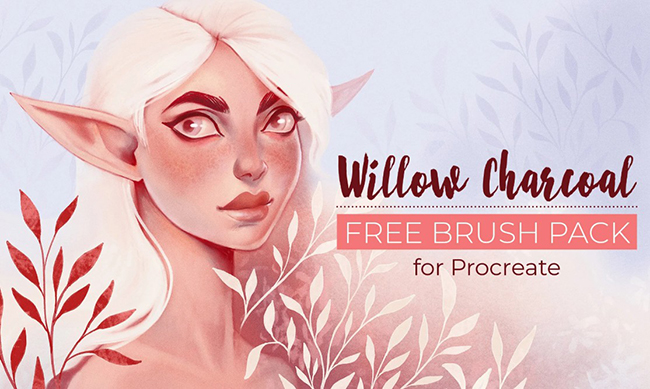
1. Willow Charcoal Brushes for Procreate
Best for: traditional charcoal sketching, figure drawing, loose studies, and expressive texture.
Willow charcoal is known for its soft, organic, and slightly unpredictable mark-making. This kind of brush is useful when you want your Procreate sketches to feel more like drawing on real paper rather than painting with a smooth digital tool.
Use Willow Charcoal Brushes for gesture drawing, portrait studies, rough composition sketches, expressive landscapes, and dramatic tonal work. They are especially helpful when you want loose lines and natural texture instead of clean polished strokes.
Why Try It?
- Creates a natural charcoal drawing feel.
- Useful for expressive linework and rough studies.
- Works well for gesture drawing and portraits.
- Helps digital sketches feel less clean and more handmade.
Download Willow Charcoal Brushes
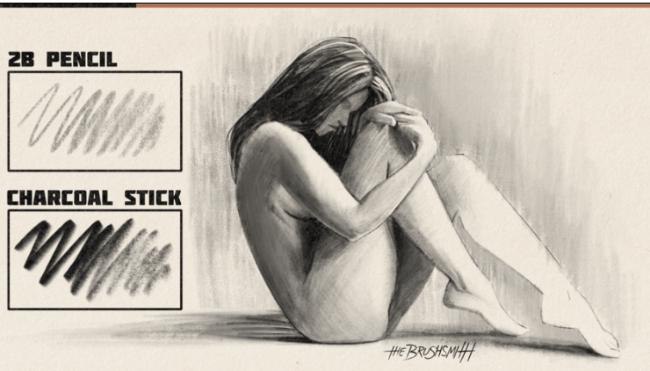
2. Free Sketching Brush Set for Procreate
Best for: quick sketching, daily drawing practice, rough concepts, and early idea exploration.
A sketching brush set is useful because charcoal is not only for final dramatic artwork. It can also support the messy early stage of drawing where you test ideas, block in shapes, and explore compositions quickly.
This Free Sketching Brush Set for Procreate can be a good everyday option for artists who want brushes that feel textured but still easy to control. It works well for warm-up sketches, thumbnails, studies, and loose illustrations.
Best Uses
- Daily sketchbook work.
- Loose concept sketches.
- Figure and pose studies.
- Composition thumbnails.
- Early character design ideas.
Download Free Sketching Brush Set
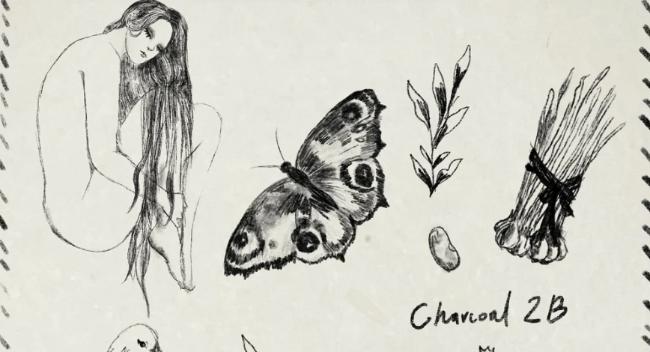
3. Charcoal 2B Brush for Procreate
Best for: controlled charcoal drawing, portrait sketching, line variation, and textured shading.
The Charcoal 2B Brush is a good choice if you want something between a pencil and a charcoal stick. It can be useful for artists who prefer more control while still keeping the grain and softness of charcoal.
This brush works well for portraits, facial features, hair texture, soft shadows, and refined sketching. It is also a practical brush for artists who want to build values gradually instead of using very dark charcoal marks immediately.
Why It Is Useful
- More controlled than very rough charcoal brushes.
- Good for portrait drawing and soft details.
- Useful for layered shading.
- Can work as a daily drawing brush.
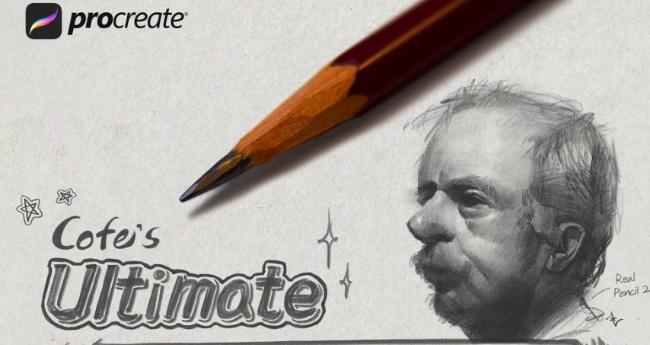
4. Ultimate Pencil & Charcoal Pack for Procreate
Best for: artists who want both pencil and charcoal textures in one workflow.
The Ultimate Pencil & Charcoal Pack is useful when you do not want to choose between pencil precision and charcoal texture. Pencil-style brushes can help with structure and details, while charcoal brushes can add mood, soft values, and rich shadows.
This type of pack is especially helpful for concept artists, illustrators, and portrait artists who move from rough sketch to more dramatic tonal drawing inside one Procreate file.
Best Uses
- Sketching with pencil and shading with charcoal.
- Portrait studies.
- Character concepts.
- Traditional drawing effects.
- Mixed pencil-and-charcoal workflows.
Download Ultimate Pencil & Charcoal Pack
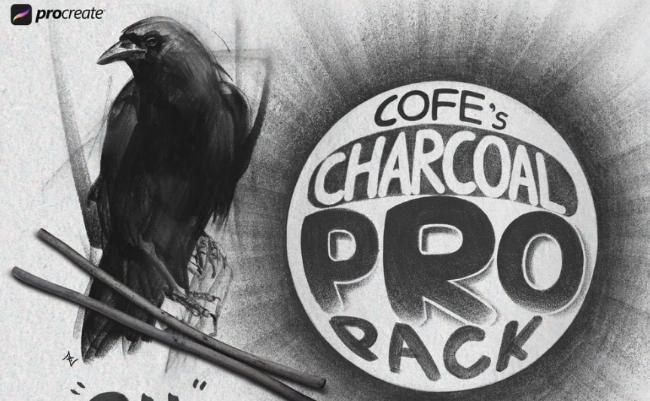
5. Charcoal Pro Pack for Procreate
Best for: artists who want a more complete charcoal drawing toolkit.
The Charcoal Pro Pack is a stronger option if charcoal is a regular part of your digital art style. A complete pack can give you more range than a single brush: rough marks, soft shading, detailed strokes, smudge effects, and different levels of grain.
This kind of pack is useful for more finished artwork, especially portraits, expressive scenes, dark illustrations, figure studies, and concept art with dramatic contrast.
Why Consider It?
- More versatile than a single charcoal brush.
- Useful for sketching, shading, and texture.
- Good for artists who want a full charcoal workflow.
- Supports expressive and dramatic drawing styles.
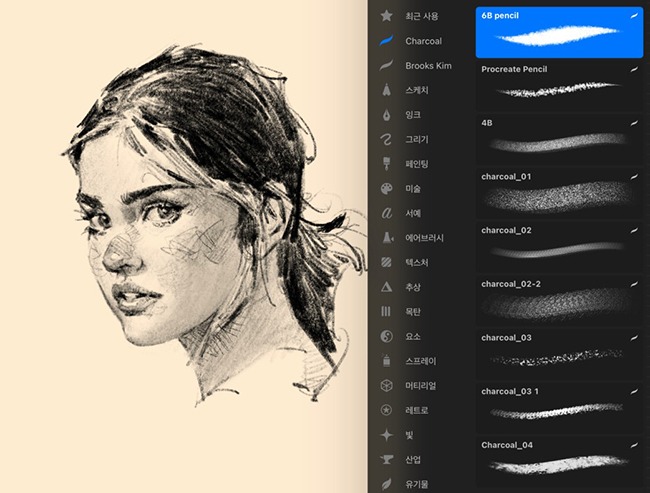
6. Free Charcoal Brushes for Procreate
Best for: general charcoal drawing, testing natural textures, and building a free brush library.
This free charcoal brush set is a practical choice if you want to experiment with charcoal effects in Procreate without starting with a paid product. It can help you test whether charcoal-style drawing fits your artwork and workflow.
Use these brushes for rough sketches, tonal studies, texture overlays, expressive illustrations, and handmade-style digital art.
Best Uses
- Trying charcoal effects for free.
- Building a basic Procreate brush library.
- Adding rough texture to drawings.
- Creating expressive sketchbook-style artwork.
Download Free Charcoal Brushes
7. Charcoal Brushes for Procreate
Best for: natural charcoal texture, sketching, shading, and expressive illustration.
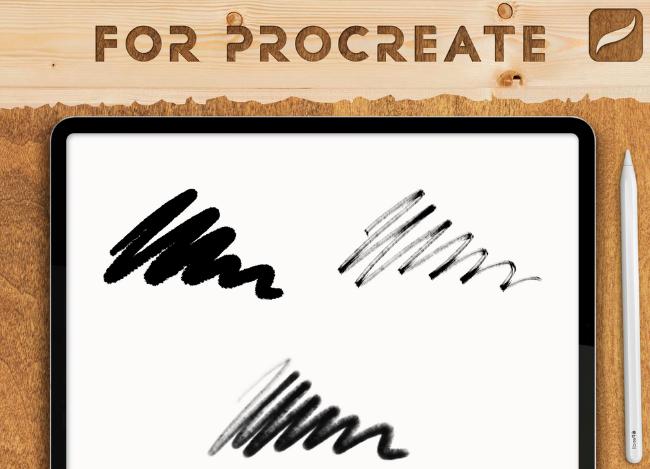
This free charcoal brush resource is useful for artists who want to create textured Procreate drawings with a more handmade look. It can be used for both rough lines and softer tonal areas depending on brush settings and pressure.
Try using charcoal brushes on separate layers so you can adjust opacity, erase highlights, and build contrast without damaging the entire drawing.
Useful For
- Sketching with texture.
- Soft shadow buildup.
- Expressive black-and-white art.
- Traditional drawing effects on iPad.
Download Charcoal Brushes for Procreate
8. Free Procreate Charcoal Drawing Brushes
Best for: charcoal drawing practice, natural sketch texture, and rough tonal effects.
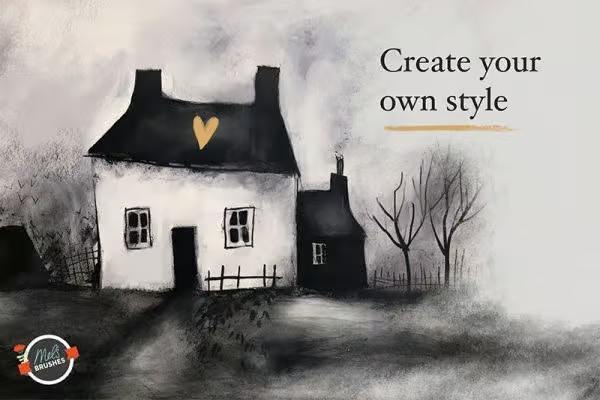
Free Procreate Charcoal Drawing Brushes are helpful when you want a dedicated drawing set for charcoal-style artwork. These brushes can support early sketching, texture experiments, and darker expressive marks.
This type of set is good for artists who want to move away from smooth digital brushes and create drawings that feel more physical and raw.
Best Uses
- Drawing practice.
- Charcoal-style sketches.
- Textured illustration.
- Black-and-white art studies.
Download Procreate Charcoal Drawing Brushes
9. Charcoal Brushes for Procreate Free Sample Pack
Best for: testing premium-style charcoal brushes before building a larger toolkit.
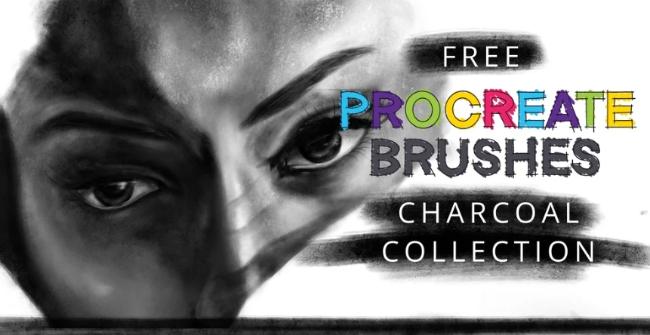
A free sample pack is useful because it lets you test the creator’s brush quality before committing to a larger set. You can see whether the texture, pressure response, and drawing feel match your style.
Use this kind of sample pack to compare brush behavior with other charcoal sets. Pay attention to how well the brushes build value and whether they feel controllable during both sketching and shading.
Why Try a Sample Pack?
- Good way to test brush quality.
- Useful before buying a larger brush set.
- Helps compare texture and pressure response.
- Works well for quick experiments and studies.
10. Nina’s Procreate Charcoal Brush Set
Best for: expressive drawing, soft texture, portrait studies, and charcoal-style illustration.
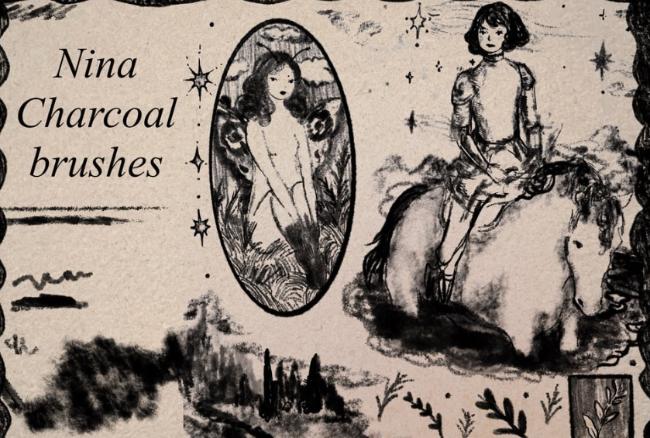
Nina’s Procreate Charcoal Brush Set is useful for artists who want a more personal and artist-made brush resource. Sets like this often feel less generic because they are created around the artist’s own drawing workflow.
This brush set can be helpful for creating soft shadows, textured lines, natural edges, and expressive studies inside Procreate.
Best Uses
- Portrait studies.
- Expressive sketching.
- Soft charcoal shading.
- Natural handmade textures.
Download Nina’s Procreate Charcoal Brush Set
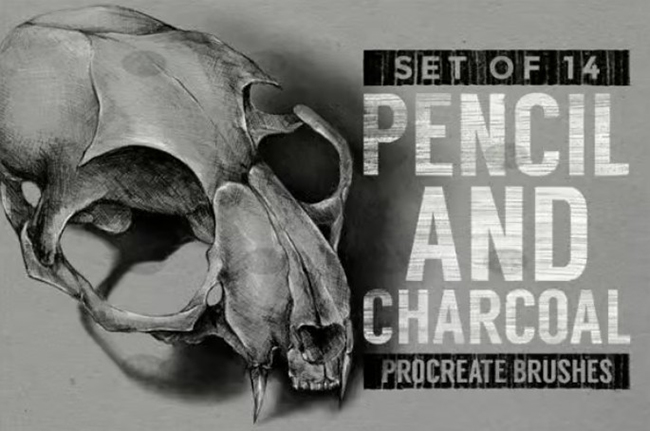
11. Master Pencil Charcoal Brushes for Procreate
Best for: artists who want a combined pencil-and-charcoal drawing workflow.
Master Pencil Charcoal Brushes are useful when you want both sharper pencil-style marks and rougher charcoal texture in the same artwork. This makes the set practical for artists who start with structure and then build mood through shading.
Use pencil-style brushes for construction and refined lines, then switch to charcoal brushes for shadow, atmosphere, and texture.
Useful For
- Sketch-to-shading workflows.
- Character design.
- Portrait drawing.
- Traditional drawing style in Procreate.
Download Master Pencil Charcoal Brushes
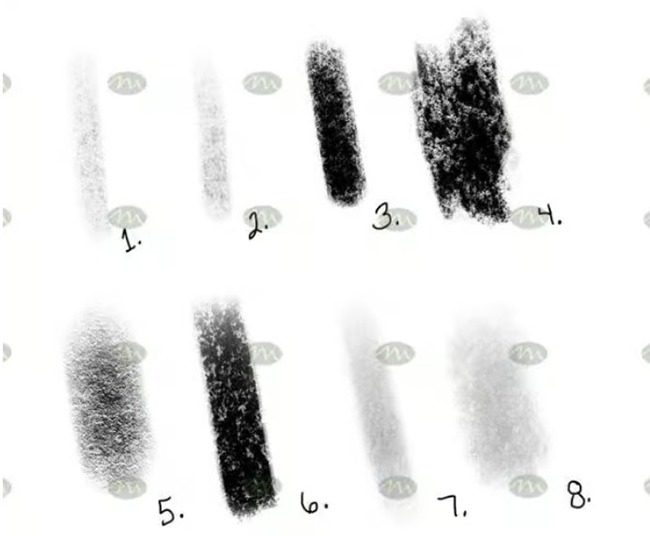
12. Free Procreate Classic Charcoal Brushes
Best for: classic charcoal drawing effects, tonal studies, and traditional art texture.
Classic charcoal brushes are useful when you want your digital drawing to feel closer to traditional charcoal on paper. They can help you create rough marks, dusty shading, and strong tonal contrast.
This type of brush is especially good for artists who enjoy black-and-white studies, dramatic portrait lighting, figure drawing, and expressive landscapes.
Best Uses
- Classic charcoal studies.
- Dramatic shading.
- Portrait and figure drawing.
- Traditional art effects on iPad.
Download Classic Charcoal Brushes
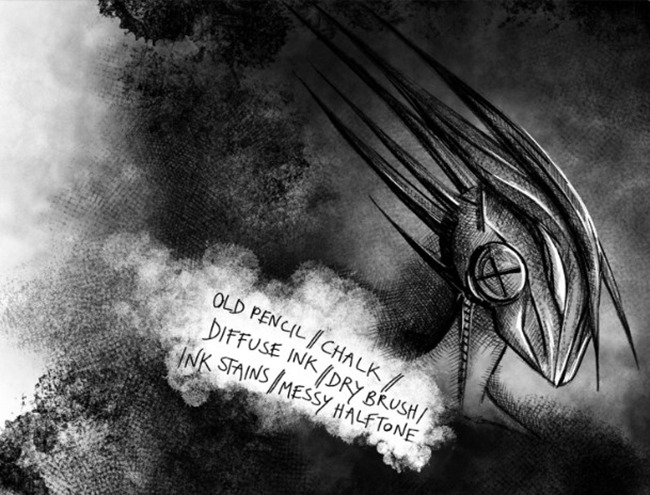
13. Procreate Brushes by Kim New
Best for: artists looking for community-created Procreate drawing brushes and sketching tools.
Brushes shared through the Procreate community can be a great way to discover unique drawing tools. Community-made brushes often reflect real artist workflows and may include practical sketching textures that feel different from polished commercial packs.
This brush resource can be useful for artists who enjoy testing different drawing approaches and adding more handmade texture to their Procreate setup.
Why Try It?
- Community-created brush resource.
- Useful for sketching and drawing experiments.
- Good for artists who like testing different textures.
- Can add variety to a Procreate brush library.
Download Procreate Brushes by Kim New
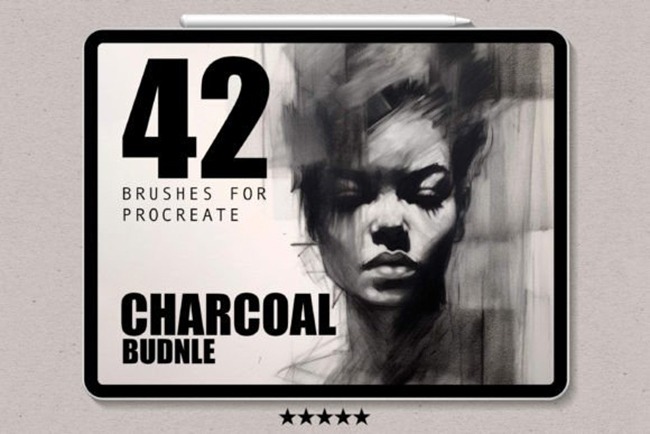
14. Charcoal Brushes for Procreate
Best for: professional-looking charcoal texture, expressive drawing, and polished digital illustration.
This Charcoal Brushes for Procreate set can be useful for artists who want a more developed charcoal toolkit for illustration, sketching, and textured artwork. It can support both rough expressive lines and richer shaded areas depending on how you use pressure, opacity, and layers.
Before using any marketplace brush set in commercial work, check the current license terms on the download page.
Best Uses
- Finished charcoal-style illustration.
- Textured portrait studies.
- Expressive concept art.
- Traditional-looking digital drawing.
Download Charcoal Brushes for Procreate
How to Use Charcoal Brushes for Natural Drawing Effects
Downloading good brushes is only the first step. Charcoal looks most convincing when you use it with the logic of traditional drawing: light construction, gradual value building, controlled smudging, strong contrast, and textured edges.
Start With Loose Gesture Lines
Charcoal is excellent for capturing movement. Begin with loose, light strokes to block in the pose, object, face, or composition. Avoid making everything too clean too early. Let the drawing breathe.
Build Values Gradually
Use separate layers for sketch, mid-tones, dark shadows, and highlights. Build darker areas slowly so you can control contrast without making the drawing too muddy.
Use Smudge Carefully
Charcoal naturally smudges, but digital smudging can quickly remove texture. Use the smudge tool lightly and keep some grain visible. Overblending can make charcoal artwork look like a soft airbrush painting.
Erase Highlights Like Traditional Charcoal
One of the best charcoal techniques is drawing dark first and then lifting highlights. In Procreate, you can use an eraser with a textured brush to pull light back into the artwork.
Add Paper Texture
A paper texture layer can make charcoal brushes look more realistic. Try placing a subtle paper texture above your drawing and testing blend modes such as Multiply, Overlay, or Soft Light.
Charcoal Brush Techniques for Portraits, Concept Art, and Texture
Portrait Drawing
For portraits, use charcoal brushes to block in large shadow shapes before adding details. Focus on value relationships first: light, mid-tone, shadow, and accent darks. Avoid drawing every facial feature with the same line weight.
Concept Art
For concept art, charcoal brushes are great for quick mood exploration. Use broad textured strokes to create atmosphere, then refine only the most important focal areas.
Background Texture
Charcoal brushes can also be used behind illustrations to create rough backgrounds. Use low opacity and large brush sizes to build subtle texture without overpowering the subject.
Mixed Media Effects
Charcoal works beautifully with pencil, watercolor, ink, gouache, and pastel-style brushes. Use charcoal for shadow and structure, then add color or linework on top for a more layered handmade style.
Common Mistakes When Using Charcoal Brushes in Procreate
1. Making Everything Too Dark Too Quickly
Charcoal is dramatic, but if you start too dark, you lose control. Build values gradually and save the darkest marks for the most important areas.
2. Overusing the Smudge Tool
Smudging can help, but too much smudge removes the charcoal texture. Keep some grain and broken edges visible.
3. Using Too Many Brushes in One Drawing
A large brush library can be tempting, but too many textures can make one artwork feel inconsistent. Choose a small set of favorite brushes for each piece.
4. Forgetting About Paper Texture
Charcoal looks more realistic when it appears to interact with a surface. A subtle paper texture can make the final piece feel more natural.
5. Losing the Focal Point
Because charcoal is expressive, it is easy to make every area equally intense. Keep the strongest contrast and sharpest details near the focal point.
6. Ignoring Licensing
Some free brushes are free only for personal use. Always check the original download page before using brushes for client work, products, commercial prints, or marketplace assets.
Which Free Charcoal Brush Should You Start With?
The best brush set depends on your drawing style and creative goal. Here is a simple way to choose.
Final Thoughts
Free charcoal brushes for Procreate are a valuable addition to any digital artist’s toolkit. They help recreate the expressive texture, softness, contrast, and raw handmade energy of traditional charcoal while keeping the flexibility of digital drawing.
Whether you are sketching portraits, building dramatic shadows, creating concept art, practicing figure drawing, or adding texture to illustrations, charcoal brushes can make your work feel more natural and alive. Start with a few free sets, test them carefully, and build a small collection of brushes that match your personal drawing style.
Remember that the brush is only part of the result. Strong charcoal drawing still depends on gesture, value, composition, pressure control, contrast, and observation. A good brush helps, but your artistic decisions give the artwork emotion.
The best Procreate charcoal brush is the one that lets your drawing feel less digital and more human.
For more Procreate brushes, drawing resources, digital art tutorials, and creative tools for illustrators, continue exploring DesignRise.
Discover more from DesignRise
Subscribe to get the latest posts sent to your email.


