









Free light leak Photoshop actions are one of the easiest ways to give digital photography a warmer, more nostalgic film-inspired look without manually rebuilding every color adjustment, flare, fade, and glow from scratch.
Light leaks are associated with analog photography, where unwanted light enters the camera and exposes part of the film. The result can create irregular areas of orange, red, yellow, violet, or blue light that make photographs feel less perfect — and often more atmospheric.
Today, Photoshop actions can recreate similar effects digitally while still giving you control over the final result.
This updated DesignRise collection includes 10 free light leak Photoshop actions and film-inspired action packs for:
- Portrait photography.
- Wedding photography.
- Lifestyle images.
- Travel photography.
- Editorial work.
- Fashion photography.
- Social media visuals.
- Vintage photo editing.
- Film-inspired color grading.
- Creative design projects.
Some packs focus entirely on light leaks, while others combine film fades, vintage tones, washed shadows, color shifts, and analog-style effects.
Important: a Photoshop action is a starting point, not a guarantee that every image will look perfect after one click. Exposure, color, contrast, lighting, and the original photograph all affect the final result.
Licensing note: free download availability does not automatically mean unrestricted commercial use. Review the current license on each source page before using an action for commercial photography, advertising, client projects, or resale products.
Explore More DesignRise Resources:
What Is a Light Leak Effect?
A real film light leak happens when unwanted light reaches photographic film before or during development.
Depending on the camera, film, exposure, and direction of the leak, the result may appear as:
- Warm orange flares.
- Red gradients.
- Soft yellow glows.
- Violet or blue streaks.
- Washed highlights.
- Faded contrast.
- Uneven exposure.
These imperfections became part of the visual language associated with analog photography.
Photoshop actions recreate similar looks using adjustment layers, gradients, blending modes, masks, and other automated edits.
10 Free Light Leak Photoshop Actions
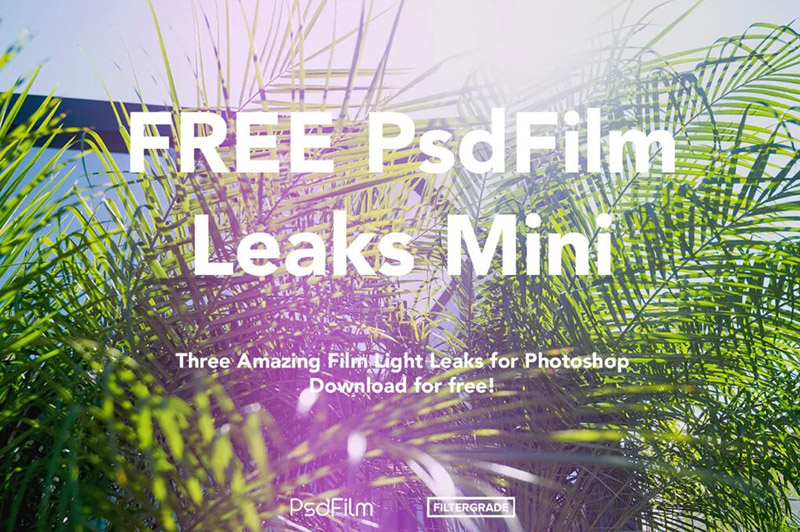
1. Free Film Light Leaks Photoshop Actions from PsdFilm
Best for: portraits, fashion, lifestyle photography, travel photos, editorial work, and film-inspired color grading.
This is one of the newest resources in the updated collection.
The free PsdFilm mini pack was released through FilterGrade and includes several analog-style light leak effects designed to imitate the unpredictable colored exposure found in film photography.
The available examples include:
- Orange light leak.
- Red light leak.
- Purple light leak.
The actions use adjustment-based editing rather than simply placing a static JPEG texture over the photograph.
Why Try It?
If you want a contemporary free resource specifically focused on analog-style light leaks, this is a strong place to start.
2. Free Light Leak Photoshop Actions from Sivioco

Best for: vibrant portraits, outdoor photography, lifestyle images, summer photography, and creative photo editing.
This free FilterGrade and Sivioco pack includes five individual light leaks plus a Play All action.
The effects are designed to create colorful analog-style light flares quickly while keeping the workflow simple.
Best Starting Images
Light leaks often blend especially well with:
- Bright outdoor scenes.
- Backlit portraits.
- Colorful lifestyle photography.
- Golden-hour images.
3. 24 Ultra Faded & Light Leak Photoshop Actions

Best for: weddings, portraits, fashion, nostalgic photography, travel, and faded film effects.
This SparkleStock collection combines faded film treatments with light leaks.
The effects use adjustment layers, allowing designers and photographers to modify the result rather than receiving one completely flattened effect.
Use Opacity to Control the Effect
Some light leaks can feel too intense on certain images.
If that happens, try:
- Reducing layer opacity.
- Changing the mask.
- Repositioning editable elements when possible.
- Reducing saturation.
A subtle leak often looks more believable than the strongest possible version.
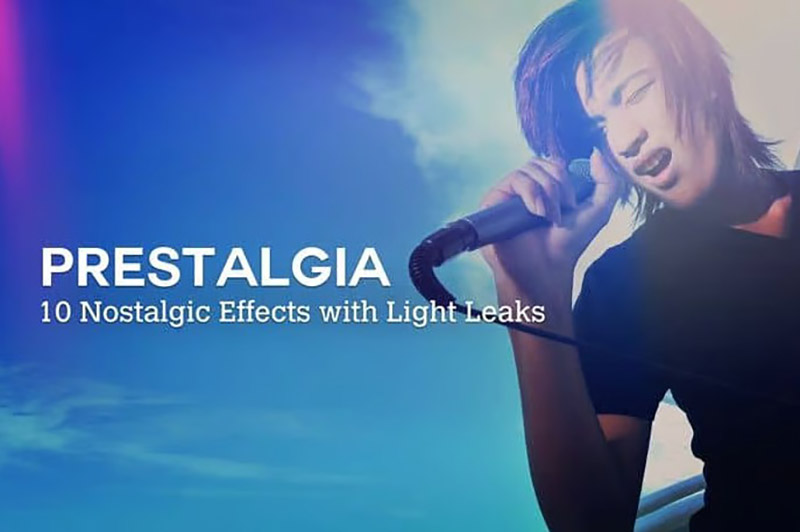
4. 10 Retro Effects With Light Leaks Photoshop Actions
Best for: retro photography, travel images, lifestyle content, nostalgic campaigns, and editorial photography.
This free action pack combines ten retro photo treatments with individual light leaks.
The effects are built around a film-inspired look rather than treating the light leak as the only visual change.
Good for Creating a Consistent Series
If several images belong to the same campaign, using related retro actions can help establish a consistent overall mood.
Just avoid using a completely different effect on every photograph.
5. Premium Looks Photoshop Actions Vol. 2

Best for: portraits, vintage photography, editorial images, fashion, lifestyle content, and analog-style editing.
This is the current working source for the older Premium Looks resource that appeared in the original DesignRise collection.
The free pack contains eight Photoshop actions combining exposure-neutral effects and vector light leaks.
The effects are adjustable and designed to avoid permanently changing the original image.
Why Vector Light Leaks Are Useful
A vector- or gradient-based leak can adapt more flexibly to different image sizes than a fixed raster texture.
6. Free Subtle Vintage Photoshop Actions Pack

Best for: portraits, travel photography, landscapes, city photography, lifestyle images, and subtle retro color grading.
This free FilterGrade pack includes four vintage-inspired treatments plus a bonus light leak effect.
The styles include:
- Menthe.
- Orangia.
- Violetta.
- Soft Coral.
- Leaker.
This is a particularly useful choice when you want a film-inspired look without making the photograph feel heavily processed.
Subtle Effects Often Age Better
A restrained treatment can remain useful across more projects because the effect does not immediately dominate the image.
7. FilterGrade Mini Collection
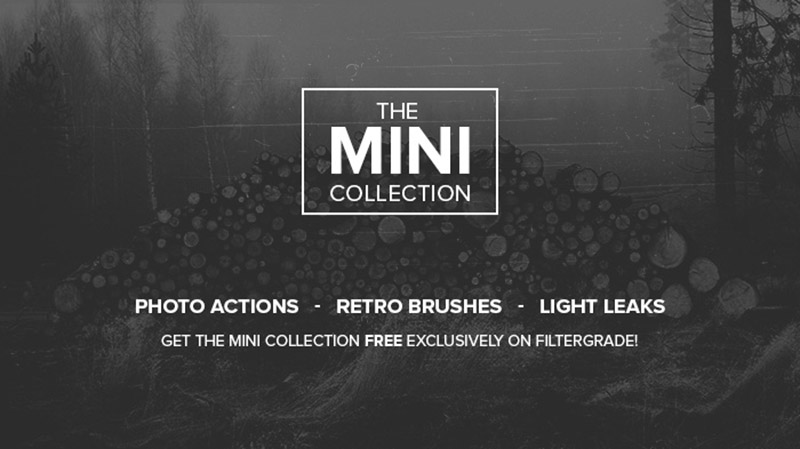
Best for: photographers who want several vintage tools in one free starter pack.
The FilterGrade Mini Collection combines:
- 10 retro Photoshop actions.
- 5 light leak Photoshop actions.
- Vintage scratch brushes.
That makes it more versatile than a pack containing only one style of light leak.
Good Starter Collection
If you are experimenting with analog-inspired editing for the first time, having both retro actions and light leaks makes it easier to compare different approaches.
8. Free Photoshop Action — Light Leak
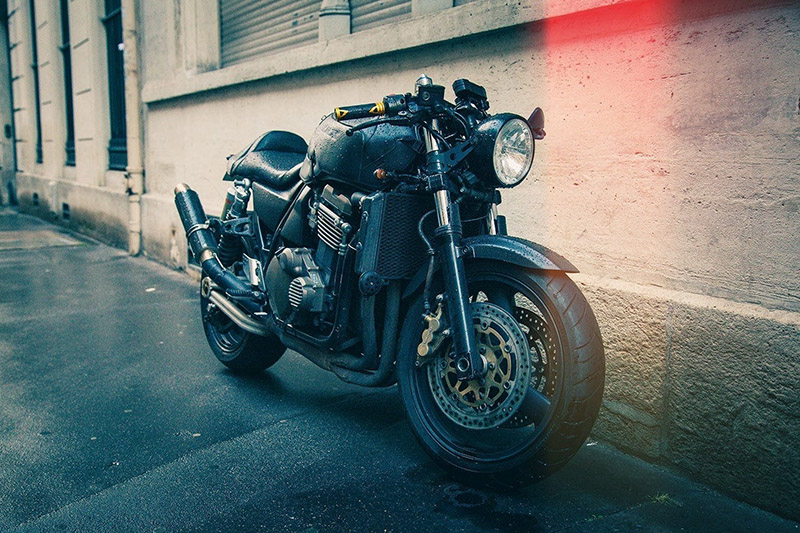
Best for: vintage photography, portraits, city images, lifestyle content, and quick experimental edits.
This free Presetpro action creates a classic vintage-style light leak treatment.
It is a simple choice when you do not need a large action bundle and only want one straightforward effect to test on your photograph.
9. Free Photoshop Action — Light Streak
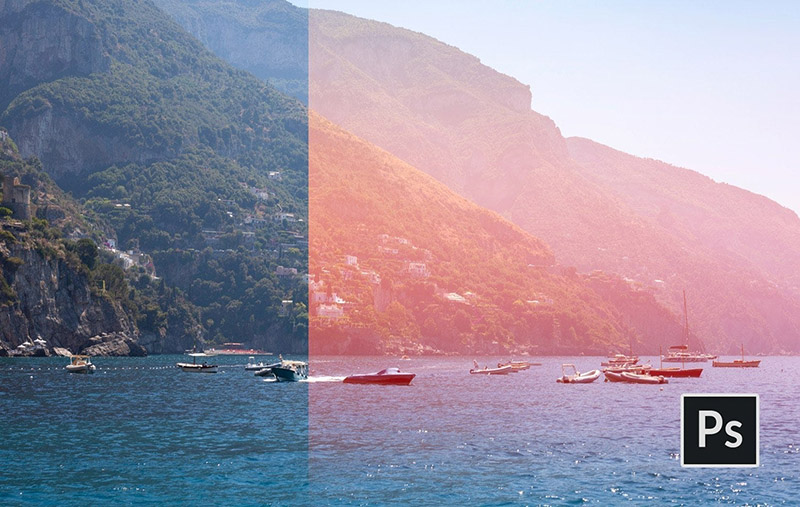
Best for: bright daytime photos, travel, editorial photography, portraits, and creative social content.
The Light Streak action produces a stronger horizontal light-leak effect.
Because the leak has a clear direction, it can become an important compositional element rather than simply a color treatment.
Watch Where the Streak Falls
A strong horizontal flare should not cover:
- Eyes.
- Important facial details.
- Logos.
- Typography.
- Critical product features.
10. Free Photoshop Action — Blue Haze
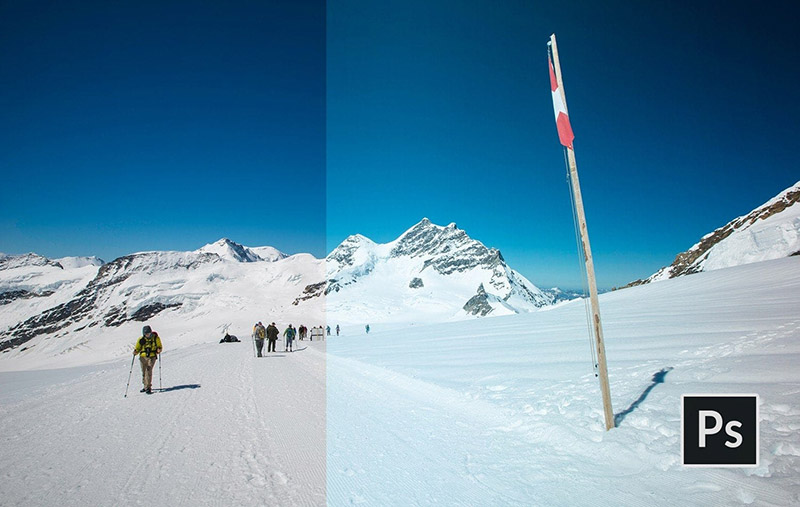
Best for: city photography, landscapes, portraits, night-inspired edits, editorial images, and cooler film looks.
Not every light leak needs to be orange or red.
Blue Haze creates a cooler blue light-leak effect, making it useful when traditional warm film burns do not suit the image.
Try Cool and Warm Versions
Testing both warm and cool effects can dramatically change the emotional character of the same photograph.
Warm vs Cool Light Leak Effects
Warm Light Leaks
Orange, yellow, and red leaks often create associations with:
- Sunlight.
- Summer.
- Warmth.
- Nostalgia.
- Golden hour.
Cool Light Leaks
Blue and violet effects can feel:
- More experimental.
- Urban.
- Moody.
- Digital.
- Cinematic.
Neither approach is automatically better. Choose the color according to the photograph and intended mood.
What Photos Work Best With Light Leaks?
Portraits
A soft leak near the edge of the frame can add atmosphere while leaving the subject readable.
Wedding Photography
Warm film-inspired effects can complement romantic outdoor scenes, but skin tones should remain natural.
Travel Photography
Light leaks can reinforce a spontaneous, snapshot-like feeling.
Fashion Photography
Stronger color effects can work well for editorial and experimental campaigns.
Lifestyle Photography
Film effects can help digital images feel less polished and more personal.
How to Install Photoshop Actions
- Download the action pack.
- Extract the ZIP file if necessary.
- Locate the ATN file.
- Open Adobe Photoshop.
- Open the Actions panel.
- Use the panel menu to load the action.
- Select the desired action.
- Follow the creator’s preparation instructions.
- Press Play.
- Review and adjust the generated result.
How to Get Better Results From Light Leak Actions
Start With a Properly Exposed Image
A light leak should add atmosphere, not rescue a photograph with severe exposure problems.
Reduce the Strength
Many preview images deliberately demonstrate the effect at high intensity.
For real client work, reducing opacity can create a more natural result.
Protect Faces
Use masks when necessary to keep strong color casts away from important facial details.
Watch Skin Tones
Orange and red light leaks can make skin look excessively warm.
Do Not Use the Same Leak Everywhere
If every photograph has an identical flare in exactly the same position, the effect quickly feels artificial.
Light Leaks vs Film Presets
A film preset or film-style action generally changes the overall color and tonal characteristics of the photograph.
A light leak is more localized.
For example:
- A film effect may fade shadows across the entire photograph.
- A light leak may add an orange flare only to one side.
The two can be combined, but the result should still feel intentional.
Light Leaks vs Overlays
Photoshop Actions
Actions automate a predefined sequence of editing commands.
Light Leak Overlays
Overlays are usually image files placed above the photograph and blended using modes such as Screen or Linear Dodge.
Actions can sometimes be easier to apply repeatedly, while overlays can give you more direct control over placement.
Common Light Leak Editing Mistakes
1. Using the Strongest Effect Every Time
More intense does not automatically mean more cinematic.
2. Covering the Subject’s Face
Move or mask effects away from critical details.
3. Making Skin Too Orange
Reduce warmth when the effect changes skin tones too aggressively.
4. Combining Too Many Effects
Film fade, grain, leak, glow, haze, and heavy color grading can become overwhelming when all are used simultaneously.
5. Expecting Every Image to React the Same Way
The same action may produce very different results on dark and bright photographs.
6. Ignoring Generated Layers
If an action creates editable layers, use them.
7. Keeping Broken Download Links
Older Photoshop-resource websites and DeviantArt downloads frequently disappear or move.
8. Keeping Resources That Are No Longer Free
A free-resource collection should be reviewed periodically because pricing can change.
9. Assuming Every Action Works in Every Photoshop Version
Check compatibility on the source page.
10. Assuming Free Means Commercial Use
Always verify licensing separately from download price.
Free Photoshop Action Licensing Checklist
- Is the action still free?
- Is personal use allowed?
- Is commercial use allowed?
- Is attribution required?
- Can it be used for client photography?
- Can resulting images appear in advertising?
- Can generated effects be modified?
- Can the ATN file be redistributed?
- Are there restrictions on resale products?
Frequently Asked Questions About Free Light Leak Photoshop Actions
What are light leak Photoshop actions?
Light leak Photoshop actions automate edits designed to simulate colored film exposure, flares, haze, fades, and related analog-inspired photographic effects.
What are free light leak Photoshop actions used for?
Free light leak Photoshop actions are commonly used for portraits, weddings, lifestyle photography, travel, fashion, editorial images, social media, and vintage photo editing.
Are light leaks always orange?
No. They can include red, yellow, violet, blue, pink, and mixed-color effects.
Do light leak actions damage the original photo?
It depends on how the action is built. Many modern actions use adjustment layers and other non-destructive techniques, but you should always work on a copy or preserve the original file.
Can I reduce a Photoshop action’s strength?
Often yes. You may be able to reduce layer or group opacity, edit masks, or adjust individual generated layers.
What type of photography works best with light leaks?
Portrait, lifestyle, travel, fashion, wedding, and outdoor photography often work particularly well, but the effect can be used creatively in many genres.
Are Photoshop actions the same as Lightroom presets?
No. Photoshop actions automate sequences of Photoshop commands, while Lightroom presets primarily store groups of image-development settings.
Can free light leak actions be used commercially?
Only when the individual resource license permits commercial use.
Why do older Photoshop actions stop working?
Actions may depend on layer names, Photoshop commands, document modes, or functionality that behaves differently in newer versions.
Should I use a light leak on every photo in a series?
Usually not. A consistent color direction can connect a collection without repeating exactly the same visible flare on every image.
Final Thoughts
The best free light leak Photoshop actions can add warmth, nostalgia, color, and analog character to digital photography without requiring every effect to be built manually.
Some actions focus on dramatic orange or red leaks. Others create subtle film fades, cool blue haze, retro color shifts, or soft vintage tones.
The strongest result usually comes from choosing the effect according to the photograph rather than applying the same action at full strength to every image.
Start with a good source photo. Experiment with warm and cool effects. Reduce opacity when necessary. Protect important details with masks. Review skin tones carefully and preserve the original image.
Most importantly, treat the action as an editable creative tool rather than a final one-click solution.
A convincing film effect should enhance the atmosphere of the photograph without making the editing more noticeable than the image itself.
For more Photoshop actions, brushes, textures, mockups, fonts, and free design resources, continue exploring DesignRise.