


Looking for the best free mockups PSD for your next design presentation? This collection brings together a varied selection of Photoshop mockups for branding, packaging, stationery, apparel, devices, print, signage, retail, and product design.
A good mockup can turn a flat design into a much more convincing presentation. Instead of showing a client only a logo, label, poster, or interface file, you can place the artwork into a realistic physical or digital environment.
This DesignRise collection includes 28 best free mockups PSD and related Photoshop presentation resources for:
- Packaging design.
- Brand identities.
- Stationery.
- Labels.
- Food packaging.
- App and UI presentations.
- Brochures and magazines.
- Apparel.
- Logo presentations.
- Retail branding.
- Storefront graphics.
- Client presentations.
- Portfolio projects.
The collection intentionally mixes different mockup categories rather than focusing on one product type. If you are not sure which kind of presentation your project needs, this is a useful starting point for exploring different formats.
Many resources use Photoshop Smart Objects, but editing options, file formats, resolution, and licenses vary between creators. Always check the current source page before using a free asset commercially.
Explore More DesignRise Resources:
28 Best Free Mockups PSD
1. Food Paper Bag Mockup

Best for: bakeries, cafés, takeaway food, restaurants, food delivery, and packaging identities.
This paper-bag scene is useful for testing logos, patterns, illustrations, and takeaway packaging graphics in a realistic context.
2. Beer Bottle Mockup PSD
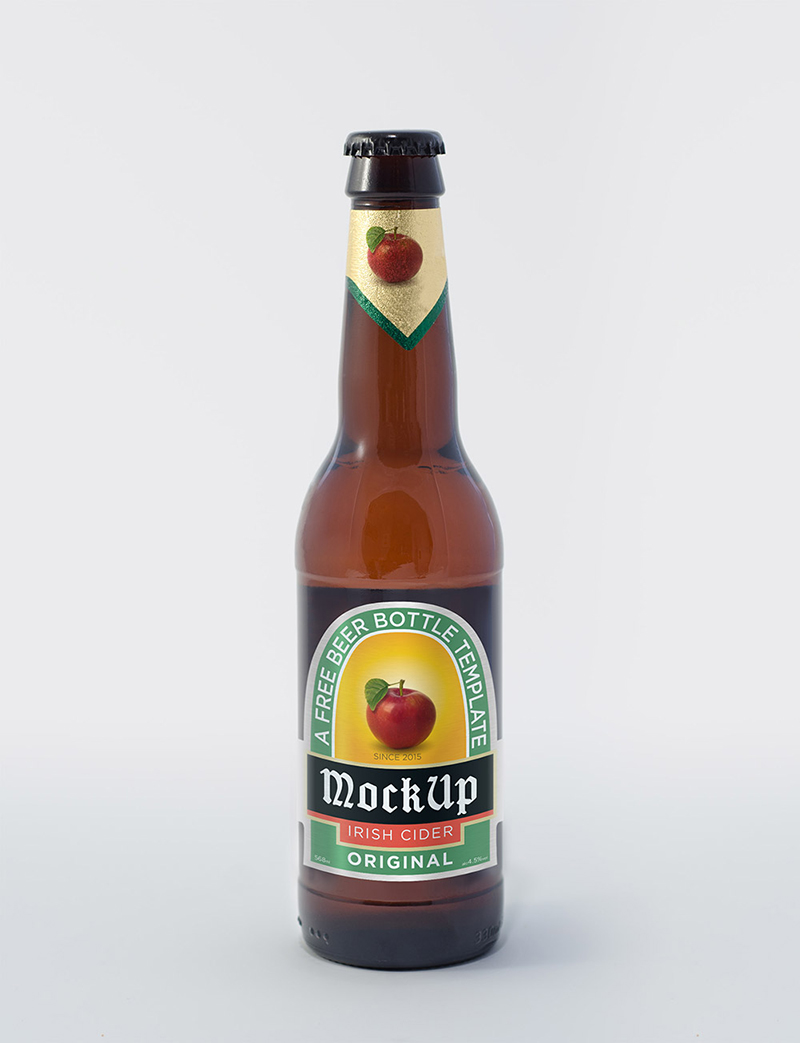
Best for: beverage labels, bottle branding, packaging, breweries, and drink concepts.
The older bottle resource in the original article is no longer the strongest free-download option, so this updated version uses a currently available PSD bottle mockup instead.
The label area can be used for logos, illustrations, patterns, and packaging typography.
3. Presentation Folder Mockups

Best for: corporate identity, proposals, stationery, presentation folders, and agency portfolios.
CompanyFolders currently offers multiple folder PSD presentations, including front, back, interior, stacked, and corporate-identity scenes.
4. Vintage Label PSD Mockups

Best for: labels, handmade products, packaging, vintage identities, tags, and craft branding.
The original GraphicList resource remains available through the creator’s Behance project, so this version links directly to that source.
5. Sardine Fish Can Mockup

Best for: canned food, seafood brands, grocery packaging, labels, and supermarket products.
The rectangular can provides a different packaging format from the more common bottle, jar, and box mockups.
6. Pizza Box Mockup

Best for: pizzerias, delivery restaurants, food packaging, logos, and takeaway branding.
A pizza box offers a large printable surface that can support logos, illustrations, patterns, slogans, and brand colors.
7. Smart TV Mockup in a Living Room

Best for: television interfaces, streaming apps, presentations, video content, and entertainment UI.
The living-room environment gives screen designs more context than a completely isolated television frame.
8. Decorative Food Box Mockup

Best for: sweets, gifts, premium food products, bakeries, takeaway packaging, and decorative branding.
The unusual box structure makes this resource useful for projects that need something more distinctive than a standard rectangular carton.
9. Tablet Screen Mockup PSD
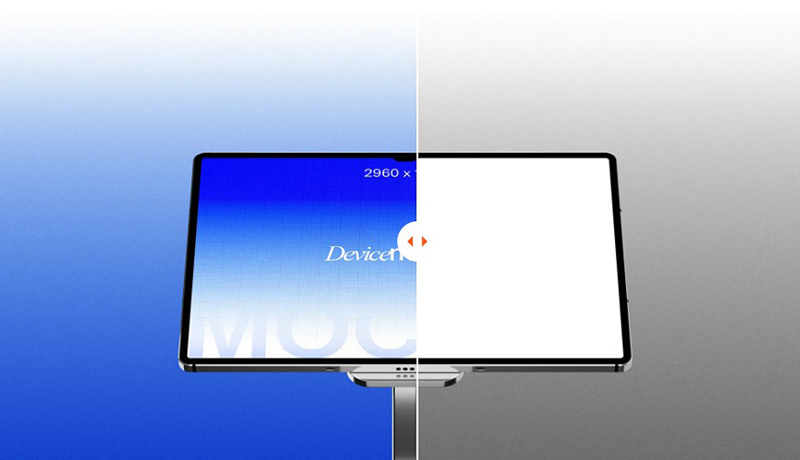
Best for: tablet apps, responsive websites, dashboards, SaaS products, digital portfolios, and UI/UX presentations.
The original wooden-tablet resource was an older DeviantArt file. This updated collection replaces it with a current tablet PSD designed for contemporary screen presentations.
10. Gift Box With a Shirt Mockup

Best for: clothing brands, gift packaging, fashion, apparel launches, and premium merchandise.
This mockup combines two presentation opportunities in one scene: the box itself and the folded garment inside.
11. Stationery Branding Mockup

Best for: logos, business cards, letterheads, envelopes, branding systems, and corporate identity.
A complete stationery scene helps demonstrate that a logo and visual system can work consistently across several different physical formats.
12. 3 A4 Tri-Fold Brochure Mockups
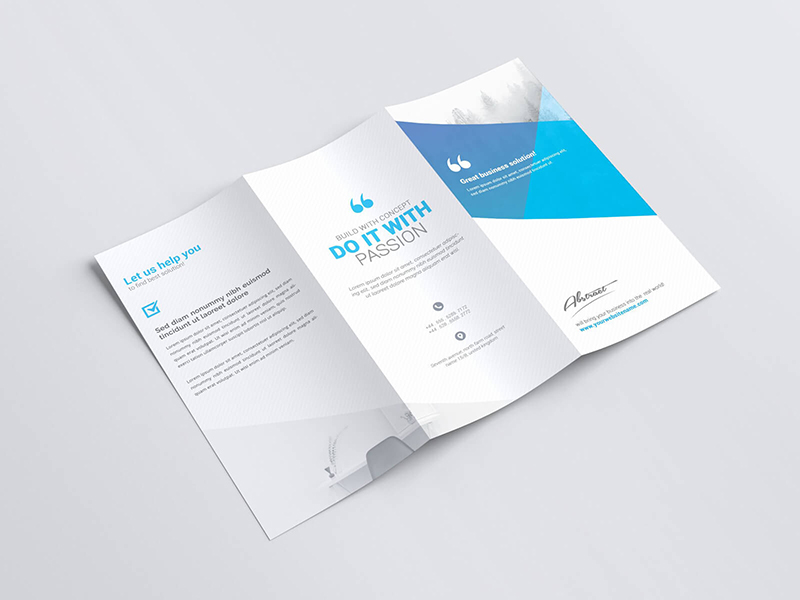
Best for: brochures, tourism, corporate information, menus, services, and printed marketing.
The set offers multiple views for presenting both the exterior and interior of a tri-fold brochure.
13. Free Label Mockup

Best for: apparel tags, clothing labels, packaging, handmade products, and retail branding.
The original Behance project remains available, making it a useful older resource that still has a clear original source.
14. Hip Signs Mockups

Best for: restaurant signage, shop identities, logos, cafés, retail, and environmental branding.
Sign mockups are particularly useful for testing whether a logo remains readable at larger architectural scale.
15. Door Hanger Mockup
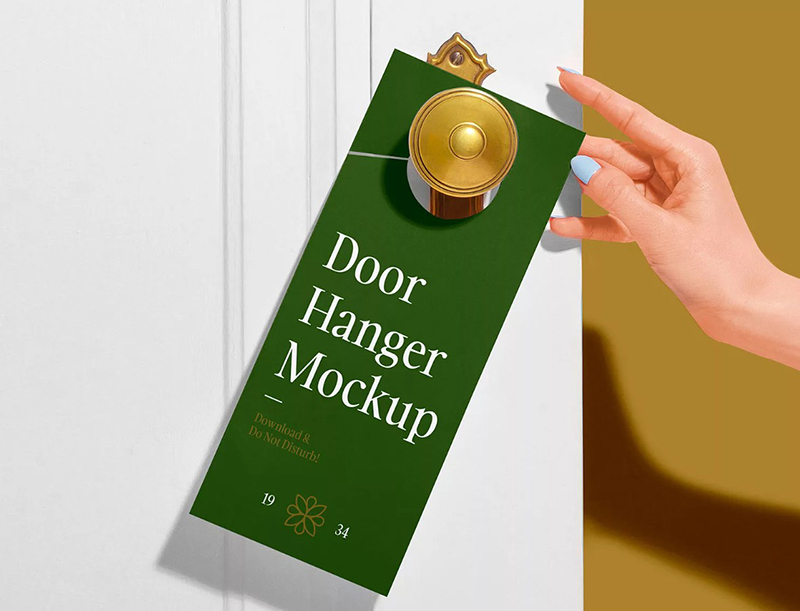
Best for: hotels, hospitality, cleaning services, promotions, events, and local marketing.
The older door-hanger source has been replaced with a current free PSD page with an editable smart-layer workflow.
16. Summer Dress Mockup PSD Set
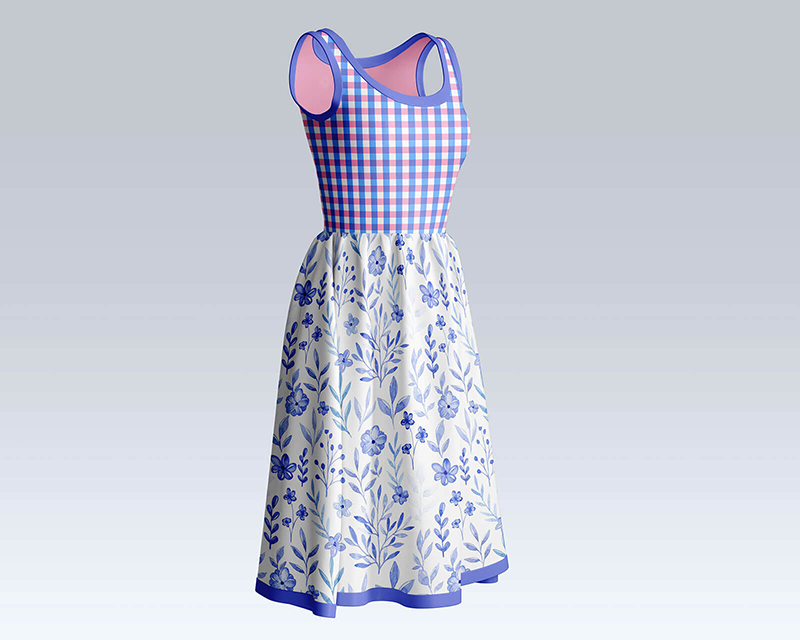
Best for: fashion collections, textile patterns, women’s apparel, clothing stores, and print-on-demand concepts.
This current set replaces the older dress link and provides several garment views for testing patterns and artwork on fabric.
17. Letterhead and Paper Portfolio Mockup

Best for: stationery, corporate identity, formal documents, proposals, and branding portfolios.
The original GraphicsFuel resource remains available through a current free-resource page, so the mockup can stay in the collection without relying on a dead URL.
18. Apple Watch Mockup

Best for: watch apps, fitness interfaces, notifications, wearable UI, and digital product portfolios.
Wearable mockups are useful when an interface needs to be evaluated at a much smaller scale than a phone or tablet screen.
19. Folder Cover Mockup PSD
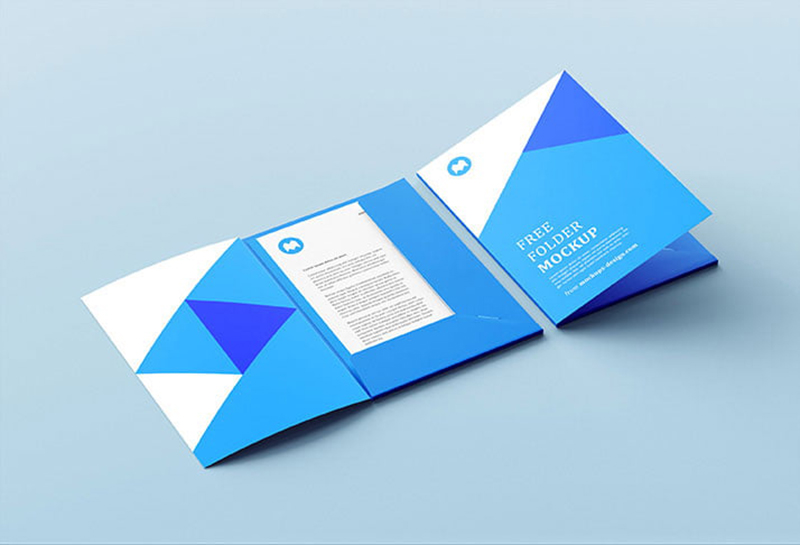
Best for: corporate folders, stationery, proposals, presentation kits, and identity systems.
The previous direct Dropbox file has been replaced with a stable folder-mockup resource page rather than keeping a temporary file link.
20. Disposable Espresso Coffee Cup Mockup

Best for: cafés, coffee shops, takeaway drinks, hospitality branding, and beverage identities.
Coffee-cup mockups are useful for showing logos and small branding systems on an everyday customer touchpoint.
21. Tri-Fold Brochure Mockup

Best for: printed brochures, corporate services, travel, events, menus, and marketing.
The current Vectogravic resource provides several high-resolution views, making it useful when both exterior and interior brochure panels matter.
22. Big Handbag Mockup

Best for: fashion, bags, retail, logos, patterns, and accessories branding.
The large bag surface provides plenty of room for logos, artwork, patterns, and typography.
23. Magazine Ad Mockup PSD

Best for: magazine advertising, editorial campaigns, print marketing, portfolios, and client presentations.
This long-running DesignBolts resource remains available and can be used to preview advertising artwork inside a magazine context.
24. Interior Frame Mockup

Best for: posters, artwork, prints, photography, typography, and interior décor presentations.
This listing preserves the same Pixelbuddha resource while using a currently accessible MockupTree page.
25. Invitation Card & Envelope Mockup

Best for: invitations, wedding stationery, cards, envelopes, events, and premium paper branding.
The combination of card and envelope makes it useful for showing a coordinated stationery design rather than one isolated printed piece.
26. Metallic Stamping Logo Mockup
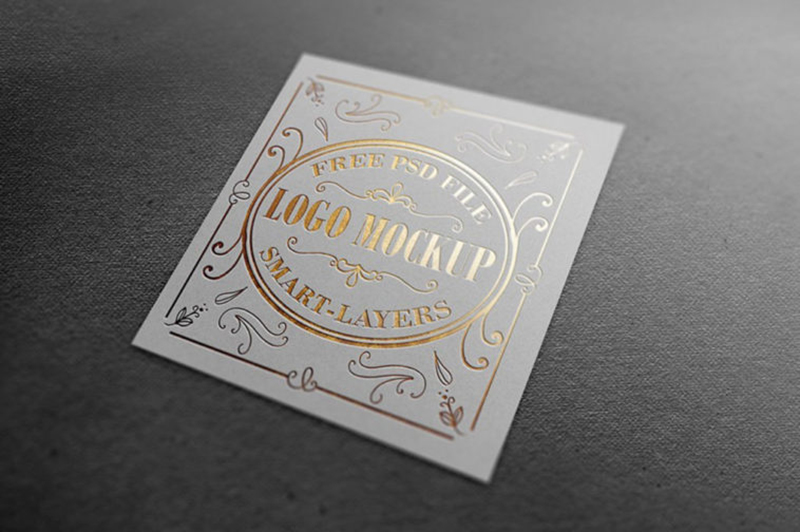
Best for: premium logos, luxury brands, stationery, gold foil, silver foil, and identity presentations.
The older gold-and-silver stamping resource has been replaced with a current metallic stamping PSD offering both gold and silver presentation styles.
27. Match Box Mockup

Best for: packaging concepts, hospitality, restaurants, candles, bars, creative branding, and promotional items.
The compact packaging format can be particularly effective for experimenting with small-scale logo and pattern applications.
28. Corner Storefront Mockup

Best for: retail identities, cafés, restaurants, boutiques, window graphics, and storefront branding.
A storefront mockup helps move a visual identity beyond stationery and packaging into a full architectural environment.
How to Choose the Right PSD Mockup
The most impressive-looking mockup is not always the best choice.
Match the Real Application
If the project will appear on a paper bag, use a paper-bag scene. If it will be printed onto a storefront window, a retail mockup provides more relevant context.
Match the Brand Personality
A luxury logo may benefit from metallic stamping, while a casual food brand may look more believable on takeaway packaging.
Keep the Artwork Visible
The purpose of a mockup is to present the design. Strong shadows, dramatic props, or unusual perspective should not make the artwork difficult to evaluate.
PSD Mockups vs Online Mockup Generators
PSD Mockups
Photoshop mockups often provide greater control over:
- Smart Objects.
- Backgrounds.
- Shadows.
- Colors.
- Individual layers.
- Perspective.
Online Generators
Browser tools can be faster when you only need a quick presentation and do not need detailed layer control.
For portfolio-quality work, layered PSD files are still particularly useful when you want to adjust the scene precisely.
How to Use a PSD Mockup in Photoshop
- Download and extract the resource.
- Open the PSD in Photoshop.
- Find the Smart Object or artwork layer.
- Double-click the Smart Object thumbnail.
- Insert your design.
- Scale the artwork correctly.
- Save the Smart Object.
- Return to the main mockup.
- Adjust colors or backgrounds when supported.
- Export the finished presentation.
How to Make Mockups Look More Professional
Use High-Quality Artwork
A realistic PSD cannot compensate for a blurry logo or low-resolution design.
Use Realistic Scale
Do not make logos or typography dramatically larger simply to make them more visible in the preview.
Choose Consistent Mockups
If several mockups appear in one branding case study, try to keep their lighting, color, and visual style reasonably consistent.
Show Flat Artwork Too
A mockup adds context, but clients and portfolio viewers should still be able to see the actual design without perspective and lighting effects.
Best Mockup Categories for Branding Projects
Packaging Mockups
Useful for boxes, bottles, cans, bags, food products, and labels.
Stationery Mockups
Useful for business cards, letterheads, folders, envelopes, and corporate identity.
Apparel Mockups
Useful for T-shirts, dresses, merchandise, fashion, and textile patterns.
Device Mockups
Useful for apps, websites, UI/UX projects, streaming interfaces, and digital products.
Environmental Mockups
Useful for signs, storefronts, posters, frames, and architectural branding.
Common Mockup Mistakes
1. Choosing an Irrelevant Product
The mockup should represent something the brand might realistically use.
2. Making the Logo Too Large
Realistic scale usually creates a more convincing result.
3. Using Too Many Mockups
A few strong scenes are often better than twenty nearly identical presentations.
4. Ignoring Perspective
Artwork should follow the shape and angle of the object naturally.
5. Using Low-Resolution Graphics
Start with clean source artwork whenever possible.
6. Keeping Broken Links
Free-resource sites change frequently, so older collections need regular maintenance.
7. Linking Directly to Temporary Files
A stable resource page is preferable to an old Dropbox, MediaFire, or temporary ZIP link.
8. Assuming Every PSD Uses Smart Objects
Check the individual resource before promising a specific editing workflow.
9. Assuming “Free” Means Commercial Use
Free download availability and commercial licensing are not the same thing.
10. Using Mockups as Production Files
Mockups are presentation tools, not substitutes for printer dielines, manufacturing templates, or production proofs.
Free PSD Mockup Licensing Checklist
- Is the resource still free?
- Is personal use allowed?
- Is commercial use allowed?
- Is attribution required?
- Can it be used in paid client projects?
- Can the final image appear in advertising?
- Can the PSD be modified?
- Can the original source file be redistributed?
- Can it be included in a product or template for resale?
Frequently Asked Questions About the Best Free Mockups PSD
What are PSD mockups?
PSD mockups are Photoshop presentation files that allow designers to place artwork onto realistic products, printed materials, devices, apparel, packaging, or environments.
What are the best free mockups PSD used for?
The best free mockups PSD can be used for branding presentations, packaging, websites, mobile apps, apparel, stationery, signs, advertising, portfolio projects, and client approvals.
Do all PSD mockups use Smart Objects?
No. Smart Objects are common, but editing methods vary between creators.
Do I need Photoshop?
Photoshop is the intended application for most PSD resources. Some files may also work in other PSD-compatible editors, but compatibility can vary.
Can I use free mockups commercially?
Only when the individual resource license permits your intended commercial use.
Can mockups be used in portfolios?
Usually, but the individual license should still be checked.
Should I use mockups for client presentations?
Yes. They can help clients understand how a design may appear in a realistic setting, but also include clean flat artwork when appropriate.
Should I use the newest mockups only?
Not necessarily. Older PSD files can still be useful if their visual style remains relevant, the resource is accessible, and the license is appropriate.
Why do mockup links stop working?
Design-resource sites close, authors move projects, free assets become paid, and temporary download links expire. That is why curated collections should be reviewed periodically.
What should I do if the original mockup link disappears?
First look for the same mockup on the creator’s website, Behance profile, or a reputable mockup library. If the exact resource is no longer available, replace it with a genuinely relevant alternative rather than linking to a broken page.
Final Thoughts
The best free mockups PSD are not simply the most photorealistic files. The best resource is the one that matches the design you actually need to present.
A packaging concept may need a bottle, food box, bag, or can. A corporate identity may need stationery and folder scenes. Digital work may need a television, tablet, or wearable device, while environmental branding can benefit from storefront and signage mockups.
Choose the mockup according to the project.
Use realistic scale. Keep the artwork visible. Avoid unnecessary effects. Show clean source designs alongside realistic scenes. Check that download links are still working and review licensing before commercial use.
A good mockup should help viewers understand your design in context — not become more important than the design itself.
For more free mockups, Photoshop resources, fonts, textures, templates, and design inspiration, continue exploring DesignRise.