




Free PSD mockups are one of the fastest ways to turn a flat design into a professional presentation. A logo shown on a metallic surface feels more convincing than the same logo sitting on a white artboard. Packaging artwork becomes easier to evaluate when it appears on a real box, pouch, bottle, or cup. A poster can instantly feel like part of a campaign when it is placed on a street wall instead of presented as a plain rectangle.
For graphic designers, mockups are useful for much more than making portfolio images look attractive.
They help communicate scale, material, context, placement, and visual hierarchy. They can also make it easier for clients to understand how a design might behave in the real world before anything is actually printed or manufactured.
This DesignRise collection brings together 20 free PSD mockups and mockup resources for branding, packaging, apparel, stationery, editorial design, posters, devices, merchandise, and presentation work.
Inside the collection you will find:
- Paper cup and tea cup mockups.
- Paper pouch and box packaging mockups.
- Pillow and textile presentation templates.
- Metallic logo mockups.
- Calendar and brochure mockups.
- Mug mockups.
- Poster and street advertising scenes.
- Device mockups for iPhone and iPad.
- Book and magazine cover mockups.
- T-shirt mockups.
- Stationery and office branding presentations.
Many PSD mockups use Smart Objects or editable Photoshop layers to simplify artwork placement, but features differ from one resource to another. Always check the original source page before downloading if you specifically need Smart Objects, editable shadows, isolated backgrounds, high-resolution output, or commercial licensing.
Licensing note: free download availability does not automatically mean every mockup can be used commercially. Always review the current license on the original source page before using a resource in client work, advertising, templates, merchandise, paid products, or other commercial projects.
Explore More DesignRise Resources:
- Vintage and Retro Brush Sets for Photoshop
- Watercolor Patterns for Your Design
- Combatting UX Fatigue: Enhancing User Experience by Reducing Overload
Why Free PSD Mockups Are Useful for Designers
A mockup gives design context.
That context can answer questions a flat file cannot:
- Does the logo remain readable on a real surface?
- Is the packaging artwork too busy once folds and shadows are visible?
- Does the poster still work from a distance?
- Is the T-shirt graphic positioned correctly?
- Does a book cover feel convincing at realistic proportions?
- Does an app interface remain visually balanced inside a device frame?
Mockups Help Clients Understand the Idea
Designers are used to interpreting flat layouts, grids, dielines, and vector artwork. Clients may not be.
A realistic mockup can bridge that gap by showing the design in a familiar physical or digital environment.
Mockups Improve Portfolio Presentation
A portfolio becomes stronger when it shows how a visual identity behaves across multiple touchpoints rather than presenting only isolated logos.
For example, one branding project could include:
- Logo mockup.
- Stationery.
- Packaging.
- Poster.
- Apparel.
- Digital device presentation.
Which Mockup Type Should You Use?
20 Best Free PSD Mockups for Designers
1. Floating Paper Cups Mockup

Best for: coffee branding, cafés, beverage packaging, restaurant identities, takeaway concepts, and portfolio presentations.
The floating composition gives this paper cup mockup more movement than a standard cup sitting on a table. It works particularly well when you want beverage branding to feel energetic or campaign-ready.
Use the Cup as Part of a Brand System
Instead of placing only a logo on the cup, test a complete visual language using:
- Logo.
- Pattern.
- Illustration.
- Typography.
- Color system.
2. Paper Pouch Mockup

Best for: coffee, tea, snacks, natural products, cosmetics, pet products, supplements, and small-batch packaging concepts.
Pouch packaging is especially useful for testing vertical label hierarchy because the designer must balance logo, product name, flavor or variant, supporting information, and illustration inside a relatively compact space.
3. Square Pillow Mockup

Best for: surface pattern design, home décor, illustration, textile branding, typography, and print-on-demand concepts.
Pillow mockups can reveal pattern scale problems that are difficult to notice in a flat repeat tile.
Test:
- Pattern density.
- Object scale.
- Edge cropping.
- Placement around folds.
4. Metallic Branding Logo Mockup

Best for: luxury branding, fashion, hospitality, architecture, premium packaging, and logo presentations.
A metallic treatment can make a logo feel more premium, but it should support the actual identity rather than compensate for weak logo design.
Always Show a Flat Version Too
If this mockup appears in a portfolio, include the clean logo somewhere else in the project. A dramatic material effect should not be the only way the viewer sees the mark.
5. Wall Calendar Mockup

Best for: calendar layouts, photography, illustration, corporate gifts, print portfolios, and editorial design.
A wall calendar mockup helps evaluate how the artwork, date grid, typography, and margins work together at a realistic viewing scale.
6. Floating Tea Cup Mockup

Best for: tea brands, cafés, beverage packaging, event branding, hospitality, and social campaigns.
The floating presentation makes this useful for more expressive advertising-style compositions rather than only static packaging previews.
7. Gate Fold Brochure Mockup

Best for: corporate brochures, menus, hospitality, real estate, events, product catalogs, and editorial projects.
A brochure mockup is useful for checking how visual elements cross folds and whether the front panel still creates a strong first impression when the complete layout is closed.
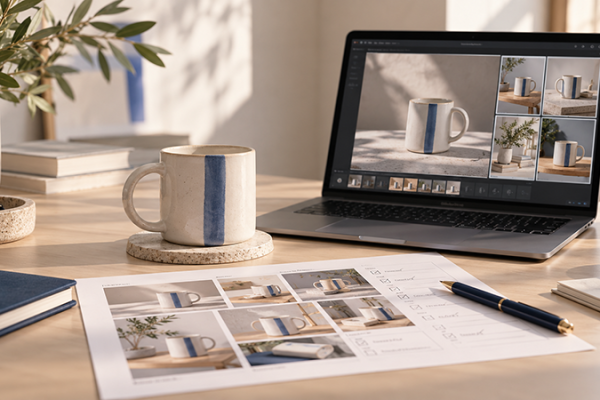
8. Mug Mockup

Best for: merchandise, cafés, corporate gifts, illustration, typography, print-on-demand, and logo presentations.
Mugs have curved printable surfaces, so they are useful for checking whether artwork remains visually balanced when part of the design wraps away from the viewer.
9. Square Pillow Mockup Template

Best for: repeat patterns, home décor, textile collections, illustration, lettering, and online shop presentations.
This gives you another pillow presentation option, which can be useful when showing several textile designs in the same portfolio without repeating exactly the same scene.
10. iPhone XS in a Car Mockup

Best for: mobile apps, navigation concepts, music apps, transport services, UI presentations, and lifestyle campaigns.
The environment gives this device mockup a more realistic usage context than an isolated phone render.
Design note: the iPhone XS is an older device model, so use this scene when the visual context matters more than presenting a current hardware generation.
11. Street Wall Poster Mockup

Best for: advertising, events, music, exhibitions, fashion campaigns, cultural posters, and outdoor branding.
Street poster scenes add environmental texture and help designers evaluate whether a poster has enough contrast to compete with a visually busy urban setting.
Zoom Out Before Exporting
A poster may be viewed from several meters away. Check whether the headline, event name, date, and main visual remain understandable at reduced scale.
12. Cardboard Box Mockup

Best for: shipping brands, e-commerce, subscription boxes, food packaging, retail products, and sustainable branding.
Cardboard packaging works particularly well with restrained identities, black ink, stamps, natural colors, and minimal label systems.
13. Centrix Pen Mockup

Best for: corporate identity, stationery, promotional merchandise, schools, events, and branded office products.
Small promotional objects are useful for testing whether a logo remains recognizable when reproduced at a very limited physical size.
14. Poster on a Wooden Wall Mockup

Best for: artwork, photography, posters, typography, hospitality, menus, exhibitions, and rustic branding.
The wooden background gives the scene a warmer character than a clean gallery wall, making it useful for handmade, natural, hospitality, or vintage-inspired projects.
15. Fashion Magazine Cover Mockup

Best for: fashion editorial, magazine covers, photography, beauty, publishing, and typography portfolios.
A magazine mockup helps test the relationship between masthead, cover image, feature titles, price, issue information, and secondary copy.
16. Upside-Down Cup Mockup

Best for: beverage brands, coffee shops, packaging concepts, typography, illustration, and creative campaign presentations.
The unusual orientation makes this scene more visually distinctive than a traditional standing cup mockup and can help add variety to a larger branding presentation.
17. iPad Pro Tablet Mockup

Best for: websites, apps, dashboards, digital magazines, illustrations, presentations, and UI portfolios.
A tablet frame gives designers enough screen area to show more complex interfaces than a phone mockup.
Design note: because this resource depicts an older iPad generation, it is best used when the scene still matches the project’s intended context.
18. Book Cover PSD Mockup

Best for: book covers, publishing, editorial projects, photography books, fiction, nonfiction, and portfolio presentations.
A realistic book mockup allows the designer to evaluate whether cover typography still feels balanced when perspective, lighting, and physical dimensions are introduced.
19. T-Shirt PSD Mockup

Best for: apparel, merchandise, logo applications, illustration, streetwear, events, and print-on-demand products.
A T-shirt mockup is useful for judging actual print scale. Artwork that fills an entire Photoshop canvas may look surprisingly large once placed on clothing.
Check Placement, Not Just Artwork
Evaluate:
- Distance from collar.
- Overall print width.
- Relationship to folds.
- Centered vs intentionally offset placement.
20. Stationery & Office Supplies Mockup

Best for: complete brand identities, corporate design, agency portfolios, professional services, hospitality, and client presentations.
A stationery set is one of the most useful ways to demonstrate that a logo can expand into a complete identity rather than exist as an isolated symbol.
How to Use PSD Mockups in Photoshop
1. Open the PSD
Start by inspecting the Layers panel instead of immediately replacing artwork.
2. Look for Smart Objects
Common labels include:
- Place Design Here.
- Your Design.
- Replace Me.
- Artwork.
3. Double-Click the Smart Object
This usually opens a separate Photoshop document.
4. Insert Your Artwork
Place your logo, packaging design, poster, illustration, or interface inside that document.
5. Save the Smart Object
Return to the main PSD and the mockup should update automatically.
6. Check the Final Scene
Inspect:
- Perspective.
- Contrast.
- Shadows.
- Highlights.
- Background.
- Artwork position.
How to Make a Mockup Look More Realistic
Respect the Surface
A logo printed on cardboard should not behave like polished chrome unless that is intentionally part of the mockup.
Do Not Make Black Artwork Too Black
Real printed black can interact with material texture, lighting, reflections, and shadows.
Keep Artwork Inside Realistic Boundaries
Print areas usually have physical limits.
Do Not Hide Important Parts of the Design
A dramatic fold may look realistic but should not make the main logo unreadable.
How to Choose a Mockup for Branding Projects
Choose touchpoints that actually make sense for the brand.
Café
- Cup.
- Bag.
- Mug.
- Menu or brochure.
- Poster.
Fashion Brand
- T-shirt.
- Magazine.
- Poster.
- Packaging.
Corporate Brand
- Stationery.
- Pen.
- Brochure.
- Logo application.
Digital Product
- Phone.
- Tablet.
- Presentation screens.
How Many Mockups Should a Portfolio Project Include?
There is no fixed number.
A strong case study may only need:
- One hero mockup.
- Two or three supporting applications.
- One clean flat layout.
The goal is to communicate the design system, not to fill the project with every mockup you can find.
Common Mockup Mistakes
1. Using Too Many Mockups
Ten similar scenes rarely add more value than three carefully selected ones.
2. Showing Only Mockups
Clients and portfolio reviewers should also be able to see the actual design clearly.
3. Choosing the Wrong Context
A luxury skincare identity probably does not need a sports jersey mockup.
4. Using Outdated Devices Without a Reason
Older phones and tablets can make a UI project feel dated if current technology is part of the message.
5. Ignoring Real Print Scale
Logos and graphics can look much larger in a mockup than they would realistically be produced.
6. Overusing Metallic Logo Effects
A premium presentation does not automatically require gold or metal.
7. Using Different Mockup Styles in One Case Study
Try to keep lighting, color temperature, background style, and visual mood relatively consistent.
8. Ignoring Perspective
Artwork should follow the geometry of the product or environment.
9. Using Low-Resolution Artwork
A high-resolution mockup cannot rescue a pixelated logo or image.
10. Assuming Every Free Mockup Allows Commercial Use
Always check the individual license.
Free Mockup Licensing Checklist
- Is personal use allowed?
- Is commercial use allowed?
- Can it be used for paid client presentations?
- Can the final mockup image be used in advertising?
- Is attribution required?
- Can the PSD be modified?
- Can the original mockup file be redistributed?
- Can it be included in a template or product for resale?
Frequently Asked Questions About Free PSD Mockups
What are PSD mockups?
PSD mockups are Photoshop files designed to place artwork into realistic product, print, device, apparel, packaging, or environmental scenes.
What are free PSD mockups used for?
Free PSD mockups can be used to present logos, packaging, apps, websites, posters, books, brochures, merchandise, textiles, and other creative work in a more realistic context.
Do all PSD mockups use Smart Objects?
No. Many do, but layer structures differ by creator. Check the original resource description before downloading if Smart Object editing is important.
Can I use free mockups for client work?
Only when the individual license permits commercial or client use.
Can mockups be used in portfolios?
Yes, when permitted by the resource license. Mockups are especially useful for showing how a visual identity behaves in realistic applications.
Should I show both mockups and flat designs?
Yes. Mockups communicate context, while flat layouts allow viewers to evaluate the actual design without lighting, perspective, or material effects.
What is the best mockup for a logo presentation?
Choose a scene that reflects the real brand. A metallic logo may suit luxury or hospitality, while stationery, packaging, signage, or merchandise may be more appropriate for other identities.
What is the best mockup for packaging design?
Use a mockup with the same or very similar physical structure as the intended package. Pouches, boxes, cups, bottles, and bags distort artwork differently.
Can I edit PSD mockups without Photoshop?
Compatibility depends on how the PSD is constructed and whether the alternative software supports the required Photoshop features and Smart Objects.
Are all mockups in this collection free for commercial use?
No universal licensing claim should be made. Check the current terms of each individual source.
Final Thoughts
The best free PSD mockups do more than make a design look realistic.
They help explain how the work is intended to live in the real world.
A paper cup can show how a café identity behaves on packaging. A street poster can test whether a campaign has enough impact from a distance. A T-shirt reveals whether artwork is properly scaled. A book cover mockup adds physical context to editorial design, while a complete stationery set can demonstrate how a logo expands into an identity system.
The most important step is choosing the right context.
Do not use a mockup simply because it looks impressive. Use it because it reveals something useful about the design.
Keep the presentation consistent. Show clean flat artwork alongside realistic scenes. Avoid excessive effects. Check scale and perspective. And always verify the license before using a free resource commercially.
A strong mockup should support the design — not become more important than the design itself.
For more mockups, fonts, Photoshop resources, textures, brushes, and practical design inspiration, continue exploring DesignRise.
“`