



Free t-shirt mockups are essential resources for apparel designers, clothing brands, illustrators, print-on-demand sellers, and anyone who needs to present graphics on realistic garments before production.
A flat illustration or logo can look very different once it is placed onto fabric. Folds, seams, shadows, garment color, print position, and body shape all influence how the final design appears.
This DesignRise collection brings together 20 free t-shirt mockups PSD featuring hanging shirts, folded garments, front and back views, women’s shirts, cropped tees, tank tops, kids’ shirts, and other apparel presentations.
They can be useful for:
- Fashion branding.
- Merchandise collections.
- Print-on-demand products.
- Band and event merchandise.
- Logo presentations.
- Clothing stores.
- Streetwear concepts.
- Portfolio projects.
- E-commerce product previews.
- Client presentations.
Many of these resources are Photoshop PSD files with Smart Objects or editable layers, but file structure, compatibility, resolution, and licensing differ between creators.
Licensing note: always review the current license on the original resource page before using a free mockup commercially.
Explore More DesignRise Resources:
- How to Change Opacity in Procreate
- The Hidden UX Danger: How Micro Failures Ruin Websites
- Watercolor Photoshop Brushes Kit
Why Use T-Shirt Mockups?
Printing samples for every design variation can be expensive and time-consuming. A PSD mockup allows designers to test a concept visually before producing the garment.
You can compare:
- Artwork size.
- Front and back placement.
- Shirt colors.
- Logo positioning.
- Typography scale.
- Different graphic versions.
Mockups Help Show Fabric Context
Artwork on a cotton shirt does not behave like artwork on a perfectly flat digital canvas. Realistic folds and shadows make the presentation more believable.
They Are Useful for E-Commerce
Mockups can also help visualize a clothing collection before a full product photoshoot is available.
Which T-Shirt Mockup Should You Choose?
20 Free T-Shirt Mockups PSD
1. Indoor Light Hanging T-Shirt Mockup

Best for: fashion brands, merchandise, logos, typography, online stores, and clothing presentations.
The hanging presentation adds a natural retail feel without requiring a model or full photoshoot.
2. PSD T-Shirt Mockup Template Vol. 3

Best for: logos, illustrations, merch graphics, branding, and portfolio presentations.
This clean Pixeden resource is useful when the artwork should remain the main focus of the scene.
3. T-Shirt Mockup Template PSD

Best for: apparel graphics, corporate merchandise, logo applications, and print previews.
A neutral mockup like this is especially useful when comparing several color or artwork variations.
4. Backside T-Shirt Mockup

Best for: large back prints, streetwear, event merchandise, sports graphics, and fashion collections.
Do Not Forget the Back Design
Many streetwear and merchandise projects use a small front logo combined with a much larger back illustration.
5. Wooden Hanger T-Shirt Mockup

Best for: fashion brands, retail, apparel portfolios, typography, and merchandise.
The old article linked directly to a ZIP archive. The updated version sends visitors to a proper mockup resource page instead.
6. Cropped T-Shirt Mockup

Best for: women’s fashion, streetwear, summer collections, fitness brands, and modern merchandise.
A cropped silhouette changes the relationship between the artwork and the garment, so always test the graphic on the actual shirt style you plan to produce.
7. Front, Back & Folded T-Shirt Mockup
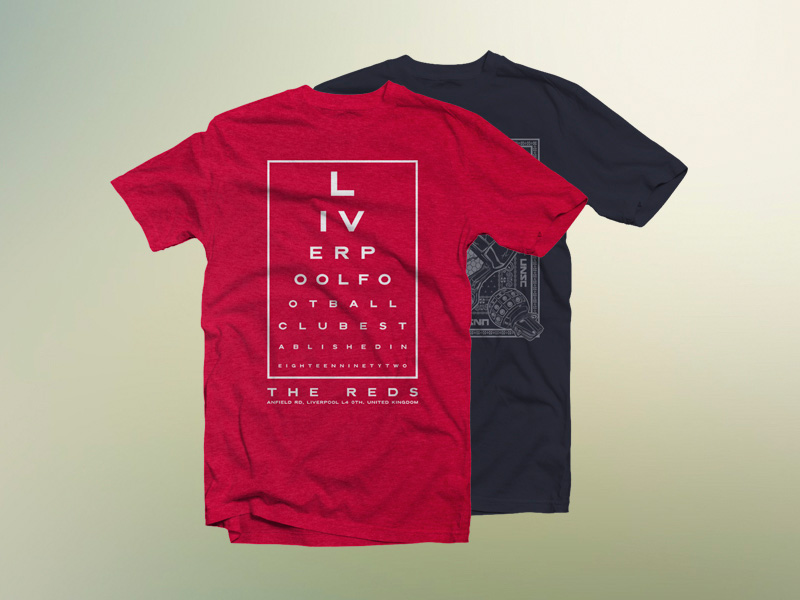
Best for: complete apparel collections, e-commerce, merchandise presentations, and front/back print systems.
The old article used a direct ZIP stored on DesignRise. This updated resource provides a dedicated download page and shows the garment in front, back, and folded presentations.
8. Tony Thomas T-Shirt Design Mockup

Best for: graphic tees, merchandise, illustration, logos, and print-on-demand concepts.
This MediaLoot mockup remains a useful clean presentation for displaying artwork on a regular-fit T-shirt.
9. Men’s Tank Top & Long T-Shirt Mockup

Best for: fitness brands, summer collections, streetwear, sportswear, and casual fashion.
This option expands the collection beyond a standard short-sleeve T-shirt silhouette.
10. Photorealistic T-Shirt Mockups

Best for: clothing brands, portfolios, fashion graphics, typography, and realistic client presentations.
Photorealistic fabric and folds help show how a large print may react to a less-than-perfectly-flat garment surface.
11. White T-Shirt Mockup
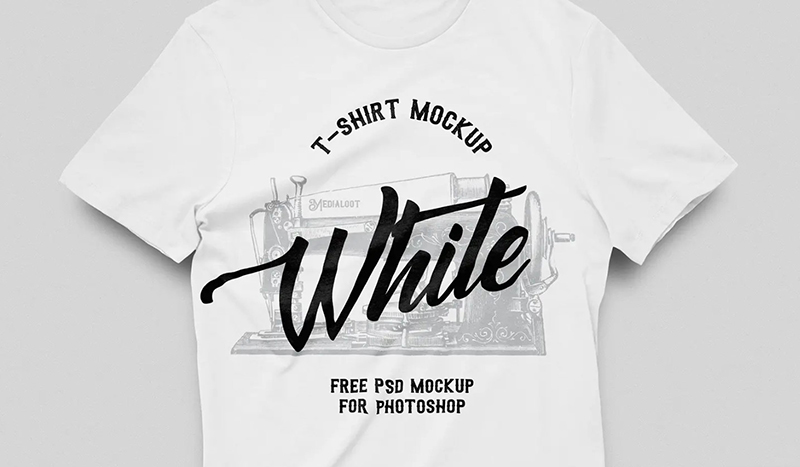
Best for: colorful illustrations, logos, screen-print concepts, typography, and e-commerce presentations.
The old Blogspot resource from the original article has been replaced with a current white T-shirt PSD from MediaLoot.
A plain white shirt is especially useful when the artwork contains multiple colors and you want to judge the print without competition from the garment itself.
12. Flat T-Shirt Mockup

Best for: front-and-back graphics, apparel catalogs, product pages, and merchandise systems.
A flat presentation is useful when you want the viewer to evaluate the artwork itself with minimal perspective distortion.
13. Flat T-Shirt Top-View Mockup
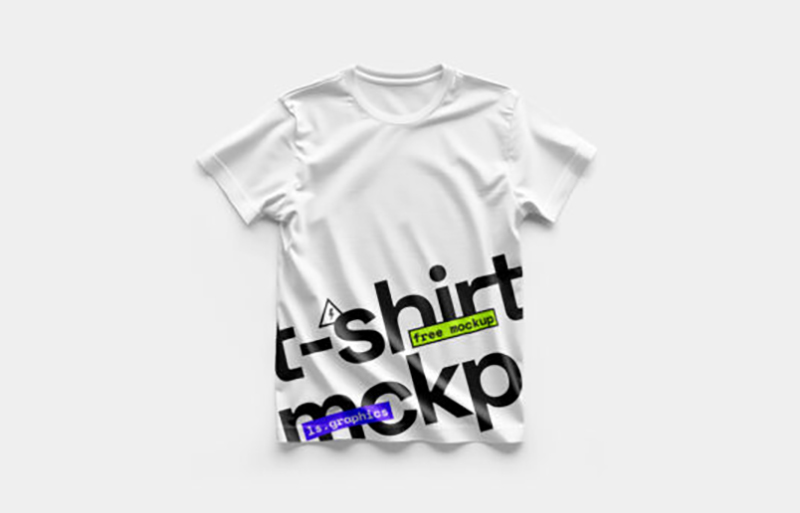
Best for: clothing stores, minimal presentations, print-on-demand, apparel catalogs, and social media graphics.
The inaccessible old DeviantArt blank-shirt resource has been replaced with a current flat top-view PSD.
Top-view mockups are useful because they combine realistic fabric with a relatively clear view of the complete print area.
14. Folded T-Shirt Mockup Template 2

Best for: retail presentation, fashion packaging, clothing stacks, e-commerce, and label design.
A folded shirt mockup provides a different context from hanging or model-based apparel scenes.
15. Front & Back T-Shirt Mockups
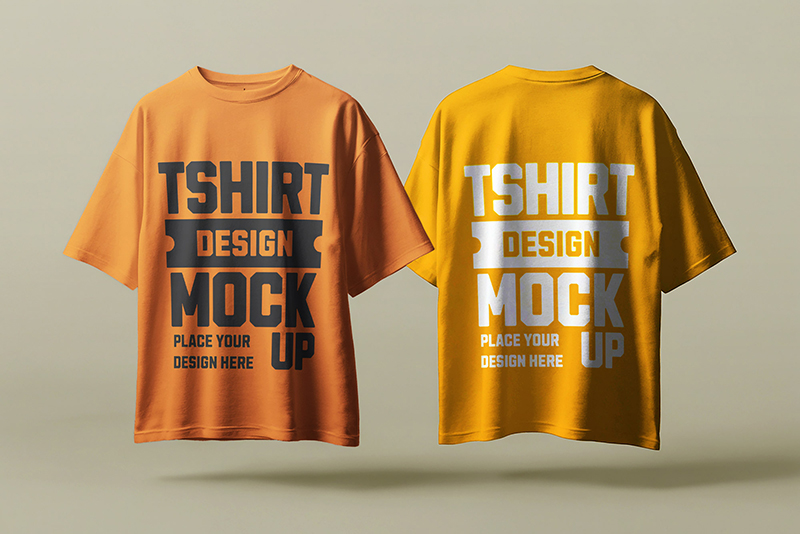
Best for: complete merch designs, streetwear, event shirts, fashion collections, and online stores.
The old MockupFree “7 PSD T-Shirts” source could no longer be reliably confirmed, so this current front-and-back resource replaces it.
Show Both Sides When They Matter
If the back contains additional text, illustration, sponsors, or event information, do not rely on a front-only presentation.
16. Flat T-Shirt With Collar Mockup
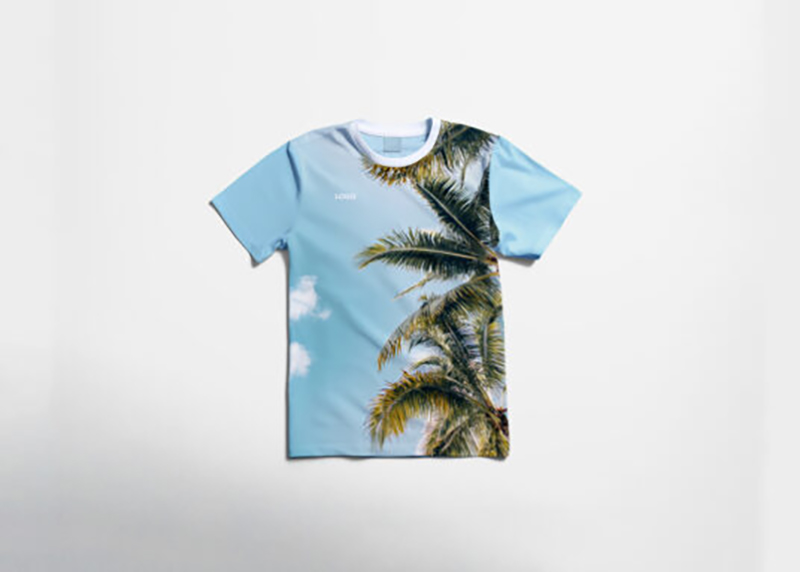
Best for: collared apparel, branded uniforms, retail fashion, company clothing, and casual workwear.
The old MockupFree polo resource has been replaced with a current collared T-shirt PSD that offers a cleaner and more reliable source page.
17. Men’s Hanging T-Shirt Mockup
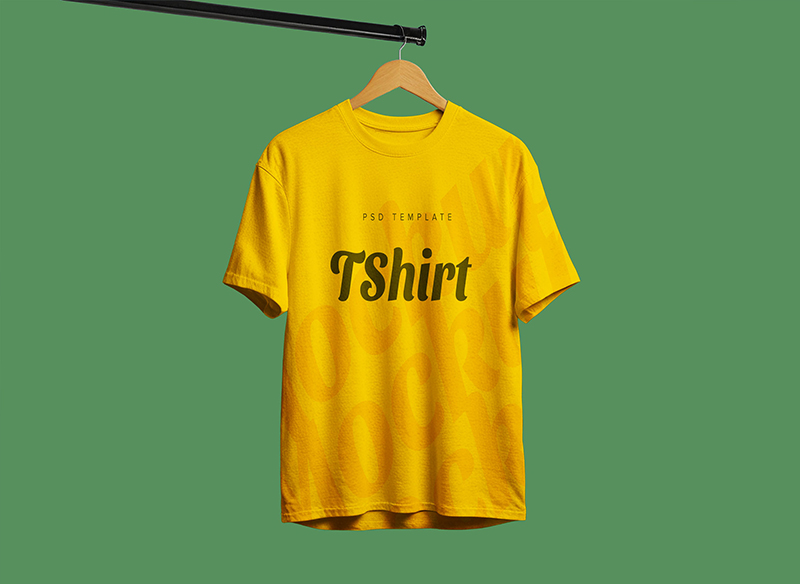
Best for: clothing collections, online shops, merchandise, logo design, typography, and fashion portfolios.
The original №17 duplicated the same Pixeden Vol.3 resource already used at №2, so this current hanging T-shirt mockup replaces the duplicate.
18. Flat Men’s T-Shirt Mockup
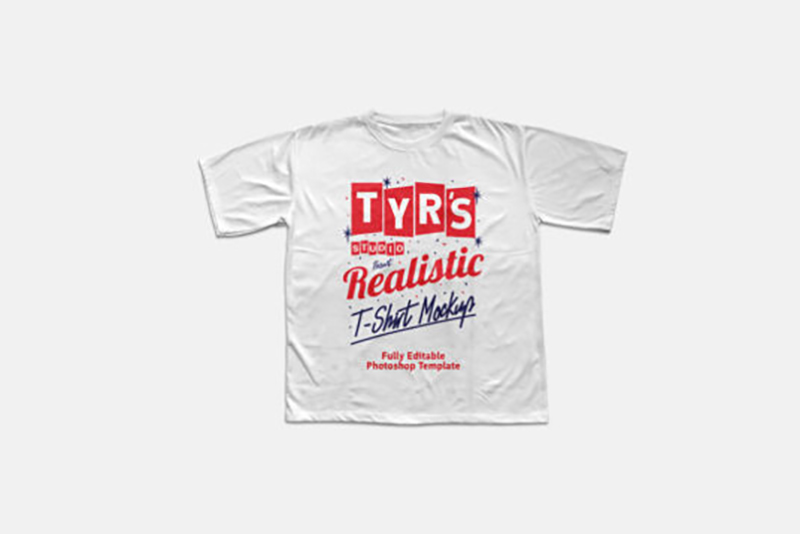
Best for: men’s apparel, print-on-demand, e-commerce, graphic tees, brand merchandise, and product catalogs.
The inaccessible old MockupFree men’s-shirt resource has been replaced with a current downloadable PSD.
19. Woman Marl T-Shirt Mockup Vol. 2

Best for: women’s fashion, clothing labels, graphic tees, merchandise, and online-store previews.
A women’s fitted garment helps demonstrate how artwork may behave differently than it does on a generic unisex T-shirt.
20. Baby T-Shirt PSD Mockup

Best for: children’s clothing, baby brands, illustrations, family merchandise, and kids apparel collections.
Kids’ garments require a different artwork scale than adult T-shirts, so using an appropriate mockup gives a more realistic preview.
How to Choose the Right T-Shirt Mockup
Match the Garment Style
If you are producing a cropped women’s T-shirt, do not present the design only on a loose men’s shirt.
Try to match:
- Fit.
- Sleeve length.
- Neckline.
- Garment proportions.
- Target customer.
Match the Print Location
Different mockups are useful for:
- Center chest prints.
- Small left-chest logos.
- Large back graphics.
- Front and back designs.
- Label or tag branding.
How Large Should a T-Shirt Print Be?
The ideal size depends on the garment and the printing method.
A mockup is helpful for testing visual scale, but final production dimensions should always be confirmed with the printer or print-on-demand provider.
Avoid Oversizing by Accident
Artwork that looks balanced on a large Photoshop canvas may appear excessively large on the actual shirt.
Dark vs Light T-Shirts
White and Light Shirts
Often work well with:
- Dark typography.
- Colorful illustrations.
- Fine line work.
Black and Dark Shirts
Can create stronger contrast for:
- White artwork.
- Bright colors.
- Bold graphics.
Keep in mind that actual printing methods may treat light and dark garments differently.
Front vs Back T-Shirt Designs
A common merch system combines:
- A small logo on the front.
- A large illustration on the back.
Front-and-back mockups make it easier to judge whether those two elements feel like part of the same design.
T-Shirt Mockups for Print-on-Demand
Mockups can help designers prepare early product visuals for:
- Online stores.
- Merchandise launches.
- Pre-orders.
- Portfolio concepts.
- Social media campaigns.
However, the mockup should resemble the actual shirt style and color offered to customers as closely as possible.
T-Shirt Mockups for Clothing Brands
A clothing collection may require several types of presentation:
- Clean product view.
- Front graphic.
- Back graphic.
- Folded retail presentation.
- Lifestyle or model image.
Using different mockup types can make the collection easier to understand without repeating the same scene.
How to Use T-Shirt Mockups in Photoshop
- Open the PSD file.
- Find the editable Smart Object or artwork layer.
- Open the Smart Object.
- Insert your design.
- Scale it to the intended print area.
- Save the Smart Object.
- Return to the main mockup.
- Change the T-shirt color if supported.
- Review folds and print placement.
- Export the presentation.
Common T-Shirt Mockup Mistakes
1. Using the Wrong Shirt Style
The mockup should resemble the garment you actually plan to produce.
2. Making the Print Unrealistically Large
Check actual printer dimensions.
3. Ignoring Fabric Folds
Artwork should interact naturally with the garment.
4. Showing Only the Front
If the design includes a back print, show it.
5. Using Low-Resolution Artwork
Start with clean, production-ready graphics whenever possible.
6. Using a Mockup Instead of a Print Proof
A PSD visualization cannot perfectly predict real ink, fabric, or screen-print behavior.
7. Choosing a Scene That Distracts From the Artwork
The garment and print should remain the main subjects.
8. Repeating the Same Resource
A curated article should provide useful variety rather than duplicates.
9. Keeping Broken Download Links
Older mockup resources should be reviewed periodically and replaced when their original pages disappear.
10. Assuming Every Free Mockup Has the Same License
Always check the original creator’s current terms.
T-Shirt Mockup Licensing Checklist
- Is the download currently available?
- Is personal use allowed?
- Is commercial use allowed?
- Is attribution required?
- Can it be used in client projects?
- Can it be used in an online shop?
- Can the resulting image appear in advertising?
- Can the PSD be modified?
- Can the original file be redistributed?
Frequently Asked Questions About Free T-Shirt Mockups
What are T-shirt mockups?
T-shirt mockups are presentation templates that allow designers to place logos, illustrations, typography, or other artwork onto realistic digital garments.
What are free t-shirt mockups used for?
Free t-shirt mockups can be used for apparel branding, merchandise, clothing stores, print-on-demand products, client presentations, portfolios, and promotional graphics.
Do all T-shirt PSD mockups use Smart Objects?
No. Many do, but editing methods vary between resources.
What is the best mockup for a back print?
Choose a dedicated backside or front-and-back T-shirt mockup so the artwork can be evaluated clearly.
What is the best mockup for an online clothing store?
Clean flat or front-facing mockups are useful for clear product presentation, while lifestyle scenes can provide additional marketing context.
Can I change the shirt color?
Many PSD mockups allow garment recoloring, but this depends on how the individual file is structured.
Can free T-shirt mockups be used commercially?
Only when the individual resource license permits commercial use.
Should I show flat artwork too?
Yes. The original graphic lets viewers evaluate the design clearly, while the mockup demonstrates how it may appear on fabric.
Can mockups replace product photography?
They can be useful before production, but real product photography is preferable when showing the exact garment customers will receive.
How many T-shirt mockups should I use in a portfolio?
Use enough views to communicate the design clearly. Front, back, and one contextual or folded presentation are often sufficient.
Final Thoughts
The best free t-shirt mockups help designers understand how artwork behaves once it leaves a flat artboard and becomes part of a real garment.
Hanging mockups add natural retail context. Flat T-shirts provide a clear view of the print. Front-and-back mockups are useful for complete merchandise systems, while folded, cropped, women’s, men’s, and children’s garments help designers match the presentation more closely to the real product.
Choose the mockup according to the shirt you actually plan to use.
Keep artwork at realistic scale. Test light and dark garments. Check front and back placement. Use high-quality source graphics. Confirm production dimensions with the printer.
And always review the resource license before commercial use.
A good T-shirt mockup should make the apparel design easier to evaluate — not hide it behind unnecessary effects.
For more apparel mockups, branding resources, Photoshop assets, fonts, brushes, and design inspiration, continue exploring DesignRise.