
Design in 2026 is no longer only about mastering separate tools. It is about building smarter systems. The most successful creative professionals are not simply testing random AI apps. They are creating structured AI workflows for designers that help them research faster, generate stronger ideas, produce more assets, improve consistency, and deliver projects with less manual repetition.
For designers, this shift is important. AI is not just another plugin or visual generator. It can support the entire creative process: research, ideation, UX writing, moodboards, layout exploration, visual production, branding, presentations, design systems, content scaling, and client delivery.
But a strong workflow is not the same as using AI everywhere. The best designers know when to use AI, when to ignore it, when to refine the output manually, and when human judgment matters more than speed. That balance is what makes an AI workflow useful instead of chaotic.
In this DesignRise guide, we’ll explore AI workflows for designers in 2026, including tools, systems, workflow layers, real use cases, common mistakes, and practical frameworks you can apply to UI/UX design, branding, graphic design, product design, freelancing, and creative agency work.
You May Also Like:
- The AI Design Workflow Blueprint: How Top Designers Work Faster and Smarter in 2026
- The New AI Design Workflow: What Every Designer Should Master
- Top AI Tools for Motion Graphics Designers in 2026 — Boost Your Workflow and Creativity
Why AI Workflows Are Redefining Design
Designers used to organize their work mostly around software: Figma for UI, Photoshop for images, Illustrator for vectors, After Effects for motion, Notion for notes, and so on. In 2026, the bigger question is no longer “Which tool should I use?” but “How do all these tools work together inside one repeatable system?”
That is why AI workflows for designers are becoming so valuable. They help creative professionals connect research, strategy, production, feedback, and delivery into one smoother process.
A strong AI workflow can help designers:
- Explore more ideas before choosing a direction.
- Reduce repetitive work during production and resizing.
- Generate better starting points for moodboards, copy, layouts, and visuals.
- Improve client communication with clearer presentations and documentation.
- Scale content faster for websites, social media, ads, and campaigns.
- Maintain consistency across design systems, brand assets, and deliverables.
- Spend more time on strategy instead of manual setup.
The goal is not to automate creativity. The goal is to protect creative energy by using AI for the tasks where speed, structure, and variation are useful.
What Are AI Workflows in Design?
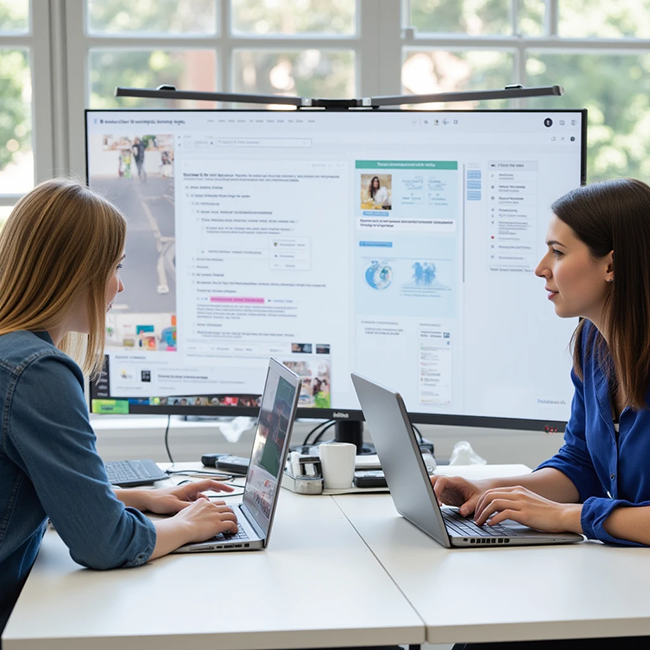
AI workflows for designers are structured processes that integrate artificial intelligence into different stages of the design pipeline. Instead of using AI occasionally or randomly, designers build repeatable systems that support their daily creative work.
A workflow can be simple or advanced. For a freelance designer, it might be a small system for research, moodboards, copywriting, and client presentations. For an agency, it might include several AI tools connected to brand strategy, asset production, campaign scaling, and design documentation.
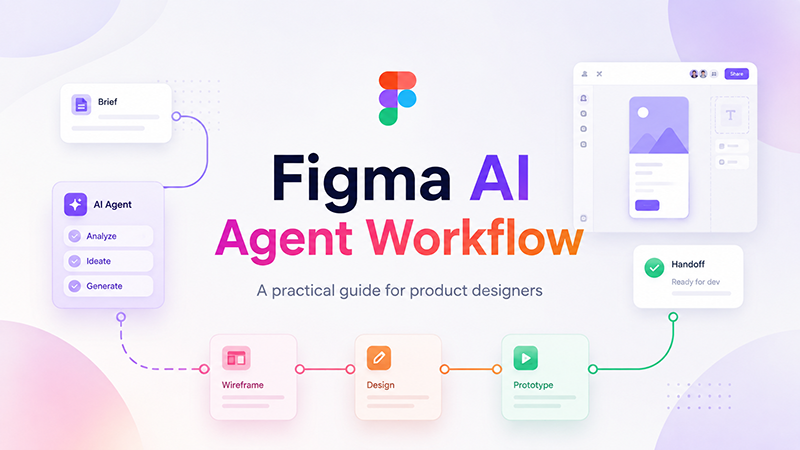
A modern AI workflow usually includes five core stages:
- Research and inspiration: understanding the market, audience, competitors, visual direction, and creative opportunities.
- Concept development: generating ideas, moodboards, creative territories, wireframes, and campaign directions.
- Design production: creating UI drafts, visuals, illustrations, copy, mockups, and design system elements.
- Iteration and testing: refining layouts, improving UX copy, testing variations, and reviewing accessibility.
- Delivery and scaling: preparing files, documentation, formats, presentations, social assets, and handoff materials.
The workflow is what matters most. Tools will change, but a good system can adapt to new tools over time.
AI Workflow vs AI Tool: What Is the Difference?
Many designers confuse AI tools with AI workflows. A tool is one product. A workflow is the process that connects tools, decisions, tasks, and outputs together.
| AI Tool | AI Workflow |
|---|---|
| A single app, plugin, or platform | A repeatable system for completing design work |
| Helps with one task | Connects multiple tasks across a project |
| Can produce random results if used without direction | Creates more predictable and useful outcomes |
| Often focused on speed | Balances speed, quality, strategy, and control |
| May become outdated quickly | Can adapt as tools change |
For example, an AI image generator is a tool. But a workflow might include using AI to create moodboard references, testing visual directions, refining prompts, generating campaign scenes, editing selected outputs, preparing mockups, and adapting the final visuals for social media and landing pages.
That is the difference between experimenting with AI and using AI professionally.
The Core AI Workflow System Every Designer Uses

Most professional AI workflows for designers are built in layers. Each layer has a clear purpose. This makes the process easier to control and prevents AI from becoming messy or random.
1. Research and Inspiration Layer
At the beginning of a project, designers use AI to explore ideas faster. This can include competitor research, moodboard directions, trend summaries, audience pain points, typography inspiration, color palette ideas, and creative positioning.
Common use cases include:
- Generating moodboard directions based on a project brief.
- Summarizing competitor websites or product categories.
- Exploring possible brand personalities.
- Finding visual keywords for image research.
- Creating questions for client discovery sessions.
- Organizing messy research notes into clear insights.
AI can reduce the time spent searching and increase the number of creative directions explored. But designers still need to verify the results and decide what matters.
2. Ideation and Concept Development Layer
This is where AI workflows become powerful. Designers can use AI to generate multiple directions before committing to one idea.
Designers use AI to:
- Generate layout concepts.
- Explore branding directions.
- Write campaign angles.
- Create naming and tagline ideas.
- Visualize product stories.
- Test different UX structures.
- Compare visual styles before production.
Instead of developing only one idea, designers can explore several concepts quickly and then refine the strongest one manually.
3. Design Execution and Production Layer
Once the concept is selected, AI helps accelerate production. This is where designers use AI to create drafts, variations, supporting assets, placeholder content, and production-ready refinements.
Typical workflow actions include:
- Generating UI copy and microcopy.
- Creating layout drafts.
- Refining image quality.
- Generating illustration references.
- Preparing icon ideas.
- Creating product mockup directions.
- Supporting design system documentation.
AI does not replace design skills. It removes friction from repetitive and early-stage production tasks.
4. Iteration and Optimization Layer
Iteration is where AI can deliver the biggest time savings. Designers rarely get the final solution on the first attempt. AI helps create alternatives quickly so teams can compare, refine, and improve.
Designers use AI to:
- Generate multiple copy variations.
- Improve UX writing.
- Test alternative headlines and calls to action.
- Suggest accessibility checks.
- Compare layout structures.
- Prepare A/B testing ideas.
- Rewrite client presentation text.
This helps designers move through feedback cycles faster while keeping control over the final decision.
5. Delivery and Scaling Layer
Modern designers often need to create content for many platforms. One campaign may need a landing page, Instagram post, LinkedIn carousel, email banner, ad variations, presentation slides, and website graphics.
AI workflows help scale production without increasing workload.
Examples include:
- Adapting designs for social media formats.
- Generating multiple asset sizes.
- Preparing presentations and mockups.
- Writing design documentation.
- Creating handoff notes for developers.
- Turning project notes into a portfolio case study.
- Generating captions, headlines, and summaries for different channels.
This stage is especially important for freelancers, agencies, content teams, and product designers who need to deliver more than one final file.
A Practical AI Workflow Blueprint for Designers
If you want to build your own AI workflow for design projects, start with a simple blueprint. You do not need ten tools at once. You need a repeatable process that helps you move from brief to final delivery.
| Step | AI Helps With | Designer Controls |
|---|---|---|
| Brief Analysis | Summarizing goals, audience, constraints, and deliverables | Strategy, priorities, client context |
| Research | Trends, competitors, moodboard directions, questions | Accuracy, relevance, insight selection |
| Ideation | Concepts, directions, prompts, copy angles | Taste, originality, brand fit |
| Production | Drafts, visuals, copy, variants, documentation | Hierarchy, usability, polish, final quality |
| Review | Alternative wording, accessibility reminders, tests | Final judgment, user needs, business goals |
| Delivery | Asset adaptation, summaries, handoff notes | Consistency, file quality, client-ready output |
This blueprint can work for many types of projects, including UI/UX design, branding, web design, content design, social media design, motion graphics, and product design.
Real Use Cases: How Designers Actually Use AI Workflows

AI workflows for designers are not limited to one niche. They are used across UI/UX, branding, web design, marketing, motion graphics, freelance work, and creative agency systems.
Use Case 1: UI/UX Designers
UI/UX designers use AI to support research, structure, writing, and iteration. AI can help organize user insights, create first-draft user flows, suggest onboarding steps, write microcopy, and create alternative screen structures.
Common tasks include:
- Generating wireframe ideas faster.
- Creating onboarding flow options.
- Writing empty states and error messages.
- Testing UX copy variations.
- Summarizing user interviews or research notes.
- Building design system documentation.
- Creating accessibility review checklists.
Example: A UX designer working on a budgeting app can use AI to draft onboarding steps, create friendly microcopy, suggest empty states, and generate questions for user testing. The designer then validates and refines everything based on real user needs.
Use Case 2: Branding Designers
Branding designers use AI to explore creative territories, moodboard directions, naming ideas, tagline options, visual metaphors, and campaign concepts.
AI is useful at the exploration stage because branding often starts with broad creative possibilities. A designer can quickly test several directions before choosing the strongest concept.
Common tasks include:
- Exploring multiple visual identities.
- Generating brand personality directions.
- Creating moodboard prompts.
- Testing tagline and naming ideas.
- Building first-draft brand voice options.
- Creating campaign angles.
- Refining brand systems after a direction is chosen.
Example: A designer creating a wellness brand can use AI to compare “clinical clean,” “organic calm,” “premium spa,” and “bold fitness” directions. Then they manually refine typography, colors, logo, visual language, and brand rules.
Use Case 3: Web Designers
Web designers use AI to structure pages, generate section copy, test hero messages, create layout ideas, and prepare SEO-friendly content outlines.
This is especially useful for landing pages, service websites, product pages, SaaS websites, portfolios, and content-heavy sites.
Common tasks include:
- Creating website section outlines.
- Drafting hero headlines.
- Generating CTA variations.
- Writing feature descriptions.
- Creating FAQ sections.
- Testing different landing page structures.
- Adapting desktop content for mobile layouts.
Example: A web designer working on a SaaS landing page can use AI to create several page structures, then select the strongest one and design the final layout manually in Figma.
Use Case 4: Graphic Designers
Graphic designers use AI to generate references, test compositions, create social media variations, improve image direction, and scale campaign assets.
For graphic design, AI works best as a visual exploration tool. It can help generate ideas quickly, but the final design still needs human composition, typography, hierarchy, and brand judgment.
Common tasks include:
- Generating poster concept ideas.
- Creating image references.
- Testing color palette directions.
- Drafting social media layouts.
- Creating campaign asset variations.
- Exploring illustration styles.
- Preparing visual mockup directions.
Use Case 5: Freelance Designers
Freelancers use AI workflows to work faster without lowering quality. This is important because freelancers often handle research, design, writing, client communication, presentations, revisions, and delivery alone.
AI can support freelance work by helping with:
- Client brief analysis.
- Project proposals.
- Moodboard ideas.
- UX copy drafts.
- Presentation text.
- Content adaptation.
- Revision options.
- Portfolio case study writing.
Example: A freelance designer can turn a messy client brief into a clear project summary, create moodboard directions, draft presentation slides, and prepare social media versions of the final design faster.
Use Case 6: Creative Agencies
Creative agencies use AI workflows to scale production and maintain consistency across teams. Agencies often need to deliver many assets for many clients, and AI can help organize repetitive tasks.
Common agency workflows include:
- Scaling campaign assets.
- Creating multiple copy variations.
- Preparing presentation drafts.
- Generating visual directions for internal review.
- Summarizing client feedback.
- Documenting brand systems.
- Creating social content variations from one campaign idea.
For agencies, AI is useful only when the workflow is controlled. Without clear brand direction and review, AI can create inconsistent results.
The Tools Behind Modern AI Workflows

AI tools change quickly, but the workflow categories stay fairly consistent. Designers usually combine different tools depending on the stage of work.
AI Tools for Research
These tools help designers summarize information, analyze competitors, organize notes, generate research questions, and turn messy input into clear insights.
Use them for:
- Competitor summaries.
- User interview notes.
- Market research organization.
- Audience pain points.
- Creative brief analysis.
AI Tools for Ideation
Ideation tools help designers generate concepts, moodboard directions, campaign ideas, naming options, and visual territories.
Use them for:
- Brand concept exploration.
- Visual directions.
- Campaign hooks.
- Product positioning ideas.
- Creative prompt writing.
AI Tools for UX Writing
UX writing tools help create clearer microcopy, onboarding text, empty states, error messages, tooltips, and calls to action.
Use them for:
- Button text.
- Form helper copy.
- Error and success messages.
- Product onboarding.
- Landing page sections.
AI Tools for Visual Generation
Visual AI tools help create moodboard references, illustration ideas, product scenes, background concepts, ad visuals, and campaign imagery.
Use them for:
- Hero image concepts.
- Brand atmosphere references.
- Product visualization.
- Social campaign ideas.
- Illustration style exploration.
AI Tools for Production and Scaling
Production tools help adapt assets, resize content, rewrite captions, prepare presentations, document systems, and generate variations.
Use them for:
- Social media formats.
- Presentation text.
- Design documentation.
- Developer handoff notes.
- Campaign asset scaling.
Useful AI Workflow Resources for Designers
To build stronger AI workflows for designers, it helps to study both AI tools and design methodology. The best results come from combining creative judgment with reliable systems.
- Figma AI: AI tools for design workflows
- Adobe Firefly: Generative AI for creative work
- Nielsen Norman Group: AI and UX design resources
- W3C WCAG: Accessibility guidelines for digital products
- OpenAI: AI research and products
These resources can support a more responsible and practical AI workflow, especially when designers need to balance speed, quality, usability, accessibility, and creative control.
How to Build Your Own AI Workflow System
You do not need to use every AI tool available. A better approach is to build a simple workflow system around the work you do most often.
Step 1: Identify Repetitive Tasks
Start by listing tasks that repeat across projects. These are often the best places to use AI.
Examples include:
- Writing presentation summaries.
- Creating first-draft UX copy.
- Generating moodboard keywords.
- Preparing social post variations.
- Summarizing client feedback.
- Creating design documentation.
Step 2: Decide Where AI Should Help
Not every task should be automated. Choose tasks where AI saves time without reducing quality.
Good AI tasks are:
- Specific.
- Repeatable.
- Easy to review.
- Useful as drafts or starting points.
- Not high-risk without human approval.
Step 3: Create Prompt Templates
Prompt templates help you get more consistent results. Instead of writing new prompts every time, create reusable prompt structures for common tasks.
Example prompt structure:
Act as a [role]. I am working on [project type] for [audience]. The goal is [goal]. Generate [specific output]. Keep the tone [tone]. Include [requirements]. Avoid [things to avoid].
Step 4: Save Useful Outputs
If an AI output is useful, save it. Over time, you can build a personal workflow library with prompts, examples, visual styles, copy structures, and presentation formats.
Step 5: Review Everything Manually
AI should never remove quality control. Review every output for accuracy, originality, brand fit, accessibility, and usefulness.
AI Workflow Examples by Project Type
Website Design Workflow
- Summarize the client brief.
- Generate competitor research questions.
- Create three landing page structures.
- Draft hero headlines and CTAs.
- Generate visual direction ideas.
- Design the page manually in Figma.
- Use AI to rewrite unclear sections.
- Prepare SEO-friendly FAQ ideas.
- Write handoff notes for development.
Brand Identity Workflow
- Analyze the brand brief.
- Generate possible brand personalities.
- Create moodboard directions.
- Explore naming or tagline ideas.
- Generate visual prompts for references.
- Design logos and identity manually.
- Use AI to draft brand guideline text.
- Create social and presentation copy.
- Prepare final client presentation notes.
UI/UX Product Workflow
- Summarize user needs and product goals.
- Generate user flow options.
- Create onboarding copy variations.
- Suggest empty states and error messages.
- Build wireframes and UI screens manually.
- Use AI to prepare usability test questions.
- Summarize feedback and improvement ideas.
- Document components and interaction states.
Social Media Campaign Workflow
- Define campaign goal and audience.
- Generate content angles.
- Create headline and caption variations.
- Generate visual direction prompts.
- Design key visuals manually.
- Adapt assets to different formats.
- Use AI to create post variations.
- Prepare final content calendar notes.
Common Mistakes Designers Make With AI Workflows
AI can improve the design process, but only when used carefully. Even experienced designers sometimes misuse AI workflows.
Using Too Many Tools Without a System
Trying every new tool can make your process slower, not faster. A strong workflow needs structure. Choose tools that solve real problems in your process.
Relying on AI Output Without Refinement
AI can create drafts, but final design still needs human judgment. Do not use AI-generated copy, visuals, or layouts without review.
Skipping Creative Direction
AI needs direction. If you give vague prompts, you will get generic results. Strong creative direction is still the designer’s responsibility.
Focusing on Speed Over Quality
AI can make work faster, but faster is not always better. The final output must still be clear, usable, polished, and aligned with the project goal.
Ignoring Accessibility
AI can help create accessibility checklists, but designers still need to check contrast, readability, keyboard navigation, touch targets, and inclusive language.
Forgetting Licensing and Copyright
Before using AI-generated visuals or assets commercially, designers should check platform terms, client requirements, and licensing rules.
AI Workflow Checklist for Designers
Use this checklist before adding AI to your design process:
- Do I know what problem AI is helping me solve?
- Is this task repetitive, exploratory, or useful as a draft?
- Have I provided enough context in the prompt?
- Does the output match the brand and audience?
- Have I checked accuracy and relevance?
- Have I refined the output manually?
- Have I reviewed accessibility and usability?
- Have I checked licensing and copyright concerns?
- Can this workflow be repeated in future projects?
- Does the workflow improve quality, not only speed?
The Future of AI Workflows for Designers
The future of design workflows is not about using more tools. It is about building smarter systems.
Design is moving toward:
- Adaptive AI design systems that help maintain consistency across products.
- Generative UX interfaces that support faster flow and content creation.
- Personalized creative workflows based on brand and team needs.
- Fully integrated design pipelines that connect research, design, content, and delivery.
- AI-assisted production systems that help scale assets across many platforms.
Designers who understand how to build effective AI workflows today will have a major advantage in the coming years. They will be able to work faster, communicate better, and deliver more consistent results without losing creative control.
FAQ: AI Workflows for Designers
What are AI workflows for designers?
AI workflows for designers are structured processes that use AI tools to support research, ideation, production, iteration, documentation, and delivery inside design projects.
How do designers use AI workflows in 2026?
Designers use AI workflows to generate research summaries, moodboard directions, UX copy, layout ideas, visual references, campaign variations, design documentation, and content adaptations.
Do AI workflows replace designers?
No. AI workflows help designers work faster, but designers still control strategy, taste, usability, brand fit, accessibility, and final creative direction.
What is the biggest benefit of AI workflows?
The biggest benefit is speed with structure. Designers can explore more ideas, reduce repetitive tasks, and create more deliverables while keeping the process organized.
What design tasks are best for AI?
AI is useful for research summaries, moodboard ideas, copy variations, UX microcopy, visual prompts, layout exploration, documentation, and asset scaling.
What should designers avoid when using AI?
Designers should avoid relying on AI without refinement, using too many tools without a system, skipping creative strategy, ignoring accessibility, and forgetting licensing rules.
Can freelancers benefit from AI workflows?
Yes. Freelancers can use AI workflows to speed up client research, proposals, moodboards, presentation text, revisions, content adaptation, and portfolio case studies.
Are AI workflows useful for agencies?
Yes. Agencies can use AI workflows to scale content production, create campaign variations, summarize feedback, document brand systems, and maintain consistency across multiple projects.
Conclusion: AI Workflows Are the New Creative Standard
AI workflows for designers are becoming a core part of modern creative work. AI is no longer optional for many designers, but it should also not be used randomly. The real value comes from building a structured system.
The most successful designers in 2026 are those who combine tools into workflows, use AI for the right tasks, keep human judgment at the center, and focus on quality as much as speed.
AI workflows do not eliminate creativity. They amplify it by removing friction, expanding exploration, and helping designers deliver stronger work faster.
The future belongs to designers who can think in systems, not just tools.
Explore more AI design guides, workflow resources, UI/UX articles, and creative tools on DesignRise.