







Why Premium Figma Mockups Are a Game-Changer for Designers
In the fast-paced world of digital design, presenting your work professionally can make the difference between a good impression and a great one. Premium Figma mockups have revolutionized how designers showcase interfaces, products, and branding assets. Unlike static images, these smart, customizable templates allow you to place your designs into realistic contexts within minutes, creating presentations that clients and stakeholders can instantly understand and appreciate.
Figma’s collaborative nature combined with high-quality mockup resources creates a powerful workflow. Whether you’re demonstrating a mobile app on a sleek device, presenting print assets in real-world settings, or displaying physical products in attractive environments, premium mockups provide the polish that elevates conceptual designs to tangible-looking final products. This guide explores the best resources and techniques for using device, print, and product display mockups within Figma.
You May Also Like:
- Finger-Friendly UI Design: How to Create Mobile Interfaces Users Love
- User Journeys vs. Customer Journeys: Why Distinguishing Them Is Crucial for Your Strategy
- Figma Introduces the New Glass Effect and Apple’s Liquid Glass UI Kit
The Power of Device Mockups: Showcasing Digital Interfaces
Device mockups are arguably the most essential tool in a UI/UX designer’s presentation toolkit. They transform flat frames into living interfaces appearing on smartphones, tablets, laptops, and desktops.
Key Benefits of Using Device Mockups:
Context & Realism: They show how an interface will look and feel in the user’s hand or on their desk.
Professional Presentation: Instantly boosts the perceived quality of your work in portfolios, pitches, and case studies.
Versatility: Perfect for showcasing everything from app onboarding flows to responsive website behavior across different screen sizes.
Top Sources for Premium Figma Device Mockups:
1. Mockup World (Free & Premium)
A cornerstone for mockup resources, offering a vast, curated collection. Their “Smart” mockups are Figma-friendly and incredibly easy to use, with many free options to start.

2. Ls.graphics (Premium)
Specializes in high-end, detailed mockup kits with a strong focus on aesthetics and realism. Their packs often include advanced Figma features like auto-layout and customizable lighting.

3. Freebiesbug (Free & Premium)
An excellent aggregator that curates high-quality free design resources, including modern device mockup files from top designers, often available in Figma format.

Pro Tip in Figma: Use the “Plugins” menu (Community) to find mockup-specific plugins that streamline the process. Search for “Mockup” to find tools that generate devices directly in your file.
Bringing Print to Life: Mockups for Branding & Physical Media
For branding and print designers, print asset mockups are indispensable. They answer the critical question: “How will this design look in the real world?” This builds client confidence before any money is spent on physical production.
Essential Print Mockup Categories:
Stationery: Business cards, letterheads, envelopes.
Marketing Materials: Brochures, flyers, posters, banners.
Packaging: Product boxes, bags, labels, and bottles.
Apparel: T-shirts, hats, tote bags with your logo or design.
Best Resources for Premium Print Mockups in Figma:
1. Mockup Daddy (Freemium)
A premier resource offering a vast and well-curated library of premium-quality mockups. It’s excellent for finding realistic print, packaging, and product display scenes with daily free assets and easy customization via Smart Object PSD files.

2. Pixeden (Free & Premium)
A long-standing resource known for its high-quality graphic design assets, including a robust section of professional, layered print mockup templates.

3. Pixelbuddha (Free & Premium)
Their free mockup bundles frequently include stylish print items like business cards and stationery, making them a fantastic resource for quality on a budget.

Figma Workflow: For print mockups, you often work with a smart object layer in a PSD file provided by the creator. Use a plugin like “Image Tracer” or simply replace the smart object in Photoshop, then import the final image into Figma for a seamless presentation alongside your UI work.
Creating Irresistible Presentations: Product Display Mockups
Product display mockups go beyond the item itself to show it within a context that tells a story. This is crucial for e-commerce, product design, and landing page presentations.
Types of Product Display Mockups:
Lifestyle Mockups: The product in a natural setting (e.g., a mug on a cozy desk, a backpack in nature).
Contextual Mockups: The product in a commercial setting (e.g., a book in a store, a bottle on a supermarket shelf).
Studio Mockups: Clean, isolated shots on neutral backgrounds, focusing purely on the product’s form and design.
Where to Find Stunning Product Display Mockups:
1. Mediamodifier (Freemium)
Offers a straightforward online mockup generator with a focus on devices and products. It’s excellent for creating quick, professional-looking lifestyle and studio scenes without needing complex software.

2. The Mockup Club (Free)
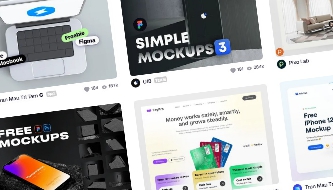
A wonderful curated collection of free, high-quality mockups submitted by designers. It features unique lifestyle and product scenes that are perfect for adding character to your presentations.

Dribbble & Figma Community (Mixed)
Don’t underestimate the power of design communities. Many talented designers share free or premium mockup kits directly on Dribbble or publish them as free files in the Figma Community. Search for tags like free mockup figma or product mockup.

Mastering the Figma Mockup Workflow: Quick Tips
Stay Organized: Create a dedicated “Mockups” page or project in Figma to store your collected templates.
Use Components & Styles: If a mockup has reusable elements (like a device frame), turn it into a Figma Component. Create color styles for quick theme switching.
Leverage Plugins: Plugins like Unsplash (for background images), Blush (for illustrations), and Content Reel (for dummy data) can complement your mockups beautifully.
Maintain Consistency: When presenting multiple mockups in one board, ensure consistent lighting, perspective, and image quality for a cohesive look.
Conclusion: Invest in Your Presentation
Premium Figma mockups for devices, print assets, and product displays are not just decorative extras; they are strategic tools for communication and persuasion. They bridge the gap between abstraction and reality, helping clients and users visualize the final result with stunning clarity. By curating a library of high-quality mockups from diverse resources like Ls.graphics, Graphicsfuel, The Mockup Club, and the Figma Community, and mastering the integration workflow, you empower yourself to create presentations that are as professional and compelling as the designs they showcase. Start exploring and watch your design presentations transform from flat concepts to immersive, persuasive experiences.

